

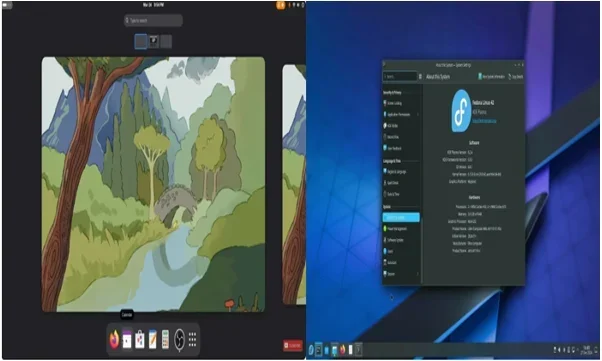



Fedora Linux has quietly become one of the most dependable ways to run a genuinely current Linux desktop. It’s the distribution GNOME’s own developers use, it tends to support new hardware sooner than more conservative distros, and it does this without turning into a rolling-release experiment. If you’re deciding whether Fedora belongs on your laptop, or you’re already running it and need a specific answer, this page is the place to start: what Fedora Workstation is actually like day to day, how its release model works, and where to find deeper guides and troubleshooting on TechRefreshing.
Fedora at a Glance
| Detail | Fedora |
|---|---|
| Project | Fedora Project, community-run with Red Hat sponsorship |
| Distribution family | Independent, RPM-based; upstream source for RHEL |
| Current Workstation release | Fedora Workstation 44 |
| Desktop environment | GNOME 50 (default on Workstation) |
| Package manager | DNF5 |
| Package format | RPM, plus Flatpak |
| Release cycle | Roughly every six months |
| Support lifecycle | About 13 months; two releases supported at once |
| Default display system | Wayland (X11 apps run via XWayland) |
| Best suited for | Desktop users and developers wanting current software |
| Official website | fedoraproject.org |
What Fedora Is Like to Use in 2026
Fedora Workstation feels close to using upstream GNOME the way its developers intended, with little distribution-specific theming layered on top. GNOME, the kernel, and Mesa graphics drivers all move forward every six months rather than staying frozen for years.
For everyday desktop use — browsing, office work, coding — this rarely translates into instability. It does mean you’re closer to the leading edge than someone on a conservative, LTS-style distro, so you’ll occasionally hit a fresh regression a slower-moving distribution wouldn’t see yet.
Administration runs through DNF5, with GNOME Software for anyone who prefers a graphical panel. Updates pass through Fedora’s Bodhi testing system before going stable, so things stay fairly settled between version bumps, and hardware support benefits from the same freshness — recent kernel and driver versions often mean better out-of-the-box support for newer components.
Fedora Workstation and the Fedora Editions
Fedora Workstation is the flagship desktop edition, shipping GNOME by default and aimed at general desktop use and software development — it’s what this page focuses on.
Fedora also builds other Editions: Fedora KDE Plasma Desktop (currently on Plasma 6.6) for KDE users, Fedora Server for infrastructure, and Fedora IoT for embedded/edge use. Alongside these sit the Atomic Desktops — Silverblue (GNOME) and Kinoite (KDE Plasma) — built on an image-based, container-style foundation for users wanting a more resilient system than a traditional package install.
If you want the standard experience most guides assume, Fedora Workstation with GNOME is the right starting point.
Which Fedora Version Should You Install?
Fedora releases a new version roughly every six months, in spring and fall. As of August 2026, Fedora Workstation 44 is current and the sensible default for a new install. Fedora 43 is also still supported, but 44 gives you more time before another upgrade.
Don’t install an end-of-life release — once support ends, security updates stop entirely.
Delaying an upgrade can make sense right after launch, if you rely on third-party repos (RPM Fusion, Copr) that haven’t rebuilt yet, or a recent GNOME change disrupted your workflow. Otherwise, staying reasonably current is simpler, since Fedora’s support window per release isn’t long.
Fedora Release Cycle and Support
| Area | Fedora |
|---|---|
| New release frequency | Roughly every six months |
| Typical support period | About 13 months per release |
| Upgrade approach | GNOME Software, or DNF5’s system-upgrade |
| Software freshness | Updated GNOME, kernel, toolchain twice a year |
| Best for | Users comfortable upgrading once or twice a year |
Fedora is not an LTS distribution the way Ubuntu LTS or Debian Stable are. Its release life cycle documentation explains the model plainly: a release stays maintained until about four weeks after the release two versions later, roughly 13 months of support each. For a slower-moving, longer-support desktop, look toward RHEL-derived distributions instead, which trade freshness for years of support.
Fedora GNOME Desktop Experience
Fedora Workstation 44 ships GNOME 50, close to a stock GNOME install: Activities Overview for launching and switching, rearrangeable workspaces, Quick Settings for network and display toggles, and the standard app grid rather than a customized launcher.
One change worth knowing: Fedora dropped the GNOME X11 session starting with Fedora 43, alongside GNOME 49’s own move away from X11, carrying through Fedora 44 with GNOME 50. GNOME on Fedora now runs on Wayland only — no X11 session at login. X11 applications still work through XWayland, and Xorg itself remains maintained upstream for compatibility, but a workflow needing a full X11 session no longer has that option.
Multi-monitor setups, fractional scaling, and touchpad gestures are handled through GNOME’s native settings rather than Fedora-specific tools.
Software and Package Management
Fedora’s package management runs on DNF5, a ground-up rewrite that became the default backend in Fedora 41 and remains default in 44. /usr/bin/dnf points to DNF5, so familiar commands like dnf install and dnf upgrade still work, though Fedora now favors calling it explicitly as dnf5.
Underneath sits RPM, and Fedora’s official repositories carry a large amount of open-source software directly. For anything not packaged as RPM, or software you want sandboxed, Flatpak is built in and pointed at Flathub by default.
Worth being clear about RPM Fusion: a widely used third-party repository many Fedora users add for codecs and certain drivers — but it is not part of the official Fedora Project and doesn’t carry Fedora’s own support guarantees.
[INTERNAL LINK: Fedora DNF guides]
Codecs and Proprietary Software
Fedora’s official repositories ship only free and open-source software, plus legally distributable firmware. That means some common multimedia codecs and proprietary drivers aren’t included by default — a legal limitation, not a technical one.
In practice, that shows up as limited out-of-the-box playback for some proprietary video/audio formats, and NVIDIA’s proprietary driver not being preinstalled. Most users who want fuller multimedia support add a third-party repository like RPM Fusion. This page won’t walk through specific commands — that belongs in a dedicated setup guide — but understanding the reasoning helps before assuming something’s broken.
[INTERNAL LINK: Fedora NVIDIA troubleshooting]
Hardware, Drivers and Compatibility
Fedora runs well across Intel and AMD hardware, since both vendors’ open-source drivers are upstreamed into the kernel and Mesa, and Fedora ships recent versions quickly. Wi-Fi, Bluetooth, and printer support generally follow the same pattern: if a device’s driver is already in the mainline kernel or CUPS, Fedora picks it up without much fuss.
NVIDIA differs. Fedora ships the open-source Nouveau driver by default; NVIDIA’s proprietary driver isn’t in Fedora’s repositories and typically comes from a third-party source like RPM Fusion for full performance.
Fedora doesn’t “support all hardware” any more than any other distribution does, and because it ships newer kernel and driver versions more often, it can occasionally surface a fresh regression on a specific laptop a more conservative distro wouldn’t hit yet, simply because that distro hasn’t updated to the same driver version.
[INTERNAL LINK: Fedora Wi-Fi troubleshooting]
Fedora Performance and System Requirements
Per Fedora’s own documentation, Workstation requires a minimum of roughly 20GB of disk space and 2GB of RAM to install and run. That’s a floor, not a comfortable target — more RAM and an SSD make a real difference for a smooth GNOME experience, and how much you need depends on your workload. Browsing and a few Flatpak apps is very different from running containers or an IDE with several language servers active.
There are no official Fedora benchmark figures to cite, so none are invented here. Generally: CPU and RAM drive everyday responsiveness, GPU matters for the Wayland compositor and gaming, and fast storage shortens boot and app-launch times.
Fedora for Gaming
Fedora isn’t marketed as a gaming distribution, but it’s workable. Steam is available (Flatpak or RPM Fusion), and Proton handles most Windows-only compatibility on top of Vulkan, which AMD and Intel’s open-source drivers support well.
Fedora 44 also includes the NTSYNC kernel module, aimed at improving Windows game and app performance under Wine or Proton — a notable gaming-specific addition.
NVIDIA users again need to weigh the proprietary-driver question, since Nouveau alone usually isn’t enough for serious gaming performance. And regardless of GPU, anti-cheat software remains the real limiting factor for some multiplayer titles — check individual compatibility (ProtonDB is the community standard) rather than assuming.
Fedora for Developers
This is where Fedora tends to earn its reputation. It ships a current GNU toolchain each release — Fedora 44 updated to GCC 16.1, Binutils 2.46, glibc 2.43, and GDB 16.3 — alongside recent Python, Go, and Rust runtimes.
Containers and virtualization are first-class here. Podman, Red Hat’s daemonless container engine, is Fedora’s default rather than Docker, and KVM-based virtualization is well supported for local VMs.
Worth being precise about the Fedora–Red Hat relationship, since it gets muddled often: Fedora is community-driven and independently governed, not a beta of Red Hat Enterprise Linux. It acts as an upstream proving ground — features mature there first, and some eventually flow into CentOS Stream and RHEL — but it’s a separate distribution with its own goals and cycle. For GNOME app development specifically, Fedora keeps you close to the platform versions upstream developers are actually targeting.
Fedora Updates and Release Upgrades
Two things are worth separating, since beginners often conflate them.
Regular package updates happen continuously — security patches, bug fixes, app updates delivered through DNF5 or GNOME Software, on whatever version you’re currently running. These don’t change your Fedora version number.
Major release upgrades move you from one version to the next, say Fedora 43 to 44. GNOME Software surfaces an upgrade banner once a new release is stable, and walking through it there is simplest. On the command line, DNF5’s system-upgrade downloads the new release’s packages and applies them offline after a reboot, rather than upgrading a running session live.
Back up anything important before a major upgrade — it touches the kernel, desktop, and core libraries at once, and third-party repositories occasionally lag a new release by days or weeks.
[INTERNAL LINK: Fedora upgrade guides]
Common Fedora Problems and Troubleshooting
This is a starting point, not a full fix for every scenario — dedicated troubleshooting guides go deeper on each.
- Won’t boot / black screen after an update — often graphics-driver related on NVIDIA; try an older kernel entry from GRUB first.
- NVIDIA issues — confirm which driver is active (Nouveau vs. proprietary) before going further.
- Wi-Fi not detected —
lspciorlsusbconfirms whether the kernel sees the hardware. - Bluetooth problems — check
systemctl status bluetoothbefore digging into pairing. - No sound — usually a PipeWire routing issue, not a missing driver.
- DNF/repo metadata errors —
dnf5 clean allplus a fresh refresh fixes most;dnf5 historyshows what a transaction changed. - Flatpak problems — confirm the Flathub remote is configured and reachable.
- External display issues — increasingly tied to Wayland-specific settings now that GNOME on Fedora is Wayland-only.
- Suspend/resume problems —
journalctlafter resume usually shows what failed. - GNOME extension problems — a version mismatch after a GNOME upgrade is the usual cause; disable extensions individually to isolate it.
- Failed system update —
dnf5 historyplusjournalctl -baround that time usually explains why.
uname -r is worth knowing regardless of the problem — it confirms exactly which kernel you’re running.
[INTERNAL LINK: Fedora GNOME guides]
Fedora vs Ubuntu vs Linux Mint vs Debian
| Area | Fedora | Ubuntu | Linux Mint | Debian |
|---|---|---|---|---|
| Release approach | ~6-month cycle, ~13-month support | 6-month releases plus multi-year LTS | Built on Ubuntu LTS | Slow, stability-focused |
| Software freshness | Consistently current | Current on non-LTS, conservative on LTS | Deliberately conservative | Very conservative on Stable |
| Default desktop | GNOME | GNOME | Cinnamon (MATE, Xfce also offered) | No single default; commonly GNOME |
| Beginner friendliness | Assumes comfort with upgrades | Broadly beginner-friendly | Recommended for Windows switchers | Steeper curve, experienced users |
| Proprietary software | Needs a third-party repo | Easier access during setup | More codec support built in | Strict free-software defaults |
| Stability focus | Stable within a release | LTS prioritizes stability | High, inherited from Ubuntu LTS | Core design goal |
| Developer appeal | Current toolchains, Podman-first | Large ecosystem, cloud/container support | General desktop focus | Strong for servers |
| Best suited for | Current Linux tech, frequent upgrades | Large commercial/community ecosystem | Windows switchers, familiar desktop | Long-term stability, minimal base |
None is universally better — they’re built around different priorities, and the right pick depends on how much you value freshness versus not thinking about your OS for years.
Fedora Pros and Cons
Pros
- Consistently current GNOME, kernel, and toolchains each release
- Close-to-upstream GNOME experience
- Strong developer fit, with Podman and current compilers arriving quickly
- Structured, tested updates through DNF5 and Bodhi
- Active community and solid official documentation
- Built-in Flatpak support beyond Fedora’s own repos
Cons
- No long-term-support release — roughly 13 months per version
- Upgrading twice a year is a real ongoing commitment
- Proprietary codecs and NVIDIA drivers need a third-party repository
- Fast-moving software occasionally introduces fresh regressions
- GNOME’s opinionated, now Wayland-only workflow won’t suit everyone
Who Should Use Fedora?
Beginners can use Fedora successfully, especially if comfortable following an upgrade guide roughly twice a year. Experienced users and developers tend to get the most from it, since the release model rewards people who want current tools. Laptop users with recent hardware are usually well served, since Fedora’s newer kernel and driver stack often supports recently released components sooner. Gamers can run Fedora reasonably well through Proton and Vulkan, though NVIDIA users and anti-cheat-dependent titles should check compatibility first. Windows switchers wanting the path of least resistance for proprietary codecs and drivers may find Linux Mint a gentler landing. Users wanting long-term stability with minimal upgrades, or those on old, low-spec hardware, are usually better matched to a conservative, longer-support distribution.
Fedora Reviews, Guides and Troubleshooting on TechRefreshing
This page is the permanent hub for everything we publish on Fedora: installation and setup guides, hardware and driver guides (NVIDIA, Wi-Fi, laptop quirks), DNF5 walkthroughs, update and major-version upgrade guides, a growing troubleshooting library, GNOME tips, and gaming, performance, and comparison content. As we publish new Fedora content, it’ll be linked from here, so this page is worth bookmarking as a running reference.
[INTERNAL LINK: Fedora installation guides]
Final Verdict: Is Fedora Worth Using in 2026?
Fedora Workstation in 2026 is a sensible daily desktop for anyone who values current software over a set-it-and-forget-it release model. Its biggest advantage is staying close to what upstream projects — GNOME especially — are actively developing, which tends to mean better support for newer hardware and fewer surprises when following general Linux documentation.
The real compromise is the release cadence. Upgrading roughly every six months, or at minimum tracking end-of-life dates, is an ongoing commitment rather than a one-time setup task. Developers and enthusiasts who want current tools tend to see that as a feature; people who want a computer that just works without regular maintenance may find it wearing over time.
Fedora fits developers, GNOME users, and anyone on reasonably recent hardware who’s comfortable with periodic upgrades. It’s a less natural fit for those wanting years of unattended stability or proprietary drivers and codecs working immediately.
Frequently Asked Questions
Is Fedora Linux good for beginners in 2026?
It can work well for beginners willing to follow an upgrade guide roughly twice a year — more hands-on than an LTS distro, but not difficult once you know the rhythm.
Is Fedora free?
Yes — Fedora Linux is free and open-source, available at no cost from fedoraproject.org.
What is the latest Fedora version?
As of August 2026, Fedora Workstation 44 (released April 28, 2026) is current, with Fedora 43 also still supported.
Is Fedora more up to date than Ubuntu?
Generally more current than Ubuntu’s LTS releases, since Fedora has no LTS branch; closer in freshness to Ubuntu’s non-LTS interim releases.
Is Fedora good for gaming?
Workable — Steam, Proton, and Vulkan are supported, and Fedora 44 adds the NTSYNC kernel module for better Windows game performance — but NVIDIA users and anti-cheat-dependent titles need extra setup or compatibility checks.
How long is each Fedora release supported?
About 13 months, with two releases supported at once, per Fedora’s official release life cycle documentation.
Is Fedora related to Red Hat Enterprise Linux?
It’s independent and community-governed, not a beta of RHEL — but it serves as an upstream testing ground, with features maturing in Fedora before flowing into CentOS Stream and RHEL.