

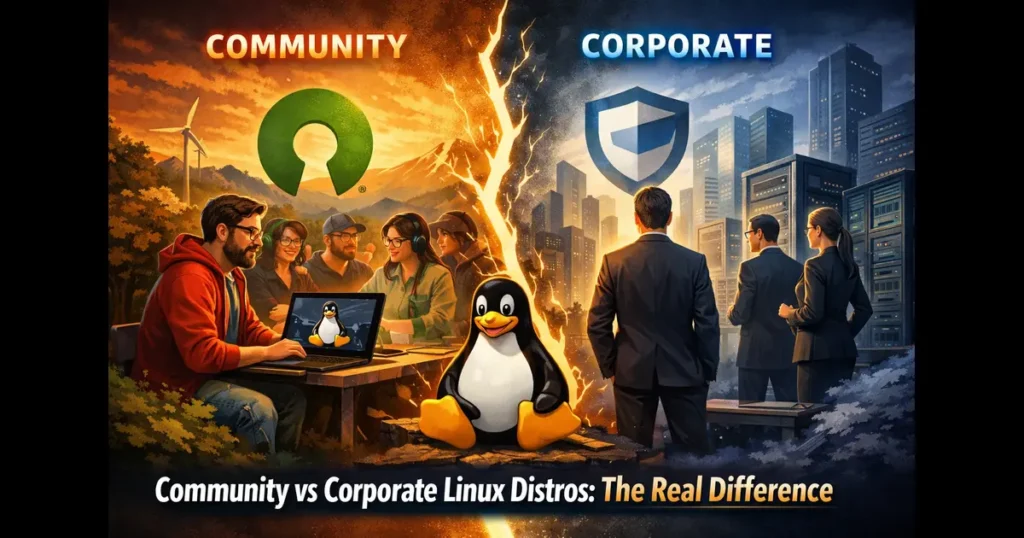
The Linux ecosystem thrives on diversity, offering users an extensive range of distributions tailored to different needs and philosophies. When choosing a Linux distribution, one of the most critical decisions you’ll face revolves around selecting between Community vs Corporate Linux Distros. This choice impacts everything from support structures and update cycles to development philosophies and long-term sustainability. Understanding the fundamental differences between these two categories can significantly influence your computing experience and business decisions.
In recent years, the distinction between community-driven and corporate-backed distributions has become increasingly nuanced. With the global Linux operating system market reaching $9.65 billion in 2024 and projected to grow to $24.23 billion by 2032, the stakes have never been higher. This growth reflects not just market expansion but also the critical role Linux plays in modern infrastructure, from enterprise servers to cloud computing environments.
Understanding Community Linux Distributions
Community Linux distributions represent the purest expression of open-source philosophy. These distributions are developed, maintained, and supported primarily by volunteers and enthusiasts who contribute their time and expertise without direct corporate oversight. The development process is transparent, democratic, and driven by user needs rather than commercial interests.
Key Characteristics of Community Distros
Volunteer-Driven Development: Community distributions rely on contributions from passionate developers, system administrators, and users worldwide. Unlike corporate environments where paid engineers work on predetermined roadmaps, community projects depend on volunteer enthusiasm and expertise. Projects like Debian, which has been a cornerstone of the Linux ecosystem since 1993, exemplify this model with thousands of volunteer maintainers contributing to over 60,000 packages.
Democratic Decision-Making: Most community distributions employ democratic governance structures where major decisions are made through community consensus, voting mechanisms, or steering committees elected by contributors. This ensures that development priorities align with user needs rather than business objectives. The Arch Linux community, for instance, maintains strict adherence to its KISS (Keep It Simple, Stupid) principle through community-driven discussions and documentation.
Transparent Development: All development activities occur in public forums, mailing lists, and open repositories. Anyone can review code, propose changes, or participate in architectural decisions. This transparency builds trust and allows for rapid peer review, often resulting in higher code quality and security.
Rolling or Stable Release Models: Community distributions often offer flexibility in release cycles. Arch Linux and its derivatives follow a rolling release model, providing continuous updates with the latest software. Meanwhile, Debian offers multiple branches including Stable, Testing, and Unstable, allowing users to choose their preferred balance between stability and freshness.
Popular Community Linux Distributions
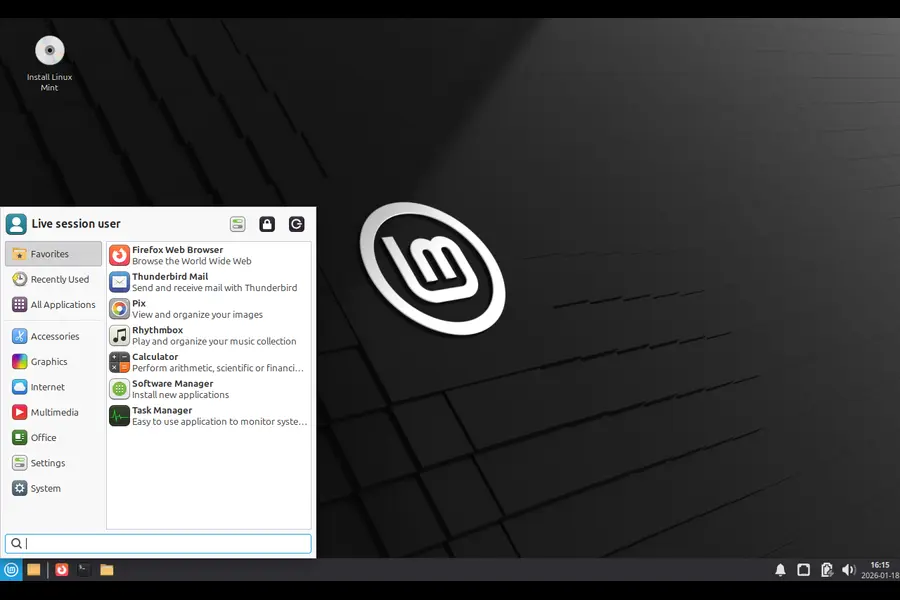
Debian: Often called the “universal operating system,” Debian serves as the foundation for numerous other distributions including Ubuntu, Linux Mint, and countless others. With its commitment to free software principles and rigorous quality assurance, Debian has maintained its reputation for rock-solid stability. The distribution’s development cycle involves extensive testing, with packages moving through unstable, testing, and stable repositories before reaching end users.
Arch Linux: Designed for advanced users who want complete control over their systems, Arch Linux follows a minimalist philosophy. Users build their system from the ground up, installing only what they need. The Arch User Repository (AUR) represents one of the largest community-maintained software collections, containing over 85,000 user-submitted packages. The legendary Arch Wiki has become a reference resource for Linux users across all distributions.

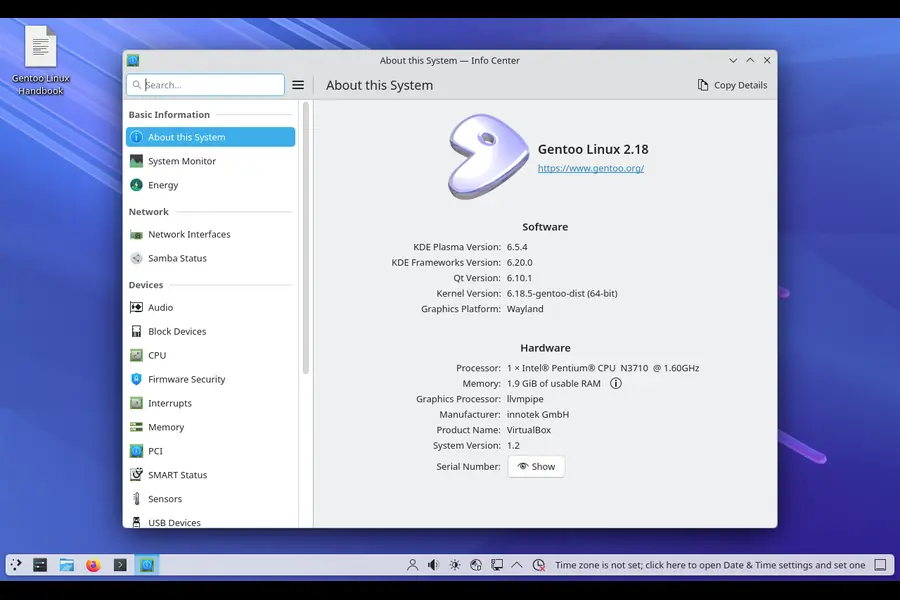
Gentoo: Taking customization to the extreme, Gentoo compiles software from source code, allowing users to optimize every package for their specific hardware. This distribution attracts users who prioritize performance and complete system control. While installation and maintenance require significant technical expertise, Gentoo offers unparalleled flexibility.
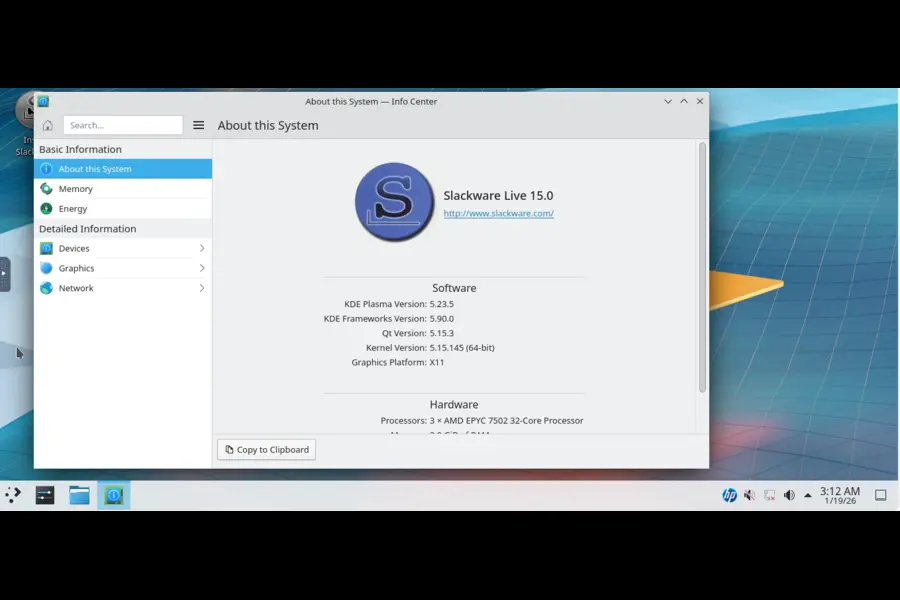
Slackware: As one of the oldest surviving Linux distributions, Slackware maintains its commitment to simplicity and stability. It eschews automatic dependency resolution and complex configuration tools, giving administrators direct control over system configuration.
Understanding Corporate Linux Distributions
Corporate Linux distributions are developed and maintained by commercial entities that provide professional support, security certifications, and guaranteed maintenance windows. These companies invest significant resources into development, testing, and customer support, funding their operations through subscriptions, support contracts, and enterprise services.
Key Characteristics of Corporate Distros
Professional Development: Corporate distributions employ full-time engineers who work on predetermined roadmaps aligned with business objectives and customer requirements. Red Hat, for instance, maintains around 160 developers contributing to the mainline Linux kernel, while SUSE employs approximately 60 kernel developers. This professional approach ensures consistent development velocity and predictable feature delivery.
Guaranteed Support Lifecycle: One of the most significant advantages of corporate distributions is their commitment to long-term support. Red Hat Enterprise Linux 10, released in May 2025, will receive support until 2035. SUSE Linux Enterprise Server 16, launched in November 2025, extends support to November 2038. These extended support periods are crucial for enterprises running mission-critical applications.
Enterprise Features and Certifications: Corporate distributions undergo rigorous testing and certification processes to ensure compatibility with enterprise hardware and software. They achieve certifications for government and industry compliance standards, including FIPS, Common Criteria, and various industry-specific requirements. These certifications are essential for regulated industries such as finance, healthcare, and government.
Commercial Ecosystem: Beyond the distribution itself, corporate vendors provide integrated solutions including management tools, monitoring software, and professional services. Red Hat’s ecosystem includes OpenShift for Kubernetes, Ansible for automation, and comprehensive training and certification programs.
Leading Corporate Linux Distributions
Red Hat Enterprise Linux (RHEL): As the dominant player in enterprise Linux, RHEL maintains 43.1% market share in managed server environments. Red Hat’s annual revenue significantly exceeds that of SUSE and Canonical combined, reflecting its market leadership. The distribution serves as the foundation for critical infrastructure across industries, with 78.5% of SAP clients deploying applications on Linux systems primarily running RHEL.
RHEL 10, released in May 2025, introduced significant innovations including the Lightspeed AI toolset for system management, post-quantum cryptography support, and enhanced cloud integrations. The distribution’s focus on enterprise needs, combined with IBM’s backing since the 2019 acquisition, ensures continued investment in features critical for large-scale deployments.
SUSE Linux Enterprise Server (SLES): SUSE has emerged as the world’s largest independent open-source infrastructure company, particularly strong in European markets. SLES 16, released in November 2025, offers support until 2038 and includes groundbreaking features such as built-in AI integration with Model Context Protocol support and the Adaptable Linux Platform that eliminates dependency conflicts.
SUSE has distinguished itself through several strategic moves, including forking RHEL with a $10+ million investment and forming the Open Enterprise Linux Association alongside Oracle and CIQ. These initiatives demonstrate SUSE’s commitment to preserving open-source values while delivering enterprise-grade solutions.
Ubuntu LTS (Canonical): While Ubuntu started as a community-friendly distribution, Canonical has built significant enterprise capabilities around Ubuntu LTS releases. Ubuntu Server dominates cloud environments, powering over 60% of public cloud Linux instances according to Canonical’s data. The distribution’s strength lies in its balance between ease of use and professional support options.
Ubuntu 24.04 LTS, released in April 2024, provides 12 years of support with security updates and maintenance. Canonical’s Ubuntu Advantage program offers professional 24/7 support, live patching services, and the Landscape management tool for enterprise deployments.
The Hybrid Model: Bridging Both Worlds
Several distributions occupy a middle ground, combining community development with corporate sponsorship. These hybrid models attempt to capture the benefits of both approaches while minimizing their respective drawbacks.
Fedora: Sponsored by Red Hat, Fedora serves as the upstream testing ground for technologies that eventually appear in RHEL. The Fedora Project maintains its own community governance and decision-making processes, with Red Hat employees contributing alongside community volunteers. This arrangement allows Fedora to showcase cutting-edge technologies while Red Hat benefits from community testing and innovation.
Fedora’s rapid release cycle delivers new versions approximately every six months, featuring the latest GNOME desktop environment, kernel updates, and toolchain improvements. Technologies proven in Fedora, such as systemd, Wayland, and container innovations, subsequently migrate to RHEL.
openSUSE: As the community edition of SUSE Linux Enterprise, openSUSE provides two distinct flavors: Leap (aligned with SLES) and Tumbleweed (rolling release). SUSE sponsors the project while maintaining community independence. This model allows SUSE to benefit from community innovation while providing users with a free alternative featuring enterprise-grade quality.
CentOS Stream: The evolution of CentOS represents one of the most controversial developments in recent Linux history. Originally a downstream rebuild of RHEL, Red Hat transformed CentOS into an upstream distribution in 2020, positioning it between Fedora and RHEL in the development pipeline. This change sparked significant community backlash and led to the creation of alternative rebuilds like Rocky Linux and AlmaLinux.
Critical Differences: A Deep Dive
Support and Maintenance
Community distributions rely on best-effort support through forums, mailing lists, and IRC channels. While community support can be remarkably responsive and knowledgeable, it provides no service level agreements or guaranteed response times. Users experiencing critical issues must rely on community goodwill and expertise.
Corporate distributions offer tiered support plans with guaranteed response times, dedicated support engineers, and escalation procedures. For mission-critical deployments, this professional support justifies the associated costs. Organizations running production systems value the assurance that critical bugs will receive prioritized attention and verified fixes.
Release Cycles and Updates
Community distributions exhibit greater flexibility in release philosophies. Rolling release distributions like Arch Linux provide continuous updates, ensuring users always run the latest software versions. Point release distributions like Debian balance stability with periodic major updates, with the stable branch receiving primarily security and critical bug fixes.
Corporate distributions prioritize predictable release schedules and long-term stability. Ubuntu’s LTS releases follow a two-year cycle with extended support periods. RHEL and SLES maintain even longer release intervals, focusing on stability and backward compatibility over feature freshness. This approach minimizes disruption for enterprise environments where system changes require extensive testing and validation.
Security and Compliance
Both community and corporate distributions take security seriously, but their approaches differ significantly. Community distributions typically release security updates rapidly, sometimes within hours of vulnerability disclosure. However, they may lack formal security advisory processes or structured vulnerability management.
Corporate distributions maintain dedicated security teams that coordinate vulnerability responses, publish security advisories, and undergo external security audits. They achieve certifications required for regulated industries, such as FIPS 140-2 for cryptographic modules and Common Criteria evaluations. These certifications require extensive documentation, testing, and third-party validation that community projects rarely pursue.
Innovation vs. Stability
Community distributions often lead in innovation, rapidly adopting new technologies and experimental features. Arch Linux users frequently gain access to new software versions months before they appear in corporate distributions. This bleeding-edge approach suits developers and enthusiasts who want to explore the latest technologies.
Corporate distributions prioritize stability over innovation, thoroughly testing new features before inclusion. Technologies must demonstrate maturity and stability before enterprise adoption. While this conservative approach means users wait longer for new features, it significantly reduces the risk of stability or compatibility issues in production environments.
Kernel Contributions and Upstream Development
The level of upstream kernel contributions varies dramatically between community and corporate distributions. Red Hat contributes approximately 4,000 commits annually to the Linux kernel, SUSE contributes around 2,000, while Canonical contributes significantly fewer. These contributions include new features, driver support, and bug fixes that benefit the entire Linux ecosystem.
Community distributions consume these upstream contributions but typically contribute less code to the kernel itself. However, they excel at integration work, packaging, and distribution-specific tools. Debian’s package management system (APT) and Arch’s package build system have influenced countless other distributions.
The Financial Sustainability Question
The sustainability of different distribution models has become increasingly relevant. Red Hat’s annual revenue significantly exceeds SUSE (approximately 10x) and Canonical (approximately 32x), demonstrating the commercial viability of the enterprise Linux model. However, recent controversies around RHEL’s source code availability have raised questions about balancing commercial interests with open-source principles.
Community distributions face different sustainability challenges. They depend on volunteer contributions, donations, and sponsor support. While projects like Debian have sustained themselves for decades through pure community effort, maintaining the necessary infrastructure and coordinating thousands of volunteers requires significant organizational capability.
The hybrid model attempts to address sustainability by combining corporate funding with community development. Fedora benefits from Red Hat’s financial backing while maintaining community governance. However, this arrangement creates potential conflicts when corporate and community interests diverge.
Real-World Use Cases and Recommendations
When to Choose Community Distros
Personal Computing and Learning: Community distributions excel for individuals who want to learn Linux deeply. Arch Linux’s installation process teaches fundamental Linux concepts, while Debian’s extensive documentation provides comprehensive learning resources. The absence of commercial pressure means these distributions can focus purely on technical excellence and user education.
Development and Testing Environments: Developers often prefer community distributions for development workstations. Rolling release distributions provide access to the latest development tools, programming languages, and frameworks. The rapid update cycle matches the fast-paced nature of software development.
Customization and Experimentation: Users who want complete control over their systems benefit from community distributions’ flexibility. Gentoo allows optimizing every package for specific hardware, while Arch’s minimal base system lets users build exactly what they need.
Small-Scale Deployments: For personal servers, small businesses without compliance requirements, or organizations with strong in-house Linux expertise, community distributions offer excellent value without licensing costs.
When to Choose Corporate Distros
Enterprise Production Systems: Organizations running mission-critical applications require the guaranteed support, security certifications, and long-term maintenance that corporate distributions provide. The support costs become insignificant compared to potential downtime or security breach expenses.
Regulated Industries: Financial services, healthcare, government agencies, and other regulated sectors often mandate specific certifications and compliance standards. Only corporate distributions typically achieve these certifications through formal evaluation processes.
Large-Scale Deployments: Managing hundreds or thousands of servers benefits from enterprise management tools, centralized patch management, and professional support. Corporate distributions integrate with configuration management systems and provide automation tools designed for scale.
Risk-Averse Organizations: Companies that prioritize stability over innovation and require predictable lifecycles should choose corporate distributions. The conservative approach minimizes unexpected changes and provides clear upgrade paths.
The Hybrid Approach
Many organizations adopt hybrid strategies, using corporate distributions for production systems while allowing developers to use community distributions on workstations. This approach balances risk management with developer productivity and satisfaction.
Some companies maintain internal expertise in both distribution types, choosing appropriately based on specific use cases. Web servers might run corporate distributions for stability, while development environments use rolling-release community distributions for access to the latest tools.
The Future Landscape
The Linux distribution landscape continues evolving. Several trends are reshaping the relationship between community and corporate distributions:
Cloud-Native Focus: Both community and corporate distributions are adapting to cloud-native architectures. Container technologies, Kubernetes, and immutable infrastructure patterns are becoming standard features. Ubuntu’s strong position in public clouds demonstrates the importance of cloud optimization.
Immutable and Atomic Distributions: Projects like Fedora Silverblue, SUSE’s immutable offerings, and Vanilla OS represent a new generation of Linux distributions designed for reliability and easy management. These systems treat the base operating system as immutable, reducing configuration drift and simplifying updates.
AI Integration: SLES 16’s integration of Model Context Protocol for AI applications exemplifies how distributions are incorporating artificial intelligence capabilities. As AI becomes increasingly important, distributions that facilitate AI workload deployment will gain competitive advantages.
The Rebuild Controversy Aftermath: The controversy surrounding Red Hat’s decision to limit RHEL source code access has accelerated development of alternative enterprise Linux distributions. Rocky Linux, AlmaLinux, and Oracle Linux provide RHEL-compatible alternatives, while SUSE’s fork and the Open Enterprise Linux Association demonstrate industry pushback against restrictions.
Comparison Table: Community vs Corporate Linux Distros
| Aspect | Community Distros | Corporate Distros |
|---|---|---|
| Development Model | Volunteer-driven, democratic | Professional teams, commercial roadmap |
| Support | Community forums, best-effort | Professional support with SLAs |
| Cost | Free | Subscription-based ($350-$2,500+/year) |
| Release Cycle | Flexible (rolling or stable) | Predictable, scheduled releases |
| Long-Term Support | Varies (typically 3-5 years) | Extended (10-13+ years) |
| Update Frequency | Variable, often faster | Conservative, thoroughly tested |
| Security Updates | Rapid but informal | Structured with advisory system |
| Certifications | Rare | Extensive (FIPS, Common Criteria, etc.) |
| Kernel Contributions | Limited | Substantial (Red Hat: 4,000/year) |
| Enterprise Tools | Basic | Comprehensive management suites |
| Documentation | Community-maintained | Professional, certified training |
| Target Audience | Enthusiasts, developers, SMBs | Enterprises, regulated industries |
| Customization | Extensive | Moderate, enterprise-focused |
| Innovation Speed | Fast, bleeding-edge | Conservative, proven technologies |
| Risk Profile | Higher, experimental | Lower, stability-focused |
| Vendor Lock-in | None | Potential subscription dependencies |
Making Your Decision
The choice between Community vs Corporate Linux Distros ultimately depends on your specific requirements, risk tolerance, and resources. Consider these key questions:
What is your risk tolerance? Organizations with low risk tolerance should choose corporate distributions with professional support and guaranteed security updates. Individuals and small teams with strong Linux expertise can comfortably adopt community distributions.
What are your compliance requirements? If your industry mandates specific certifications or you must pass security audits, corporate distributions provide necessary documentation and certifications. Community distributions rarely achieve formal certifications despite potentially matching or exceeding security standards.
What is your budget? While community distributions are free, consider the total cost of ownership including staff time for troubleshooting and system maintenance. Corporate distribution subscriptions may cost less than the internal resources required to maintain community distributions at scale.
What is your technical expertise level? Community distributions often require greater Linux knowledge, particularly for installation and troubleshooting. Corporate distributions typically provide more user-friendly tools and comprehensive documentation.
What is your update philosophy? If you want the latest software immediately, rolling-release community distributions deliver. If stability and predictability matter more, choose point-release corporate distributions with conservative update policies.
The distinction between Community vs Corporate Linux Distros represents more than technical differences—it reflects fundamental philosophies about software development, community collaboration, and business models. Both approaches have proven successful, serving different needs within the broader Linux ecosystem.
Conclusion
The debate between Community vs Corporate Linux Distros isn’t about which is objectively better—both models serve essential roles in the Linux ecosystem. Community distributions embody the pure open-source spirit, driven by volunteer passion and unrestricted by commercial constraints. They innovate rapidly and serve as proving grounds for new technologies. Corporate distributions provide the stability, support, and certifications that enterprises require for mission-critical deployments, transforming community innovations into production-ready platforms backed by professional support.
The key to making the right choice is honest assessment of your needs, capabilities, and constraints. Developers and enthusiasts often find community distributions more rewarding and educational. Enterprises must weigh support costs against risk mitigation and compliance requirements. Many organizations adopt hybrid approaches, strategically deploying both distribution types where they provide the greatest value.
Whether you choose Debian’s community-driven stability, Red Hat’s enterprise-grade support, Arch’s minimalist flexibility, or Ubuntu’s balanced approach, you’re participating in one of technology’s most successful collaborative efforts. The choice between Community vs Corporate Linux Distros is ultimately about finding the best fit for your specific situation.
Disclaimer
This article provides general information about Linux distributions based on publicly available data current as of January 2026. Distribution features, support policies, and market positions may change. Specific deployment decisions should be based on your organization’s particular requirements, compliance obligations, and risk tolerance.
When selecting a Linux distribution for production use, consult current documentation, conduct proof-of-concept testing, and verify that specific compliance or certification requirements are met. Support agreements, licensing terms, and service level agreements vary significantly between distributions and vendors—review all contractual terms carefully before committing to enterprise deployments.
The author and publisher are not affiliated with any Linux distribution vendor and have no financial interest in promoting specific distributions. Market share figures, revenue data, and technical specifications are based on publicly available sources and may contain estimates or approximations.
Frequently Asked Questions
Can I switch from a community distro to a corporate distro without reinstalling?
While technically possible in some cases, migrating between distributions typically requires reinstalling the operating system. The better approach is planning your distribution choice carefully from the start. However, modern containerization and configuration management tools make migrating applications between distributions increasingly straightforward, even if the underlying OS requires reinstallation.
Are community distributions less secure than corporate distributions?
Not necessarily. Many community distributions have excellent security practices and receive patches as quickly as or faster than corporate distributions. However, corporate distributions provide structured vulnerability management, security advisories, and compliance certifications that community distributions typically lack. For regulated environments, these formal processes matter more than the underlying security quality.
What happened with the CentOS controversy, and how does it affect users?
Red Hat transformed CentOS from a downstream RHEL rebuild into CentOS Stream, an upstream distribution, in 2020. This eliminated the free RHEL-compatible option that many organizations relied upon. Subsequently, community projects created alternatives like Rocky Linux and AlmaLinux. In 2023, Red Hat further restricted RHEL source code access, leading to additional controversy. Users affected by these changes migrated to alternative RHEL-compatible distributions or chose different enterprise Linux vendors like SUSE.
How much does enterprise Linux support actually cost?
Corporate Linux distribution costs vary significantly based on deployment scale and support levels. Red Hat Enterprise Linux subscriptions typically range from $350 to $1,299 per server annually for standard support, with premium support costing considerably more. SUSE and Ubuntu offer similar pricing structures. These costs may seem substantial but are often justified by avoiding much larger expenses from production downtime or security incidents.
Can I use community distributions for business purposes legally?
Yes, absolutely. Community distributions are generally released under open-source licenses that permit commercial use without restrictions. Many successful businesses run entirely on community distributions like Debian or Arch Linux. The limitation isn’t legal but practical—community distributions lack professional support contracts, extended maintenance guarantees, and compliance certifications that some businesses require.
Also Read
Best Linux Distros With Budgie Desktop by Default (2026)


