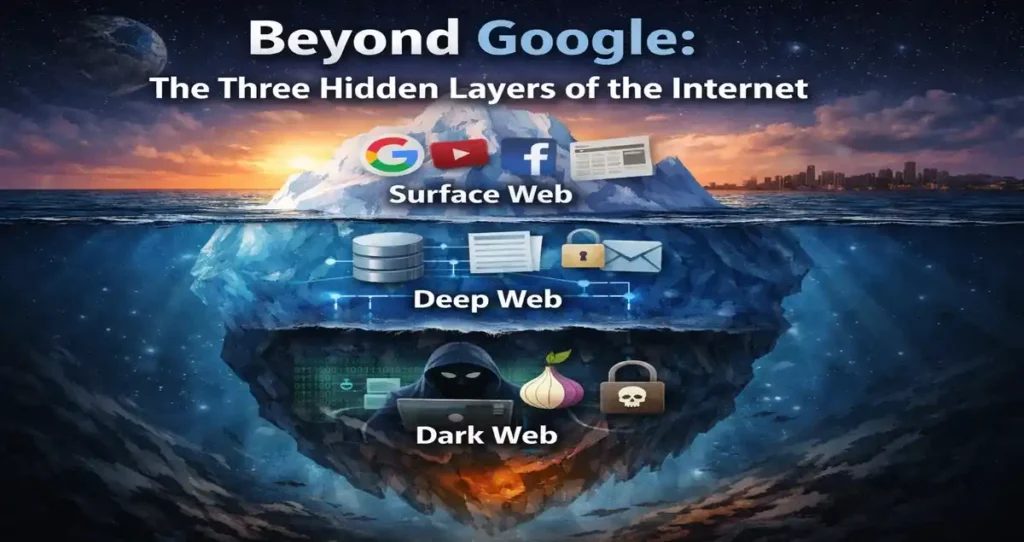
Most of us treat Google like it’s the internet. You type something in, results pop up, you click, you read. Simple enough. But here’s the thing — what Google shows you is barely the tip of a massive iceberg. The three hidden layers of the internet are so vast, so complex, and so misunderstood that most people go their entire lives without knowing what’s really sitting beneath the surface.
Think about it this way: if the internet were an ocean, Google and everything it can find would be the shallow reef you snorkel around on a holiday. Everything below that — the deep trenches, the unexplored zones, the places where strange things live — that’s where the real story gets interesting.
In this post, we’re going to break down the three hidden layers of the internet in plain English. No jargon overload. No unnecessary fear-mongering. Just a clear, honest look at how the internet is actually structured, what each layer contains, and what you should realistically know about all of it in 2026.
First, Why Does This Even Matter?
Before we get into the layers themselves, let’s talk about why understanding the three hidden layers of the internet is actually relevant to your everyday life.
Your medical records? Deep web. Your bank account login portal? Deep web. That private company database your HR department uses? Deep web again. Meanwhile, somewhere on the dark web — right now, as you read this — stolen data from past breaches is being traded. In early 2026, Tor usage had grown to more than 3 million daily users, a number that keeps climbing year over year. This isn’t some fringe, niche underworld anymore. It’s a functioning parallel ecosystem.
Understanding this matters because digital privacy, personal security, and data protection all hinge on knowing where your information lives — and where it can end up.
Layer 1: The Surface Web (What Google Actually Sees)

Let’s start at the top. The surface web — also called the “clearnet” — is everything you can find through a standard search engine. Google, Bing, DuckDuckGo, whatever you prefer. If a search engine can crawl it and index it, it’s on the surface web.
This includes news websites, YouTube, Wikipedia, e-commerce stores, social media platforms, corporate homepages, public blogs, and government portals. Basically, if you’ve typed something into a browser without logging in first, you’ve been on the surface web.
Here’s the number that surprises most people: the surface web represents only about 10% of the total internet. The surface web — the everyday Google-able sites — is only about 10% of the full internet. Everything else? It’s hiding below, in layers most people never touch.
Real-World Example
When you search “best smartphones 2026” on Google and click through to a review site, read a Reddit thread, or browse Amazon’s product listings — that’s the surface web. Every result on that first page, the linked articles, the public profiles — all of it is crawled, indexed, and accessible to anyone with an internet connection.
The surface web is fast, convenient, and massive in its own right. But it’s a curated, public-facing slice of something much larger.
Layer 2: The Deep Web (The Invisible Majority)
Here’s where most people get confused, and it’s an important distinction: the deep web is not the dark web. They are not the same thing, and conflating them does a real disservice to your understanding of how the internet works.
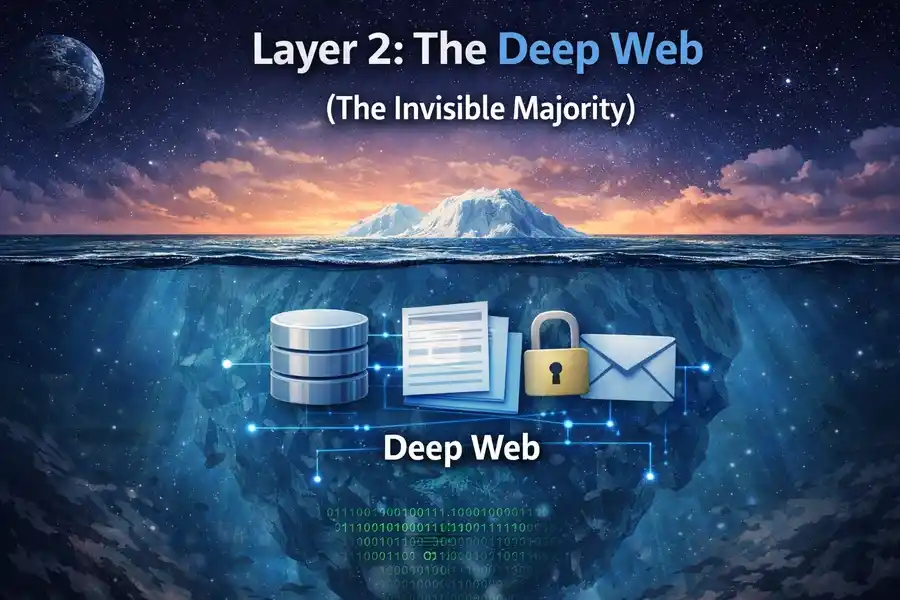
The deep web refers to everything on the internet that isn’t indexed by search engines. That’s it. No special software needed. No illegal activity implied. Just content that, for one reason or another, sits behind a wall that search engine bots can’t crawl through.
The deep web is the huge portion — 90% of the internet — that normal search engines can’t access. Think about what that means for a moment. Nine out of every ten “pages” on the internet are invisible to Google. Not hidden in some sinister way — just private, password-protected, or dynamically generated.
What’s Actually in the Deep Web?
The deep web contains things like:
- Your email inbox — Gmail doesn’t let Google index your personal emails (thankfully).
- Online banking portals — When you log into your bank, that dashboard is deep web content.
- Medical records and patient portals — Hospitals and clinics store patient data behind secure logins.
- Academic databases — JSTOR, PubMed, and university research libraries sit in the deep web, behind paywalls or institutional logins.
- Corporate intranets — Internal company tools, Slack workspaces, and HR platforms.
- Government databases — Many official records and internal systems that aren’t meant for public search.
- Streaming content behind subscriptions — Your Netflix queue, Spotify playlists, and Hulu account dashboard.
Real-World Example (2026)
Think about what happened with healthcare data in recent years. When a hospital system stores patient records on a secure server — accessible only through a provider login — that data lives on the deep web. In January 2026, several large hospital networks in the U.S. reported upgraded security protocols specifically to protect deep web patient records after previous high-profile breaches. The data was always there, properly protected — the issue was when unauthorized parties got hold of login credentials to access it.
The deep web is not your enemy. It’s where most of the important, sensitive, and legitimately private data on the internet lives. The problem arises when that privacy gets compromised.
Layer 3: The Dark Web (The Hidden Network)
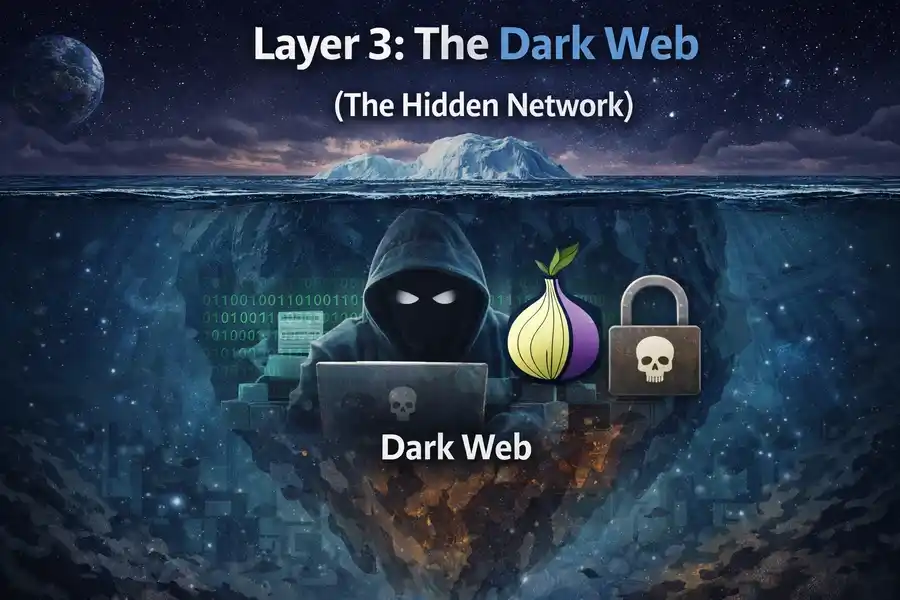
Now we get to the layer that everyone’s heard of but few people truly understand. The dark web is a small subset of the deep web that requires specific software to access — most commonly the Tor browser (The Onion Router). Unlike the surface web and even the deep web, dark web sites use “.onion” addresses instead of “.com” or “.org,” and they’re deliberately designed to be anonymous and untraceable.
The dark web accounts for approximately 0.01% of the internet. That’s a tiny fraction. But its impact — particularly on cybersecurity — is massively disproportionate to its size.
How the Tor Network Works
When you use the Tor browser, your data doesn’t travel directly from your device to a website. Instead, it’s encrypted and bounced through multiple relay servers — called “nodes” — around the world. Each node only knows the previous and next hop, never the full path. This layered encryption is where the “onion” metaphor comes from: peel back each layer, and there’s another layer beneath.
This design was originally created by the U.S. Naval Research Laboratory in the mid-1990s as a tool for secure government communications. It went public in 2002. Today, it’s used by everyone from journalists and activists in authoritarian countries to, yes, cybercriminals.
What Happens on the Dark Web?
Let’s be direct here. A significant portion of dark web activity is illegal. As of March 2025, over 3 million visitors access dark web platforms daily, with illegal websites constituting about 60% of all domains.
Illicit drug markets, stolen financial data, hacking tools, counterfeit documents — these are real and prevalent. Stolen account credentials available on the dark web surged by 82% in 2022, reaching an estimated 15 billion credentials.
But here’s the nuance most headlines skip: not everything on the dark web is criminal. Legitimate uses include:
- Journalists and whistleblowers using SecureDrop to share sensitive information safely. ProPublica and The New York Times both have official .onion sites.
- People living under oppressive governments using Tor to access uncensored news and communicate freely.
- Cybersecurity researchers monitoring dark web forums to identify emerging threats before they hit mainstream targets.
- Privacy-focused individuals who simply don’t want their browsing tracked. The Electronic Frontier Foundation (EFF) offers excellent guidance on legal, privacy-preserving uses of tools like Tor.
Real-World Example (Early 2026)
In February 2026, cybersecurity firm reports highlighted a surge in dark web activity tied to AI-generated phishing kits — pre-packaged fraud tools that use AI to craft convincing fake emails and clone websites. These kits were being sold on dark web marketplaces for as little as $50, lowering the barrier for entry-level cybercriminals significantly. This is the kind of real-time threat intelligence that cybersecurity teams — who actively monitor dark web forums — use to protect organizations.
The Three Layers of Internet: Side-by-Side Comparison
Here’s a clean breakdown of all three layers so you can see how they stack up against each other:
| Feature | Surface Web | Deep Web | Dark Web |
|---|---|---|---|
| % of Total Internet | ~10% | ~90% | ~0.01% |
| Search Engine Indexed? | Yes | No | No |
| Special Software Needed? | No | No | Yes (Tor, I2P, etc.) |
| Examples | Google, YouTube, Wikipedia, Amazon | Gmail, Netflix, Banking Portals, Hospital Records | .onion sites, Darknet Markets, Tor Forums |
| Primarily Legal? | Yes | Yes | Mixed (Legal & Illegal) |
| Who Uses It? | General Public | Anyone with Login Access | Journalists, Activists, Criminals, Researchers |
| Daily Active Users (2026) | Billions | Hundreds of Millions | 3+ Million (Tor) |
| Data Privacy Level | Low | Medium–High | Very High (Anonymous) |
| Main Risk | Phishing, Scams, Misinformation | Data Breaches, Credential Theft | Cybercrime, Illegal Marketplaces |
| Requires VPN? | Optional | Optional | Strongly Recommended |
Common Myths — Busted
Myth 1: The dark web and deep web are the same thing.
They’re not. The deep web is your email and your Netflix account. The dark web is a specific anonymous network requiring Tor. Lumping them together causes real confusion.
Myth 2: Only criminals use the dark web.
Tor was built by the U.S. Navy. The BBC has an official .onion site. ProPublica does too. Thousands of journalists and activists rely on it for safety every single day.
Myth 3: The deep web is dangerous.
Your bank account is on the deep web. So are your medical records and your work email. The deep web is where your most important private data should live — protected behind proper authentication.
Myth 4: You can accidentally stumble onto the dark web.
No. You need to deliberately download and install the Tor browser. You can’t accidentally end up there through a regular Chrome or Safari session.
How Your Data Moves Between Layers
This is where things get genuinely important for everyday users. Data doesn’t stay neatly in one layer.
A data breach starts when a hacker compromises a company’s deep web database. That stolen data — your email, your password, your credit card number — then gets packaged and sold on the dark web. From there, it gets used for phishing attacks that show up in your surface web email inbox, or it gets used to log into your accounts directly.
The pipeline flows downward and then back up again, and you — sitting on the surface web — are often the last to know.
What can you do? Use services like Have I Been Pwned (haveibeenpwned.com) to check if your email appears in known breach databases. Enable multi-factor authentication on every account that allows it. And never reuse passwords — because when one database gets breached, credential stuffing attacks test those same combinations across hundreds of other sites within hours.
The Cybersecurity Industry’s Relationship With the Dark Web
Here’s something most people don’t know: major corporations and cybersecurity firms actively monitor the dark web as part of their standard security operations. Banks, insurance companies, healthcare providers — they all have teams (or contracted services) watching dark web forums for mentions of their brand names, customer data, or internal system credentials.
By early 2026, tracking dark web statistics is critical for cybersecurity teams, because stolen credentials, drugs, malware, and hacking tools circulate freely, and data leaked there often fuels major breaches, ransomware attacks, and fraud campaigns.
Dark web monitoring has become a legitimate, necessary industry. And it’s growing fast — the dark web intelligence market is projected to expand from around $91 million in 2024 to nearly $2.92 billion by 2032.
Who Should Actually Worry About the Dark Web?
The short answer: everyone who has digital data — which is everyone. But the worry shouldn’t be irrational fear. It should be informed caution.
Individuals should monitor their email addresses for breach exposure, use strong and unique passwords, and turn on two-factor authentication. That covers about 90% of personal risk.
Small business owners need to take it more seriously. If you collect customer data — names, emails, payment info — you’re a target. One breach can land your customer database on a dark web marketplace within 24 hours of the attack.
Enterprises at this point have no excuse for not having a dark web monitoring strategy. Around half of U.S. adults now say they’re familiar with the dark web, which means awareness has gone mainstream. The threat isn’t abstract anymore.
Your 5-Point Quick Self-Audit Checklist: Do These Right Now
Understanding the three hidden layers of the internet is only half the job. The other half is making sure your data doesn’t end up in the wrong layer. You don’t need to be a tech expert or spend a single rupee to do this. These five steps take under 30 minutes combined — and they cover the vast majority of real-world risk that average internet users face today.
Step 1: Check If Your Email or Password Has Already Been Leaked
Time needed: 2 minutes. Cost: Free.
Go to haveibeenpwned.com right now and type in your email address. This free tool — run by respected cybersecurity researcher Troy Hunt — cross-references your email against a database of over 13 billion breached accounts compiled from known dark web data dumps.
If your email shows up as “pwned,” it means your credentials have been exposed in at least one breach and could already be sitting on a dark web marketplace. The site also tells you exactly which breach exposed your data, so you know which accounts to prioritize.
Do this for every email address you actively use. Many people are surprised to find that an email they created in 2012 for a gaming forum has been compromised in three separate breaches since then — and they’ve been using that same password elsewhere for years.
Pro tip: haveibeenpwned.com also has a free notification service. Subscribe and you’ll get an automatic email alert if your address appears in any future breach. It’s one of the most underused free security tools available.
Step 2: Switch to a Password Manager and Replace Your Reused Passwords
Time needed: 20–30 minutes. Cost: Free (or ~$3/month for premium options).
Credential stuffing is one of the most common attacks fueled by dark web data. Here’s how it works: a hacker buys a database of leaked email/password combos from a dark web market, then runs automated software that tries those exact combos on hundreds of websites — banking apps, email providers, streaming services, shopping sites — within hours. If you’ve reused a password anywhere, they’ll likely get in somewhere.
The fix is a password manager. Bitwarden is free, open-source, and widely trusted. 1Password and Dashlane are excellent paid alternatives. These tools generate and store a unique, complex password for every single account you have, so you only need to remember one master password.
If switching everything at once feels overwhelming, start with your most sensitive accounts: email, banking, work login, and any account tied to your payment details.
Step 3: Turn On Two-Factor Authentication (2FA) Everywhere It’s Offered
Time needed: 10–15 minutes. Cost: Free.
Even if a hacker gets your password from a dark web database, 2FA stops them cold. Two-factor authentication means that after entering your password, you also need a second piece of verification — usually a code sent to your phone or generated by an app — before access is granted.
The strongest form is an authenticator app like Google Authenticator, Authy, or Microsoft Authenticator. These are more secure than SMS codes (which can be intercepted via SIM-swapping attacks), though even SMS-based 2FA is significantly better than nothing.
Enable 2FA immediately on your primary email account first — because your email is the master key to every other account. If someone gets into your Gmail or Outlook, they can reset passwords for everything else. After email, move to banking apps, social media, and any work-related logins.
In February 2026, Microsoft’s security blog reported that accounts with 2FA enabled block over 99.9% of automated credential attacks. That number alone should be enough motivation.
Step 4: Update Your Software and Enable Automatic Updates
Time needed: 5 minutes to enable. Cost: Free.
The majority of successful ransomware attacks — the kind that start on the dark web as purchased exploit kits and end with a company’s data being held hostage — exploit known vulnerabilities in software that already has a published patch available. In plain English: people got hacked because they didn’t update their software, even though the fix existed.
This applies to your operating system (Windows, macOS, Android, iOS), your browser, and any apps you use regularly. Enable automatic updates wherever possible. On Windows, go to Settings → Windows Update → turn on “Receive updates for other Microsoft products.” On iPhone, go to Settings → General → Software Update → Automatic Updates.
It’s not glamorous security advice. But skipping updates is genuinely one of the most common ways individuals and organizations get compromised. Don’t let a fixable gap become your entry point.
Step 5: Review What Personal Information Is Publicly Visible About You Online
Time needed: 10–15 minutes. Cost: Free.
This one gets overlooked constantly. Open an incognito browser window and Google your own name. Look at what comes up — your LinkedIn profile, old forum posts, social media profiles set to public, your employer’s staff page, any news mentions. Now think about what a social engineer could do with that information.
Social engineering — manipulating people into giving up sensitive information by pretending to be someone trustworthy — is one of the most common attack vectors today, and it almost always starts with publicly available surface web data. A scammer who knows your name, employer, city, and job title can craft a surprisingly convincing phishing email or phone call.
Audit your social media privacy settings. On Instagram, Facebook, and LinkedIn, tighten who can see your posts, your connections list, and your contact details. Remove your phone number from any public profile that doesn’t absolutely need it. These small changes reduce your “attack surface” — the amount of information available for someone to exploit.
The 30-Minute Total Protection Sprint
If you do all five steps back to back, you’ll have: checked for existing breaches, secured your passwords, locked down your accounts with 2FA, patched your software vulnerabilities, and reduced your public exposure. That’s a genuinely meaningful improvement in your digital security posture — and it costs nothing but time.
The three hidden layers of the internet aren’t going anywhere. If anything, during early COVID-19 lockdowns, dark web forum activity surged by more than 40%, and the ecosystem has kept growing since. Understanding the landscape is no longer optional knowledge — it’s basic digital literacy for 2026. But knowledge without action is just trivia. This checklist is the action part.
Final Thoughts
The internet is not a flat, simple thing you navigate with a search bar. It’s layered, complex, and in many ways mirrors society itself — publicly accessible spaces up top, private and institutional zones in the middle, and an underground where both the most vulnerable and the most dangerous operate side by side.
The three hidden layers of the internet — the surface web, the deep web, and the dark web — each serve real purposes. Most of what you need to understand about them isn’t alarming. It’s just knowledge. And in the digital age, knowledge about how these systems work is the single best protective tool available to anyone.
So the next time someone says “I looked it up on Google,” you’ll know exactly how much they’re not looking at.
Got questions about digital security or internet privacy? Drop them in the comments below. And if this post helped clarify things, sharing it with someone who’s heard “dark web” and assumed the worst would be a genuinely good thing.
Disclaimer
This blog post is written purely for educational and informational purposes. The information provided about the dark web, deep web, and surface web is intended to improve general digital literacy and cybersecurity awareness. Accessing illegal content, purchasing illicit goods or services, or engaging in any unlawful activity on any part of the internet is illegal and carries serious legal consequences.
The author does not encourage or endorse any illegal activity. Always follow the laws and regulations of your country when using the internet. If you believe your personal data has been compromised, contact the appropriate authorities and relevant service providers immediately.
Also Read
Best Linux Apps to Replace Every Windows Application in 2026