

If you’ve been keeping an eye on the independent Linux distribution space, you already know that Solus has always marched to the beat of its own drum. No Ubuntu base, no Arch underpinnings — just a ground-up, community-driven operating system built for people who want something that actually makes sense on a desktop. And now, Solus 4.9 “Serenity” is here, arriving on April 18, 2026 as the first release of the year.
The name “Serenity” feels intentional. In a Linux world that sometimes feels chaotic — fragmented standards, rolling-release drama, dependency hell — Solus 4.9 “Serenity” is here to remind you that a calm, stable, well-thought-out desktop experience is absolutely possible. This release doesn’t try to reinvent the wheel, but it does bring meaningful improvements that make the OS easier to manage, more secure, and better positioned for the future of Linux desktops.
Let’s dig into what’s new and why it matters.
What Makes Solus Different (And Why That Still Matters)
Before jumping into the specifics of 4.9, it’s worth understanding what sets Solus apart from the crowd. It’s not based on Debian, Fedora, or Arch. It uses its own package manager (eopkg, transitioning to sol), its own curated repository, and ships with desktop environments that are thoughtfully configured out of the box.
Solus targets desktop users first. It’s not trying to be a server OS or a tinkerer’s playground — though technically minded users do love it. The result is an experience that feels polished and deliberate in a way that generic distributions sometimes don’t.
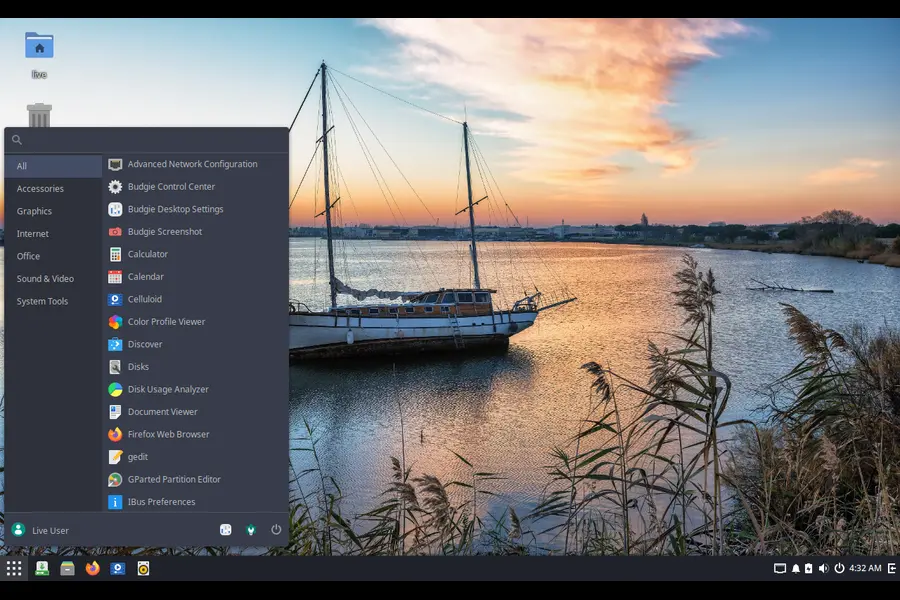
With Solus 4.9 “Serenity” is here to continue that tradition, while also laying some important groundwork for the near future.
Under-the-Hood Changes That Actually Matter
Service Presets: A Smarter Way to Manage Services
This is one of those changes that most users will never notice directly — but it significantly cleans things up behind the scenes. Solus has switched from manually linking services to target.wants directories over to systemd preset files for managing which services are enabled by default.
Previously, the old approach caused systemd to misreport service statuses and was harder for the team to maintain. Preset files eliminate both problems. If you’ve ever been puzzled by service status oddities in earlier Solus releases, this change is the fix.
The Wheel Group Switch
Solus 4.9 changes the default privileged group from sudo to wheel. This might sound trivial, but it has real practical benefits. The vast majority of software in the Linux ecosystem assumes wheel is the default sudo group. Solus was previously patching several packages to change this behavior — patches that had to be rebased every time those packages updated.
By aligning with the standard wheel group, the team reduces maintenance overhead and makes the system more compatible with upstream software out of the box. Less patching means fewer chances for things to silently break after an update.
Installation Gets a Proper Upgrade
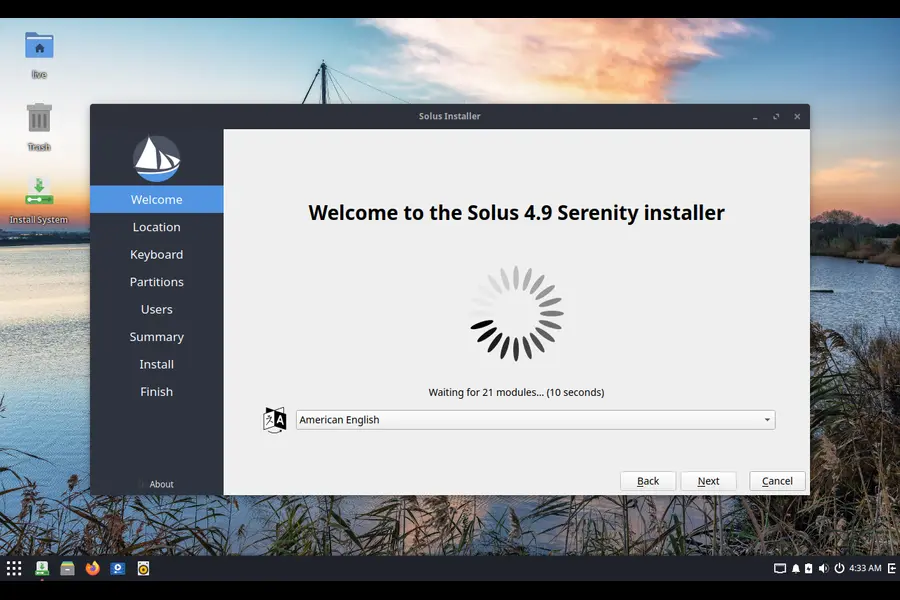
The installer experience in Solus 4.9 received some genuine love, and if you’ve been putting off doing a fresh install because of past frustrations, this is worth knowing about.
GRUB 2.14 and LUKS2 Support
Legacy (non-EFI) systems now ship with GRUB 2.14, and this version is significant: it supports Argon2 encryption, which finally enables proper LUKS2 disk encryption. LUKS2 is more secure than its predecessor LUKS1, and it also unlocks the ability to store your encryption key in the system’s TPM chip — meaning your encrypted partitions can unlock automatically during boot without you having to type a passphrase every time.
That’s a genuinely useful quality-of-life improvement for anyone running an encrypted laptop or desktop.
Calamares 3.4.2 and Hybrid Boot
The Calamares installer has been updated to version 3.4.2. Beyond the usual bug fixes, this version introduces hybrid bootloader installation — creating boot partitions for both systemd-boot and GRUB2, with one chainloading the other. For legacy boot systems, this eliminates a patch Solus had been carrying for a while to achieve similar functionality.
The result is a cleaner, more maintainable install process that should handle edge-case hardware configurations better than before.
Bigger EFI Partition by Default
This one is a practical change that will save headaches down the road: the default recommended EFI partition size has been bumped to 2 GB. Firmware modules, kernel modules, and NVIDIA packages have been growing steadily, and Solus is getting ahead of storage pressure rather than waiting for users to hit cryptic boot errors. If you’re doing a fresh install, this larger partition is automatically recommended.
What’s Included Across All Editions
Every Solus 4.9 edition ships with a consistent set of default applications:
- Firefox 149.0.2 — the latest stable browser build
- LibreOffice 25.8.6.2 — a full office suite ready to go
- Thunderbird 149.0.2 — a solid email client that pairs nicely with Firefox
Kernel 6.18.21 and Mesa 26.0.4
Solus 4.9 “Serenity” ships with Linux kernel 6.18.21. An interesting development here: Solus is now co-operating with AerynOS on kernel patches and configuration. Both distributions are sharing the same patch set, which means broader hardware enablement for Solus users without the team having to maintain everything independently.
To complement the new kernel, this release ships with Mesa 26.0.4, bringing the latest open-source graphics stack improvements for AMD, Intel, and other supported GPU vendors.
Desktop Edition Rundown
Solus 4.9 ships in four desktop flavors, each with its own character and update story.
Budgie Edition: The Homegrown Desktop
Solus has a special relationship with Budgie — the desktop environment was originally born here. Solus 4.9 Budgie Edition ships with Budgie 10.9.4, and while the changelog between 4.8 and 4.9 is modest, something major is right around the corner.

With Budgie 10.10 coming very soon, the desktop will drop X11 support entirely and become Wayland-only. This is a significant architectural shift, and the team has been clear that users should start preparing. If you’ve been holding off on trying Wayland sessions, now is the time to experiment.
One notable change in this release: the default terminal has changed to Ptyxis, a modern terminal emulator built for GNOME-era workflows. It’s a cleaner, more capable choice compared to the previous default.
GNOME Edition: Smooth and Polished
The GNOME edition ships with GNOME 49.5, part of the stable GNOME 49 Brescia series. This is a bugfix release rather than a feature drop, which means most of what you’ll notice is things working better and more reliably than before.
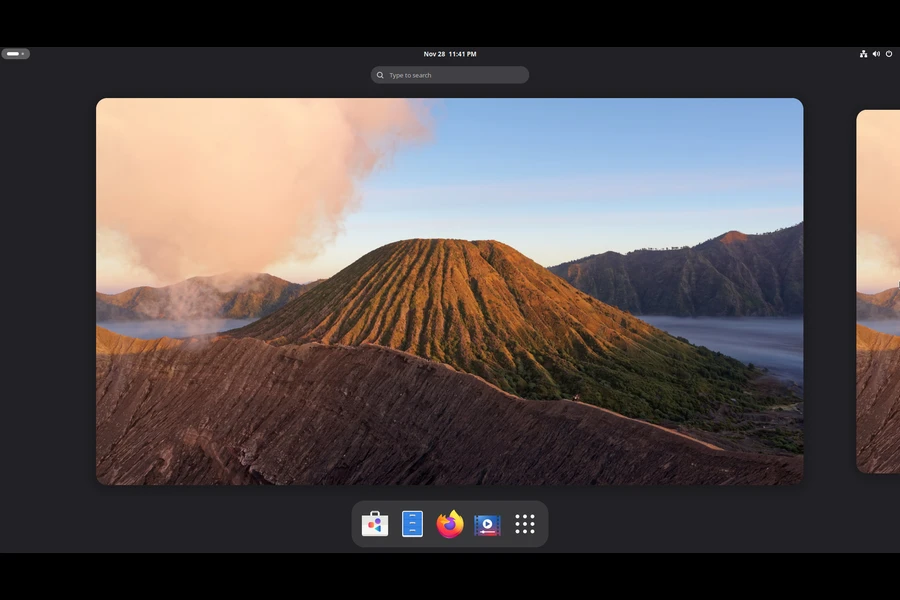
Similarly to Budgie, GNOME 50 — coming very soon — will also go Wayland-only, dropping X11 entirely. The writing has been on the wall for X11 for years, but this makes the timeline concrete.
Plasma Edition: A Feature-Rich Update

For KDE enthusiasts, Solus 4.9 ships with KDE Frameworks 6.24.0, KDE Plasma 6.6.4, and KDE Gear 25.12.3. This is a solid combination that brings several notable new features:
- An improved and redesigned on-screen keyboard for touchscreen users
- Text extraction from screenshots directly in Spectacle — useful for grabbing text from images without third-party tools
- Wi-Fi connection via QR code scanning using the camera
- A range of accessibility improvements and new accessibility settings
Looking further ahead, KDE Plasma 6.8 (scheduled for October 2026) will also be dropping X11 support entirely, going Wayland-only. The Solus team encourages Plasma users to try the Wayland session now and report issues so the experience can be polished before that milestone arrives.
Xfce Edition: Stability First
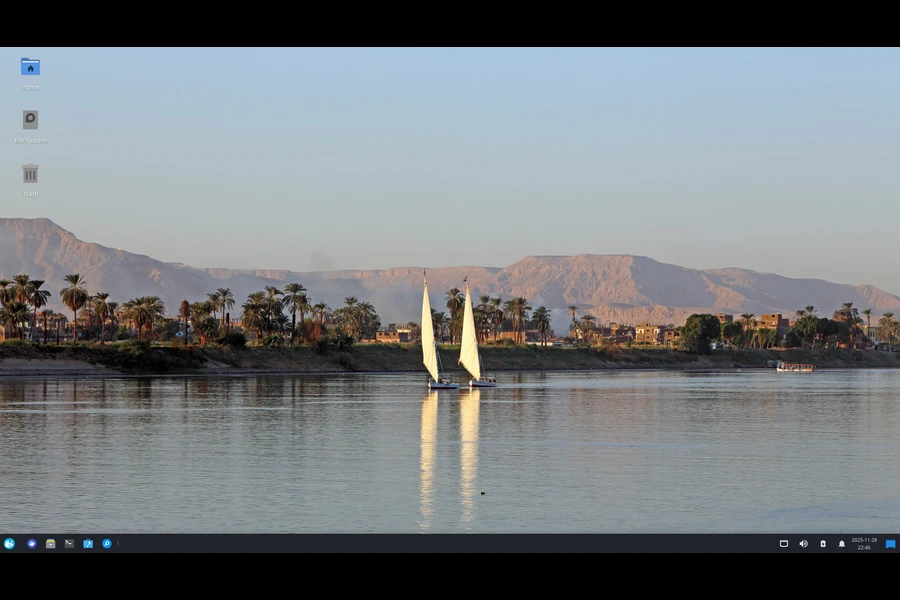
The Xfce edition ships with the full Xfce 4.20 software stack. Xfce’s philosophy centers on stability over constant change, so there’s no dramatic changelog since 4.8 — and that’s the point. If you want a lightweight desktop that doesn’t change under your feet, Xfce on Solus remains an excellent choice.
The Wayland Transition: What You Need to Know
One theme running through all four desktop editions is the imminent move to Wayland-only. This isn’t a Solus-specific decision — it’s a broader shift happening upstream across Budgie, GNOME, and KDE. But Solus 4.9 makes it clear that the transition is no longer theoretical.
- Budgie 10.10: Wayland-only, coming very soon
- GNOME 50: Wayland-only, coming very soon
- KDE Plasma 6.8: Wayland-only, scheduled October 2026
If you’re running any of these editions and haven’t tried a Wayland session, now is genuinely a good time to start. Most hardware configurations handle it well these days, and identifying edge cases while X11 is still available gives the community time to address them properly.
Who Should Download Solus 4.9?
If you’re new to Solus, this is a great entry point. The installer improvements make setup smoother, the encryption story is now more solid, and the hardware support from the AerynOS kernel collaboration means it’s more likely to work out of the box on modern machines.
If you’re an existing Solus user, existing installations can be updated through the normal package manager workflow — you don’t need a fresh install for most of the changes. However, the new default EFI partition size and LUKS2 encryption changes only apply to fresh installations.
For users who care about long-term stability and an operating system maintained by a team that thinks carefully about user experience, Solus remains one of the most compelling independent distributions available.
How to Get Solus 4.9 “Serenity”
Head to the official Solus download page to grab the edition of your choice — Budgie, GNOME, Plasma, or Xfce. All editions are available as ISO images ready for USB installation.
If you find the project valuable, the team also accepts community funding through OpenCollective, with contributions starting at $1/month. Donations go directly toward server infrastructure, services, and compensating contributors for complex development work. Independent Linux projects like Solus run entirely on community goodwill and financial support, so even small contributions make a real difference.
Final Thoughts
Solus 4.9 “Serenity” is here, and it delivers exactly what the name suggests: a measured, thoughtful release that improves foundations rather than chasing headlines. The systemd preset changes, the wheel group alignment, the LUKS2 installer upgrade, and the AerynOS kernel collaboration are all examples of a team doing the unglamorous but important work that keeps a distribution healthy for the long term.
The forthcoming Wayland-only transitions across all four desktops will be the big story for 2026, and Solus is positioning itself well for that shift. If you’ve been curious about trying an independent Linux distribution that genuinely respects your time and your desktop, there’s never been a better moment to give Solus a spin.
Disclaimer
This blog post is written for informational purposes only and is not affiliated with or endorsed by the Solus Project. All product names, logos, and trademarks mentioned belong to their respective owners. While every effort has been made to ensure accuracy based on the official Solus 4.9 release notes published April 18, 2026, information may change over time. Always refer to the official Solus website for the most up-to-date details.


