Ubuntu just dropped its biggest release in years — and if you’re sitting on 24.04 LTS or even an older setup, you’re probably wondering the same thing thousands of Linux users are asking right now: should you upgrade to Ubuntu 26.04 LTS?
Codenamed Resolute Raccoon, Ubuntu 26.04 LTS officially landed on April 23, 2026 — a date that holds a special place in Ubuntu history, shared with releases like 9.04, 15.04, and 20.04. This isn’t just another incremental update. From Linux kernel 7.0 to a fully Wayland-only desktop, GNOME 50, and a serious push toward Rust-based memory-safe core utilities, this release is genuinely ambitious.
But “ambitious” doesn’t always mean “ready for your machine right now.” Let’s break it all down.
What Is Ubuntu 26.04 LTS (Resolute Raccoon)?
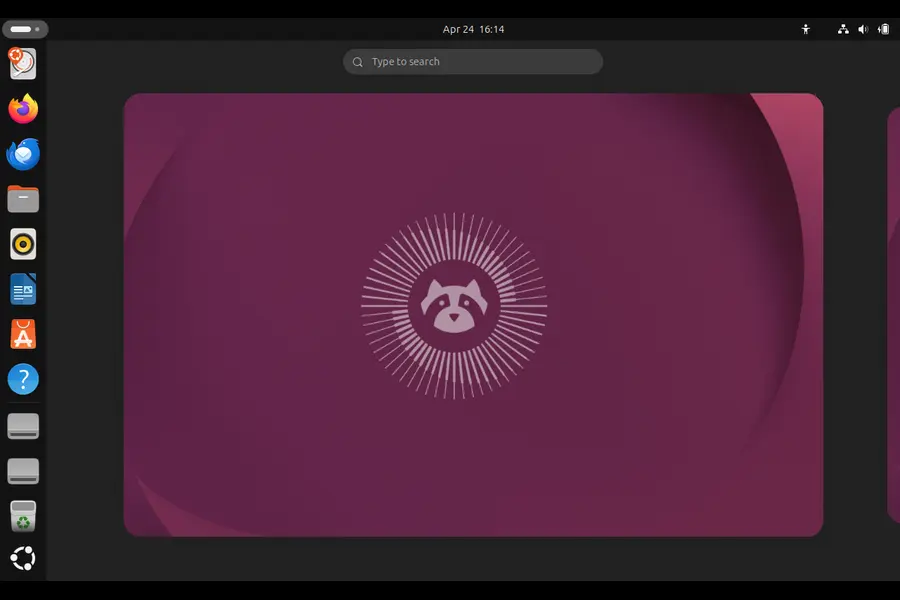
Ubuntu 26.04 LTS is the latest long-term support release from Canonical. That “LTS” label matters more than you might think — it means this release will receive five years of standard security updates until April 2031, with an additional five years of ESM (Expanded Security Maintenance) coverage available through Ubuntu Pro, taking the total support window to a full decade.
The codename “Resolute” was chosen by Steve Langasek, a former Debian and Ubuntu release manager who passed away in early 2025. The name reflects determination and stability — fitting qualities for a release that millions of users, developers, and organizations will depend on for years.
For the majority of Ubuntu users who stick with LTS releases, this is the first major upgrade since 24.04 LTS (Noble Numbat). Two years of upstream improvements across the entire Linux ecosystem are packed into this single release.
Should You Upgrade to Ubuntu 26.04 LTS: The Key New Features
Before making the upgrade decision, it helps to know exactly what you’re getting. Here’s what stands out.
Linux Kernel 7.0
The headline under-the-hood change is the jump to Linux kernel 7.0, up from the 6.8 kernel shipped in Ubuntu 24.04 LTS. This brings better hardware support, performance optimizations, and some significant new capabilities:
- AMD IOMMU and SEV-SNP support for confidential computing
- Intel TDX confidential computing host support
- RISC-V RVA23 Profile specification support
- Faster ext4 write performance under certain workloads
- Improved support for newer Intel and AMD hardware
For day-to-day desktop users, the kernel upgrade mostly translates to better compatibility with newer hardware and subtle performance improvements. For server and enterprise users, the confidential computing support is a significant addition.
GNOME 50 and a Full Wayland Switch
This is the big one for desktop users. Ubuntu 26.04 LTS ships GNOME 50 as the default desktop environment and — crucially — is the first Ubuntu LTS release to ship without an Xorg desktop session. The GNOME session is Wayland-only. XWayland is retained for compatibility with legacy X11 applications, but you won’t find an “Ubuntu on Xorg” option on the login screen anymore.
What does that actually mean for you? Smoother visuals, proper per-monitor HiDPI scaling, native touch and gesture support, and no more screen tearing. NVIDIA Wayland performance has also been significantly improved, with the proprietary driver now defaulting to the 595.x series. That said, some edge cases with NVIDIA hardware (particularly suspend/resume on some configurations) still have known issues at launch.
GNOME 50 itself brings a handful of genuinely useful improvements over the GNOME 46 found in Ubuntu 24.04:
- Enhanced parental controls
- A Reduced Motion option for accessibility
- Significantly improved Orca screen reader
- Better small-screen and narrow-window support
- Remote login sessions that persist on disconnect
- Hardware-accelerated screen recording
- A more refined file selection dialog based on the Files app
New Default Applications
Ubuntu 26.04 shakes up its default app lineup more than any recent release:
- Ptyxis replaces GNOME Terminal as the default terminal emulator. It’s built on GTK4, uses GPU-accelerated rendering, and feels noticeably snappier. Tabbed interface, switchable profiles, custom themes — a real upgrade for anyone who lives in the terminal.
- Showtime replaces Totem as the default video player.
- Resources replaces GNOME System Monitor. It’s a GNOME Circle app (community-made, meets GNOME standards) that offers a much more informative and modern system monitoring experience.
- GIMP 3.2 is now included, a major jump from the 2.10 series that shipped in 24.04.
- LibreOffice 25.8, Firefox 149/150, and Thunderbird 140 “Eclipse” are all updated.
Rustification: Memory Safety Across Core Utilities
One of the quieter but more significant long-term changes in Ubuntu 26.04 LTS is the ongoing push to replace C-based core system components with Rust-based alternatives. This isn’t a full replacement overnight, but the direction is clear. The new Ptyxis terminal, the new video thumbnailers, and several other components are now written in Rust, offering better memory safety by default.
TPM-Backed Full Disk Encryption
Ubuntu 26.04 introduces TPM-backed full-disk encryption as a supported option during installation. This ties the disk encryption to your system’s Trusted Platform Module, which means the disk unlocks automatically on your machine without a passphrase — while still being protected if someone removes the drive. It’s a more modern approach that enterprise and privacy-conscious users will appreciate.
Note: This has some edge cases — it’s incompatible with Absolute/Computrace-enabled systems and may require BIOS changes for certain NVMe RAID configurations.
apt History and Rollback
This one’s small but practically useful. Ubuntu 26.04 introduces apt history commands — apt history-info, apt history-undo, apt history-redo, and apt history-rollback. You can now review and selectively undo package installations from the command line. Anyone who has ever broken a system by installing the wrong package will appreciate this addition.
Developer and Server Improvements
For developers and server administrators, the upgrade list is substantial:
- LLVM 21 as the default LLVM toolchain
- Rust 1.93.1 as the default Rust toolchain
- OpenJDK 25 (TCK certified on AMD64, ARM64, S390X, PPC64EL)
- glibc 2.43 with ISO C23 changes
- PostgreSQL 18 with up to 3x I/O performance improvements, virtual generated columns, and OAuth 2.0 authentication
- MySQL 8.4 LTS — MySQL’s first official long-term support release
- DocumentDB — a new MongoDB-compatible document database built on PostgreSQL
- Native NVIDIA CUDA support directly in Ubuntu’s software repositories (a first for Ubuntu)
- AMD ROCm support for AI/ML workloads
- Updated WSL experience with cloud-init and Ubuntu Pro integration for enterprise management
x86-64-v3 Package Variants
If you’re running a CPU from roughly the last decade, you can now opt into x86-64-v3 (AMD64v3) package variants for potential performance gains. These packages are compiled to take advantage of newer instruction sets available on modern CPUs. They’re not enabled by default, so nothing changes if you don’t actively opt in — but it’s a nice option for users with compatible hardware.
System Requirements for Ubuntu 26.04 LTS
Before you think about upgrading, make sure your hardware meets the requirements:
Ubuntu Desktop 26.04 LTS:
- 2 GHz dual-core processor or better
- Minimum 6 GB RAM (recommended for a comfortable experience)
- 25 GB of free storage space
Ubuntu Server 26.04 LTS:
- As low as 1.5 GB RAM and 4 GB storage (scales with workload)
If your machine has only 2 GB RAM, Canonical recommends a lighter flavor like Xubuntu or Lubuntu instead of the standard desktop. RAM requirements have increased slightly compared to older releases, which is something to keep in mind for older hardware.
How to Upgrade to Ubuntu 26.04 LTS
The upgrade path depends on what you’re currently running:
- From Ubuntu 24.04 LTS: Direct upgrades will be enabled from July 2026 onwards, when Ubuntu 26.04.1 (the first point release) lands on August 6, 2026. If you want to upgrade before then, you can do so manually, but Canonical advises waiting for the point release for maximum stability.
- From Ubuntu 25.10: You should already see a “new release available” prompt on your desktop.
- From older releases (22.04, 25.04, etc.): You’ll need to upgrade to either 24.04 LTS or 25.10 first, then proceed to 26.04 LTS.
Clean installation is always the safest route for a major upgrade, especially given the shift to a Wayland-only session and the significant infrastructure changes under the hood.
What’s the Performance Like?
Real-world performance improvements in Ubuntu 26.04 LTS come from multiple directions. The Wayland-only session removes the overhead of the X compatibility layer for native apps. GPU-accelerated rendering in the new Ptyxis terminal and hardware-accelerated screen recording are tangible everyday improvements. The x86-64-v3 package variants offer a meaningful speedup for users on newer CPUs who enable them.
On the server side, PostgreSQL 18’s new I/O subsystem is particularly notable — up to 3x improvement on storage read performance is not a marketing number to dismiss lightly. The new HWE virtualization stack (qemu-hwe, libvirt-hwe) for those managing VMs adds twice-yearly updates aligned to interim releases, keeping hypervisor stacks fresher without sacrificing LTS stability.
Mesa 26.0.x brings AMD ray tracing performance improvements and ACO by default, which will be noticeable for AMD GPU users running games or GPU compute workloads.
Should You Upgrade to Ubuntu 26.04 LTS? The Honest Verdict
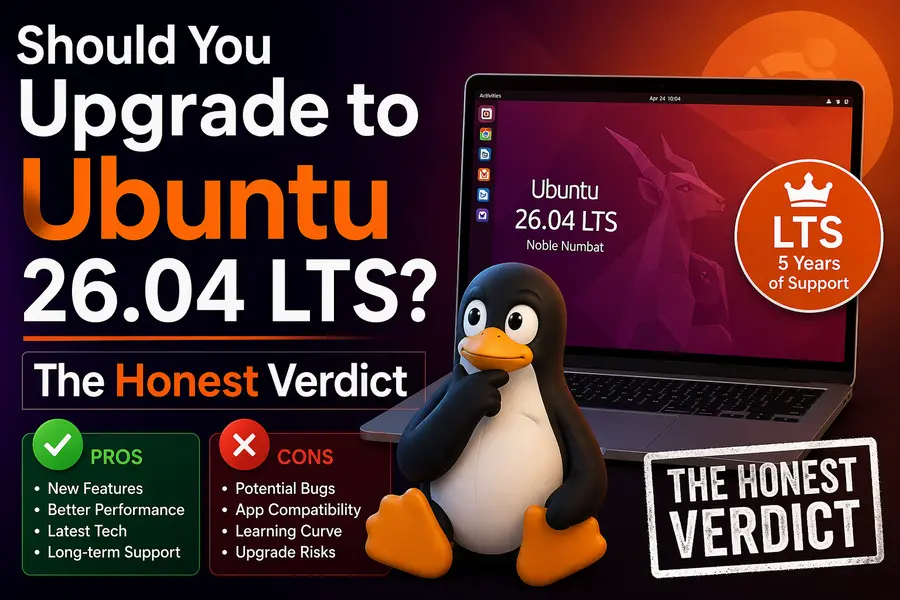
Here’s the breakdown based on your situation:
✅ Upgrade Now If You Are…
- A developer who needs modern toolchains (Rust 1.93, LLVM 21, OpenJDK 25, PostgreSQL 18)
- Running newer hardware (last 5 years) that will benefit from kernel 7.0 and Wayland improvements
- An AI/ML user who wants native NVIDIA CUDA and AMD ROCm in the repos
- Already on Ubuntu 25.10 — upgrading is straightforward and sensible
- Someone who wants the full 10-year security support window via Ubuntu Pro
- A user with a TPM-capable machine who wants modern disk encryption
⏳ Wait a Bit If You Are…
- On Ubuntu 24.04 LTS and want the smoothest upgrade path — wait for Ubuntu 26.04.1 in August 2026 when direct upgrades are officially enabled
- Running NVIDIA hardware with suspend/resume issues — a few known bugs remain and patches are coming
- Using Ubuntu MATE or Ubuntu Unity — these flavors don’t have LTS status in 26.04 due to limited contributor resources
- Dependent on an Xorg-only workflow — there’s no fallback session this time, and while XWayland handles most legacy apps, some niche tools may behave unexpectedly
❌ Probably Skip (For Now) If You Are…
- Running legacy hardware (IBM Z z14 and earlier have been dropped, RISC-V RVA20 support removed)
- On a production server that doesn’t need any of the new features — Ubuntu 24.04 LTS runs until April 2029, so there’s no urgency
- Relying on software that explicitly requires X11 sessions with no Wayland compatibility path
Final Thoughts
So, should you upgrade to Ubuntu 26.04 LTS? For most users, the answer is yes — eventually. The Resolute Raccoon earns its LTS badge with a genuinely strong set of improvements: Linux kernel 7.0, GNOME 50, a mature Wayland-only desktop, modern toolchains, and a decade of security support. These aren’t just checkbox features — they reflect where the Linux desktop and server ecosystem is heading.
The smartest move for 24.04 LTS users is to watch how the first wave of upgrades goes and then jump in when the 26.04.1 point release arrives in August. For anyone already on 25.10, or building a fresh system today, there’s really no reason to wait.
Ubuntu 26.04 LTS is a release that lives up to its “Resolute” name — steady, forward-looking, and built to last. Whether you upgrade now or in a few months, it’s where the Ubuntu ecosystem is headed, and it’s worth the move.
Frequently Asked Questions
Is it safe to upgrade to Ubuntu 26.04 LTS right now?
Generally yes, but if you’re on Ubuntu 24.04 LTS, it’s worth waiting until August 2026 when the 26.04.1 point release drops. That’s when Canonical officially enables direct upgrades, and by then the early bugs will mostly be ironed out.
Will my old apps still work on the Wayland-only session?
Most of them, yes. XWayland handles legacy X11 apps in the background, so you likely won’t notice a difference for everyday software. That said, a small number of niche tools with hard X11 dependencies may run into issues — worth checking before you upgrade.
Do I need Ubuntu Pro to use Ubuntu 26.04 LTS?
No, Ubuntu Pro is completely optional. You get five years of free security updates out of the box until April 2031. Ubuntu Pro just extends that to a full ten years, which is more relevant for businesses and long-term server deployments.
Can I upgrade from Ubuntu 22.04 LTS directly to 26.04?
Unfortunately not. You’ll need to go through 24.04 LTS or 25.10 first. Skipping straight from 22.04 isn’t supported, so plan your upgrade path accordingly before jumping in.
Is Ubuntu 26.04 LTS good for older hardware?
It depends. If your machine has at least 6 GB RAM and a decent dual-core processor, you should be fine. For anything older or more limited, a lighter flavor like Lubuntu or Xubuntu is a smarter choice and will run much more comfortably.
Disclaimer
The information in this article is based on publicly available data at the time of writing (April 2026) and is intended for general informational purposes only. While every effort has been made to ensure accuracy, software features, system requirements, and release timelines may change. Always refer to the official Ubuntu release notes before making any upgrade decisions. The author is not responsible for any data loss or system issues resulting from an upgrade.
🔗 Related Linux Articles You Should Read
-
Mauna Linux 25.2 Review – Debian Stability With a Modern Touch
Discover how Mauna Linux blends rock-solid Debian stability with a beautiful and user-friendly experience.
-
Why LXQt 2.4.0 Is Perfect for Low-End PCs
Learn why LXQt 2.4.0 is the best lightweight desktop environment for older and low-spec systems.
-
Solus 4.9 Serenity Is Here – A Truly Independent Linux Distro
Explore the latest Solus release with improved performance, stability, and a unique independent ecosystem.