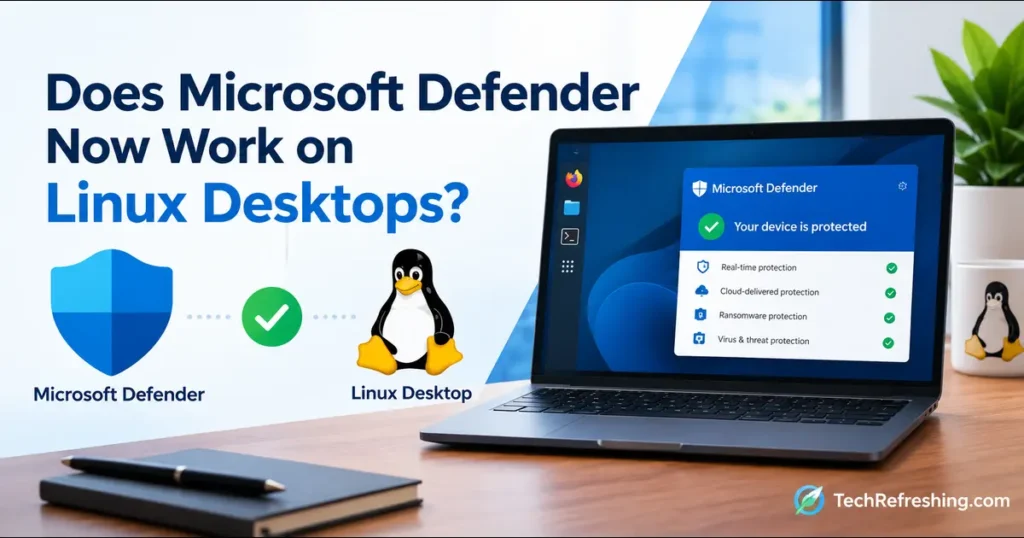
If you’ve spent any time in Linux circles this month, you’ve probably seen the headline that made people do a double take: Microsoft Defender is coming to the Linux desktop. Some laughed. Some got nervous. Plenty just wanted to know whether they can install it on their Ubuntu laptop tonight.
So, Does Microsoft Defender Now Work on Linux Desktops? Yes, but with fine print. It works through Microsoft Defender for Endpoint, it’s a public preview rather than a finished release, and it’s aimed at organizations, not home users. This guide covers what Microsoft announced, which distributions are supported, what you need to pay for, and who should care.
The Short Answer First
- Yes, it works. Defender for Endpoint now supports Linux desktops, not just servers.
- It’s a public preview. Microsoft lists “Microsoft Defender support for Linux Desktops” as a preview feature in the September 2026 section of its Defender for Endpoint “what’s new” page.
- It’s a business product. You need Defender for Endpoint Plan 2, or Microsoft 365 E5 or E7.
- It’s not the free Windows antivirus. That’s a different product.
- There’s no separate desktop app. It’s the same Linux agent that already protects servers.
Microsoft announced the move on October 14, 2026, and outlets like Phoronix, OMG! Ubuntu, and PC-WELT covered it over the following days.
What Microsoft Actually Announced
Until now, Defender for Endpoint on Linux was officially a server story. A developer’s Ubuntu or Fedora laptop sat in a gray area.
Microsoft’s Linux release notes say all Linux distributions supported on servers are now supported on desktops too. They also say deployment methods and security capabilities stay consistent across both.
Microsoft’s reasoning is practical. More developers use Linux desktops, and those machines hold source code, cloud credentials, SSH keys, and access tokens. A security team that sees every Windows PC but nothing on the engineering team’s Linux laptops has a real blind spot.
One detail worth noting: Microsoft says support depends on the distribution and kernel version, not the desktop environment. GNOME, KDE Plasma, and Xfce are all treated the same.
Defender for Endpoint vs. the Defender in Windows
This is where most confusion starts, because Microsoft uses the “Defender” name for several things:
- Microsoft Defender Antivirus is the free, built-in antivirus on Windows 10 and 11.
- Microsoft Defender for Endpoint is the enterprise platform with antivirus, EDR, vulnerability management, and response tools, managed from a central portal.
- Microsoft Defender for Business is the small-business edition.
What reached Linux desktops is the second one. If you hoped to download a free “Defender” and scan your home Ubuntu machine, this isn’t it. German outlet PC Games Hardware made the same point: for private users, the announcement changes little.
Supported Linux Distributions in 2026
Based on Microsoft’s Linux prerequisites page, here’s the current picture.
| Distribution | x64 versions | ARM64 versions | Status |
|---|---|---|---|
| Red Hat Enterprise Linux | 7.2+, 8.x, 9.x, 10.x | 8.x, 9.x, 10.x | Supported |
| Ubuntu LTS | 16.04 to 26.04 | 20.04 to 26.04 | Supported |
| Ubuntu Pro | 22.04, 24.04 | 22.04, 24.04 | Supported |
| Debian | 9 to 13 | 11, 12, 13 | Supported |
| Fedora | 33 to 44 | 40 to 44 | Supported |
| SUSE Linux Enterprise Server | 12.x, 15.x, 16.x | 15 (SP5, SP6), 16.x | Supported |
| openSUSE Leap | 15.6, 16.x | 15.6, 16.x | Supported |
| Oracle Linux | 7.2+, 8.x, 9.x, 10.x | 8.x, 9.x, 10.x | Supported |
| Rocky Linux | 8.7+, 9.2+, 10.x | 8.7+, 9.2+, 10.x | Supported |
| AlmaLinux | 8.4+, 9.2+, 10.x | 8.4+, 9.2+, 10.x | Supported |
| CentOS / CentOS Stream | 7.2+, 8.x, Stream 8 to 10 | Stream 8 to 10 only | Supported |
| Amazon Linux 2 (ARM64) | n/a | AL2 on ARM64 | Retiring Oct 31, 2026 |
A few notes:
- Unlisted distros are unsupported. Arch, Gentoo, and NixOS users are on their own.
- The minimum kernel is 3.10.0-327. Most modern installs clear it.
- Derivatives might run it, but Microsoft doesn’t promise regular support for them.
- A listing isn’t a security endorsement. Ubuntu 16.04, for example, is long past Canonical’s standard support. The table shows what the agent supports, not what the distro vendor still patches.
Licensing: What You Need to Pay For
Per the same prerequisites page:
- Linux desktops: Defender for Endpoint Plan 2, or Microsoft 365 E5 or E7.
- Linux servers: Defender for Servers Plan 1 or 2, Defender for Endpoint for servers, or Defender for Business servers (small and medium businesses only).
Plan 1 isn’t listed for desktops. If your company is on a lower tier, you’ll need to upgrade before enrolling Linux workstations.
What about Defender for Business customers? Tech-Insider reports that access to the desktop preview for them isn’t confirmed, so treat it as “not yet” until Microsoft says otherwise. If you already hold E5 or E7, you may own the entitlement and just need to switch it on.
What Features Do You Get?
Because it’s the same agent, desktops get the documented Linux feature set:
Next-generation antivirus
- Real-time, behavior-based, and cloud-delivered protection
- Scheduled and on-demand scans
- A passive mode for running beside another antivirus
Endpoint detection and response (EDR)
- Detections aligned with MITRE ATT&CK
- Alerts correlated into incidents
- Device timeline and advanced hunting
Response actions
- Live response and device isolation
- File indicators and investigation packages
- Remote scans
Vulnerability management
- Assessment and security recommendations
- Remediation tracking and Secure Score
Linux desktops appear in the same Microsoft Defender portal as your Windows PCs. That’s the real selling point: an analyst can follow an attacker from a Windows laptop to a Linux dev box without switching tools.
Microsoft’s September 2026 notes also list two related previews: Memory Scan for Linux, which inspects process memory for known malicious behavior, and plug-in support for WSL containers. Both are separate from the desktop announcement, but they show where Linux protection is heading.
How Deployment Works
Microsoft says every method that works on servers also works on desktops. A typical rollout:
- Check licensing and prerequisites: Plan 2 (or E5/E7), a supported distro, systemd, and network access to Defender service URLs.
- Get the Defender Deployment Tool from the Defender portal (Settings > Endpoints > Onboarding). It handles install, onboarding, upgrades, and removal, and is generally available from agent version 101.26042.0011.
- Pilot on a small group with admin privileges.
- Scale up with the installer script, Ansible, Chef, Puppet, SaltStack, or golden images.
- Check device inventory to confirm each machine appears as a workstation.
Step 5 matters. Defender decides whether a Linux machine is a desktop or server using signals like OS metadata, licensing details, Ubuntu Pro contracts, and virtual desktop indicators. If the evidence is thin, the device is classified as a server by default. Computingforgeeks also notes the signal list doesn’t mention the desktop environment, so having GNOME installed may not help. A misclassified laptop could be handled under server rules, so verify your first few devices manually.
Requirements and Known Limits
System requirements
- One CPU core, 1 GB of RAM, 2 GB of free disk space
- systemd is required
- Device isolation needs iptables/ip6tables or nft equivalents
Network
- PAC, WPAD, and authenticated proxies aren’t supported
- SSL inspection isn’t supported
- Static or transparent proxies work
Conflicts
- Other fanotify-based security tools can cause system hangs, so use passive mode
- FAPolicyD on RHEL and Fedora is an exception
Preview caveats
- Features can change before general availability
- Support terms for previews are typically lighter
Comparison: Your Linux Desktop Security Options
| Feature | Defender for Endpoint (Linux desktop) | Defender for Endpoint (Linux server) | Windows built-in Defender Antivirus | ClamAV |
|---|---|---|---|---|
| Runs on Linux desktops | Yes (public preview) | Yes, but may classify desktops as servers | No | Yes |
| Intended audience | Businesses | Businesses | Windows users | Anyone |
| Cost | Plan 2 or E5/E7 | Server plans | Free with Windows | Free, open source |
| Central management portal | Yes | Yes | Limited | No |
| EDR and incident correlation | Yes | Yes | No | No |
| Live response and isolation | Yes | Yes | No | No |
| Vulnerability management | Yes | Yes | No | No |
| Setup effort | Moderate to high | Moderate to high | None | Low to moderate |
This isn’t a like-for-like fight. Defender for Endpoint is a visibility-and-response platform with antivirus built in, while ClamAV is a scanning engine.
Pros and Cons
The good
- Closes a visibility gap for developer laptops.
- No new tool to learn for teams already on Defender.
- Broad distro coverage, including Ubuntu 26.04, Fedora 44, RHEL 10, and Debian 13.
- Cross-platform investigations in one incident view.
- Possibly no extra cost for E5/E7 customers.
The not-so-good
- Still a preview, so not ideal for a company-wide production rollout.
- No free or consumer option.
- Plan 2 is a high bar for smaller teams.
- Strict proxy limits can force network rework.
- Possible clashes with other kernel-level agents.
- Fuzzy desktop/server classification needs checking.
Who Should Use This?
It makes sense if:
- Your company already runs Defender for Endpoint on Windows
- Engineers use Ubuntu, Fedora, or RHEL laptops
- You hold E5 or E7 licenses
You can probably skip it if:
- You’re a home user wanting a free antivirus
- You run an unsupported distro
- You’re on Plan 1 or Defender for Business and can’t upgrade
- You need a generally available product today
For personal Linux use, the basics still do most of the work: keep the system updated, use trusted repositories, run a firewall, and be careful with scripts piped into a shell.
Privacy and Trust
Defender for Endpoint is cloud-connected and reports telemetry, such as process and file events, to your organization’s tenant. On a company laptop, that’s the point. If you use a personal machine for work, ask your IT team in writing what’s collected and who can see it.
Practical Pilot Tips
- Start with 5 to 10 machines across different distros, including one ARM64 device if you use them.
- Test your proxy path first. Authenticated proxies are the most common blocker.
- Look for existing fanotify-based tools before installing.
- Verify device type in inventory right after onboarding.
- Plan antivirus exclusions early for build-heavy machines to avoid slow compiles.
- Mind the deadline: Amazon Linux 2 on ARM64 loses support October 31, 2026, so migrate those machines.
How This Article Was Researched
This guide draws on Microsoft Learn’s Defender for Endpoint documentation (the what’s new and Linux release notes pages, plus the prerequisites and Linux overview pages linked above), cross-checked against coverage from Phoronix, OMG! Ubuntu, PC-WELT, Windows Mode, and Computingforgeeks, published October 14 to 19, 2026. Where sources disagreed or Microsoft hadn’t confirmed something, I’ve said so.
Frequently Asked Questions
Is Microsoft Defender free on Linux desktops?
No, it requires Defender for Endpoint Plan 2 or Microsoft 365 E5 or E7.
Is the Linux desktop support final?
No, it’s a public preview, so details may change before general availability.
Do desktops need a different agent than servers?
No, the same Defender on Linux agent and deployment methods are used for both.
Does GNOME vs. KDE matter?
No, Microsoft says support depends on the distro and kernel version, not the desktop environment.
Can I run it alongside another antivirus?
Yes, in passive mode, which avoids the hangs other fanotify-based tools can cause.
Does Ubuntu 26.04 work?
Yes, Ubuntu 26.04 LTS is listed for both x64 and ARM64.
Final Verdict
So, Does Microsoft Defender Now Work on Linux Desktops? Yes, as of this October 2026 public preview, but it’s built for managed business environments, not casual users. If your organization already pays for Plan 2 or Microsoft 365 E5/E7, it’s worth a pilot, especially if developer laptops have been a blind spot. Home users won’t see much change, and sensible Linux habits remain the best defense.
My advice: test small, verify device classification, watch the proxy and fanotify caveats, and wait for general availability before betting your whole fleet on it.
Disclaimer: This article is for general information only and reflects publicly available details as of October 2026. Microsoft’s preview features, licensing, and supported distributions may change, so confirm current requirements on Microsoft Learn or with your Microsoft representative before deploying. This is not professional security or legal advice.
Explore More Linux Guides
More Linux news, distribution reviews, troubleshooting tips, and open-source technology guides from TechRefreshing.