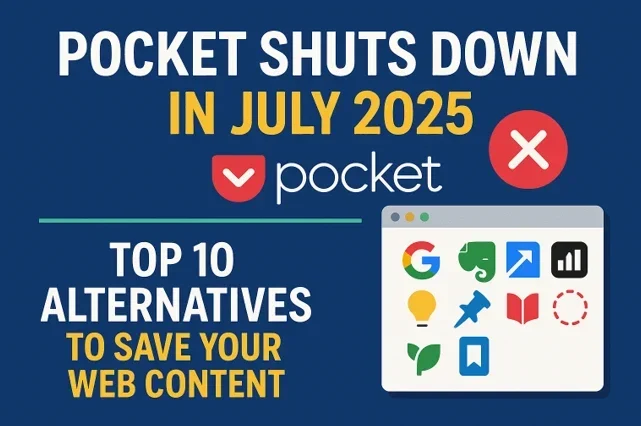
The announcement that Pocket shuts down in July 2025 sent shockwaves through the digital reading community. Mozilla’s decision to discontinue one of the most beloved read-later services has left millions of users searching for alternatives to save their web content. With Pocket shuts down in July 2025 becoming a reality, the urgency to find a reliable replacement has never been greater.
For the countless users who have relied on Pocket to save articles, videos, and web content for later reading, the news that Pocket shuts down in July 2025 has created an immediate need to transition to new platforms. If you’re among those scrambling to find a new home for your saved content, you’re not alone. The good news is that several excellent alternatives can seamlessly replace Pocket’s functionality, and many offer features that might even enhance your content consumption experience as we prepare for when Pocket shuts down in July 2025.
Why is Pocket Shutting Down?
Mozilla’s decision to discontinue Pocket stems from strategic restructuring and resource reallocation. Despite having over 40 million registered users worldwide, Pocket has struggled to maintain profitability as a standalone service. The company has decided to focus its resources on core Firefox development and other privacy-focused initiatives.
The shutdown timeline gives users until July 31, 2025, to export their data and transition to alternative platforms. Mozilla has committed to providing comprehensive data export tools to ensure users don’t lose their saved content during the transition.
What You Need to Know Before Making the Switch
Before diving into alternatives, it’s crucial to understand what made Pocket special and what features you should look for in a replacement:
Core Pocket Features:
- Save articles, videos, and web pages with one click
- Cross-platform synchronization
- Offline reading capabilities
- Text-to-speech functionality
- Content recommendations
- Tagging and organizational tools
- Full-text search
- Clean, distraction-free reading interface
When evaluating alternatives, consider your specific needs: Do you primarily save articles for later reading? Do you need robust organizational features? Is offline access essential for your workflow? Understanding your usage patterns will help you choose the most suitable replacement.
Top 10 Pocket Alternatives for 2025
1. Instapaper
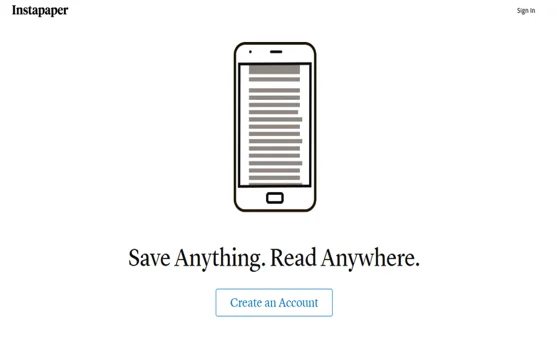
Instapaper stands as the most direct competitor to Pocket, offering a nearly identical feature set with some unique advantages. Founded in 2008, it’s actually older than Pocket and has maintained a loyal user base throughout the years.
Key Features:
- Clean, minimalist reading interface
- Excellent text formatting and typography controls
- Speed reading feature with adjustable words-per-minute
- Comprehensive highlighting and note-taking tools
- Folder organization system
- Full-text search across saved articles
- iOS and Android apps with offline reading
Pricing: Free tier includes 5 articles per month; Premium subscription at $2.99/month offers unlimited saves, full-text search, and additional features.
Best For: Users who prioritize reading experience and don’t need extensive organizational features.
2. Raindrop.io
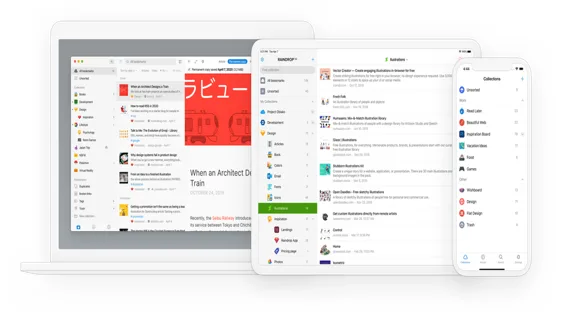
Raindrop.io has emerged as a powerful bookmark manager that goes beyond simple article saving. It’s particularly appealing to users who want to organize various types of web content systematically.
Key Features:
- Visual bookmark management with automatic screenshots
- Nested collections and tags for advanced organization
- Collaboration features for shared collections
- Full-text search across all content
- Browser extensions for all major browsers
- Mobile apps with offline reading
- Duplicate detection and broken link checking
- Import tools for easy migration from Pocket
Pricing: Free tier offers basic features; Pro plan at $28/year unlocks unlimited bookmarks, full-text search, and premium features.
Best For: Power users who save diverse content types and need robust organizational tools.
3. Notion Web Clipper
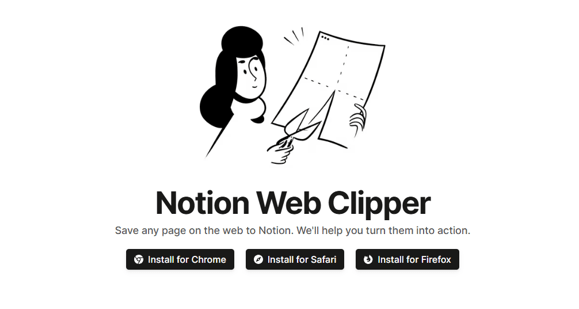
For users already embedded in the Notion ecosystem, the Web Clipper offers seamless integration with existing workflows and databases.
Key Features:
- Save web pages directly to Notion databases
- Automatic metadata extraction (title, URL, date)
- Integration with Notion’s powerful database and organization features
- Collaborative capabilities
- Template-based saving for consistent formatting
- Cross-platform synchronization through Notion
Pricing: Free Notion account includes web clipping; paid plans start at $8/month for additional features.
Best For: Existing Notion users and those who want to integrate saved content with their productivity systems.
4. ReadWise Reader
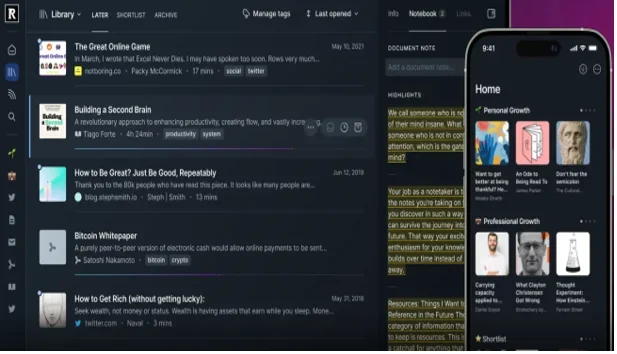
ReadWise Reader represents the next evolution of read-later apps, combining article saving with advanced highlighting and note-taking capabilities.
Key Features:
- Unified inbox for articles, PDFs, emails, and Twitter threads
- Advanced highlighting with automatic sync to ReadWise
- AI-powered content recommendations
- RSS feed integration
- Excellent typography and reading experience
- Spaced repetition for highlighted content
- Integration with note-taking apps like Obsidian and Roam
Pricing: $7.99/month as part of ReadWise subscription.
Best For: Users focused on learning and knowledge retention from their reading.
5. Omnivore
Omnivore is an open-source read-later app that prioritizes privacy and user control while offering modern features.

Key Features:
- Completely open-source with self-hosting options
- Privacy-focused with no tracking or ads
- Newsletter integration with automatic saving
- Excellent mobile apps for iOS and Android
- Highlighting and note-taking capabilities
- Plugin system for extensibility
- PDF support and annotation
- Full-text search
Pricing: Completely free and open-source.
Best For: Privacy-conscious users and those who prefer open-source solutions.
6. Matter
Matter focuses on creating a social reading experience while maintaining core read-later functionality.

Key Features:
- Social highlighting and sharing capabilities
- Clean, modern reading interface
- Newsletter integration
- iOS and Android apps with excellent UX
- Highlighting with easy sharing to social media
- Article recommendations based on reading history
- Integration with popular note-taking apps
Pricing: Free with premium features planned for future release.
Best For: Users who enjoy social aspects of reading and sharing insights with others.
7. GoodLinks
GoodLinks is an Apple-exclusive read-later app that leverages tight integration with iOS and macOS.

Key Features:
- Deep integration with iOS Share Sheet and Shortcuts
- Automatic article extraction and formatting
- Smart folders with rule-based organization
- Excellent search functionality
- Privacy-focused with local data storage
- Beautiful, native Apple design
- Offline reading with automatic sync
Pricing: One-time purchase of $4.99.
Best For: Apple ecosystem users who value native integration and one-time pricing.
8. Wallabag
Wallabag is a self-hosted, open-source alternative that gives users complete control over their data.
Key Features:
- Self-hosted solution with complete data ownership
- Open-source with active community development
- Mobile apps for iOS and Android
- RSS feed generation from saved articles
- Export capabilities in multiple formats
- Multi-user support for families or teams
- Plugin system for extended functionality
Pricing: Free (self-hosted) or hosted plans starting at €9/year.
Best For: Tech-savvy users who want complete control over their data and reading experience.
9. Shiori
Shiori is a simple, lightweight bookmark manager that focuses on speed and efficiency.
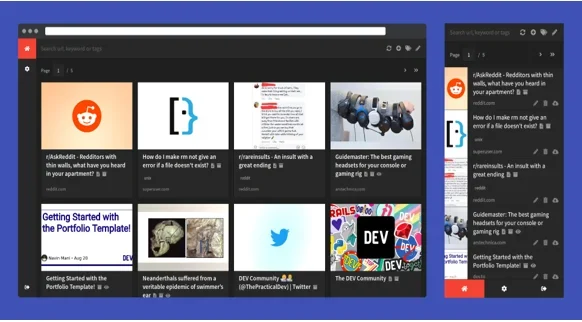
Key Features:
- Fast, lightweight interface
- Self-hosted option available
- Archive pages for offline reading
- Simple tagging system
- Full-text search
- Browser bookmarks import
- REST API for integrations
Pricing: Free and open-source.
Best For: Users who prefer minimalist tools and don’t need advanced features.
10. Browser Built-in Solutions
Modern browsers have significantly improved their built-in reading and bookmarking features, making them viable alternatives for basic use cases.
Chrome/Edge Reading List:
- Built into browser sidebar
- Automatic synchronization across devices
- Simple organization options
- No additional apps required
Safari Reading List:
- Integrated with Apple ecosystem
- Offline reading capabilities
- Simple and fast
- No subscription fees
Firefox Pocket Integration:
- While Pocket is shutting down, Firefox may implement alternative solutions
- Built-in reader mode
- Bookmark synchronization
Best For: Users with simple needs who prefer not to install additional applications.
How to Choose the Right Alternative
Selecting the best Pocket alternative depends on your specific needs and preferences. Here’s a framework to help you decide:
- For Basic Read-Later Needs: Instapaper or browser built-in solutions offer simplicity and reliability.
- For Power Users: Raindrop.io or ReadWise Reader provide advanced organization and learning features.
- For Privacy-Conscious Users: Omnivore or Wallabag offer open-source solutions with complete data control.
- For Apple Users: GoodLinks provides excellent native integration at a one-time cost.
- For Notion/Productivity Users: Notion Web Clipper integrates seamlessly with existing workflows.
Making the Transition: Tips for Migration
1. Export Your Pocket Data Early
Don’t wait until the last minute. Export your Pocket data as soon as possible to ensure you don’t lose important content.
2. Test Multiple Alternatives
Most services offer free trials or tiers. Test several options to find the best fit for your reading habits.
3. Organize During Migration
Use the transition as an opportunity to clean up your saved content and establish better organizational systems.
4. Set Up Browser Extensions
Install browser extensions for your chosen alternative immediately to maintain your saving workflow.
5. Update Your Reading Routine
Take time to learn new features and adjust your reading routine to take advantage of your new platform’s capabilities.
The Future of Read-Later Apps
The shutdown of Pocket marks a significant moment in the read-later app ecosystem. It highlights the challenges of monetizing digital reading tools while maintaining user-friendly experiences. However, it also creates opportunities for innovative solutions to emerge.
Trends shaping the future of read-later apps include:
- AI Integration: Automated content curation and intelligent highlighting
- Social Features: Community-driven reading and knowledge sharing
- Cross-Platform Integration: Better connectivity with productivity and note-taking tools
- Privacy Focus: User-controlled data and open-source alternatives
Learning Enhancement: Features that support knowledge retention and application
Conclusion
While Pocket’s shutdown is disappointing for millions of users, it’s not the end of efficient web content management. The alternatives listed above offer diverse approaches to saving and organizing online content, many with features that surpass Pocket’s original capabilities.
The key is to start your migration process early and choose a solution that aligns with your reading habits and organizational preferences. Whether you opt for a direct replacement like Instapaper, a comprehensive solution like Raindrop.io, or an innovative approach like ReadWise Reader, you’ll likely discover new ways to enhance your digital reading experience.
Remember, the best read-later app is the one you’ll actually use consistently. Take advantage of free trials, export your Pocket data promptly, and embrace this transition as an opportunity to optimize your content consumption workflow.
The digital reading landscape continues to evolve, and while we’re saying goodbye to Pocket, we’re also welcoming new possibilities for how we save, organize, and engage with online content. The future of read-later apps looks bright, with more choices and better features than ever before.
Disclaimer
This article is based on a hypothetical scenario for educational and informational purposes. As of the publication date, Pocket has not announced any plans to shut down in July 2025. The information about Pocket’s shutdown, alternatives, and recommendations are presented as part of a content creation exercise. Readers should verify current information about Pocket’s status and any service changes through official Mozilla/Pocket announcements. The alternatives and recommendations provided are based on actual services and their features as of the knowledge cutoff date, but users should conduct their own research before making any service transitions.
Frequently Asked Questions
Will I lose all my saved articles when Pocket shuts down in July 2025?
No, you won’t lose your content if you act before the deadline. Mozilla has committed to providing comprehensive data export tools that allow you to download all your saved articles, tags, and reading progress. The key is to export your data well before July 31, 2025. Most alternative services also offer import tools specifically designed to help former Pocket users migrate their content seamlessly. I’d recommend starting the export process as soon as you choose your new platform – don’t wait until the last minute.
Which Pocket alternative is closest to the original experience?
Instapaper is probably your best bet if you want something that feels most like Pocket. It has that same clean, distraction-free reading interface and similar core features like offline reading, tagging, and cross-device sync. The main differences are in the details – Instapaper has excellent typography controls and a speed reading feature that some users actually prefer over Pocket’s original setup. If you’re looking for the smoothest transition with minimal learning curve, Instapaper is definitely worth trying first.
Are there any completely free alternatives that match Pocket’s features?
Yes, several options won’t cost you a penny. Omnivore is completely free and open-source, offering most of Pocket’s core features including offline reading, highlighting, and mobile apps. Browser built-in solutions like Chrome’s Reading List or Safari’s Reading List are also free and surprisingly capable for basic needs. Matter is currently free as well, though they may introduce premium features later. Keep in mind that free services sometimes have limitations, so consider whether the feature restrictions work for your reading habits.
Can I use multiple read-later services at the same time?
Absolutely, and many power users actually prefer this approach. You might use Instapaper for articles, Raindrop.io for general bookmarks, and Notion for content that ties into your work projects. Some people save everything to one primary service but use browser reading lists for quick, temporary saves. The key is finding a system that doesn’t create more work for you. If you’re constantly deciding which service to use for each piece of content, you might want to stick with just one main platform.
How long will it take to fully transition from Pocket to a new service?
The actual data migration usually takes just a few hours to a day, depending on how much content you have saved. Most services can import your Pocket data automatically once you upload the export file. However, getting comfortable with your new platform and adjusting your reading routine typically takes a week or two. I’d suggest giving yourself at least a month to fully settle into your new system before making any final judgments. Start the process early – ideally 2-3 months before Pocket’s shutdown – so you’re not rushed and can properly evaluate whether your chosen alternative meets all your needs.
Also Read
GPT-5 and Beyond: What’s Next in Generative AI?