
Best KDE Plasma Linux Distros in 2026
Finding the right Linux distribution can feel like navigating a maze, especially when you’re after something that delivers power, beauty, and endless customization. If you’re hunting for the best KDE Plasma Linux distros in 2026, you’re in the right spot. After hands-on testing with the latest Plasma 6 releases, I’ve compiled this detailed guide to help you make an informed choice.
KDE Plasma has evolved dramatically over the past year. The desktop environment now stands as one of the most polished and feature-rich options available on Linux. With Plasma 6.5 released in October 2025 and Plasma 6.6 scheduled for February 2026, users are experiencing unprecedented levels of refinement. The Qt 6 foundation delivers better performance, Wayland has become the reliable default session, and features like automatic light-dark theme switching and rounded window corners show how responsive the KDE team is to community requests.
This comprehensive guide examines distributions that ship with Plasma 6 or make it easily accessible. Whether you’re migrating from Windows, need cutting-edge development tools, want maximum gaming performance, or simply desire a beautiful desktop that works exactly the way you want it to, there’s a distribution here that matches your requirements.
Latest KDE Plasma 6 Developments
Before we explore specific distributions, let’s look at what makes Plasma 6 exceptional in early 2026. Plasma 6.5 (released October 2025) brought automatic light-to-dark theme switching, rounded window corners, pinned clipboard items, and improved fuzzy search in KRunner. The upcoming 6.6 release (February 2026) adds Slow Keys accessibility feature and enhanced screen mirroring on Wayland.
Wayland has become the reliable default across distributions, with approximately 79% of Plasma 6 users running Wayland sessions. Screen mirroring works smoothly now, game controllers prevent screen locking, and HDR support continues expanding. The Discover software center launches faster and integrates better with Flatpak installations.
KDE confirmed no long-term support versions for Plasma 6. Major releases arrive every four months, keeping the desktop fresh with continuous improvements.
What Makes KDE Plasma Special?
Plasma stands apart from other desktop environments through its philosophy of user empowerment. Where other desktops dictate workflow, Plasma adapts to yours. Want a Windows-style taskbar? Simple. Prefer a macOS dock? Easy. Need tiling window management? Already built in.
The desktop environment handles both high-end systems and modest hardware gracefully. It responds quickly to input, animations stay smooth, and resource usage remains reasonable even with multiple widgets and effects active. This versatility makes Plasma suitable for everything from aging laptops to powerful workstations.
Customization extends beyond superficial theming. You can modify panel behavior, configure window rules, adjust keyboard shortcuts, and tweak virtually every aspect of the interface. The settings application provides granular control without overwhelming users, and each section includes helpful explanations.
Performance metrics tell an impressive story. Plasma typically uses 500MB to 1GB of memory on fresh boot, less than GNOME despite offering significantly more features and customization options. The efficient codebase ensures smooth operation without requiring hardware upgrades.
Distribution Comparison Table
| Distribution | Base | Release Model | Plasma Version | Best For | Difficulty | Default Session |
|---|---|---|---|---|---|---|
| KDE neon | Ubuntu LTS | Rolling (KDE) | Latest (6.5+) | Latest Plasma | Easy | Wayland |
| Kubuntu 25.04 | Point Release | 6.3 | Ubuntu ecosystem, stability | Ubuntu ecosystem, stability | Easy | Wayland |
| Fedora KDE | Independent | Point Release | 6.5 | Cutting-edge tech, developers | Moderate | Wayland |
| EndeavourOS | Arch | Rolling | Latest (6.5+) | Arch with easy setup | Moderate | Wayland |
| Garuda Linux | Arch | Rolling | Latest (6.5+) | Gaming, performance | Moderate | Wayland |
| openSUSE Tumbleweed | Independent | Rolling | Latest (6.5+) | Stability + rolling release | Moderate | Wayland |
| Manjaro KDE | Arch | Rolling (Delayed) | 6.5 | Arch with stability buffer | Easy-Moderate | Wayland |
| TUXEDO OS | Ubuntu LTS | Continuous | Latest (6.5+) | Hardware optimization | Easy | Wayland |
| CachyOS | Arch | Rolling | Latest (6.5+) | Maximum performance | Moderate-Advanced | Wayland |
Top KDE Plasma Linux Distributions for 2026
1. KDE neon – The Official KDE Experience
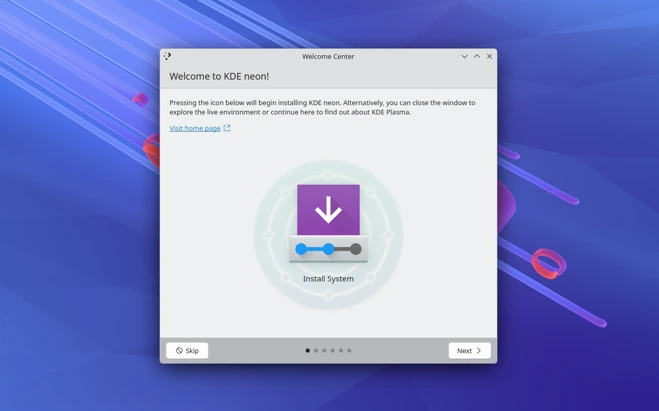
When you want the absolute latest Plasma features hours after release, KDE neon remains the obvious choice. Developed directly by the KDE team, this distribution ships with the newest Plasma releases before anyone else. Based on Ubuntu LTS for system stability, neon follows a rolling release model exclusively for KDE software components.
The User Edition targets everyday users and production environments. You get Plasma 6.5 (with 6.6 coming in February), KDE Gear, and KDE Frameworks fresh from the development pipeline, tested and ready for daily use. The Calamares installer guides you through setup with minimal complications.
Testing reveals neon delivers outstanding responsiveness. Applications launch quickly, and the desktop feels snappy even on modest hardware. The default configuration balances visual appeal with resource efficiency effectively.
One consideration: because neon prioritizes bleeding-edge KDE software, you occasionally encounter rough edges that more conservative distributions might avoid. Updates arrive frequently, sometimes multiple times per week during active development periods. However, if staying current with Plasma development matters to you, neon provides an unmatched experience.
The distribution ships with a carefully curated application selection. You won’t find excessive pre-installed software, just essential tools and KDE applications. This lean approach lets you build your system according to your needs without removing unwanted packages first.
Best for: KDE enthusiasts, early adopters, users wanting the latest Plasma features immediately, those who enjoy testing new features
System Requirements: 2GB RAM minimum (4GB recommended), 10GB storage, 64-bit processor
Download from: KDE’s official neon website
2. Kubuntu – Ubuntu Stability with Plasma Polish
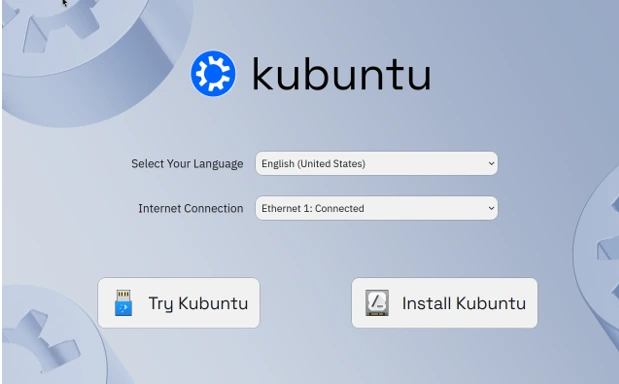
Kubuntu brings together Ubuntu’s massive ecosystem with KDE Plasma’s flexibility. As the official KDE flavor of Ubuntu, it provides access to Ubuntu’s extensive software repositories, Snap packages, and PPAs.
Kubuntu 25.04 includes Plasma 6.3, delivering a modern desktop experience with nine months of support. While the Kubuntu 24.04 LTS remains on Plasma 5.27, future LTS releases will embrace Plasma 6 with Wayland by default, though the current interim release already defaults to Wayland.
What makes Kubuntu compelling is its balance. You get a clean, unmodified Plasma desktop paired with Ubuntu’s stability and widespread hardware support. The massive Ubuntu community means solutions to common problems are usually just a search away. Software availability rivals any distribution, with thousands of packages ready to install.
Installation proceeds straightforward, and the default application selection covers most daily tasks. Firefox handles web browsing, LibreOffice manages documents, and Discover provides a graphical interface for software management. The integration between Ubuntu’s infrastructure and Plasma’s interface feels natural and cohesive.
Kubuntu follows Ubuntu’s release schedule, providing new versions every six months with LTS releases every two years. This predictability helps users plan upgrades and maintain stable systems. The development team focuses on quality rather than rushing features, resulting in a polished experience.
Best for: Linux newcomers, users switching from Windows, anyone wanting Ubuntu’s ecosystem with KDE, users needing extensive documentation
System Requirements: 2GB RAM minimum (4GB recommended), 25GB storage, 64-bit processor
Download from: Kubuntu’s official website
3. Fedora KDE Spin – Cutting-Edge Innovation
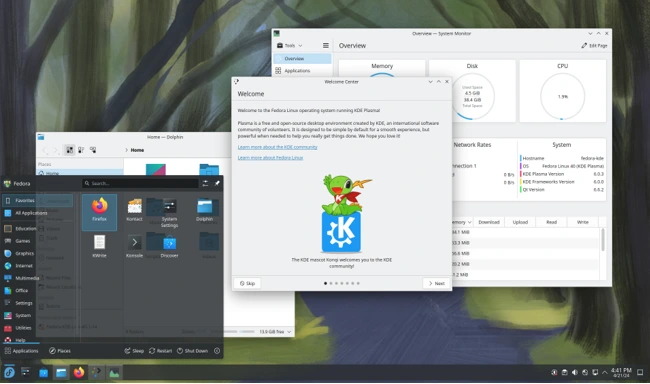
Fedora has elevated its KDE offering to equal status with its GNOME edition, reflecting the distribution’s commitment to Plasma. The Fedora KDE Spin delivers the latest open-source technologies wrapped in a polished Plasma interface.
Fedora stands apart for its focus on innovation and upstream-first development. When new technologies emerge in the Linux world, Fedora often implements them first. This philosophy extends to Plasma, with Fedora shipping Plasma 6.5 in current releases and defaulting to Wayland-only sessions starting with Fedora 40.
The distribution receives updates regularly through Fedora’s release cycle. Every six months, a new Fedora version brings updated software, kernel improvements, and desktop enhancements. The balance between cutting-edge and stable makes Fedora appealing for users who want recent software without excessive instability.
Developers appreciate Fedora’s container ecosystem. Tools like Toolbox and Podman enable isolated development environments and container management. Access to Red Hat container images provides secure, consistent development across systems. The distribution also includes development tools by default, reducing setup time for programmers.
Gaming on Fedora KDE benefits from fresh Mesa drivers, Proton improvements, and up-to-date Vulkan support. Performance gains from the latest graphics stack make a noticeable difference in gaming sessions. The distribution ships with everything needed for Steam, Lutris, and other gaming platforms.
Best for: Developers, tech enthusiasts, gamers, users wanting cutting-edge software, those contributing to open source
System Requirements: 2GB RAM minimum (4GB recommended), 20GB storage, 64-bit processor
Download from: Fedora Project’s KDE Spin page
4. EndeavourOS KDE – Arch Linux Made Accessible
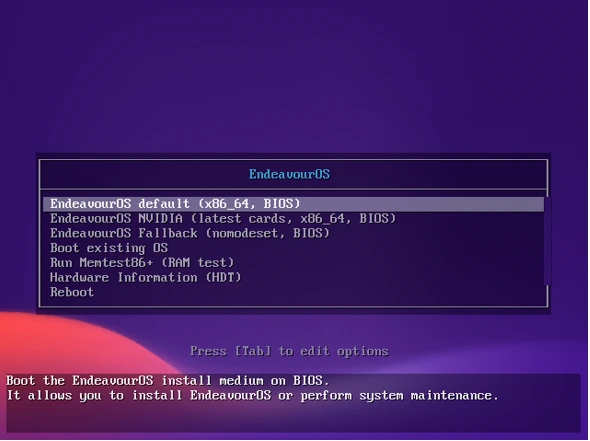
EndeavourOS takes Arch Linux’s power and wraps it in a user-friendly package. For those who want Arch’s rolling release model and access to the AUR without manual installation headaches, EndeavourOS delivers exactly that.
The installation process uses a graphical installer called Calamares that walks you through setup. After installation, you’re greeted with a lightweight Plasma 6.5 desktop and the EndeavourOS Welcome app, which simplifies initial configuration and package installation.
Plasma updates arrive quickly through Arch’s repositories. You gain access to the Arch User Repository (AUR), home to thousands of community-maintained packages. This combination gives you an incredibly current system with virtually unlimited software availability. Popular AUR helpers like yay or paru make installing AUR packages straightforward.
The minimalist approach means you start with a clean slate. EndeavourOS doesn’t overwhelm you with pre-installed software. Instead, you build your system according to your needs. This philosophy appeals to users who prefer control over convenience. The Welcome app provides one-click installs for common software categories, bridging the gap between minimal and usable.
Performance is excellent. The streamlined base system keeps resource usage low, and Plasma’s efficiency ensures smooth operation. On older hardware, this combination can breathe new life into aging machines. The distribution respects Arch’s KISS (Keep It Simple, Stupid) principle while making the system approachable.
Community support through forums and Discord channels provides help when needed. The EndeavourOS team maintains detailed documentation covering common scenarios and troubleshooting steps.
Best for: Intermediate to advanced users, rolling release enthusiasts, minimalists, Arch fans, users comfortable with terminal
System Requirements: 2GB RAM minimum, 10GB storage, 64-bit processor
Download from: EndeavourOS official site
5. Garuda Linux – Gaming and Performance Focus
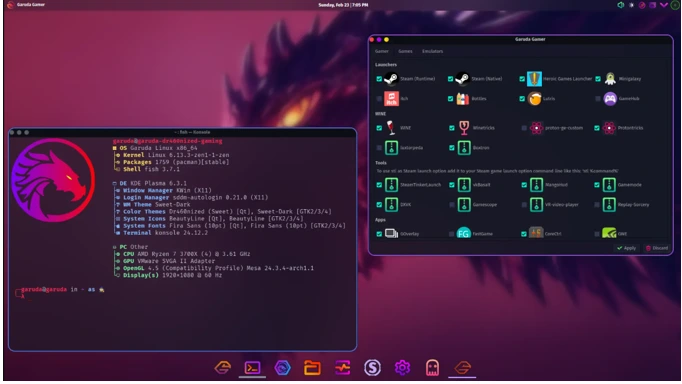
Garuda Linux takes a different approach. Built on Arch Linux, it targets gamers and users wanting a visually striking, performance-optimized system out of the box. The Dr460nized edition showcases a heavily customized Plasma experience with unique aesthetics.
Gaming tools come pre-configured. Garuda includes performance tweaks, improved CPU schedulers (including the zen kernel), and optimizations specifically for gaming workloads. The distribution ships with gaming utilities installed, reducing the setup time between installation and your first gaming session. Tools like GameMode, Lutris, and Wine come pre-installed.
Visual customization sets Garuda apart. The default theme uses dramatic colors, floating panels, and effects that make the desktop pop. The Dr460nized edition features a distinctive purple and blue color scheme with transparent elements and animations. If you prefer a stock Plasma look, the KDE Lite edition provides that option while retaining Garuda’s performance benefits.
The distribution includes Garuda-specific tools for system management and maintenance. The Garuda Assistant simplifies tasks that typically require command-line knowledge, making the powerful Arch base more approachable. Features include easy kernel switching, driver management, and system snapshot creation.
Garuda uses Btrfs filesystem by default with automatic snapshots through Timeshift. Before major updates, the system creates snapshots automatically. If something goes wrong, you can boot into a previous snapshot and recover your system immediately.
Best for: Gamers, users wanting pre-configured performance optimizations, those appreciating bold visual designs, users seeking convenience
System Requirements: 4GB RAM minimum (8GB recommended), 40GB storage, 64-bit processor
Download from: Garuda Linux website
6. openSUSE Tumbleweed – Stability Meets Rolling Release
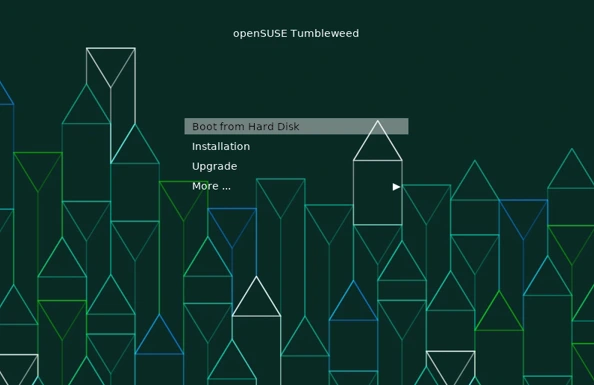
openSUSE Tumbleweed offers something unique: a rolling release distribution with enterprise-grade testing. Each snapshot undergoes automated testing before release, providing a stability level uncommon in rolling distributions.
The KDE edition ships with Plasma 6.5, keeping pace with upstream development. You install once and receive updates indefinitely, avoiding the reinstallation cycle that affects point-release distributions. Updates arrive as tested snapshots, sometimes daily, sometimes less frequently depending on development activity.
YaST, openSUSE’s system management tool, simplifies configuration tasks. Need to set up printers, manage partitions, or configure network settings? YaST provides graphical interfaces for these tasks that would require command-line work on other distributions. The tool feels comprehensive yet approachable.
The installation process uses openSUSE’s advanced installer. While more complex than some alternatives, it offers fine-grained control over partitioning, package selection, and system configuration. This flexibility benefits users with specific requirements or complex setups.
Btrfs comes as the default filesystem, enabling snapshots. Before major updates, Tumbleweed automatically creates snapshots through Snapper. If something goes wrong, you can boot into a previous snapshot and recover your system. The GRUB bootloader lists available snapshots, making rollback straightforward.
The openSUSE Build Service (OBS) provides additional software beyond official repositories. Users can find community-maintained packages for specialized software not included in standard repositories.
Best for: Users wanting rolling release with stability, system administrators, those valuing enterprise-quality testing, users needing YaST
System Requirements: 2GB RAM minimum (4GB recommended), 40GB storage, 64-bit processor
Download from: openSUSE download page
7. Manjaro KDE – Arch with Safety Buffers
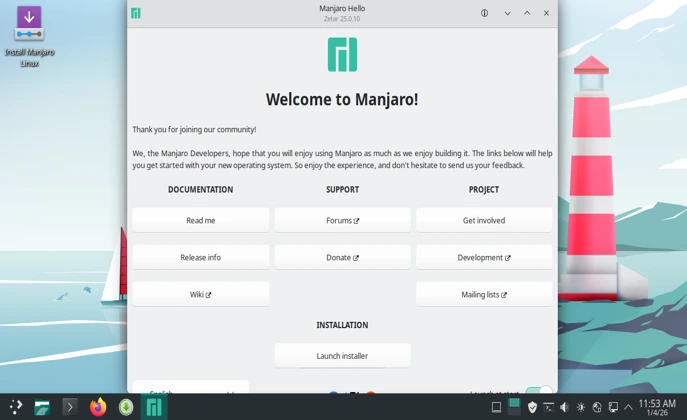
Manjaro takes Arch Linux and adds stability buffers. Updates undergo additional testing before reaching users, reducing the likelihood of breaking changes. For users wanting Arch’s advantages without its potential instability, Manjaro strikes a middle ground.
The graphical installer makes setup accessible to users with minimal Linux experience. Hardware detection works reliably, and proprietary drivers install automatically when needed. This attention to hardware compatibility removes common installation hurdles that plague other distributions.
Plasma 6.5 ships in a relatively clean configuration. Manjaro includes sensible defaults without drowning you in pre-installed software. The package manager GUI simplifies software installation, and access to the AUR expands software availability significantly. Pamac, Manjaro’s graphical package manager, integrates AUR access seamlessly.
The Manjaro community maintains an active forum where users help each other solve problems. Documentation covers common scenarios, making troubleshooting more straightforward than it might be with bare Arch. The team provides detailed wiki articles and video tutorials.
Update frequency sits between Arch’s immediacy and Ubuntu’s caution. This delayed release cycle (typically 1-2 weeks behind Arch) gives packages time to mature while keeping the system reasonably current. For stability-conscious users who still want recent software, this approach makes sense.
Best for: Users wanting Arch benefits with more stability, intermediate Linux users, hardware compatibility seekers, users preferring graphical tools
System Requirements: 2GB RAM minimum (4GB recommended), 30GB storage, 64-bit processor
Download from: Manjaro official website
Emerging KDE Plasma Distributions to Watch
TUXEDO OS – Hardware-Optimized Plasma
TUXEDO OS targets TUXEDO hardware primarily but runs on other computers without issues. Based on Ubuntu LTS, it adds numerous backports and perks while maintaining compatibility with Ubuntu’s ecosystem.
The distribution features a dark theme by default that looks sleek and modern. Mozilla Firefox comes pre-installed as a DEB package for better performance compared to Snap versions. The default application selection covers common use cases without bloating the system.
TUXEDO OS uses a continuous release model, providing Plasma 6.5, latest Frameworks, and current Gear versions atop an Ubuntu LTS base. This approach combines long-term stability with current desktop software, similar to KDE neon but with additional hardware optimizations.
The TUXEDO Control Center provides hardware-specific features for TUXEDO machines but includes useful utilities for any system. Power management profiles, fan control (on supported hardware), and system monitoring tools enhance the user experience.
Best for: TUXEDO hardware owners, users wanting Ubuntu LTS with latest Plasma, those seeking hardware-optimized systems
Download from: TUXEDO Computers website
CachyOS – Performance Optimization Focus
CachyOS builds on Arch Linux with performance optimizations throughout. Compiler flags and package configurations target maximum performance, resulting in snappier application launches and smoother operation.
The distribution maintains its own repositories with optimized packages compiled with performance-focused compiler flags. Plasma 6.5 runs with enhanced responsiveness, and gaming performance benefits from system-wide optimizations. Multiple kernel options include the zen, cachyos, and hardened kernels.
For users who want to squeeze every bit of performance from their hardware, CachyOS delivers. The installation process resembles EndeavourOS, making it accessible despite the Arch base. The CachyOS Hello application guides initial setup and software installation.
The distribution ships with performance-oriented default settings, including CPU governor configurations, I/O schedulers, and system tweaks. These optimizations translate into real-world improvements for both desktop responsiveness and gaming performance.
Best for: Performance enthusiasts, gamers, users with compatible hardware for optimizations, those comfortable with rolling release
Download from: CachyOS official website
Making Your Choice: Key Considerations
Selecting the best KDE Plasma distro for your needs involves weighing several factors. Let’s break down the decision-making process to help you choose wisely.
Stability vs. Currency
Do you need rock-solid reliability, or do you want the latest features as they’re developed? Ubuntu-based distributions like Kubuntu and TUXEDO OS prioritize stability with periodic updates. Rolling release options like Arch-based distributions (EndeavourOS, Manjaro, Garuda, CachyOS) and openSUSE Tumbleweed keep you current with minimal delay. Fedora splits the difference with regular releases bringing updates every six months.
Consider your tolerance for occasional issues. Rolling releases occasionally introduce bugs that stable releases avoid. However, you also get bug fixes and new features immediately rather than waiting months for the next release.
Experience Level
Newcomers should consider Kubuntu or Manjaro. Both offer graphical installers, good hardware support, and helpful communities. Fedora works well for users comfortable with basic Linux concepts. EndeavourOS, Garuda, and CachyOS target intermediate users who understand package management and system maintenance. openSUSE Tumbleweed suits users wanting powerful tools like YaST.
Don’t let difficulty ratings intimidate you. Many “intermediate” distributions provide excellent documentation and community support. If you’re willing to learn, most distributions become manageable quickly.
Hardware Requirements
All Plasma distributions run efficiently, but some are lighter than others. EndeavourOS’s minimal approach uses fewer resources. Garuda includes more pre-installed software, increasing memory usage. For older hardware, prioritize lightweight base systems and avoid distributions with extensive default software sets.
Modern hardware handles any Plasma distribution comfortably. With 8GB RAM and decent processors, performance differences become negligible. Focus more on features and release model than resource usage.
Software Availability
Ubuntu-based distributions provide enormous software repositories plus Snap support. Arch-based options gain the AUR’s vast collection containing virtually any Linux software. Fedora offers extensive repositories plus excellent Flatpak integration. Consider what software you need and verify its availability on your chosen distribution.
Flatpak and AppImage support across distributions reduces software availability concerns. Many applications ship as universal packages, working on any distribution with the appropriate runtime installed.
Release Model
Point-release distributions like Kubuntu and Fedora provide stability with periodic major updates. You’ll reinstall or upgrade every six months to two years. Rolling releases like Arch-based distributions and Tumbleweed update continuously, eliminating major upgrades but requiring more frequent maintenance.
Consider your workflow. Do you prefer stable platforms for extended periods, or do you enjoy staying on the cutting edge? Both approaches have merits depending on your use case.
Gaming and Performance
For gaming, consider Garuda, CachyOS, or Fedora. These distributions include recent graphics drivers, gaming optimizations, and performance tweaks. Steam integration works on all distributions, but staying current with drivers and libraries matters for gaming performance.
Gaming on Linux has improved dramatically. Proton enables Windows games to run smoothly, and native titles continue increasing. Any modern distribution with recent kernel and graphics drivers provides good gaming experiences.
Installation Tips and Best Practices
Before You Install
Create a bootable USB drive using tools like Rufus (Windows), Balena Etcher (cross-platform), or Fedora Media Writer. Test the live environment before installing to verify hardware compatibility. Check wireless, graphics, audio, and any special hardware like fingerprint readers or drawing tablets.
Back up your data if dual-booting or replacing an existing system. Disk operations carry risk, and having backups provides peace of mind. Use external drives, cloud storage, or network shares to store important files safely.
Research your hardware compatibility. While Linux supports most hardware excellently, some components (particularly Nvidia graphics, certain wireless cards, and fingerprint readers) may require additional configuration. Check distribution forums for your specific hardware model.
During Installation
Allocate sufficient disk space. Plasma itself is lightweight, but applications and user data require room. A minimum of 40GB makes sense for most installations, with 80GB or more recommended for gaming or development work.
Consider separate home partitions or subvolumes. This separation allows you to reinstall or switch distributions while preserving personal files. For Btrfs users, subvolumes provide similar flexibility with easier management.
Enable encryption if security matters. Most installers offer full-disk encryption during setup. The performance impact is minimal on modern hardware with AES-NI support, and the security benefit is substantial for laptops and portable devices.
Configure user accounts thoughtfully. Use strong passwords or consider passwordless login with biometric authentication on supported hardware. Avoid using simple passwords, especially on machines accessible by others.
After Installation
Update your system immediately. Fresh installations often lack recent security patches and bug fixes. Run the update manager or package manager to bring everything current before installing additional software.
Install proprietary drivers if needed. Nvidia users particularly benefit from manufacturer drivers over open-source alternatives for gaming and GPU-accelerated applications. AMD and Intel graphics generally work well with open-source drivers included by default.
Configure backup solutions early. Tools like Timeshift (for system snapshots) and Déjà Dup (for personal file backups) protect against data loss. Set up automated backups so you don’t forget. On Btrfs filesystems, configure Snapper for automatic snapshots.
Explore Plasma’s customization options. Right-click the desktop and select “Enter Edit Mode” to access widgets, panels, and layout options. The System Settings application offers extensive configuration choices for virtually every aspect of the desktop. Take time to configure the desktop to your preferences.
Wayland vs. X11 in 2026
Wayland has matured significantly with Plasma 6, becoming the default session across major distributions. About 79% of Plasma 6 users run Wayland sessions, indicating widespread adoption and stability.
Benefits of Wayland include better security through isolation, smoother animations with variable refresh rate support, improved multi-monitor handling with per-screen scaling, and HDR support. The security model prevents applications from accessing other windows’ contents or injecting input, protecting against keyloggers and screen capture malware.
Most compatibility issues have been resolved. Screen sharing works in major applications like Zoom, Discord, and browsers. Remote desktop solutions support Wayland through protocols like RDP and PipeWire-based sharing.
Some edge cases still favor X11. Certain proprietary applications lack Wayland support. Window position restoration works more reliably on X11 in some applications. Accessibility tools that inject input system-wide require X11. However, these cases continue decreasing as software updates.
For most users in 2026, Wayland provides the better experience. If you encounter problems, X11 sessions remain available in most distributions as a fallback option. The login screen typically offers session selection, making switching between Wayland and X11 straightforward.
The Future of KDE Plasma
Plasma development continues at a steady pace. Major releases with new features arrive every four months, though the KDE community has expressed interest in transitioning to six-month intervals aligned with major distribution releases.
Future improvements focus on refining Wayland support, enhancing accessibility, and polishing the user experience. HDR support will expand to more applications and scenarios. Drawing tablet integration will receive additional features based on artist feedback. Performance optimizations continue with each release.
The KDE community has grown substantially. More distributions adopt Plasma as their default or primary desktop, and existing Plasma distributions continue refining their implementations. This increased adoption drives development momentum and community support.
The recent €385,000 raised in KDE’s 2025 end-of-year fundraiser demonstrates strong community support. These funds ensure KDE’s financial and technical sustainability for years to come, supporting infrastructure, development sprints, and contributor support.
Plasma 7 remains unscheduled, suggesting Plasma 6 will continue evolving for the foreseeable future. The current development model provides regular improvements without requiring disruptive major version transitions. This approach balances innovation with stability.
Conclusion
The best KDE Plasma Linux distros in 2026 offer something for everyone. KDE neon delivers bleeding-edge Plasma features. Kubuntu provides Ubuntu stability with KDE flexibility. Fedora brings innovation and cutting-edge technology. EndeavourOS makes Arch accessible. Garuda focuses on gaming and performance. openSUSE Tumbleweed combines rolling release with testing rigor. Manjaro adds stability buffers to Arch.
Your ideal distribution depends on your priorities. Newcomers should start with Kubuntu or Manjaro. Developers will appreciate Fedora or EndeavourOS. Gamers should consider Garuda or Fedora. Users wanting the latest Plasma features should choose KDE neon.
The beauty of Linux is choice. Try distributions in virtual machines or live environments before committing. Most distributions allow testing without installation, giving you hands-on experience before making decisions.
Plasma 6 represents the desktop environment’s best iteration yet. Combined with the right distribution, it provides a computing experience that rivals any operating system. Whether you prioritize customization, performance, stability, or cutting-edge features, there’s a Plasma distribution perfectly suited to your needs.
Frequently Asked Questions
Is KDE Plasma 6 stable enough for daily use in 2026?
Yes, Plasma 6 has matured significantly since its February 2024 release. With versions 6.5 and 6.6, most stability issues have been resolved, and millions of users run it daily without problems.
Can I run KDE Plasma on older hardware?
Absolutely. Plasma remains lightweight and runs smoothly on hardware from the last decade. Distributions like EndeavourOS or Manjaro work particularly well on older systems with 4GB RAM or more.
Which distribution is easiest for Windows users switching to Linux?
Kubuntu offers the smoothest transition. Its interface resembles Windows layout, the Ubuntu base provides extensive documentation, and the massive community ensures help is readily available.
Should I use Wayland or X11 in 2026?
Most users should use Wayland, which is now the default. It provides better performance, security, and features like HDR support. X11 remains available if you encounter specific compatibility issues.
How often do KDE Plasma distributions receive updates?
Rolling release distributions (Arch-based, Tumbleweed) update continuously, sometimes daily. Point-release distributions like Kubuntu and Fedora provide updates within their cycle, with major versions every six months to two years.
Disclaimer
This article reflects testing and research conducted as of January 2026. Linux distributions evolve rapidly, and specific features, versions, or recommendations may change over time. Always verify current information on official distribution websites before making installation decisions. Performance results may vary based on individual hardware configurations. The author is not affiliated with any mentioned distributions, organizations, or companies. Individual experiences may differ based on hardware, use cases, and personal preferences.
Also Read
Devuan Excalibur 6.1: The Latest Systemd-Free Linux for Purists
About the Author






Q4OS 6, Neptune 9, MX 25, Ultramarine 43