
Best Linux Apps to Replace Every Windows Application
So you’ve finally made the switch to Linux — or you’re seriously thinking about it. Either way, one of the first things that hits you is: “What happens to all the software I use every day?” It’s a fair concern, and honestly, it was a much bigger deal back in 2015. In 2026, though? The Linux ecosystem has quietly matured into something impressive, and finding solid replacements for your Windows apps is less of a headache than you might think.
This guide covers the best Linux apps to replace every Windows application you rely on — whether you’re a creative professional, a developer, a student, or just someone who wants to browse the web and write documents without the Windows tax. Every single app listed here is actively maintained, regularly updated as of February 2026, and has a real, growing user base — no abandonware, no half-baked projects.
Why People Are Making the Switch in 2026
Windows 11 mandatory hardware requirements have pushed millions of users toward older machines that Microsoft no longer supports. Couple that with growing privacy concerns, the rise of AI-heavy telemetry baked into Windows, and the rocketing popularity of distributions like Ubuntu 24.04 LTS and Fedora 41 — and you’ve got a genuine migration wave happening right now. According to StatCounter data from early 2026, Linux desktop share has crept past 4.5% globally, which sounds small until you realize it represents tens of millions of active users.
The good news: you don’t have to sacrifice productivity. Let’s get into it.
Quick Reference: Windows vs Linux App Replacements
Best Linux App Alternatives to Windows Software in 2026
Looking for the best Linux replacements for popular Windows applications? Here is a complete comparison table featuring free, open-source, and paid alternatives for productivity, design, development, multimedia, and communication.
| Windows Application | Best Linux Replacement | Category | Cost |
|---|---|---|---|
| Microsoft Word | LibreOffice Writer | Word Processing | Free |
| Microsoft Excel | LibreOffice Calc | Spreadsheets | Free |
| Adobe Photoshop | GIMP / Krita | Image Editing | Free |
| Adobe Premiere Pro | DaVinci Resolve / Kdenlive | Video Editing | Free / Paid |
| Notepad++ | Kate / VSCodium | Text / Code Editor | Free |
| Microsoft Outlook | Thunderbird | Email Client | Free |
| iTunes | Rhythmbox / Strawberry | Music Player | Free |
| VLC Media Player | VLC Media Player (Native) | Media Playback | Free (Same App) |
| 7-Zip | 7-Zip (Linux) / PeaZip | Archive Manager | Free |
| Microsoft Teams | Element / Slack | Communication | Free / Paid |
| OBS Studio | OBS Studio (Native) | Screen Recording | Free (Same App) |
| AutoCAD | FreeCAD / LibreCAD | CAD Design | Free |
| Adobe Acrobat | Okular / PDF Arranger | PDF Management | Free |
| WinRAR | PeaZip | File Compression | Free |
| Spotify | Spotify (Native Linux App) | Music Streaming | Free / Paid |
Switching from Windows to Linux in 2026 is easier than ever. Most essential applications now have powerful Linux alternatives — many of them open-source and completely free. Whether you need office software, video editing tools, CAD design programs, or communication apps, Linux offers stable, secure, and lightweight replacements.
Office and Productivity
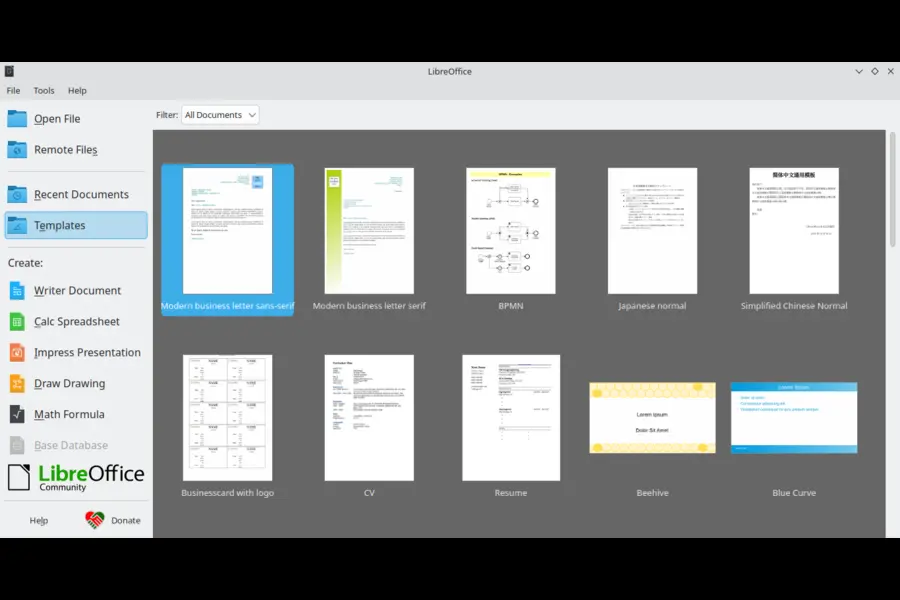
LibreOffice — The Complete Microsoft Office Alternative
If there’s one suite you need to know about, it’s LibreOffice. The Document Foundation released LibreOffice 24.8 in late 2024 and has continued rolling out updates into early 2026, with version 25.x bringing improved Microsoft Office file compatibility, a refreshed UI, and better handling of .docx and .xlsx formats.
LibreOffice Writer handles everything Word does for 99% of users — footnotes, styles, track changes, mail merge. Calc has improved its Excel function compatibility significantly over the past couple of years. And Impress, while not as slick as PowerPoint, gets the job done for most presentation needs.
The one real caveat: if you’re in a corporate environment where people are constantly sending you heavily formatted Word documents, you’ll occasionally hit formatting quirks. But for anyone working primarily within LibreOffice itself, or in environments that accept ODF formats, it’s genuinely excellent.
Latest version: LibreOffice 26.2 (February 2026)
Best for: Students, home users, small business owners, writers
OnlyOffice — When You Need Closer Office Compatibility
OnlyOffice has been making serious noise in 2025 and 2026 as an alternative for users who need tighter Microsoft Office compatibility than LibreOffice provides. The interface is deliberately familiar to anyone coming from Office 365, and the collaborative editing features have improved substantially. OnlyOffice Desktop Editors is available as a native Linux app, completely free for personal use.
If you’re doing a lot of back-and-forth with Windows users who live in .docx and .xlsx files, OnlyOffice is worth trying alongside LibreOffice.
Image Editing and Design
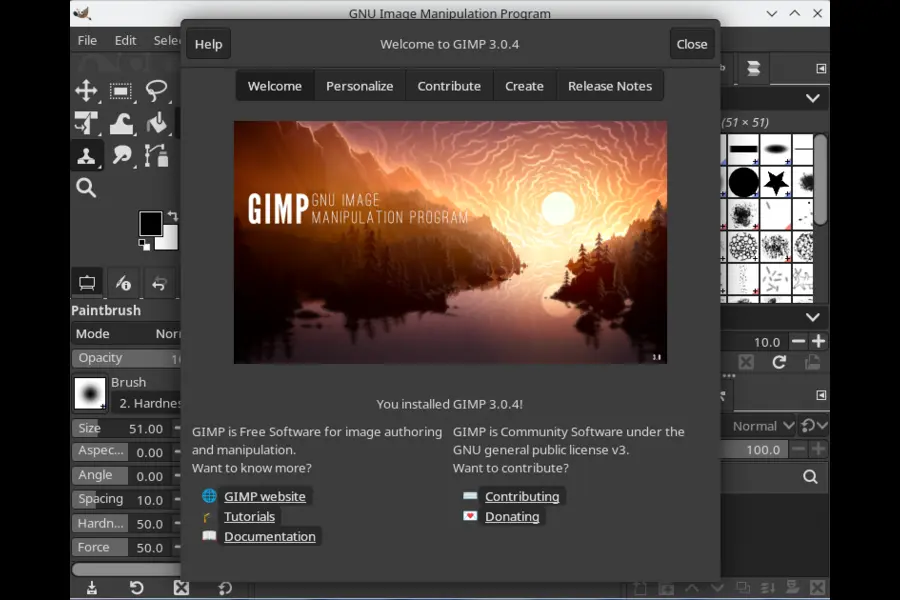
GIMP — The Photoshop Alternative That’s Finally Grown Up
GIMP has been the go-to Photoshop alternative on Linux for decades, and the 2024-2026 development cycle has finally addressed some of the complaints that dogged it for years. GIMP 3.0, which landed in late 2024 after years of development, brought non-destructive editing, a modernized GTK4 interface, and much better layer handling.
Is it exactly like Photoshop? No. The learning curve is real, and if you’ve got muscle memory for PS keyboard shortcuts, there’s an adjustment period. But for photo retouching, compositing, and most graphic design work, GIMP in 2026 is genuinely capable software.
Latest version: GIMP 3.0.x (actively maintained, 2026)
Best for: Photographers, graphic designers, content creators
Krita — The Digital Artists’ Choice
While GIMP is stronger for photo manipulation, Krita is the better choice if you’re a digital painter or illustrator. Originally built for artists, Krita has outstanding brush engine support, excellent tablet pressure sensitivity, and a workflow that feels natural for drawing rather than just editing photos. The Krita Foundation has been putting out regular updates through early 2026, and the community around it is healthy and active.
Video Editing
DaVinci Resolve — Professional-Grade and Free
Here’s a wild card that isn’t actually Linux-exclusive but deserves to be at the top of this list: DaVinci Resolve has a full, free Linux version that is arguably the most capable free video editor available on any platform. Blackmagic Design actively maintains the Linux build, and it’s the same software Hollywood colorists use.
The free tier handles everything short of collaborative cloud workflows and a handful of advanced effects. For YouTubers, indie filmmakers, and content creators, it’s overkill in the best way. If you need those advanced features, the Studio version is a one-time purchase rather than a subscription.
Latest version: DaVinci Resolve 19.1 (early 2026)
Best for: Content creators, filmmakers, YouTube creators
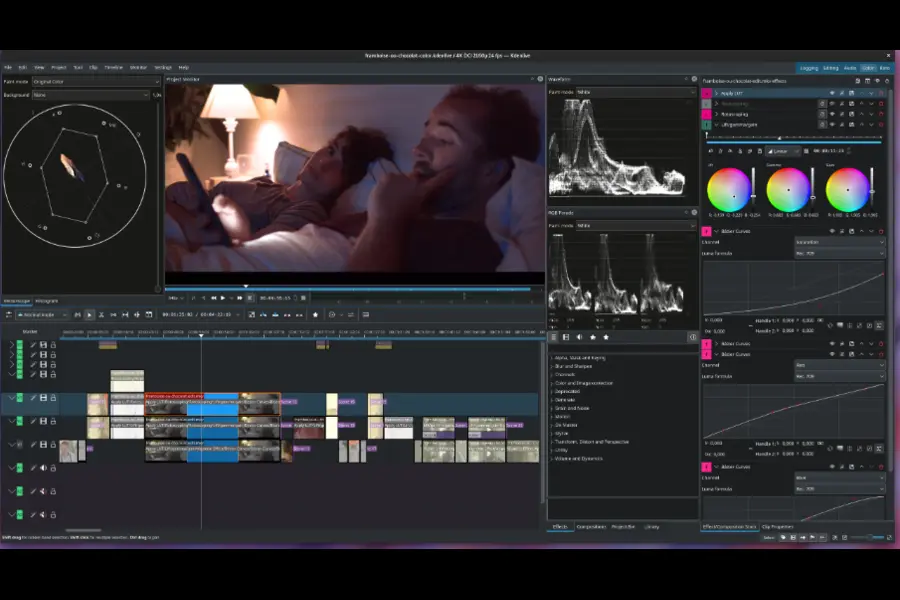
Kdenlive — For When DaVinci Feels Like Too Much
Not everyone needs a Hollywood-grade editing suite. Kdenlive is a solid, approachable video editor that’s been actively developed by KDE and has seen consistent updates. It handles multi-track editing, basic color grading, transitions, and audio work without a steep learning curve. For casual video editing, it’s the practical choice.
Text Editors and Code Editors
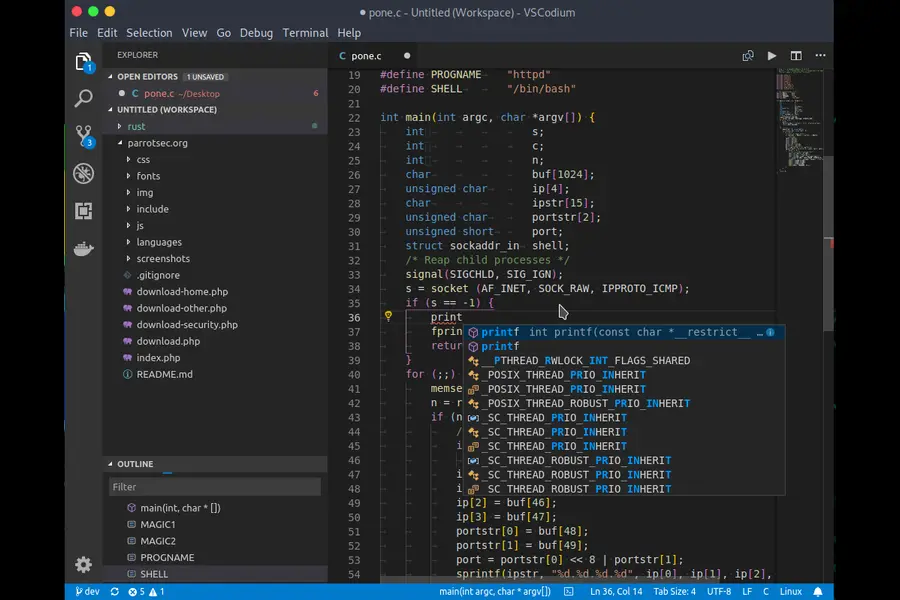
VSCodium — VS Code Without the Microsoft Telemetry
Most developers already know Visual Studio Code, and the good news is that VS Code runs perfectly on Linux. But if you want the same experience without Microsoft’s telemetry baked in, VSCodium is the community-built, telemetry-free version compiled from the same open-source code. It’s fully compatible with most VS Code extensions and gets regular updates following VS Code releases.
Best for: Developers of all kinds
Kate — The Power User’s Text Editor
KDE’s Kate is one of those apps that doesn’t get nearly enough credit. It’s a feature-rich text editor with syntax highlighting for hundreds of languages, a built-in terminal, code folding, and multi-document interface — without being a full IDE. For people coming from Notepad++, Kate is the natural landing spot on Linux. It’s part of KDE Gear and is actively maintained with releases every few months.
Email and Communication
Thunderbird — Still the Best Desktop Email Client
Mozilla’s Thunderbird went through a significant redesign in 2023 and the momentum has continued. By early 2026, Thunderbird Supernova (the redesigned version) has settled into a mature, polished email client with good calendar integration through the built-in Calendar tab, solid filter rules, and excellent plugin support. It handles multiple accounts, IMAP/POP3, and even Exchange accounts through add-ons.
If you used Outlook primarily for email management — not as a full organizational tool — Thunderbird is a genuine replacement.
Latest version: Thunderbird 128.x ESR / 134.x (2026)
Best for: Anyone who wants a powerful desktop email client
Element — For Team Communication
On the collaboration side, Element (based on the Matrix protocol) is the privacy-respecting answer to Microsoft Teams or Slack. End-to-end encrypted by default, with bridging options to connect to other platforms. For teams that value privacy or are moving away from proprietary platforms, Element is worth serious consideration.
Media and Entertainment
VLC Media Player — No Replacement Needed
This one’s easy: VLC runs on Linux, and it’s the same VLC you’ve always used. VideoLAN continues to actively develop it, and as of 2026 it remains the most capable, format-agnostic media player available anywhere. Cross this one off your list of concerns.
Strawberry Music Player — iTunes Done Right
Strawberry is an actively maintained music player and library manager that’s become one of the most recommended iTunes alternatives on Linux. It handles large music libraries, supports multiple audio formats, integrates with streaming services, and has a clean interface. For anyone who used iTunes primarily for organizing and playing local music files, Strawberry is the answer.
System Utilities and File Management
PeaZip — Your Archive Manager
PeaZip handles everything 7-Zip and WinRAR did on Windows — ZIP, RAR, 7z, TAR, and dozens more formats. It has a proper GUI, strong encryption support, and is actively updated. Alternatively, for command-line users, 7-Zip itself has an official Linux version (p7zip-full) that works perfectly.
Okular — PDF Reading and Annotation
Okular from KDE is one of the best PDF readers and annotators on Linux. It handles commenting, highlighting, form filling, and digital signatures — covering most of what Acrobat Reader does for everyday users. Combined with PDF Arranger for merging and splitting PDFs, you have a solid toolkit without spending anything.
CAD and Technical Software
FreeCAD — The Open Source CAD Tool
For engineers or designers coming from AutoCAD, FreeCAD has been making notable strides. The 1.0 release in late 2024 was a major milestone that addressed years of topological naming problems, making the software significantly more stable for serious CAD work. It’s parametric, supports STEP and IGES formats, and is actively developed. It’s not AutoCAD — the learning curve is different and some workflows are more complex — but for many engineering tasks it’s more than adequate.
Gaming and Entertainment
One area where Linux has made arguably the biggest leaps in recent years is gaming. Steam on Linux with Proton has transformed what’s playable, with Valve reporting that thousands of Windows-only titles now run on Linux at comparable performance. If gaming was your last holdout reason for staying on Windows, it’s worth checking ProtonDB for your specific library before making a decision.
A Few Honest Caveats
No guide like this is complete without some honesty. There are areas where Linux still trails Windows in 2026:
Adobe Creative Cloud remains Windows/Mac only. GIMP and Krita are capable, but if your livelihood depends on Photoshop, Illustrator, or InDesign specifically, Linux will be a compromise. Some users run these through Wine or a virtual machine with varying success.
Microsoft Office 365 web apps work in any browser, which means even on Linux, you can use Word and Excel through the browser — not ideal, but functional.
Specialized industry software — certain CAD tools, audio production DAWs, and niche professional applications — may still require Windows or Mac. Check compatibility before committing to a full switch.
Final Thoughts
The best Linux apps to replace every Windows application aren’t always perfect one-to-one clones, but they’re more capable than most people expect. The Linux desktop in February 2026 is a different story than it was five years ago — the apps are more polished, compatibility is better, and the community support is stronger. Whether you’re jumping ship from Windows entirely or just setting up a dual-boot system to dip your toes in, there’s a solid Linux equivalent waiting for almost everything you rely on.
The switch takes some adjustment, but for millions of users in 2026, it’s been worth it.
Disclaimer
The information in this article is provided for general informational purposes only and reflects the state of the Linux software ecosystem as of February 2026. App versions, features, and availability may change over time. We are not affiliated with, sponsored by, or officially endorsed by any of the software projects mentioned. All trademarks and product names belong to their respective owners. Always download software from official sources to ensure you’re getting the latest, safest version. Your experience with any of these apps may vary depending on your hardware, Linux distribution, and specific use case.
Frequently Asked Questions (FAQ)
Can I really replace all my Windows apps with Linux alternatives?
For the vast majority of everyday users — yes, absolutely. Web browsing, email, office work, media playback, and even gaming are all well covered on Linux in 2026. The main exceptions are Adobe Creative Cloud applications and certain niche professional tools that don’t have Linux versions and don’t run well through compatibility layers.
Are these Linux apps free to use?
Most of the apps in this guide are completely free and open-source. A few, like DaVinci Resolve Studio and Spotify Premium, have paid tiers — but their free versions are fully functional for most users. There are no hidden costs or subscription traps involved with the open-source options.
Will my files from Windows apps still work on Linux?
In most cases, yes. LibreOffice opens .docx, .xlsx, and .pptx files. VLC plays virtually every media format. GIMP supports PSD files. There can occasionally be minor formatting differences with complex documents, but for day-to-day files, compatibility is generally solid.
Do I need to be tech-savvy to use these Linux apps?
Not at all. Most of the apps listed here — LibreOffice, Thunderbird, VLC, Spotify, GIMP — have graphical interfaces that are straightforward to learn, especially if you’ve used their Windows counterparts. Linux itself has become much more user-friendly, and distributions like Ubuntu and Linux Mint are designed with beginners in mind.
Which Linux distribution works best with these apps?
Ubuntu 24.04 LTS and Linux Mint 22 are the most beginner-friendly options and have the widest software compatibility. Fedora 41 is great if you want slightly more cutting-edge software. All of the apps mentioned in this guide are available on these major distributions either through their package managers or official download pages.
Also Read
Linux Distros with the Longest Support Cycle (2026)
About the Author





