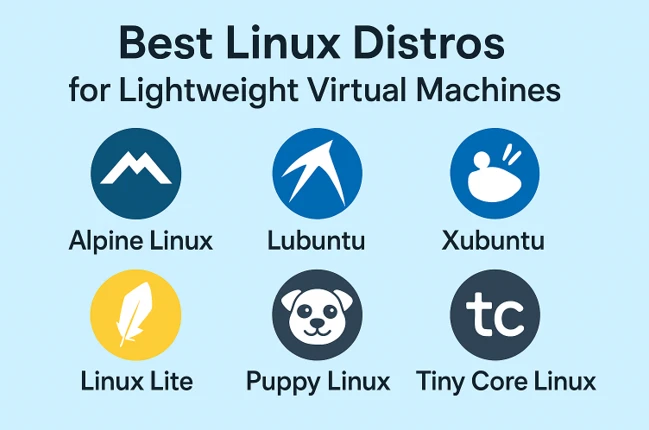
Best Linux Distros for Lightweight Virtual Machines
Have you ever tried to run a virtual machine (VM) only to watch your host computer slow to a painful crawl? Your CPU fan screams like a jet engine, your RAM is maxed out, and your productivity grinds to a halt. It’s a common frustration for developers, IT pros, and hobbyists alike.
But what if I told you the problem might not be your hardware, but the operating system you’re running inside the VM? Just like you wouldn’t use a semi-truck to go buy a single gallon of milk, you don’t need a full-blown, resource-heavy operating system for every virtual task.
The solution is simple: choose a lightweight Linux distribution designed specifically for virtual environments. In this comprehensive guide, we’ll explore the Best Linux Distros for Lightweight Virtual Machines, breaking down their strengths, ideal use cases, and how they can supercharge your virtualization setup. Let’s dive in.
Why Use a Lightweight Distro in a VM?
Before we get to our list, let’s quickly cover why this is such a smart move:
- Maximize Host Resources: Lightweight distros consume minimal CPU, RAM, and disk space. This means your host OS remains snappy and responsive, allowing you to run multiple VMs simultaneously without a performance hit.
- Faster Deployment & Cloning: Smaller disk images (often under 500MB) mean faster downloads, quicker installation, and near-instant cloning. This is a game-changer for rapid development and testing.
- Enhanced Security: A minimalist install has a smaller “attack surface.” Fewer running services and packages mean fewer potential vulnerabilities, which is perfect for isolated test environments or internet-facing applications.
- Specialized Use Cases: Many lightweight distros are built with a specific purpose in mind, like running a lean web server, a development environment, or a network firewall.
Now, let’s meet our contenders for the title of best Linux distros for lightweight virtual machines.
1. Alpine Linux: The Featherweight Champion
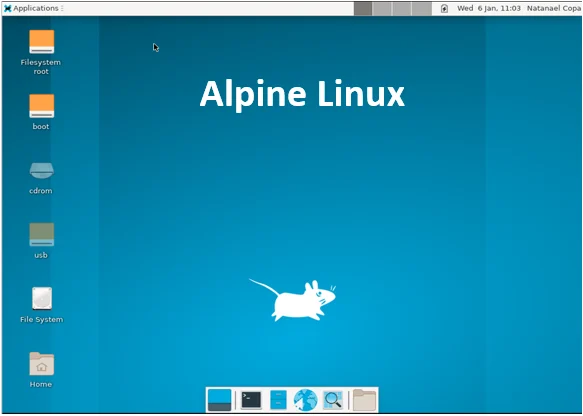
If raw minimalism and security are your top priorities, Alpine Linux is virtually unbeatable. It’s designed for power users who know exactly what they need.
A Deeper Look at Alpine Linux
Imagine an operating system that is so small it can fit on a floppy disk (remember those?) yet is powerful enough to run critical internet infrastructure. That’s Alpine. Its entire philosophy is built around being small, simple, and secure.
What Makes It So Small? The secret isn’t magic; it’s a choice of different, more efficient core components. Most Linux distributions use a set of tools called GNU coreutils (things like ls, cp, cat) and a standard C library called glibc. Alpine, however, uses:
- musl libc: A lighter, faster, and more security-focused alternative to glibc.
- BusyBox: A single executable that combines tiny versions of over 300 common Unix commands into one small program. It’s often called the “Swiss Army Knife of Embedded Linux.”
This combination is what allows its base Docker image to be around 5MB.
- Security is a Feature, Not an Afterthought: Alpine is compiled with stack-smashing protection, and its design inherently has a very small “attack surface.” There are no extra, unnecessary services running in the background that could be exploited.
- The Package Manager – apk: Installing software is done through the apk command. It’s incredibly fast and simple to use. For example, apk add nginx will download and install the Nginx web server in seconds.
- What’s the Catch? Because it uses musl libc instead of glibc, some proprietary software (like certain video games or commercial applications) that are built specifically for glibc might not run on Alpine without some extra work. For most server and development tools, this isn’t an issue.
Ideal For: Docker containers (it’s the default base image), security-focused applications, minimalist servers, routers, and firewalls. Not recommended for Linux beginners due to its differences from standard GNU/Linux.
Minimum VM Specs: 128MB RAM, 1GB Storage.
2. Lubuntu: The Familiar Workhorse
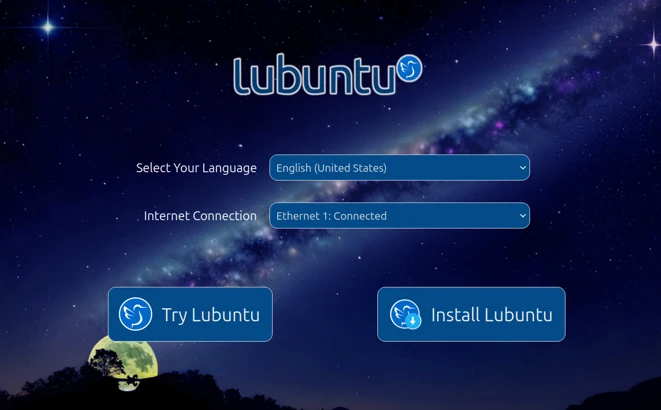
Want a lightweight experience but don’t want to give up the comfort and familiarity of a traditional desktop? Lubuntu is your answer. As an official Ubuntu flavor, it uses the supremely lightweight LXQt desktop environment instead of the heavier GNOME shell.
A Deeper Look at Lubuntu
Lubuntu’s greatest strength is that it doesn’t feel lightweight. It feels like a complete, modern, and friendly operating system—it just happens to be very efficient.
The Power of Ubuntu, Without the Weight: When you install Lubuntu, you are installing Ubuntu. This means you get access to:
- The Ubuntu Software Repository: The largest collection of free and open-source software in the Linux world. Anything you want to install—from development IDEs to media players—is just a click or a command away.
- Strong Security and Updates: Regular security patches and long-term support (LTS) versions that are supported for five years.
- Massive Community Support: Any problem you encounter, someone has already solved it and posted the answer on a forum. This is invaluable for newcomers.
- The LXQt Desktop: This is the heart of the Lubuntu experience. LXQt is a modern project that combines the best parts of the old LXDE and Razor-qt projects. It provides a familiar layout (a taskbar at the bottom, a start menu, system tray) but uses a fraction of the memory that heavier desktops like GNOME or KDE use. It’s snappy, responsive, and highly customizable.
Who Is It For? Literally anyone who wants a full desktop experience in a VM. It’s perfect for a developer who needs a isolated coding environment, a student running a VM for a course, or an office worker who needs to use a specific application securely.
Ideal For: Developers, students, and general users who need a full-featured desktop environment for coding, web browsing, and office work inside a VM. Perfect for those transitioning from Windows.
Minimum VM Specs: 512MB RAM (1GB recommended), 8-10GB Storage.
3. Xubuntu: The Sweet Spot
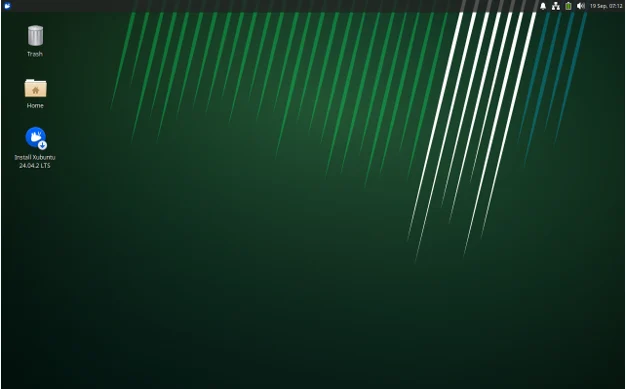
Sitting comfortably between the minimalism of Alpine and the full-featured nature of standard Ubuntu is Xubuntu. It utilizes the XFCE desktop environment, which is renowned for being rock-solid, highly customizable, and very light on resources.
A Deeper Look at Xubuntu
Xubuntu and Lubuntu are siblings. They share the same Ubuntu base but wear different clothes. While Lubuntu uses the newer LXQt, Xubuntu uses the older, more mature, and incredibly stable XFCE desktop.
The XFCE Desktop – Tried and True: XFCE has been around for a very long time. It’s not a flashy, cutting-edge desktop that reinvents the wheel. Instead, it focuses on being fast, stable, and highly customizable. It provides a complete traditional desktop metaphor (panel, window manager, file manager) without any bloat.
Customization is Key: One of XFCE’s biggest draws is how much you can change its look and feel. You can make it look like a modern macOS-inspired desktop, a retro Windows 98 clone, or anything in between, all through simple graphical settings menus. It’s a tinkerer’s dream.
A Touch More “Complete”: Many users feel that XFce comes with a slightly more polished and feature-rich set of default applications compared to LXQt. For example, its file manager (Thunar) is particularly well-regarded for being both fast and powerful.
Lubuntu vs. Xubuntu? This is a common debate. The difference is subtle. LXQt (Lubuntu) can feel a tad lighter and more modern in its design language out-of-the-box. XFce (Xubuntu) can feel a bit more stable and feature-complete. You can’t go wrong with either. The best way to choose is to try both in a VM for 15 minutes and see which one you prefer.
Ideal For: Anyone who wants a no-compromise, traditional desktop experience that is still very light. A fantastic daily driver for a VM-based workflow.
Minimum VM Specs: 512MB RAM (1GB recommended), 8-10GB Storage.
4. Linux Lite: The Welcoming Lightweight
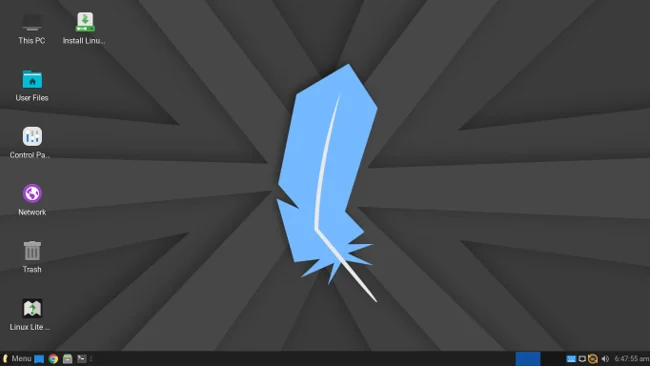
As the name suggests, Linux Lite is built from the ground up to be easy to use, especially for those new to the Linux world. It’s based on Ubuntu LTS and uses the XFce desktop, but it comes pre-configured with useful software and a welcoming interface.
A Deeper Look at Linux Lite
Linux Lite’s goal isn’t to be the absolute smallest distro. Its goal is to be the most accessible lightweight distro, specifically for people leaving Windows.
“Windows-like” Out of the Box: The moment you boot up Linux Lite, it feels familiar. The layout is consciously designed to mimic Windows, with a start menu in the bottom left, a taskbar, and system icons on the bottom right. This drastically reduces the learning curve for new users.
Pre-Installed Software: Unlike a minimal Xubuntu install, Linux Lite comes with a lot of useful software already installed and configured:
- Firefox for web browsing.
- Thunderbird for email.
- LibreOffice for documents, spreadsheets, and presentations.
- VLC Media Player for videos and music.
This means you can install it and start working immediately without having to hunt for basic apps.
Helpful Custom Tools: The developers include their own simple utilities, like “Lite Welcome,” which provides quick links to helpful guides, and “Lite Software,” a curated software installer that makes adding popular programs like Spotify or Steam very easy.
It’s Still Lightweight: Despite including more software, it’s still based on XFce and Ubuntu LTS, so it remains very efficient. It just makes different trade-offs, prioritizing convenience over absolute minimalism.
Ideal For: Beginners, users migrating from Windows, and anyone who wants a “just works” lightweight desktop VM without any fuss.
Minimum VM Specs: 768MB RAM (1GB recommended), 10GB Storage.
5. Puppy Linux: The Pocket-Sized Powerhouse
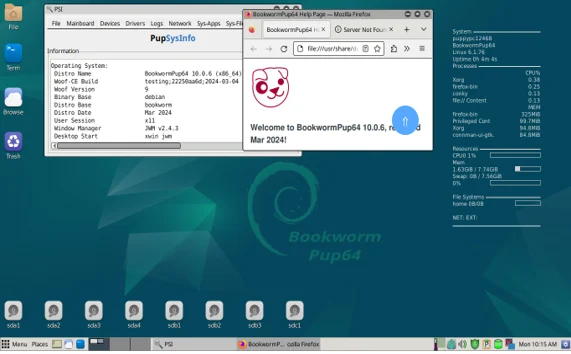
Puppy Linux isn’t so much a single distro as it is a family of ultra-lightweight distros. It’s legendary in the community for its ability to run on absolutely ancient hardware. The entire operating system runs from RAM after boot.
A Deeper Look at Puppy Linux
Puppy Linux is a fascinating project that breaks the normal rules of how an operating system works. Its primary goal is to breathe life into old computers that would otherwise be thrown away.
The “Live” and “Frugal” Install: Puppy is most famously used as a “live” environment. You can boot it from a USB stick or CD, and it doesn’t need to be installed to a hard drive. When you do this, it loads its entire self into your computer’s RAM.
Why RAM? RAM is orders of magnitude faster than a hard drive. Once loaded, Puppy is blindingly fast because it’s not constantly reading and writing to a slow disk. Any changes you make (saving files, changing settings) are stored in a special file on your USB stick.
Incredibly Small Variants: There are many different versions of Puppy. Some are built to be as small as humanly possible (~300 MB), while others are based on Ubuntu (“BionicPup”) or Slackware for better software compatibility. This modularity lets you choose the perfect Puppy for your task.
Perfect for Disposable VMs: This “live” nature makes it perfect for a VM. You can spin up a Puppy VM in seconds, use it for a quick task (like testing a website on an old browser, recovering files, or testing network connectivity), and then simply delete the VM. It leaves no trace behind.
The Trade-off: The interface can feel dated and a bit quirky compared to modern desktops like LXQt or XFce. It’s not designed to be a primary production OS; it’s designed to be a incredibly useful tool.
Ideal For: Resurrection of very old hardware, ultra-lightweight disposable VMs, recovery disks, and educational purposes where resources are extremely constrained. Less ideal as a primary development VM.
Minimum VM Specs: 256MB RAM, 5GB Storage.
6. Tiny Core Linux: The Microscopic Modular OS
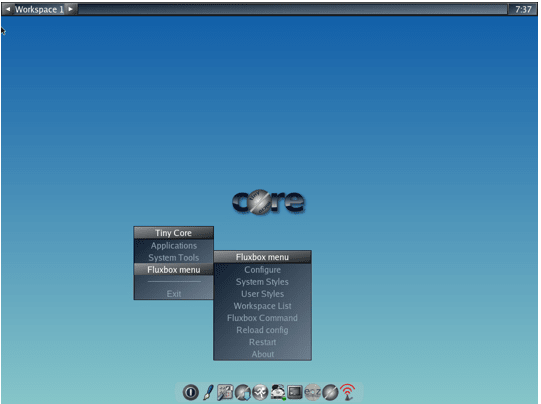
If Alpine is minimal, Tiny Core Linux is microscopic. It’s not just lightweight; it’s a philosophical exercise in absolute minimalism. The base system is a mere 16MB and provides only the bare essentials to boot into a minimal desktop.
A Deeper Look at Tiny Core Linux
Tiny Core is less of a ready-to-use operating system and more of a toolkit for building your own custom system. It’s the ultimate “do-it-yourself” Linux distro.
The Three Tiers: Tiny Core comes in three sizes, showing its modular philosophy:
- Core (16MB): Just a command-line interface. No graphical desktop. For experts only.
- TinyCore (21MB): Includes the base command-line system plus a minimal graphical desktop (FLTK/Openbox). This is what most people start with.
- CorePlus (106MB): An installation image that includes TinyCore plus additional tools and drivers to help with installation on a wider variety of hardware.
You Build Everything: When you boot TinyCore, you get a very basic desktop. There is no web browser, no office suite, not even a text editor beyond vi. You must use the package manager (tce-ab) to install everything you need. Want a text editor? Install nano or geany. Want a web browser? Install dillo or firefox-esr. You build the system piece by piece.
Why Would Anyone Use This? This approach has two massive benefits:
- Ultimate Control: Your system contains only the software you explicitly chose. There is zero bloat. This creates a supremely secure and stable environment.
- Educational: Using Tiny Core forces you to learn how a Linux system is constructed from the ground up. You learn about dependencies, window managers, and core system components in a way that using Ubuntu never will.
Ideal For: Experts, tinkerers, and developers who need an absolutely minimal base to build a highly specialized appliance VM (e.g., for embedded systems testing, custom routers, or kiosks).
Minimum VM Specs: 48MB RAM (yes, megabytes), 50MB Storage.
Comparison Table: Best Linux Distros for Lightweight VMs
| Distro | Base | Desktop | Recommended RAM | Recommended Storage | Best For |
|---|---|---|---|---|---|
| Alpine Linux | Independent | None (minimal) | 128MB – 256MB | 1GB+ | Security, Containers, Servers |
| Lubuntu | Ubuntu | LXQt | 1GB – 2GB | 10GB+ | Beginners, General Desktop Use |
| Xubuntu | Ubuntu | XFce | 1GB – 2GB | 10GB+ | Balanced Performance & Features |
| Linux Lite | Ubuntu | XFce | 1GB – 2GB | 10GB+ | Windows Migrants, Ease of Use |
| Puppy Linux | Various | JWM / IceWM | 256MB – 512MB | 5GB+ | Ancient Hardware, Live Systems |
| Tiny Core | Independent | FLTK / Openbox | 128MB – 256MB | 50MB+ | Experts, Custom Appliances |
How to Choose the Right Lightweight Distro for Your VM
With all these great options, how do you pick? Ask yourself these questions:
What is the VM’s primary purpose?
- Server/Container Host: Alpine Linux.
- Development/Desktop: Lubuntu or Xubuntu.
- Learning/Beginner-Friendly: Linux Lite or Lubuntu.
- Ultra-Low Resource/Specialized: Puppy Linux or Tiny Core.
What is your skill level?
- Beginner: Stick with Ubuntu-based distros (Lubuntu, Xubuntu, Linux Lite) for their ease of use and support.
- Intermediate/Expert: Feel free to explore Alpine or Tiny Core for ultimate control.
How important is software availability?
If you need easy access to a wide range of software, Ubuntu-based distros are the clear winner with their massive repositories.
Final Thoughts
Choosing one of the Best Linux Distros for Lightweight Virtual Machines is one of the easiest and most effective ways to optimize your workflow. It reduces hardware strain, speeds up operations, and allows you to do more with the resources you have.
For most users, Lubuntu or Xubuntu provide the perfect blend of lightweight performance and user-friendly functionality. If you’re diving into containers or need a rock-solid server base, Alpine Linux is unparalleled. And for the true minimalists and tinkerers, Tiny Core and Puppy Linux offer a fascinating and incredibly efficient world to explore.
The best part? You can download several of these, spin up a test VM in minutes, and see which one feels right for you. Happy virtualizing!
FAQ
Can I run a lightweight Linux VM on a computer with 4GB of RAM?
Absolutely! In fact, that’s an ideal scenario. With 4GB of host RAM, you could comfortably allocate 1-2GB to a Lubuntu/Xubuntu VM and still have plenty left for your host OS to run smoothly.
Are these distros only for advanced users?
Not at all. Distros like Linux Lite and Lubuntu are specifically designed for beginners and offer a very gentle introduction to the Linux world.
What about other lightweight environments like LXDE or MATE?
Great question! LXDE is the predecessor to LXQt (used in Lubuntu) and is also very light. MATE is a bit heavier but still a good option. This list focused on distros that champion these environments. For example, you could also check out Ubuntu MATE which has a “light” mode.
Is using a lightweight distro in a VM more secure?
Generally, yes. A smaller system with fewer unnecessary packages and running services reduces the “attack surface,” meaning there are fewer potential entry points for vulnerabilities. This is a key reason why Alpine Linux is so popular for Docker containers.
Disclaimer
The information provided in this post is for general informational purposes only. While we strive to keep it accurate and up-to-date, we make no representations or warranties of any kind, express or implied, about the completeness, accuracy, reliability, or suitability of the software and information mentioned. Any reliance you place on such information is strictly at your own risk. We are not liable for any loss or damage resulting from the use of this content. Always consult official sources and professionals for specific advice. Some links may be affiliate links, which means we may earn a small commission at no extra cost to you.
Also Read
Top Gentoo-Based Linux Distros in 2025: Flexibility Meets Performance
About the Author