

Best Linux Distros for Web Developers in 2025
As a web developer in 2025, choosing the right Linux distribution (distro) can make or break your productivity. Linux offers unmatched flexibility, robust security, and a treasure trove of development tools tailored for coding, testing, and deploying web applications. With hundreds of distros available, each with unique strengths, finding the perfect one for your web development needs can feel overwhelming.
This comprehensive guide explores the best Linux distros for web developers in 2025, based on the latest data, official sources, and community insights. Whether you’re building dynamic websites, managing servers, or diving into modern frameworks, these distros will elevate your workflow. Let’s dive in!
Why Linux for Web Development?
Linux is a powerhouse for web developers due to its open-source nature, extensive customization, and compatibility with modern development tools. Here’s why it’s a go-to choice:
- Open-Source Ecosystem: Linux distros come with access to vast repositories of free, open-source tools like Git, Node.js, Python, and Docker, creating a seamless development environment.
- Server Compatibility: Most web servers run on Linux, making it ideal for developing and testing applications in environments that mirror production.
- Customization: Linux allows you to tailor your system to your specific needs, whether you want a lightweight setup or a feature-rich environment.
- Security: Regular updates and robust security features protect your development environment from vulnerabilities.
- Community Support: Massive communities and detailed documentation ensure you’re never stuck when troubleshooting.
With these benefits in mind, let’s explore the top Linux distros for web developers in 2025, focusing on ease of use, package management, performance, and developer-centric features.
1. Ubuntu 25.04 (Lunar Lynx) – The Gold Standard for Web Developers
Why It’s Great for Web Developers
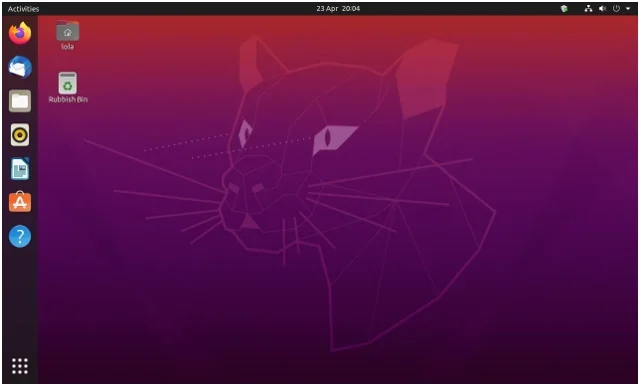
Ubuntu remains the most popular Linux distro for web developers, and for good reason. Its user-friendly interface, massive software repositories, and Long-Term Support (LTS) options make it a reliable choice for beginners and seasoned developers alike. Ubuntu 25.04 (Lunar Lynx), set to release in April 2025, builds on the success of Ubuntu 24.04 LTS, offering cutting-edge tools and improved performance.
Key Features
- Massive Software Repositories: Ubuntu’s software center and APT package manager provide access to thousands of development tools, including Node.js, Python, Ruby, and PHP.
- Snap Packages: The Snap package manager simplifies installing modern tools like Visual Studio Code, Postman, and Docker in sandboxed environments.
- Long-Term Support (LTS): Ubuntu 24.04 LTS, still relevant in 2025, offers five years of security updates, ensuring stability for production environments.
- Cloud Integration: Ubuntu’s compatibility with cloud platforms like AWS, Azure, and SurferCloud makes it ideal for deploying web applications.
- Pre-Installed Tools: Comes with essentials like Git, Python, and build-essential, saving setup time.
Pros
- Beginner-friendly with a polished GNOME desktop environment.
- Extensive community support and documentation.
- Supports multiple architectures (ARM, x86, RISC-V).
- Easy setup for web servers like Apache and Nginx.
Cons
- Can feel bloated for users on low-resource systems.
- Snap packages may have slower startup times compared to native apps.
Best For: Web developers seeking a stable, well-documented distro with broad tool support, especially for cloud-based and server-side development.
How to Get Started
Download Ubuntu 25.04 from the official Canonical website and create a bootable USB using tools like Rufus or Etcher. Follow the guided installation process, which supports dual-boot setups. Run sudo apt update && sudo apt install build-essential git python3 to set up core development tools.
2. Pop!_OS 24.04 – The Developer’s Dream
Why It’s Great for Web Developers
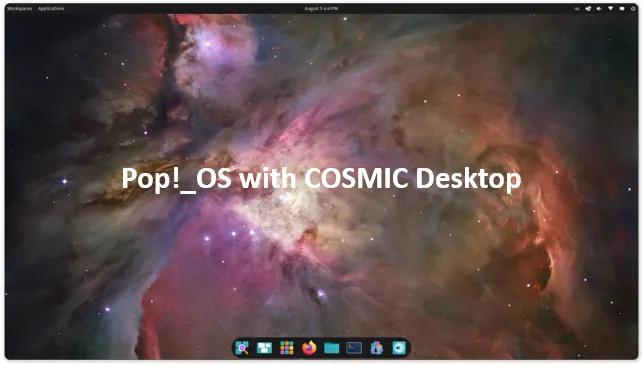
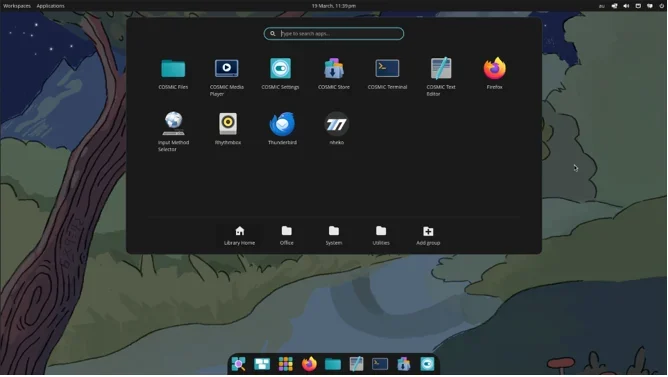
Developed by System76, Pop!_OS is a Ubuntu-based distro tailored for developers and creators. Its focus on performance, productivity, and out-of-the-box functionality makes it a favorite for web developers. The upcoming Cosmic desktop environment, expected to stabilize in Q2 2025, adds tiling window management and usability enhancements, perfect for multitasking coders.
Key Features
- Developer-Centric: Preloaded with tools like Git, Python, and Node.js, plus easy access to frameworks like React and Django.
- NVIDIA GPU Support: Optimized for high-performance computing, ideal for developers working on graphics-heavy web projects or machine learning.
- Custom GNOME (Cosmic): The Cosmic desktop offers a streamlined, distraction-free workspace with tiling window management.
- Robust Documentation: System76 provides extensive guides and videos, making setup and customization a breeze.
- Container Support: Native support for Docker and Podman simplifies containerized development workflows.
Pros
- Polished and intuitive user interface.
- Excellent hardware compatibility, especially for NVIDIA GPUs.
- Beginner-friendly with a growing community.
- Optimized for productivity with minimal setup required.
Cons
- Smaller community compared to Ubuntu.
- Limited to GNOME-based desktop (Cosmic) unless customized.
Best For: Web developers who want a modern, performance-driven distro with a focus on productivity and containerized workflows.
How to Get Started
Visit the Pop!_OS website, download the ISO for version 24.04, and create a bootable USB. The installation process is straightforward, with options to customize your environment post-install. Install additional tools using sudo apt install or Pop!_OS’s Pop Shop.
3. Fedora Workstation 42 – Cutting-Edge Innovation
Why It’s Great for Web Developers
Sponsored by Red Hat, Fedora Workstation 42 is a cutting-edge distro that prioritizes the latest open-source technologies. Its reliability and developer-focused features make it a top choice for web developers working with modern frameworks and containerized environments. Linus Torvalds, the creator of Linux, is a known Fedora user, which speaks to its credibility.
Key Features
- Latest Tools: Ships with up-to-date versions of Docker, Kubernetes, Node.js, and Python, ideal for modern web development.
- GNOME Desktop: Fedora’s polished GNOME environment is clean and efficient, minimizing distractions.
- RPM Fusion Repository: Provides access to additional packages not included in the main repo due to licensing.
- Frequent Updates: New releases every 13 months ensure you’re always on the latest software stack.
- Container-Focused: Fedora Silverblue offers an immutable OS for containerized workflows, perfect for microservices development.
Pros
Cutting-edge software with robust security.
Strong Red Hat backing and community support.
Excellent for virtualization and containerized development.
No proprietary software bloat.
Cons
- Frequent updates may disrupt workflows for some users.
- Steeper learning curve for beginners compared to Ubuntu.
Best For: Developers who need the latest tools and technologies, especially for enterprise-grade or containerized web applications.
How to Get Started
Download Fedora Workstation 42 from the official Fedora website. Use the Anaconda installer for a simplified setup. Install development tools with sudo dnf install @development-tools for a comprehensive coding environment.
4. Manjaro Linux – Arch Without the Hassle
Why It’s Great for Web Developers
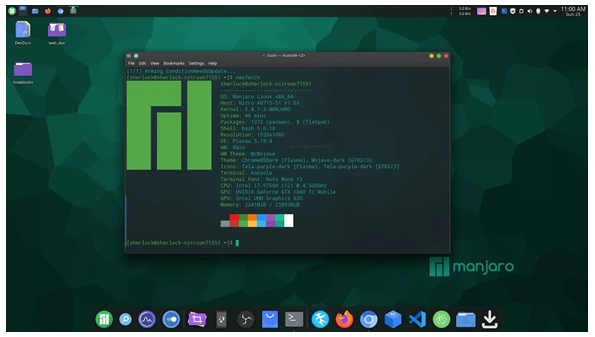
Manjaro is an Arch-based distro that simplifies the complexity of Arch Linux while retaining its rolling-release model. It’s ideal for developers who want access to the Arch User Repository (AUR) and the latest software without the steep setup curve. Manjaro’s Pamac package manager makes installing tools like VS Code, Node.js, and PHP a breeze.
Key Features
- Arch User Repository (AUR): Access a vast array of software, including niche development tools and libraries.
- Pamac Package Manager: GUI-based tool for easy software installation and updates.
- Rolling Release: Always stay updated with the latest versions of Node.js, Python, and other tools.
- Multiple Desktop Environments: Choose from GNOME, KDE Plasma, or Xfce to suit your workflow.
- Hardware Detection: Automatically detects and configures proprietary drivers, including NVIDIA Optimus.
Pros
- User-friendly Arch experience with minimal setup.
- Highly customizable with multiple desktop options.
- Access to bleeding-edge software via AUR.
- Strong community support.
Cons
- Rolling releases can introduce occasional instability.
- Smaller community compared to Ubuntu or Fedora.
Best For: Intermediate to advanced developers who want a customizable, up-to-date system without Arch’s complexity.
How to Get Started
Download Manjaro from its official website, choosing your preferred desktop environment. Use a tool like Etcher to create a bootable USB. Install tools with pamac install or browse the AUR for additional packages.
5. Debian 12 (Bookworm) – Rock-Solid Stability
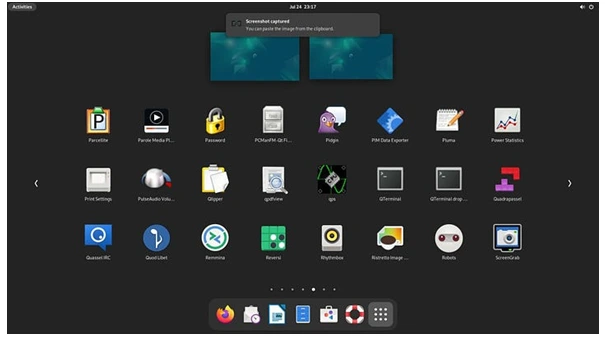
Why It’s Great for Web Developers
Debian 12 (Bookworm) is a time-tested distro known for its stability and extensive software repositories. While it’s not as cutting-edge as Fedora, its reliability makes it a favorite for web developers working on server-side applications or production environments.
Key Features
- Stable Releases: Debian’s rigorous testing ensures a rock-solid platform for web servers and development.
- Vast Repositories: Access thousands of packages, including Apache, Nginx, PHP, and Python.
- Lightweight Options: Supports multiple desktop environments or no GUI for minimal setups.
- Community Support: One of the largest Linux communities with extensive documentation.
- Server Compatibility: Ideal for developing and testing web applications in environments mirroring production servers.
Pros
- Unmatched stability for production environments.
- Massive software repositories.
- Highly customizable with lightweight options.
- Strong security focus with regular updates.
Cons
- Software versions can lag behind cutting-edge distros.
- Less beginner-friendly than Ubuntu or Pop!_OS.
Best For: Web developers focused on server-side development or those needing a stable, production-ready environment.
How to Get Started
Download Debian 12 from the official Debian website. Choose a netinstall ISO for a minimal setup or a full ISO with a desktop environment. Use sudo apt-get install to add development tools like build-essential and git.
6. openSUSE Tumbleweed – For Bleeding-Edge Developers

Why It’s Great for Web Developers
openSUSE Tumbleweed is a rolling-release distro that delivers the latest software, making it ideal for developers who need up-to-date tools like Node.js, Ruby, or Go. Its YaST package manager simplifies automation, and its enterprise-grade stability appeals to professionals.
Key Features
- Rolling Release: Always access the latest versions of development tools and libraries.
- YaST Package Manager: Automates tasks like server setup and software installation.
- Software Portal: Install packages with one click via the openSUSE web portal.
- Enterprise Support: Backed by SUSE, ensuring reliability for professional workflows.
- Multiple Desktop Options: Supports GNOME, KDE Plasma, and more.
Pros
- Bleeding-edge software for modern frameworks.
- Robust automation with YaST.
- Strong enterprise backing and community.
- Highly customizable.
Cons
- Rolling releases may introduce bugs.
- Steeper learning curve for new users.
Best For: Advanced developers who need the latest tools and enterprise-grade stability.
How to Get Started
Download openSUSE Tumbleweed from the official website. Use the guided installer to set up your system. Install tools via zypper install or the web-based software portal.
Choosing the Right Distro for You
Selecting the best Linux distro depends on your specific needs as a web developer. Here’s a quick comparison to help you decide:
| Distro | Best For | Strengths | Weaknesses |
|---|---|---|---|
| Ubuntu 25.04 | Beginners, cloud/server development | User-friendly, vast repositories | Can feel bloated |
| Pop!_OS 24.04 | Productivity, GPU-heavy projects | Developer-centric, Cosmic desktop | Smaller community |
| Fedora 42 | Cutting-edge tools, container workflows | Latest software, Red Hat backing | Frequent updates may disrupt workflows |
| Manjaro | Customizable, intermediate users | AUR access, rolling release | Potential instability |
| Debian 12 | Server-side, production environments | Stability, vast repositories | Older software versions |
| openSUSE Tumbleweed | Bleeding-edge, enterprise developers | Latest tools, YaST automation | Steeper learning curve |
Tips for Web Developers
- Backup Your Work: Use tools like rsync or Timeshift to prevent data loss.
- Experiment: Try distros in a virtual machine (e.g., VirtualBox) to find your perfect fit.
- Customize: Tailor your desktop environment with extensions like GNOME Tweaks or KDE Plasma settings.
- Leverage Containers: Use Docker or Podman for consistent development environments across distros.
- Stay Updated: Regularly update your system to ensure security and access to the latest tools.
Conclusion
In 2025, Linux distros continue to empower web developers with flexibility, performance, and a rich ecosystem of tools. Ubuntu 25.04 offers unmatched ease of use and community support, making it ideal for beginners and cloud developers. Pop!_OS 24.04 shines for productivity and GPU-heavy projects, while Fedora 41 caters to those needing cutting-edge technologies. Manjaro simplifies Arch’s power for customizable workflows, Debian 12 provides rock-solid stability for servers, and openSUSE Tumbleweed delivers the latest tools for enterprise developers.
The best distro depends on your experience level, hardware, and project requirements. For most web developers, Ubuntu or Pop!_OS are safe bets for their balance of usability and power. If you crave the latest features, Fedora or openSUSE Tumbleweed are excellent choices. For server-side work, Debian’s stability is unmatched. Experiment with these distros, customize your environment, and watch your productivity soar.
Disclaimer
The blog post “Best Linux Distros for Web Developers in 2025” is for informational purposes only. The recommendations are based on publicly available data as of June 6, 2025, and individual experiences may vary. We are not affiliated with the Linux distributions mentioned. Installing or using these distros may carry risks like data loss or system issues; always back up data and follow official guides. Verify details with official sources, as software may change. Use this information at your own risk.
Ready to code? Download your chosen distro, set up your development environment, and start building the next big thing in 2025!
Also Read
What’s New in Rocky Linux 9.6: Top Features and Updates
About the Author






1 thought on “Best Linux Distros for Web Developers in 2025”