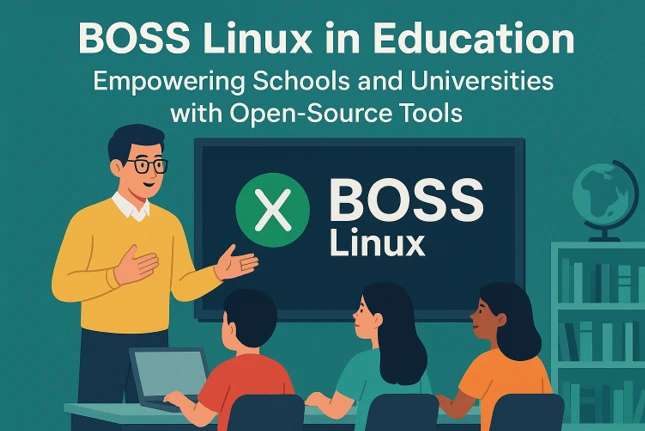
BOSS Linux in Education: Empowering Schools and Universities with Open-Source Tools
In the ever-evolving world of education, technology plays a pivotal role in shaping how students learn and educators teach. With the rise of digital classrooms, schools and universities are constantly seeking affordable, secure, and efficient solutions to meet their technological needs. Enter BOSS Linux in Education, a powerful, open-source operating system tailored to meet the demands of educational institutions. Developed by the Centre for Development of Advanced Computing (C-DAC) in India, BOSS (Bharat Operating System Solutions) Linux is designed to promote free and open-source software (FOSS) across the nation, particularly in educational settings.
This blog post dives deep into how BOSS Linux, specifically its EduBOSS variant, is transforming education by providing robust tools, multilingual support, and cost-effective solutions for schools and universities. Let’s explore why BOSS Linux in Education is a game-changer.
What is BOSS Linux?
BOSS Linux is an Indian Linux distribution derived from Debian, crafted to enhance the adoption of open-source software in India. Launched by C-DAC, a premier research organization under the Ministry of Electronics and Information Technology, BOSS Linux aims to bridge the digital divide by offering a secure, customizable, and user-friendly operating system. It comes in multiple editions, including BOSS Desktop, BOSS Advanced Server, BOSS MOOL, and the education-focused EduBOSS. The latest version, BOSS Linux 10.0 (codename “Pragya”), released in 2024, integrates the Cinnamon Desktop Environment and supports a wide range of Indian languages, making it an ideal choice for diverse educational environments.
BOSS Linux in Education shines through its EduBOSS variant, specifically designed for primary and secondary schools, as well as higher education institutions. EduBOSS is packed with educational tools, a user-friendly interface, and features that cater to the unique needs of students, teachers, and administrators. By leveraging open-source technology, it reduces software licensing costs, enhances security, and promotes digital literacy, making it a compelling choice for educational institutions worldwide.
Why Choose BOSS Linux for Education?
1. Cost-Effective and Open-Source
One of the most significant advantages of BOSS Linux in Education is its open-source nature. Unlike proprietary operating systems like Windows or macOS, BOSS Linux is free to use, requiring no licensing fees. This is a massive boon for schools and universities, especially in resource-constrained environments. In India, where many educational institutions operate on tight budgets, EduBOSS provides a high-quality alternative that doesn’t compromise on functionality. By adopting EduBOSS, schools can allocate their budgets to other critical areas, such as infrastructure or teacher training, while still providing students with access to modern technology.
2. Multilingual Support for Inclusive Education
India is a linguistically diverse nation, with 22 officially recognized languages and hundreds of regional dialects. BOSS Linux in Education addresses this diversity by offering robust support for 19 Indian languages, including Assamese, Bengali, Telugu, Tamil, Hindi, and more. This multilingual capability ensures that students and teachers can interact with the operating system in their native languages, making technology accessible to non-English-speaking communities. The integration of tools like the Smart Common Input Method and IBus further simplifies typing in regional languages, fostering inclusivity in education.
3. User-Friendly Interface
Transitioning to a new operating system can be daunting, especially for users accustomed to Windows or macOS. BOSS Linux addresses this challenge with a clean and intuitive Cinnamon Desktop Environment in its latest version. The interface is designed to be familiar to Windows users, easing the migration process for students and educators. Features like the integrated search facility, which allows users to quickly launch applications or access recent documents, enhance usability. For schools introducing Linux for the first time, this user-friendly design minimizes the learning curve.
4. Robust Security and Stability
Security is a top priority in educational settings, where sensitive student data and institutional records must be protected. Built on the stable Debian platform, BOSS Linux in Education offers a secure environment with regular updates to safeguard against vulnerabilities. Unlike proprietary systems, BOSS Linux’s open-source nature allows for community-driven security enhancements, ensuring that schools and universities can trust the platform to protect their data. Additionally, its stability ensures minimal downtime, which is critical for uninterrupted teaching and learning.
5. Lightweight and Compatible with Older Hardware
Many educational institutions rely on outdated hardware due to budget constraints. BOSS Linux is lightweight and can run efficiently on older systems with minimal requirements: a 1 GHz processor, 2 GB of RAM (4 GB recommended for modern desktop environments), and 15 GB of hard drive space. This makes BOSS Linux in Education an excellent choice for schools with legacy computers, enabling them to modernize their IT infrastructure without investing in new hardware.
EduBOSS: The Heart of BOSS Linux in Education
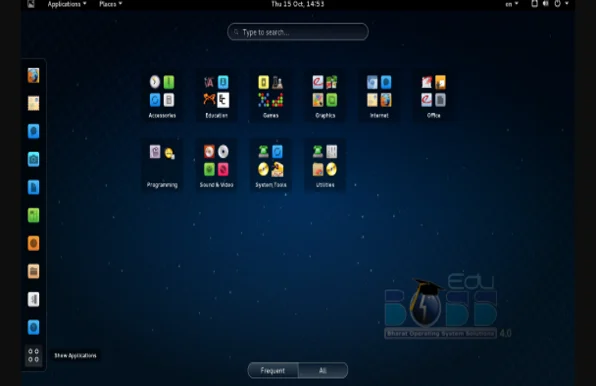
EduBOSS is the educational variant of BOSS Linux, tailored specifically for schools and universities. It comes preloaded with a suite of educational applications designed to enhance teaching and learning across various subjects. Below, we explore some of the key tools and features that make EduBOSS a standout choice for educational institutions.
Key Educational Tools in EduBOSS
EduBOSS is bundled with a wide range of free and open-source applications that cater to the needs of students, teachers, and administrators. Here are some highlights:
- LibreOffice Suite: A full-featured office productivity suite that serves as a near drop-in replacement for Microsoft Office. It includes tools for word processing (Writer), spreadsheets (Calc), presentations (Impress), diagrams (Draw), databases (Base), and mathematical formulae (Math). These tools enable students to create assignments, presentations, and reports while teachers can prepare lesson plans and assessments.
- GIMP: An advanced image editing tool comparable to Adobe Photoshop, GIMP allows students to explore graphic design and digital art. It’s ideal for creative projects in subjects like art, media studies, or computer science.
- Tux Paint: A fun, easy-to-use drawing tool for younger students, featuring sound effects and a cartoon character to keep kids engaged. It’s perfect for introducing primary school students to digital creativity.
- Kalzium: A comprehensive chemistry application that includes a Periodic Table, chemical reference, equation solver, and 3D molecule viewer. It’s a valuable resource for high school and university students studying science.
- GeoGebra: A dynamic geometry program that allows students to create and manipulate mathematical constructions, making it an excellent tool for teaching geometry, algebra, and calculus.
- Educational Games and Typing Tutors: EduBOSS includes games and activities for children aged 2 to 10, fostering skills in math, science, and logical reasoning. Typing tutors help students develop essential keyboarding skills, preparing them for a digital world.
- JClic and eXeLearning: These open-source tools enable teachers to create interactive multimedia educational activities, such as quizzes, puzzles, and e-learning content, enhancing student engagement.
Screen Reader and Text-to-Speech Applications: These accessibility tools ensure that EduBOSS is inclusive for students with visual impairments or reading difficulties, making education more equitable.
Features Tailored for Education
Beyond its software suite, EduBOSS offers features that address the specific challenges faced by educational institutions:
- Graphical Installer: The installation process is straightforward, requiring minimal technical expertise. This allows school IT staff to deploy EduBOSS across multiple systems with ease.
- Onscreen Keyboard: This feature supports students with physical disabilities and enhances accessibility in diverse classroom settings.
- Pre-Configured Network Services: EduBOSS includes tools like Webmin and Gadmin for simplified system administration, making it easier for schools to manage their IT infrastructure.
- Customizable Learning Environment: Teachers can tailor the desktop environment and software selection to suit their curriculum, ensuring that the tools align with educational goals.
Real-World Applications of BOSS Linux in Education
Adoption in Indian Schools and Universities
The Indian government has actively promoted BOSS Linux in Education as part of its Digital India and e-governance initiatives. Many states have mandated the use of open-source software in schools to reduce dependency on proprietary systems and cut costs. EduBOSS has been deployed in numerous schools and colleges across India, providing students with access to modern technology in their native languages. For example, rural schools with limited resources have benefited from EduBOSS’s ability to run on older hardware, enabling them to set up computer labs without significant investment.
Case Study: Tamil Nadu’s Open-Source Initiative
In Tamil Nadu, the state government has integrated EduBOSS into its school computer labs as part of its free laptop distribution program. The lightweight nature of EduBOSS ensures that these laptops, often equipped with modest hardware, can run efficiently. Teachers have reported that tools like LibreOffice and GeoGebra have enhanced classroom engagement, while the multilingual interface has made technology accessible to students from diverse linguistic backgrounds.
Higher Education and Research
Universities in India are also adopting BOSS Linux for research and administrative purposes. The BOSS Advanced Server edition supports academic institutions by providing robust server applications for managing databases, web servers, and network services. For computer science departments, BOSS MOOL (Minimalistic Object-Oriented Linux) offers a platform for students to explore advanced kernel programming and develop skills in open-source software development.
Challenges and Limitations
While BOSS Linux in Education offers numerous benefits, it faces some challenges:
- Limited Community Support: Unlike popular Linux distributions like Ubuntu, BOSS Linux lacks a large, dedicated community. This can make troubleshooting and finding resources more difficult for new users.
- Driver Compatibility: Hardware manufacturers often prioritize drivers for Windows and macOS, which can lead to compatibility issues with Linux-based systems like BOSS. Schools may need technical expertise to address these challenges.
- Adoption Barriers: Despite government endorsements, the dominance of Windows in Indian schools and the lack of awareness about open-source alternatives hinder widespread adoption. Training programs for teachers and IT staff are essential to overcome this.
- Software Ecosystem: While EduBOSS includes a robust set of tools, its software ecosystem is still evolving. Users accustomed to proprietary software may need to adapt to open-source alternatives or modify their workflows.
How to Get Started with BOSS Linux in Education
System Requirements
To install EduBOSS, your system should meet the following minimum requirements:
- Processor: 1 GHz or faster (2 GHz multi-core recommended)
- RAM: 2 GB (4 GB recommended for modern desktop environments)
- Hard Drive: 15 GB of free space
- Architecture: x86-64 (32-bit support discontinued after version 6)
Installation Steps
- Download the ISO: Visit the official BOSS Linux website (https://www.bosslinux.in) and download the EduBOSS ISO file.
- Create a Bootable USB: Use tools like Rufus (Windows) or balenaEtcher (Linux) to create a bootable USB drive from the ISO.
- Boot from USB: Restart your computer, enter the BIOS/UEFI settings, and set the USB as the primary boot device.
- Follow the Installation Wizard: Select your language, time zone, and keyboard preferences. Choose “Use entire disk” for a clean install and create a hostname and user account. The installer will handle the rest.
Updating and Maintaining EduBOSS
Keeping EduBOSS up to date is simple with the Advanced Package Tool (APT):
sudo apt update
sudo apt upgrade
Regular updates ensure that the system remains secure and compatible with the latest software. Schools can also use tools like BleachBit for disk cleanup to maintain performance.
Best Practices for Schools and Universities
- Teacher Training: Conduct workshops to familiarize teachers with EduBOSS’s interface and tools. This ensures effective integration into the curriculum.
- IT Support: Establish a small team of IT staff trained in Linux administration to handle installation, updates, and troubleshooting.
- Pilot Programs: Start with a pilot deployment in a few classrooms to gauge effectiveness before scaling up to the entire institution.
- Community Engagement: Encourage students and faculty to contribute to BOSS Linux’s development by reporting bugs or suggesting features, fostering a sense of ownership.
The Future of BOSS Linux in Education
As India continues its push for digital sovereignty and open-source adoption, BOSS Linux in Education is poised to play a significant role. The government’s endorsement and initiatives like Digital India are driving its integration into schools and universities. Future updates to EduBOSS are likely to include more advanced educational tools, enhanced cloud integration, and broader language support, making it an even more compelling choice for institutions worldwide.
Moreover, the global trend toward open-source software in education, as seen with distributions like Debian Edu/Skolelinux and Linkat, suggests that BOSS Linux can learn from and contribute to this ecosystem. Collaborative projects with educational institutions could further enhance its adoption and development, creating a pipeline of skilled professionals proficient in open-source technologies.
Conclusion
BOSS Linux in Education, through its EduBOSS variant, offers a powerful, cost-effective, and inclusive solution for schools and universities. Its open-source nature, multilingual support, and robust educational tools make it an ideal choice for institutions looking to modernize their IT infrastructure without breaking the bank. While challenges like limited community support and driver compatibility exist, the benefits of security, stability, and accessibility far outweigh the drawbacks. By adopting EduBOSS, educational institutions can empower students and teachers with the tools they need to succeed in a digital world while promoting digital literacy and sovereignty.
Whether you’re a school administrator looking to cut costs, a teacher seeking engaging educational tools, or a student exploring open-source technology, BOSS Linux in Education has something to offer. Download EduBOSS today from the official BOSS Linux website and take the first step toward transforming your institution’s technological landscape.
Disclaimer
This blog post about BOSS Linux in Education is for informational purposes only, based on publicly available data from the official BOSS Linux website and other reliable sources as of August 21, 2025. We strive for accuracy but do not guarantee the completeness, timeliness, or suitability of the information. Use BOSS Linux at your own risk; we are not liable for technical issues, data loss, or compatibility problems. Consult the official documentation at https://www.bosslinux.in and seek professional IT assistance before use. References to third-party tools do not imply endorsement. For updates or support, visit the official BOSS Linux website or contact C-DAC directly.
Also Read
Why Bluestar Linux is Perfect for KDE Plasma Enthusiasts
About the Author