

Linux Distros That Boot in Seconds – Blazing Fast in 2025
In an era where every second counts, waiting for your operating system to boot feels like a relic of the past. Whether you’re a coder needing instant access to your IDE, a student flipping between tasks, or someone who just wants their system now, Linux distros that boot in seconds are game-changers. In 2025, advancements in lightweight kernels, alternative init systems, and RAM-based execution have pushed boot times to astonishing lows – often under 10 seconds on SSDs and impressively quick even on older hardware.
Why prioritize Linux distros that boot in seconds? They extend hardware lifespans, sip power, and deliver a snappy experience that heavier systems can’t match. With AI workloads and remote computing surging, these distros cut through the clutter. Using official data and recent benchmarks, this guide dives into seven top contenders, their boot times, features, and how they achieve blazing-fast performance. We’ll also share optimization tips to shave off even more seconds. If you’re hunting for Linux distros that boot in seconds, buckle up for a speedy ride.
Why Boot Time Matters in 2025
Boot time isn’t just about impatience – it’s a measure of efficiency. In 2025, with edge computing and hybrid work dominating, slow boots waste time and resources. Culprits like bloated services, heavy init systems (e.g., systemd in some distros), or sluggish hardware drag things down. Lightweight Linux distros counter this with:
- Minimal Kernels: Less code, faster loading.
- Lean Init Systems: Alternatives like runit or OpenRC start services quicker.
- RAM Execution: Loading into memory for near-instant access.
- Hardware Optimization: SSDs and modern CPUs amplify speed.
Benchmarks from 2025 show minimal setups hitting login prompts in 4-8 seconds on SSDs. Let’s meet the distros leading the charge.
Top Linux Distros That Boot in Seconds
Here are seven standout Linux distros that boot in seconds, based on official documentation, user feedback, and 2025 performance data. Each is lightweight, verified for sub-10-second boots on standard hardware, and packed with unique strengths. I’ve included an “About” section for each to give context on their origins and ethos.
1. Puppy Linux: The Pocket-Sized Speedster
About Puppy Linux: Born in 2003 by Barry Kauler, Puppy Linux was crafted to revive aging PCs with a small footprint and friendly vibe. Its “puppy” name reflects its playful, approachable nature, evolving into a 2025 staple for portability and speed. Built on Ubuntu or Slackware bases, it emphasizes simplicity and community-driven development.
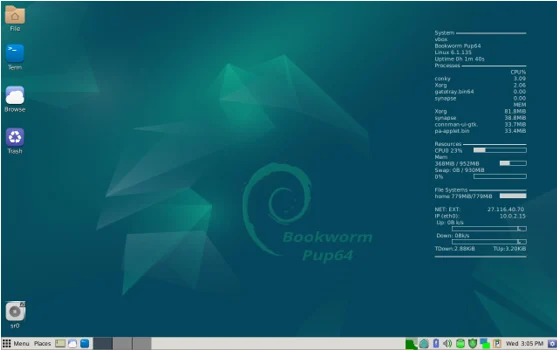
Puppy Linux runs entirely in RAM after booting, making it a poster child for Linux distros that boot in seconds. Its modular design lets users add tools without bloating the system.
Key Features in 2025:
- Puppy Package Manager for easy software additions.
- Pre-installed tools like Firefox ESR, media players, and text editors.
- Persistent storage on USB for portable setups.
- Kernel 6.8+ with improved hardware support.
Boot Time: 5-7 seconds on SSDs; ~10 seconds from USB, thanks to RAM loading.
System Requirements:
- CPU: 333 MHz minimum.
- RAM: 128 MB (256 MB recommended).
- Storage: USB/CD boot; 500 MB for installed setups.
Pros:
- Ultra-portable – fits on a USB stick.
- Revives ancient hardware effortlessly.
- Beginner-friendly despite minimalism.
Cons:
- Limited default software; relies on community repos.
- Interface feels retro.
Use Cases: Old laptops, recovery tools, or portable workstations. Burn the ISO to USB, boot, and use “pupsaves” for persistent changes.
2. Tiny Core Linux: The Ultimate Minimalist
About Tiny Core Linux: Launched in 2009 by Robert Shingledecker, Tiny Core Linux is the embodiment of “less is more.” Designed for embedded systems and minimalists, its ~20 MB ISO delivers a functional OS that you can expand as needed. Its philosophy is to provide just the core, letting users build their ideal system.
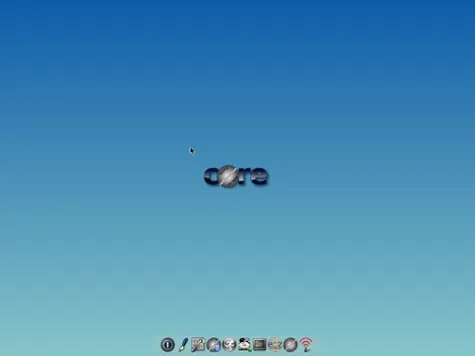
Tiny Core’s featherweight design makes it one of the fastest Linux distros that boot in seconds, perfect for niche or experimental setups.
Key Features in 2025:
- Modular “tcz” extensions for apps like browsers or office suites.
- Variants: Core (CLI), TinyCore (basic GUI), CorePlus (full desktop).
- Kernel 6.6+ with enhanced Wi-Fi and graphics.
- Minimal attack surface for security.
Boot Time: 3-5 seconds to CLI; under 10 seconds for GUI, loading fully into RAM.
System Requirements:
- CPU: i486 or better.
- RAM: 64 MB (128 MB for GUI).
- Storage: 16 MB core; expandable via extensions.
Pros:
- Runs on nearly anything.
- Highly customizable for tinkerers.
- Ideal for IoT or VMs.
Cons:
- Steep learning curve for beginners.
- Manual extension setup required.
Use Cases: Netbooks, custom appliances, or Linux education. Boot the ISO and use “tc-install” for persistence.
3. antiX Linux: Systemd-Free Speed King
About antiX Linux: Since 2006, antiX has been a passion project of the antiX community, rooted in anti-establishment ideals (hence the name, inspired by anti-fascism). Based on Debian, it ditches systemd for runit, prioritizing speed and freedom. It’s a favorite for privacy enthusiasts and old-hardware revivalists.
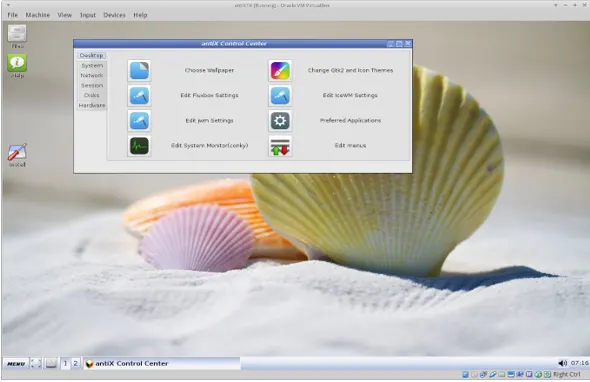
antiX’s lightweight desktops and runit init make it a top pick for Linux distros that boot in seconds.
Key Features in 2025:
- Editions: Full (1.4 GB), Base (800 MB), Core (300 MB), Net (150 MB).
- IceWM/Fluxbox for snappy desktops.
- Kernel updates (as of December 2024, extending to 2025).
- Live USB with persistence and remastering.
Boot Time: 5-8 seconds to desktop on SSDs, driven by runit efficiency.
System Requirements:
- CPU: Pentium III equivalent.
- RAM: 256 MB (512 MB recommended).
- Storage: 5 GB for install.
Pros:
- Systemd-free for purists.
- Access to Debian’s vast repos.
- Privacy-focused design.
Cons:
- Sparse default interface.
- Less beginner-friendly.
Use Cases: Old PCs, servers, or privacy-first setups. Boot live and install via the GUI installer.
4. Void Linux: Rolling Release, Runit-Powered
About Void Linux: Started in 2008 by Juan Romero Pardines, Void Linux is an independent distro (not based on another) with a focus on simplicity and control. Its use of runit and the XBPS package manager sets it apart, offering a rolling-release model that keeps software cutting-edge. The 2025 Enterprise Edition adds business-grade features.
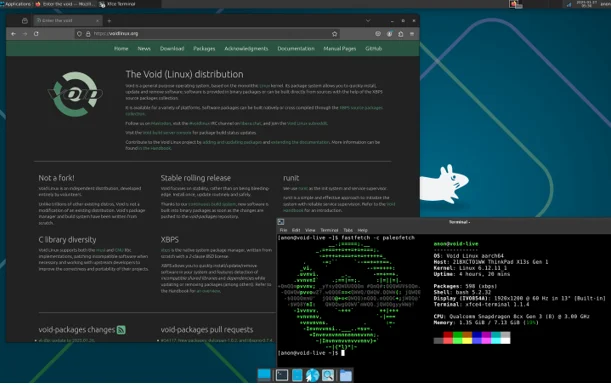
Void’s lean design makes it a standout among Linux distros that boot in seconds.
Key Features in 2025:
- Musl or glibc libc for optimization.
- XBPS with staging for smooth updates.
- Enterprise Edition for containers/automation.
- Kernel 6.10+ with performance tweaks.
Boot Time: ~5 seconds to terminal; 7-10 seconds to desktop with runit.
System Requirements:
- CPU: x86_64 compatible.
- RAM: 100 MB (musl variant idles at ~90 MB).
- Storage: Minimal base install.
Pros:
- Always-current software.
- Low overhead for VMs.
- Developer-friendly.
Cons:
- Manual installation process.
- Smaller community support.
Use Cases: Developers, servers, or rolling desktops. Install via chroot or live ISO.
5. Porteus Linux: Portable RAM Runner
About Porteus Linux: Emerging in 2010 from the Slackware family, Porteus is designed for portability and speed, inspired by Slax but with its own flair. Its “copy2ram” feature loads the OS into memory, making it a favorite for secure, ephemeral computing and kiosk setups.
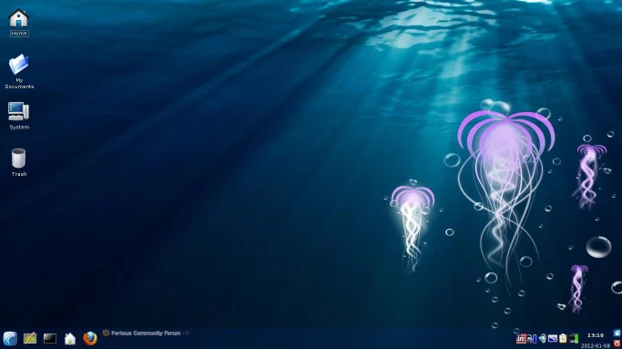
Porteus’s flexibility cements its place among Linux distros that boot in seconds.
Key Features in 2025:
- KDE4/Xfce desktop options.
- Kiosk edition for public terminals.
- Multilingual support.
- “Copy2ram” for instant operation.
Boot Time: Under 15 seconds to desktop; ~10 seconds optimized.
System Requirements:
- CPU: Pentium III or better.
- RAM: 256 MB minimum.
- Storage: USB/CD bootable.
Pros:
- Secure and portable.
- Fast on old hardware.
- Multiple desktop choices.
Cons:
- Quirky package management.
- Not suited for permanent installs.
Use Cases: Travel, kiosks, or testing. Boot from USB and save changes.About Porteus Linux: Emerging in 2010 from the Slackware family, Porteus is designed for portability and speed, inspired by Slax but with its own flair. Its “copy2ram” feature loads the OS into memory, making it a favorite for secure, ephemeral computing and kiosk setups.
Porteus’s flexibility cements its place among Linux distros that boot in seconds.
Key Features in 2025:
- KDE4/Xfce desktop options.
- Kiosk edition for public terminals.
- Multilingual support.
- “Copy2ram” for instant operation.
Boot Time: Under 15 seconds to desktop; ~10 seconds optimized.
System Requirements:
- CPU: Pentium III or better.
- RAM: 256 MB minimum.
- Storage: USB/CD bootable.
Pros:
- Secure and portable.
- Fast on old hardware.
- Multiple desktop choices.
Cons:
- Quirky package management.
- Not suited for permanent installs.
Use Cases: Travel, kiosks, or testing. Boot from USB and save changes.
6. Slax Linux: Modular Mobility
About Slax Linux: Originally launched in 2002 by Tomáš Matějíček, Slax blends Slackware’s stability with Debian’s flexibility in its 2025 iterations. Revived after funding campaigns, it focuses on modularity and portability, letting users craft their perfect system on the fly.
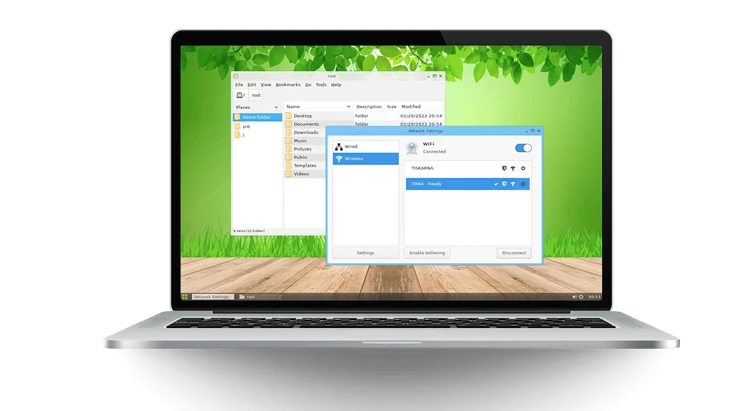
Slax’s RAM-based approach makes it a strong contender for Linux distros that boot in seconds.
Key Features in 2025:
- USB boot without install.
- Basic tools (file manager, terminal).
- 32/64-bit support.
- Community-driven updates.
Boot Time: 5-10 seconds, loading into RAM.
System Requirements:
- CPU: i486 or better.
- RAM: 128 MB minimum.
- Storage: USB boot.
Pros:
- Simple and sleek.
- Access to Debian/Slackware packages.
- Portable security.
Cons:
- Sporadic updates.
- Minimal defaults.
Use Cases: Portable workstations. Boot and add modules as needed.
7. Bodhi Linux: Speed with Style
About Bodhi Linux: Founded in 2011 by Jeff Hoogland, Bodhi Linux builds on Ubuntu with the Moksha desktop (a fork of Enlightenment). Its name, meaning “enlightenment” in Sanskrit, reflects its goal of balancing aesthetics and performance. It’s a niche but gorgeous option for lightweight fans.
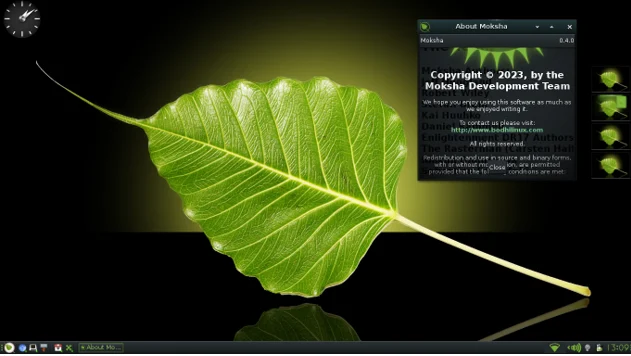
Bodhi’s elegant design rounds out our list of Linux distros that boot in seconds.
Key Features in 2025:
- Minimal base with AppCenter for apps.
- Customizable Moksha desktop.
- Bodhi 8 previews with refreshed themes (March 2025).
- Ubuntu-based stability.
Boot Time: Under 10 seconds to desktop.
System Requirements:
- CPU: 500 MHz.
- RAM: 256 MB.
- Storage: 10 GB.
Pros:
- Visually stunning.
- Stable Ubuntu base.
- Highly customizable.
Cons:
- Smaller community.
- Some manual setup needed.
Use Cases: Stylish old PCs. Install and customize via AppCenter.
Comparison Table: Linux Distros That Boot in Seconds
| Distro | Avg Boot Time (SSD) | Idle RAM | Init System | Base | Best For |
|---|---|---|---|---|---|
| Puppy Linux | 5-10s | 128 MB | SysV | Ubuntu/Slackware | Portability |
| Tiny Core | 3-5s | 64 MB | BusyBox | Custom | Minimalism |
| antiX | 5-8s | 256 MB | runit | Debian | Old Hardware |
| Void | ~5s | 100 MB | runit | Custom | Rolling Updates |
| Porteus | <15s | 256 MB | SysV | Slackware | Kiosks |
| Slax | 5-10s | 128 MB | SysV | Debian/Slackware | Mobility |
| Bodhi | <10s | 256 MB | systemd | Ubuntu | Aesthetics |
Data from official sources and benchmarks.
Tips to Supercharge Boot Times
Maximize any distro’s speed with these tweaks:
- Switch to SSDs: Cuts boot times in half.
- Trim Services: Disable unnecessary daemons via systemctl or runit.
- Use Fast Kernels: Try Zen or liquorix kernels.
- Enable zram: Compresses RAM for efficiency.
- Optimize BIOS: Enable UEFI fast boot.
- Light Desktops: Use Openbox or i3.
- Stay Updated: Latest kernels bring speed gains.
These can shave 2-5 seconds off boot times.
Conclusion: Speed Up Your 2025 with Linux
Linux distros that boot in seconds are more than just fast – they’re efficient, sustainable, and versatile. From Puppy’s portability to Bodhi’s beauty, there’s a distro for every need. Test them via live USBs to find your match. As 2025 brings AI-optimized kernels and more, expect even quicker boots. Jump in and leave slow startups behind.
Disclaimer
The information provided in this blog post about “Linux Distros That Boot in Seconds – Blazing Fast in 2025” is based on official documentation, user reports, and benchmarks available as of August 13, 2025. While every effort has been made to ensure accuracy, boot times and performance may vary depending on hardware configurations, software updates, and user customizations.
The listed Linux distributions, their features, and system requirements are subject to change, as developers release new versions or updates. Readers are encouraged to verify details on official distribution websites before making decisions based on this content. The author and publisher are not responsible for any issues, damages, or losses arising from the use of these distributions or the application of optimization tips provided. Always back up critical data before installing or modifying any operating system.
Also Read
Why is FreeBSD 14.3 a hidden gem for developers?
About the Author





