
macOS vs Linux Distros for Developers in 2026
The question of which operating system reigns supreme for development work has sparked countless discussions among programmers, and the debate is particularly relevant in 2026. As we navigate an era of exceptional hardware innovation, Apple’s custom silicon, and the continued maturity of Linux distributions, developers face an important decision. This guide examines macOS vs Linux distros for developers in 2026, providing a deep analysis rooted in real-world performance data and practical considerations.
Understanding the Current Development Landscape
Before getting into specific operating systems, it’s worth examining how the development environment has evolved. Software development in 2026 is characterized by cloud-native architectures, containerization, AI integration, and increasing performance demands. Both macOS and Linux distributions have adapted to meet these requirements, though they’ve taken different paths to get there.
The Rise of Apple Silicon
Apple’s M4 chip, introduced in May 2024, represents the fourth generation of M-series architecture built on TSMC’s second-generation 3-nanometer process with 28 billion transistors. The impact on development workflows has been substantial. The unified memory architecture, enhanced neural engine capable of 38 trillion operations per second, and impressive performance per watt have positioned macOS as a serious contender for development workloads.
Apple Silicon 2026 demonstrates significant efficiency gains over x86-based competitors, with multi-core Cinebench performance leading by 40% at half the power draw. For developers working on machine learning models, compiling large codebases, or running multiple virtual machines, these performance improvements translate to tangible time savings.
Linux Distribution Evolution
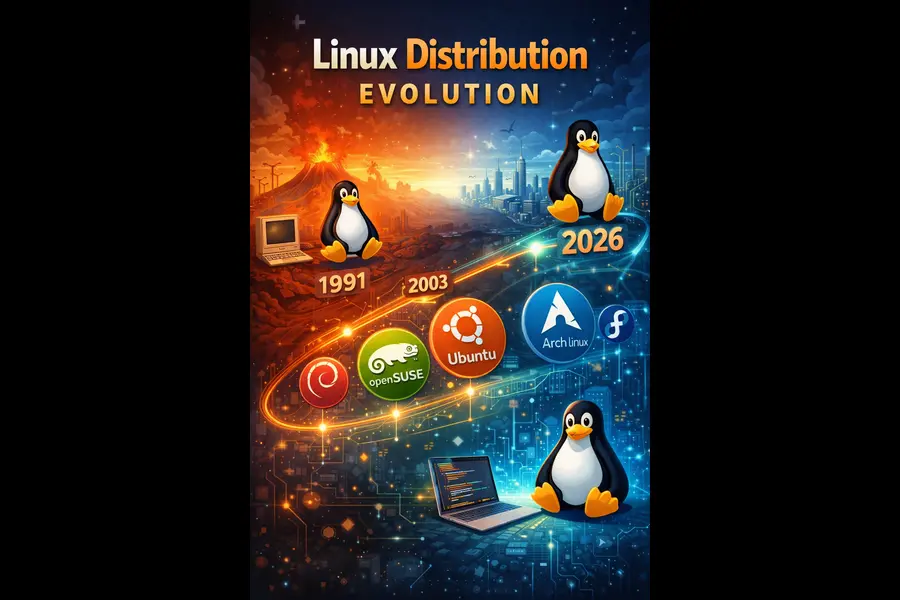
The Linux ecosystem continues to thrive with meaningful improvements across distributions. Ubuntu 24.04 LTS provides long-term stability with better ZFS support and tools like Cloud-init and Netplan for server management. Meanwhile, Fedora maintains its position as the innovation leader, bringing new open-source tools and features earlier than other distributions with backing from Red Hat.
The most notable trend in 2026 is the growing adoption of immutable distributions. These systems provide atomic updates, enhanced security, and easier rollback capabilities. Fedora Silverblue, openSUSE Aeon, and NixOS represent this new wave of Linux distributions that prioritize reliability and reproducibility.
Performance and Hardware Considerations
macOS Performance Characteristics
Real-world testing reveals specific advantages for macOS in development scenarios. On a 12-person team in 2025, the Mac group had zero malware-related incidents in 12 months, while a mixed Windows group had three. This security advantage translates to less downtime and fewer security-related workflow interruptions.
Battery efficiency remains a standout feature. Light development workflows including writing code in VS Code, running local servers, and occasional compilation provide 16-18 hours of runtime on the latest MacBooks. For developers who value mobility and working from different locations, this longevity provides uninterrupted focus time.
The unified memory architecture of Apple Silicon fundamentally changes how developers approach resource allocation. Traditional systems maintain separate memory pools for CPU and GPU, requiring data copying between them. Apple’s approach eliminates this bottleneck, particularly beneficial when working with graphics-intensive applications, machine learning models, or data visualization tools.
Linux Performance Advantages
Linux distributions excel in specific performance scenarios that matter for developers. Container operations run natively without virtualization overhead. On Windows and Mac, Docker runs inside a Linux VM that eats resources and slows down development machines, requiring an absolute beast of a workstation for comfortable development. Linux developers avoid this performance penalty entirely.
Resource efficiency is another significant advantage. Lightweight Linux distributions can run on high-performance systems as well as older low-resource hardware. This versatility means developers can choose hardware based on budget rather than being locked into Apple’s ecosystem pricing.
For server-centric development, matching production environments becomes straightforward. Most cloud infrastructure runs Linux, so developing on the same operating system eliminates environment-specific bugs and simplifies deployment pipelines.
Development Tools and Ecosystem
macOS Developer Environment
macOS comes with several compelling advantages for developers. The Unix-based foundation provides access to standard POSIX tools, making it familiar for those with Linux experience while offering polish that pure Linux distributions often lack.
Xcode 26 includes built-in support for ChatGPT and allows developers to connect large language models directly into their coding experience to write code, tests, and documentation. This integration of AI-powered coding assistance represents a forward-looking approach to development tooling.
The Foundation Models framework deserves special attention. Developers can tap into the large language model at the core of Apple Intelligence with as few as three lines of code, with the model available offline and free of cost for any request. This on-device AI capability enables developers to build intelligent features without relying on cloud services.
Terminal capabilities on macOS have improved substantially. iTerm2 offers split panes, session restoration, and powerful search functionality. Homebrew continues to be the package manager of choice, providing over 7,000 packages including developer tools, languages, databases, and command-line utilities.
Linux Development Tools
Linux distributions provide unparalleled flexibility in tool selection. Package managers like apt, yum, pacman, and others offer access to tens of thousands of packages. Debian comes with over 60,000 packages of pre-compiled software bundled in a friendly format for easy installation.
The terminal experience on Linux is native and powerful. Every distribution ships with robust shell options, and the command-line interface is a first-class citizen rather than an afterthought. For developers who live in the terminal, this philosophical difference creates a more cohesive workflow.
Native container support represents a significant advantage. Docker, Podman, and Kubernetes integrate seamlessly without virtualization layers. Fedora offers strong integration with Podman, Buildah, and other container utilities. For DevOps engineers and cloud-native developers, this native support eliminates friction from development workflows.
Top Linux Distributions for Developers in 2026
Ubuntu 24.04 LTS
Ubuntu remains the most popular choice for developers, and for good reasons. Ubuntu Long Term Support releases provide a stable development environment that developers don’t need to upgrade every six months, and the Android build is regularly tested using the most recent versions of Ubuntu.
The extensive repository and community support mean that virtually any development tool, library, or framework is readily available. Installation typically requires a single command, and troubleshooting information is abundant. For developers who want a system that “just works” without excessive tinkering, Ubuntu hits the sweet spot.
The integration with Windows Subsystem for Linux also makes Ubuntu the default choice for developers who need to work across multiple operating systems. This cross-platform compatibility smooths collaboration and deployment processes.
Fedora Workstation
Fedora boldly claims it is “created for developers” and enjoys the distinction of being the distro of choice of Linux kernel creator Linus Torvalds. This isn’t mere marketing. Fedora consistently ships the latest stable versions of development tools, compilers, and languages.
The Developer Portal provides dedicated guides for web, command line, desktop, and mobile app development. For developers who want access to cutting-edge features and are comfortable with the faster update cycle, Fedora represents an excellent balance between stability and innovation.
SELinux integration provides enterprise-grade security out of the box, making Fedora suitable for both development and production environments. The close relationship with Red Hat also means that skills learned on Fedora translate directly to enterprise Linux administration.
Debian
Debian prioritizes stability and security, making it a reliable choice for server-side development with a vast package repository and rigorous testing process. While packages may not be the absolute latest versions, they are thoroughly vetted and exceptionally stable.
For developers building production systems, this stability is invaluable. The knowledge that system updates won’t introduce unexpected breakage allows developers to focus on their code rather than system maintenance. Debian’s reputation for reliability makes it the foundation for many other distributions and a trusted choice for servers worldwide.
Arch Linux and Manjaro
Arch Linux offers the ultimate in customization and control. Every aspect of the system can be tailored to specific needs. Manjaro is based on Arch Linux but without the installation headache, taking that power and wrapping it in a user-friendly installer.
The Arch User Repository provides access to an enormous collection of packages, including cutting-edge development tools. For developers who want complete control over their environment and don’t mind spending time on configuration, Arch-based systems offer unmatched flexibility.
Manjaro specifically deserves mention for making Arch’s power accessible. Manjaro claims the distro ships with tools required to compile and develop software, with the KDE edition including Qt Designer and Qt Assistant for Qt developers.
Cost Considerations
The financial aspect of choosing between macOS vs Linux distros for developers in 2026 cannot be ignored. This decision impacts individuals, startups, and enterprises differently.
macOS Hardware Investment
Apple hardware commands premium pricing. For 2026 development work, recommended specifications include 32GB RAM and 1TB storage as a practical floor. A MacBook Pro configured to these specifications starts at approximately $2,500 to $3,500, with the high-end MacBook Pro models reaching beyond $5,000.
However, this investment comes with certain assurances. Apple’s tight integration of hardware and software typically results in devices that last longer without performance degradation. The resale value of Apple products remains higher than comparable PC hardware, partially offsetting the initial investment.
For iOS and macOS development, the cost becomes non-negotiable. If you build for iOS or macOS, you must have a Mac for Xcode, as remote build services add 90-180 seconds per cycle and kill momentum. This productivity hit makes local development on Mac hardware essential for Apple platform developers.
Linux Hardware Flexibility
Linux distributions run on virtually any hardware, from budget laptops to high-end workstations. Most distributions are free, and you can run them on almost any hardware. This flexibility allows developers to optimize their hardware budget for actual computing needs rather than operating system requirements.
A developer could assemble a powerful Linux workstation with 64GB RAM, fast NVMe storage, and a capable processor for significantly less than an equivalent MacBook Pro. For teams or individuals working on tight budgets, this cost difference is substantial and frees up resources for other tools or services.
The ability to extend hardware lifespan also matters. Linux can run on older low-resource hardware, making it suitable for repurposing older computers. This extends the useful life of equipment and reduces overall technology costs.
Customization and Control
macOS Design Philosophy
Apple’s approach prioritizes consistency and user experience over customization. macOS provides less personalization than other operating systems, with Apple’s design philosophy focusing on a consistent user experience. This limitation frustrates some developers but provides benefits in other areas.
The consistency means that system updates rarely break workflows. Features work predictably across devices. For developers who want to focus on coding rather than system configuration, this stability has real value. The learning curve for new team members is also gentler when everyone uses the same interface.
Recent macOS releases have introduced features specifically beneficial for developers. Spotlight gets more intelligent, and updates to Apple Intelligence with powerful new features elevate the Mac experience while protecting privacy. These enhancements happen automatically without requiring developer intervention.
Linux Customization Power
Linux distributions offer nearly unlimited customization possibilities. Desktop environments can be swapped entirely. Window managers can be configured to specific workflows. Every visual element and system behavior can be modified to match individual preferences.
Linux’s modular design enables users to customize almost any element of the binary, from the graphical interface to system preferences. For developers who have specific workflow requirements or want their development environment precisely tailored, this flexibility is invaluable.
The ability to automate system configuration through dotfiles and scripts means that development environments become portable. Developers can recreate their exact setup on new hardware in minutes, a significant advantage for those who work across multiple machines or need to set up new systems frequently.
Security and Privacy
macOS Security Advantages
macOS gives a stable environment with consistent UI rules and tight control of system services, with malware incidents dropping to near zero on Mac across development teams. This security posture reduces the time developers spend dealing with security issues.
Apple’s commitment to privacy extends to developer tools. The on-device processing of Apple Intelligence features means that code completion and AI assistance don’t send proprietary code to external servers. For developers working on sensitive or proprietary projects, this privacy guarantee provides peace of mind.
System integrity protection and gatekeeper features prevent unauthorized modifications without developer intervention. While this protection can occasionally interfere with legitimate development tools, it provides a strong security foundation.
Linux Security Characteristics
Linux distribution is famous for its strong protection against malware and strong privacy protocols, with open-source code allowing the global development community to flag and fix vulnerabilities rapidly. The transparent nature of open-source software means security issues can be reviewed and addressed by anyone.
The permission system in Linux provides granular control over what applications can access. SELinux and AppArmor offer mandatory access control systems that limit potential damage from compromised applications. For security-conscious developers, these tools provide defense-in-depth strategies.
Privacy on Linux depends largely on distribution choices and configuration. Developers have complete control over what data leaves their system, which network services run, and how the system communicates with external servers. This control appeals to developers with strict privacy requirements.
Platform-Specific Development
iOS and macOS Development
For developers targeting Apple platforms, the choice is straightforward. If you build for iOS or macOS, you must have a Mac for Xcode. While cross-platform tools and cloud build services exist, they add friction to the development process.
SwiftUI is now used by Apple to design most first-party apps, with new APIs often SwiftUI-first and declarative syntax enabling faster development. Access to these latest frameworks and tools requires macOS and Xcode, making a Mac essential for serious Apple platform development.
The integration with iOS devices for testing and debugging also works seamlessly on macOS. Features like wireless debugging, instrument profiling, and app preview transfer smoothly between Mac and iOS devices within the Apple ecosystem.
Cross-Platform and Web Development
For web development, backend services, and cross-platform applications, both operating systems excel but with different strengths. macOS is Unix-based, offering a similar terminal experience to Linux and known for its stability with minimal crashes. This makes macOS comfortable for developers with Linux experience.
Docker Desktop, Node.js, Python, Git, and Visual Studio Code work excellently on both platforms. Git, Node.js, Python, Docker, VS Code, JetBrains IDEs, and most modern CLIs are cross-platform and feel equal. Developers shouldn’t choose based purely on these tools since they perform comparably across systems.
Linux holds an advantage when development closely mirrors production infrastructure. Most web servers, databases, and cloud platforms run Linux. Developing on the same operating system family eliminates subtle environment differences that can cause deployment issues.
Workflow and Productivity
macOS Productivity Features
Trackpad gestures reduce context switching, saving about 3-5 minutes per hour in navigation. While this seems minor, the cumulative effect across weeks and months adds up to substantial time savings. The quality of macOS trackpads and gesture support remains unmatched.
Mission Control, Spotlight search, and Spaces provide powerful window management and application switching. These features become second nature, allowing developers to navigate complex workflows efficiently. Recent additions like Stage Manager offer new approaches to window organization for those who find it beneficial.
Continuity features between Mac, iPhone, and iPad create a cohesive ecosystem. Handoff allows starting work on one device and seamlessly continuing on another. Universal Clipboard shares copied content across devices. For developers working across multiple Apple devices, these integrations reduce friction.
Linux Workflow Flexibility
Linux provides exceptional workflow customization through window managers and desktop environments. Tiling window managers like i3, bspwm, or Sway offer keyboard-driven navigation perfect for developers who prefer minimal mouse usage. Traditional desktop environments like GNOME and KDE Plasma provide familiar experiences with extensive customization options.
The command line terminal is a programmer’s best friend, letting you talk directly to your computer to run programs, manage files, and automate tasks quickly. Linux treats the terminal as a first-class interface, with deep integration throughout the system.
Scripting and automation capabilities on Linux are extensive. Shell scripts can automate nearly any system task. The cron scheduler handles recurring jobs. Combined with the vast array of command-line tools, Linux enables developers to build sophisticated automation workflows.
Community and Support
macOS Support Ecosystem
Apple provides official support channels, extensive documentation, and a curated development community through the Apple Developer Program. The annual WWDC conference showcases new technologies and provides direct access to Apple engineers.
Third-party communities, forums, and resources supplement official channels. Stack Overflow, Reddit, and various development blogs provide solutions to common problems. While the macOS developer community is smaller than Linux, it’s well-organized and focused on quality over quantity.
The consistency of macOS means that solutions typically work across different Mac systems without modification. This predictability reduces the time spent troubleshooting environment-specific issues.
Linux Community Resources
The massive community support makes troubleshooting easy, with questions about Ubuntu, Debian, or Arch likely to have been answered multiple times on forums and Stack Overflow. The sheer size and diversity of the Linux community means that obscure problems have often been encountered and solved by others.
Distribution-specific communities provide targeted support. Ubuntu forums, Arch Wiki, Fedora documentation, and Debian mailing lists offer deep knowledge bases. If you have a problem, millions of people use Ubuntu, and a quick internet search will almost always give you an answer.
The open-source nature encourages contribution and collaboration. Developers can submit bug reports, contribute patches, and participate in distribution development. This transparency and accessibility create a sense of community ownership.
Comparison Table: macOS vs Linux Distros for Developers in 2026
| Feature | macOS | Ubuntu 24.04 LTS | Fedora Workstation | Arch/Manjaro |
|---|---|---|---|---|
| Hardware Cost | High ($2,500+) | Low (Any hardware) | Low (Any hardware) | Low (Any hardware) |
| Performance/Watt | Excellent | Good | Good | Excellent |
| Battery Life | Excellent (16-18hrs) | Good (6-10hrs) | Good (6-10hrs) | Good (6-10hrs) |
| Package Management | Homebrew | APT | DNF | Pacman/AUR |
| Container Performance | Good (VM overhead) | Excellent (native) | Excellent (native) | Excellent (native) |
| Security | Excellent | Very Good | Very Good | Good |
| Customization | Limited | High | High | Very High |
| Learning Curve | Low | Low | Medium | High |
| Community Support | Good | Excellent | Very Good | Excellent |
| Update Frequency | Annual major | Every 6 months | Every 6 months | Rolling |
| Stability | Excellent | Excellent | Very Good | Good |
| AI/ML Tools | Excellent (native) | Excellent | Excellent | Excellent |
| iOS Development | Required | Not Supported | Not Supported | Not Supported |
| Privacy Control | Good | Excellent | Excellent | Excellent |
| Gaming Support | Good | Good | Good | Excellent |
Making Your Decision
The choice between macOS vs Linux distros for developers in 2026 ultimately depends on your specific circumstances, priorities, and development focus.
Choose macOS if you:
- Develop for iOS, macOS, or other Apple platforms
- Value premium hardware with exceptional battery life
- Prefer a polished, consistent user experience
- Want seamless integration with iPhone and iPad
- Can justify the premium hardware investment
- Need on-device AI capabilities for development
- Prefer minimal system maintenance
Choose Linux if you:
- Work primarily on web development, backend services, or DevOps
- Want maximum customization and control
- Need native Docker and container performance
- Work on budget constraints or prefer hardware flexibility
- Enjoy tinkering and configuring your environment
- Mirror production server environments
- Value open-source software and community development
- Need to support legacy or varied hardware
For many developers, the ideal solution might involve both systems. Using a Linux workstation for primary development while maintaining a Mac for Apple platform testing combines the strengths of each approach. Virtual machines, dual-boot configurations, or cloud development environments provide flexibility to access both ecosystems as needed.
Conclusion
Both macOS and Linux distributions offer compelling platforms for software development in 2026. macOS excels through hardware-software integration, exceptional performance with Apple Silicon, industry-leading battery life, and seamless ecosystem connectivity. Linux distributions counter with flexibility, customization, cost-effectiveness, and native performance for containerized workflows.
The development landscape has become more accommodating, with most tools working excellently on both platforms. Your choice should align with your development targets, budget constraints, workflow preferences, and values regarding customization versus consistency.
For developers building Apple platform applications, macOS is indispensable. For those focused on web development, DevOps, or open-source projects, Linux provides unmatched flexibility and value. Many successful developers leverage both systems, using each where it excels.
Whichever path you choose, both macOS and Linux distributions provide professional-grade development environments capable of supporting any project. The best operating system is ultimately the one that lets you focus on writing code and building software rather than fighting your tools.
Disclaimer
This article provides general information about operating systems for development purposes based on publicly available information and industry analysis as of January 2026. Individual experiences may vary significantly based on specific use cases, hardware configurations, and personal preferences. Performance comparisons are based on general benchmarks and may not reflect your specific workload.
Hardware prices and availability are subject to change. Before making purchasing decisions, conduct your own research and consider testing distributions through live USB versions or virtual machines. Neither the author nor this publication endorses any specific operating system or vendor. Development tool availability and compatibility information is current as of publication but may change with software updates. Always verify current specifications and requirements for your specific development needs.
Also Read
Best Linux Distros With Budgie Desktop by Default (2026)
About the Author





