

PostmarketOS 25.06: Best 5 Phones for an Exceptional Linux Mobile Experience
Picture this: you’re fed up with the same old Android or iOS grind—bloatware, tracking, and locked-down ecosystems. What if you could swap it all for a a phone running a full-blown Linux distro, giving you total control and a fresh mobile vibe? Enter PostmarketOS 25.06, the Alpine Linux-based operating system that’s turning heads in 2025. Launched on June 22, 2025, PostmarketOS is all about breathing new life into old smartphones, promoting sustainability, and delivering an open-source mobile experience. With support for over 600 devices, a shiny new installer UI, and cutting-edge features like systemd integration, it’s no wonder Linux fans are buzzing.
Choosing the right phone is key to nailing the PostmarketOS experience. Not every device plays nice with this Linux distro, and some are just better suited for it. In this detailed, blog post, we’re diving into the best 5 phones for running PostmarketOS 25.06, based on the latest data and community insights. Whether you’re a privacy buff, a tech tinkerer, or just done with proprietary software, this guide will help you find the perfect phone to embark on your Linux mobile adventure. Let’s dive in!
What is PostmarketOS 25.06?
Before we get to the phones, let’s break down what makes PostmarketOS 25.06 so special—and clear up a common question: do any phones come with it pre-installed? Spoiler alert: no phones come with PostmarketOS 25.06 pre-installed by default as of June 2025. Unlike Android or iOS, which ship on most devices, PostmarketOS is a requires users to flash it onto supported devices after installation by enthusiasts and developers. This DIY approach keeps it independent and community-driven, but it means you’ll need to roll up your sleeves to get it running (don’t worry, we’ll cover how later).
Built on Alpine Linux 3.22, PostmarketOS (or pmOS) is a touch-optimized Linux distribution crafted for smartphones, tablets, and other mobile gadgets. Unlike Android-based alternatives like LineageOS, it uses a mainline Linux kernel (or a lightly tweaked downstream kernel when needed) to deliver a “true” Linux experience. Think full control over your device, the ability to install Linux packages, and endless customization.
The 25.06 release packs some exciting updates:
- Systemd support: A switch from OpenRC to systemd for certain user interfaces, boosting compatibility with modern Linux software.
- New graphical interfaces: Choose from GNOME 48, KDE Plasma Mobile 6.3.5, Phosh 0.47.0, or Sxmo 1.17.1 for a UI that fits your style.
- Easier installation: A new os-installer UI simplifies flashing PostmarketOS from your computer.
- Mobile-optimized apps: Packages like mobile-config-thunderbird and mobile-config-firefox make desktop apps touch-friendly.
- Expanded device support: New additions like the Google Pixel 3A XL, Xiaomi Redmi 7, and Motorola Moto G5 Plus, plus initial camera support for devices like the OnePlus 6 and Xiaomi Redmi 3S.
PostmarketOS aims for a 10-year lifecycle for smartphones, keeping old hardware alive and reducing e-waste. It’s a work-in-progress OS, perfect for Linux fans who enjoy a bit of tinkering. While you won’t find it pre-loaded on any phone, devices like the Purism Librem 5 and PINE64 PinePhone are designed with Linux in mind, making them top picks for flashing PostmarketOS. Let’s explore the best phones to make this Linux dream a reality!
How We Chose the Best Phones
Picking the top phones for PostmarketOS 25.06 wasn’t random. We looked at:
- Device support status: Phones in the “main” or “community” categories on the PostmarketOS wiki, signaling active maintenance and working features like calls, SMS, and Wi-Fi.
- Hardware compatibility: Devices with mainline kernel support or well-documented downstream kernels perform better.
- Feature functionality: Phones with functional modems, audio, cameras, and battery charging got priority.
- Community buzz: Feedback from X posts, Reddit threads, and blogs like Drew DeVault’s take on the Xiaomi Poco F1.
- Affordability and availability: Budget-friendly or widely available phones in 2025.
Now, here’s our lineup of the top 5 phones for PostmarketOS 25.06!
1. Purism Librem 5: The Privacy Champion
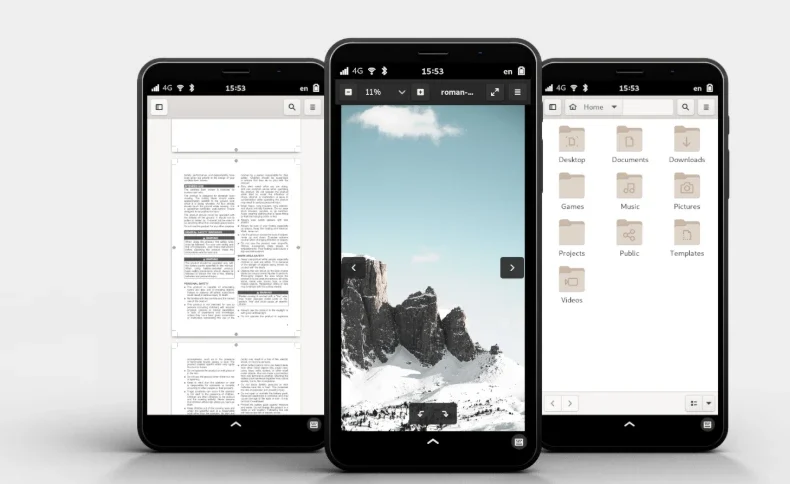
Why it’s great for PostmarketOS 25.06: The Purism Librem 5 is one of just two phones in PostmarketOS’s “main” category, meaning it’s actively maintained by multiple devs and supports core features like calls, SMS, mobile data, Wi-Fi, and audio. Built for privacy and open-source ideals, it’s a stellar match for PostmarketOS.
Key Features
- Hardware: 1.5 GHz quad-core Cortex-A53 CPU, 3 GB RAM, 32 GB eMMC storage, 5.7-inch 720×1440 display.
- PostmarketOS Support: Fully functional modem, touchscreen, and audio. Camera support is partial, but 25.06’s updates improve usability.
- Privacy Switches: Hardware kill switches for Wi-Fi, cellular, camera, and mic give you ultimate control.
- UI Options: Phosh 0.47.0 offers a slick GNOME-based mobile experience, with KDE Plasma Mobile 6.3.5 also shining.
Why Choose It?
The Librem 5 ships with PureOS (a Debian-based Linux OS), but flashing PostmarketOS 25.06 is a breeze, and it runs like a charm thanks to its open hardware. You can make calls, send texts, and browse with minimal proprietary code. Battery life and performance lag behind modern Android phones, so it’s ideal for those who prioritize principles over power.
Drawbacks
- Price (~$699–$799).
- So-so battery life.
- Camera support still evolving.
Best for: Privacy advocates and Linux purists craving a phone built for open-source software.
2. PINE64 PinePhone: The Community Favorite
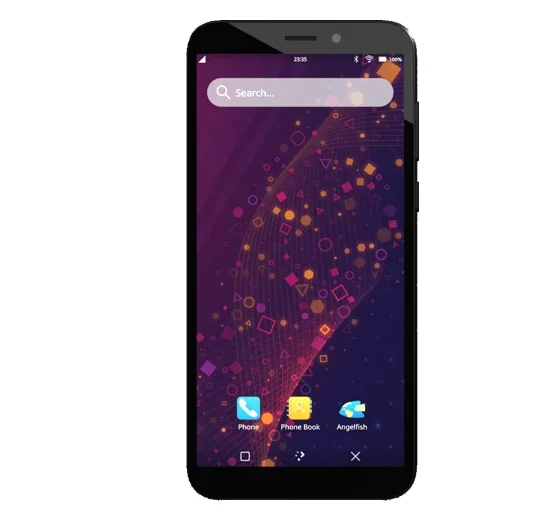
Why it’s great for PostmarketOS 25.06: The PinePhone, the other “main” category phone, is a fan-favorite for Linux mobile enthusiasts. Affordable and community-driven, it’s a playground for Linux OSes like PostmarketOS.
Key Features
- Hardware: Allwinner A64 quad-core Cortex-A53 CPU, 2/3 GB RAM, 16/32 GB eMMC storage, 5.95-inch 720×1440 display.
- PostmarketOS Support: Full support for calls, SMS, mobile data, Wi-Fi, and audio. Camera support is partial but improving in 25.06.
- Modularity: Swappable battery and hardware kill switches for privacy.
- UI Options: GNOME 48 and Phosh 0.47.0 run smoothly, with Sxmo 1.17.1 as a lightweight alternative.
Why Choose It?
Priced at ~$149–$199, the PinePhone is the cheapest Linux-friendly phone. It ships with a Linux-based OS (often Manjaro or Ubuntu Touch), but flashing PostmarketOS 25.06 is simple, delivering a stable experience for basic tasks. The active community keeps updates rolling, and the mainline kernel reduces proprietary dependencies. The hardware’s dated (think 2008 GPU), so don’t expect blazing performance.
Drawbacks
- Sluggish for heavy tasks.
- Short battery life.
- Not a daily driver for casual users.
Best for: Budget-conscious tinkerers and devs experimenting with mobile Linux.
3. Xiaomi Poco F1: The Performance Powerhouse
Why it’s great for PostmarketOS 25.06: The Xiaomi Poco F1 (codename: xiaomi-beryllium) is a community-supported device with killer hardware for the price, making it a standout for PostmarketOS users chasing performance.

Key Features
- Hardware: Snapdragon 845 CPU, 6/8 GB RAM, 64/128 GB storage, 6.18-inch 1080×2246 display.
- PostmarketOS Support: Working modem, mobile data, Wi-Fi, touchscreen, and audio. Camera support is partial but getting better.
- Performance: Outpaces the Librem 5 and PinePhone, handling Linux apps with ease.
- UI Options: KDE Plasma Mobile 6.3.5 and Phosh 0.47.0 deliver a polished experience.
Why Choose It?
Available for ~$200–$300 in 2025, the Poco F1 brings 2018 flagship power to PostmarketOS. It runs 25.06 smoothly, with solid telephony and mobile data. Blogger Drew DeVault raved about its performance, calling it “like a normal phone” post-setup. Flashing requires Linux know-how, and some proprietary firmware is needed.
Drawbacks
- Complex setup (e.g., initramfs filesystem fixes).
- Partial camera support.
- Minor audio profile quirks.
Best for: Tech-savvy users wanting a powerful, affordable Linux phone.
4. OnePlus 6: The Camera Contender
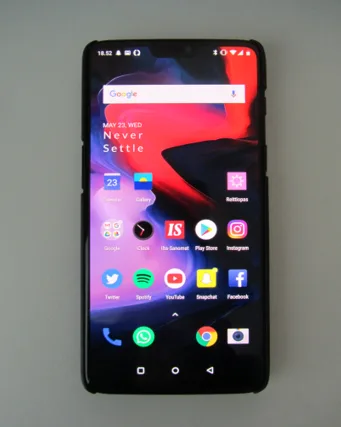
Why it’s great for PostmarketOS 25.06: The OnePlus 6 (codename: xiaomi-enchilada) is a community-supported device with new camera support in PostmarketOS 25.06, appealing to photography fans.
Key Features
- Hardware: Snapdragon 845 CPU, 6/8 GB RAM, 64/128 GB storage, 6.28-inch 1080×2280 AMOLED display.
- PostmarketOS Support: Working calls, SMS, mobile data, Wi-Fi, audio, and initial camera support.
- Camera: 16 MP rear camera now partially usable with apps like Megapixels.
- UI Options: GNOME 48 and Phosh 0.47.0 suit its high-res display.
Why Choose It?
At ~$250–$350 in 2025, the OnePlus 6 balances performance and features. Camera support in 25.06 is a big win, though not fully polished. Mainline kernel work ensures long-term support, but proprietary firmware (e.g., locked signing keys) may limit updates.
Drawbacks
- Camera support still in progress.
- Firmware updates restricted by OnePlus.
- Needs technical skills to install.
Best for: Users wanting a powerful phone with emerging camera capabilities.
5. Google Pixel 3A XL: The Newcomer
Why it’s great for PostmarketOS 25.06: Freshly supported in PostmarketOS 25.06, the Google Pixel 3A XL (codename: google-bonito) offers modern design and decent performance for Linux mobile fans.

Key Features
- Hardware: Snapdragon 670 CPU, 4 GB RAM, 64 GB storage, 6-inch 1080×2160 OLED display.
- PostmarketOS Support: Working modem, Wi-Fi, touchscreen, and audio. Camera and mobile data support are in development.
- Software Updates: Benefits from Google’s bootloader unlock support.
- UI Options: Phosh 0.47.0 and Sxmo 1.17.1 are lightweight and responsive.
Why Choose It?
Priced at ~$150–$250, the Pixel 3A XL is budget-friendly with a vibrant OLED display. PostmarketOS 25.06’s new support makes it promising, especially for fans of Google’s clean hardware. It’s in the “testing” category, so expect some rough edges until it hits “community” status.
Drawbacks
- No camera support yet.
- Testing status means potential bugs.
- Less community feedback than older devices.
Best for: Early adopters ready to test a newer supported device.
Getting Started with PostmarketOS 25.06
Ready to jump into PostmarketOS? Here’s how to get started:
- Check Device Compatibility: Head to the PostmarketOS website to confirm your phone’s support and read device-specific installation guides.
- Download the Image: Grab the right image from the PostmarketOS download page.
- Flash the OS: Use the os-installer UI or tools like pmbootstrap and fastboot to flash the image. Follow the website’s instructions.
- Pick a UI: Choose GNOME, KDE Plasma Mobile, Phosh, or Sxmo during setup.
- Join the Community: Connect on Reddit or Matrix for troubleshooting and updates.
Pro Tip: Back up your data before flashing—it’ll wipe your device clean!
Why Choose PostmarketOS 25.06?
PostmarketOS 25.06 rocks for its:
- Sustainability: Keeps old devices alive, cutting down e-waste.
- Privacy: Minimal proprietary code and total user control.
- Flexibility: Run Linux apps, turn your phone into a server, or customize to your heart’s content.
- Community: A passionate crew of devs and users pushing the project forward.
It’s not for everyone, though. If you need slick apps or Android-level polish, check out Ubuntu Touch or LineageOS instead.
Disclaimer
The information provided in this blog post is for informational and educational purposes only and should not be considered professional or technical advice. Installing PostmarketOS 25.06 or any custom operating system on a smartphone involves risks, including voiding your device’s warranty, potential data loss, or rendering the device inoperable (bricking). The author and publisher are not affiliated with PostmarketOS, Purism, PINE64, or any mobile device manufacturers mentioned. Always verify device compatibility and follow official installation guides from the PostmarketOS website (https://postmarketos.org/). Proceed at your own risk, and back up all data before making any changes to your device. The author and publisher are not liable for any damages or issues arising from the use of this guide.
Conclusion
PostmarketOS 25.06 is paving the way for a sustainable, open-source mobile future. While no phones ship with it pre-installed, the Purism Librem 5 and PINE64 PinePhone are Linux-ready champs, and the Xiaomi Poco F1, OnePlus 6, and Google Pixel 3A XL bring performance and fresh features for tech-savvy folks. Each phone offers something special, from privacy switches to flagship power or budget appeal.
Ready to break free from proprietary OSes and go Linux on your phone? Grab one of these devices, flash PostmarketOS 25.06, and join the movement. Drop your thoughts in the comments below—let’s keep the Linux mobile convo alive!
FAQs
Can I use PostmarketOS 25.06 as my daily driver phone OS?
It depends on your needs! PostmarketOS 25.06 is awesome for Linux enthusiasts, but it’s not as polished as Android or iOS. Basic stuff like calls, texts, and Wi-Fi works great on devices like the Purism Librem 5 or PinePhone, but things like cameras or mobile data might be iffy on some phones. If you’re cool with occasional tinkering and don’t need tons of apps, it can totally work as a daily driver. For most folks, though, it’s better as a side project or secondary device.
Is it hard to install PostmarketOS 25.06 on a phone?
It’s not a walk in the park, but it’s doable if you’re tech-savvy. The new os-installer UI in 25.06 makes things easier by guiding you through flashing from a computer. You’ll need tools like pmbootstrap and fastboot, plus a compatible phone (check the PostmarketOS website). Follow the device-specific wiki guides, and you’re golden. If you’re new to Linux or flashing, expect a learning curve—maybe grab a coffee and some patience!
Will flashing PostmarketOS void my phone’s warranty?
Probably, yeah. Most manufacturers consider flashing a custom OS like PostmarketOS as “modifying” the device, which can void your warranty. That said, devices like the PinePhone or Librem 5 are built for this kind of thing, so their communities are more forgiving. Always check your phone’s warranty terms and back up your data before diving in. Better safe than sorry!
Can I run Android apps on PostmarketOS 25.06?
Not natively, nope. PostmarketOS is a pure Linux distro, not Android-based, so it doesn’t support Android apps out of the box. You can try tools like Waydroid to emulate Android apps, but it’s experimental and not guaranteed to work smoothly on all devices. If you need Android apps, consider LineageOS or GrapheneOS instead, which are closer cousins to Android. PostmarketOS is more about Linux apps and open-source freedom.
How do I get updates for PostmarketOS after installing it?
PostmarketOS uses a rolling release model, so updates come regularly if your device is in the “main” or “community” category. You can update packages using the Alpine Linux package manager (apk) with commands like sudo apk upgrade. The PostmarketOS website and community channels (Reddit, Matrix) keep you in the loop on new releases and device-specific quirks. Stay active in the community, and you’ll always be up to date!
Also Read
Discover Purism PureOS: The Future of Ethical Computing!
About the Author





