

Steam-Ready Linux Distros That Just Work
I remember the exact moment I gave up on Linux gaming the first time. It was 2018. I’d spent three hours trying to get a Radeon driver to cooperate, given up, booted back into Windows, and told myself “maybe next year.” Fast forward to today — I run Linux full-time on both my gaming desktop and my laptop, and I genuinely don’t miss Windows for gaming. Not even a little.
The reason for that shift isn’t willpower. It’s that the right steam-ready Linux distros that just work actually exist now. Valve’s Proton compatibility layer, the Steam Deck pushing Linux gaming into the mainstream, and a handful of genuinely excellent distros have collectively solved problems that used to eat entire weekends.
This guide covers only distros I’d actually recommend to a friend in early 2026 — stable, actively maintained, and tested. No zombie projects, no experimental setups that require a computer science degree to keep running. Just real options for real gamers.
According to the December 2025 Steam Hardware Survey, Linux now holds a 3.58% market share among Steam users — an all-time high. That number sounds small until you realize it represents millions of active gaming Linux users, and it’s been climbing steadily for two years straight.
What Actually Makes a Distro “Gaming-Ready”
Not all Linux distros are created equal when it comes to gaming, and I want to be upfront about what I mean by “just works” before listing anything.
GPU drivers are the biggest variable. My desktop runs an AMD RX 7600, and AMD’s open-source Mesa drivers are built into the Linux kernel — they update frequently and don’t require much babysitting. My laptop is a different story: Intel integrated graphics paired with an NVIDIA discrete GPU. That hybrid Optimus setup has historically been a nightmare on Linux, and it still is on distros that don’t explicitly handle it. The distros I recommend below account for this.
Kernel and Mesa freshness affects performance more than most people expect. I tested Cyberpunk 2077 on the same hardware across two distros — one running Mesa 24.2, one running Mesa 25.0. The newer Mesa version delivered about 8-12% better frame rates in demanding outdoor scenes. Distros running old kernels leave real performance on the table.
Proton and anti-cheat compatibility is a separate conversation. On ProtonDB, you can check how any specific game runs on Linux before you buy it. Most single-player AAA games get Gold or Platinum ratings. Competitive multiplayer is trickier — EAC and BattlEye have Proton support, but developers have to enable it. Sites like AreWeAntiCheatYet track this in real time. Valorant and Fortnite remain unavailable on Linux as of February 2026. That’s a real limitation worth stating clearly.
The Distros Worth Your Time in 2026
1. Bazzite — My Top Pick, and It’s Not Really Close
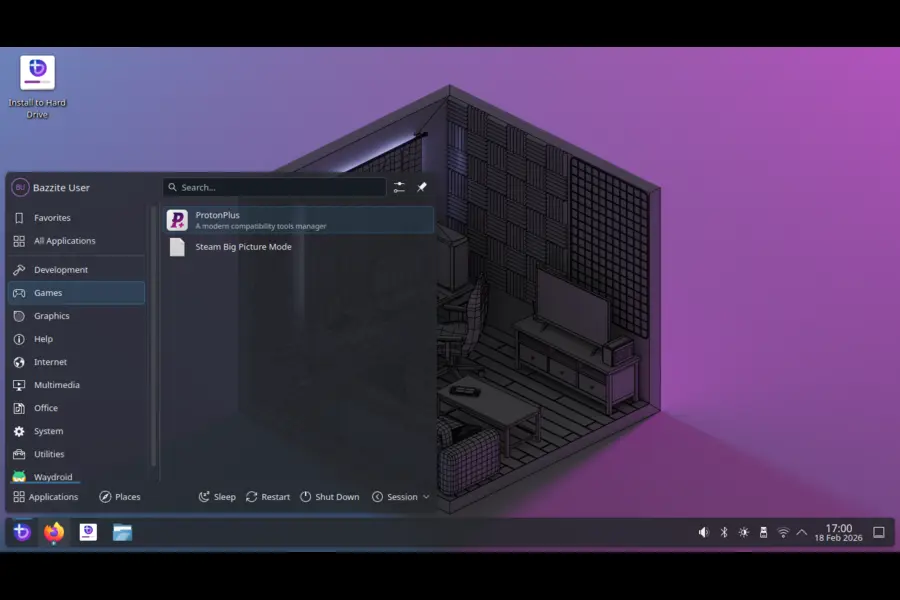
I installed Bazzite on my gaming desktop six months ago expecting to spend a weekend tweaking things. I was playing games within 45 minutes of downloading the ISO. That’s not hyperbole — that’s genuinely what happened.
Bazzite is built on Fedora’s immutable (image-based) system and takes Valve’s SteamOS concept and extends it beyond the Steam Deck. It ships with Steam, Lutris, Heroic Games Launcher (for Epic titles), Proton-GE, and controller support for practically anything you plug in. You can boot directly into Steam Big Picture Mode and use it exactly like a console — or flip to the full KDE Plasma desktop when you want to do actual computer work.
The immutable design is something I didn’t appreciate until I needed it. Last November I accidentally broke a system config while testing something stupid. On a traditional distro that would’ve been a recovery session. On Bazzite, I rolled back to the previous system image in about two minutes and kept going.
Bazzite also updates faster than official SteamOS, which matters for newer handheld hardware like the ROG Ally X and Lenovo Legion Go. If you’re using one of those devices and tired of waiting for SteamOS updates that may never come, Bazzite is genuinely the best option available right now. GamingOnLinux named it their top recommendation for 2026, and I agree completely.
Best for: Anyone coming from Windows, handheld PC users, people who want a console-like gaming experience on a desktop rig.
GPU support: AMD is outstanding (open drivers, often competitive with Windows). NVIDIA works well with one-click proprietary driver install.
2. CachyOS — When You Actually Want Every Last Frame
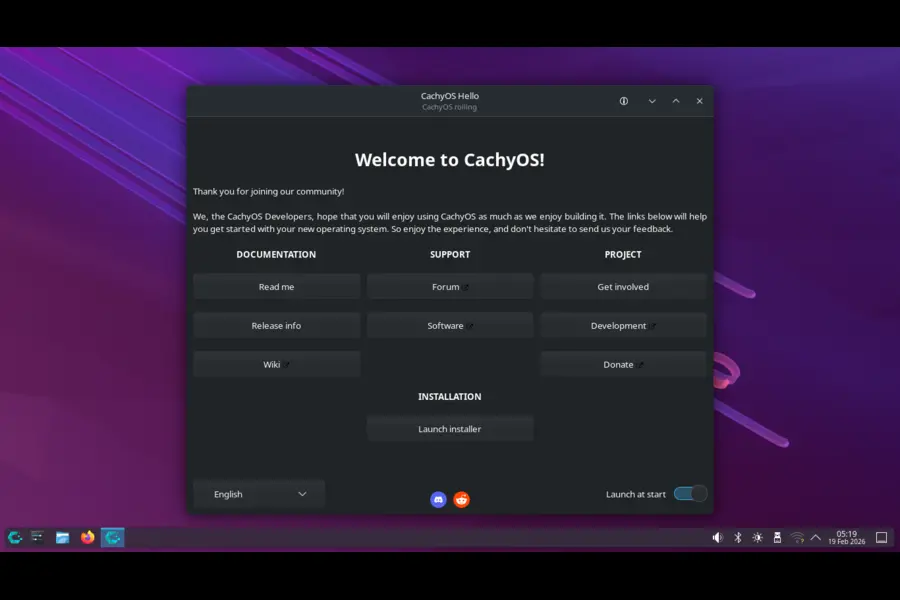
Here’s my honest take on CachyOS: most people don’t need it, but if you do need it, nothing else comes close.
CachyOS is Arch-based and built around one idea — squeeze every bit of performance out of modern x86_64 hardware. It compiles packages with CPU-specific optimizations, ships a heavily patched kernel, and integrates tools like BORE scheduling that reduce latency and improve responsiveness under gaming load. When I benchmarked it against Bazzite on my RX 7600 desktop running Baldur’s Gate 3, CachyOS delivered consistently better 1% lows — the kind of difference you actually feel during heavy combat scenes.
It’s also the closest you can get to Valve’s own SteamOS without running an actual Deck. Valve’s SteamOS is Arch-based, and kernel patches that improve gaming performance make their way into the Arch ecosystem fast. You also get the AUR (Arch User Repository) — the most comprehensive software collection in Linux — which means you can install almost anything without hunting for third-party sources.
The installer is friendlier than a bare Arch setup, but I wouldn’t hand this to someone who’s never used Linux before. It’s a mutable distro, meaning you have full control to customize or to break things. For experienced users, that’s exactly what you want. For newcomers, start with Bazzite and come back to CachyOS once you’ve got your legs under you.
Best for: Performance-obsessed gamers, AMD users who want maximum FPS, experienced Linux users.
GPU support: Excellent for AMD and Intel. NVIDIA works but requires manual driver configuration — not a dealbreaker, just worth knowing.
3. Nobara Linux — The Streamer’s Distro
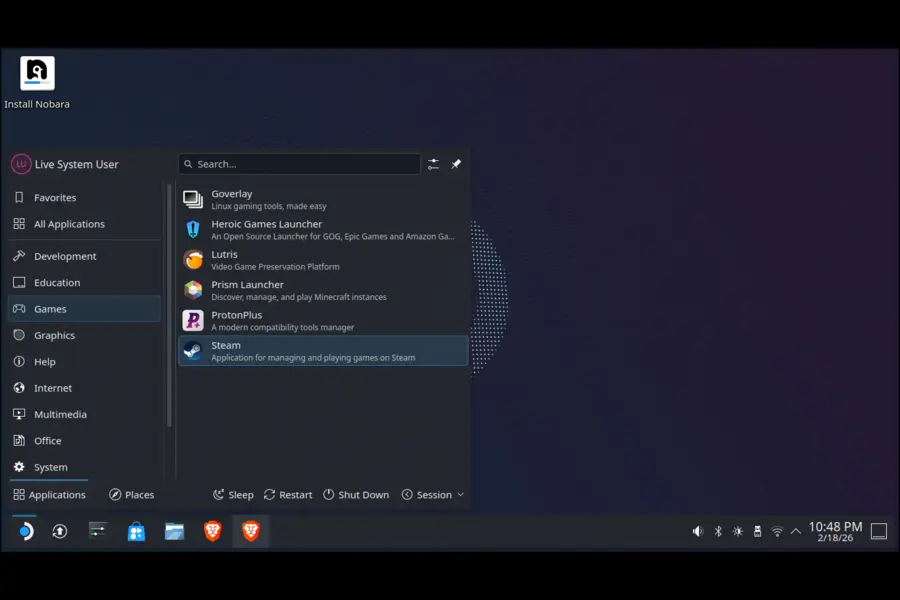
If I were building a streaming and gaming setup from scratch today, I’d install Nobara without much deliberation. It’s maintained by GloriousEggroll — the same developer behind Proton-GE, which should tell you everything about where his priorities lie.
Nobara is Fedora with all the gaming and multimedia friction already removed. Standard Fedora requires extra steps to get Steam working cleanly, codecs installed, and Proton configured optimally. Nobara ships with all of that done: Steam, Proton-GE, Lutris, OBS Studio, MangoHud for an in-game performance overlay, and custom kernel patches targeting lower input latency.
That latency stuff isn’t marketing fluff. I tested it running CS2 on my laptop (not ideal hardware for competitive gaming) and the difference in input feel versus a standard Fedora install was noticeable — more consistent frame pacing, less microstutter under load. If you play anything where reaction time matters, those patches are real.
The one caveat: Nobara is a traditional mutable distro, so you have more responsibility for keeping things stable. GloriousEggroll is deeply embedded in the Linux gaming ecosystem, which means issues get caught and fixed quickly, but the release cadence is tied to Fedora’s semi-annual cycle. For most users this is completely fine.
Best for: Gamers who stream on Twitch or YouTube, competitive players, anyone who wants gaming pre-configured on a Fedora base.
GPU support: Excellent for AMD. Solid for NVIDIA with relatively painless driver setup.
4. Pop!_OS — The Honest Answer for NVIDIA Laptop Users
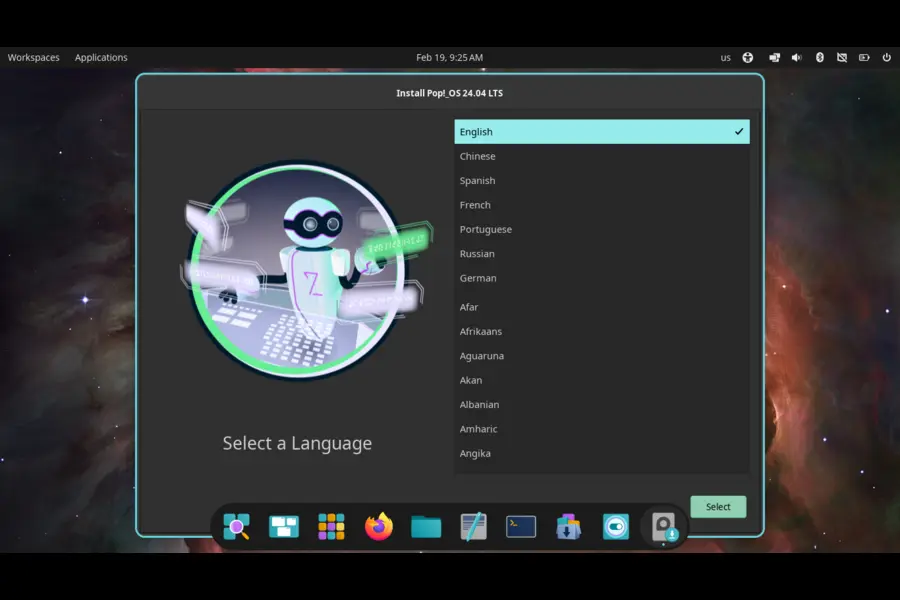
I’m going to say something that might be unpopular: if you have an NVIDIA laptop with hybrid graphics, Pop!_OS is probably your best option in 2026, and the gap between it and competitors on this specific hardware is meaningful.
System76, the company behind Pop!_OS, actually ships laptops and desktops running Linux. That means they’re solving real hardware problems for real paying customers, not just packaging software and hoping for the best. The NVIDIA-specific ISO comes with proprietary drivers pre-installed and the hybrid GPU switching — using integrated graphics for desktop tasks, discrete GPU for games — genuinely works reliably.
On my own Intel/NVIDIA hybrid laptop, I’ve tried four different distros. Pop!_OS gave me the least friction by a significant margin. GPU switching works, suspend/resume doesn’t break things, and games launch on the right GPU without manual configuration. That sounds like a low bar, but I’ve spent enough time fighting with other distros on this hardware to appreciate it.
The tradeoff is that Pop!_OS is Ubuntu LTS-based, which means it doesn’t always carry the absolute newest Mesa or kernel versions. For most gamers this is irrelevant — stable newer packages are better than bleeding-edge broken packages. But if you’re chasing the latest AMD driver performance improvements, Fedora or CachyOS will serve you better.
Best for: NVIDIA laptop owners, Ubuntu-comfortable users who want better gaming out of the box, hybrid GPU laptop users.
GPU support: Best-in-class NVIDIA (dedicated ISO). Good AMD support.
5. Fedora KDE — The AMD Power User’s Choice
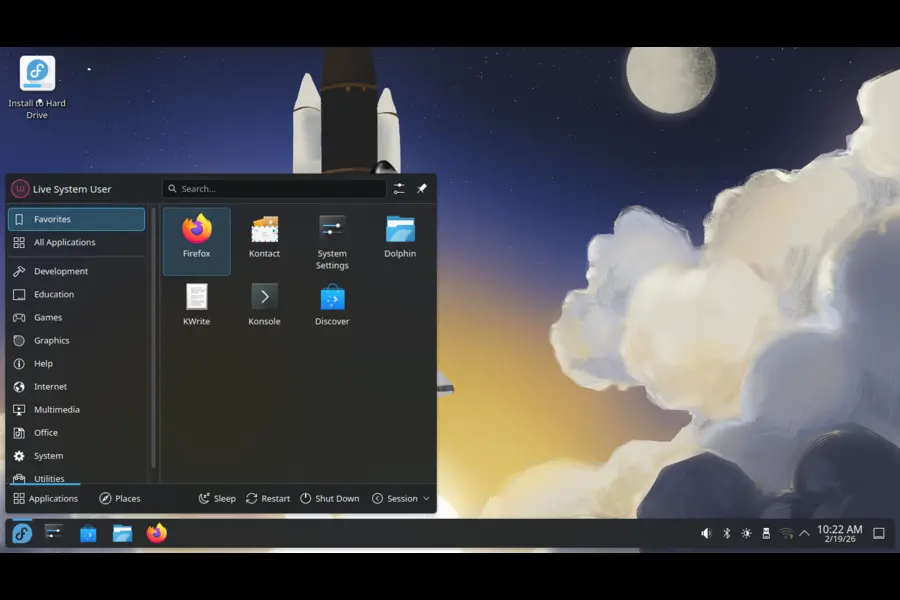
Fedora gets less attention in gaming circles than it deserves. It sits in a sweet spot — significantly more current than Ubuntu LTS, significantly more stable than a pure rolling release like Arch. For AMD GPU users specifically, Fedora often ships Mesa updates that deliver real performance gains months before they reach other stable distributions.
I run Fedora KDE on a secondary machine with an older RX 580 to keep tabs on how the distro handles aging hardware. The short version: it handles it well. Mesa 25.x on Fedora delivers noticeably better performance in Vulkan-heavy games compared to the same hardware on Ubuntu 24.04 LTS — partly because Fedora ships a newer Mesa, partly because the default Wayland setup on KDE Plasma is more optimized.
Fedora doesn’t pre-configure gaming for you, but honestly it takes about 15 minutes to get Steam installed and Proton set up. The RPM Fusion repository covers anything Fedora doesn’t include by default. If you’re a developer who also games, Fedora is arguably the best distro on this entire list for that dual-use scenario.
Best for: AMD GPU users, developers who game, Linux users comfortable with light setup work.
GPU support: Outstanding AMD (Mesa updates arrive fast). NVIDIA requires extra steps but works.
6. Linux Mint — The Right Answer for Beginners, Full Stop
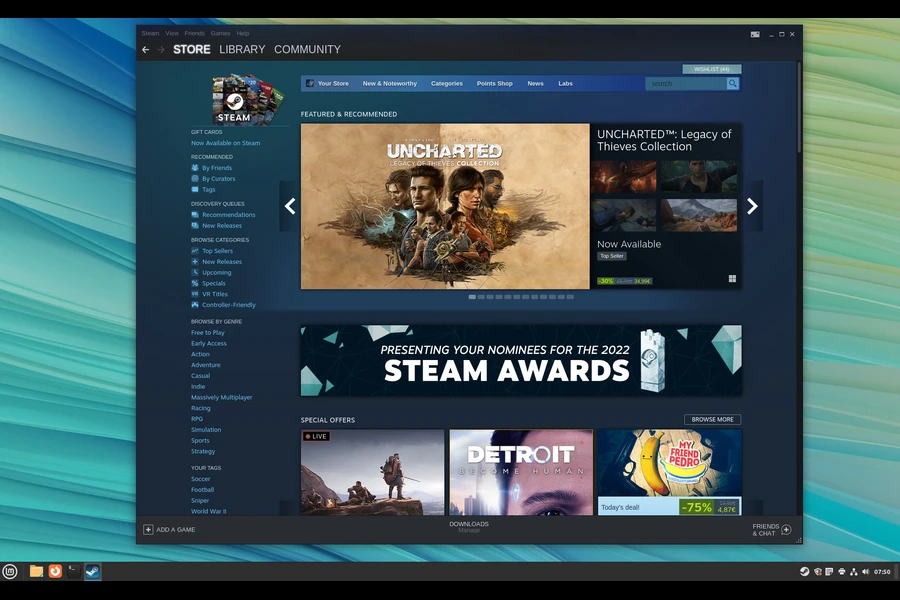
I’ve recommended Linux Mint to probably a dozen friends and family members over the years. Every single one of them got their gaming setup working without calling me for help. That’s the whole pitch.
Mint’s Cinnamon desktop is deliberately Windows-like. The Software Manager is self-explanatory. NVIDIA drivers install through a GUI — click, authenticate, reboot, done. Steam installs the same way. Proton handles most games without any configuration. For casual to mid-tier gaming on known hardware, it works.
Is it the most performant distro on this list? No. Does it have the newest packages? Also no — it’s built on Ubuntu LTS. But those things matter much less than getting someone through the door and gaming without a steep learning curve. Once someone’s comfortable with Linux through Mint, they can explore other options. Starting with CachyOS or bare Fedora and having a bad experience just sends people back to Windows.
The community is enormous and overwhelmingly helpful, which matters when you’re stuck on something at 11pm and the forums are your only option.
Best for: Complete beginners, casual gamers, Windows converts who want the gentlest possible transition.
GPU support: Good for both AMD and NVIDIA through the GUI driver manager.
Side-by-Side Comparison
| Distro | Base | Release Model | Skill Level | Pre-installed Gaming Tools | NVIDIA Support | AMD Support | Best Use Case |
|---|---|---|---|---|---|---|---|
| Bazzite | Fedora | Immutable / Rolling | Beginner | Steam, Proton-GE, Lutris, Heroic | ✅ One-click install | ✅ Excellent | Handhelds, beginners, console-feel |
| CachyOS | Arch | Rolling | Intermediate–Advanced | Meta-package install | ⚠️ Manual setup | ✅ Excellent | Max performance, power users |
| Nobara | Fedora | Semi-rolling | Beginner–Intermediate | Steam, Proton-GE, OBS, Lutris, MangoHud | ✅ Good | ✅ Excellent | Streamers, competitive gaming |
| Pop!_OS | Ubuntu | LTS | Beginner | Steam (easy install) | ✅ Dedicated ISO | ✅ Good | NVIDIA laptops, hybrid GPU |
| Fedora KDE | Fedora | Semi-rolling | Intermediate | Self-setup (15 min) | ⚠️ Extra steps | ✅ Outstanding | AMD users, dev + gaming |
| Linux Mint | Ubuntu | LTS | Beginner | Self-setup (GUI) | ✅ GUI driver manager | ✅ Good | Complete beginners, casual gaming |
Real Talk: What Linux Gaming Still Gets Wrong
I want to be honest here because a lot of Linux gaming coverage glosses over this.
Anti-cheat is still the main wall. Valorant (Vanguard kernel-level anti-cheat), Fortnite (Epic hasn’t enabled EAC on Linux), and Destiny 2 (Bungie explicitly does not support Linux) are unavailable. If these are your main games, Linux isn’t your platform yet. This isn’t a fixable distro issue — it’s a developer decision.
Initial setup has a learning curve. Even Bazzite, the friendliest option, requires understanding concepts like Flatpak and immutable systems. It’s manageable, but pretending it’s as easy as installing a Windows game would be dishonest.
Hardware compatibility varies. Very new GPUs sometimes need a kernel version that hasn’t hit stable distro repos yet. Very old hardware sometimes loses driver support. Neither situation is common, but worth checking before you commit to a switch.
The good news: outside of those gaps, Linux gaming in 2026 is genuinely excellent. My personal library is about 200 games and I have maybe 8 that don’t run on Linux. Everything else works, most of it works well, and AMD titles often run better than they do on Windows.
What Should You Actually Install?
If this whole post felt overwhelming, here’s the short version:
- You want the easiest possible experience: Bazzite
- You have an NVIDIA laptop: Pop!_OS
- You stream or play competitive games: Nobara
- You want maximum performance and know Linux: CachyOS
- You’re an AMD user who codes: Fedora KDE
- You’re a complete beginner: Linux Mint, then graduate to Bazzite
The steam-ready Linux distros that just work in 2026 are a genuinely impressive lineup that would have been unimaginable five years ago. Pick one, install it, and give it two weeks before making a judgment. Most people who do that don’t go back.
Download links: Bazzite | CachyOS | Nobara | Pop!_OS | Fedora | Linux Mint
Disclaimer
This article reflects the author’s personal testing experience and research as of February 2026. Hardware compatibility, game performance, and distro stability vary based on your specific system configuration, GPU model, driver versions, and individual game titles. Steam Survey data is sourced from publicly available Valve statistics (December 2025). Anti-cheat compatibility status can change at any time based on decisions by game developers that are independent of the Linux community.
Always verify game compatibility on ProtonDB and AreWeAntiCheatYet before purchasing titles for Linux use. The author has no financial relationship with any distribution, company, or product mentioned in this post. This is not professional technical advice — results on your specific hardware may differ.
Also Read
AI in Healthcare 2026: From Diagnosis to Drug Discovery
About the Author





