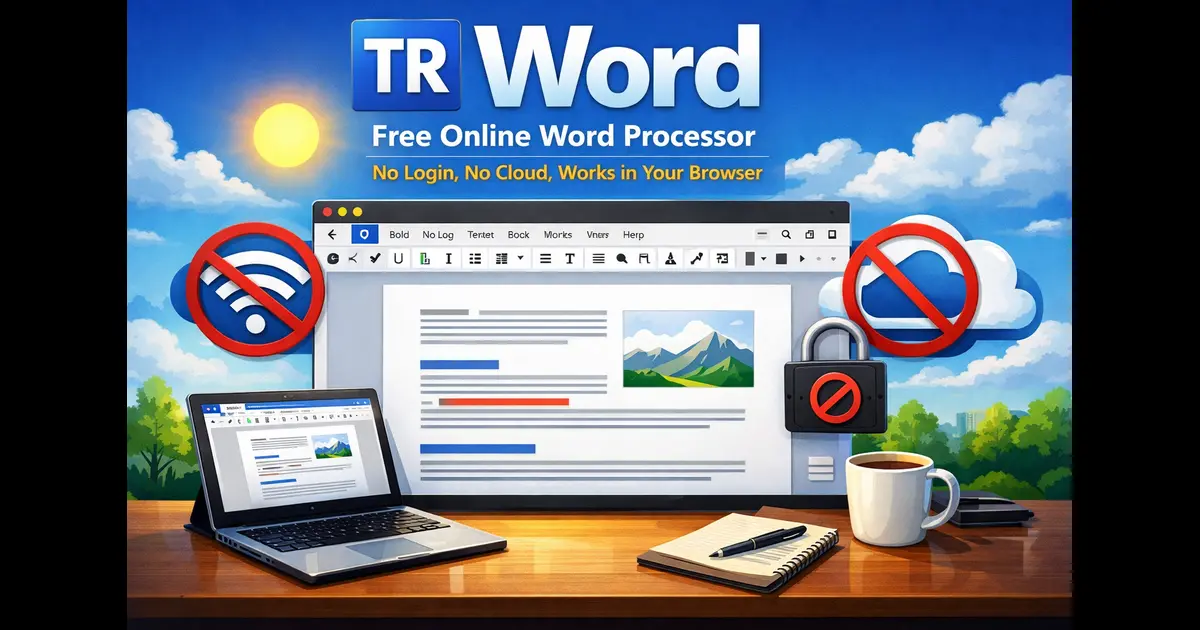
TR Word Free Online Word Processor — No Login, No Cloud, Works in Your Browser
Let me ask you something. How many times have you opened Google Docs, only to be greeted by a login wall? Or fired up Microsoft Word, waited for it to load, and then realised the feature you need is locked behind a paid subscription?
If that sounds familiar — you’re going to like what we built.
Meet TR Word, a completely free online word processor that runs entirely in your browser. No account needed. No internet required once it loads. Your documents stay on your device — not on some company’s server. And yes, it saves as a real .docx file that opens perfectly in Microsoft Word and LibreOffice.
We built it right here at Tech Refreshing because we believed a free online word processor should actually be free — not free-until-you-hit-a-paywall, not free-but-we-own-your-data. Just free.
Why We Built a Free Browser Word Processor in 2026
The honest answer? Frustration.
Google Docs is excellent but demands you hand over your privacy and a Google account. Microsoft Word is powerful but costs money and runs heavy. LibreOffice is free and open source — great — but you have to install it, and it’s not exactly mobile-friendly.
What if you just need to write something quickly? A cover letter. A report for college. A simple invoice. A quick note you want to save as a Word file. You don’t want to sign up for anything. You don’t want your draft uploaded to a cloud. You just want to open a page, type, and save.
That’s the exact gap TR Word fills. We spent weeks building it as a single HTML file — no frameworks, no backend, no database. Everything runs in your browser. Close the tab and nothing leaves your device.
What Can TR Word Actually Do?
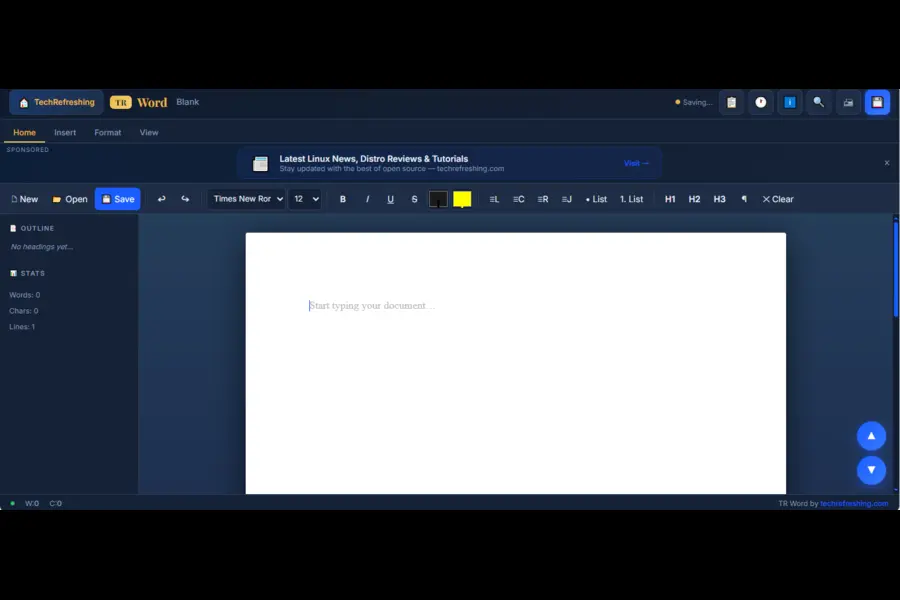
More than you’d expect from a free browser tool. Here’s a full rundown.
Full Rich Text Editing
Bold, italic, underline, strikethrough, text colour, highlight, font family, font size — all the basics are covered. You also get headings (H1, H2, H3), paragraph styles, bullet and numbered lists, indent/outdent, alignment (left, centre, right, justify), superscript, subscript, and line spacing control.
The toolbar works just like Word’s ribbon, with tabs for Home, Insert, Format, and View. If you’ve used Microsoft Word before, you’ll feel right at home.
Real .docx Export — Not a Fake Rename
This is the big one. A lot of browser word processors claim to export .docx files but actually just rename an HTML file and change the extension. That’s a lie in a trench coat.
TR Word builds a genuine OOXML ZIP archive — the exact same format Microsoft Word uses internally. When you open a TR Word document in Word or LibreOffice, you get:
- Proper heading styles (H1, H2, H3 mapped to Word’s built-in style IDs)
- Bold, italic, underline, and colour formatting preserved in the XML
- Tables with header shading and cell borders
- Bullet and numbered lists using Word’s native numbering engine
- Embedded images — photos you insert are stored inside the .docx file itself, not linked externally
If you’ve ever opened a “docx” from another browser tool and seen garbled formatting or missing images, you’ll appreciate why we built this properly.
Auto-Save and Revision History
TR Word auto-saves your work to your browser’s local storage every 1.5 seconds as you type. Browser crash? Accidentally closed the tab? Your document is restored automatically the next time you visit.
There’s also a full revision history panel — you can browse up to 20 previous snapshots of your document and restore any version with a single click. Think of it like a lightweight, private version of Google Docs’ version history — except nothing ever left your device.
6 Ready-to-Use Document Templates
Don’t want to start from a blank page? TR Word ships with six templates so you can get writing immediately:
- Blank — clean slate
- Formal Letter — sender, recipient, date, body, sign-off
- Resume / CV — experience, education, skills sections
- Business Report — executive summary, findings, recommendations
- Invoice — itemised table, totals, payment terms
- Meeting Notes — attendees, agenda, action items table
Each template is fully editable and exports as a properly structured .docx. The invoice template, for example, exports with a real Word table — not a text approximation.
Find & Replace, Tables, Images, and More
TR Word also packs in:
- Find & Replace bar (Ctrl+F) with Replace One and Replace All
- Table insertion with custom rows, columns, and optional header row
- Image insertion from local file or URL — images embed directly into the document
- Hyperlinks, blockquotes, code blocks, page breaks, horizontal rules
- Symbol picker with 40+ special characters (©, ®, ™, →, ∞, and more)
- One-click date/time insertion
- Zoom control — 50% to 200% via slider or presets
- Three document themes — Light, Sepia, and Dark
- Outline sidebar — jump to any heading in your document instantly
How TR Word Compares to the Alternatives
Let’s be honest about where TR Word fits in.
TR Word is not trying to replace Microsoft Word or Google Docs for power users. It’s built for people who need a capable, fast, private word processor that works instantly — no account, no installation, no fuss.
Here’s how the main alternatives actually stack up for everyday use:
| Feature | TR Word | Google Docs | Microsoft Word | LibreOffice |
|---|---|---|---|---|
| Free | ✅ Always | ✅ (needs account) | ❌ Paid | ✅ Free |
| No login required | ✅ | ❌ | ❌ | ✅ |
| Works offline | ✅ | ⚠️ Limited | ✅ | ✅ |
| No installation | ✅ | ✅ | ❌ | ❌ |
| Real .docx export | ✅ | ✅ | ✅ | ✅ |
| Privacy (local only) | ✅ | ❌ Cloud | ❌ Cloud | ✅ |
| Mobile friendly | ✅ | ⚠️ OK | ⚠️ App needed | ❌ Poor |
| Works on Chromebook | ✅ | ✅ | ❌ | ❌ |
The sweet spot where TR Word wins is exactly the overlap of free + no login + no installation + real .docx output + privacy. No other tool ticks all five boxes.
Your Privacy Is Not a Feature — It’s the Default
We want to be explicit about this because it matters.
TR Word does not transmit your documents anywhere. There is no server. When you type, your content goes into your browser’s memory and local storage — both of which live entirely on your own device. When you save a .docx file, it downloads directly to your machine. Nothing passes through our servers or anyone else’s.
This makes TR Word suitable for sensitive documents — contracts, personal letters, CVs, medical notes, legal drafts — where you wouldn’t want a cloud company having access to the content.
In an era where every app wants to sync your data, TR Word deliberately does the opposite.
Works on Mobile Too — Properly
Mobile support on browser word processors is usually an afterthought — a shrunken desktop layout that’s nearly unusable on a phone screen.
We built TR Word’s mobile experience from scratch as a completely separate layout. On screens under 768px:
- The desktop ribbon disappears and is replaced by a clean bottom navigation bar
- Formatting, Insert, and View controls slide up in swipe drawers
- The document takes up the full screen width — no wasted margins
- Font size zooms naturally (not via CSS transform, which makes text blurry)
- An outline sidebar opens as a smooth overlay with a dark backdrop
We use this ourselves on Android and it genuinely feels like a native app — not a desktop site squeezed into a phone.
How to Use TR Word — Getting Started in 30 Seconds
- Go to techrefreshing.com/tr-word
- Start typing — or pick a template from the 📋 button in the top bar
- Format using the toolbar (desktop) or bottom bar (mobile)
- Hit 💾 Save or press Ctrl+S to download your .docx file
You can also open existing .docx, .txt, and .html files using the Open button. Most Word documents import cleanly with headings, bold/italic text, and lists intact.
Keyboard shortcuts that work:
| Shortcut | Action |
|---|---|
| Ctrl + S | Save as .docx |
| Ctrl + F | Find & Replace |
| Ctrl + N | New document |
| Ctrl + Z | Undo |
| Ctrl + Y | Redo |
| Tab | Indent inside editor |
Who Is TR Word Best For?
Based on how we use it and the feedback we’ve received, TR Word is a great fit for:
- Students who need to write and export assignments without paying for Microsoft Office
- Freelancers who want to quickly produce invoices or proposals without opening heavy software
- Privacy-conscious users who don’t want their documents synced to any cloud
- Linux and Chromebook users who want a lightweight, browser-native alternative to LibreOffice
- Anyone on a shared or public computer where you can’t install software
- Mobile users who need to write a proper document on their phone or tablet
If you’re writing a thesis or managing 50-page reports with tracked changes and collaborative comments — stick with Google Docs or Word. TR Word isn’t built for that. But for everything else? It’s hard to beat.
What’s Coming Next
TR Word is actively developed. Here’s what we’re working on:
- PDF export directly from the browser
- More templates — academic essay, project proposal, NDA, press release
- Full PWA support — install TR Word as a home screen app on Android and iOS
- Multiple document tabs open simultaneously
- Word count targets and distraction-free focus mode
If there’s a feature you want to see, drop a comment below. We read every single one.
Final Thoughts
TR Word isn’t trying to win a feature war against Microsoft. It’s trying to solve a specific, real problem: give anyone a capable, trustworthy word processor that just works, anywhere, without asking for anything in return.
No login. No cloud. No cost. Just open it and write.
We think that’s worth building. And based on the response so far, a lot of you agree.
👉 Try TR Word now — techrefreshing.com/tr-word — No login. No cloud. Just write.
If this was useful, share it — it helps us reach more readers. Subscribe to TechRefreshing for more Linux news, app reviews, and free tools like TR Word.
Disclaimer
TR Word is a free tool built and maintained by Tech Refreshing for personal and general use. While we do our best to ensure documents export correctly, we make no guarantees of compatibility with every version of Microsoft Word, LibreOffice, or other word processors. Always keep a backup of important documents.
Tech Refreshing is not responsible for any data loss resulting from browser crashes, storage limitations, or unexpected errors. TR Word stores data locally in your browser — clearing your browser data will erase any unsaved work. Microsoft Word, Google Docs, and LibreOffice are trademarks of their respective owners. Tech Refreshing has no affiliation with any of them.
About the Author