The Linux ecosystem continues to evolve at an impressive pace, and 2026 brings some of the most exciting developments we’ve seen in years. With Windows 10’s official end-of-life in October 2025, over 40 million new users are expected to migrate to Linux, making this the perfect time to explore what’s new in the world of open-source operating systems.
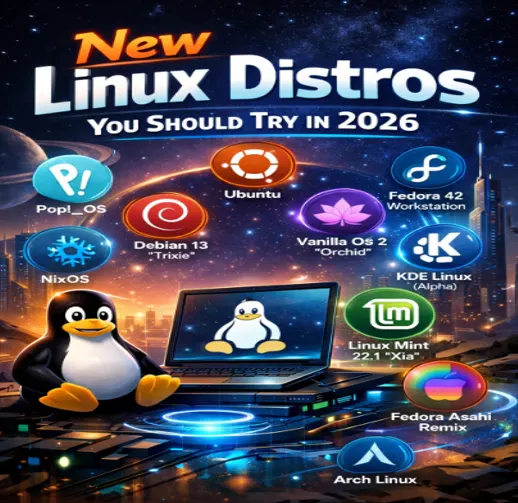
Whether you’re a complete beginner looking for your first Linux experience, a developer seeking cutting-edge tools, or a power user wanting maximum customization, the new Linux distros you should try in 2026 offer something special for everyone. Let’s dive into the distributions that are making waves this year.
Why 2026 Is a Game-Changing Year for Linux
Before we explore specific distributions, it’s worth understanding why this year stands out. The Linux kernel is seeing new Long-Term Support releases with kernel 6.18 declared LTS, bringing both performance gains and security longevity. Desktop environments like GNOME 48 and KDE Plasma 6 have reached new levels of maturity, while Wayland adoption continues to solidify across distributions, finally offering a modern display server that works reliably.
The rise of immutable distributions represents another major shift. These systems use read-only core filesystems with atomic updates, dramatically improving stability and making rollbacks effortless when updates cause issues.
Our Selection Methodology
We carefully selected these Linux distributions based on several critical criteria to ensure we’re recommending only the best options for 2026:
Active Development: Every distribution featured is actively maintained with regular updates and security patches. We excluded discontinued or abandoned projects.
Community & Support: Each distro has a vibrant community, comprehensive documentation, and accessible support channels for troubleshooting.
Hardware Compatibility: We prioritized distributions with excellent hardware support, including modern laptops, desktops, and specialized devices like Apple Silicon Macs.
User Experience: From beginner-friendly interfaces to power-user customization, we evaluated the overall polish and usability of each distribution.
Innovation Factor: We highlighted distros bringing new technologies like immutable systems, revolutionary desktops (COSMIC), and unique package management approaches.
Stability & Reliability: Each recommendation balances cutting-edge features with dependable performance for daily use.
Real-World Testing: Our selections are based on actual usage experience, community feedback, and official release announcements, not just marketing claims.
This methodology ensures you’re getting recommendations for distributions that are not only exciting on paper but proven to deliver excellent experiences in real-world scenarios.
Pop!_OS 24.04 LTS with COSMIC Desktop
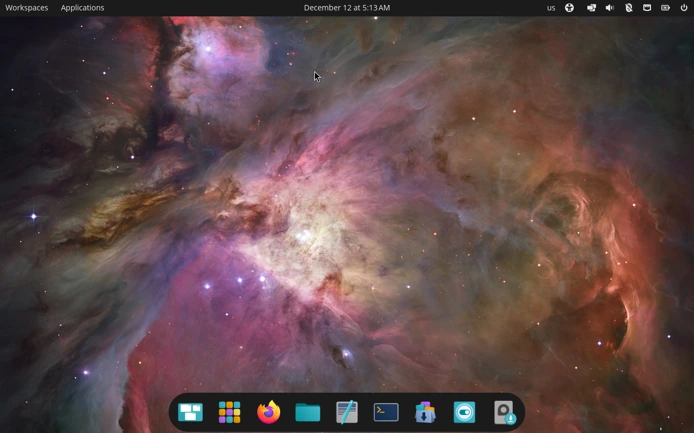
Perhaps the most anticipated release of 2026 is Pop!_OS 24.04 LTS, which finally brings System76’s revolutionary COSMIC desktop environment to the masses. Released on December 11, 2025, this marks the debut of System76’s ambitious, all-new, Rust-based COSMIC desktop environment.
What Makes COSMIC Special?
COSMIC (Computer Operating System Main Interface Components) isn’t just another desktop environment. It’s built from scratch using the Rust-based Iced graphics toolkit, offering memory safety and performance that traditional C/C++-based desktops can’t match. The development team spent over four years crafting this experience, and it shows.
The desktop offers incredible flexibility right out of the box. Want a Windows-like layout? Done. Prefer a macOS arrangement? Easy. Need everything hidden for maximum screen real estate? COSMIC handles it all. The extent to which COSMIC’s look and layout can be customized is, for a first release, impressive.
Key Features
- Optional automatic window tiling that arranges applications side-by-side intelligently
- Wayland-native architecture eliminating vulnerabilities like keylogging and input spoofing
- Hybrid graphics support that automatically runs demanding apps on discrete GPUs while saving battery life
- Built-in Pop!_Shop with improved backend reliability for seamless app management
- Based on Ubuntu 24.04 LTS but runs on the newer Linux kernel 6.172 paired with Mesa 25.1 graphics drivers
Perfect for: Developers, content creators, and anyone who values both aesthetics and productivity. The NVIDIA-optimized builds make it particularly appealing for machine learning professionals and gamers.
System Requirements: 4GB RAM minimum (8GB recommended), 20GB storage, 64-bit processor
Ubuntu 26.04 LTS “Resolute Raccoon“
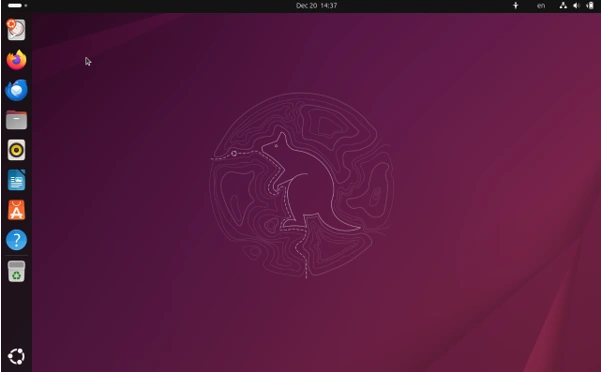
April 2026 marks the arrival of Ubuntu 26.04 LTS, arguably the most critical release of the year for the corporate world. While Ubuntu releases come regularly, LTS (Long-Term Support) versions receive five years of support, making them the foundation for countless businesses and home users.
What’s New in 26.04?
This release brings significant refinements rather than revolutionary changes. Canonical has doubled down on stability and security, with startup times for Snap applications reduced drastically. The controversial Snap packaging format has matured considerably, and the performance improvements silence many previous critics.
Ubuntu 26.04 will feature GNOME 48, bringing a refined user experience with improved performance and polish. The distribution continues to serve as the default target for third-party software vendors, ensuring compatibility with proprietary engineering software, Docker containers, and AI/ML workloads.
Why Choose Ubuntu 26.04?
- Unmatched compatibility with third-party software and hardware
- Massive community support making troubleshooting straightforward
- Five-year support lifecycle perfect for production environments
- Professional ecosystem ideal for businesses transitioning from Windows
- Excellent documentation suitable for Linux newcomers
Perfect for: Businesses, students, and anyone who needs a system that “just works” without constant tinkering.
System Requirements: 2GB RAM minimum (4GB recommended), 25GB storage
Fedora 43 Workstation
Fedora 43 features GNOME 49, Wayland-first support, and DNF5 as the default package manager with approximately a 13-month release cycle. As Red Hat’s community-driven distribution, Fedora serves as a proving ground for technologies that eventually make their way into Red Hat Enterprise Linux.
Cutting-Edge Without the Chaos
Fedora occupies a sweet spot between bleeding-edge Arch Linux and conservative Debian. You get access to the latest software versions within weeks of release, but with enough testing to ensure reasonable stability. Fedora delivers cutting-edge stacks with Wayland-first support and Secure Boot by default.
The DNF5 package manager represents a complete rewrite in C++, offering dramatically faster package operations compared to the previous Python-based implementation. This makes system updates and software installation noticeably quicker.
Standout Features
- Latest kernel and software typically 6-12 months ahead of Ubuntu LTS
- Excellent development tools pre-configured for coding and compilation
- Strong security focus with SELinux enabled by default
- Clean, vanilla GNOME experience without heavy customization
- Six-month release cycle ensuring fresh features regularly
Perfect for: Developers, system administrators, and tech enthusiasts who want modern software without diving into Arch’s complexity.
System Requirements: 2GB RAM minimum (4GB recommended), 20GB storage
Debian 13 “Trixie”
Following its release in mid-2025, Debian 13 “Trixie” enters 2026 as the definitive choice for stability. If you prioritize reliability above all else, Debian remains unmatched.
The Rock-Solid Foundation
Debian’s conservative approach to software updates might seem boring, but that’s precisely the point. Unlike the rolling nature of Fedora or Arch, Debian Trixie freezes package versions to ensure absolute predictability. This makes it ideal for servers, production environments, and users who never want surprise breakage.
The inclusion of non-free-firmware by default in the installer has eliminated the historic friction of setting up Wi-Fi and GPU drivers on laptops, addressing one of Debian’s longest-standing pain points for desktop users.
Why Debian Stands Apart
- Legendary stability with thoroughly tested packages
- Extensive architecture support running on everything from Raspberry Pi to mainframes
- Massive package repository with over 60,000 software packages
- Foundation for countless derivatives including Ubuntu, Linux Mint, and more
- Community-driven governance without corporate influence
Perfect for: Servers, experienced users, and anyone who values stability over having the latest software versions.
System Requirements: 1GB RAM minimum, 10GB storage
Vanilla OS 2 “Orchid”
Vanilla OS 2 Orchid was released on July 28, 2024, and represents a complete rewrite of the operating system. This immutable distribution takes a radically different approach to system management, making it one of the most innovative new Linux distros you should try in 2026.
Immutability Meets Flexibility
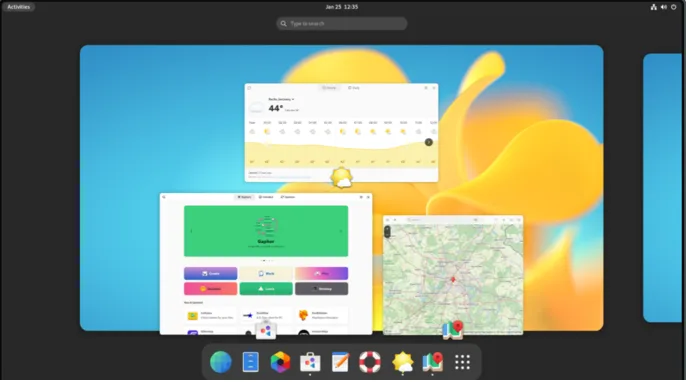
Vanilla OS 2 switched from an Ubuntu base to a hybrid Debian foundation, gaining more control over updates and configuration. The operating system’s core is read-only, protected from accidental corruption or malicious changes. Updates use container-based OCI images, allowing instant rollbacks if something goes wrong.
The killer feature is APX v2, Vanilla OS’s revolutionary application management system. APX allows users to install and run applications from various package formats within their own containers, meaning you can run Ubuntu packages, Fedora packages, Arch packages, and more, all on the same system without conflicts.
Revolutionary Features
- ABRoot v2 with atomic updates and automatic Btrfs snapshots
- APX v2 supporting multiple package managers in isolated containers
- FsGuard and FsWarn for boot-time system integrity verification
- GNOME 46 with a polished, modern interface
- Android app support through Waydroid integration
Perfect for: Adventurous users, developers who need multiple environments, and anyone wanting a bulletproof system that’s hard to break.
System Requirements: 4GB RAM minimum, 25GB storage
KDE Linux (Alpha)
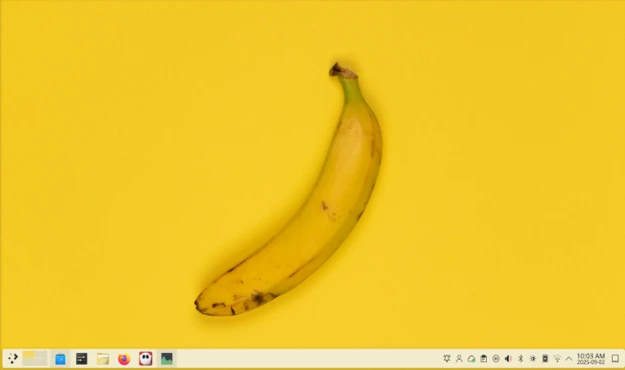
The KDE project made headlines by announcing their own official distribution. As announced at KDE Akademy 2025 in Berlin, Germany, KDE Linux is now available in alpha form as the “reference implementation” for the Plasma desktop.
Pure KDE Experience
Unlike Kubuntu or KDE Neon, which build on Ubuntu’s foundation, KDE Linux is a distinct OS derived from Arch Linux with a read-only base system and atomic image-based A/B updates with rollback functionality via systemd-sysupdate. Think of it as the KDE equivalent of what GNOME OS aims to be.
This gives KDE developers complete control over the user experience, showing exactly how they envision Plasma should look and behave without downstream modifications from other distributions.
What Sets It Apart
- Immutable architecture with atomic updates
- Wayland-exclusive no X11/Xorg legacy support
- Latest KDE Plasma and applications updated continuously
- Flatpak and Snap support for additional software
- Arch-derived packages without Pacman package manager
Important Note: KDE Linux is currently in testing/alpha phase. It’s intended for enthusiasts and developers, not production use yet. However, it’s definitely one of the new Linux distros you should try in 2026 if you love KDE Plasma and want to see its future direction.
Perfect for: KDE enthusiasts, developers, and power users comfortable with experimental systems.
System Requirements: 4GB RAM minimum (8GB recommended), 25GB storage
NixOS – The Reproducible Distribution
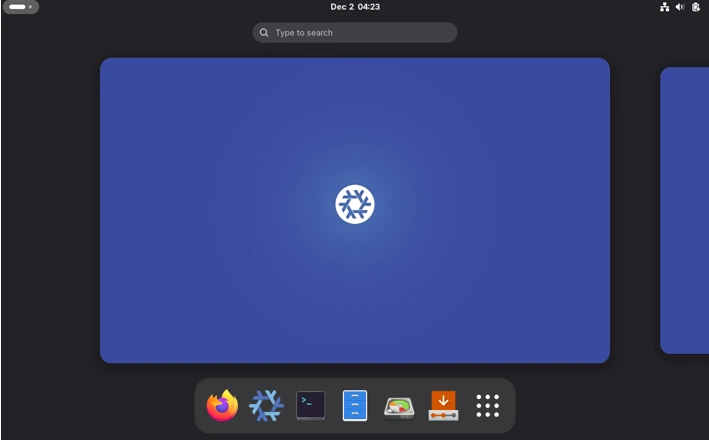
NixOS is a new Linux distribution that changes how operating systems are managed by adopting a purely functional configuration model. While not brand new, NixOS continues gaining momentum in 2026 as developers discover its unique advantages.
Configuration as Code
NixOS takes a completely different approach from traditional distributions. The entire system including the kernel, applications, system packages, and configuration files is built from a declarative language called Nix. This means you can define your entire system configuration in text files, version control it with Git, and reproduce identical setups across multiple machines.
Revolutionary Capabilities
- Atomic upgrades and rollbacks every configuration stored in unique directories
- Reproducible builds ensuring identical systems across machines
- Safe experimentation test new configurations without risk
- Developer paradise isolated development environments per project
- Unmatched stability configuration-based approach prevents drift
Perfect for: Developers, system administrators, DevOps professionals, and anyone managing multiple machines.
System Requirements: 2GB RAM minimum (compilation can be resource-intensive), 20GB storage
Linux Mint 22.2 “Zara”
While Linux Mint might not seem “new,” it remains one of the most polished distributions for Windows refugees. The upcoming Mint 22.2 release continues refining the user experience that has made Mint consistently popular.
Windows Users’ Best Friend
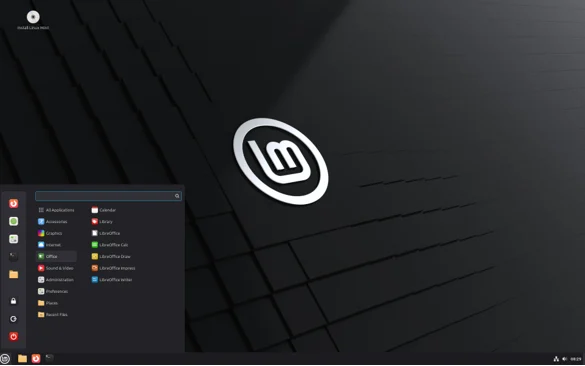
Linux Mint takes Ubuntu’s solid foundation and removes everything controversial, replacing Snap with traditional package management and adding the elegant Cinnamon desktop. The result feels immediately familiar to Windows users, with a traditional taskbar, start menu, and system tray.
Mint 22.2 brings incremental improvements to the Cinnamon desktop, better hardware support, and updated applications. It’s not revolutionary, but that’s precisely why people love it.
Why Mint Endures
- Familiar interface minimizing the learning curve for Windows migrants
- No Snap packages using traditional APT exclusively
- Timeshift backups built-in system snapshots for easy recovery
- Excellent multimedia support codecs included out-of-the-box
- Stability-focused using Ubuntu LTS as the base
Perfect for: Windows users switching to Linux, older hardware, and anyone wanting simplicity without sacrifice.
System Requirements: 2GB RAM minimum, 20GB storage
Fedora Asahi Remix
The Asahi Linux project enables Linux on Apple Silicon Macs, and Fedora Asahi Remix is a collaboration between Asahi Linux and the Fedora Project. If you own an M1, M2, or M3 Mac and want to run Linux natively, this is your best option in 2026.
Linux on Apple Silicon
The project is completely legal to distribute and use, as long as no code is taken from macOS to build the Linux support. The Asahi team has reverse-engineered Apple’s hardware, creating open-source drivers that run surprisingly well.
Fedora Asahi Remix aims to provide a fully integrated distro with all Asahi platform-specific packages in upstream Fedora and fully supported in Fedora Linux 42. Performance continues improving with each release, though some hardware features remain works in progress.
Current State
- Excellent CPU performance matching macOS in many benchmarks
- Working GPU acceleration with OpenGL support improving
- Functional Wi-Fi and Bluetooth through reverse-engineered drivers
- Active development new features added regularly
- Community-driven no official Apple support
Perfect for: Mac owners wanting to explore Linux, developers who prefer open-source, and Apple Silicon enthusiasts.
System Requirements: Apple Silicon Mac (M1/M2/M3), 8GB RAM recommended, 40GB free storage
Arch Linux – Still Rolling Strong
Arch Linux deserves mention among new Linux distros you should try in 2026 not because it’s new (it’s been around since 2002), but because it remains the ultimate choice for users wanting complete control. The rolling release model means you’re always running the latest software.

The DIY Distribution
Arch’s philosophy is simple: give users the tools and let them build exactly what they want. The base installation provides nothing but a command line, and you add only what you need. This results in lean, efficient systems tailored precisely to your requirements.
Arch is especially notable for its extensive wiki, which is considered the best documentation for Linux out of all the distros. Even users of other distributions regularly reference the Arch Wiki for solutions.
What Makes Arch Special
- Rolling release new software within days of release
- AUR (Arch User Repository) 80,000+ community-maintained packages
- Minimal bloat install only what you need
- Learning opportunity understanding Linux deeply through manual configuration
- Powerful pacman fast, straightforward package manager
Perfect for: Experienced users, tinkerers, and anyone wanting to understand Linux at a deeper level.
System Requirements: 512MB RAM minimum, 20GB storage
Choosing Your Distribution
With so many excellent options among new Linux distros you should try in 2026, how do you choose?
For Complete Beginners
Start with Linux Mint or Ubuntu 26.04 LTS. Both offer extensive documentation, large communities, and straightforward interfaces that won’t overwhelm newcomers.
For Windows Refugees
Linux Mint with Cinnamon desktop provides the most familiar experience. Zorin OS (updating to version 18 based on Ubuntu 24.04) offers excellent Windows compatibility and a polished interface.
For Developers
Fedora 42 provides cutting-edge tools without excessive instability. Pop!_OS 24.04 excels for machine learning and graphics work. NixOS suits those managing complex development environments.
For Maximum Stability
Debian 13 “Trixie” remains unmatched for servers and production systems. Ubuntu 26.04 LTS offers similar stability with better desktop polish.
For Latest Features
Fedora 42 strikes the best balance between new and stable. Arch Linux provides the absolute latest but requires more maintenance.
For Experimentation
Vanilla OS 2 “Orchid” lets you safely test configurations with easy rollbacks. KDE Linux (when stable) will showcase the future of KDE Plasma.
The Future of Linux in 2026
The Linux landscape in 2026 looks healthier than ever. The ecosystem is seeing deeper integration of AI tooling, stronger security postures, broader hardware reach, and a desktop experience that’s more inviting than ever before.
Immutable distributions are gaining mainstream acceptance, offering appliance-like reliability without sacrificing flexibility. Wayland has finally reached maturity, providing smooth, secure graphics across most hardware. Desktop environments have never been more polished, with both GNOME and KDE Plasma delivering professional-grade experiences.
Getting Started
Ready to try one of these distributions? Here’s how to begin safely:
- Download an ISO from the official website of your chosen distribution
- Create a live USB using tools like Balena Etcher or Rufan
- Test without installing boot the live USB and explore the desktop
- Backup your data before installing alongside existing systems
- Join the community forums and chat channels offer excellent support
Most distributions offer “live” modes that run entirely from USB without touching your hard drive. This lets you test-drive different options risk-free before committing.
Conclusion
The new Linux distros you should try in 2026 represent diverse approaches to the same goal: providing users with freedom, security, and powerful computing experiences. From Pop!_OS’s revolutionary COSMIC desktop to the tried-and-true reliability of Debian, from the cutting-edge innovation of NixOS to the beginner-friendly polish of Linux Mint, there’s truly something for everyone.
With millions of users migrating from Windows 10 following its end-of-life, Linux has never been more accessible, polished, or ready for mainstream adoption. Whether you’re a complete beginner or a seasoned professional, 2026 offers exciting new possibilities in the Linux world.
The beauty of Linux lies in choice. Download a few ISOs, create some live USBs, and spend a weekend exploring. You might discover that the perfect operating system for your needs has been waiting in the open-source world all along. Which distribution will you try first? The Linux community welcomes you with open arms and helpful documentation, ready to support your journey into open-source computing.
Disclaimer
The information provided in this article is based on publicly available data and official announcements as of December 2025. Linux distributions are continuously updated, and features, system requirements, or availability may change over time. Always visit the official website of your chosen distribution for the most current information before installation. While we strive for accuracy, we recommend backing up your data before making any system changes. The author and website are not responsible for any data loss or system issues that may occur during installation or use of these operating systems.
Frequently Asked Questions
Which Linux distribution is best for complete beginners in 2026?
Linux Mint and Ubuntu 26.04 LTS are the best choices for complete beginners, offering familiar Windows-like interfaces and excellent community support. Both come with user-friendly installers and don’t require command-line knowledge for daily use.
Can I try Linux without uninstalling Windows?
Yes, you can create a live USB drive to test Linux without installing anything, or set up a dual-boot system to keep both operating systems. You can also run Linux in a virtual machine using VirtualBox or VMware for risk-free experimentation.
What are immutable Linux distributions and why should I care?
Immutable distributions like Vanilla OS 2 and KDE Linux use a read-only core system that prevents accidental corruption and allows instant rollbacks if updates fail. This architecture provides appliance-like reliability without sacrificing flexibility, making them ideal for users who want stability without constant maintenance.
How much hard drive space do I need for Linux?
Most Linux distributions need 20-25GB minimum, but allocating 50-100GB is recommended for comfortable daily use with applications and files. Lightweight options like Debian can run on as little as 10GB if storage is limited.
Will my Windows software work on Linux?
Many Windows applications can run on Linux using Wine or Proton, while most productivity needs are covered by excellent native alternatives like LibreOffice and GIMP. For Windows-only professional software, you can run Windows in a virtual machine or use web-based versions of popular applications.
Also Read
Is Linux Mint Still the Best Beginner Distro in 2026?