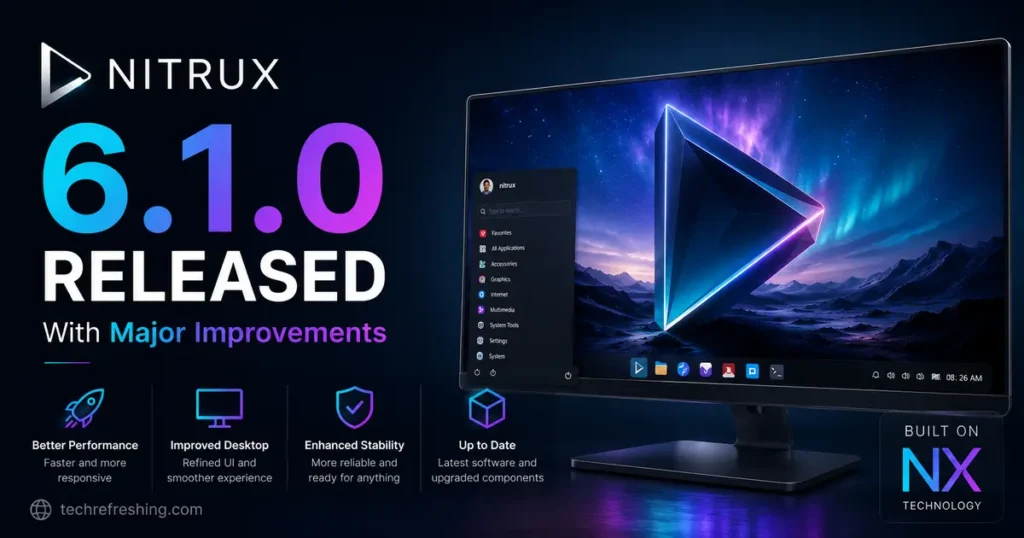
If you’ve been keeping an eye on the Linux desktop space, here’s some exciting news: Nitrux 6.1.0 Released With Major Improvements landed on May 20, 2026, and it’s a substantial update across pretty much every layer of the system. From the Linux kernel to individual application polish, this release reflects months of focused engineering work. Whether you’re a longtime Nitrux user or someone curious about what this unique distribution is doing differently, this post breaks it all down.
What Is Nitrux and Why Does This Release Matter?
Nitrux is a Debian-based Linux distribution built around the KDE Plasma desktop and its own MauiKit application framework. It’s known for being visually polished, opinionated in its design philosophy, and genuinely different from the usual Ubuntu-based crowd. The team behind it — Nitrux Latinoamericana S.C. — has a clear vision: the presentation layer should function as a direct extension of system architecture, not as decoration.
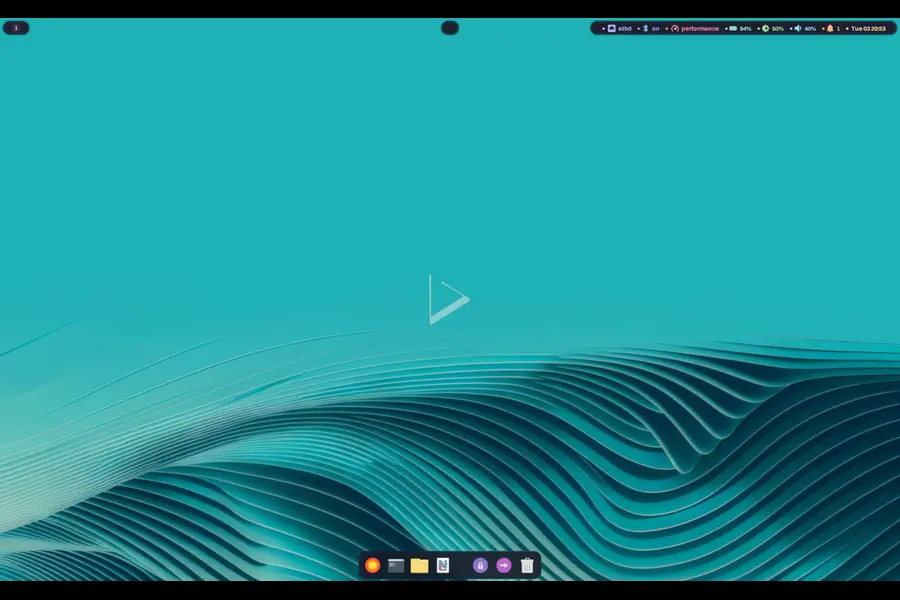
Version 6.1.0 follows that philosophy through and through. The changelog is one of the most detailed the team has published, covering core system updates, sweeping MauiKit framework improvements, app-by-app enhancements, new additions, and a handful of important bug fixes. Let’s dig in.
Core System Updates in Nitrux 6.1.0
Linux Kernel 7.0.8 With CachyOS Patches
The headline system update is the jump to Linux kernel 7.0.8 with CachyOS patches (maintained by ferreo). CachyOS patches are well-regarded in the enthusiast Linux community for their performance and scheduling improvements, and having them baked into the default kernel means users get better CPU utilization and responsiveness without any manual configuration.
Alongside the kernel update, four newly disclosed CVEs have been patched directly:
- CVE-2026-31431 (Copy Fail)
- CVE-2026-43284 (Dirty Frag)
- CVE-2026-43500 (Fragnesia)
- CVE-2026-46333 (ssh-keysign-pwn)
These security fixes are baked right in, so users are protected out of the box.
NVIDIA Open Kernel Module 595.71.05
For NVIDIA users, the Open Kernel Module has been updated to version 595.71.05. One important caveat: the 595 series only supports Turing and newer GPU architectures. If you’re on an older NVIDIA card (anything before RTX 20 series), this is worth double-checking before you upgrade.
The team has also forced NVIDIA to use software-based I²C (bit-banged I²C) instead of the GPU’s hardware I²C controller — a low-level fix that addresses stability issues some users encountered with hardware I²C on certain configurations.
Hyprland 0.55.1 and Lua Configuration Migration
Hyprland has been updated to version 0.55.1, and all included Hypr utilities are updated alongside it. Perhaps more significant than the version bump is the architectural change: the Hyprland configuration has been fully migrated from the old format to Lua. Same goes for the greetd Hyprland configuration used by QMLGreet.
Lua-based configs are more expressive, easier to maintain, and open the door to more dynamic system configurations down the road.
Qt 6.10.2, KDE Frameworks 6.23.0, and KDE Apps 26.04.1
The desktop stack has been refreshed with:
- Qt 6.10.2 — the latest in the Qt 6 series with performance and compatibility improvements
- KDE Frameworks 6.23.0 — the foundational libraries underpinning the Plasma and Maui ecosystems
- KDE Apps 26.04.1 — the latest KDE application suite
This is a comprehensive stack refresh that ensures Nitrux stays current with upstream KDE development.
Wofi Replaced by Vicinae
One of the more user-facing changes is the replacement of Wofi with Vicinae as the application launcher. Vicinae is described as a Raycast-inspired, focused launcher that uses QML for its UI. Compared to Wofi, it’s more feature-rich, more extensible, and doesn’t suffer from the Flatpak launcher display issues that Wofi had. If you’ve ever been frustrated by Flatpak apps not showing up correctly in your launcher, this change alone is worth celebrating.
MauiKit 4.0.3 — The Biggest Changes Are Here
The most voluminous part of the 6.1.0 changelog covers MauiKit, MauiKit Frameworks, and Maui Apps, all updated to version 4.0.3. This is where the real depth of this release lives.
MauiKit Core Improvements
The core MauiKit library received extensive polish:
- UI consistency fixes across TabView, ToastArea, popup footer actions, toolbar centering, CheckBox sizing, and SplitView behavior
- Browser and tab performance improvements with reduced cache pressure and safer tab-moving logic
- Stability hardening for QML/loader paths, including null-parent guards and safer delegate sizing
- MauiModel reliability — fixed a list reassignment crash, corrected dataChanged propagation, and improved proxy/sort refresh behavior
- Build modernization with conditional x86-64-v3 build flags for x86_64 hosts, meaning the libraries actively leverage modern CPU instruction sets on compatible hardware
That last point — the x86-64-v3 baseline — is something the Nitrux team explicitly calls out as a design decision. They want their software to use modern CPUs properly, not just run on them.
MauiKit Frameworks Deep Dive
Each of the MauiKit frameworks got targeted improvements:
MauiKit Archiver now has compressor capability discovery for zip/tar/7z formats, better archive creation dialogs, smarter default folder name suggestions during extraction (including stripping things like .tar.gz suffixes from destination names), and hardened file handling.
MauiKit Audio improved plugin loading robustness, reworked plugin cache persistence, and expanded FFmpeg decoder format coverage — now properly advertising FLAC, WAV, OGG, and OPUS support.
MauiKit Calendar fixed QML plugin packaging and registration issues that were causing runtime import failures, resolved major build/link issues, and cleaned out Akonadi-era remnants that had been lingering since a previous transition.
MauiKit Documents reworked the PreviewImageProvider to fix thumbnail generation failures and prevent scroll-time crashes. PDF viewer initialization edge cases have also been addressed.
MauiKit Filebrowsing got one of the most comprehensive updates: improved thumbnail reliability, smarter MIME-type-based gating for thumbnails, hardened file browser runtime behavior, better tag workflow consistency, refined search and trash UX, and reactive clipboard handling.
MauiKit Imagetools underwent a major editor overhaul with a more Photos-style editing workflow, redesigned color/filter controls, a cleaner transform/crop experience, and improved OCR behavior. OpenCV integration now includes DNN support where needed.
MauiKit Terminal saw significant rendering improvements to better match Konsole behavior, including glyph width, prompt symbol alignment, and block/fade character rendering. Font fallback handling for Nerd/Powerline glyphs is also improved.
MauiKit Texteditor was refactored to split TextEditor into dedicated CodeEditor and SimpleTextEditor components — a cleaner separation that should make both components easier to maintain and reuse going forward.
Maui Apps — App-by-App Breakdown
Each of the Maui applications received its own focused round of improvements in this release.
Buho (Notes App)
Buho has been reworked around a Markdown split-view editing flow. Notes now render Markdown in card previews, sorting and month-year filtering have been added for browsing, and security hardening has been applied across controller, database, provider, syncing, and local server code paths. The sync/accounts integration has been simplified and streamlined.
Clip (Video Player)
Clip has been standardized around libmpv only, removing alternate backend paths for a more consistent and reliable playback experience. The app shell and navigation have been reworked to align with Maui’s structure. Visual improvements include video thumbnails in list delegates and collage-style source card previews. A new keyboard shortcuts dialog has been added.
Fiery (Web Browser)
Fiery received the most extensive update of any individual app. Key highlights:
- Full password manager with system keyring encryption and smarter autofill
- Privacy and content-blocking upgrades including AMP link blocking, tracking parameter stripping, Global Privacy Control support, and anti-ad-block bypass improvements
- Downloads overhaul with persistence across restarts, desktop completion notifications, and XDG Downloads path resolution
- Tab improvements including tab sleeping, persistent closed tabs, split-view session persistence, and tab muting
- Widevine DRM integration for streaming services
- Wayland/XWayland popup workaround for better compatibility
This is shaping up to be a genuinely capable browser, not just a bundled default.
Index (File Manager)
Index received a broad UX refresh: cleaner sidebar and overview behavior, improved path bar with better breadcrumb discoverability, reworked action surfaces with file actions moved into menus, and an overhauled audio/video preview system. The embedded terminal settings have also been improved with persistent font selection and clearer color controls.
Nota (Text Editor)
Nota’s editor shell has been reworked with a cleaner toolbar and tab management flow. It now uses the code editor component for editor views. Split-view ergonomics have been improved, and the places sidebar gains context-menu support for faster navigation.
Pix (Photo Viewer/Gallery)
Pix underwent a major UI architecture refresh, moving to a more stable app shell with split tooling per view. The Viewer experience is significantly better with smoother zoom/delete navigation and reduced flicker. Gallery collection behavior has been improved with better search and sorting menus, and collection defaults now target XDG Pictures only.
Shelf (E-book/Document Reader)
Shelf gained PDF table-of-contents sidebar support, reading progress tracking, a “Continue Reading” feature, and library type filtering. PDF interaction has been polished with better zoom controls, smoother panning at high zoom, and fixed page-bleed artifacts.
Station (Terminal Emulator)
Station gained per-tab context menu actions for Move Left / Move Right, refined accent-strip visuals (including thinner strips for superuser tabs), and improved settings usability. Tab reordering has been stabilized with better index/title-icon sync.
VVave (Music Player)
VVave improved playback position updates in system media controls, unified album and tag browsing around shared TracksView behavior, fixed album query parsing for names containing /, and sanitized music source path handling end-to-end.
New Additions Worth Noting
dmemcg-booster
Nitrux now ships a fork of Valve’s dmemcg-booster daemon, adapted for OpenRC environments. This tool uses cgroups to boost memory allocation for the currently focused application — a technique used in SteamOS to improve game performance. It integrates with Hyprland’s IPC socket for focus detection, with a periodic refresh fallback if needed. Rule-based boosting with allow/deny filters gives users control over which apps get priority.
YubiKey and U2F Support
Two security-focused additions stand out: YubiKey two-factor authentication support for LUKS disk encryption, and PAM support for Universal 2nd Factor (U2F). For users who want hardware-backed security on their Nitrux systems, this is a significant step forward.
KDE Partition Manager
A full-featured disk and partition management utility is now included. Handy to have available without needing to pull it in manually.
RealtimeKit
RealtimeKit is a D-Bus system service that can elevate user processes to realtime scheduling (SCHED_RR) on request. Audio production users will recognize this as important for low-latency audio work.
Fatresize
A command-line tool for non-destructive resizing of FAT16/FAT32 partitions. Small but useful for anyone managing multi-boot setups or external drives.
Meslo Nerd Font
Meslo Nerd Font Mono and Meslo Nerd Font have been added with patched files for Powerlevel10k support — a welcome addition for terminal customization enthusiasts.
Bug Fixes and Removals
Several bugs were squashed in this release:
- Fixed a typo in the ISO naming script
- Fixed a Calamares misconfiguration that hid the auto-login toggle during installation
- Fixed app desktop launchers not correctly picking up MIME types
- Fixed a shell theme rendering issue when using Powerlevel10k in TTYs
- Fixed a PAM configuration that was replacing the wrong file
- Added missing udev rules for Steam hardware
On the removal side, XWayland Video Bridge has been dropped since KDE deprecated it, and KDE Flatpak KCM was removed due to functionality issues.
How to Get Nitrux 6.1.0
Two ISO variants are available for direct download from the official servers:
- cachy-nvopen ISO — for NVIDIA GPUs (uses the NVIDIA Open Kernel Module)
- cachy-mesa ISO — for AMD and Intel GPUs
Both are x86-64 only. For existing 6.0.0 users, an OTA update will be available through the Nitrux Update Tool System — no fresh install required.
ISOs are also mirrored on SourceForge. The team recommends verifying ISO integrity using their published GPG public key before installation.
Final Thoughts
The Nitrux 6.1.0 Released With Major Improvements announcement lives up to its name. This isn’t a point release with minor tweaks — it’s a substantive update that touches the kernel, the desktop stack, the application framework, and every bundled app. The focus on x86-64-v3 optimization, the Lua configuration migration, the dmemcg-booster addition for performance, and the depth of work in MauiKit 4.0.3 all point to a team that’s thinking carefully about where they want this distribution to go.
For users who value a cohesive, well-integrated Linux desktop that isn’t just another Ubuntu respin, Nitrux continues to be one of the most interesting projects in the space. Version 6.1.0 makes a strong case that the work being done here is serious, sustained, and worth paying attention to.
Disclaimer
The information provided on this blog is for general informational purposes only. While we strive to keep everything accurate and up to date, we make no guarantees about the completeness or reliability of any content published here. All product names, logos, and trademarks mentioned belong to their respective owners. We are not affiliated with, endorsed by, or officially connected to Nitrux or any other projects referenced in our posts. Any opinions expressed are solely our own. Always refer to the official sources for the most accurate and current information.