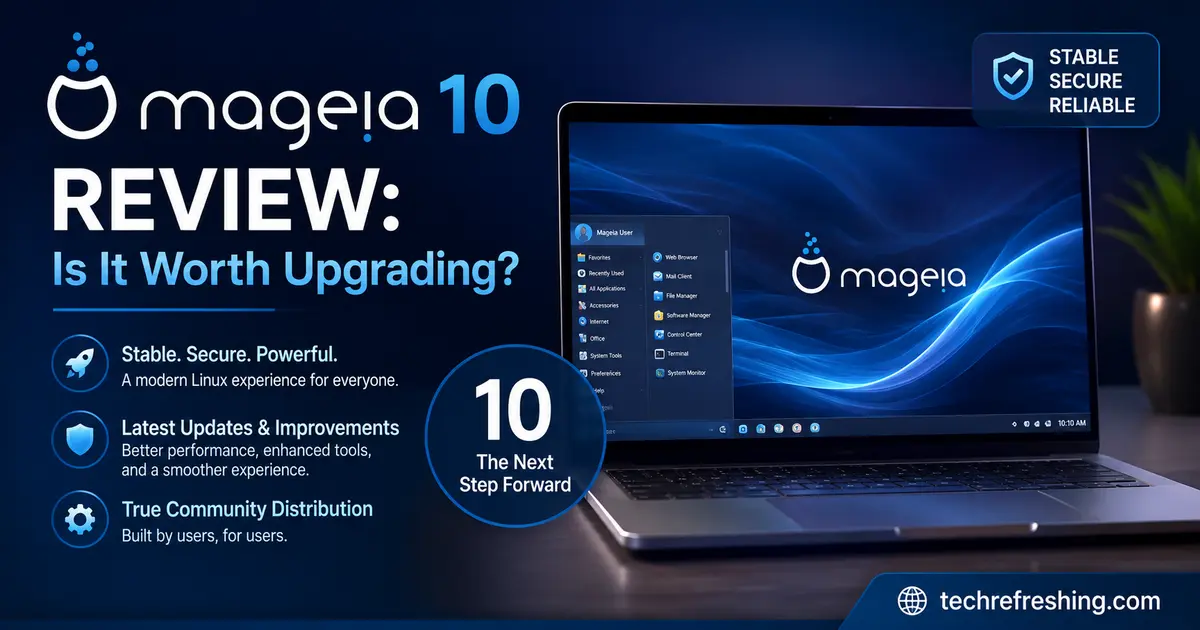
Mageia just dropped its tenth major release, and the Linux community has been watching closely. If you’ve been sitting on Mageia 9 wondering whether it’s time to move, this Mageia 10 review will give you everything you need to make that call. Spoiler: it’s a meaningful upgrade — but with a few caveats worth knowing before you reboot.
Mageia 10 launched on June 29, 2026, marking sixteen years since former Mandriva employees kept their beloved distro alive by spinning off a nonprofit. The Paris-based Mageia.Org association still runs the whole thing on donations and volunteer hours. That context matters, because shipping a release this ambitious — full Wayland default, Plasma 6, GNOME 49, a brand-new display manager — is genuinely impressive for a team this size.
Let’s break it all down.
What Is Mageia, and Who Is It For?
Before jumping into the new features, it’s worth grounding this for anyone new to the distribution.

Mageia is an RPM-based Linux distro with roots going back to Mandrake Linux in the late 1990s. It’s community-governed, ships no corporate agenda, and takes a “it just works” approach that makes it beginner-friendly without being dumbed down for experienced users. The Drakxtools suite and the Mageia Control Center are inherited from the Mandriva lineage and remain some of the most polished graphical system management tools on any Linux distro.
Mageia suits people who want:
- A stable, traditional desktop Linux without rolling-release chaos
- An RPM-based alternative to Fedora that moves a bit slower and steadier
- Strong out-of-the-box hardware support and a working graphical installer
- Multiple desktop environments on one ISO family
Mageia 10 at a Glance: Key Specs
| Component | Version |
|---|---|
| Linux Kernel | 6.18.26 (LTS) |
| KDE Plasma | 6.5.5 |
| Qt Framework | 6.10.0 |
| KDE Frameworks | 6.22.0 |
| GNOME | 49 |
| Xfce | 4.20 |
| MATE | 1.28 |
| Cinnamon | 6.6 |
| LXQt | 2.3 |
| Firefox | 140 ESR |
| LibreOffice | 26.2.3 |
| GCC | 15.2 |
| Python | 3.13 |
| Display Manager | SDDM (new default) |
| Default Session | Wayland |
What’s New in Mageia 10
Wayland Is Now the Default — Everywhere
This is the biggest shift in Mageia 10. Both KDE Plasma and GNOME now default to Wayland sessions out of the box. If you’re upgrading from Mageia 9, your login screen (now powered by SDDM) will show both X11 and Wayland options, so you’re not forced into anything without a safety net.
For KDE users who want to stick with X11, installing task-plasma-x11 or task-plasma-x11-minimal adds it back to the login menu. GNOME follows the same pattern.
The one notable exception: if you’re running NVIDIA’s proprietary drivers, you’ll likely be pushed back to X11 automatically until NVIDIA’s driver stack fully catches up with the Wayland compositor protocols. The open-source nouveau driver works on Wayland, but proprietary driver users should check the errata page before upgrading.
KDE Plasma 6.5.5 — A Modern Rebuild
Plasma 6.5.5 on Qt 6.10.0 and KDE Frameworks 6.22.0 is a genuinely different beast from the Plasma 5 that shipped with Mageia 9. The visual polish is tighter, performance on modern hardware is noticeably snappier, and the Wayland implementation has matured to the point where most users won’t feel the friction they did a year ago.
A few specific changes worth noting:
- SDDM replaces the old display manager as the default, with the new
sddm-theme-coffee-ngtheme sporting rounded borders, a centered clock, and a smaller frame footprint - plasma-systemmonitor replaces ksysguard, giving you a more modern and visually coherent resource monitor
- liquidshell is now packaged as a lightweight alternative to plasmashell — useful on older hardware that doesn’t have GPU acceleration
GNOME 49
GNOME 49 is the other headliner. It ships Wayland-first, continues the design language that GNOME has been refining since GNOME 40, and brings its own set of workflow improvements for people who prefer a more minimal, app-centric desktop. GNOME Classic and GNOME Flashback (GTK+ 3) remain available for those attached to the older layout.
The Lightweight Desktops Got Attention Too
This is something other reviews tend to gloss over. Mageia 10 isn’t just a Plasma/GNOME release:
- Xfce 4.20 — A solid refresh for one of the most reliable lightweight desktops in Linux
- LXQt 2.3 — Now has a proper Wayland task, letting you choose between kwin_wayland, labwc, niri, or hyprland as your compositor. It’s experimental in places, but the option is there.
- LXDE — Still included, though locked to PulseAudio for audio
- Cinnamon 6.6 and MATE 1.28 — Both updated and functional
Software Stack Changes You’ll Actually Notice
Firefox 140 ESR Replaces the Previous Browser Setup
Firefox 140 ESR is the new standard browser. It’s a solid, stable base with the extended support release cadence meaning you won’t get jarring UI changes mid-cycle.
Chromium Has Been Removed
This one will sting for some users. Chromium has been dropped from the main repositories entirely, with the Mageia team citing maintenance overhead as the reason. If you need it, your options are:
- Install the Flatpak version from Flathub
- Download the Google Chrome RPM directly from Google’s site
It’s not a deal-breaker, but it’s worth knowing ahead of time so you’re not hunting for Chromium after install.
MP3 Encoding Is Finally Free
The last relevant MP3 patents expired back in 2017, and Mageia 10 finally reflects that by including MP3 encoding in the core media stack without needing to touch the tainted repositories. H.264, HEVC, and AAC still live in tainted, but at least your audio workflows are now unencumbered.
LibreOffice 26.2.3
A modern, compatible build with document interoperability improvements. Nothing dramatic, but it’s current and reliable.
Developer and Power User Tools
If you use Mageia as a development workstation, the updated toolchain is genuinely good:
- GCC 15.2 — Latest stable compiler with C23 improvements
- LLVM 20.1 — For the Clang ecosystem
- GDB 16.3 — Updated debugger
- Glibc 2.42 — Core C library
- Python 3.13 (default) — Python 2 is finally retired
- PHP 8.4 and 8.5 — Both available in parallel for web developers
- Java 17 (default), with Java 8 and 11 still available for legacy projects
- Wine 11 — For running Windows applications and games
The kernel at 6.18.26 brings strong hardware compatibility for newer laptops and improved power management for desktops. Post-release updates are already pushing toward 6.18.30.
Gaming on Mageia 10
Gaming on Linux has improved dramatically across the board, and Mageia 10 keeps pace. Wine 11 handles a wide range of Windows titles, and the Mageia team did a notable packaging push for new game titles in this cycle — you can browse the Mageia App DB to see what’s been added.
For GPU support, Mesa 26.0 handles AMD, Intel, and nouveau (open-source NVIDIA) well. The Wayland improvements also benefit gaming in subtle ways — tearing reduction, better frame pacing on multi-monitor setups.
Steam users can install it via the standard Flatpak route or through available RPM packages.
Mageia 10 vs Mageia 9: Should You Upgrade?
| Feature | Mageia 9 | Mageia 10 |
|---|---|---|
| Default Session | X11 | Wayland |
| KDE Plasma | 5.27 | 6.5.5 |
| GNOME | 45 | 49 |
| Kernel | 6.4 LTS | 6.18 LTS |
| Firefox | 115 ESR | 140 ESR |
| Python | 3.11 | 3.13 |
| GCC | 13 | 15.2 |
| Wine | 8.x | 11 |
| LibreOffice | 7.6.x | 26.2.3 |
| Display Manager | GDM/SDDM | SDDM (unified) |
The gap between Mageia 9 (August 2023) and Mageia 10 is three years of Linux ecosystem development. That’s a significant leap — particularly the shift from Plasma 5 to Plasma 6 and the Wayland-first default. If you’re on Mageia 9, you’re already missing out on a meaningful generation of desktop performance improvements.
Pros and Cons of Mageia 10
What Works Well
- Wayland default done right — both X11 fallback and smooth session selection at login, not a forced migration
- Plasma 6.5.5 is fast and polished — the Qt 6 rebuild pays off in daily use
- Strong multi-desktop support — six desktop options in one distro family is rare
- Excellent graphical tools — the Mageia Control Center and Drakxtools remain best-in-class for system management
- 32-bit still supported — rare in 2026 and valuable for older hardware owners
- MP3 encoding out of the box — small but appreciated
- LXQt Wayland — forward-looking without abandoning lightweight users
- Good developer toolchain — GCC 15.2, Python 3.13, LLVM 20.1 are all current
Where It Falls Short
- NVIDIA proprietary users stuck on X11 — not Mageia’s fault, but still a friction point
- Chromium removed — some users will miss having it in the native repos
- Wayland on LXQt is experimental — compositor options work, but expect rough edges
- No Secure Boot support — has been requested by users and remains absent
- ARM support is still immature — the ARM port exists but lacks an ISO installer and has audio driver issues on some hardware
- AI bot mitigation — the project deployed a JavaScript anti-bot wall on its servers in June 2026, which has caused access friction for some users
Installation Experience
Mageia 10 is available as:
- Live DVDs: KDE Plasma, GNOME, Xfce, and LXQt editions
- Classical ISO: Traditional installer for 64-bit and 32-bit systems
The installer itself remains one of the friendlier ones in the RPM world. It includes the first-time setup wizard for keyboard layout, system language, and time zone — familiar to anyone who’s used Mageia before. DNF 4.23 and RPM 4.20.1 handle package management.
If you’re upgrading from Mageia 9, be aware that GPG key updates and crypto-policy migration need attention before the upgrade. The team has worked to smooth this out, but checking the official release notes and errata before you proceed is worth your time.
Who Should Upgrade to Mageia 10?
Upgrade without hesitation if you:
- Are on Mageia 9 and want current desktop software
- Use AMD or Intel graphics and are ready to run Wayland
- Care about a polished KDE Plasma 6 experience
- Want Python 3.13 and a modern GCC toolchain
Consider waiting or planning carefully if you:
- Rely on NVIDIA proprietary drivers (X11 fallback works, but Wayland benefits are limited)
- Depend on Chromium from native repos
- Run on ARM hardware and need a smooth installer
- Have production systems where stability is critical — let the first point release mature first
Final Verdict
This Mageia 10 review comes down to a simple truth: for a volunteer-run, donation-funded nonprofit, the Mageia team has shipped something genuinely impressive. A Wayland-default distribution with Plasma 6.5.5, GNOME 49, six desktop options, a modern kernel, and a current developer toolchain isn’t a small achievement — it’s a distro that can stand alongside much larger projects in terms of raw capability.
The rough edges are real — NVIDIA Wayland support, the loss of Chromium from native repos, experimental LXQt Wayland — but none of them are blockers for most users. The X11 fallback is handled gracefully, Flatpak fills the Chromium gap, and the core desktop experience is the best Mageia has shipped in years.
If you’ve been with Mageia through the long stretch since version 9, this upgrade is well worth the time. And if you’re exploring RPM-based Linux for the first time and want something that doesn’t feel like a corporate product with a roadmap dictated by quarterly earnings, Mageia 10 makes a strong case for itself.
Download the ISO from mageia.org/en/downloads and check the errata page before you install. The project earned the attention.
Disclaimer
This article is written for informational purposes only. While every effort has been made to ensure accuracy based on official Mageia 10 release data available as of June 29, 2026, software features, package versions, and system compatibility may change with future updates. Always refer to the official Mageia documentation and release notes before upgrading your system. We are not affiliated with the Mageia project or Mageia.Org association in any way.
📚 Continue Reading
Interested in Linux distributions and open-source operating systems? Explore these detailed guides from Tech Refreshing.
-
postmarketOS 26.06 vs 25.12: What’s Changed?
Compare new features, performance improvements, hardware support, and package updates in the latest postmarketOS release. -
The Untold Story Behind Kali Linux
Discover how Kali Linux evolved into the world’s leading penetration testing and cybersecurity distribution. -
RefreshOS 3 Review (2026)
A hands-on review covering installation, desktop experience, performance, software, and whether RefreshOS 3 is worth trying.