You’ve probably wondered whether your old laptop deserves a second life, or whether a free operating system could replace the one you pay for. That’s a risky experiment when your files and deadlines live on that machine.
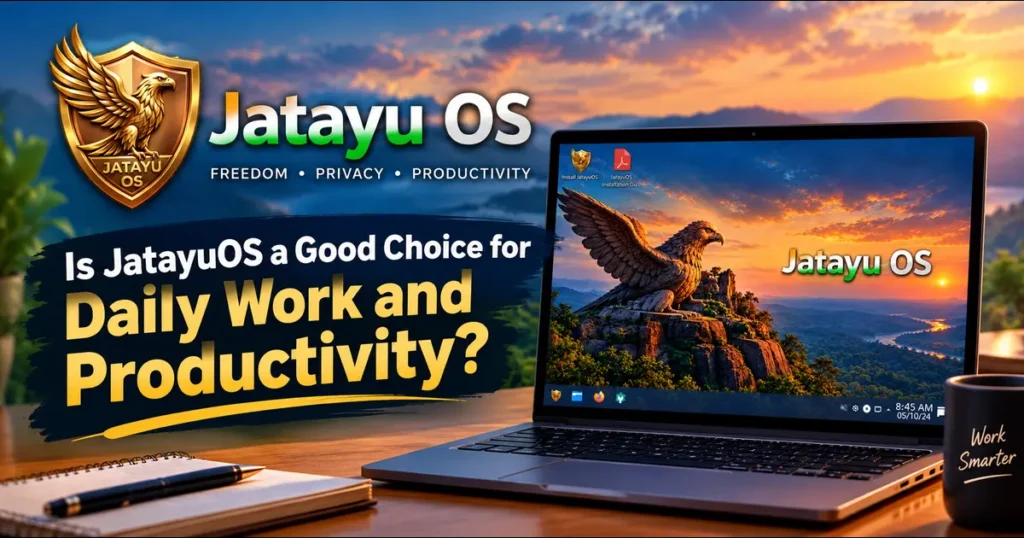
So let’s ask the real question: Is JatayuOS a Good Choice for Daily Work and Productivity?
JatayuOS 1.0 “Udaan” is a free Linux desktop made in India. It launched in October 2026 on a Debian 13 foundation with KDE Plasma and a set of bundled everyday tools. It’s new, and that cuts both ways.
Transparency note: I’m the founder and editor of TechRefreshing.com, and I develop and maintain JatayuOS. I’ve written this review with that conflict of interest in mind, so you’ll get the weaknesses along with the strengths. Release details come from the official JatayuOS website as of October 2026.
Key Takeaways
- Yes, for most office, study and creative-lite work. Documents, browsing, PDFs and images are well covered out of the box.
- Runs on modest hardware. The official minimum is 4 GB RAM, but 8 GB is recommended for real multitasking.
- Installs offline and can be tested from a live USB first.
- Not for everyone. Heavy Windows-only software users should test before switching.
- It’s a 1.0 release. Expect a small community and a developing track record.
JatayuOS 1.0 Udaan at a Glance
| Detail | Official information |
|---|---|
| Release | 1.0 “Udaan” (introduced 7 October 2026) |
| Base | Debian 13 “Trixie” |
| Desktop | KDE Plasma |
| Architecture | AMD64 / x86-64 only |
| ISO size | 2.37 GB (2.21 GiB) |
| Software management | APT + Flatpak |
| Installer | Offline installation, no internet needed |
| Minimum / recommended RAM | 4 GB / 8 GB or more |
| Minimum / recommended storage | 25 GB / 40 GB or more |
| Display | 1024 × 768 minimum, Full HD recommended |
| Cost | Free |
| Checksum verified | 13 October 2026 (SHA256 published) |
What Is JatayuOS?
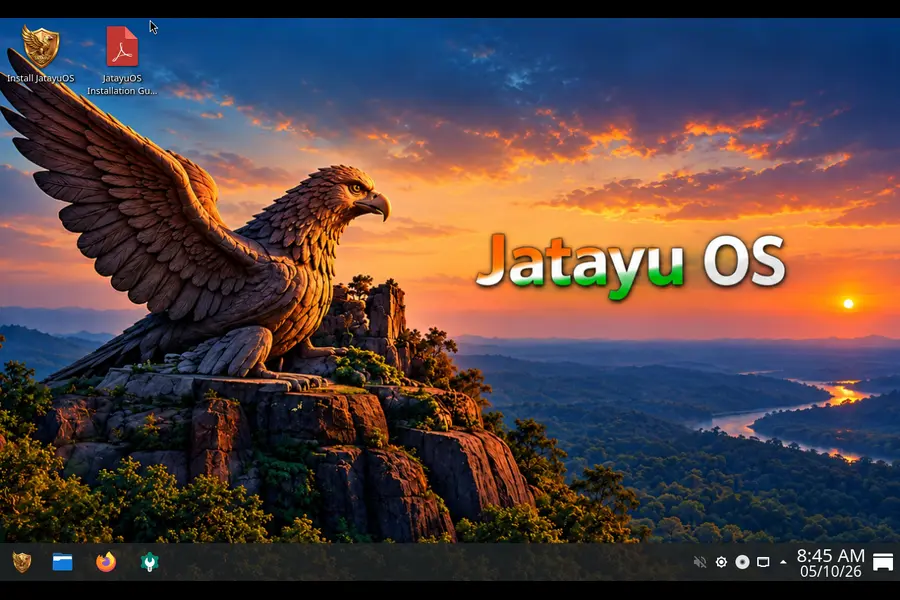
JatayuOS is an independent Linux distribution with a simple pitch: a familiar desktop, useful tools and no price tag. The tagline, “Udaan Aapki. Shakti Bharat Ki.”, roughly means “The flight is yours. The strength is India’s.”
It’s built for Indian users but isn’t locked to India. The website and documentation come in English and Hindi, and the tools reflect everyday Indian needs, like finding government portals or checking festival dates.
One clarification the project makes itself: JatayuOS is not affiliated with, funded by or endorsed by the Government of India.
Why the Debian 13 Base Helps Productivity
A work computer should be boring in the best way. That’s Debian’s reputation.
Debian 13 “Trixie” was released on 9 August 2025. It ships the Linux 6.12 LTS kernel and offers KDE Plasma 6.3 as a desktop option. Its repository grew past 69,000 packages. Regular support runs until August 2028, followed by long-term support into 2030.
What does that mean for your workday?
- Calm updates. Fixes arrive without rearranging your desktop.
- Deep software pool. Almost any tool you need is a single APT command or click away.
- Searchable help. Most Linux guides apply to Debian-based systems.
- A clear upgrade horizon. Debian publishes support dates years ahead.
It also explains one JatayuOS limit. Debian 13 dropped 32-bit i386 as a main platform, so JatayuOS ships for 64-bit PCs only. Very old 32-bit hardware is out.
Tip: your exact kernel and Plasma versions may differ from Debian’s defaults. Check the “About JatayuOS” app on your installed system.
KDE Plasma for Work
JatayuOS uses KDE Plasma, which suits people who like adjusting their workspace. The official description is modest: a familiar panel, application menu and flexible settings.
For productivity, these Plasma strengths matter:
- Virtual desktops keep email, writing and research separate.
- Window snapping puts two documents side by side.
- Customisable panels and shortcuts let you speed up repeated actions without scripting.
If you’re switching from Windows, the bottom panel and menu will feel recognisable within minutes.
Jatayu Tools Explained
Plain Debian with KDE gives you a good system. The Jatayu Tools are what make JatayuOS its own thing.
Creative Studio: Image and PDF Work
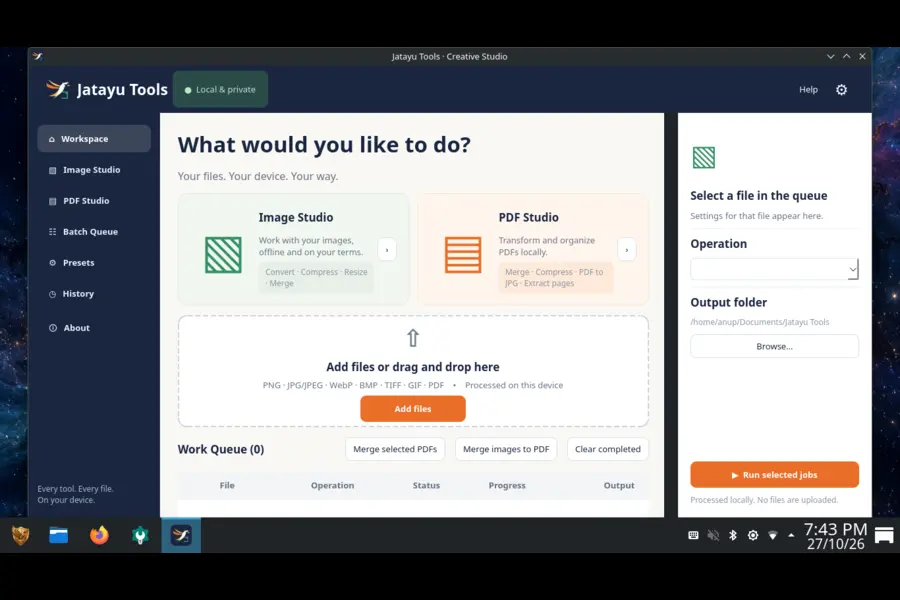
This is the standout for office users. It splits into Image Studio and PDF Studio, with a file queue, operation settings and an output folder.
- Image tasks: convert, compress, resize, merge.
- PDF tasks: merge, compress, convert to JPG, extract pages.
- Workflow helpers: Batch Queue, Presets, History.
Anyone who has fought a portal’s 200 KB upload limit will see the value. The interface describes on-device processing, so ordinary file tasks don’t need to go through an online converter. Some components may need setup, and you should keep your originals until you’ve checked the results.
Sarkar Setu
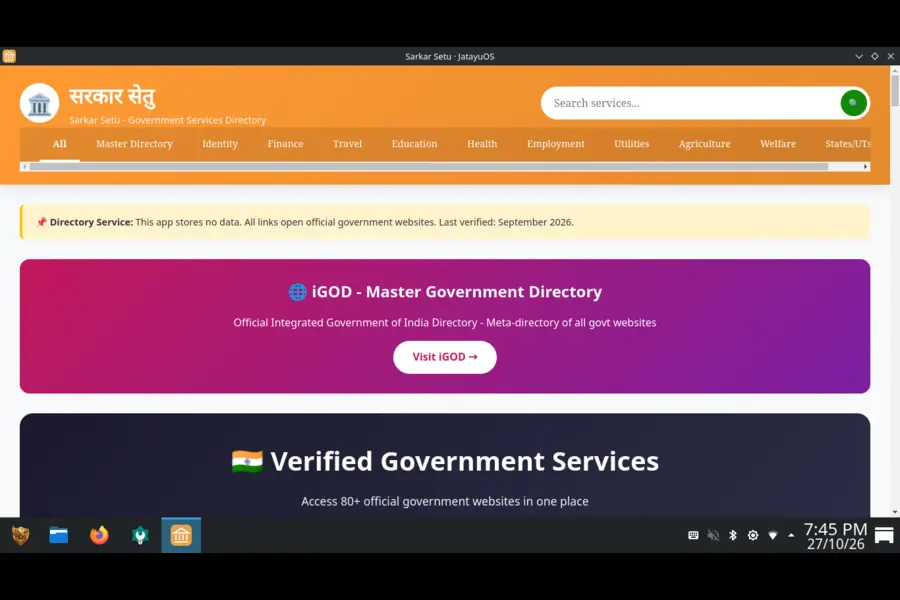
A searchable directory of public-service websites, grouped into categories such as identity, finance, travel and education. It sends you to the official portal. It doesn’t submit applications for you, and listing a site doesn’t mean government endorsement.
Kavach
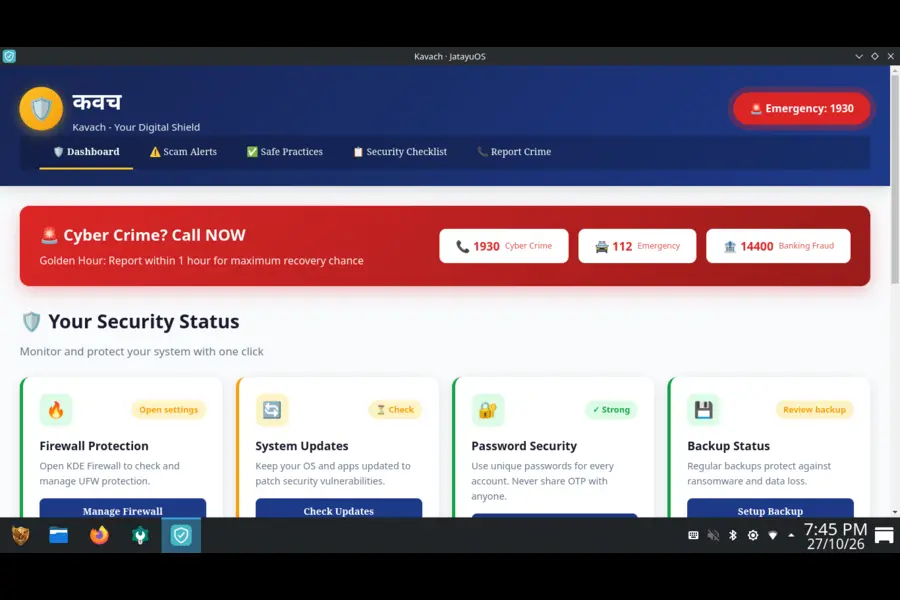
A security and scam-awareness dashboard with safe-practice tips, a checklist and shortcuts toward update settings. The project says clearly that it isn’t a security audit or a guarantee of protection. Think of it as a guide, not an antivirus.
Aarambh, Utsav and Wallpaper Changer
- Aarambh: the welcome app, linking to the installation guide, user manual, FAQ, Files, Firefox, Software Center and System Settings.
- Utsav: Indian festivals, a calendar and Panchang information. Verify regional timings with a trusted local source.
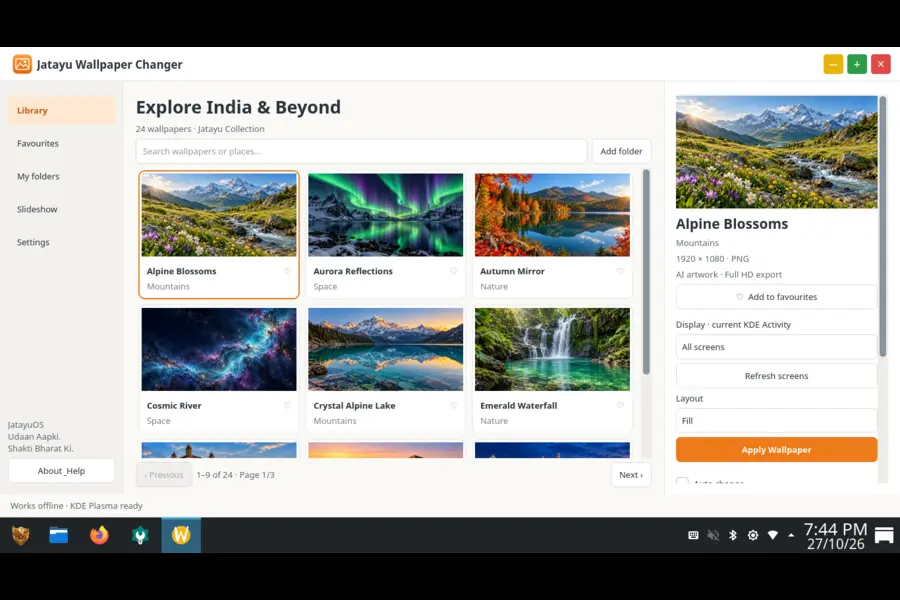
- Wallpaper Changer: preview, favourites and slideshow controls.
Jatayu Media Player (Separate Download)
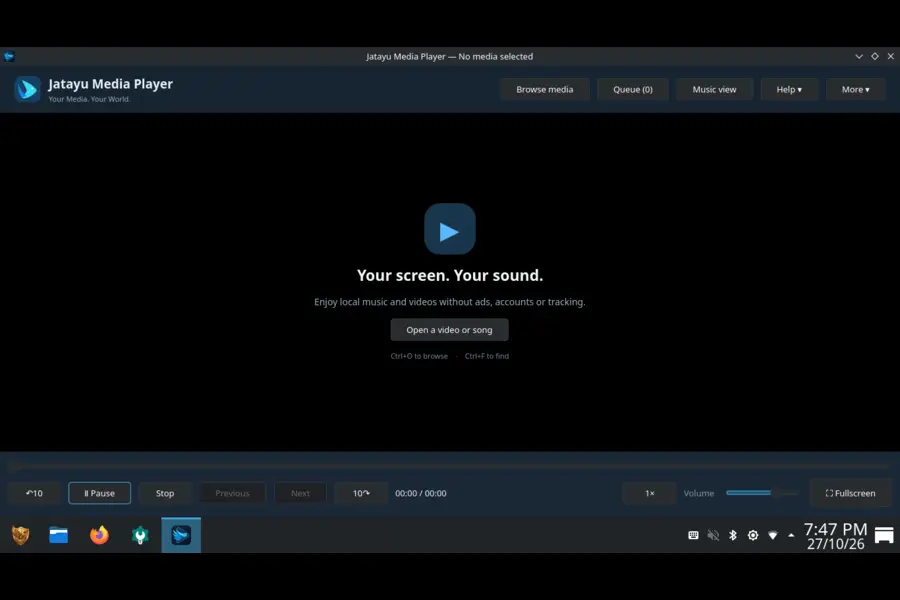
A privacy-focused music and video player by the same developer. It is not included in the ISO. Version 1.0.0 is available for Debian-compatible amd64 systems and as a Flatpak, with no built-in telemetry, advertising or mandatory accounts.
Image suggestion: Creative Studio screenshot. Alt text: “Jatayu Tools Creative Studio showing Image Studio and PDF Studio on JatayuOS”.
Everyday Software and App Support
The core software list is practical:
- Firefox ESR for browsing (stability-focused extended support release)
- LibreOffice for documents, spreadsheets and presentations
- Dolphin for file management
- Discover (Software Center) for adding apps
APT and Flatpak
APT handles Debian packages and system updates. Flatpak gives you a second route to desktop apps, handy when you want a newer version than Debian’s repositories carry. Between them, most note-taking, screen-recording, coding and design tools are reachable.
Android Apps via Waydroid
Waydroid packages are included, but Android images, initialisation and online setup are separate steps. Compatibility depends on your hardware, graphics and the specific app, so treat it as an extra to test rather than a promise.
Installation and Hardware Requirements
JatayuOS uses a graphical installer (Calamares) and supports installation without an internet connection. A live USB session lets you test Wi-Fi, sound, display and other hardware before touching your disk. The live login is jatayuos with the password live.
| Component | Minimum | Recommended |
|---|---|---|
| Processor | 64-bit Intel / AMD (x86-64) | Modern 64-bit Intel / AMD |
| Memory | 4 GB RAM | 8 GB or more |
| Free storage | 25 GB | 40 GB or more |
| Display | 1024 × 768 | Full HD (1920 × 1080) |
Verify your download. Compare your ISO’s SHA256 with the one published on the official download page:
sha256sum JatayuOS-1.0-Udaan-amd64.isoOn Windows PowerShell:
Get-FileHash .\JatayuOS-1.0-Udaan-amd64.iso -Algorithm SHA256Back up important files before changing partitions. The project recommends it, and so do I.
How It Fits Real Workdays
Students and teachers. LibreOffice handles assignments and slides. Creative Studio shrinks scanned notes for portals with size limits. Sarkar Setu speeds up scholarship and exam-form searches. Older college laptops that meet the 4 GB floor are candidates.
Freelancers and creators. Batch image resizing saves repetitive clicking. Flatpak opens a route to creative apps, and virtual desktops keep clients’ projects apart.
Office and admin staff. Documents, spreadsheets, PDFs and browser-based tools all work in a stable setup. If your workplace depends on Windows-only software, test compatibility first.
Developers. The Debian base means familiar packages and tooling, with a friendly desktop on top.
Small-business owners. Invoices as PDFs, government portals and a quiet system that doesn’t demand babysitting are the draws. Keep regular backups anyway.
JatayuOS vs Alternatives
| Feature | JatayuOS 1.0 | Linux Mint 22 | Ubuntu 24.04 LTS | Windows 11 |
|---|---|---|---|---|
| Cost | Free | Free | Free | Paid licence (often bundled with a PC) |
| Base | Debian 13 | Ubuntu 24.04 | Own release line (Debian-derived) | Proprietary |
| Default desktop | KDE Plasma | Cinnamon | GNOME | Windows shell |
| Minimum RAM | 4 GB | 2 GB (4 GB recommended) | 4 GB | 4 GB |
| Minimum storage | 25 GB | 20 GB (100 GB recommended) | 25 GB | 64 GB |
| Offline install | Yes | Yes | Yes | Often needs account/connection |
| Bundled local utilities | Image/PDF tools, Indian service links, festival app | Mint tools | Standard GNOME apps | Microsoft apps |
| Community size | Small, new | Large | Very large | Very large |
| Backing | Independent developer | Community team | Canonical | Microsoft |
| Maturity | New (1.0, Oct 2026) | Established; supported until 2029 | Established LTS | Established, vendor-supported |
What the table tells you:
- Mint and Ubuntu win on community size and years of proven use.
- Windows 11 still leads on commercial software and vendor hardware support.
- JatayuOS offers a Debian base, a Plasma desktop out of the box and bundled tools aimed at Indian everyday tasks.
Is It the Best Debian Distro?
People searching for the best Debian distro usually want three things: Debian’s stability, a polished desktop and sensible defaults. Here’s how JatayuOS scores honestly.
In its favour:
- Genuine Debian 13 foundation
- Plasma configured and ready
- Useful bundled apps beyond a plain install
- Offline installer, live session and published checksum
- Open source code on GitHub and archived release sources
Against a “best” label, for now:
- It’s a first release with no long track record
- Community help is limited compared with Debian itself or older derivatives
- A single maintainer sets the update pace
My view: it’s a strong newcomer worth shortlisting, not yet a proven veteran. If you want the longest-tested Debian experience, vanilla Debian remains the reference. If you want a ready-to-use Plasma desktop with extras, JatayuOS deserves a trial.
Pros and Cons
Pros
- Free, with source code and credits published
- Modest 4 GB RAM entry point
- Debian’s steady update style
- Image and PDF tools that fix real daily annoyances
- APT plus Flatpak for software variety
- Live session lowers the risk of trying
- English and Hindi documentation
Cons
- Very new release with limited real-world history
- Small community and fewer dedicated tutorials
- 64-bit x86 only, with no ARM build listed
- Windows-only professional software won’t run natively
- Android app support needs manual setup and isn’t universal
- Depends on a single maintainer for long-term upkeep
- Kavach is guidance, not complete security protection
Who Should Switch
A good match if you:
- Mostly use a browser, documents, PDFs and images
- Want a free, low-maintenance desktop
- Enjoy customising a KDE workspace
- Are happy to try a young project and report issues
Think twice if you:
- Depend daily on software with no Linux version
- Need enterprise support contracts
- Use hardware with poor Linux driver support
- Own a machine under 4 GB RAM or a 32-bit processor
First-Week Plan
- Test the live session. Check Wi-Fi, audio, display, webcam and printer.
- Back up your files to external storage.
- Install, keeping your old system available if you can.
- Open Aarambh to find the manual and key apps.
- Update the system through the Software Center.
- Build your layout: virtual desktops, panel position, shortcuts.
- Practise on copies in Creative Studio before trusting originals.
- Add missing apps with APT or Flatpak.
Final Verdict
So, Is JatayuOS a Good Choice for Daily Work and Productivity? For the right user, yes.
You get a stable Debian 13 base, a flexible KDE Plasma desktop, offline installation, familiar office software and a few bundled tools that solve everyday problems. The hardware bar is low and the price is zero.
The caveats are equally real. It’s a 1.0 release from an independent developer, the community is young, and some setups, like Android apps, need patience. Anyone tied to specialised Windows software should test carefully first.
The easiest way to decide is to try it. Download the ISO from the official JatayuOS website, verify the checksum, boot the live session and spend an afternoon with your normal tools. If they run smoothly, you’ve found a capable, free and distinctly Indian desktop.
Frequently Asked Questions
Is JatayuOS free to download and use?
Yes, JatayuOS 1.0 Udaan is free for everyone, with no purchase required.
What is JatayuOS based on?
It is built on Debian 13 “Trixie” and uses the KDE Plasma desktop.
What are the minimum system requirements for JatayuOS?
You need a 64-bit Intel or AMD processor, 4 GB RAM, 25 GB of free storage and a 1024 × 768 display, with 8 GB RAM and 40 GB storage recommended.
Does JatayuOS need internet to install?
No, it installs offline from the ISO, though updates and extra software downloads need a connection.
Can I try JatayuOS without installing it?
Yes, the live USB session lets you test your hardware before installing.
Does JatayuOS include an office suite?
Yes, LibreOffice is included, along with Firefox ESR for browsing.
Which software stores does JatayuOS support?
It supports APT for Debian packages and Flatpak for additional desktop apps.
Is JatayuOS the best Debian distro?
It is a promising Debian 13 based option with a ready-to-use KDE desktop, but as a new 1.0 release it has a shorter track record than long-established distributions.
Can JatayuOS run Android apps?
Waydroid packages are included, but Android setup is separate and compatibility varies by hardware and app.
Is JatayuOS backed by the Government of India?
No, it is an independent project and is not affiliated with, funded by or endorsed by the Government of India.
Disclaimer: This article is for informational purposes only. JatayuOS specifications are based on the official JatayuOS website as of October 2026 and may change in later releases, so check jatayuos.in for current details. Competitor information reflects publicly available requirements at the time of writing. JatayuOS is developed by the founder of TechRefreshing.com. Performance and compatibility vary by hardware and use case. Back up your data before installing any operating system or changing disk partitions. TechRefreshing.com is not responsible for data loss or issues arising from the use of this information.