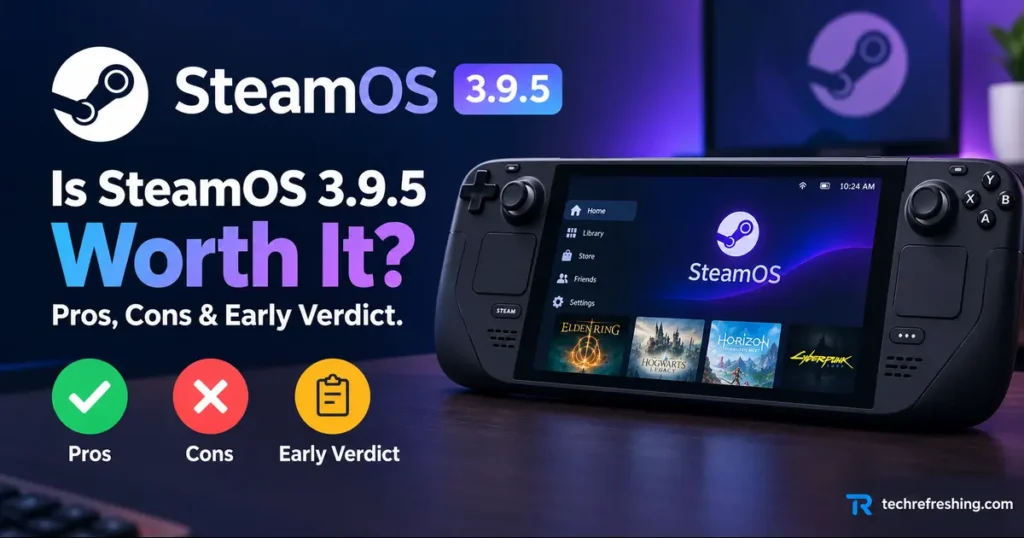
Valve released SteamOS 3.9.5 to all users on October 23, 2026. It’s the first stable build of the 3.9 branch, so it bundles every change since the old 3.8 line: a new kernel, a much newer desktop, a different Wi-Fi backend and a long list of hardware fixes.
That’s a lot to absorb in one update. So Is SteamOS 3.9.5 Worth It, or should you wait for the first round of community feedback? This guide breaks down what changed, who benefits most, what could cause trouble, and how to update without losing sleep.
Key Takeaways
- Verdict: Worth installing for most Steam Deck, Steam Machine, Legion Go 2 and ASUS handheld owners.
- Biggest wins: Better Wi-Fi behavior, lower Steam Deck idle power draw, and many device-specific fixes.
- Biggest catch: Hibernation is groundwork only. It isn’t in Game Mode and isn’t enabled on Steam Deck.
- Biggest risk: Kernel, desktop and Wi-Fi backend all changed at once, so back up first.
How This Review Was Put Together
I built this article from Valve’s official 3.9.5 release notes on the Steam Deck news page, the earlier 3.9.3 and 3.9.4 beta notes, and early press and community coverage. I haven’t run lab benchmarks, and I won’t invent battery or FPS numbers that Valve hasn’t published.
Where Valve’s wording is vague or changed between builds, I say so. Where something is an inference, it’s labeled as one.
What Is SteamOS 3.9.5?
SteamOS 3.9.5 is the stable release of the 3.9 branch. Valve’s own notes say they cover all changes since the previous SteamOS 3.8 stable release, with a separate page for people coming from the 3.9.4 beta.
The path to stable was gradual. A Preview build came first, followed by 3.9.3 and 3.9.4 betas in October. The 3.9.4 beta alone fixed two regressions: apps running behind Steam’s loading screen, and screenshots captured at 720p even on higher-resolution displays. That staging is a good sign, because it means problems were being found and fixed before the stable push.
You can read the full changelog on the official Steam Deck news page.
What’s New in SteamOS 3.9.5
Linux Kernel 7.2
The kernel is rebased on Linux 7.2, replacing the 6.16 line used by the previous stable branch. A newer kernel mostly shows up as fewer driver headaches and better support for new chips.
Earlier preview coverage linked this kernel to HDMI 2.1 FRL support, which can allow 4K at 120 Hz over HDMI on AMD GPUs. That matters mainly to Steam Machine owners with capable TVs. Valve’s final 3.9.5 notes don’t list it as a headline item, so test it on your own setup before counting on it.
Plasma 6.7.3 in Desktop Mode
Desktop Mode jumps from Plasma 6.4.3 to Plasma 6.7.3, skipping over the 6.5 and 6.6 releases. Valve links to all three KDE announcements, and the KDE Plasma 6.7 release notes are the best place to see what changed.
If you stay in Game Mode, you’ll hardly notice. If you use Desktop Mode for emulation, file management or modding, expect some menus and settings to look different.
A New Default Wi-Fi Backend
Valve switched the default Wi-Fi backend to wpa_supplicant, saying it improves compatibility with a wider range of networks. It also taught wpa_supplicant to reconnect quickly after waking from sleep, a feature that was previously exclusive to the iwd backend.
One wording change deserves attention. The 3.9.4 beta notes said existing installations would keep using iwd unless you enabled the new backend in Developer Settings. The 3.9.5 stable notes drop that caveat. After updating, it’s worth checking Developer Settings to see which backend your device is actually using.
Preliminary Hibernation Support
Valve improved kernel hibernation by allowing hibernate requests to be interrupted and by fixing several driver issues. But the feature isn’t exposed in the Game Mode UI, and it isn’t enabled on Steam Deck because of an outstanding driver bug. The 3.9.4 notes went further and said hibernation was temporarily disabled on Deck.
Treat this as groundwork for a future release, not something to plan around today.
Developer and Under-the-Hood Changes
- Scripts and packages renamed from
steamos-toholo-, with aliases kept for the old names where appropriate - Improved support for running SteamOS as a VM guest with accelerated graphics (virtio-gpu and Venus)
- Android binder IPC support reintroduced
- Updated bootloader for compatibility with more motherboards
- Updated renderdoc version
- Fixed Desktop Mode RDP logins with system users, and the lockscreen can now be explicitly enabled (still off by default)
SteamOS 3.8 vs SteamOS 3.9.5: Comparison Table
| Area | SteamOS 3.8 (previous stable) | SteamOS 3.9.5 (stable, Oct 23, 2026) | Why it matters |
|---|---|---|---|
| Linux kernel | 6.16 line | Rebased on 7.2 | Newer drivers and hardware support |
| Desktop Mode | Plasma 6.4.3 | Plasma 6.7.3 | Refreshed desktop, changed menus |
| Default Wi-Fi backend | iwd | wpa_supplicant, with fast resume reconnect | Wider network compatibility |
| Hibernation | Not available | Kernel groundwork only, not in Game Mode, not enabled on Deck | Don’t expect a hibernate button yet |
| Package naming | steamos- prefix | holo- prefix, old names aliased | Custom scripts may need a check |
| VM guest graphics | Not listed in 3.9 changes | Accelerated via virtio-gpu and Venus | Useful for developers and testers |
| Android binder IPC | Not included | Reintroduced | Niche, but relevant for advanced setups |
| Steam Deck idle power | Previous behavior | Improved when no audio is playing | Likely helps standby-style use |
| Panther Lake Intel CPUs | Some games failed to run | Fixed for titles like ELDEN RING and DARK SOULS III | Direct fix for affected devices |
What Each Device Gets
| Device | Notable changes in 3.9.5 |
|---|---|
| Steam Deck | Lower idle power draw with no audio playing; hidden Wi-Fi networks connect first try; fewer audio clicks on 3.5mm output with sensitive earphones (from 3.9.4) |
| Steam Machine | Remote Play works when booted with no display; firmware updates apply reliably; post-suspend performance fix for STAR WARS: Galactic Racer; frame limiter no longer wrongly affects VR streaming to Steam Frame |
| Steam Frame | Improved support for the Steam Frame wireless adapter |
| Legion Go 2 | Fix for a crash launching Forza Horizon 6; preliminary brightness control |
| ASUS handhelds | Workaround for excessive fan speed after waking from sleep |
| Intel Panther Lake devices | Fixes for games failing to launch and for boot screen corruption on PTL+ |
| RDNA1 and RDNA2 dedicated GPU systems | Suspend/resume fixes |
Fixes That Matter in Daily Use
Not every line in a changelog deserves your attention. These are the ones that touch everyday behavior.
- Hidden Wi-Fi networks no longer fail on the first connection attempt.
- Frame limiter fixes: the “Disable Frame Limiter” toggle works again with VRR enabled, and limits no longer cause lower-than-intended FPS on certain external displays.
- Game Mode input: accidentally dragging a launcher window no longer causes loss of input.
- Audio on hotplug: certain monitors in multi-monitor setups no longer cause audio issues.
- Timezone bug: changing the timezone could previously block switching to Desktop Mode until a reboot. That’s fixed.
- Security: compromised eMudhra CA certificates are revoked, and the 3.9.4 build revoked certificates for certain CAs with insecure private keys.
Press coverage of the release highlights the same theme. Technobezz’s summary leads with the Steam Deck idle power improvement and the display, wireless and game compatibility fixes. Valve hasn’t published measured battery gains, so how much it helps will depend on how you play.
Pros of SteamOS 3.9.5
- A real platform refresh. A new kernel and a three-version Plasma jump in one stable release gives future features a healthier base.
- Better network behavior. The Wi-Fi backend change and fast reconnect after sleep target a long-running annoyance for handheld users.
- Strong non-Valve hardware support. The Legion Go 2 crash fix, ASUS fan workaround and Panther Lake game fixes show Valve is looking beyond its own devices.
- Steam Machine maturity. Remote Play without a display and reliable firmware updates are the kind of fixes a newer product needs.
- Quiet battery win. Lower idle power draw on Steam Deck is welcome even without published numbers.
- Tested before release. Preview and multiple beta builds caught regressions before they reached everyone.
- Routine security cleanup. Certificate revocations are unglamorous but important.
Cons of SteamOS 3.9.5
- Hibernation is a tease. The headline feature isn’t usable on Steam Deck and isn’t in Game Mode yet.
- Many layers changed together. Kernel, desktop and Wi-Fi backend moving at once raises the odds of an edge-case bug on your specific setup.
- Desktop Mode will feel different. Jumping from Plasma 6.4.3 to 6.7.3 resets some muscle memory.
- Script maintenance. The
holo-rename comes with aliases, but custom scripts are worth testing after the update. - Unclear Wi-Fi status on existing installs. Valve’s notes changed wording between 3.9.4 and 3.9.5, so you may need to verify manually.
- Community add-ons need a check. Third-party tools usually list which SteamOS versions they were tested on, so confirm yours supports 3.9 before updating.
- Brand new stable. Two days in the field isn’t the same as months of proven reliability.
Who Should Update Right Away?
Update now if you:
- Own a Steam Machine and want the Remote Play, firmware and suspend fixes
- Use a Legion Go 2 or an ASUS handheld and have hit crashes, brightness or fan problems
- Have an Intel Panther Lake device where games wouldn’t launch
- Struggle with flaky Wi-Fi, especially hidden networks or reconnecting after sleep
- Run an RDNA1 or RDNA2 dedicated GPU and suffer suspend/resume bugs
Wait a week or two if you:
- Use a Steam Deck as your only gaming device and it works fine today
- Rely on custom scripts, plugins or community installers
- Have a carefully tuned Desktop Mode workflow for emulators or mods
- Are about to travel and can’t afford troubleshooting time
Stay on Beta or Preview only if you want to test upcoming builds and report bugs to Valve’s GitHub issue tracker.
How to Update Safely
A major update goes smoother with a little preparation.
- Back up saves and your home partition. Steam Cloud covers many saves, but not all non-Steam games and emulator data.
- Write down your custom tweaks. Note Desktop Mode changes, scripts and any Developer Settings you’ve modified.
- Plug in the charger. An interrupted install is the worst case.
- Confirm your channel. Go to Settings > System > System Update Channel and pick Stable unless you intend to test.
- Run a quick test routine afterward:
- Put the device to sleep, wake it, and confirm Wi-Fi reconnects
- Connect to an external display and check resolution and refresh rate
- Test audio on speakers and the 3.5mm jack
- Boot into Desktop Mode and open your usual tools
- Check Developer Settings for the active Wi-Fi backend
If something breaks, note exactly what you did, your device model and your channel before reporting it. That makes your report far more useful to Valve and to other users.
How Does It Compare to Bazzite and Windows?
SteamOS, Bazzite and Windows serve different priorities, and 3.9.5 doesn’t change that.
SteamOS keeps its core appeal: a console-style Game Mode, deep Steam integration and official support from Valve. Windows offers the widest app and launcher compatibility. Bazzite is popular with people who want a SteamOS-like experience on a broader range of hardware.
On raw performance, I won’t pick a winner. One October 24 comparison, Tech Insider’s SteamOS vs Bazzite vs Windows analysis, reported finding no verified cross-OS benchmark or compatibility matrix from Valve, Universal Blue or Microsoft for the newest handhelds. Until independent testing appears, any “X is faster than Y” claim about 3.9.5 is speculation.
Early Verdict
The strength of 3.9.5 isn’t one flashy feature. It’s the pile of practical fixes sitting on a long-overdue modernization. The weakest part is hibernation, which sounds exciting but doesn’t help Steam Deck owners yet.
My read is that this is a solid, sensible update with a larger-than-usual change surface. If your device works perfectly and you value stability, waiting a week costs you very little. If you’ve been hit by any of the bugs Valve fixed, there’s little reason to delay.
Final Thoughts: Is SteamOS 3.9.5 Worth It?
Is SteamOS 3.9.5 Worth It? For most owners, yes. You get a modern kernel, a refreshed desktop, better Wi-Fi handling, lower Steam Deck idle power draw and a broad set of fixes across Steam Deck, Steam Machine, Legion Go 2, ASUS handhelds and Intel Panther Lake devices.
The caveats are the size of the change and the unfinished hibernation work. Back up, update on the Stable channel, run the quick test routine, and give yourself a little patience if you rely on custom tooling.
Frequently Asked Questions
When was SteamOS 3.9.5 released?
Valve released SteamOS 3.9.5 to all users on October 23, 2026, as the first stable build of the 3.9 branch.
Which Linux kernel does SteamOS 3.9.5 use?
SteamOS 3.9.5 is rebased on Linux kernel 7.2, replacing the 6.16 line used by the previous stable release.
Does SteamOS 3.9.5 support hibernation on Steam Deck?
No, hibernation support is preliminary, hidden from the Game Mode UI, and not enabled on Steam Deck because of an outstanding driver bug.
What desktop version does SteamOS 3.9.5 include?
Desktop Mode now runs KDE Plasma 6.7.3, up from Plasma 6.4.3 in the previous stable release.
Does SteamOS 3.9.5 improve Steam Deck battery life?
Valve says idle power consumption is improved when no audio is playing, but it hasn’t published specific battery figures.
Is SteamOS 3.9.5 safe to install?
It went through Preview and Beta testing before stable release, but back up your data first if you use custom scripts or Desktop Mode tweaks.
How do I check which SteamOS version I’m running?
Open Settings > System on your device and look at the OS version, where you can also confirm your System Update Channel.
Disclaimer: This article is for informational purposes only and reflects publicly available release notes and news reports as of October 25, 2026. SteamOS features, availability and behavior may vary by device and can change with later updates. Always back up your data before installing a major system update, and check Valve’s official channels for the latest information.
Does Microsoft Defender Now Work on Linux Desktops?
Discover how Microsoft Defender for Endpoint supports Linux desktops, which distributions are compatible, and what businesses need to know about licensing and security.
Read the Linux Security Guide → LINUX KERNELAI-Assisted Code in the Linux Kernel: Progress or Problem?
Explore the growing role of AI-assisted programming in Linux kernel development, code disclosure, maintainability, and the challenges facing open-source contributors.
Explore AI and Linux Development → LINUX DISTROSSparkyLinux Launches Portable SparkyOS: A Full Arch Linux Desktop on a USB Stick
Learn about portable SparkyOS, its Arch Linux foundation, and how a USB-based desktop could help Linux users carry their computing environment between compatible computers.
Discover Portable SparkyOS →