
In the ever-evolving world of education, technology plays a pivotal role in shaping how teachers deliver lessons and how students engage with learning materials. With schools and educational institutions increasingly seeking cost-effective, secure, and flexible solutions, Linux-based operating systems have emerged as a powerful alternative to traditional platforms like Windows and macOS. Among these, Edubuntu, an official derivative of the Ubuntu operating system, stands out as a tailored solution designed specifically for educational environments. But what makes Edubuntu the ideal choice for teachers and students?
In this comprehensive guide, we’ll explore why Edubuntu is the ideal Linux distro for teachers and students, diving into its features, benefits, real-world applications, and the latest details on its current version, all grounded in official data as of its 2023 revival and beyond.
What is Edubuntu?
Edubuntu is a free, open-source Linux distribution built on the robust foundation of Ubuntu, specifically crafted for use in classrooms, homes, and educational communities. First introduced in 2005 as part of Ubuntu 5.10 “Breezy Badger,” Edubuntu has been developed in collaboration with teachers, technologists, and educators worldwide to meet the unique needs of educational settings. After a hiatus following its 14.04 LTS release in 2014, Edubuntu made a triumphant return in April 2023 with version 23.04, re-establishing itself as an official Ubuntu flavor.
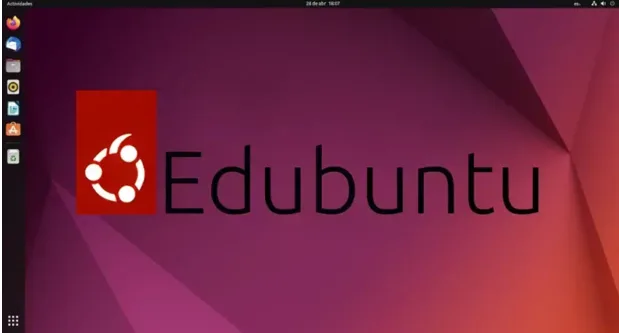
Unlike general-purpose Linux distributions, Edubuntu is designed with education in mind, offering a suite of pre-installed educational software, a user-friendly interface, and tools for centralized management. Its primary goal is to enable educators—even those with limited technical expertise—to set up and manage a computer lab or online learning environment efficiently. Whether it’s for young learners aged 2 to 10 or older students pursuing advanced subjects, Edubuntu is the ideal Linux distro for teachers and students because it combines accessibility, affordability, and a rich ecosystem of learning tools.
Current Version: Edubuntu 25.04 and Its Features
As of July 2025, the latest version of Edubuntu is 25.04, codenamed “Vivacious Vulture,” released in April 2025. This non-LTS release is supported for nine months, until January 2026, and brings a host of modern features tailored for educational environments. Below are the key features of Edubuntu 25.04, making it a standout choice for schools:
- GNOME 46 Desktop Environment: Edubuntu 25.04 features the latest GNOME 46 desktop, offering a sleek, modern interface with improved performance and accessibility. Enhancements include better file picker thumbnails, refined notification systems, and a more intuitive user experience, making it easier for students and teachers to navigate.
- Updated Educational Software Suite: The release includes an expanded collection of educational tools, such as:
- GCompris: A suite of over 100 educational games and activities for children aged 2–10, covering math, reading, science, and logic with text-to-speech and engaging visuals.
- KDE Edutainment Suite: Tools like KStars (astronomy), Kig (geometry), and Marble (geography) for secondary and tertiary students.
- LibreOffice 24.2: A robust office suite for creating documents, spreadsheets, and presentations, compatible with Microsoft Office formats.
- Scratch and Blockly: Visual programming environments to teach coding concepts to beginners.
- Light Speed: An OpenGL-based program illustrating special relativity, ideal for advanced physics students.
- Linux Kernel 6.8: Powered by the latest Linux Kernel 6.8, Edubuntu 25.04 supports modern hardware, including CPUs, GPUs, and file systems, ensuring compatibility with newer devices while maintaining performance on older ones.
- Python 3.12: Included for students learning to code, Python 3.12 supports programming education with updated libraries and tools.
- GNOME Extensions Manager: Pre-installed to allow educators to easily install and manage extensions, customizing the desktop for specific classroom needs.
- Menu Editor for App Control: A built-in utility lets administrators hide specific applications from non-admin users, ensuring age-appropriate access and a distraction-free environment.
- New Educational Wallpapers and Branding: Edubuntu 25.04 features a refreshed logo and education-themed wallpapers, creating an inviting, learning-focused desktop environment.
- 64-bit Support Only: This version is available for 64-bit (amd64) systems, with no ARM64 support announced yet, ensuring compatibility with most modern school hardware.
These features make Edubuntu 25.04 a versatile and powerful platform for education, balancing modern technology with accessibility for diverse learning environments.
Why Edubuntu Stands Out in Education
1. Cost-Effective and Free to Use
One of the most compelling reasons Edubuntu is the ideal Linux distro for teachers and students is its cost-effectiveness. Unlike proprietary operating systems like Windows or macOS, which often require expensive licenses for software and updates, Edubuntu is completely free to download, install, and use. This is a game-changer for schools, especially those operating on tight budgets. With Edubuntu, educational institutions can deploy a fully functional operating system across multiple computers without incurring licensing fees, freeing up resources for other critical needs like textbooks or classroom supplies.
For example, a school looking to equip a computer lab with 20 workstations can avoid thousands of dollars in software costs by choosing Edubuntu. Additionally, because it’s based on Ubuntu, Edubuntu supports a vast repository of free software, allowing schools to install additional tools without extra costs. This affordability makes it an ideal choice for low-income schools or regions where access to expensive technology is limited.
2. Tailored Educational Software Suite
Edubuntu’s strength lies in its curated selection of educational software, designed to cater to students of all ages and subjects. From math and science to programming, language learning, and creative arts, Edubuntu 25.04 comes pre-installed with a diverse array of tools to support classroom learning. These applications are organized into age-specific categories (preschool, primary, secondary, and tertiary) during installation, allowing educators to customize the software suite based on their students’ needs. This tailored approach ensures that Edubuntu is the ideal Linux distro for teachers and students by providing tools that align with diverse curricula and learning goals.
3. User-Friendly Interface
Edubuntu 25.04 uses the GNOME 46 desktop environment, which is intuitive, modern, and visually similar to standard Ubuntu. This familiarity makes it easy for both teachers and students to navigate, even if they’re transitioning from other operating systems like Windows. Unlike some educational software that adopts overly simplified or toy-like interfaces, Edubuntu maintains a professional yet accessible look, ensuring it’s suitable for users of all ages without feeling patronizing.
For younger students, applications like GCompris offer playful, child-friendly interfaces, while the desktop environment itself remains consistent and easy to manage for educators. This balance of simplicity and professionalism is a key reason why Edubuntu is the ideal Linux distro for teachers and students.
4. Centralized Management and Classroom Collaboration
Managing a classroom full of computers can be daunting, especially for educators with limited technical skills. Edubuntu addresses this with tools like the Linux Terminal Server Project (LTSP), which allows a single server to manage multiple workstations or thin clients in a computer lab. This centralized management system simplifies tasks like software updates, user account management, and system configuration, saving time and reducing the need for dedicated IT staff.
Additionally, Edubuntu includes collaboration tools like Epoptes, a classroom administration tool that replaced iTALC in earlier versions. Epoptes allows teachers to monitor and control student desktops, share screens for demonstrations, or lock devices to maintain focus during lessons. These features make Edubuntu particularly suited for classroom environments, where teachers need to manage technology effectively while keeping students engaged.
5. Security and Privacy
In today’s digital age, protecting student data and ensuring a safe online environment are top priorities for schools. Edubuntu, like other Linux distributions, is renowned for its robust security features. It’s less prone to viruses and malware compared to Windows, reducing the risk of data breaches or system compromises. Furthermore, as an open-source platform, Edubuntu prioritizes user privacy, avoiding the data-tracking practices often associated with proprietary software.
For schools, this means a safer computing environment where students can focus on learning without the worry of security vulnerabilities. The open-source nature also allows IT administrators to audit the code and customize security settings, ensuring compliance with institutional policies.
6. Support for Older Hardware
Many schools rely on aging hardware due to budget constraints, and Edubuntu excels in this area. It’s designed to run efficiently on older computers, breathing new life into outdated machines that might struggle with modern versions of Windows or macOS. By leveraging lightweight components and the LTSP architecture, Edubuntu enables schools to maximize their existing resources, making it a cost-effective solution for technology upgrades.
For instance, a school with a lab of 10-year-old PCs can install Edubuntu and transform them into functional learning stations, complete with modern educational software. This ability to extend the life of older hardware is a significant reason why Edubuntu is the ideal Linux distro for teachers and students.
7. Community-Driven and Customizable
Edubuntu is a community-driven project, meaning it’s developed by volunteers, including educators and technologists, who are passionate about improving education through technology. This collaborative approach ensures that Edubuntu evolves based on real-world feedback from teachers and students. Schools can also customize the distribution to meet their specific needs, whether it’s adding new software, rebranding the interface, or adjusting settings for different age groups.
The open-source ethos also means that Edubuntu benefits from the broader Ubuntu community, which provides extensive documentation, forums, and support resources. This makes it easier for schools to troubleshoot issues or seek guidance, even without a large IT team.
8. Long-Term Support and Recent Revival
Edubuntu’s revival in 2023, led by developers Erich and Amy Eickmeyer, marks a renewed commitment to its educational mission. While Edubuntu 25.04 is a standard release with nine months of support, the previous Edubuntu 24.04 LTS (Noble Numbat), released in April 2024, offers three years of support until April 2027, providing stability for schools seeking long-term solutions. The LTS version is ideal for institutions prioritizing reliability over cutting-edge features.
This longevity ensures that schools can rely on Edubuntu for consistent performance and security updates, making it a sustainable choice for educational environments.
Real-World Applications of Edubuntu
Edubuntu’s versatility makes it suitable for a variety of educational settings, from primary schools to universities. Here are some practical examples of how it’s used:
- Primary Schools: Teachers use GCompris and Tux Suite to engage young learners in interactive math, reading, and science activities. The playful interfaces keep students motivated while reinforcing foundational skills.
- Secondary Schools: Students explore advanced subjects like programming (via Scratch or Python) or astronomy (via KStars), preparing them for STEM careers.
- Computer Labs: LTSP enables schools to set up cost-effective labs where a single server supports multiple student workstations, ideal for coding classes or digital literacy programs.
- Home Learning: Parents can install Edubuntu on home computers, allowing students to access the same software used in school, ensuring continuity in learning.
A notable real-world example comes from a Reddit user who shared their experience building a computer lab in Malawi, Africa, using Edubuntu, highlighting its effectiveness in resource-constrained environments.
Challenges and Considerations
While Edubuntu is a powerful tool, it’s not without challenges. Some proprietary educational software may not be compatible with Linux, requiring schools to find open-source alternatives or use compatibility layers like Wine. Additionally, users transitioning from Windows or macOS may face a learning curve, though Edubuntu’s intuitive interface mitigates this. Finally, while the community is active, it’s smaller than that of mainstream distributions, which may affect support availability.
However, these challenges are outweighed by Edubuntu’s benefits, particularly for schools prioritizing affordability, security, and educational focus.
System Requirements for Edubuntu 25.04
To ensure Edubuntu 25.04 runs smoothly, schools and users should verify that their hardware meets the following system requirements, based on official Ubuntu documentation and community insights:
- Processor: A 64-bit processor (e.g., AMD64 or EM64T architecture, such as Intel Core 2 Duo, AMD Athlon64, or equivalent). For optimal performance, a dual-core processor with at least 2 GHz is recommended.
- Memory (RAM): Minimum 2 GB of RAM for basic functionality and installation. Recommended 4 GB or more for smooth performance, especially when running multiple educational applications or using the Linux Terminal Server Project (LTSP) for thin clients. For LTSP setups, add an additional 512 MB per client.
- Storage: Minimum 10 GB of free disk space for the base installation. Recommended 20 GB or more to accommodate the ~6 GB ISO size and additional educational software.
- A USB drive (at least 4 GB) or DVD is required for installation media.
- Graphics: A graphics card capable of 1024×768 resolution. For applications requiring 3D acceleration (e.g., Light Speed or certain KDE Edutainment tools), a GPU with OpenGL support is recommended.
- Networking: For LTSP setups, a 100 Mbps network card with PXE support is required; gigabit Ethernet is recommended for more than 10 clients to handle multimedia content.
- Supported Devices: Available for 64-bit PCs and modern Raspberry Pi boards (Pi 3, 4, 5, CM4, and Zero 2 W). No support for 32-bit systems or non-ARM64 architectures in this release.
These requirements ensure that Edubuntu 25.04 can run on a wide range of hardware, from modern laptops to older desktops commonly found in schools. For optimal performance, especially in computer labs, upgrading to an SSD and at least 4 GB of RAM is advised.
How to Get Started with Edubuntu
Getting started with Edubuntu is straightforward:
- Download the ISO: Visit the official Edubuntu website (edubuntu.org) to download the latest version (e.g., Edubuntu 25.04).
- Create a Bootable Drive: Use tools like Ventoy or Rufus to create a bootable USB drive.
- Install or Try Live Mode: Boot from the USB to try Edubuntu without installing or proceed with a full installation.
- Customize for Your Needs: During installation, select age-specific software packages (e.g., preschool, primary) to tailor the system.
- Explore and Expand: Use the Ubuntu Software Center to add more tools as needed.
For schools, the Edubuntu Installer simplifies the process by allowing administrators to configure the system for specific age groups, ensuring a seamless setup.
Why Edubuntu is the Ideal Choice
In summary, Edubuntu is the ideal Linux distro for teachers and students because it combines affordability, a rich educational software suite, user-friendly design, robust security, and support for older hardware. Its centralized management tools and collaboration features, like LTSP and Epoptes, make it a practical choice for classrooms, while its open-source nature ensures flexibility and community support.
With the latest Edubuntu 25.04 release, powered by GNOME 46, Linux Kernel 6.8, and an updated software suite, it’s well-equipped to meet modern educational needs. Whether you’re a teacher looking to enhance your classroom with interactive tools or a student eager to explore coding, math, or science, Edubuntu provides a stable, secure, and engaging platform to support your educational journey.
By choosing Edubuntu, schools can empower students with access to cutting-edge technology without breaking the bank, while teachers gain tools to create dynamic, interactive learning environments. As Edubuntu continues to evolve with its 2023 revival and beyond, it’s poised to remain a cornerstone of educational technology, bringing the freedom of Linux to classrooms worldwide.
Ready to transform your classroom? Download Edubuntu 25.04 today and discover why it’s the ideal Linux distro for teachers and students!
Disclaimer
The information provided in this blog post about Edubuntu and its features is based on official data and community resources available as of July 2025. While every effort has been made to ensure accuracy, the details regarding Edubuntu’s functionality, software, and system requirements are subject to change with future updates or releases. Users are encouraged to verify information through the official Edubuntu website (edubuntu.org) or Ubuntu community resources before making decisions based on this content.
This post is intended for informational purposes only and does not constitute professional advice. The author and publisher are not responsible for any issues, damages, or losses arising from the use of Edubuntu or any software mentioned. Schools, educators, and individuals should consult with IT professionals to ensure compatibility with their specific hardware, software, and educational needs. Always back up data before installing or updating any operating system.
Also Read
Is Drauger OS 7.7 the Ultimate Linux Gaming Distro of 2025?