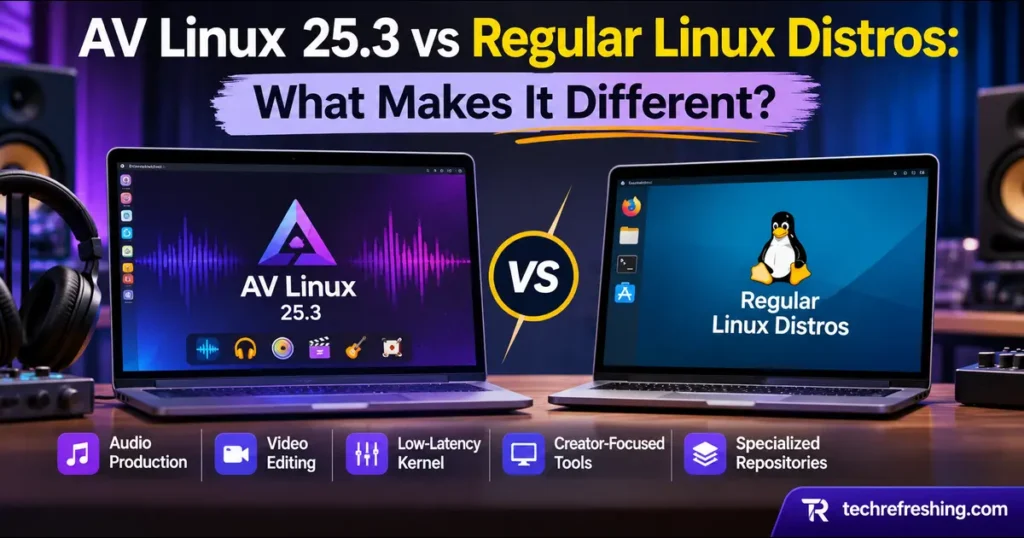
Most Linux distros want to be your everything: work laptop, gaming rig, home server. AV Linux wants to be the machine you record on.
That focus is the whole story behind AV Linux 25.3 vs regular Linux distros. AV Linux 25.3, built by Glen MacArthur, is based on MX Linux 25.3 “Infinity” and Debian 13 “Trixie,” and it landed on November 16, 2026. If you make music, edit video, or run a small content setup, this release changes the case for trying it, mainly because the Xfce desktop is back.
Below is what separates it from a typical distro, what’s actually in 25.3, and who should install it. Feature details come from the project’s official page, and release specifics from announcement coverage.
What is AV Linux?
The official name is AV Linux MX Edition (AVL-MXe). The project describes itself as MX Linux “unofficially Enlightened, customized, molded and shaped for content creators.”
Think of it as MX Linux with a studio built in. You keep Debian’s stability and MX’s tools, then add a tuned kernel, production software, and a set of utilities aimed at media work.
The project has history. The Register traced it to AV Linux 5.0 in 2011, with stops at Xfce and LXDE before Enlightenment. The developer says it has been maintained since 2008.
What’s New in AV Linux 25.3
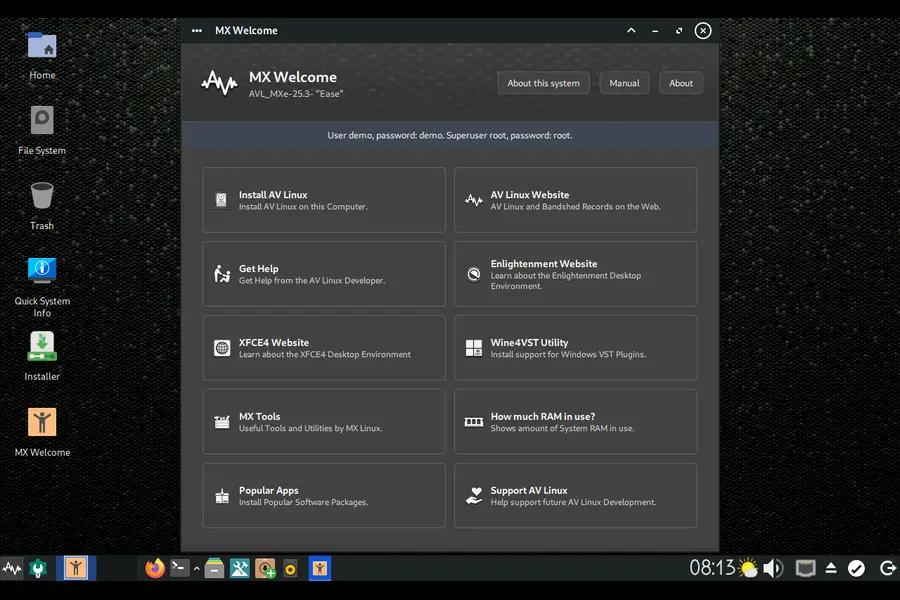
Xfce returns as an alternate desktop
The official feature list marks Xfce4 as a new alternate desktop choice. The ISO boots into Xfce4 by default, and Enlightenment is reachable through the wrench icon on the LightDM login screen.
The backstory matters. The developer wanted to win back users who left when the project dropped Xfce for Enlightenment during the 21 series. Rather than swap one for the other, he kept both.
Enlightenment 0.28.0 and a first-run wizard
Enlightenment moves to 0.28.0, with new optional apps and modules. There’s also a new first-run setup wizard. One detail from the official page is easy to miss: you must pick the “AVL-MXe” profile in the wizard to get the AV Linux customizations on Enlightenment.
A dedicated repository
The new repository has three sections: Enlightenment desktop (themes and configs), Moksha desktop, and a “Main” section with desktop-independent audio and video apps. In plain terms, updates and fixes can reach you through the package manager instead of waiting for a new ISO.
Kernel and creative software
Version 25.3 ships Liquorix kernel 7.3.4, EFL 1.29.0, Ardour 9.10, a Reaper demo (7.85), Audacity 4.0.2, Cinelerra-GG, and new plugins including Pitchnet. The official page also lists Kdenlive, GIMP, and Inkscape, so video and graphics work are covered, not just audio.
New utilities worth knowing
- Quickemu for downloading and running local virtual machines
- A yt-dlp helper action plus a utility that keeps yt-dlp and Deno current
- A video upscaler action with new Crop and Preview options, and an MX tool for verifying ISO signatures
- A “Cable” frontend and extra tools for PipeWire
- GTK4 theme linking with libadwaita
The Base Layer: MX Linux 25.3
Since AV Linux inherits from MX, the base matters. MX Linux 25.3 includes all Debian 13.7 updates plus everything published in the MX repositories since the last ISO. Most MX 25.3 editions use kernel 6.12, while the Xfce AHS edition uses Liquorix 7.2.
AVL-MXe goes further with Liquorix 7.3.4 and the MX “AHS” (Advanced Hardware Support) repository. The official page says it is 64-bit only with AHS.
You also get Debian’s software depth. PC Games Hardware noted more than 64,000 Debian packages, plus AV Linux’s own curated repos and Flatpak as a fallback.
AV Linux 25.3 vs Regular Linux Distros: The Differences That Matter
1. A kernel chosen for responsiveness
Standard distro kernels balance throughput, power use, and compatibility. That’s sensible for everyday computing.
AV Linux ships a low-latency preempt Liquorix kernel with threaded IRQs, per the official feature list. For audio work, that means the system is tuned to respond quickly and consistently when you play a virtual instrument or record through an interface.
You can install a low-latency kernel on any distro. The difference is that here it’s the default, and the rest of the system is configured around it.
2. A workstation, not a blank slate
On Ubuntu, Mint, or Fedora, you start empty and build your production setup. On AV Linux, the studio is already installed: Ardour, Audacity, Kdenlive, Cinelerra-GG, GIMP, Inkscape, plugins, and AppImages for apps that otherwise aren’t packaged.
The cost is a bigger default install with software you may never open.
3. Wine4VST for Windows plugins
Windows VST plugins are a common sticking point on Linux. AV Linux includes a Wine4VST utility that provides a working environment for them. Since version 25, the project has targeted compatibility issues between Wine, yabridge, and recent plugin ecosystem changes with this pre-configured setup.
On a standard distro you’d configure Wine versions, prefixes, and bridging yourself. That’s doable, but it takes patience.
4. File Actions that act like a toolbox
The official page calls them “Open With” right-click actions, designed to work with most common file managers. Examples from the project:
- Convert audio formats with PACPL
- Join MP4 and MKV files with ffmpeg
- Create SFZ sound libraries with makesfz
- Resize photos with ImageMagick
- Find large space-eating files
For batch work, this replaces a lot of terminal commands. Regular distros usually leave you to script your own.
5. Build your own respin
AV Linux includes MX-Snapshot, so you can create a custom AV Linux respin from your configured system. That’s a real advantage for studios running several identical machines, and mainstream distros rarely ship it so prominently.
6. Support and community
Here the tradeoff is real. The developer is upfront: this is a spare-time project with no dedicated user forum. Common questions are covered in a video, and he can sometimes be found in the MX Linux Respins sub-forum.
Ubuntu, Fedora, and Mint have large communities and many guides. If you want fast help at 2 a.m., that gap matters.
Comparison Table
| Feature | AV Linux 25.3 | MX Linux 25.3 | Typical general-purpose distro |
|---|---|---|---|
| Release | Nov 16, 2026 | Sept 2026 | Varies |
| Base | MX 25.3 / Debian 13 | Debian 13.7 | Varies |
| Kernel | Liquorix 7.3.4 (low-latency preempt) | 6.12 (most editions); Liquorix 7.2 on Xfce AHS | Standard distro kernel |
| Desktops | Xfce4 (default), Enlightenment 0.28.0 | Xfce, KDE Plasma, Fluxbox | Usually GNOME, KDE, or Cinnamon |
| Audio/video apps | Ardour 9.10, Audacity 4.0.2, Kdenlive, Cinelerra-GG, GIMP, Inkscape | Install manually | Install manually |
| Windows VST support | Wine4VST utility | Manual | Manual |
| Own repository | Yes (3 sections) | Yes (MX repos) | Distro repos |
| Architecture | 64-bit only (AHS) | 64-bit plus Raspberry Pi respin | Varies |
| Support model | Spare-time project, no dedicated forum | Active project community | Large teams or communities |
AV Linux 25.3 vs MX Linux 25.3
If AV Linux is built on MX, why not install MX and add the tools?
You can, and MX is excellent. But you’d choose a kernel, install Ardour and friends, set up VST support, and create your own file actions. AV Linux does that integration for you.
Pick MX if you prefer a lean base you shape yourself. Pick AV Linux if you’d rather open a DAW on day one.
Pros and Cons
Pros
- Low-latency kernel from first boot
- Production software and plugins ready to use
- Wine4VST for Windows plugins
- Cross-file-manager right-click tools
- Two desktops, with a familiar Xfce default
- MX-Snapshot for custom respins
- Free and fully functional, with signed ISOs
Cons
- Large default install
- No dedicated forum; support is limited
- Development depends on one person’s spare time
- 64-bit only, with AHS
- Utilities and File Actions are English-only
- Live-session changes are not kept after installation
- Not suited to minimal or server use
Who Should Use It?
A strong fit if you:
- Record, mix, or produce music
- Rely on Windows VST plugins
- Edit video and like quick right-click processing
- Want a dedicated media machine
A regular distro may suit you better if you:
- Need one system for everything
- Want guaranteed long-term corporate or community support
- Rarely touch audio or video work
Before You Install: Official Cautions
The project page lists several important notes:
- Be patient on first boot. Live USB and first boot can take several seconds, and the project says this isn’t a performance issue.
- Choose the right profile. Select “AVL-MXe” in the Enlightenment setup wizard.
- Don’t rely on live-session changes. They aren’t preserved into an install.
- Set locale and keyboard during install if you want a non-English setup.
- Expect English-only utilities. AV Linux Utilities and File Actions don’t have translations yet.
- Live login: the username and password are both “demo.”
Verify your download
ISOs come with MD5, SHA256, and SIG files. The project provides its GPG key, which you can retrieve with:
gpg --keyserver hkps://keyserver.ubuntu.com --recv-keys 5DBC090C710C87B3
Then check the ISO against the SHA256 and signature files before writing it to USB.
FAQ
What is AV Linux 25.3?
AV Linux 25.3 (AVL-MXe, codename “Ease”) is a Debian 13-based, MX Linux 25.3-derived distribution for audio, video, and content creation, released November 16, 2026.
How does AV Linux differ from Ubuntu or Mint?
It ships a low-latency Liquorix kernel and a preinstalled production stack including Ardour, Kdenlive, and Cinelerra-GG, while Ubuntu and Mint are general-purpose systems you set up yourself.
Which desktops does AV Linux 25.3 offer?
It offers Xfce4 as the default and Enlightenment 0.28.0 as an alternate, selectable from the LightDM login screen.
Which kernel does it use?
It uses the Liquorix 7.3 series, specifically 7.3.4 at release.
Can it run Windows VST plugins?
Yes, through the included Wine4VST utility, which sets up a working environment for Windows VST plugins.
Is AV Linux free?
Yes, it is free and fully functional, though the developer asks regular users to consider donating to the project or to MX Linux.
Does it support 32-bit or ARM?
No, AVL-MXe is available only as a 64-bit image with MX Advanced Hardware Support.
Is there an official support forum?
No, the developer says there is no dedicated user forum, though questions can be asked in the MX Linux Respins sub-forum.
Final Verdict
Regular distros are built to cover everything. AV Linux is built to cover a studio, and in 25.3 it does so with a low-latency kernel, a ready-made software stack, Wine4VST, useful File Actions, and a more welcoming Xfce default.
So when weighing AV Linux 25.3 vs regular Linux distros, the question is how you use your computer. If most of your time goes to music or video, AV Linux saves hours of setup. If you need a single all-purpose system with deep community support, a mainstream distro is the safer pick.
Try the live USB first, verify the ISO, and test your audio interface before installing.
Disclaimer: This article is for informational purposes only and reflects the official AV Linux release page and published coverage as of November 18, 2026. Versions, features, and download details can change, so confirm them on the official AV Linux website before installing. This site is not affiliated with AV Linux, MX Linux, or Debian. Back up your data before installing any new operating system.