Laptop
Latest news, tutorials, and updates in Laptop.
Laptops: Find the Right Machine for the Way You Actually Work
Buying a laptop is one of the most consequential tech purchases most people make. Unlike a phone upgrade, where the differences between generations are increasingly marginal, a laptop choice shapes how you work, create, and get things done every single day — often for three to five years or more. Get it right and it fades into the background, doing its job without friction. Get it wrong and you're reminded of the mistake every time you open the lid.
The laptop market in 2025 is genuinely exciting, but it's also more complicated than it's ever been. There are more viable processor architectures, more form factors, more operating systems, and more price points competing for your attention than at any point in the history of portable computing. The traditional buying calculus — get the most RAM and the fastest processor you can afford — no longer captures the full picture.
This is where our Laptop section comes in. We cut through the spec sheet noise and help you figure out what actually matters for how you use a machine, what the real-world differences between competing options look like, and which laptops are genuinely worth your money at every price point.
Latest Laptops


Top 5 Copilot+ PCs in 2025: Best AI-Enhanced Laptops You Can Buy Today

Best Laptops for Developers and Programmers in 2025: Your Ultimate Guide to Coding Powerhouses


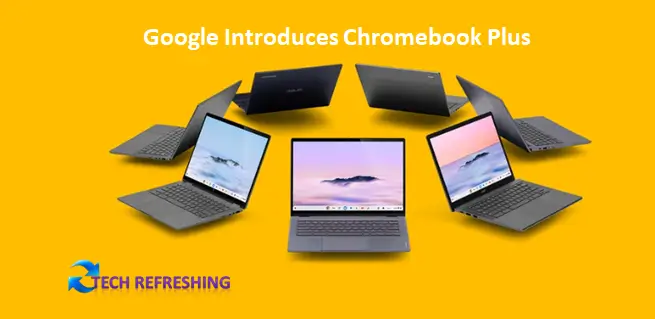
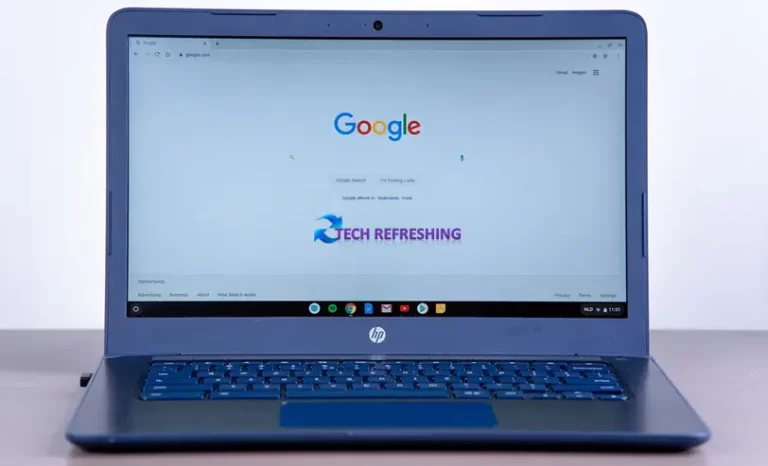
Google Introduces Chromebook Plus Certification Program to Identify High-Quality Chromebooks

Google Extends Chromebook Software Updates to 10 Years, Enhancing Device Longevity

A Beginner's Guide to Using LibreOffice Writer: Creating Documents, Formatting Text and More

A Guide to Using Browser Developer Tools to Debug and Optimize Web Pages


The Laptop Market Has Changed Fundamentally
For most of the 2010s, the laptop market was relatively predictable. Intel dominated processors. The premium segment was Apple MacBooks and a handful of Windows ultrabooks. Gaming laptops were thick, hot, and loud. Chromebooks occupied the budget tier. The year-over-year differences were mostly incremental — a bit more performance, slightly better battery life, marginally thinner chassis.
Then Apple released the M1 MacBook Air in late 2020, and everything changed.
The performance-per-watt efficiency of Apple's ARM-based silicon exposed just how much headroom there was in laptop design that Intel's x86 architecture had been leaving on the table. Suddenly, a fanless laptop the size of a thin notebook was outperforming machines twice its size and price on most workloads, while delivering all-day battery life that made the old "up to 10 hours" marketing claims look like the fiction they always were.
The industry scrambled to respond. Qualcomm's Snapdragon X Elite and X Plus platforms brought competitive ARM-based performance to the Windows ecosystem. AMD's Ryzen mobile processors continued to offer strong price-to-performance ratios. Intel pivoted with its Lunar Lake architecture, finally closing some of the efficiency gap. The result is a market where the processor choice genuinely matters in ways it didn't before — and where the "best" answer depends heavily on your operating system preference, your software needs, and how you balance performance against portability.
We've been following these developments closely, and our laptop coverage reflects the real state of the market rather than the simplified narrative that manufacturer marketing wants you to believe.
Laptop Categories We Cover
Ultrabooks and Premium Thin-and-Lights
The ultrabook category — thin, light, premium-built laptops designed for portability and all-day use — is where the most interesting design competition is happening right now. MacBook Air models, the Dell XPS series, the LG Gram, Lenovo's ThinkPad X1 Carbon, ASUS ZenBook line, and a growing number of Snapdragon-powered Windows machines are all competing for the same customer: someone who carries their laptop everywhere and needs it to be genuinely portable without giving up the performance to do real work.
Our ultrabook coverage focuses on the things that matter most in this category: battery life measured under real workloads rather than manufacturer-specified ideal conditions, display quality in varied lighting environments, keyboard and trackpad feel over extended use, thermal performance under sustained workloads, and build quality that holds up over years rather than just looking good in the first few weeks.
We also pay attention to software ecosystems and how they interact with hardware. An ARM-based Windows laptop with great specs can still be compromised by application compatibility issues. A MacBook with Apple silicon is constrained by the Apple ecosystem even as it excels within it. These trade-offs are real and worth understanding before you buy.
Gaming Laptops
Gaming laptops occupy a unique position in the market: they need to deliver desktop-class GPU performance in a portable form factor, which creates fundamental engineering challenges around heat, noise, battery life, and weight. The best gaming laptops in 2025 manage these trade-offs better than ever, but they still involve real compromises — and different machines make different choices about where to compromise.
Our gaming laptop coverage looks at GPU performance across a range of games and workloads, thermal management under sustained load, display quality including refresh rate and response time, the quality of the cooling system and how loud it gets under pressure, battery life in both gaming and non-gaming use, and build quality relative to price.
We also cover the software side of gaming laptop ownership — driver management, performance mode settings, the various manufacturer utilities that control fan curves and power limits, and how well the machine integrates with gaming platforms like Steam. The gaming laptop experience is as much about software as hardware, and we treat it that way.
We pay particular attention to the mid-range gaming laptop segment — the machines in the $800 to $1,200 range that represent the best value for most gaming laptop buyers. The flagship segment gets most of the review attention, but most people aren't buying flagship gaming laptops, and the mid-range market has gotten genuinely excellent in ways that don't always get properly recognized.
Budget Laptops
Not every laptop purchase needs to be expensive, and not every user needs flagship performance. The budget laptop market — generally defined as machines under $600 — has improved dramatically in recent years. The combination of ARM efficiency, manufacturing scale, and increased competition has pushed genuine capability into price points that previously delivered only frustrating compromise.
That said, the budget segment still has more than its share of disappointing products — machines with poor displays, inadequate RAM that slows to a crawl under normal multitasking, storage so slow it creates constant bottlenecks, and build quality that doesn't survive a year of daily use. The difference between a good budget laptop and a bad one isn't always obvious from the spec sheet.
Our budget laptop coverage is designed to help you find the genuine value in this price tier. We identify which compromises are acceptable and which are dealbreakers, which budget configurations are worth their price and which are false economies, and how to set realistic expectations for what a laptop in this price range can and can't do well.
Chromebooks
Chromebooks deserve their own consideration because they operate on a fundamentally different model than Windows or macOS laptops. Chrome OS is fast, secure, and easy to maintain — and it's genuinely excellent for users whose computing needs center on web applications, Google Workspace, and media consumption. For others, it's an exercise in frustration.
Understanding who a Chromebook is right for — and who it isn't — is one of the more useful services we can provide. We cover Chromebook hardware, Android app compatibility, Linux app support through Crostini, and the ongoing development of ChromeOS as a platform. We're also honest about where Chromebooks fall short, because buying a Chromebook for a use case it wasn't designed for is a mistake we'd rather help you avoid.
2-in-1 Convertibles and Tablets with Keyboards
The 2-in-1 market — laptops that convert to tablets through various hinge mechanisms or detachable keyboard arrangements — has been promising to replace both laptops and tablets for about a decade now. The reality is more nuanced: some 2-in-1s are excellent as laptops with occasional tablet use, some work better as tablets with occasional keyboard use, and many fall into an awkward middle ground that doesn't excel at either.
We review 2-in-1s with clear-eyed attention to how they actually perform in both modes, how the hinge design affects real-world durability, and whether the form factor premium over a traditional laptop is justified by genuine versatility gains for the specific use case.
Creator and Workstation Laptops
For video editors, 3D artists, photographers, music producers, and other creative professionals, the laptop requirements are different from general productivity use. High-quality displays with accurate color reproduction, sufficient RAM to handle large project files, powerful enough processors to manage rendering and export workloads, and storage fast enough to handle high-resolution video are all essential considerations.
We cover creator-focused laptops with the specific demands of creative work in mind — benchmarking export performance in real applications, evaluating display color accuracy and coverage, assessing port selection for connecting professional peripherals, and looking at thermal management under the sustained heavy loads that creative work generates.
What We Measure and Why It Matters
Our laptop reviews go beyond the standard benchmark battery. Here's what we actually look at:
Real-world battery life — We test battery life under mixed workloads that reflect actual use: a combination of web browsing, document work, video playback, and occasional heavier tasks. Manufacturer battery claims are often achieved under conditions that don't reflect normal use, and we think you deserve numbers that mean something.
Sustained performance — Many laptops perform well in short burst workloads but throttle significantly under sustained pressure as they hit thermal limits. We run sustained workloads to see how performance holds up over time, which matters enormously for tasks like video export, large compilation jobs, or extended gaming sessions.
Display quality — We evaluate displays on brightness, color accuracy, contrast ratio, reflectivity, and viewing angles. A laptop display that looks great in a showroom can be miserable in varied real-world lighting conditions.
Keyboard and trackpad — These are the primary interfaces through which you interact with your laptop, and quality varies enormously. We spend real time with keyboards and trackpads rather than treating them as afterthoughts.
Build quality and repairability — How well is the machine constructed, and what does the ownership experience look like over years rather than weeks? We also check repairability scores from iFixit and similar sources, because a laptop that can be repaired is a laptop that can last longer.
Port selection and connectivity — Dongles are a fact of life for some laptops, but the number and type of ports matters for real-world usability. We document port selection carefully and note where connectivity is a genuine limitation.
Software support timeline — A laptop that will receive security updates and OS support for five years is a meaningfully better long-term investment than one that'll be dropped in two. We try to give you this information as part of our coverage.
Laptop Trends Worth Watching in 2025
The ARM transition on Windows — Qualcomm's Snapdragon X platform has brought real competition to the Windows ARM space, but application compatibility — especially for older or specialized software — remains a consideration worth investigating before committing.
OLED displays going mainstream — OLED panels are appearing in more laptop models across more price points, offering contrast ratios and color accuracy that traditional LCD panels can't match. The trade-offs — burn-in risk, brightness limitations in some conditions — are worth understanding.
AI acceleration hardware — Virtually every new laptop platform includes dedicated neural processing units (NPUs) for AI workloads. Whether these translate into genuinely useful features in day-to-day use is an evolving story we're following carefully.
The repairability push — Regulatory pressure in Europe and growing consumer awareness is pushing some manufacturers toward more repairable designs. Framework's modular laptop lineup continues to attract attention as a proof of concept that repairability and good design aren't mutually exclusive.
Finding the Right Laptop for You
The right laptop is the one that fits your specific combination of use case, budget, ecosystem preference, portability needs, and performance requirements. That combination is different for every buyer, which is why "best laptop" lists that rank machines in a single order without context are less useful than they appear.
Our laptop coverage is organized to help you find the right machine for your situation specifically. Whether you're a student on a tight budget, a professional who needs portability and performance in equal measure, a gamer who wants to play on the go without leaving too much performance at home, or a creative professional who needs a specific set of display and compute capabilities — we have coverage designed to help you make the right call.
Browse our reviews, check our buying guides for your specific use case, and stay current with our laptop news to know when something genuinely worth your attention hits the market.