
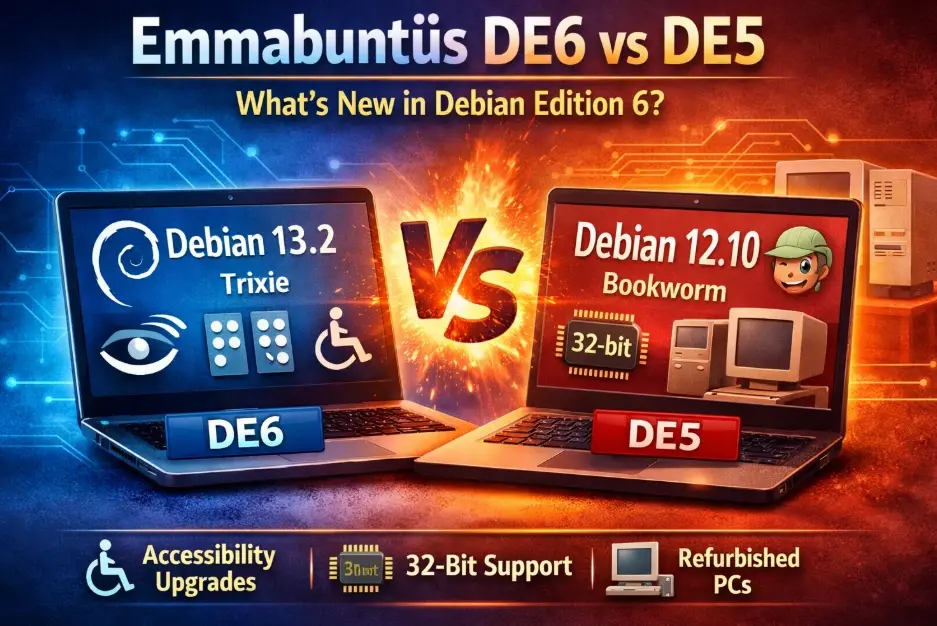
Emmabuntüs Debian Edition 6 vs DE5: What's New in 2025?
If you’re breathing new life into older hardware or setting up accessible computing environments, Emmabuntüs continues to be one of the most thoughtful Linux distributions available. With the December 2025 release of Emmabuntüs Debian Edition 6 (DE6), the project has taken a significant leap forward—particularly for users who need assistive technologies.
But here’s the important part: DE5 isn’t obsolete. Understanding the Emmabuntüs Debian Edition 6 vs DE5 differences is crucial because the March 2025 update to DE5 1.04 keeps it relevant, and it remains the only option if you’re working with 32-bit hardware. This guide walks you through the real differences between these versions so you can make the right choice for your specific situation.
Whether you’re refurbishing laptops for a school, supporting visually impaired users, or simply want a stable, lightweight system for an aging PC, understanding what separates DE6 from DE5 will save you time and potential frustration.
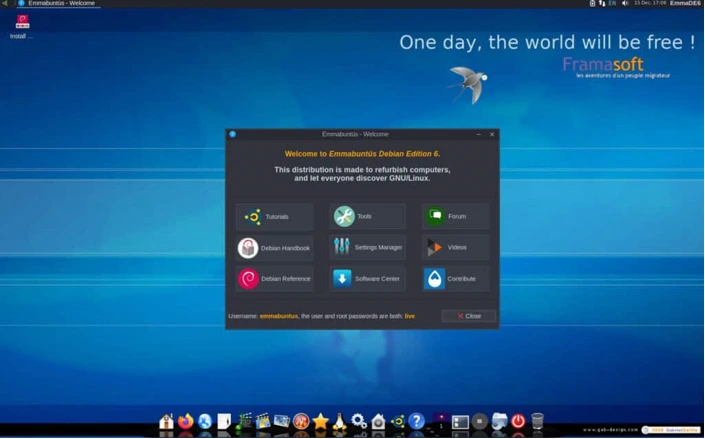
Quick Verdict: Who Should Choose What?
Choose Emmabuntüs DE6 1.00 if:
- You have 64-bit hardware (even older 64-bit machines)
- Accessibility features are important to you or your users
- You want the latest Debian base (Trixie) with newer software
- You need improved encryption setup options
- You prefer working with the most current release
Stick with Emmabuntüs DE5 1.04 if:
- You have 32-bit hardware (DE6 dropped 32-bit support)
- Your refurbished machines are running stable DE5 installations without issues
- You prefer the proven stability of Debian 12 Bookworm
- You don’t need the advanced accessibility features right now
- You’re working with very limited resources and want maximum stability
At-a-Glance Comparison Table
| Feature | DE6 1.00 Latest (Dec 2025) | DE5 1.04 (Mar 2025) | DE5 1.00 (Aug 2023) |
|---|---|---|---|
| Release Date | December 15, 2025 | March 24, 2025 | August 29, 2023 |
| Debian Base | 13.2 “Trixie” | 12.10 “Bookworm” | 12.1 “Bookworm” |
| Architecture | 64-bit only | 32-bit & 64-bit | 32-bit & 64-bit |
| Desktop Environments | Xfce, LXQt | Xfce, LXQt | Xfce, LXQt |
| Xfce Version | 4.18.1 | 4.18.1 | 4.18.1 |
| LXQt Version | 1.20.0 | 1.20.0 | 1.20.0 |
| Firefox ESR | 140.6.0esr | 128.8.0esr | 102.14.0 |
| Thunderbird | 140.5.0esr | 128.7.0esr | 102.14.0 |
| LibreOffice | 7.4.5 | 7.4.5 | 7.4.5 |
| Kernel | 6.1.27 | 6.1.27 | 6.1.27 |
| Accessibility Focus | Major overhaul | Basic updates | Standard features |
| Encryption Setup | Improved (both installers) | Standard | Standard |
| Wine Included | Installation script | Not included | Not included |
| Ventoy Version | 1.1.09 | 1.1.05 | Earlier version |
What Is Emmabuntüs? A Quick Primer
Emmabuntüs is a French-originated Linux distribution built specifically for computer refurbishing initiatives and users new to Linux. The project partners with humanitarian organizations like Emmaüs, helping extend the life of computers that would otherwise end up in landfills.
What makes Emmabuntüs special isn’t just its lightweight nature—plenty of distros claim that. It’s the thoughtful pre-configuration. Out of the box, you get:
- Essential applications already installed and configured
- Tools for system maintenance that beginners can actually use
- Documentation in multiple languages
- A focus on both Xfce (traditional, very light) and LXQt (modern Qt-based lightweight)
- Parental control tools (CTparental)
- Backup and recovery utilities
The target audience includes schools, community centers, developing regions, and anyone who wants to give older hardware a productive second life without spending hours configuring software.
What’s New in Emmabuntüs DE6: The Big Changes
Emmabuntüs DE6 represents more than just a version bump. Released on December 15, 2025, it brings substantial improvements across three main areas:
1. Accessibility Takes Center Stage
This is the headline feature. DE6 introduces a completely redesigned accessibility system that activates only when users request it (no performance overhead if you don’t need it).
The new accessibility window uses YAD for a cleaner interface. More importantly, DE6 adds multiple speech synthesis options—MBROLA and Piper join the existing tools, giving users with visual impairments better voice quality and language choices.
Orca screen reader users now get three different profile options, making it easier to customize the experience for different tasks or preferences. The system includes improved Braille support and specific scripts for Index Braille embossers.
Practical touches include an accessible USB unmount window and audio beeps when USB devices are inserted—small details that make a real difference in daily use. The desktop management switches to Caja in accessibility mode for better screen reader compatibility.
New utilities include LIOS (optical character recognition for accessibility), KDE Connect (for phone integration), and scripts that announce battery levels audibly. There are even scripts to disable background graphics and boot splash screens that can interfere with screen readers.
The accessibility documentation has been completely rewritten in both French and English, including shortcut reference manuals.
2. Debian 13.2 Trixie Base
Moving to Debian Trixie means you’re getting newer versions of core software. Firefox ESR jumps to 140.6.0esr (from 128.8.0esr in DE5 1.04), Thunderbird hits 140.5.0esr, and the underlying system libraries are more current.
For refurbishing work, this matters because you’ll have better hardware compatibility out of the box and security updates that align with Debian’s current stable release cycle.
3. System Improvements and Bug Fixes
DE6 cleans up several nagging issues:
- Encryption fixed: Both Calamares (the graphical installer) and the Classic Debian installer now handle encrypted installations properly. This was a pain point in earlier versions.
- Locale selection restored: A bug that broke country and timezone selection has been fixed, making the initial setup smoother.
- Default volume set to 50%: Prevents the jarring experience of booting into maximum volume.
- LuckyLUKS replaces ZuluCrypt-GUI: The partition encryption tool has been swapped for better reliability.
- Wine installation script added: If you need Windows application compatibility, there’s now an easy script to add Wine (removed from the ISO to save space).
- Deborah removed: This component wasn’t working, so it’s been dropped rather than shipping broken.
Updated supporting software includes Ventoy 1.1.09 (for creating multiboot USB drives), CTparental 5.3.01-1m (parental controls), Turboprint 2.59-1 (printer driver helper), and the Debian Beginner’s Handbook updated to version 13.1.
The 64-Bit Only Decision
The most significant change—and potential dealbreaker for some—is that DE6 drops 32-bit support entirely. This aligns with Debian’s direction and modern computing realities, but it does mean DE5 remains essential for older 32-bit machines.
Why Emmabuntüs DE5 Still Matters
Don’t interpret DE6’s release as DE5 becoming irrelevant. Here’s why DE5 continues to have a strong role:
32-Bit Hardware Support
This is non-negotiable for many refurbishing projects. Plenty of usable computers from the late 2000s and early 2010s run 32-bit processors. If you’re working with Core 2 Duo machines, older Atoms, or pre-2012 budget laptops, DE5 is your only Emmabuntüs option.
The March 2025 update (DE5 1.04) keeps the distribution current with Debian 12.10 security updates and includes refreshed application versions.
Proven Stability
Debian 12 Bookworm, which underlies DE5, is a rock-solid base. If you’ve deployed DE5 installations in schools or community centers and they’re running well, there’s little reason to disrupt that stability with an upgrade.
DE5 1.04 includes Firefox 128.8.0esr and Thunderbird 128.7.0esr—perfectly adequate for web browsing, email, and office work.
Lower Resource Requirements
While both DE5 and DE6 are lightweight, Debian 12 Bookworm’s slightly older software stack can run on truly minimal hardware. For machines with 2GB RAM or less, DE5 may give you a slightly smoother experience.
DE5 Gets Accessibility Updates Too
The Emmabuntüs team has confirmed that the accessibility improvements in DE6 are planned for inclusion in the next DE5 update. If you’re running 32-bit hardware and need accessibility features, staying with DE5 doesn’t mean getting left behind—just a slight delay in receiving these enhancements.
DE5 1.04 already brought accessibility-focused updates including Ocrizer 1.4 and Elograf 0.6.0.
Deep Comparison: Feature by Feature
Accessibility Features
DE6 wins decisively here. The redesigned accessibility system is the primary focus of this release. Multiple speech synthesizers (MBROLA, Piper), three Orca profiles, improved Braille support, and thoughtful quality-of-life scripts make DE6 the clear choice if accessibility is a priority.
DE5 1.04 includes basic accessibility tools and some updates (Ocrizer, Elograf), but lacks the comprehensive overhaul present in DE6.
Recommendation: If supporting visually impaired users or running accessible computing labs, DE6 is worth the upgrade—assuming your hardware is 64-bit.
Installer and Encryption
DE6 solves critical problems. The fixed encryption setup in both Calamares and Classic Debian installers addresses a real pain point. Setting up encrypted systems in DE5 could be tricky; DE6 makes it straightforward.
The restored locale and timezone selection in DE6 also improves the out-of-box experience.
Recommendation: If you’re deploying systems with full disk encryption (good practice for any portable computers), DE6’s improvements are significant.
Core System and Software Versions
DE6 is more current, but that’s not always what you need. Debian 13.2 Trixie brings newer software:
- Firefox ESR 140.6.0esr vs 128.8.0esr (DE5 1.04)
- Thunderbird 140.5.0esr vs 128.7.0esr
- Updated Debian Beginner’s Handbook (13.1 vs 12.10)
- Newer kernel and system libraries
For refurbishing work, newer software means better hardware support for more recent (but still aging) computers. If you’re dealing with 2012-2018 era machines, DE6’s Trixie base may recognize hardware that Bookworm doesn’t handle as smoothly.
DE5 offers the stability of Debian 12 Bookworm, which has been in production use longer and has had more time for bug discovery and patches.
Recommendation: For 2015+ era 64-bit hardware, go with DE6. For 2014 and older, either works fine—base your choice on other factors.
Applications and Tools
Both versions ship with the same philosophy: everything you need pre-installed. The differences are incremental:
DE6 additions:
- Wine installation script (easy Windows app compatibility)
- LuckyLUKS (improved encryption tool)
- Updated Ventoy 1.1.09
- LIOS and KDE Connect (accessibility/integration)
- Various accessibility-focused scripts
DE5 retained features:
- Full 32-bit application support
- Slightly older but proven versions of all core apps
- Identical application philosophy (LibreOffice, GIMP, media players, etc.)
DE6 removed Deborah (it wasn’t working) and TuxType (didn’t function properly in accessibility mode). These aren’t major losses.
Both include Falkon as an alternative lightweight browser, though versions will differ based on the Debian base.
Recommendation: Application selection isn’t a deciding factor between versions. Both give you a complete, ready-to-use system.
Performance Expectations
Neither version includes benchmarks in their release notes, but we can make reasonable predictions:
On identical 64-bit hardware, DE6 and DE5 should perform very similarly in daily use. Xfce 4.18 is lightweight in both. Firefox and Thunderbird are the main memory consumers, and while DE6’s versions are newer, they’re both in the ESR (Extended Support Release) branch designed for stability.
The real performance difference appears if you have 32-bit hardware—only DE5 runs at all, making it infinitely faster than DE6 in that scenario.
If your machine has 4GB+ RAM, you won’t notice performance differences in typical office, web, and media tasks. Both desktops (Xfce and LXQt) keep memory usage low.
For machines with 2GB RAM or less, stick with lighter applications regardless of which version you choose. Use Falkon instead of Firefox when possible, and close apps you’re not actively using.
Installation and Upgrade Notes
Fresh Install vs Upgrade
For DE5 users considering DE6: This is a major version jump (Debian 12 to 13), so a fresh installation is recommended rather than trying to upgrade in place. Debian itself supports in-place upgrades, but for a refurbishing scenario where you want a clean, reliable system, back up data and do a fresh install.
For DE5 1.00 users on 32-bit hardware: Upgrade to DE5 1.04 if you haven’t already. You can do this through the normal system update process—it’s a maintenance update, not a full release change.
What to Back Up
Before any installation:
- User home directories (/home/username)
- Any custom application configurations
- Browser bookmarks (though Firefox Sync is easier)
- Email if using local storage in Thunderbird
- Any documents not stored in the cloud
Emmabuntüs includes backup tools, but don’t rely solely on them for critical data. Use multiple backup locations.
Live Mode Testing
Both DE6 and DE5 run perfectly well in live mode from USB. This is crucial for refurbishing work—you can test hardware compatibility before installing:
- Create a bootable USB with Ventoy (included in the downloads)
- Boot the target machine from USB
- Test graphics, WiFi, audio, touchpad, and any special keys
- Check if the machine runs smoothly before committing to installation
Emmabuntüs is designed to run reasonably well from USB, though it’s obviously slower than a full installation. This makes it ideal for testing multiple machines quickly.
Encryption Decisions
Now that DE6 has fixed encryption issues, consider using full disk encryption on any portable computers (laptops, tablets). It protects data if the device is lost or stolen.
For desktop machines in secured locations, encryption adds complexity without much benefit—especially for refurbished machines going to users who may not be tech-savvy. Weigh the security benefit against the risk of users forgetting passwords and losing access to their data.
Frequently Asked Questions
What’s the main difference between Emmabuntüs DE6 and DE5?
DE6 brings a major accessibility overhaul with new speech synthesizers, improved screen reader support, and enhanced Braille compatibility. It’s based on Debian 13.2 Trixie (newer software) but only supports 64-bit systems. DE5 continues to support both 32-bit and 64-bit hardware and runs on the stable Debian 12 Bookworm base.
Can I run Emmabuntüs DE6 on 32-bit hardware?
No. Emmabuntüs DE6 is 64-bit only. If you have 32-bit hardware, you must use Emmabuntüs DE5, which continues to receive updates. The latest version is DE5 1.04 released in March 2025.
How do I know if my computer is 32-bit or 64-bit?
If your computer was made after 2013, it’s almost certainly 64-bit. For older machines, boot into your current operating system and search for “system information” or “about this computer.” Look for terms like “x64,” “x86-64,” or “amd64” (64-bit) versus “x86,” “i386,” or “i686” (32-bit). Most Intel Core 2 Duo and later processors are 64-bit.
Which desktop should I choose: Xfce or LXQt?
Both are lightweight and work well on older hardware. Xfce is more traditional, uses slightly less memory, and has been refined over many years. LXQt is more modern-looking, based on Qt libraries, and may feel more familiar to Windows users. For computers with 2GB RAM or less, lean toward Xfce. For 4GB+ RAM, choose based on appearance preference. Both versions are included in Emmabuntüs.
Will the accessibility improvements from DE6 come to DE5?
Yes. The Emmabuntüs team has stated that the accessibility features introduced in DE6 are planned for inclusion in the next DE5 update. If you’re running 32-bit hardware and need accessibility features, you’ll get them—just not immediately.
How much RAM does Emmabuntüs need to run smoothly?
Emmabuntüs can boot and run on 1GB RAM, but 2GB is the practical minimum for comfortable use with Firefox and LibreOffice. For 4GB+ RAM, you’ll have a smooth experience with multiple applications open. These requirements apply to both DE5 and DE6.
Can I upgrade from DE5 to DE6 without reinstalling?
While technically possible (Debian supports in-place upgrades), a fresh installation is recommended. You’re jumping from Debian 12 to Debian 13, which is a major release change. For the most reliable system—especially important in refurbishing scenarios—back up your data and do a clean install of DE6.
Does Emmabuntüs include Wine for Windows applications?
DE5 does not include Wine to save ISO space (it was removed starting with DE5 1.00). DE6 includes a Wine installation script, making it easy to add Windows application compatibility if needed. Run the script from the system menu after installation.
Conclusion: Making Your ChoiceConclusion: Making Your Choice
Emmabuntüs continues to be an excellent choice for computer refurbishing, educational environments, and users new to Linux. The December 2025 release of DE6 pushes the project forward significantly, particularly for accessibility-focused deployments.
Your decision comes down to a few key factors:
Choose DE6 if you’re working with 64-bit hardware, want the latest software base, or need comprehensive accessibility features now. The improved encryption setup and bug fixes make it the better starting point for new deployments on compatible hardware.
Stick with DE5 if you have 32-bit machines, value the proven stability of Debian 12 Bookworm, or have existing DE5 installations running smoothly. The March 2025 update keeps DE5 current and secure.
For mixed environments with both 32-bit and 64-bit hardware, you’ll be running both versions—and that’s perfectly fine. Emmabuntüs maintains consistency in application selection and configuration philosophy across versions, so user experience remains similar.
The project’s commitment to refurbishing, accessibility, and ease of use shines through in both releases. Whether you choose DE6 or DE5, you’re getting a thoughtfully configured, beginner-friendly Linux distribution that extends hardware life and serves real community needs.
Disclaimer
This comparison is based on official release notes and technical specifications from the Emmabuntüs project. While we strive for accuracy, always check the official Emmabuntüs website for the latest information before making installation decisions. This article contains informational content only and does not constitute professional IT advice.
Also Read
Just upgraded to Tails 7.3.1? Here’s everything you need to know!
About the Author





