
LibreOffice 25.8.4 Released: 76 Bug Fixes & Faster Performance
The Document Foundation has officially announced the fourth maintenance update to the popular open-source office suite on December 18, 2025. This latest release brings 76 crucial bug fixes that significantly enhance performance, reliability, and interoperability across all platforms. If you’re looking for a stable, feature-rich alternative to Microsoft Office, LibreOffice 25.8.4 Released with faster startup times and better stability makes it easier than ever to transition to or continue using this powerful productivity suite.
What Makes LibreOffice 25.8.4 Special?
LibreOffice 25.8.4 represents a significant milestone in the ongoing development of this free and open-source office suite. With the previous LibreOffice 25.2 series reaching end-of-life on November 30, 2025, and the upcoming LibreOffice 26.2 scheduled for early February 2026, version 25.8.4 arrives at a perfect time as the recommended stable release for production environments.
This maintenance release addresses 76 bugs in total, with fixes distributed across RC1 and RC2 release candidates. The improvements touch every major component of the suite, from Writer and Calc to Impress and Draw, ensuring a smoother, more reliable experience for millions of users worldwide.
Key Features of LibreOffice 25.8.4 – Faster Startup and Better Stability
Enhanced Performance Across the Suite
One of the most significant improvements in LibreOffice 25.8.4 – Faster Startup and Better Stability builds upon the performance optimizations introduced in the 25.8 series. Users can expect:
- Up to 30% faster file opening for Writer and Calc documents
- Dramatically improved XLSX performance, especially for files containing multiple graphical objects, conditional formatting, and formulas
- Faster loading of Writer documents with right-to-left scripts and change-tracked moves
- Optimized memory management for smoother operation on virtual desktops and thin clients
- Improved scrolling through large documents
Critical Bug Fixes and Stability Improvements
The 76 bug fixes in LibreOffice 25.8.4 address a wide range of issues that users encountered in previous versions:
Writer Improvements:
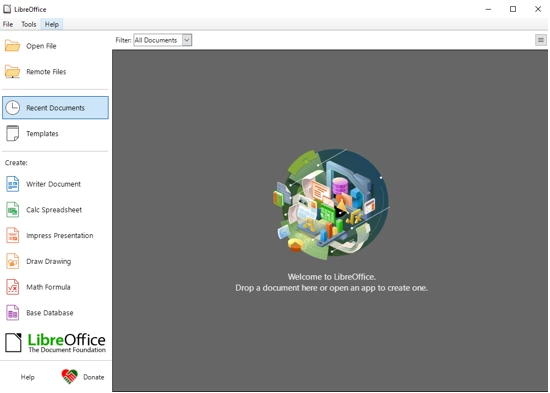
- Fixed display issues with Persian (Farsi) filenames in the Start Center
- Corrected color rendering problems for BMP images created with OpenOffice Writer
- Enhanced compatibility with DOCX files, including proper handling of headers, footers, and font colors
- Improved change tracking reliability with better support for interdependent tracked edits
- Resolved crashes related to macro execution and complex document operations
Calc Enhancements:
- Fixed calculation errors with COUNTIFS() function when working with decimals
- Improved SUBTOTAL behavior when opening files created in Microsoft Excel
- Corrected date handling for BC (Before Christ) dates
- Enhanced performance when working with spreadsheets containing numerous comments
- Resolved issues with pivot table selection and hyperlink interactions
Impress and Draw Fixes:
- Corrected slideshow rendering issues that caused pixelated views
- Fixed crashes when printing notes containing certain content types
- Improved stability when working with complex presentations
- Enhanced compatibility with PPTX files, including better font embedding support
Platform Compatibility and Broad Support
LibreOffice 25.8.4 – Faster Startup and Better Stability is available for:
- Windows (excluding Windows 7 and 8/8.1, which are no longer supported)
- macOS (10.15 and later; note that 25.8 will be the last version to support macOS 10.15)
- Linux (available in DEB and RPM formats for various distributions)
The suite maintains full compatibility with both industry-standard document formats:
- ODF (Open Document Format): ODT, ODS, and ODP files
- Microsoft Office formats: DOCX, XLSX, and PPTX through OOXML support
What’s New in the LibreOffice 25.8 Series?
While version 25.8.4 focuses on bug fixes and stability, it’s worth highlighting the major features introduced in the LibreOffice 25.8 series that make this release particularly powerful:
Advanced Typography and Hyphenation
LibreOffice 25.8 introduced revolutionary improvements to text processing:
- Move line hyphenation rule: Choose whether to hyphenate the last line of pages or move entire lines to the next page
- Paragraph, column, page, and spread end zones: Better control over text flow
- Minimum, desired, and maximum word spacing: Fine-tune document typography
- Enhanced MSO 2016+ compatibility: Improved layout interoperability for hyphenated DOCX documents
PDF 2.0 Export Support
One of the most exciting additions to the 25.8 series is comprehensive PDF 2.0 (ISO 32000-2) support:
- Modern AES-256 encryption for enhanced security
- PDF/A-4 support for long-term document archiving
- New structure elements for better accessibility
- Improved hybrid PDF support with proper ODF document embedding
- Adobe Acrobat Reader-compatible signature formats
- Single-step cryptographic signature computation (reducing PIN entry requirements)
New Calc Functions
LibreOffice Calc received 14 new functions to enhance spreadsheet capabilities:
- CHOOSECOLS/CHOOSEROWS: Select specific columns or rows from a range
- DROP: Remove specified rows or columns
- EXPAND: Extend an array to specified dimensions
- HSTACK/VSTACK: Stack arrays horizontally or vertically
- TAKE: Extract rows or columns from the beginning or end of an array
- TEXTAFTER/TEXTBEFORE/TEXTSPLIT: Advanced text manipulation functions
- TOCOL/TOROW: Convert ranges to column or row arrays
- WRAPCOLS/WRAPROWS: Wrap array values into columns or rows
These functions bring LibreOffice Calc closer to feature parity with modern versions of Microsoft Excel, making it easier to work with complex data manipulation tasks.
Enhanced User Interface
The 25.8 series includes several UI improvements that make LibreOffice more accessible and user-friendly:
- Quick Find bar with diacritics matching: Search for text regardless of accent marks
- Password visibility toggle: Show or hide passwords in input dialogs
- Currency dropdown improvements: No more clicking OK buttons
- Improved accessibility: Better screen reader support, particularly for Windows users
- Enhanced Welcome dialog: Direct access to UI picker and appearance options
- Toolbar activation through UI picker: Easily enable or disable toolbars
Performance Benchmarks and Real-World Impact
The performance improvements in LibreOffice 25.8.4 – Faster Startup and Better Stability are not just theoretical. Users report tangible benefits:
- XLSX files with graphical objects: Opening documents that previously took 30-45 seconds now takes just 10-15 seconds
- Writer documents with RTL scripts: Arabic and Hebrew documents open significantly faster
- Sheet switching in Calc: Large spreadsheets with drawing objects switch instantly instead of freezing for several seconds
- Spellchecking in multilingual documents: Dramatically reduced lag when working with content in multiple languages
- Memory usage on thin clients: More efficient resource utilization makes LibreOffice practical even on lower-powered systems
Who Should Upgrade to LibreOffice 25.8.4?
Everyone using LibreOffice 25.8 should upgrade immediately. The Document Foundation strongly recommends this update for all users due to the significant stability improvements and bug fixes included.
Current LibreOffice 25.2 users should also consider upgrading, as that series reached end-of-life on November 30, 2025, and will no longer receive security updates or bug fixes.
Enterprise users should note that while LibreOffice 25.8.4 represents the “Community” edition supported by volunteers, The Document Foundation recommends considering LibreOffice Enterprise offerings from ecosystem partners for deployments requiring formal support agreements, faster security patches, and enterprise-class features.
New users looking for a Microsoft Office alternative will find LibreOffice 25.8.4 to be the most stable and feature-rich version yet released, with excellent compatibility with Microsoft Office formats.
How to Download and Install LibreOffice 25.8.4
LibreOffice 25.8.4 – Faster Startup and Better Stability is available for immediate download from the official LibreOffice website. Installation options vary by platform:
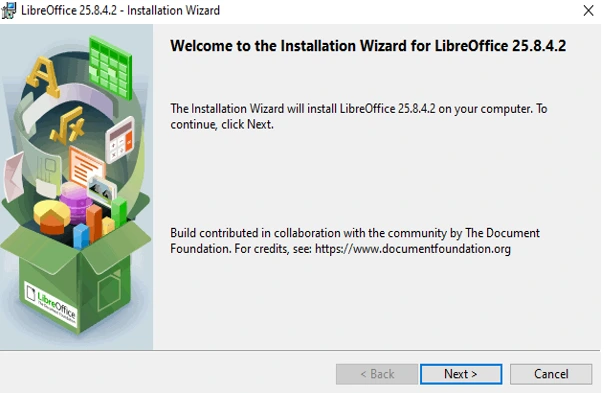
For Windows Users:
Download the installer executable and run it. The installation process will preserve your existing settings and documents while upgrading to the new version.
For macOS Users:
Download the DMG file, mount it, and drag LibreOffice to your Applications folder. The installer will handle the upgrade process automatically.
For Linux Users:
Option 1 – Distribution Repositories (Recommended):
Wait for LibreOffice 25.8.4 to appear in your distribution’s software repositories, then update through your package manager. This is the safest and most convenient method.
Option 2 – Direct Download:
Download DEB packages for Debian/Ubuntu-based systems or RPM packages for Fedora/Red Hat-based systems from the official website. Install using your package manager.
Option 3 – Source Code:
System integrators and advanced users can download the source tarball and compile LibreOffice themselves.
Collaboration with Microsoft Office 365
For users who need to collaborate with Microsoft Office 365 users, The Document Foundation recommends installing the Microsoft Aptos font. This font significantly improves document compatibility and ensures that documents look consistent across both LibreOffice and Microsoft Office applications.
The Aptos font is particularly important for organizations transitioning from Microsoft Office or maintaining hybrid environments where some users work with LibreOffice while others use Microsoft 365.
Long-Term Support and Update Schedule
LibreOffice 25.8 series follows a well-defined support schedule:
- Support duration: Until June 12, 2026
- Total maintenance updates: Seven planned releases
- Next update: LibreOffice 25.8.5 scheduled for mid-February 2026
- Update frequency: Approximately every 6-8 weeks
This predictable schedule allows organizations to plan their upgrade cycles and ensures that users receive regular stability improvements and bug fixes throughout the support period.
Technical Highlights for Developers
For developers and system integrators, LibreOffice 25.8.4 includes several important technical improvements:
Scripting and Automation
- Internal Python updated to version 3.11
- pip now ships with internal Python for easier package management
- ScriptForge libraries expanded with 33 services
- New Macro Manager dialog combining five existing dialogs into one unified interface
API and Platform Changes
- XTiledRenderable UNO interface removed (breaking change for some integrations)
- Java instrumentation support added
- Enhanced LibreOfficeKit stability
- Improved support for automated testing and continuous integration
Experimental Features
When enabled through Tools > Options > LibreOffice > Advanced, users can access:
- Font-relative paragraph indentation using ’em’ and ‘ic’ units
- BASIC IDE code completion
- ODF Wholesome Encryption with AES-GCM and Argon2id (requires LibreOffice 24.2+ to open)
Accessibility Improvements
LibreOffice 25.8.4 – Faster Startup and Better Stability continues the project’s commitment to accessibility:
- Enhanced screen reader support on Windows
- IAccessible2 “text-indent” attribute support
- Improved keyboard navigation in dialogs
- Better contrast and readability options
- Accessibility checks for links and references in headers/footers
Localization and Language Support
The 25.8 series expanded language support significantly:
New locales added:
- Albanian
- Moldovan
- Bitcoin currency support
Enhanced spell-checking for:
- Punjabi, Oriya, Sanskrit, Kannada, Assamese (new)
- Tamil, Marathi (new)
- Danish, English (GB/ZA), Hindi, Mongolian, Spanish, Thai, Ukrainian (updated)
Thesaurus improvements:
- Marathi thesaurus (new)
- Slovenian thesaurus (updated)
Known Limitations and Future Development
While LibreOffice 25.8.4 represents a significant improvement in stability and performance, users should be aware of a few limitations:
- Windows 7/8/8.1 support dropped: Users on these older operating systems must upgrade to Windows 10 or later
- 32-bit Windows builds deprecated: Future versions will likely drop 32-bit Windows support entirely
- macOS 10.15 final support: Users on macOS Catalina will need to upgrade their operating system for future LibreOffice versions
- Experimental features: Some cutting-edge features remain experimental and may not be suitable for production use
Comparison with Microsoft Office
For those considering whether LibreOffice 25.8.4 – Faster Startup and Better Stability can replace Microsoft Office, here’s an honest assessment:
Advantages of LibreOffice:
- Completely free with no subscription costs
- Open-source with transparent development
- No telemetry or data collection
- Native support for ODF, the international standard
- Cross-platform compatibility
- Regular updates from a dedicated community
- Works offline without cloud dependencies
Where Microsoft Office Excels:
- Deeper integration with Microsoft ecosystem
- More polished UI/UX in some areas
- Real-time collaboration features
- Advanced AI-powered features (Copilot)
- Enterprise administration tools
Compatibility Assessment:
For most business users, LibreOffice 25.8.4 provides excellent compatibility with Microsoft Office formats. The improvements in DOCX handling, XLSX performance, and PPTX support mean that document interchange is smoother than ever. However, organizations using advanced Excel macros or heavily formatted PowerPoint presentations should test their specific workflows before committing to a full migration.
Real-World Use Cases
LibreOffice 25.8.4 – Faster Startup and Better Stability excels in various scenarios:
Educational Institutions
Schools and universities benefit from LibreOffice’s zero cost, making it ideal for computer labs and student installations. The improved performance on lower-end hardware makes it practical for budget-conscious institutions.
Government Organizations
Many governments worldwide have adopted LibreOffice for sovereignty reasons, as it doesn’t depend on any single vendor. The ODF format support ensures long-term document accessibility.
Small to Medium Businesses
Companies can save thousands in licensing costs while maintaining productivity. The improved Microsoft Office compatibility means businesses can collaborate with clients and partners using different software.
Home Users
Individual users get a professional-grade office suite without spending anything, with all the features needed for personal productivity, from writing documents to creating presentations and managing spreadsheets.
Non-Profit Organizations
Non-profits operating on tight budgets can allocate resources to their mission rather than software licenses while still maintaining professional documentation standards.
Getting Help and Support
LibreOffice offers extensive support resources:
- Official Documentation: Comprehensive help pages integrated into the software
- Community Forums: Active user community at Ask LibreOffice
- Mailing Lists: Direct communication with developers and experienced users
- Bug Reporting: Bugzilla system for reporting and tracking issues
- Professional Support: Available through ecosystem partners for enterprise needs
Environmental and Ethical Considerations
Choosing LibreOffice 25.8.4 – Faster Startup and Better Stability also aligns with environmental and ethical computing principles:
- Reduced electronic waste: Runs well on older hardware, extending device lifespans
- Energy efficiency: Lower system requirements mean reduced power consumption
- Open standards: Prevents vendor lock-in and promotes digital sovereignty
- Community-driven: Developed by volunteers passionate about free software
- Transparent development: Anyone can review the source code and contribute improvements
Conclusion
LibreOffice 25.8.4 – Faster Startup and Better Stability represents the culmination of years of development and refinement. With over 70 bug fixes, enhanced performance across all applications, and rock-solid stability, this release demonstrates that free and open-source software can compete with and even surpass commercial alternatives.
Whether you’re a student working on assignments, a professional managing business documents, or an organization seeking to reduce software costs while maintaining productivity, LibreOffice 25.8.4 delivers the tools you need. The improvements in startup speed, file loading performance, and overall stability make this the best version of LibreOffice yet released.
The transition from proprietary office suites has never been easier, thanks to the excellent Microsoft Office compatibility, comprehensive feature set, and strong community support. As we approach 2026 and look forward to the LibreOffice 26.2 release, version 25.8.4 stands as a testament to what dedicated volunteers can achieve when they work together toward a common goal of providing free, high-quality productivity software for everyone.
Download LibreOffice 25.8.4 today and experience the power of truly free and open-source office productivity software. With continued support until June 2026 and regular updates planned, you can rely on this release for all your document creation, spreadsheet management, and presentation needs.
Frequently Asked Questions
Is LibreOffice 25.8.4 compatible with my existing Microsoft Office documents?
Yes, LibreOffice 25.8.4 provides excellent compatibility with Microsoft Office formats including DOCX, XLSX, and PPTX. The 25.8 series includes significant improvements in this area.
How much does LibreOffice 25.8.4 cost?
LibreOffice is completely free to download, install, and use. There are no subscription fees, license costs, or hidden charges.
Can I use LibreOffice 25.8.4 commercially?
Absolutely. LibreOffice can be used freely in commercial environments without any licensing restrictions.
Will my Windows 7 computer run LibreOffice 25.8.4?
No, support for Windows 7 and 8/8.1 has been removed in the 25.8 series. You’ll need Windows 10 or later.
How often does LibreOffice release updates?
Major versions release approximately every six months, with maintenance updates releasing every 6-8 weeks throughout the support period.
Can LibreOffice open password-protected Microsoft Office files?
Yes, LibreOffice supports opening password-protected documents created in Microsoft Office, including those using various encryption methods.
Disclaimer
This article is based on information available as of December 18, 2025, from official LibreOffice sources including The Document Foundation’s release documentation. While every effort has been made to ensure accuracy, software features and availability may change. Always refer to the official LibreOffice website (libreoffice.org) for the most current information, download links, and documentation. LibreOffice is developed by The Document Foundation and the global open-source community. This article is not officially affiliated with or endorsed by The Document Foundation.
For production environments and enterprise deployments, The Document Foundation recommends consulting with their ecosystem partners for professional support and enterprise-grade solutions tailored to your specific needs.
Also Read
pearOS NiceC0re 25.12: macOS Beauty Meets Arch Linux Power
About the Author





