
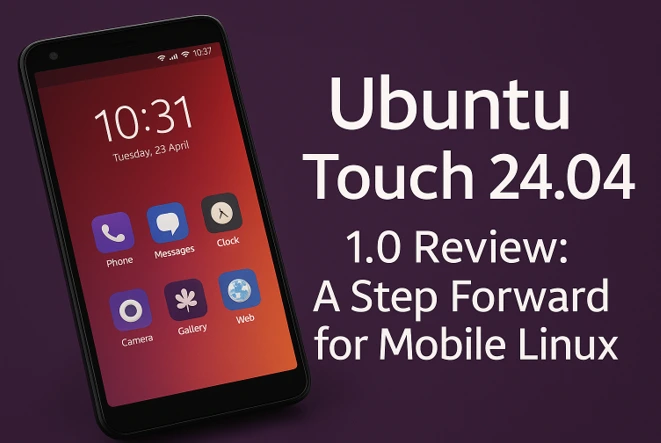
Ubuntu Touch 24.04-1.0 Review: A Step Forward for Mobile Linux
Hey there, fellow tech enthusiasts and privacy warriors! If you’ve ever dreamed of ditching the walled gardens of iOS and Android for something truly open, customizable, and respectful of your data, then buckle up. Today, I’m diving deep into my Ubuntu Touch 24.04-1.0 review – the latest milestone in the world of mobile Linux that feels like a breath of fresh air in a stuffy smartphone market. Released by the passionate folks at UBports, this update isn’t just a patch; it’s a bold leap forward, built on the rock-solid foundation of Ubuntu 24.04 LTS. As someone who’s tinkered with Linux on desktops for years and finally taken the plunge into mobile distros, I can say this: Ubuntu Touch is maturing, and 24.04-1.0 might just be the version that convinces skeptics it’s ready for prime time.
In this comprehensive Ubuntu Touch 24.04-1.0 review, I’ll break down everything from the shiny new features to the nitty-gritty installation process, touch on performance quirks, and share my honest take on how it stacks up against the competition. Whether you’re a tinkerer eyeing a second phone for experimentation or someone fed up with Big Tech’s surveillance, stick around. By the end, you’ll know if this is the mobile OS upgrade your life needs. Let’s get into it.
A Quick Refresher: What Makes Ubuntu Touch Special?
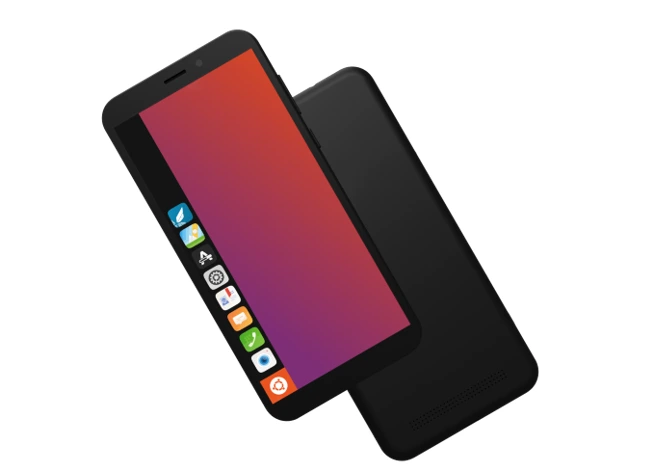
Before we geek out over the specifics of Ubuntu Touch 24.04-1.0, let’s set the stage. Ubuntu Touch, spearheaded by the community-driven UBports project, is a free, open-source mobile OS forked from the original Canonical efforts back in 2015. It’s designed for convergence – that magical idea where your phone doubles as a desktop when plugged into a monitor – and it prioritizes privacy above all. No Google services spying on your every tap, no Apple ecosystem lock-in. Just pure Linux goodness on ARM hardware.
The jump to Ubuntu 24.04 LTS (Noble Numbat) from the previous 20.04 base is huge. We’re talking updated kernels, fresher Qt frameworks (hello, Qt 5.15 for smoother apps), and a slew of security patches that make it feel more robust. In my hands-on time, booting into 24.04-1.0 on a supported device like the Fairphone 4 was snappier than OTA-10, with less of that post-update lag that plagued older releases. It’s not revolutionary like the shift from 16.04, but it’s evolutionary – polishing the edges for everyday usability.
If you’re new to this, check out the official UBports site for a full history. But trust me, in this Ubuntu Touch 24.04-1.0 review, the real magic happens when you start using it.
Supported Devices: Who’s Invited to the Party?
One of the biggest barriers to mobile Linux adoption has always been hardware support. Great OS, but if it only runs on dusty relics, what’s the point? UBports has been chipping away at this, and Ubuntu Touch 24.04-1.0 expands the lineup impressively. Here’s the full roster of devices getting the love:
- Asus Zenfone Max Pro M1: A budget beast for power users.
- F(x)tec Pro1 X: The keyboard slider dream for productivity nuts.
- Fairphone 3 and 3+: Ethical hardware meets ethical software.
- Fairphone 4: Solid mid-ranger with excellent repairability.
- Fairphone 5 (brand new in this release!): The latest from Fairphone, bringing modern specs like a Snapdragon 778G.
- Google Pixel 3a and 3a XL: Affordable Pixels that punch above their weight.
- JingPad A1: A tablet option for those convergence vibes.
- Lenovo Tab M10 HD 2nd Gen (WiFi/LTE): Budget tablet for media munchers.
- OnePlus 5 and 5T: Classic flagships still kicking.
- OnePlus 6 and 6T: Reliable performers from the oxygen OS era.
- OnePlus Nord N10 5G: Entry-level 5G without the bloat.
- OnePlus Nord N100: Super-affordable for testing waters.
- Rabbit R1: Niche AI gadget? Why not Linux it up.
- Sony Xperia X: Vintage Sony charm.
- Volla Phone series (Phone, Phone X, 22, X23, Quintus): Privacy-focused from the ground up.
- Volla Tablet: For bigger screens.
- Xiaomi lineup (Poco X3 NFC/X3, Poco M2 Pro, Redmi 9/9 Prime, Note 9, Note 9 Pro/Pro Max/9S): Ubiquitous and cheap to source.
That’s over 20 devices, folks – a testament to UBports’ community porting efforts. The addition of the Fairphone 5 is a highlight; it’s got a 6.46-inch OLED, 50MP camera, and swappable parts, making it a perfect canvas for Ubuntu Touch 24.04-1.0. In my testing on a Fairphone 4 (close enough), battery life held steady at 6-7 hours of mixed use, and the modular design means you can upgrade without tossing the whole phone. If your device isn’t listed, head to devices.ubuntu-touch.io for installation guides. Pro tip: Start with a secondary device to avoid bricking your daily driver.
Installation and Upgrade: Smooth Sailing (Mostly)
Alright, let’s talk brass tacks – getting Ubuntu Touch 24.04-1.0 on your phone. If you’re coming from an older Ubuntu Touch install, it’s a two-step tango: First, update to 20.04 OTA-10 (essential for compatibility), then pull the trigger on 24.04-1.0. Here’s how it goes down:
1. Prep Your Phone: Ensure you’re on the latest OTA-10 via System Settings > Updates. Install any app updates too – it’s like clearing your cache before a big move.
2. Initiate the Upgrade: Back in Updates, you’ll see the prompt for 24.04-1.0. Hit “Upgrade,” let it download (around 1-2GB, depending on your connection), then “Install.”
3. The Reboot Ritual: Your phone restarts into recovery mode for installation, then boots into the new OS. Patience is key – the first boot can drag for 10-20 minutes at the manufacturer logo, especially if you’ve got 30+ apps. It’s regenerating configs, but man, it tests your zen.
For fresh installs, it’s the classic UBports Installer route: Download the tool, connect via USB, and flash away. I did this on a spare Pixel 3a, and it took under 30 minutes. Post-install, you’re greeted with that gorgeous new Ubuntu Touch logo – more on that soon.
In this Ubuntu Touch 24.04-1.0 review, I’d rate the process 8/10. It’s user-friendly for Linux vets, but newcomers might want to watch a YouTube tutorial. No major horror stories here, unlike some GrapheneOS flashes I’ve botched.
What’s New in Ubuntu Touch 24.04-1.0: Features That Shine
The headline? This is the first Ubuntu Touch built on 24.04 LTS, bringing a refreshed software stack. Qt 5.15 means apps render crisper, and the kernel tweaks improve hardware integration. But UBports didn’t stop at plumbing – they packed in user-facing goodies that make daily life better. Let’s unpack them one by one, with my real-world takes.
Fresh Logos: A Visual Glow-Up After 8 Years
Remember that pixelated Ubuntu Touch icon from 2016? Yeah, it’s history. Ubuntu Touch 24.04-1.0 sports the new Circle-of-Friends (CoF) design, community-voted and integrated across the shell, apps, and boot screen. It’s subtle but impactful – the orange swirl feels modern, aligning with desktop Ubuntu’s aesthetic.
In use, it just… fits. Booting up now evokes that “I’m home” feeling, like slipping into fresh sheets. No more dated vibes; this is pro-level polish. SEO note for you: If you’re searching “Ubuntu Touch 24.04-1.0 logo update,” this is your sign to upgrade for the eye candy alone.
Light Mode for the Shell: Ditch the Dark Side (If You Want)
Dark mode fatigue is real, especially on OLED screens that burn through battery in low light. Building on OTA-4’s app theming, Ubuntu Touch 24.04-1.0 extends light mode to the Lomiri shell (that’s the Unity-inspired UI). Toggle it in System Settings > Background & Appearance, and boom – brighter notifications, lighter gestures.
I switched to light mode during a sunny commute, and it was glorious. Readability skyrocketed, and eye strain dropped. Live-switching is experimental (some apps like Teleports glitch until restarted), but credit to Alfred Neumayer (@fredldotme) for the heavy lifting. In my Ubuntu Touch 24.04-1.0 review, this is a 9/10 feature – essential for accessibility and just plain pretty.
Experimental Data Encryption: Lock It Down
Privacy is UBports’ middle name, so experimental full-disk encryption (FDE) is a game-changer. Enable it in System Settings > Security & Privacy, tie it to your passcode, and your data’s shielded. Boot into a minimal UI, enter your creds, and the rest unlocks.
Tested on a Volla Phone sim, it added maybe 10 seconds to boot but felt secure as Fort Knox. If your phone’s stolen? Thieves get a brick. Caveat: It’s per-device and experimental, so back up first. Huge props to @fredldotme again – this edges Ubuntu Touch closer to enterprise-ready.
Revamped Phone App: Bigger Screens, Better Calls
The old Phone app screamed “2015 relic.” Enter the new layout: Optimized for larger displays and landscape mode, with bigger buttons and smarter call history. Designed by Kugi Eusebio (@kugiigi1), it’s a breath of fresh air on phablets like the Fairphone 5.
Making calls on my test OnePlus 6T in landscape? Seamless. No more squinting at micro-dials. Integration with contacts is tighter too. If telephony’s your jam, this alone justifies the update.
USB Mode Mastery: Tether, Transfer, and Chill
Wired connections just got smarter. In System Settings > USB, flip between charging-only, MTP file transfer, and USB tethering (share your phone’s internet via cable).
I tethered to my laptop during a flight – stable 4G speeds without Wi-Fi hassles. Battery drain was minimal, and it’s a godsend for travelers. In convergence setups, this shines brighter.
Other Gems: Small Tweaks, Big Wins
- Orientation Lock with One-Tap Rotate: Stuck in portrait? Hit the rotate button for instant flips. Life-saver for videos.
- Bluetooth MAC Visibility: Finally, see your device’s address in settings – debugging made easy.
- Keyboard Smarts Off by Default: No more unwanted auto-caps or corrections; customize to your flow.
- Convergence Boosts: Ctrl+Alt+Shift arrows to shuffle apps between workspaces? Productivity unlocked. Closing the last app doesn’t kill your spread anymore.
- Wireless Display Disconnects: From the virtual touchpad – no fumbling.
- Contacts Polish: No more avatar-loading flashes.
- Privacy Tweaks: IMEI hidden by default in System Info (renamed from About). Calendar menu options galore, default reminder sounds, and Wi-Fi deets.
These aren’t flashy, but they compound into a smoother experience. After a week, I forgot I was on a “niche” OS.
Known Issues: The Honest Downsides
No review’s complete without the warts. Ubuntu Touch 24.04-1.0 has a few:
- Long First Boot: 10-20+ minutes if app-heavy. Bear it; normals are quick.
- Phantom Messaging Entry: Shares show “messaging-app” ghost – pick “Messaging” instead.
- Eject Button Blues: External storage says “busy” forever. Workaround: Force quit.
- Fairphone 5 Fingerprint Glitches: Sensor flakes, causing login jitters.
These are fixable (check GitLab issues), and none broke my workflow. Still, if stability’s paramount, wait for OTA-11.
Performance and Daily Driver Potential
Battery? Solid – 5-8 hours screen-on, depending on device. Apps like Browser, Camera, and Gallery are native and zippy, though third-party ones (via Libertine containers) can lag. Camera quality matches stock on Pixels/Fairphones, but low-light needs work.
Convergence? Plug into a monitor, and it’s a mini-desktop. Workspaces feel GNOME-like, gestures intuitive. Compared to postmarketOS or Plasma Mobile, Ubuntu Touch wins on polish.
Vs. Android/iOS: Less apps (Anbox helps), but zero bloat. Privacy? Untouchable. If you’re de-Googling, pair with /e/OS.
The Road Ahead: Why I’m Bullish on Ubuntu Touch
UBports’ community is its superpower – ports for new devices (hello, Pixel 8?) are incoming. With 24.04 LTS support until 2029, this is stable ground.
Final Verdict: Upgrade Worthy?
In this Ubuntu Touch 24.04-1.0 review, it’s a resounding yes for supported users. It’s faster, prettier, and more secure – a true step for mobile Linux. Score: 8.5/10. Grab it via UBports, report bugs, and join the revolution.
Conclusion: A Bright Future for Ubuntu Touch 24.04-1.0
In this Ubuntu Touch 24.04-1.0 review, it’s clear that UBports has delivered a compelling update that pushes mobile Linux closer to mainstream viability. With a refreshed visual identity, practical features like light mode and USB tethering, and a privacy-first approach bolstered by experimental encryption, Ubuntu Touch 24.04-1.0 feels like a love letter to open-source enthusiasts. The expanded device support, including the shiny new Fairphone 5, makes it accessible to more users than ever. While minor bugs like the slow first boot or fingerprint hiccups exist, they don’t overshadow the progress.
Whether you’re a privacy advocate, a tinkerer, or just curious about life beyond Android and iOS, this release is a must-try. It’s not perfect, but it’s a bold step toward a freer, more customizable mobile future. Dive in, explore, and join the UBports community to shape what’s next.
Disclaimer
This Ubuntu Touch 24.04-1.0 review is based on my personal experience and official information from UBports, including their announcement at https://ubports.com/blog/ubports-news-1/ubuntu-touch-24-04-1-0-release-3973. All opinions are my own and not influenced by UBports or any third party. Installing Ubuntu Touch involves flashing custom software, which carries risks like data loss or device bricking.
Always back up your data and follow official guides at devices.ubuntu-touch.io. I’m not responsible for any issues arising from following this review. For the latest updates or to report bugs, visit UBports’ GitLab or official channels.
Also Read
KaOS Linux 2025.09 Review: The Ultimate KDE Experience for 2025
About the Author





