

You probably already know that your phone knows more about you than your closest friend. Google tracks your searches. Windows sends your typing data back to Microsoft. Your smart TV is listening. And somewhere in a data center, an advertiser is building a profile of your habits, your location, your purchases, and possibly your health concerns.
That’s not paranoia. That’s just Tuesday in 2026.
So what do you actually do about it? Well, a growing number of people — from everyday Americans tired of being surveilled to journalists, lawyers, and security researchers — are turning to Linux. And when you dig into why, it starts to make a lot of sense.
Why Linux is the privacy enthusiast’s best friend is not just a catchy phrase. It’s a practical reality grounded in how Linux is built, who controls it, and what it does (or more importantly, doesn’t do) with your data. Let’s break all of this down in plain English.
First, What Actually Happens on Windows and macOS?
Before getting into Linux, it helps to understand what you’re escaping from.
Windows 11, as of early 2026, still collects a significant amount of telemetry data by default. Microsoft’s own documentation confirms it collects things like your device ID, crash reports, browsing activity in Edge, Cortana voice input history, app usage patterns, and location data. Some of this can be turned off — but not all of it, even in the “basic” telemetry setting. The Enterprise edition gives IT admins more control, but that’s not what regular people use.
macOS is better in some ways, but Apple still collects diagnostic data, Siri interaction history, and iCloud-linked activity. The App Store ecosystem means Apple can see what you install and when.
Neither company is evil. They’re building commercial products funded by services revenue, advertising ecosystems, and enterprise licensing. But their business incentives are simply not aligned with your privacy.
Linux is different because of who built it and why.
Open Source Means You Can Actually Verify What It Does
Here’s one of the most fundamental reasons why Linux is the privacy enthusiast’s best friend: the source code is completely open.
This sounds like a nerdy detail, but it’s actually a big deal. With Windows or macOS, you are trusting a corporation to tell you what their software does. With Linux, the code is publicly available. Thousands of developers around the world have reviewed it. Security researchers audit it. Independent organizations like the Linux Foundation actively support its development.
You don’t need to personally read millions of lines of code. The point is that someone has, and that accountability exists. Backdoors are nearly impossible to hide. Shady telemetry would be noticed and called out almost immediately.
Compare that to Windows, where researchers discovered in 2023 that even with telemetry supposedly turned off, certain builds were still phoning home to Microsoft servers. With Linux, that kind of discovery leads to immediate community action and patching — not a corporate PR response months later.
No Built-In Tracking, No Ads, No “Suggested Content”
When you install a mainstream Linux distribution like Ubuntu, Fedora, Linux Mint, or Pop!_OS, you get an operating system. Just an operating system.
There’s no lock screen with ads. No Clippy replacement that “learns your habits.” No Start menu showing sponsored apps. No browser collecting your history for targeted ads built right into the OS. No prompts to create an account just to log into your own computer.
This is increasingly rare in 2026. Even Android and iOS push you toward accounts, cloud sync, and data-sharing at every step. Linux doesn’t do any of that unless you specifically install software that does — and even then, you’re making a deliberate choice.
A Real-World Example: Sarah the Freelance Journalist
Let’s make this concrete with a realistic scenario.
Sarah is a freelance journalist in New York who frequently works on stories involving whistleblowers and sensitive government sources. She uses encrypted messaging, but her main concern is her laptop. She was on Windows and noticed that her security-conscious sources were uncomfortable with it.
She switched to Tails OS — a Linux distribution specifically designed for anonymity — for her most sensitive work. Tails runs entirely from a USB stick, leaves no trace on the host computer, and routes all traffic through Tor. When she’s done working, she removes the USB and her session is completely gone.
For her everyday work, she uses Fedora Linux. No telemetry, full disk encryption enabled from setup, and a clean environment with only the apps she chose to install.
She told a colleague: “I used to assume privacy software was for hackers. Now I realize it’s just for anyone who has something worth protecting — and that’s everyone.”
Sarah’s situation isn’t unusual. Activists in authoritarian regimes, domestic abuse survivors who need to hide their location from an abuser, medical professionals handling sensitive patient research — these are all real groups of people actively using Linux for privacy protection.
The Privacy-Focused Linux Distributions Worth Knowing
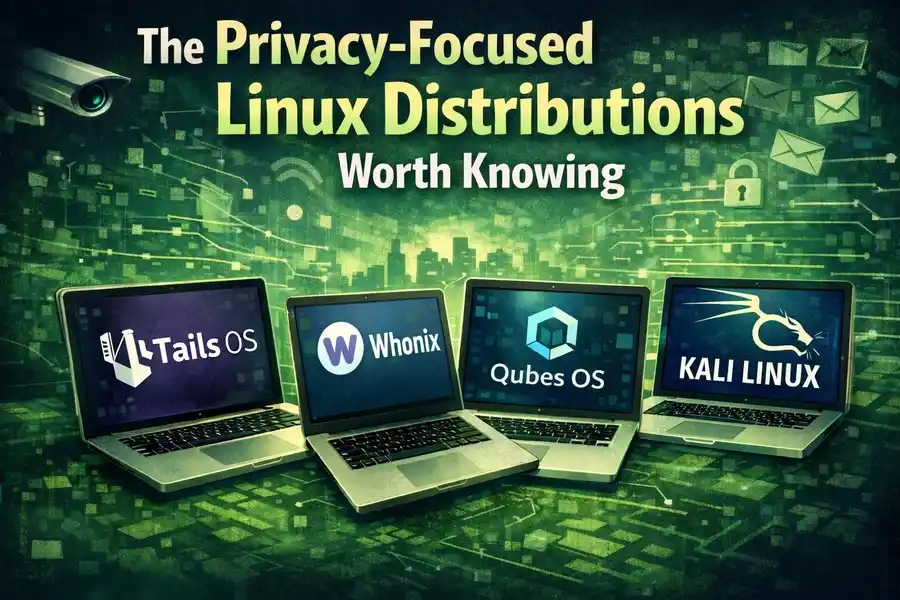
Not all Linux distributions are equal in terms of privacy. Here’s a comparison that should help you figure out which one might fit your needs:
Best Linux Distributions Compared: Privacy, Security & Beginner Friendliness
| Distribution | Best For | Default Privacy Level | Tor / VPN Integration | Beginner-Friendly |
|---|---|---|---|---|
| Tails OS | Maximum anonymity, journalists | Very High | Yes (Tor built-in) | Moderate |
| Whonix | Running apps anonymously in a VM | Very High | Yes (Tor enforced) | Low |
| Qubes OS | Advanced users, security-by-isolation | Very High | Optional | Low |
| Fedora | Daily use with good defaults | High | Optional | Moderate |
| Linux Mint | Windows switchers, everyday use | Medium-High | Optional | High |
| Ubuntu | General use, large community | Medium | Optional | High |
| Pop!_OS | Developers, power users | Medium-High | Optional | High |
| Kali Linux | Security professionals, penetration testing | Medium | Optional | Low |
For most people reading this, Linux Mint or Fedora is the sweet spot. They’re usable by non-techies, don’t collect your data, and give you a clean foundation to add privacy tools on top of.
You Control Every App That Gets Installed
On Windows and macOS, apps can quietly install background services, auto-updaters, and crash reporters without making it obvious. Some apps phone home constantly. Many install system-level components that persist even after you uninstall the main app.
Linux package management is more transparent. When you install software through your distribution’s official repository (like Fedora’s DNF or Ubuntu’s APT), you’re getting software that’s been reviewed by maintainers. You can see exactly what gets installed and where. You can audit running processes easily.
More importantly, the culture in the Linux world prioritizes user control. Software that tried to do sketchy background things would be flagged, forked, or replaced quickly.
Full Disk Encryption Is Easy and Standard
One of the most important practical privacy tools is full disk encryption — scrambling your hard drive so that if someone steals your laptop, they can’t read your files without your password.
On Linux, this is offered as a simple checkbox during installation. Most distributions will set up LUKS (Linux Unified Key Setup) encryption automatically if you click “encrypt this installation.” It’s free, it works well, and it adds almost no performance overhead on modern hardware.
On Windows, full disk encryption (BitLocker) is only available on Pro, Enterprise, and Education editions — not on Windows Home, which is what most consumer laptops ship with. macOS handles this better with FileVault, but Linux’s implementation is equally solid and fully open source.
No Forced Updates, No Surprise Reboots
Privacy and control go together. Windows famously forces updates, sometimes at inconvenient moments, and those updates can make changes to your system without your consent — including changing privacy settings back to Microsoft’s defaults after a major update.
Linux gives you full control over when and whether updates happen. On a server or a sensitive workstation, this matters enormously. You decide what runs on your machine, not a corporation with its own schedule and interests.
The Role of Community and Transparency
The Linux ecosystem is supported by a global community of developers who have a genuine stake in keeping it trustworthy. The Linux Foundation, which released its 2025 Annual Report in early 2026, reported over 4,000 contributing developers to the Linux kernel in the past year, with backing from companies like Red Hat, Google, Intel, and IBM — but governed by open processes that no single company controls.
This governance model matters for privacy. When a concern is raised — say, a controversial telemetry feature in a major distro — the community debates it publicly. Users vote with their choices. Alternative forks emerge. The market is transparent in a way that proprietary software simply cannot be.
Canonical, the company behind Ubuntu, faced exactly this kind of scrutiny years ago when it briefly included Amazon search results in the desktop. The backlash was swift, public, and led to the feature being removed. That kind of accountability is rare in software.
What Linux Won’t Protect You From
It’s worth being honest here. Linux is not a magic privacy shield.
If you install Chrome on Linux and log into your Google account, Google still tracks your browsing. If you use Gmail, Google still reads your emails for ad targeting. If you use Zoom, your meetings are still handled by Zoom’s servers. The application layer is a separate concern from the OS.
Linux removes the baseline surveillance that comes from the operating system itself. That’s meaningful and significant. But you still need to think about the apps you use, the services you rely on, and your overall threat model.
The combination that privacy-conscious users typically settle on looks something like this: Linux as the OS, Firefox with uBlock Origin as the browser, ProtonMail or Tutanota for email, Signal for messaging, and a reputable VPN for network traffic. That stack, in 2026, is genuinely difficult to surveil at scale.
Is Linux Hard to Use?
This is the question that stops most people. And the honest answer is: it depends on what you need to do.
For basic tasks — browsing the web, watching videos, writing documents, managing files, video calls — modern Linux distributions like Linux Mint are genuinely easy. The desktop looks familiar. LibreOffice handles Microsoft Office files. Firefox and Chrome both run natively. Most hardware works out of the box.
Where Linux gets tricky is with specialized software. If you need Adobe Photoshop, there’s no native Linux version (though GIMP and Krita are capable alternatives). If you’re a hardcore gamer, the experience has improved dramatically with Steam’s Proton layer, but some games still don’t work. If your workplace requires Microsoft Teams or specific Windows software, you may need to run it in a compatibility layer or a virtual machine.
For the majority of everyday users, though, the gap has closed significantly. The learning curve in 2026 is genuinely manageable, especially with the amount of documentation and community support available online.
The Bottom Line
The reason why Linux is the privacy enthusiast’s best friend comes down to three things: transparency, control, and intent.
Linux was not built to harvest your data. There’s no business model that depends on knowing your browsing habits or selling you targeted ads through the OS. The code is open for anyone to inspect. You choose what gets installed. You own your machine in a way that Windows and macOS users simply don’t.
That doesn’t mean you need to be a tech expert to use it, or that it’s perfect, or that it solves every privacy problem you have. But as a foundation — as the base layer on which you build your digital life — it’s the most trustworthy option available to consumers today.
If you’ve been thinking about making the switch, the best starting point is to download Linux Mint, burn it to a USB stick, and boot from it without installing anything. You can try the entire desktop environment without touching your current system. See how it feels. You might be surprised how normal it is.
Your data belongs to you. Linux is built around that assumption. It’s hard to say the same about the alternatives.
Disclaimer
This article is for informational purposes only. The tools, distributions, and privacy practices mentioned here are based on publicly available information as of February 2026. We do not guarantee that any software or method will provide complete privacy or security. Technology changes fast — always do your own research before making decisions based on this content. We are not affiliated with any of the Linux distributions or software products mentioned in this post.
Frequently Asked Questions
Do I need to be a tech expert to use Linux?
Not at all. Distributions like Linux Mint and Pop!_OS are designed for everyday users. If you can use Windows or macOS, you can figure out Linux. The learning curve is real but short — most people feel comfortable within a week or two of daily use.
Is Linux completely free?
Yes. Most Linux distributions are completely free to download, install, and use. There are no license fees, no subscription costs, and no paid upgrades. Some companies offer paid support plans for businesses, but for personal use, it costs you nothing.
Can I still use my favorite apps on Linux?
Many popular apps like Firefox, Chrome, Spotify, Discord, and VLC run natively on Linux. Some apps like Adobe Photoshop don’t have a Linux version, but there are solid alternatives. The app situation has improved a lot in recent years.
Will switching to Linux actually protect my privacy?
Linux removes the surveillance built into your operating system — which is a solid first step. But your privacy also depends on the apps and services you use on top of it. Linux gives you a clean, trustworthy foundation. What you build on it is up to you.
Can I try Linux without deleting Windows?
Yes, absolutely. You can boot Linux from a USB drive without installing anything or touching your existing system. It’s called a “live session.” Try it, explore the desktop, and only install it permanently if you feel ready.
Also Read
How to Clone Your Hard Drive Using Clonezilla Live 3.3.1


