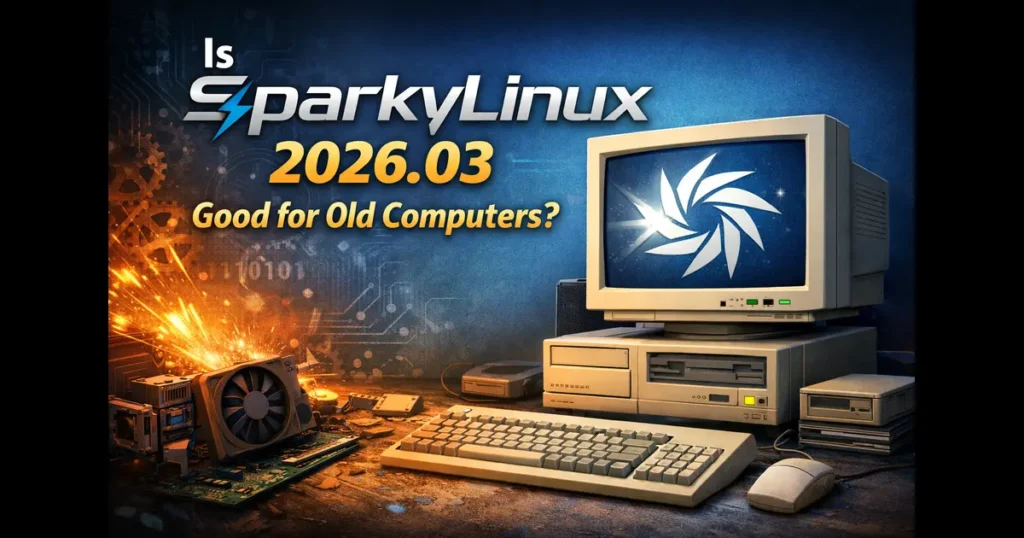
If you’ve got an old laptop collecting dust in a corner, or a desktop that Windows long abandoned, you’re probably wondering whether there’s still life left in that machine. That’s where the right Linux distro can completely change the story — and right now, a lot of people are asking: Is SparkyLinux 2026.03 good for old computers?
Released on March 14–15, 2026, SparkyLinux 2026.03 — codenamed “Tiamat” — is the latest snapshot of the SparkyLinux semi-rolling edition, built on Debian Testing “Forky.” This isn’t just another incremental update. It ships with Linux kernel 6.19.6, multiple desktop environment options ranging from ultra-light to feature-rich, and some genuinely useful tweaks for older hardware. Let’s dig in and find out exactly what this release means for people trying to squeeze more years out of aging machines.
What Is SparkyLinux 2026.03 “Tiamat”?
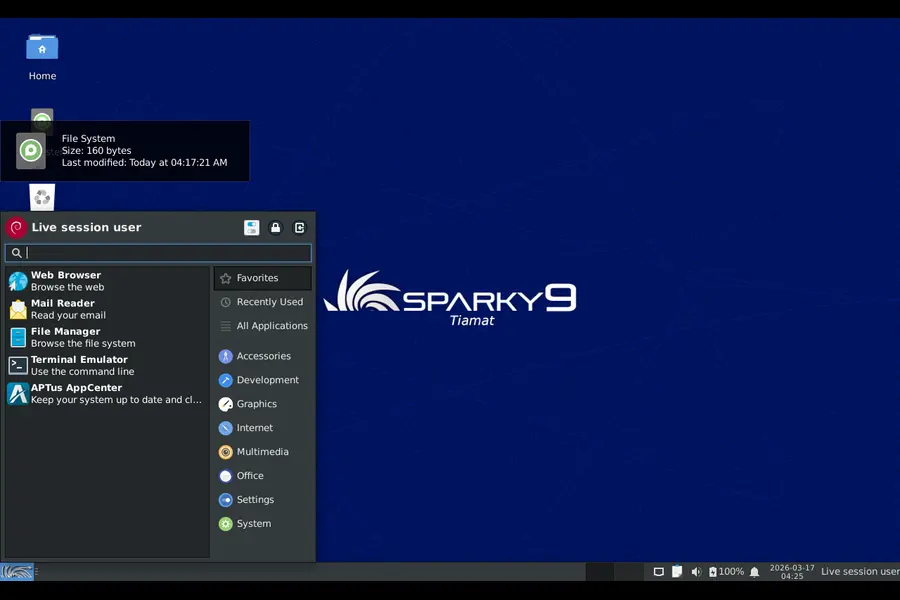
SparkyLinux is a Debian-based distribution that’s been quietly carving out a niche for itself since 2012. It sits in that sweet spot between being beginner-friendly and giving experienced Linux users enough rope to customize everything. The “semi-rolling” model it follows means you get relatively fresh software without the volatility of a pure rolling release like Arch Linux.
The 2026.03 “Tiamat” release is not a new version branch — it’s an updated installation snapshot. If you already have SparkyLinux Rolling installed, running apt update && apt upgrade brings you completely current. No reinstall needed.
Here’s a quick look at what’s included in the March 2026 release:
- Linux kernel 6.19.6 installed by default (plus 7.0-rc3, 6.19.8, 6.18.18-LTS, and 6.12.77-LTS available in repos)
- Firefox 140.8.0 ESR and Thunderbird 140.8.0 ESR (Firefox 148 available via Sparky repos)
- Calamares 3.4.2 graphical installer with Plasma Login Manager support
- GCC 15 + GCC 16-base pre-installed
- CLI installer now supports 32-bit ia32 GRUB UEFI on 64-bit machines
- Available in: LXQt, KDE Plasma, MATE, Xfce, MinimalGUI (Openbox), and MinimalCLI editions
System Requirements: What Hardware Do You Actually Need?
This is the section that matters most for people with older PCs. SparkyLinux has always been upfront about its hardware requirements, and the news is genuinely good here.
According to the official SparkyLinux wiki, the minimum RAM requirements per edition are:
| Edition | Minimum RAM |
|---|---|
| CLI (text only) | 128 MB |
| LXQt / Openbox / MinimalGUI | 256 MB |
| MATE / Xfce | 512 MB |
| KDE Plasma | 1 GB |
Storage-wise, you need at least 10 GB for a standard installation and a 512 MB swap partition or larger. The CLI edition can get by with just 2 GB of drive space.
Important: The Calamares graphical installer requires at least 1 GB of RAM to run. If your machine has less, use the sparky-installer CLI option instead.
In 2026.03, the CLI installer gets a useful new feature — it can now install the 32-bit (ia32) version of GRUB UEFI on 64-bit machines, which solves a common headache on certain older UEFI hardware that refuses to cooperate with standard 64-bit bootloaders.
Practically speaking, a machine with a dual-core 64-bit CPU, 1–2 GB of RAM, and a 20 GB drive will run SparkyLinux 2026.03 LXQt or Xfce smoothly for everyday tasks. That covers a massive number of laptops and desktops from the 2008–2015 era.
Choosing the Right Desktop for Your Old PC
One of SparkyLinux’s biggest strengths is that it doesn’t force you into one desktop. This is huge for older hardware, where the difference between 256 MB and 1 GB RAM can mean the difference between a responsive system and a grinding halt.
LXQt — The Sweet Spot for Older Machines
LXQt is arguably the best pick if your machine has 512 MB to 1 GB of RAM. It’s genuinely fast, uses the Qt toolkit (which looks surprisingly modern), and gives you a proper taskbar, file manager, and app menu without any desktop bloat. On SparkyLinux 2026.03, LXQt loads quickly and idles with minimal memory consumption. For a machine from 2010 with 1 GB RAM, this edition will feel like a new computer.
MinimalGUI (Openbox) — Extreme Lightweight
If your hardware is truly ancient — think Pentium 4 era, 512 MB RAM or less — the MinimalGUI Openbox edition is your best friend. It’s a barebones window manager that gives you just enough of a graphical environment to be functional. You’ll need to add your own apps, but the system overhead is tiny. Users have even reported running Sparky Openbox on machines with Pentium II processors, though your mileage will vary for modern web browsing.
MATE — Traditional Desktop, Reasonable Requirements
MATE is ideal if you want something that feels like the classic Windows XP or GNOME 2 desktop but on modern Debian Testing packages. It needs at least 512 MB RAM, but performs well on 1–2 GB systems. It’s a great pick for non-technical users coming from Windows who need something familiar.
Xfce — Balanced Performance
Xfce splits the difference between MATE and LXQt. It’s lightweight but has a slightly richer feature set than pure minimalist options. Xfce also needs around 512 MB RAM minimum and runs well on machines with 1 GB or more.
KDE Plasma — For Modern-Spec Old Hardware
KDE Plasma needs at least 1 GB RAM and really benefits from 2 GB. If your old PC has been upgraded to 4 GB RAM or more, the Plasma edition gives you a fully modern, polished desktop experience without any compromise. Don’t dismiss it just because the machine is “old” — if the specs allow it, Plasma in 2026 is beautifully smooth.
Linux Kernel 6.19.6: Better Hardware Support for Old Gear
Here’s something that doesn’t get enough attention: newer Linux kernels often support older hardware better than you’d expect — not worse. Driver improvements, power management fixes, and compatibility patches accumulate over years of development.
SparkyLinux 2026.03 ships with Linux 6.19.6 by default, which brings solid hardware support across a wide range of Intel and AMD chips, older Wi-Fi adapters, and legacy GPU drivers. For those who prefer maximum stability on older hardware, the 6.12.77-LTS and 6.18.18-LTS kernels are available in the Sparky repositories. LTS kernels receive security and stability patches for years, making them a smart choice if you plan to keep running the machine without regular maintenance.
The option to install the 32-bit GRUB UEFI bootloader on 64-bit machines is particularly noteworthy. Some laptops from the 2008–2012 era shipped with early UEFI implementations that used a 32-bit EFI environment even on 64-bit processors — a quirk that has historically caused installation headaches on Linux. Sparky 2026.03 addresses this directly through the CLI installer.
How Does SparkyLinux 2026.03 Compare to Other Options for Old PCs?
There’s no shortage of lightweight Linux distros competing for the same aging hardware. Here’s how SparkyLinux 2026.03 genuinely stacks up:
SparkyLinux vs AntiX: AntiX is the go-to for truly ancient hardware — 32-bit systems with as little as 192 MB RAM. If your machine predates the Core 2 Duo era, AntiX will serve you better. But for anything from 2008 onward with at least 512 MB RAM, SparkyLinux offers a much richer software selection and more polished desktop options.
SparkyLinux vs MX Linux: MX Linux is often recommended for older hardware, but it’s based on Debian Stable, which means older packages. SparkyLinux 2026.03 uses Debian Testing (“Forky”), so you get Firefox 148, GCC 16, and a kernel released just weeks ago. For users who want fresh software without the instability of Arch or Manjaro, SparkyLinux wins here.
SparkyLinux vs Linux Mint XFCE: Linux Mint is an excellent distro, but it’s built for mid-range hardware. Its minimum requirements are higher than SparkyLinux’s lightweight editions. If your machine has 4 GB RAM and a modern CPU, Mint is a perfectly fine choice. Under that threshold, SparkyLinux will run noticeably better.
SparkyLinux vs Lubuntu: Lubuntu with LXQt is a fair competitor. The difference is that SparkyLinux uses Debian Testing as its base rather than Ubuntu, giving it slightly fresher packages and a different update rhythm. SparkyLinux also offers more desktop environment choices and a more flexible installer for edge-case hardware.
Real-World Performance Expectations
Based on community reports and hardware compatibility patterns for this release family, here’s what you can realistically expect:
Web browsing: Firefox ESR 140 on 2 GB RAM with LXQt handles modern websites reasonably well. YouTube at 720p may stutter on machines without hardware video acceleration, but lightweight browsing, Gmail, and document work are smooth.
Office work: LibreOffice is included and works fine on 1 GB RAM with the lighter desktop editions. Writing documents, spreadsheets, and presentations are all perfectly usable.
Multimedia: VLC and basic audio tools are available. Don’t expect 4K video on a Core 2 Duo, but 1080p H.264 content is manageable on machines with decent CPUs from 2010 onward.
Boot time: On an SSD (even an older SATA SSD), SparkyLinux LXQt boots in under 20 seconds. On a spinning hard drive, expect 35–50 seconds — still reasonable.
Idle RAM usage: LXQt idles around 300–400 MB. Openbox comes in even lower. Compare that to Windows 10 idling at 2 GB+ and the difference is dramatic.
Tips for Installing SparkyLinux 2026.03 on Old Hardware
A few practical things to keep in mind before you dive in:
- UEFI systems need an active internet connection during installation — this is a noted requirement in 2026.03.
- If your machine has less than 1 GB RAM, use sparky-installer (the CLI tool) instead of the Calamares graphical installer.
- On older UEFI machines with 32-bit EFI, use the CLI installer and select the ia32 GRUB option — this is new in 2026.03 and a real lifesaver for those edge cases.
- Choose LXQt or Openbox for machines under 1 GB RAM. Save KDE Plasma for machines with 2 GB or more.
- Create a 1–2 GB swap partition, especially on machines with 1 GB or less RAM. It acts as overflow and prevents the system from freezing under memory pressure.
- Existing SparkyLinux Rolling users don’t need to reinstall — just run system updates to get all 2026.03 changes.
Who Should Actually Use SparkyLinux 2026.03?
SparkyLinux 2026.03 is a great fit for you if:
- You have a laptop or desktop from roughly 2008 to 2018 that you want to give a second life.
- You want Debian-quality stability with more current software than Debian Stable offers.
- You’re comfortable with basic Linux concepts but don’t want to build your system from scratch like on Arch.
- You want the freedom to choose your desktop environment based on your hardware’s actual specs.
- You’re tired of Windows updates breaking your old machine, or it simply doesn’t qualify for Windows 11.
It’s probably not the right pick if your machine is truly ancient (pre-2005 hardware), in which case AntiX or Tiny Core Linux are better options. And if you’re completely new to Linux and want maximum hand-holding, Linux Mint might have a gentler learning curve — though SparkyLinux isn’t difficult by any stretch.
Final Verdict: Is SparkyLinux 2026.03 Good for Old Computers?
Yes — and the answer is more emphatic than you might expect. SparkyLinux 2026.03 “Tiamat” earns its place as one of the best Linux distros for older hardware in 2026. The combination of Debian Testing’s fresh packages, multiple lightweight desktop environment choices, and hardware-specific installer improvements (especially the 32-bit GRUB UEFI support) makes it remarkably well-suited to machines that most operating systems have left behind.
The LXQt and Openbox editions genuinely revive machines with 512 MB to 2 GB of RAM. The semi-rolling model keeps your software current without forcing you into constant major upgrades. And the fact that existing users can just run apt update rather than reinstalling shows a thoughtful approach to user experience.
If you’ve got an old PC sitting idle and you’re wondering whether SparkyLinux 2026.03 is the answer — it very likely is. Grab the LXQt ISO, give it a spin in live mode first, and see how it feels on your hardware before committing. Chances are, you’ll be pleasantly surprised.
Disclaimer
This blog post is written for informational purposes only. The hardware compatibility data, system requirements, and performance expectations mentioned are based on publicly available information from the official SparkyLinux wiki and community sources as of March 2026. Actual performance may vary depending on your specific hardware configuration. We are not affiliated with, endorsed by, or officially connected to the SparkyLinux project or the Debian team in any way. Always test a live ISO on your machine before installing any operating system.
Also Read
EndeavourOS Titan Is Here: 10 New Features You Should Know