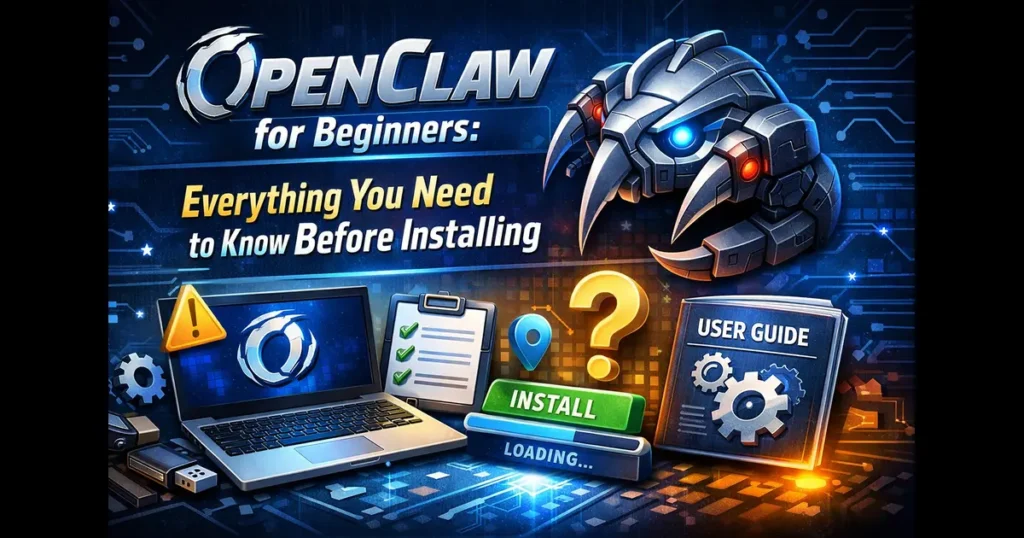
If you’ve been anywhere near tech Twitter, GitHub trending pages, or developer Discord servers lately, you’ve almost certainly spotted a lobster emoji. That lobster belongs to OpenClaw — an open-source AI agent that’s taken the developer world by storm and is now the most-starred software project in GitHub history. But for every developer raving about it, there’s a beginner quietly wondering: What even is this thing, and is it safe to install?
This guide is written for exactly that person. OpenClaw for beginners doesn’t have to be confusing — once you understand what it does, how it’s built, what you actually need to run it, and what risks you should take seriously before touching a single terminal command, the whole picture snaps into focus. Let’s walk through everything.
What Is OpenClaw?
OpenClaw (formerly known as Clawdbot, Moltbot, and Molty) is a free and open-source autonomous AI agent created by Austrian developer Peter Steinberger. It can execute tasks through large language models, using everyday messaging platforms as its primary user interface.
Put differently: OpenClaw is not a chatbot that sits in a browser tab. It’s an agent that runs on your own machine or server, connects to the AI model of your choice, and uses your existing messaging apps — WhatsApp, Telegram, Discord, Slack, iMessage, and more — as the interface you interact with through. You talk to it in chat, and it actually does things.
As the official OpenClaw blog describes it: the platform “runs on your machine and works from the chat apps you already use. WhatsApp, Telegram, Discord, Slack, Teams — wherever you are, your AI assistant follows.”
The distinction between “chatbot” and “agent” matters a lot here. A chatbot responds. An agent acts. OpenClaw can read and write files on your computer, run shell commands, browse the web, manage your calendar, triage your email, execute code, and automate multi-step workflows — all triggered by a simple message from your phone.
How OpenClaw Went from Weekend Project to GitHub Legend
The backstory is one of the more entertaining chapters in recent open-source history, and it explains why you keep seeing different names in tutorials.
The project was born in November 2025 as “Clawd” — a playful pun on “Claude” — built by Peter Steinberger, who previously founded PSPDFKit. It started as a WhatsApp relay experiment and gained over 100,000 GitHub stars before Anthropic’s legal team politely asked Steinberger to reconsider the name. Fair enough.
The project was renamed “Moltbot” on January 27, 2026, in a chaotic 5am Discord brainstorm with the community — molting representing growth, the way lobsters shed their shells to grow bigger. It was meaningful, but never quite rolled off the tongue. Three days later, the name was changed again to “OpenClaw.”
Those rapid-fire rebrands actually kept the project in tech headlines for days, which combined with the viral launch of Moltbook (a companion social network populated entirely by AI agents) created an explosion of attention. As of March 2, 2026, the project had 247,000 stars and 47,700 forks on GitHub. It has since crossed 310,000 stars, with over 58,000 forks and 1,200+ contributors, making it the most-starred non-aggregator project in the platform’s history — ahead of React and Linux.
On February 14, 2026, Steinberger announced he was joining OpenAI and the project would move to an independent open-source foundation. Community maintainers now drive development, with releases shipping roughly every few days.
What Can OpenClaw Actually Do?
This is where most beginner articles skim the surface. Let’s be specific.
Core Agent Capabilities
OpenClaw is model-agnostic and connects to the AI provider of your choice. Once configured, your agent can:
- Read and write files across your local filesystem
- Execute shell commands and scripts on your machine or a remote server
- Control a browser — including filling forms, taking screenshots, and extracting web data
- Manage email — triage Gmail, draft replies, unsubscribe from lists
- Handle calendars and contacts through OAuth integrations
- Run scheduled (cron) tasks proactively without you sending a prompt
- Build and run code inside sandboxed environments
- Remember context across sessions — it stores conversation history locally in SQLite so it doesn’t forget who you are between chats
Supported Messaging Channels
As of the latest npm release, OpenClaw answers through WhatsApp, Telegram, Slack, Discord, Google Chat, Signal, iMessage, BlueBubbles, IRC, Microsoft Teams, Matrix, Feishu, LINE, Mattermost, Nextcloud Talk, Nostr, Synology Chat, Tlon, Twitch, Zalo, and more — over 20 channels in total.
Supported AI Models
OpenClaw is model-agnostic. It supports Anthropic Claude, OpenAI GPT models, Google Gemini, and local models via Ollama. You bring your own API keys, giving you full control over costs and privacy. The v2026.3.7 beta release added first-time support for GPT-5.4 and Gemini 3.1 Flash, along with an optimized model downgrade and retry mechanism — when a model is rate-limited or overloaded, the system automatically falls back to a backup.
One important note: using Claude Pro or Max subscriptions with OpenClaw violates Anthropic’s Terms of Service — you must use official API keys with pay-as-you-go pricing.
The Skills System
OpenClaw uses a skills system where skills are stored as directories containing a SKILL.md file with metadata and instructions for tool usage. Skills are distributed through ClawHub, the community marketplace. ClawHub currently hosts over 10,700 skills, covering everything from email automation and smart home control to Solana wallet tracking and browser workflow management. (More on the security implications of this in a moment.)
System Requirements: What You Need Before Installing
This is the section most beginner guides either skip entirely or get wrong. Getting your environment set up correctly before you start saves hours of debugging. Here’s what you actually need.
| Requirement | Minimum | Recommended |
|---|---|---|
| Node.js | v20 | v22 LTS (actively maintained) |
| npm | v9+ | v10+ |
| Operating System | macOS 13+, Linux (glibc 2.31+), or WSL2 | macOS or Ubuntu Linux |
| Git | Any recent version | Latest stable |
| Docker | Optional | v24+ (for skill sandboxing) |
OpenClaw requires Node.js 20 or later, with the latest LTS release (Node.js 22) recommended. The project does not support Node.js versions below 20 — if you’re on 18 or earlier, you must upgrade before proceeding.
Native Windows is not supported. Windows users must install WSL 2 with an Ubuntu distribution and follow the Linux instructions inside that environment. Mac users will be pleased to know both Intel and Apple Silicon (M1 through M4) are fully supported.
Hardware Requirements
OpenClaw itself uses approximately 200–400 MB of RAM at idle, with the rest consumed by active conversations, loaded skills, and the Node.js runtime.
| Use Case | RAM Required | Free Disk Space |
|---|---|---|
| ☁️ Cloud models, basic use | 8 GB | 5 GB minimum |
| ⚙️ Multiple skills + automation | 16 GB | 20 GB recommended |
| 🖥️ Local models via Ollama | 32 GB+ | 50 GB+ |
A fresh OpenClaw installation requires roughly 500 MB of disk space including node_modules. Additional space is used by skill packages, log files written to ~/.openclaw/logs/, and conversation history stored in SQLite. At least 5 GB of free disk space is recommended to allow room for growth.
For most beginners running cloud models (Claude or GPT via API), a modern laptop with 8 GB of RAM handles everyday use comfortably. Local model setups are a different story — those require substantially more memory.
API Keys
Unless you’re running a fully local setup via Ollama, you’ll need at least one API key from your preferred provider (Anthropic, OpenAI, or Google). OpenClaw doesn’t include any AI access of its own — it routes your requests through whichever API you configure.
Ongoing API Costs
OpenClaw is free to download and run, but you’ll pay for model usage. Light use typically runs $10–30 per month, typical use $30–70 per month, and heavy automation can reach $100–150 per month or more. You can reduce costs by using local models via Ollama, or leverage the Brave Search free tier (2,000 requests/month) for web search capabilities.
Network Considerations
Many channel adapters — Slack, Telegram, Discord — require OpenClaw to receive incoming webhook requests, which means your server must be reachable from the internet on the configured port. Options include a public-facing server with a static IP, a reverse proxy with a domain and TLS certificate, or a tunnel service like ngrok or Cloudflare Tunnels for development.
How to Install OpenClaw: The Three Main Methods
Full step-by-step setup is beyond the scope of a beginner overview, but here’s what each installation path looks like so you know what to expect.
Method 1: npm (Most Common) The preferred setup is to run the onboarding wizard in your terminal. Install globally via npm, then run openclaw onboard –install-daemon, which installs the Gateway daemon as a launchd/systemd user service so it stays running.
The wizard walks you through API key configuration, Gateway settings, and your first channel connection. After it finishes, openclaw start launches everything.
Method 2: 1-Click Cloud Deployment
AWS launched a Managed OpenClaw blueprint on Lightsail that pre-configures Amazon Bedrock (defaulting to Claude Sonnet 4.6) and automates IAM role creation — a direct acknowledgment that self-hosted deployments were too dangerous for most teams to configure securely from scratch. DigitalOcean also offers a comparable one-click Droplet setup that handles firewall rules and systemd service configuration automatically.
For beginners without strong Linux experience, these cloud deployments are often the safer starting point.
Method 3: Docker
The containerized setup is the most security-conscious local option. Docker isolates skill execution inside containers, limiting filesystem and process access to the configured scope. Docker is recommended if you plan to use skills that execute arbitrary code, as the sandbox uses Docker containers for isolation.
After any installation method, always run:
This diagnostic checks Node.js version, dependencies, configuration files, and connectivity before things go sideways at runtime.
Pros and Cons of OpenClaw
| ✅ Pros | ❌ Cons |
|---|---|
| Completely free and MIT-licensed open source | Serious security risks if misconfigured |
| Works through 20+ chat apps you already use | No native Windows support — requires WSL2 |
| Model-agnostic: Claude, GPT, Gemini, and local models | Requires command-line comfort to set up safely |
| 10,700+ community skills available on ClawHub | ~20% of ClawHub skills have been found malicious |
| Persistent memory across sessions via local SQLite | Stores API keys and tokens in plaintext files |
| Proactive automation via built-in cron jobs | Prompt injection is an unresolved, industry-wide risk |
| Data stays local on your machine by default | Can generate surprise API bills from runaway automations |
| Active community with releases shipping every few days | Rapid release pace can break existing installations |
| 1-click cloud deployments available via AWS and DigitalOcean | Enterprise use requires significant additional hardening |
| Can autonomously write and deploy its own new skills | Still maturing on governance and ecosystem vetting |
Security: The Most Important Section in This Guide
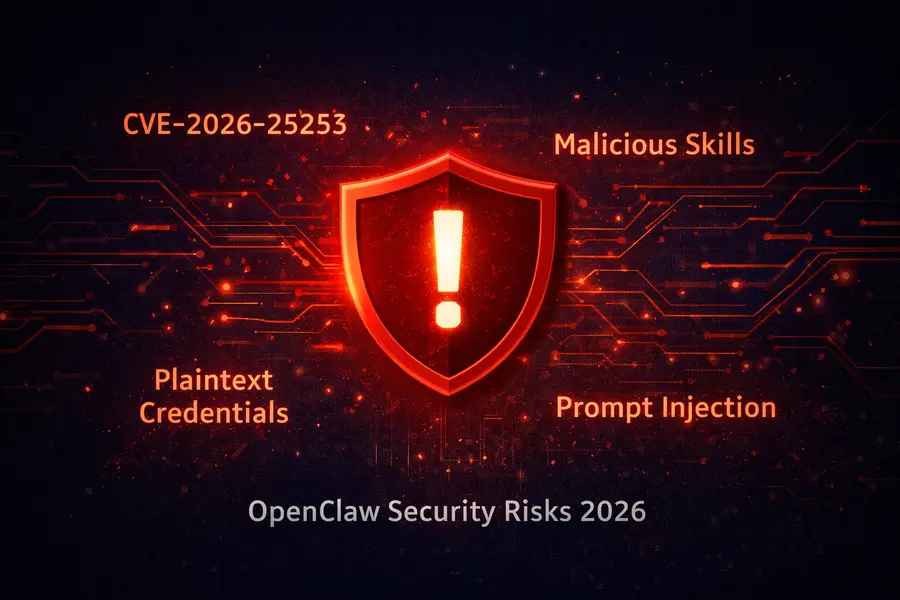
Read this before you run a single command. OpenClaw’s own documentation is candid about the risks — and so are independent security researchers.
CVE-2026-25253: The Critical Vulnerability You Must Know About
CVE-2026-25253 is classified CVSS 8.8 (HIGH) and enables one-click remote code execution. The flaw was in OpenClaw’s Control UI, which trusted a gatewayUrl parameter from the query string without validation. On page load, it auto-connected to the specified URL and transmitted the stored authentication token via WebSocket. An attacker hosting a malicious page could steal the token and execute arbitrary commands on the host.
A common misconception is that binding OpenClaw to the loopback interface provides adequate protection — it does not. The exploit pivots through the victim’s browser, meaning the gateway does not need to be internet-facing to be compromised. Any user who has authenticated to the Control UI and subsequently visits a malicious page is at risk.
The patch landed in v2026.1.29 on January 30, 2026. If you install today using npm install -g openclaw@latest, you’ll get a patched version. If you have any older installation, update immediately.
The ClawHub Skills Problem
This is the bigger ongoing concern. Researchers at Koi Security found that out of 10,700 skills on ClawHub, more than 820 were malicious — a sharp increase from 324 found just weeks earlier. Bitdefender’s analysis found roughly 20% of all published skills were malicious, ranging from credential stealers disguised as utility tools to backdoors offering persistent access to the host machine.
The primary coordinated campaign, codenamed “ClawHavoc,” used professional documentation and innocent-sounding names like “solana-wallet-tracker” and “youtube-summarize-pro” to appear legitimate, while containing a base64 payload that downloaded and executed arbitrary code from attacker-controlled servers.
On February 7, 2026, OpenClaw announced a partnership with VirusTotal to scan skills on ClawHub and remove identified malicious packages. This helps, but it’s not a complete solution — treat every unverified skill as potentially hostile until you’ve reviewed its source code.
Your Credentials Are Stored in Plaintext
OpenClaw stores authentication tokens, API keys for Anthropic and OpenAI, WhatsApp credentials, Telegram bot tokens, Discord OAuth tokens, and conversation memories in plaintext Markdown and JSON files under ~/.openclaw/. Security researchers have noted that common malware families are already building capabilities to harvest these file structures.
The Maintainer’s Own Warning
One of OpenClaw’s own maintainers, known as Shadow, warned directly on the project’s Discord: “If you can’t understand how to run a command line, this is far too dangerous of a project for you to use safely.” That’s a candid and important disclaimer from the people building it.
Government Responses
In March 2026, Chinese authorities restricted state-run enterprises and government agencies from running OpenClaw AI apps on office computers in order to defuse potential security risks. South Korean tech companies have banned OpenClaw internally, and a Token Security study found 22% of organizations have employees running OpenClaw without IT approval, creating shadow AI deployments that bypass traditional security controls.
Practical Safety Tips Before Your First Install
These habits should be in place from day one — not added later when something goes wrong.
Keep it updated. The latest stable release as of mid-March 2026 is v2026.3.13. Run npm update -g openclaw regularly. Critical security patches have shipped weeks apart throughout early 2026.
Always enable Gateway authentication. Never leave your gateway running on a public-facing server without a password. The default bind in older versions (0.0.0.0) exposed the API to the internet — Censys found over 30,000 publicly exposed instances because the default configuration exposes the API when deployed on a VPS without a firewall. Bind to loopback only and access remotely via SSH tunnels or Tailscale.
Use an isolated environment. Microsoft explicitly recommended treating OpenClaw as “untrusted code execution with persistent credentials” and stated it is “not appropriate to run on a standard personal or enterprise workstation.” Run it on a dedicated VM, container, or secondary machine.
Audit skills before installing. Review source code, check the publisher’s GitHub history, and look at when the skill was first published. If it appeared overnight with 5-star reviews, be suspicious. Only install from publishers you can verify.
Enable Docker sandboxing. Sandboxed execution limits filesystem and process access if a skill misbehaves. It adds a small overhead but meaningfully reduces the blast radius of a compromised skill.
Set API spending limits. Uncapped API usage can generate bills of $200 or more per day from runaway automation loops. Set hard limits with your API provider before connecting OpenClaw to any automated workflows.
Don’t connect to sensitive accounts immediately. Start with a throwaway Telegram account or a test email address. Once you’ve run OpenClaw for a few weeks and understand its behavior, you can add more important accounts.
The Bigger Picture: Why OpenClaw Matters
OpenClaw isn’t just a tool — it’s a signal about where software is heading. Autonomous agents that act on your behalf, connecting AI reasoning to real-world systems, represent a fundamentally different computing paradigm than chatting in a browser tab.
The project has been used by companies in Silicon Valley and China, adapted to work with the DeepSeek model and domestic messaging apps, and on March 10, 2026, Tencent announced a full suite of products built on OpenClaw that are also compatible with WeChat.
The speed of adoption is genuinely unprecedented. A project that started as a weekend WhatsApp relay experiment has become the axis around which an entire industry of personal AI automation is forming — with enterprise deployments, government responses, and institutional security advisories all appearing within three months of launch. Whatever comes next in this space, OpenClaw will be part of the conversation.
Conclusion
OpenClaw for beginners is one of the most exciting and — if approached carelessly — one of the most risky things you can install on your computer right now. That tension is real, and it’s worth sitting with before you open a terminal.
Here’s the honest summary: you need Node.js 22+, a supported OS (macOS 13+, Linux, or WSL2), at least one API key, roughly 8 GB of RAM for basic cloud-model use, and 5 GB of free disk space. The installation itself takes minutes. The configuration that makes it genuinely safe takes longer — enabling authentication, binding to loopback, isolating it from your primary machine, auditing every skill before installing it, and keeping it updated through a release cycle that moves extremely fast.
When you do that work upfront, OpenClaw is a remarkable piece of software. It turns the AI models you’re already paying for into something that actually runs your errands, manages your workflows, and operates in the background while you focus on other things. For the right user — technically comfortable, security-aware, and patient with setup — it’s hard to think of a more capable personal AI tool available anywhere today.
Start with the official docs at docs.openclaw.ai, run openclaw doctor after setup, and give every skill you install the same scrutiny you’d give software from an unknown publisher. The lobster is worth getting to know — just do it properly.
Disclaimer
This blog post is intended for informational and educational purposes only. The information provided is based on publicly available data and official sources current as of March 2026. OpenClaw is a rapidly evolving open-source project — features, security advisories, system requirements, and supported platforms may change at any time. Always refer to the official OpenClaw documentation and GitHub repository for the most up-to-date information before installing or configuring the software. The author and publisher are not responsible for any damages, data loss, security breaches, or unintended costs that may result from installing or using OpenClaw. Use at your own risk, and always follow cybersecurity best practices.
Also Read
Is SparkyLinux 2026.03 Good for Old Computers?