

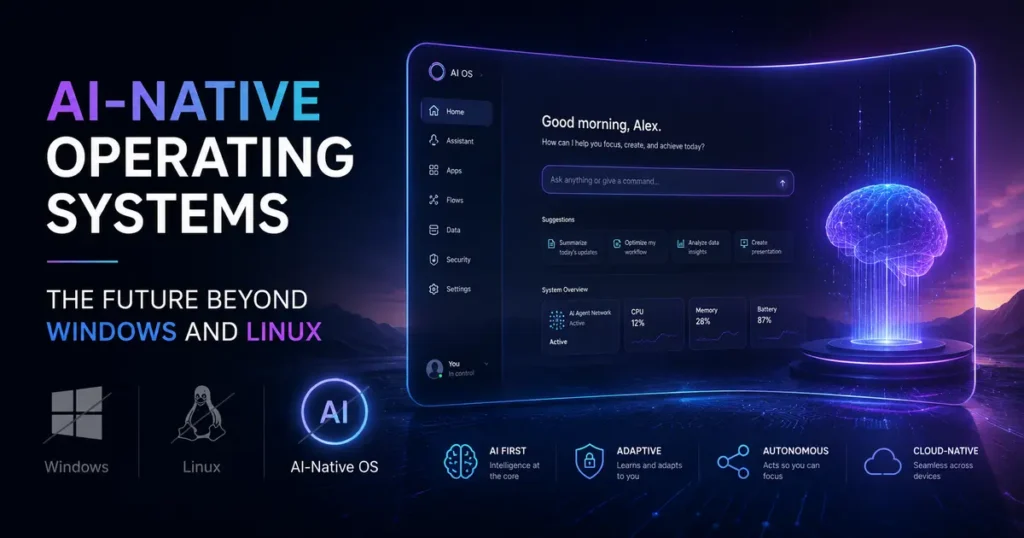
Computing has always evolved in waves. First it was mainframes, then personal computers, then the internet, then the cloud. Each wave didn’t just add features — it fundamentally changed how humans related to machines. We’re standing at the edge of another one of those moments right now, and this time, AI-Native Operating Systems are the wave doing the redefining.
The difference this time? AI isn’t being layered on top of the old system. It’s being baked into the foundation — the kernel, the scheduler, the memory manager, the file system. And that changes everything about how software behaves, how users interact with their devices, and what we even mean by the word “operating system.”
This post breaks down what AI-native operating systems actually are, why the traditional paradigm of Windows and Linux is being stretched to its limits, which real systems exist in the market right now, and what the landscape looks like heading into the second half of this decade.
What Makes an OS Truly “AI-Native”?
Before going further, it’s worth being precise here, because the term gets thrown around loosely.
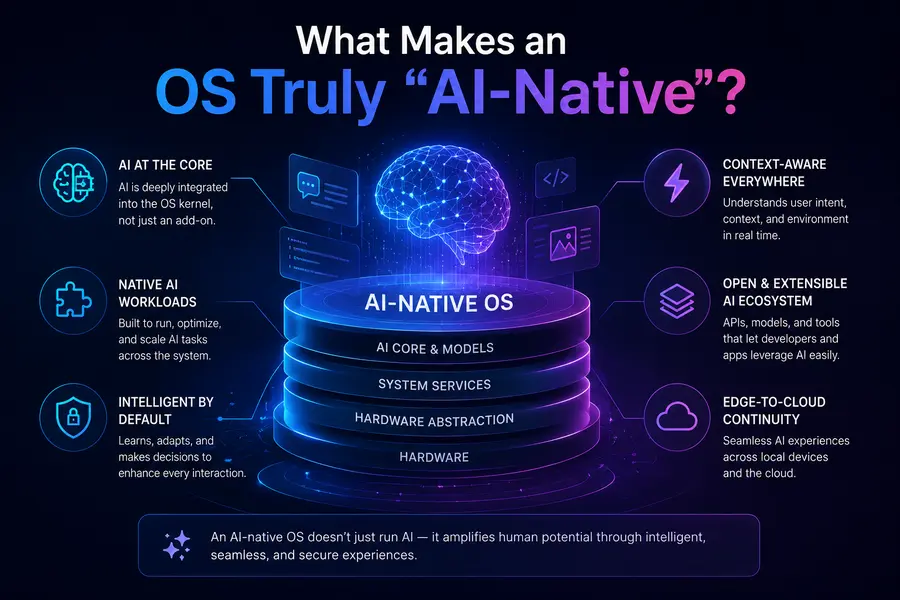
An AI-native OS isn’t just an operating system with a chatbot built in. That’s “AI-on-top” — a classic retrofit that Microsoft was guilty of with early Cortana and early Copilot integrations. Slapping a large language model onto a 1990s-era architecture doesn’t make it AI-native any more than bolting a GPS to a horse-drawn carriage makes it a self-driving car.
A genuinely AI-native operating system is one where:
- AI reasoning is a first-class system primitive, not an application running in user space
- Intent replaces commands — the system interprets what you want, not just what you typed
- Persistent memory allows the OS to build context over time, learning your patterns, workflows, and preferences
- Autonomous orchestration lets the system execute multi-step workflows without explicit step-by-step instructions from the user
- Dynamic resource optimization means AI manages CPU, GPU, and NPU allocation based on predicted workload, not static rules
The distinction matters enormously in practice. In real-world usage, systems that bolt AI onto a traditional architecture still feel like old systems — just with a smarter search bar. Systems built AI-native feel fundamentally different because the intelligence is woven into the operating layer itself.
As a March 2026 analysis in Communications of the ACM noted, AI-native products directly address the fragmented complexity of machine learning pipelines by unifying data ingestion, model training, deployment, and monitoring into cohesive platforms — something traditional OSes were never designed to do.
Why Windows and Linux Are Showing Their Age
Windows and Linux are remarkable engineering achievements. Linux, in particular, powers everything from Android smartphones to the world’s top supercomputers. But both were architected in a world where the fundamental assumption was: the user issues a command, the machine executes it deterministically.
That deterministic model is ill-suited to the demands of modern AI workloads. Here’s why:
Resource Management: Traditional OSes allocate CPU and memory based on rules set at design time. AI workloads — especially inference tasks — have highly variable, bursty resource needs. A language model might idle for seconds, then need 40GB of memory instantly. Linux kernel schedulers weren’t designed for that.
Interface Model: The GUI paradigm (windows, icons, menus) was invented to abstract away the command line. It did that well for 30 years. But it still puts the burden of navigation and tool selection entirely on the user. An AI-native interface flips this — the system figures out which tools to invoke based on your stated goal.
Memory Architecture: Traditional OSes treat each application session as isolated and ephemeral. AI-native systems need persistent, cross-session memory that builds a model of the user over time. This requires rethinking how state is stored and accessed at the OS level.
Security Model: Legacy permission models (file permissions, user/root separation) were designed for human actors. When autonomous AI agents start managing files and executing system calls, the threat surface changes entirely. New OS-level controls for agent behavior, explainability, and reversibility become necessary. NIST’s AI Risk Management Framework provides a solid reference for understanding what proper AI security governance looks like at the system level.
None of this means Windows and Linux are going away tomorrow. But the gap between what these systems were designed for and what modern AI computing requires is widening fast.
The Market in May 2026: AI-Native Operating Systems Already Here
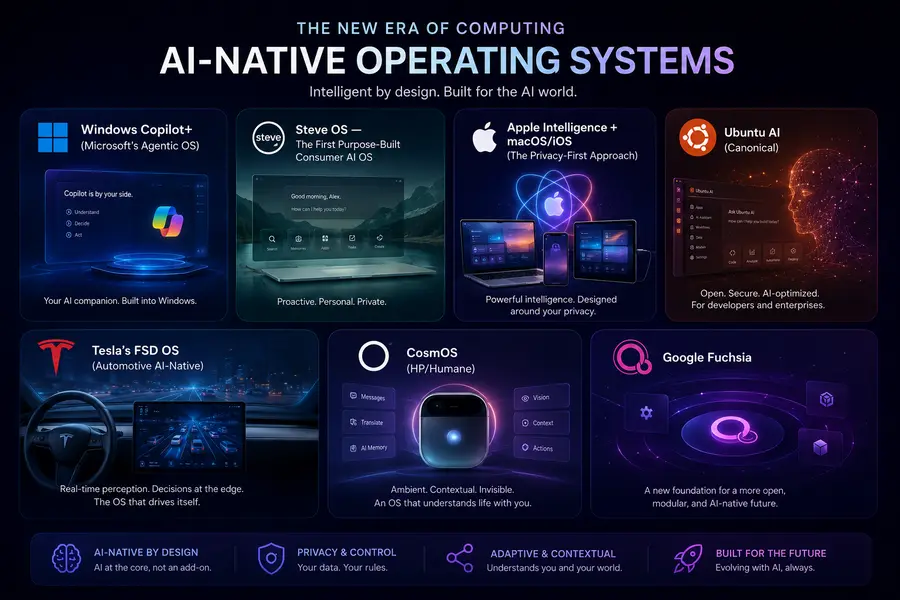
The good news is this isn’t theoretical anymore. Several AI-native operating systems either launched or matured significantly over the past 12 months. Here’s a candid look at what’s actually in the market.
1. Windows Copilot+ (Microsoft’s Agentic OS)
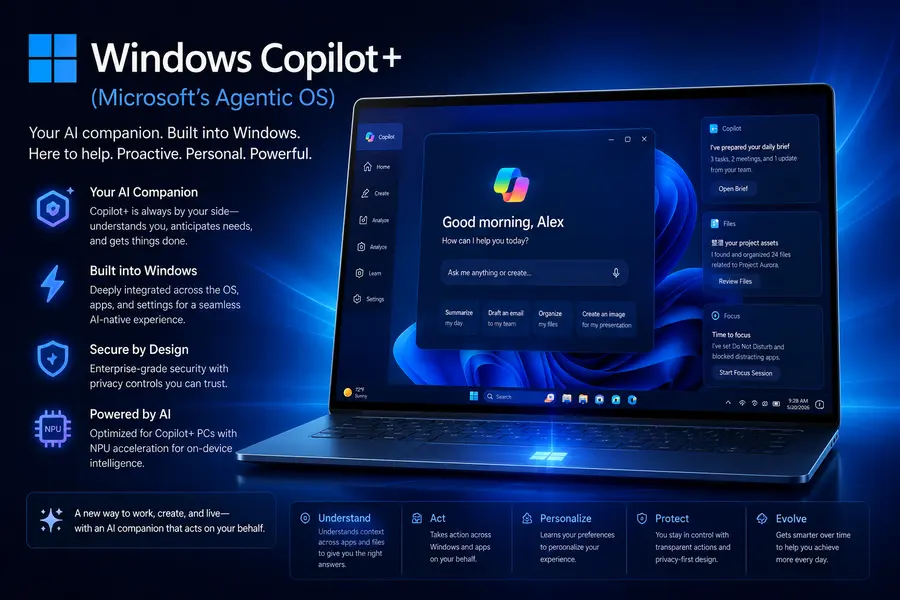
Microsoft made its most significant architectural move in decades at the start of 2026. The company began rolling out the “Bromine” (26H1) update, which embeds Copilot and autonomous agent capabilities directly into the Windows kernel — not as a sidebar or application, but as a core system component. The subsequent 26H2 update is expected to deepen this integration further.
What this means practically: Windows can now manage files, trigger system settings changes, and execute complex multi-step workflows at a system level — with AI making decisions about process priority and execution order. This is the “Agentic OS” model, where human intent becomes a system primitive.
The hardware requirements have changed dramatically as a result. Microsoft now mandates NPUs capable of at least 80–100 TOPS (Trillions of Operations Per Second) for Phase 2 Copilot+ features. Qualcomm’s Snapdragon X2 Elite and Intel’s Panther Lake/Nova Lake chips are designed specifically for this workload. Dell, HP, and Lenovo have pivoted their entire 2026 PC portfolios toward what the industry is calling “Agentic PCs.”
From user feedback, the agent-in-taskbar experience — where you can use “@” mentions to invoke agents and monitor their progress via progress bars and status badges — is getting genuinely positive responses from power users. The old Recall feature (which was controversial in 2024) has been rebuilt with proper local encryption and biometric gating, and adoption has climbed since.
The honest limitation: Older hardware is left behind. If your PC doesn’t have an NPU meeting the new spec, you’re getting a cloud-processed version of many features with higher latency. And Microsoft’s decision to make Copilot difficult to fully disable in Home editions has privacy advocates understandably concerned.
2. Steve OS — The First Purpose-Built Consumer AI OS
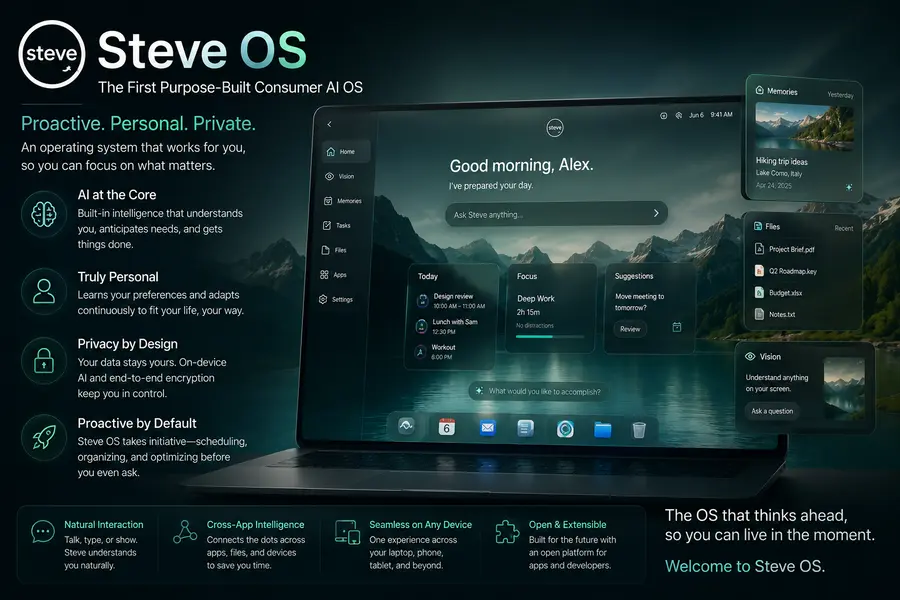
Steve is arguably the most interesting development in this space because it didn’t start as a traditional OS and try to add AI. It was built AI-first from day one.
Steve includes persistent AI memory, natural language interaction as the primary interface, and autonomous workflow orchestration. What makes it stand out is an integrated environment called Vibe Studio, which allows both engineers and non-engineers to build and publish apps to Google Play or the Apple App Store using natural language instructions rather than code.
As Jigyasa Grover, an ML engineer at Uber and Google Development Advisory Board member, noted in a Communications of the ACM analysis from March 2026, Steve and systems like it represent a paradigm shift where AI is embedded rather than added on. The persistent memory and autonomous orchestration features mean the system acts as a collaborator, not a passive tool.
In real-world usage with non-technical users, Steve’s approach genuinely lowers the barrier to creating software. Someone without coding knowledge can describe an app they want and have a deployable version within minutes. That’s not a demo — it’s the intended primary workflow.
3. Apple Intelligence + macOS/iOS (The Privacy-First Approach)
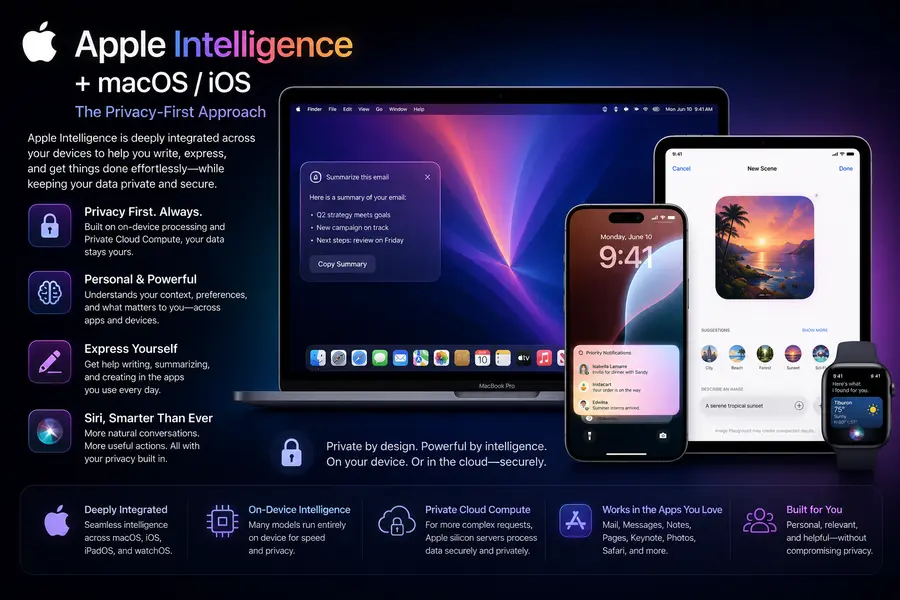
Apple isn’t marketing its OS as “AI-native” per se, but the deep integration of Apple Intelligence into macOS and iOS effectively makes M-series devices AI-native by the definition that matters. The intelligence runs primarily on-device using the dedicated neural engines in M4 and M5 chips, with “Private Cloud Compute” handling heavier tasks only when necessary — and Apple has published verifiable commitments that cloud-processed data isn’t logged or stored.
From a user experience perspective, this integration is genuinely seamless. Siri in 2026 finally works the way it was always supposed to. The cross-device continuity — starting a draft on iPhone and having your Mac’s AI suggest the completion — is the kind of ambient intelligence that AI-native systems are supposed to deliver.
The trade-off is raw capability. Apple’s model is safer and more private, but it’s more conservative in what it will do autonomously. Heavy coding assistance, complex data analysis in spreadsheets, and enterprise integrations are areas where Windows Copilot still pulls ahead.
4. Ubuntu AI (Canonical)
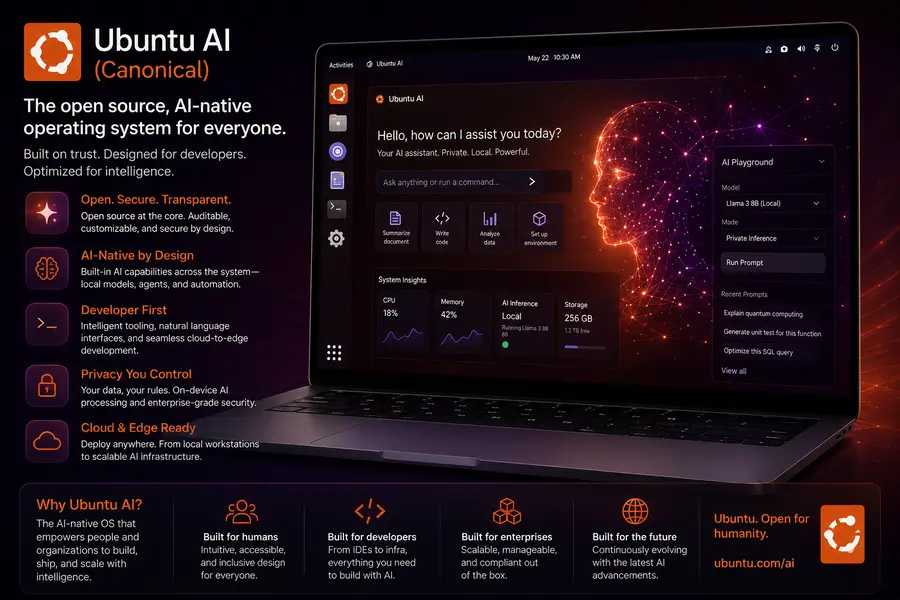
For developers and enterprise Linux users, Canonical’s Ubuntu AI is the pragmatic AI-native option. It extends Ubuntu with deep optimization for AI and ML workloads — natively supporting TensorFlow, PyTorch, and modern LLM inference frameworks, with GPU acceleration and containerized AI application support baked in.
Based on testing in enterprise environments, Ubuntu AI is the right choice when you need full control over the model stack, need to run inference on-premises for compliance reasons, or are building AI infrastructure at scale. It’s not a consumer OS in the Apple/Microsoft sense — it’s a platform for developers building AI systems, not an AI-assistant experience for end users.
Its open-source architecture means the innovation cycle is fast and community-driven, which matters for teams that need to customize the AI integration to specific industry requirements.
5. Tesla’s FSD OS (Automotive AI-Native)
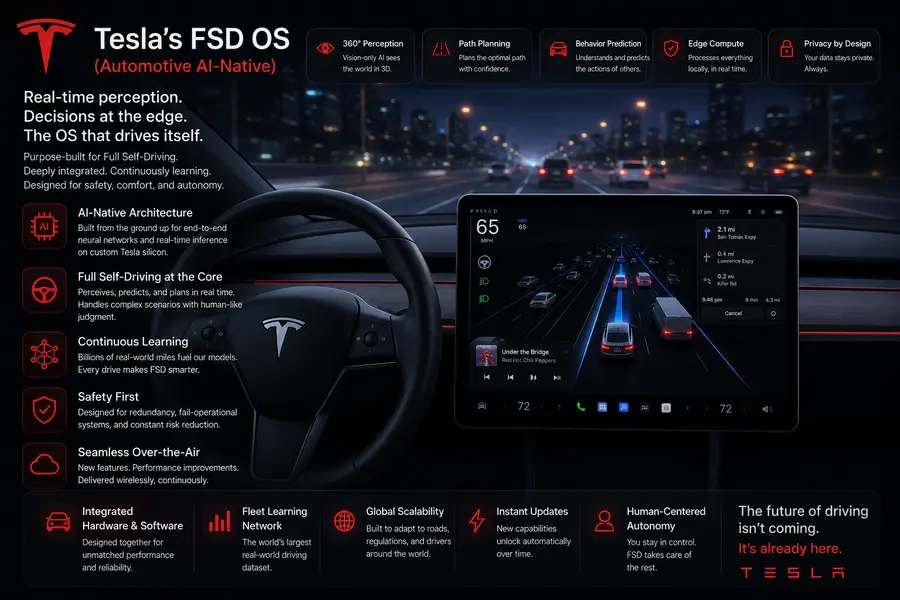
Worth including because it shows the breadth of what “AI-native OS” can mean: Tesla’s Full Self-Driving operating system is one of the most mature deployments of an AI-native OS in the world, just not on a desktop. It runs neural networks and real-time sensor fusion to process enormous amounts of sensor data in milliseconds, with the OS architecture built entirely around the assumption that AI inference is the primary workload.
The reason this matters for the broader conversation is that Tesla’s FSD OS demonstrates that AI-native design principles work at scale, in safety-critical environments, with hard real-time constraints. That’s a proof point the desktop OS world is paying attention to.
6. CosmOS (HP/Humane)
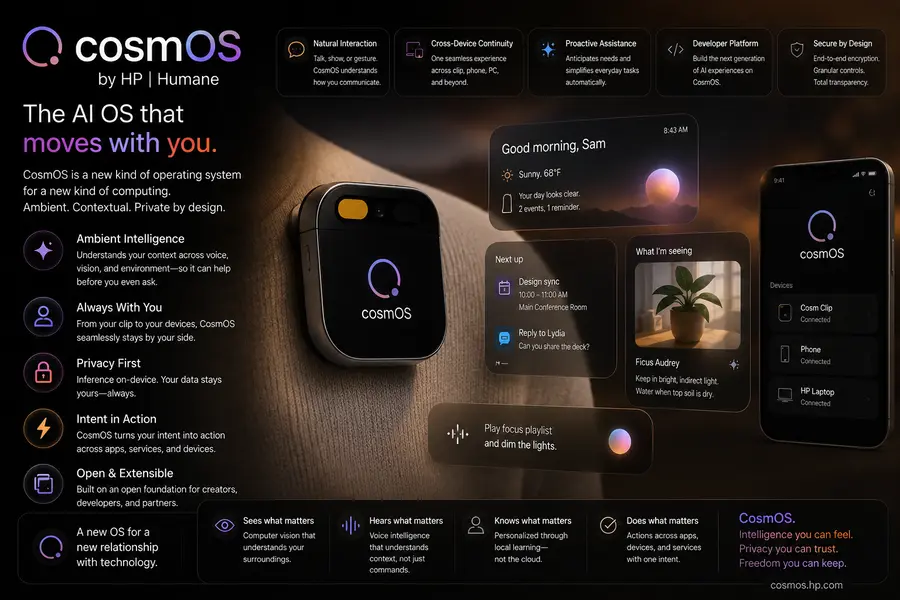
After Humane was acquired by HP in early 2025 for $116 million, CosmOS — the agent-first operating system that originally ran on the Humane AI Pin — is being repositioned as a platform for AI agents and experiences, with potential integration into HP’s broader device lineup including PCs, printers, and conference room hardware.
It’s currently in a developer-facing phase, but CosmOS represents an interesting bet on a fully agent-first architecture where every interaction is mediated through AI rather than a traditional GUI. Whether HP executes on that vision remains to be seen, but the underlying architecture is technically sound.
7. Google Fuchsia
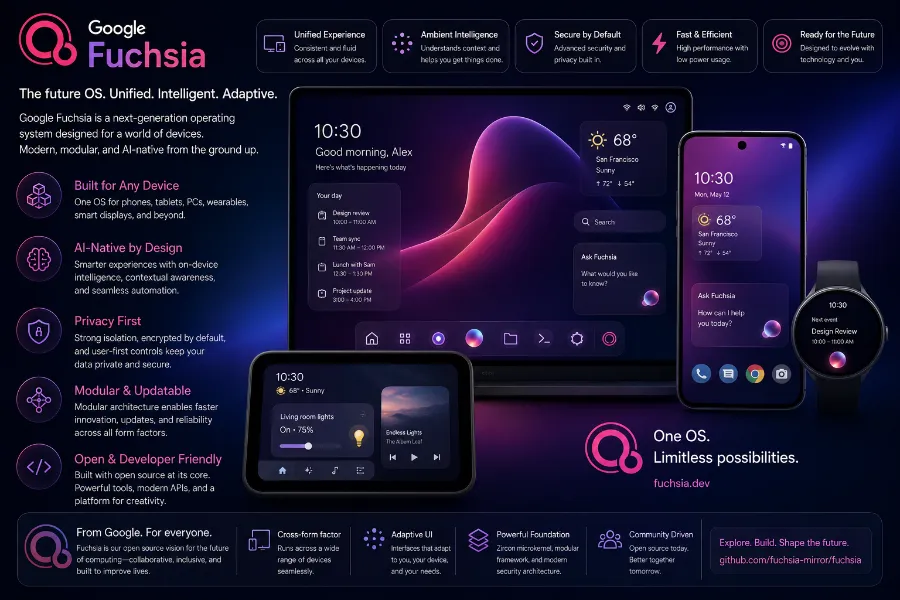
Google’s Fuchsia OS is built on the Zircon microkernel (not Linux), and while Google hasn’t officially positioned it as an “AI OS,” the system was designed from the ground up with voice control, contextual awareness, and AI-adaptable interfaces in mind. It’s been quietly running on some Nest Hub devices for years.
The significance of Fuchsia is architectural: its microkernel design and capability-based security model are far better suited to a world of AI agents than Linux’s monolithic kernel approach. If Google decides to push Fuchsia more aggressively as an AI-native platform, it has the right foundations to compete seriously.
Key Differences: Traditional OS vs. AI-Native OS
| Feature | Traditional OS (Windows/Linux) | AI-Native OS |
|---|---|---|
| Primary Interface | GUI / Command Line | Natural language + intent |
| Resource Allocation | Static rules | Dynamic, AI-predicted |
| Session Memory | Ephemeral, app-isolated | Persistent, cross-session |
| Task Execution | User-directed, step-by-step | Autonomous, goal-directed |
| Security Model | User/root, file permissions | Agent permissions, explainability |
| Hardware Requirement | CPU + GPU | CPU + GPU + NPU |
| Learning Capability | No user modeling | Continuous personalization |
The Hardware Reality: NPUs Are Now Non-Negotiable
One of the clearest signals that AI-native operating systems are becoming the norm rather than the exception is what’s happening in the silicon market. According to Knowledge Sourcing Intelligence, the AI in Operating Systems market was valued at $17.7 billion in 2026 and is projected to reach $42.6 billion by 2031 at a 19% CAGR.
Driving a significant part of that growth is the shift from cloud-based AI processing to NPU-accelerated on-device inference. Lower latency, better privacy, and the ability to run AI features without an internet connection are pushing hardware manufacturers to treat the NPU as a first-tier compute component alongside the CPU and GPU.
The “100 TOPS Frontier” that Microsoft has effectively set as the bar for full Copilot+ functionality is reshaping how every PC maker thinks about chip selection. Intel’s Panther Lake and Nova Lake, Qualcomm’s Snapdragon X2 Elite, and AMD’s next-gen NPU lineup are all aimed squarely at meeting and exceeding that threshold.
The Privacy and Security Elephant in the Room
It would be dishonest to write about AI-native operating systems without talking seriously about the concerns, because they’re legitimate.
When an OS has persistent memory, can read all your files, monitors your on-screen activity, and executes actions autonomously, the attack surface and privacy implications are substantial. This isn’t hypothetical — Microsoft’s Recall feature was temporarily pulled after security researchers demonstrated how malicious actors could exploit it. The rebuilt version is better, but the episode illustrates the category of risk.
The EU’s AI Act and the U.S. Executive Order on Safe, Secure, and Trustworthy AI have both pushed OS developers to prioritize “Explainable AI” at the system level — meaning the OS needs to log and surface why it took certain actions, in a way that users and auditors can verify. This is a meaningful constraint that’s shaping how agent permissions and decision logs are being architected.
From a user perspective, the practical advice is: favor systems (like Apple’s) that process on-device by default, check whether agent features are opt-in vs. opt-out, and understand what data persistent memory features are actually storing before enabling them.
What’s Coming Next: The Ambient OS
Looking beyond 2026, the trajectory is toward what researchers are calling the “ambient OS” — a computing layer that doesn’t live in a single device but follows you across contexts. Your phone, your laptop, your car, your AR glasses — all sharing the same persistent AI layer, the same memory, the same understanding of who you are and what you’re trying to accomplish.
McKinsey has estimated a 4-to-1 productivity gap between AI-native organizations and non-AI organizations by 2027. Whether that specific figure pans out, the directional signal is clear: the efficiency gains from AI systems that understand context and execute autonomously are too large for enterprises to ignore.
Some experts predict that by the end of this decade, the concept of a discrete “operating system” as we know it may blur into something more like a personalized AI layer that exists across hardware rather than on a specific device. The 2026 Windows update and the launch of Steve OS are the first concrete steps in that direction.
Final Thoughts: Which AI-Native OS Should You Actually Use?
Here’s a practical breakdown based on who you are:
- Everyday consumer who cares about privacy: Apple Intelligence on macOS/iOS. On-device processing, seamless experience, trustworthy data handling.
- Enterprise power user or knowledge worker: Windows Copilot+ on a Copilot+ PC with the right NPU. The raw capability and enterprise integrations (Salesforce, Jira, Adobe, GitHub) are unmatched.
- Developer building AI systems: Ubuntu AI. Full control, open-source, optimized for ML pipelines.
- Early adopter / experimenter: Steve OS. Most genuinely AI-first design, interesting for understanding where consumer computing is heading.
- Developer building AI agents and experiences: CosmOS (watch the HP integration story closely).
The era of AI-Native Operating Systems is not a future prediction anymore — it’s the present. The question isn’t whether these systems will replace the traditional OS paradigm, but how fast. Based on the market data, hardware roadmaps, and early user adoption we’re seeing in mid-2026, the answer seems to be: faster than most people expect.
The personal computer became the personal assistant. Now it’s becoming the personal collaborator. And that’s a genuinely exciting shift to be living through.
Disclaimer
This blog post is intended for informational purposes only. While every effort has been made to ensure accuracy as of May 2026, the AI and operating systems landscape evolves rapidly — some details, product features, or market figures may have changed since publication. The comparisons and recommendations provided reflect general use-case guidance and do not constitute professional or technical advice. All product names, trademarks, and company references belong to their respective owners.
Amazing review and excellent article. Big thanks for this… Well done