

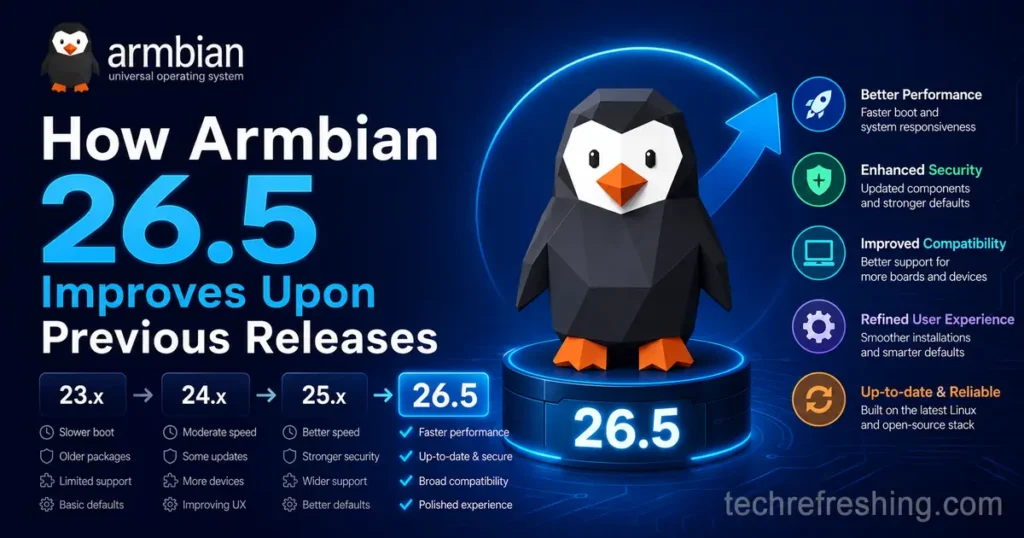
Armbian has always occupied a unique space in the Linux ecosystem — a community-driven project that makes single-board computers actually usable without hours of manual configuration. With Armbian 26.5, released on May 30, 2026, the project delivers one of its most well-rounded updates in recent memory. If you’ve been wondering how Armbian 26.5 improves upon previous releases, the short answer is: across the board. Kernel modernization, a completely overhauled desktop installer, broader hardware compatibility, and deeper CI/CD tooling all land together in a single quarterly drop. This post walks through each major area so you know what to expect whether you’re upgrading an existing setup or jumping in fresh.
A Quick Look at the Release Cadence
Before diving into specifics, it’s worth noting that Armbian 26.5 arrived roughly three months after Armbian 26.2. That quarterly pace is intentional — it gives maintainers time to properly bake kernel updates, test new boards, and ship infrastructure changes without rushing. The jump from 26.2 to 26.5 is fairly significant in scope, touching kernel branches, the bootloader stack, desktop tooling, firmware, and CI pipelines all at once.
Linux 7.0 Kernel Support Across Major SoC Families
The headline kernel news in this release is unambiguous. Armbian 26.5 brings Linux 7.0 support as a stable branch for a long list of SoC families.
The platforms now running Linux 7.0 as a supported branch include:
- Sunxi (Allwinner-based boards)
- Meson64 (Amlogic, covering ODROID and similar devices)
- Rockchip64 (Rock 5, NanoPC, NanoPi, and others)
- Raspberry Pi 4 Model B
- SpacemiT (K1-based RISC-V boards)
- UEFI edge targets
For most of these families, Linux 7.0 means access to newer driver subsystems, updated DRM/KMS paths, better power management states, and improved device tree bindings that weren’t available in 6.x. That matters most for boards used in production or longer-running deployments — not just tinkering.
A Bleeding-Edge Branch for What’s Coming Next
Beyond the stable Linux 7.0 branch, Armbian 26.5 also introduces a new bleeding-edge branch that tracks Linux 7.1 release candidates on Rockchip64 and Meson64 SoCs. This is aimed at developers who want to test upstream features early without waiting for the next quarterly release. It’s a smart move that lets the project keep pace with kernel development without destabilizing the main branches.
U-Boot Gets a Major Refresh
Bootloader updates don’t always get much attention, but the jump to U-Boot 2026.04 in Armbian 26.5 is genuinely significant for a large swath of Rockchip hardware.
The boards now running U-Boot 2026.04 include:
- NanoPC-T6 and NanoPC-T6 LTS Plus
- NanoPi M5 and NanoPi R76S
- Rock 5 ITX and Rock 5B Plus
- Helios4 and Helios64
- ODROID-HC4 and ODROID-N2
- XT-Q8L-V10
Alongside the version bump, this U-Boot update brings Btrfs zstd compression fixes and LWIP networking additions — two things that come up regularly in headless deployments where the bootloader needs to handle network boot or complex filesystem layouts.
Native UFS Boot on the NanoPi M5
One of the most technically interesting stories in this release involves the FriendlyElec NanoPi M5. Armbian 26.5 makes it the first RK3576 board in the catalog to support booting end-to-end from UFS storage using a mainline U-Boot, with no proprietary recovery image required in the chain.
UFS (Universal Flash Storage) replaced eMMC in smartphones because it’s packet-based, full-duplex, and supports command queuing. On the NanoPi M5, this translates to meaningfully better random I/O performance, lower latency under concurrent load, and improved write endurance compared to microSD. The RK3576 chip has a native UFS controller, making this a natural fit for boards destined for kiosks, robotics, or industrial gateways.
Getting there required integrating PHY initialization sequencing, regulator rail configuration, device tree overlays, and a flashing path through upgrade_tool — none of it simple, but all of it now done cleanly in 26.5.
The Desktop Subsystem Got a Complete Rewrite
This is arguably the most impactful change for day-to-day users. The Armbian team rewrote how desktop environments are installed and managed through armbian-config, replacing the old config/desktop/ shell script tree with a new YAML-driven, tier-based architecture.
Why the Old System Had Problems
The previous desktop install system was held together with per-distro shell scripts and per-architecture code paths. When you uninstalled a desktop environment, it would sometimes pull out packages it shouldn’t have touched. Browser installs broke on certain architectures. Adding a new desktop environment meant chasing down multiple scripts across the codebase.
What the New System Looks Like
Each desktop environment is now defined in a single declarative YAML file. The engine reads that file, figures out which packages exist for a given combination of distro release and architecture, substitutes per-platform alternatives where needed, and silently skips anything broken. The same XFCE definition runs on Debian Bookworm, Trixie, and Forky as well as Ubuntu Noble and Resolute, across arm64, amd64, armhf, and riscv64.
Practically speaking, this means:
- Clean uninstalls — the system records exactly which packages were installed under /etc/armbian/desktop/<de>.packages, and removal only undoes those specific packages
- No more broken browsers — branded Chromium and Firefox first-run experiences now work across all architectures
- Safer package management — packages already on your system before the desktop install stay untouched
- APT pinning — browsers and VS Code are routed through apt.armbian.com for controlled updates
- A mode=build option for chroot-time installs, useful for image builders
Which Desktop Environments Are Supported
The redesigned system now officially supports:
- XFCE, GNOME, KDE Plasma, KDE Neon (Ubuntu Noble only)
- MATE, Cinnamon, i3-wm, Xmonad
- Enlightenment, Budgie, Deepin (experimental)
KDE Plasma and MATE are new additions in this release cycle. XFCE, MATE, i3, Xmonad, Enlightenment, and Cinnamon have also been extended to ARMHF and RISC-V 64-bit architectures — previously those were limited to 64-bit ARM targets.
The mid-tier now includes Vulkan and Panthor GPU runtime support, while the minimal tier gets libcamera/v4l and alsa-ucm-conf for more complete multimedia capability out of the box.
Ubuntu 26.04 “Resolute Raccoon” Integration
Armbian 26.5 fully integrates Ubuntu 26.04 LTS, codenamed Resolute Raccoon, as the default base for new images. This goes beyond simply updating the base tarball — Ubuntu 26.04 is now set as the default codename across the build matrix, baked into nightly targets, desktop package coverage, and CI pipelines.
For users who prefer Ubuntu as their base, this means they’re now on a fresh LTS with a supported lifecycle, rather than running Noble indefinitely. The integration also includes a dedicated Bianbu target, improved Bianbu desktop support (including PVR DRI enablement, fixed detection, and proper menu entries), and the re-enablement of systemd suspend on SpacemiT K1 boards.
New Board Support: Wider Than Ever
Armbian 26.5 adds official or community support for a meaningful list of new boards. This is where the project’s breadth really shows — from maker boards to industrial compute modules.
New additions include:
- Arduino UNO Q (QRB2210, Qualcomm-based)
- Mekotronics R58S2
- NanoPC-T6 LTS Plus
- Ariaboard Photonicat 2
- EByte ECB41-PGE
- NORCO EMB-3531
- Cainiao CNIoT-CORE
- SpacemiT MUSE Book
- EasePi A2 and R2
- TQ-Systems TQMa8MPxS and TQMa93xxLA
- Seeed reComputer devkits (multiple)
- Multiple Qidi X-series boards
On the existing board side, the Radxa Cubie A5E gained Wi-Fi enablement and a kernel refresh, and the youyeetoo YY3588 was promoted from CSC (Community Supported Configuration) to a higher tier, indicating improved stability. Initial Photonicat 2 support also lands here as an early entry.
Firmware and Driver Updates
Intel AX210 Wireless Support
One of the more immediately practical firmware additions is AX210 wireless support. The Intel AX210 is a widely-used Wi-Fi 6E adapter found in many x86 mini PCs and edge computing units that run Armbian. Getting it working reliably out of the box removes a friction point that previously required manual firmware installation.
Panthor GPU Firmware Expansion
Panthor GPU firmware was expanded to cover additional Mali GPU variants. This matters for boards with Mali graphics hardware that were previously limited in their GPU compute or display acceleration capabilities.
PCIe and Device Tree Improvements
Multiple kernel and device tree updates land in 26.5 covering PCIe improvements, better platform compatibility, and refined SoC-level power and clock management across Rockchip and Sunxi families.
Build Framework and CI Modernization
For developers building custom images or contributing to the project, Armbian 26.5 brings meaningful improvements to the toolchain itself.
Key framework changes include:
- Asset manifest JSON emitted alongside build uploads for better artifact tracking
- Multi-arch unit tests running under qemu-user, catching regressions earlier across architectures
- ShellCheck inline PR feedback integrated into the review workflow
- Board-config validation gate preventing malformed configurations from entering the build matrix
- Automated Hetzner runner fallback scaling to handle CI load spikes without dropping jobs
- REST v1 migration for the Armbian Imager, with QDL flash support for Qualcomm EDL devices
- Build matrix codename parameterisation with Ubuntu 26.04 “Resolute” set as the default
The addition of QDL flash support for Qualcomm EDL (Emergency Download) devices is particularly notable for developers working on Qualcomm-based ARM platforms, where flashing typically required proprietary tooling.
What This Means for Different Types of Users
For Hobbyists and Maker Projects
The expanded desktop support and cleaner installs make Armbian more approachable for people who want a graphical environment without deep Linux knowledge. The YAML-based system just works across more combinations of hardware and distro, and broken uninstalls were a real pain point that’s now resolved.
For Developers and Embedded Engineers
Linux 7.0 across major SoC families, the new bleeding-edge branch for 7.1, and U-Boot 2026.04 give developers a modern foundation to build on. The NanoPi M5 UFS boot support is particularly valuable for production deployments where eMMC or SD storage wasn’t meeting performance or endurance requirements.
For Sysadmins Running Edge or IoT Infrastructure Ubuntu 26.04 LTS as the default base means a longer support window and a well-maintained package ecosystem. The AX210 wireless support and improved CI validation mean fewer surprises when deploying to real hardware at scale.
How to Get Armbian 26.5
Images for a wide range of supported boards are available for download from the official Armbian website at armbian.com. The quarterly digest and full changelog are published in the Armbian build repository on GitHub for anyone who wants to dig into the specifics before upgrading.
If you’re running an existing installation, Armbian supports in-place updates through APT — check the official documentation for the recommended upgrade path for your board and branch combination.
Final Thoughts
Armbian 26.5 isn’t a flashy release driven by a single headline feature. It’s the kind of update that makes a project genuinely more reliable — Linux 7.0 lands cleanly across most of the popular SoC families, the desktop installer stops breaking things it shouldn’t touch, bootloaders get modernized, new hardware gets supported, and the build pipeline gets smarter. For a project that runs on volunteer effort and community contributions, that’s an impressive amount of ground covered in a single quarter.
If you’ve had frustrations with Armbian’s desktop install experience in the past, this is a good time to revisit it. And if you’re eyeing newer boards like the NanoPi M5 for a production deployment, the UFS boot support in 26.5 removes one of the last remaining reasons to reach for a vendor-specific image instead.
Disclaimer:
The information provided in this blog post is for general informational purposes only. While every effort has been made to ensure accuracy based on official Armbian release notes and publicly available sources at the time of writing (June 2026), details may change as the project evolves. Always refer to the official Armbian documentation and release notes for the most current and board-specific guidance. The author is not affiliated with the Armbian project.


