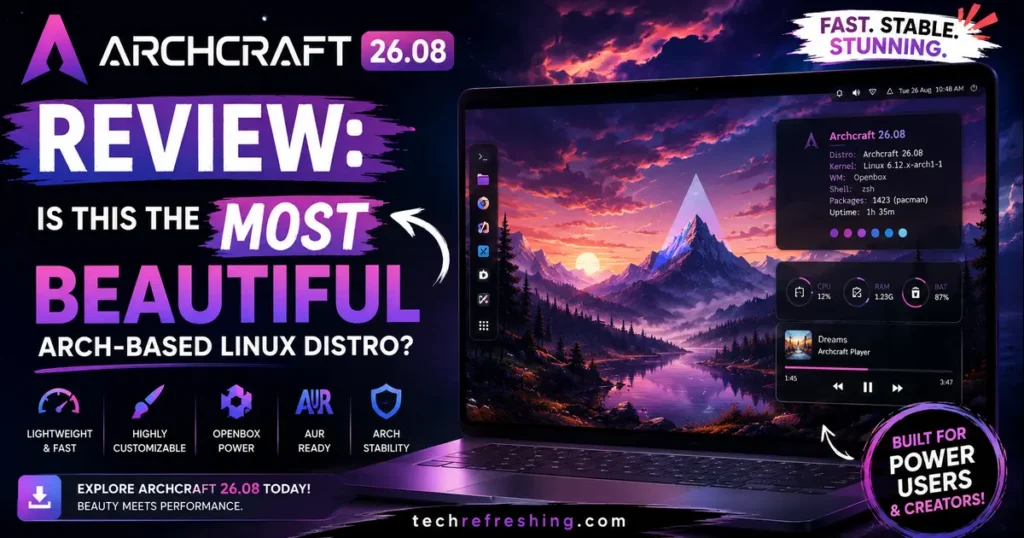
If you’ve spent any time browsing r/unixporn or scrolling through Linux desktop screenshots, you’ve probably stumbled across Archcraft at least once. It’s the distro that keeps showing up in “most beautiful Linux distros” lists, and the new August 2026 release gives us a good reason to actually sit down and test whether that reputation still holds up. This Archcraft 26.08 Review digs into what changed, what still needs work, and whether it deserves a spot on your next clean install.
I installed the archcraft-2026.08.01-x86_64.iso on real hardware (not just a VM, though I tested that too) to see how it behaves outside of a controlled sandbox. Spoiler: this is genuinely one of the more polished releases the single-developer project has put out, and a few of the changes address complaints that have followed Archcraft for years.
What Exactly Is Archcraft?
Archcraft is a minimal, Arch Linux-based distribution built around lightweight window managers instead of a full desktop environment like GNOME or KDE. It’s maintained almost entirely by one developer, Aditya Shakya, who also created popular projects like the Rofi themes and Polybar configs that a lot of ricers already recognize.
The whole philosophy here is simple: give people a gorgeous, pre-configured window manager setup that runs on almost nothing, then get out of the way. No bloat, no unnecessary background services, just a fast rolling-release system with Arch’s package ecosystem underneath it.
What’s New in Archcraft 26.08
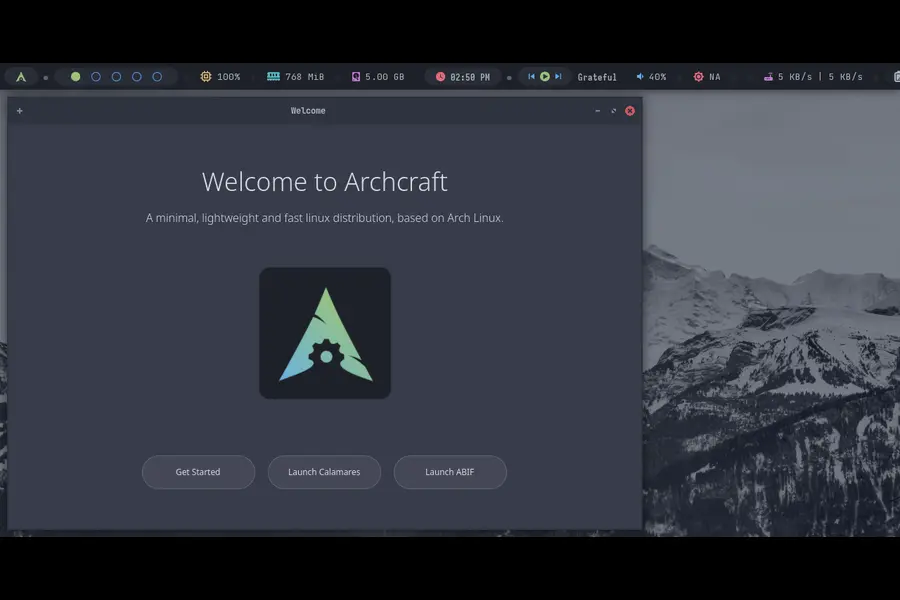
The August 2026 ISO is described by the developer as one of the biggest updates the project has shipped, according to the official Archcraft release notes, and after using it for a while, that claim tracks. Here’s the breakdown of what actually changed.
A New Qt6 SDDM Login Theme
Archcraft ditched its older login screen in favor of a redesigned Qt6-based SDDM theme. It’s cleaner, handles HiDPI displays properly for once, and just feels more consistent with the rest of the desktop’s aesthetic. Previous versions had a login screen that looked a little dated compared to the polish inside the session itself, so this closes that gap nicely.
Sway Joins the Session Lineup
This is the headline feature. Archcraft now ships with Sway, a tiling Wayland compositor, alongside the existing Openbox and bspwm window managers. For a distro that’s always leaned on X11-based window managers, adding a proper Wayland session is a meaningful shift. It comes with:
- A completely reworked visual style separate from the X11 sessions
- Tuned defaults instead of a bare-bones Sway config
- Client-side decorations disabled so GTK and Qt apps look consistent
- Noticeably better scaling on HiDPI screens
I tested Sway on a 4K laptop panel and it handled scaling far better than the Openbox session did on the same hardware. If you’ve been avoiding Archcraft because everything felt locked to X11, this release changes that calculation.
Openbox and bspwm Both Got Real Attention
Openbox picked up hot corners powered by Lead, quick window switching through Skippy-XD, a “Reload Theme” option in the menu, and better startup sequencing so Picom doesn’t stutter on launch. GTK and GNOME apps now actually respect the system theme, including Firefox, which has been a long-standing annoyance in a lot of window manager-based distros.
bspwm swapped out feh for hsetroot for wallpaper handling, added a proper network management menu, disabled client-side decorations, and improved Picom’s startup behavior too. Neither session feels like an afterthought next to Sway, which is worth noting since new WM additions sometimes come at the cost of neglecting the older ones.
Installer Overhaul
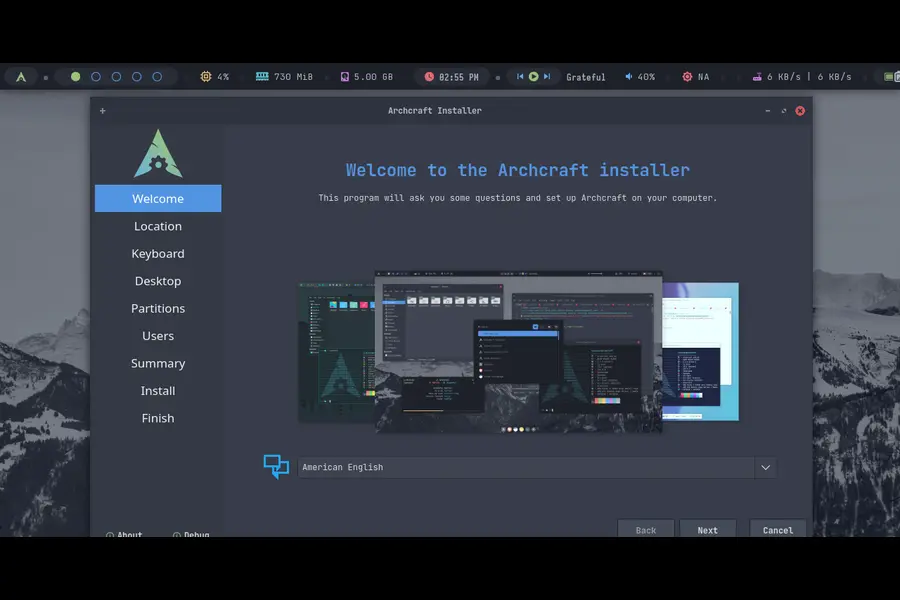
This is where Archcraft 26.08 fixes some genuinely frustrating issues from earlier releases. There are two installers available: Calamares (the graphical one) and ABIF (a terminal-based installer).
Calamares now supports:
| Filesystem | Supported in 26.08 |
|---|---|
| Ext4 | Yes |
| Btrfs | Yes (restored) |
| XFS | Yes (restored) |
| F2FS | Yes |
| JFS | Removed |
| ReiserFS | Removed |
Btrfs and XFS support had actually broken in earlier builds, so seeing them restored and tested properly is a real fix, not just a changelog bullet point. Encryption now works reliably across every supported filesystem too, which was a common complaint in Archcraft’s GitHub issues for months.
ABIF, the CLI installer, got separate attention: encryption bugs are fixed, the LVM crash is gone, systemd-boot installation actually completes now, and GRUB EFI mounting no longer fails intermittently. If you’ve tried Archcraft before and had the installer die halfway through an encrypted setup, this release is the one to try again.
Btrfs Snapshot Booting
GRUB in 26.08 now detects Btrfs snapshots automatically (created through something like Timeshift) and adds them to the boot menu without manual configuration. This is a small feature on paper, but for anyone who wants a safety net before running pacman -Syu on a rolling release, it’s genuinely useful.
New Utilities
Archcraft added a GTK4 Welcome app and a GTK4 Help app, both of which are small but make the out-of-box experience friendlier for people who aren’t used to tiling window managers. Thunar also gained proper search integration, which had been missing.
VirtualBox Compatibility
If you’re testing Archcraft in a VM before committing to bare metal (which I’d recommend), VirtualBox support is noticeably smoother in this release. Picom starts more reliably, Sway boots without the graphical glitches it had in earlier Wayland experiments, and the compositor behaves consistently across reboots.
Hands-On: How Archcraft 26.08 Actually Feels to Use
Numbers and changelogs are one thing, but daily use is where a distro either earns its reputation or loses it.
Boot and install time. On a machine with an NVMe drive, the Calamares install finished in under 12 minutes, including partitioning with encryption enabled. That’s fast for a distro that also configures a full window manager stack out of the box.
Memory footprint. Idle RAM usage on the Openbox session sat around 480MB with Picom, Polybar, and the usual tray applets running. bspwm was similar. Sway idled slightly higher, closer to 550MB, which makes sense given Wayland’s compositor overhead, but it’s still light compared to a stock GNOME or KDE Plasma session.
Visual polish. This is genuinely where Archcraft separates itself from most other lightweight distros. The rofi menus, polybar configs, GTK themes, and wallpaper selections all feel deliberately coordinated rather than thrown together. Distros like ArcoLinux or EndeavourOS give you flexibility, but Archcraft gives you a finished look immediately, and that matters if you don’t want to spend a weekend theming everything yourself.
Performance under load. I ran a few compile jobs and had a dozen apps open across workspaces. Window switching stayed instant, Picom didn’t introduce noticeable tearing, and the system didn’t hiccup even on a 6-year-old laptop with a dual-core CPU and 8GB of RAM.
Rough edges. It’s not flawless. Sway is new here, and while it’s more stable than a lot of first-pass Wayland integrations, a couple of AUR-installed GTK apps still rendered decorations inconsistently. Also, because this is a one-person project, documentation lags behind feature releases sometimes, so you may end up on the Discord or Reddit community for troubleshooting rather than a wiki page.
Archcraft 26.08 vs Other Arch-Based Distros
| Distro | Desktop Approach | Out-of-Box Look | Best For |
|---|---|---|---|
| Archcraft 26.08 | Openbox, bspwm, Sway (WM-first) | Pre-themed, cohesive, minimal | Users who want beauty without ricing themselves |
| EndeavourOS | Your choice of DE at install | Clean but generic until customized | Users who want Arch simplicity with DE flexibility |
| Garuda Linux | KDE Plasma-focused | Flashy, animation-heavy | Gamers and users who like a heavier, feature-rich desktop |
| ArcoLinux | Multiple WMs, DIY-focused | Minimal, unstyled by default | Learners who want to build their setup from scratch |
| CachyOS | KDE/GNOME with performance patches | Modern, performance-tuned | Users prioritizing raw speed and gaming optimization |
The honest comparison is this: EndeavourOS gives you more freedom in desktop choice, Garuda Linux gives you more visual flash and gaming-focused tooling, and CachyOS wins on raw performance tuning. Archcraft’s advantage is that nothing needs adjusting after install. You get a genuinely finished aesthetic on day one, which is rare among Arch-based distros that usually hand you a blank canvas and call it minimalism.
Who Should Use Archcraft 26.08
Archcraft makes the most sense for:
- People who like tiling or stacking window managers but don’t want to spend hours configuring Rofi, Polybar, and Picom from scratch
- Users with older or lower-spec hardware who still want a modern-looking desktop
- Anyone curious about Wayland who wants to try Sway without setting it up manually
- Ricers who want a strong starting theme to modify rather than build from zero
It’s a weaker fit if you need long-term enterprise support, want a desktop environment with deep settings menus (GNOME/KDE users will find WMs more manual), or you’re not comfortable occasionally troubleshooting a rolling release through community channels instead of official documentation.
Installation Notes and Requirements
Archcraft 26.08 is 64-bit only. There’s no official 32-bit, ARM, or WSL build from the core project, so check your hardware architecture before downloading. The ISO is available through the official download page, which mirrors to SourceForge, Google Drive, and Mega, and it’s worth verifying the GPG signature and SHA256 checksum after downloading, since the project provides both for a reason.
Minimum realistic specs for a smooth experience:
- 64-bit CPU (dual-core or better)
- 2GB RAM minimum, 4GB+ recommended for comfortable multitasking
- 20GB of storage for the base install plus AUR packages
- Basic Vulkan/OpenGL-capable GPU for compositor effects
Given the memory footprint I measured during testing, Archcraft comfortably runs on hardware that would struggle under GNOME or Plasma.
Final Verdict
So, is Archcraft 26.08 the most beautiful Arch-based Linux distro? For a pre-configured, out-of-the-box aesthetic, it’s hard to beat. Few Arch derivatives manage to look this coordinated without hours of manual ricing, and the addition of Sway finally brings Wayland into the picture properly instead of leaving Archcraft stuck entirely in X11 territory.
To wrap up this Archcraft 26.08 Review: this release fixes real installer bugs, adds a genuinely useful new session, and keeps the visual identity that made Archcraft popular in the first place intact. It’s not going to replace a full desktop environment for everyone, and being a single-developer project means support has limits. But if you want a lightweight, gorgeous Arch-based system that doesn’t demand a weekend of configuration before it looks finished, Archcraft 26.08 is one of the strongest releases the project has put out.
If you want to dig deeper before installing, the Archcraft GitHub repository has the full source and issue tracker, and the Archcraft Reddit community is a good place to see real user experiences and troubleshooting threads from people already running 26.08.
Frequently Asked Questions
Is Archcraft good for beginners?
Archcraft is better suited to intermediate Linux users since it uses window managers instead of a full desktop environment, though the new GTK4 Welcome app helps ease the learning curve.
Does Archcraft 26.08 support Wayland?
Yes, this release adds a new Sway Wayland session alongside the existing Openbox and bspwm window managers.
How much RAM does Archcraft need?
Archcraft runs comfortably on 2GB of RAM, with idle usage around 480-550MB depending on the session, though 4GB is recommended for multitasking.
Is Archcraft based on Arch Linux directly?
Yes, Archcraft is a rolling-release distribution built directly on Arch Linux and uses pacman along with AUR helpers for package management.
Can I dual-boot Archcraft with Windows?
Yes, both the Calamares and ABIF installers support UEFI and Legacy BIOS setups, making dual-boot configurations with Windows straightforward.
What desktop environments does Archcraft support?
Archcraft doesn’t use traditional desktop environments; instead it ships with Openbox, bspwm, and now Sway as window manager-based sessions.
Is Archcraft actively maintained in 2026?
Yes, Archcraft is actively maintained by developer Aditya Shakya, with the August 2026 release marking one of the most substantial updates in the project’s history.
Disclaimer
This review reflects hands-on testing of the archcraft-2026.08.01-x86_64.iso release along with publicly available information from Archcraft’s official website and documentation at the time of writing. Software features, performance, and system requirements can change with future updates, so always check the official Archcraft site for the latest release details before installing.
Continue Your Linux Journey
Master Linux faster with these carefully selected tutorials covering distributions, system internals, and performance optimization.