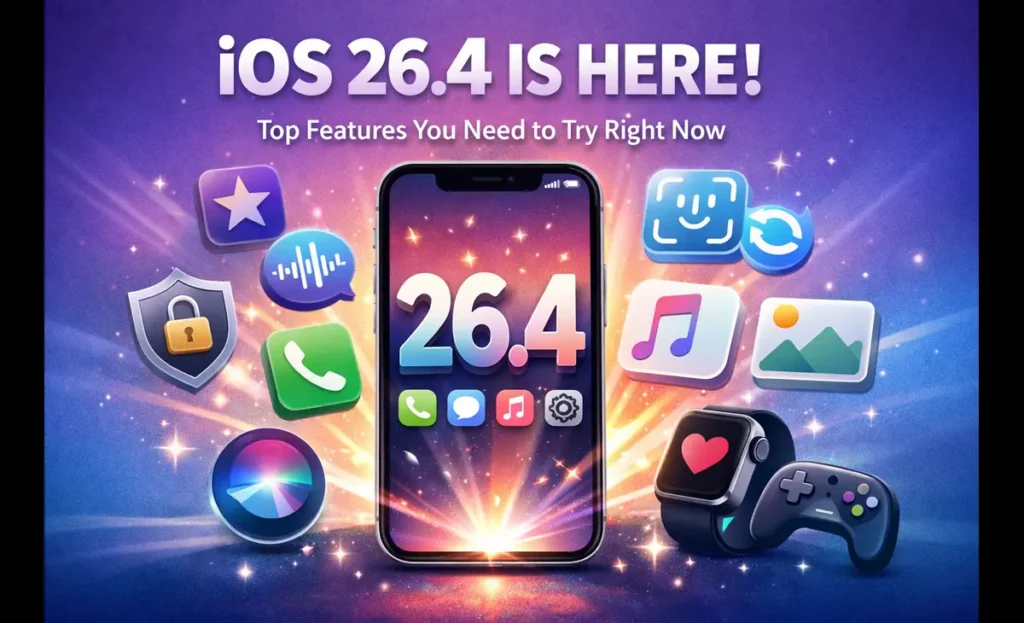
After weeks of beta testing and plenty of anticipation, iOS 26.4 is here — and it landed on March 24, 2026. This is the fourth major feature update to iOS 26, arriving roughly six weeks after iOS 26.3. While a lot of the buzz leading up to this release centered on an overhauled Siri (which, spoiler alert, didn’t make the cut this time), what Apple delivered is still genuinely useful. There are quality-of-life upgrades across Apple Music, CarPlay, Health, Podcasts, and security — plus eight brand-new emoji for your keyboard.
If you own an iPhone 11 or newer, this update is available right now. Head to Settings → General → Software Update and you’re on your way. Before you tap that button, though, here’s a full breakdown of everything that’s new, what’s worth your attention, and what each change actually means in everyday use.
1. Playlist Playground: AI-Powered Music, Finally Done Right
This is the headline feature of iOS 26.4, and it genuinely earns that spot.
Apple Music now has a feature called Playlist Playground, and it does exactly what you’re hoping it does — you type a description, and the AI builds you a playlist around it. You’re not limited to genre names either. You can type something like “rainy Sunday morning with coffee” or “late-night highway drive,” and the tool figures out the mood, tempo, and vibe to produce a playlist complete with a title, description, and full tracklist.
For anyone who’s spent too much time curating music manually or tired of algorithm-fed recommendations that miss the mark, this is a genuinely fun addition. It’s currently in beta, and it’s only available in the US to start — but it signals a meaningful step forward for Apple Music’s AI capabilities.
On top of Playlist Playground, Apple also added a Concerts Near You feature inside the Music app. It surfaces local shows and tour dates from artists already in your library, so you’re not going to miss a show from a band you actually care about. Album and playlist pages have also been redesigned with full-page artwork, giving the app a much more polished, immersive feel.
2. Ambient Music Widget: Background Audio, One Tap Away
Sometimes you just want background noise without a whole production. The Ambient Music widget that Apple added in iOS 26.4 makes that easier than ever.
You can now add this widget directly to your Home Screen or Lock Screen. It gives you instant access to Apple’s curated ambient soundscapes — organized into categories like Sleep, Chill, Productivity, and Wellbeing. No third-party app needed, no Apple Music subscription required to use it.
It also comes to CarPlay, which makes a lot of sense. Long drives, anyone? The widget sits in CarPlay’s Dashboard screen (swipe right to find it), and you can kick on a focus playlist without taking your eyes off the road for more than a second.
3. CarPlay Gets AI Chatbot Support
This one is big — and it’s something that’s been a long time coming.
iOS 26.4 opens CarPlay up to third-party AI voice apps, meaning services like ChatGPT (OpenAI), Gemini (Google), and Claude (Anthropic) can now be integrated directly into CarPlay. The framework is fully baked into iOS 26.4, though the individual companies still need to update their apps with CarPlay support before you’ll actually be able to use them.
The way it works: there’s no wake word for third-party apps, so you’ll need to manually open the app first. Once it’s open, a vehicle-optimized voice control screen takes over, and you can ask questions hands-free. Importantly, these chatbots cannot control your vehicle or your iPhone — they’re voice-only conversation tools. That’s a reasonable limitation for safety reasons, and it keeps the experience clean.
For those who spend a lot of time commuting or on long drives, this is a game-changer. Using your car time for thinking, brainstorming, or learning is already a habit for a lot of people — having a capable AI chatbot available on your dashboard while keeping your hands on the wheel is a natural fit.
Apple’s own Siri remains available on CarPlay without needing to launch an app, and it reportedly won’t be going anywhere anytime soon. But having real competition in that space is healthy.
4. Video Podcasts: A Proper Native Experience
Apple Podcasts has finally grown up when it comes to video.
iOS 26.4 brings native video podcast support using Apple’s HTTP Live Streaming (HLS) technology. In practice, this means much smoother playback whether you’re on Wi-Fi or cellular, and it also means podcasters can build out real monetization opportunities — including video ads that can be inserted wherever they choose.
For listeners, the experience is genuinely better. You can switch between watching and listening without losing your place, and you can download video episodes to watch offline. The transition is seamless — tap a button and you’re in audio mode; tap again and you’re back to video.
For creators, popular hosting platforms including Cast, ART19, Triton’s Omny Studio, SiriusXM, AdsWizz, and Simplecast are already compatible with the HLS format. Apple says the new format integrates with existing shows automatically — it won’t mess up follower counts or download statistics.
Video podcasting has been growing rapidly across YouTube and Spotify for years now. Apple was noticeably behind on this front, and iOS 26.4 finally closes that gap.
5. Stolen Device Protection Is On by Default
This is the security upgrade that should have happened sooner — but better late than never.
Stolen Device Protection is now enabled by default for all iPhone users in iOS 26.4. Previously, when Apple first introduced this feature back in iOS 17.3, it was an opt-in setting that most users never touched. That’s now changed.
Here’s what it actually does: when you’re away from trusted locations like your home or workplace, the feature requires Face ID or Touch ID authentication to access sensitive functions. We’re talking about things like your saved passwords, disabling Lost Mode, making Safari purchases, and more. On top of that, certain high-stakes changes — like changing your Apple ID password — have a one-hour security delay imposed on them.
The backstory here matters. Apple introduced this feature in 2023 in response to a specific type of theft that was hitting iPhone users hard. Criminals would spy on victims to watch them type in their passcode, steal the phone, and then use that passcode to drain bank accounts, access saved passwords, and lock people out of their own Apple IDs. Stolen Device Protection was designed specifically to stop that attack pattern.
The fact that most users had it turned off simply because they didn’t know it existed made it largely ineffective as a security layer. Turning it on by default for everyone — particularly for users with two-factor authentication enabled — is a straightforward, overdue decision.
Note: If you have two-factor authentication disabled on your account, Stolen Device Protection won’t turn on automatically. That’s another good reason to make sure 2FA is enabled.
6. Family Sharing Payment Flexibility
Family sharing just got noticeably less annoying.
Prior to iOS 26.4, adults in a Family Sharing group all had to use the same payment method for purchases. If you had family members who preferred to pay from their own accounts — or if you just didn’t want to share a credit card with everyone in the group — you were out of luck.
iOS 26.4 fixes that. Every adult in a Family Sharing group can now register their own credit or debit card, making purchases fully independent. This is a small change on paper, but in practice, it removes a real point of friction for households managing separate finances — couples with their own accounts, parents with adult children in the family group, and so on.
It’s one of those things that’s hard to understand why it wasn’t already this way. But it’s here now.
7. The Keyboard Bug Fix You Didn’t Know You Needed
If you’ve ever been mid-text on your iPhone and noticed the keyboard producing unexpected typos when you type quickly — that’s the bug iOS 26.4 kills.
It’s been a known issue in iOS 26 since launch, and it affected users who type fast. The keyboard would occasionally misregister keys when input came in quickly, leading to frustrating errors in messages, notes, search bars, and just about everywhere else you type. Apple has patched it with iOS 26.4, and early reports from testers confirm the fix works.
This won’t make headlines on its own, but it’s the kind of under-the-hood fix that makes daily use of your phone noticeably less irritating.
8. Health App: Average Bedtime Tracking
The Health app gets a genuinely useful new sleep metric in iOS 26.4.
The Sleep section now records your average bedtime over the past two weeks, giving you a broader picture of your sleep habits rather than just last night’s data. This is significant because sleep science consistently shows that bedtime consistency matters — going to bed at the same time regularly is associated with better quality sleep, more REM, and improved overall health outcomes.
Looking at a two-week rolling average is a smarter way to understand your patterns. If you’ve been slowly drifting to bed later each night without realizing it, this metric will show you that trend clearly. It complements the existing sleep duration data rather than replacing it.
For anyone already using the Sleep features on their iPhone and Apple Watch, this is a welcome addition that adds context to numbers you were already looking at.
9. Reduce Bright Effects: Better Accessibility for Everyone
iOS 26 introduced the Liquid Glass design language — a UI aesthetic that involves reflective, translucent surfaces and animated highlights throughout the operating system. Not everyone loves it, particularly users who are sensitive to flashing or bright visual effects.
iOS 26.4 adds a setting called Reduce Bright Effects (renamed from the beta’s “Reduce Highlighting Effects”), and it does what the name suggests: it minimizes the flashing and highlighting that happens when you tap buttons, open the keyboard, or interact with UI elements in general.
Apple describes the feature as one that “minimizes highlighting and flashing when interacting with onscreen elements, such as buttons or the keyboard.” You’ll find it in the Accessibility settings. It’s a thoughtful addition for users with light sensitivity or visual processing differences, and it’s also just a cleaner look for anyone who finds the Liquid Glass effects a bit much.
10. Eight New Emoji
It wouldn’t be an x.4 iOS update without a new batch of emoji, and iOS 26.4 delivers eight of them.
The new additions include:
- 🥁 Trombone
- 📦 Treasure Chest
- 😵 Distorted Face
- 🦎 Hairy Creature
- 💥 Fight Cloud
- 🐋 Orca
- 🏔️ Landslide
- 🩰 Ballet Dancer (with a new gender-neutral option)
There are also new skin tone modifiers for the people wrestling emoji and the dancers with bunny ears emoji — expanding representation in ways that matter to a lot of users.
These emoji were originally introduced by the Unicode Consortium and are now making their official debut on iPhone. The batch is on the smaller side — iOS 16.4 launched over 30 new emoji at once — but what’s here is a solid, eclectic mix.
What Didn’t Make It: The Siri Update
Let’s address the elephant in the room.
Heading into iOS 26.4, multiple credible reports suggested this update would include a significantly improved version of Siri — powered by AI in a more meaningful way, potentially with Gemini integration. That did not happen.
Apple has confirmed that upgraded Siri features are coming in 2026, but iOS 26.4 is not where they land. The most likely scenario at this point is that Apple will announce the new Siri alongside iOS 27 at WWDC 2026 (expected in early June), with a public rollout in the fall.
End-to-end encryption for RCS messages is also still not here. Apple tested it during the iOS 26.4 beta cycle but pulled it before the final release. That’s another feature to watch for in iOS 26.5 or later.
How to Update to iOS 26.4 Right Now
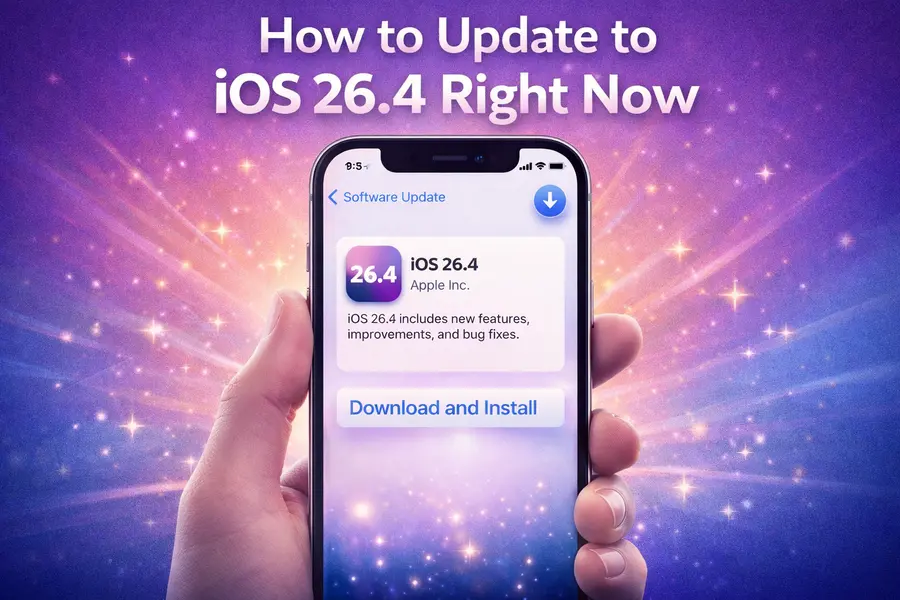
Getting iOS 26.4 takes less than two minutes to initiate. Here’s how:
- Open the Settings app on your iPhone
- Tap General
- Tap Software Update
- Download and install iOS 26.4
The update is compatible with iPhone 11 and all newer models, including the iPhone SE (2nd generation and later). That means if you’re on a recent-ish iPhone, you’re good to go.
As always, it’s a smart idea to back up your iPhone via iCloud or your computer before updating — just good practice in case anything unexpected happens during the install.
The Bigger Picture: Where iOS 26 Stands
iOS 26.4 isn’t a transformational release. It’s a steady, practical update that addresses real pain points — a broken keyboard, security features that weren’t on by default, a music experience that needed a creative boost, and a Podcasts app that had fallen behind competitors.
The Liquid Glass design overhaul that came with iOS 26 was the biggest visual shift Apple had made since iOS 7 back in 2013. The subsequent updates, including this one, have been about filling in the gaps and refining the experience that design requires.
The real excitement is still ahead. iOS 26.5 betas are expected to start very soon, and that’s where Apple might finally start rolling out AI-enhanced Siri features. WWDC 2026 is on the horizon, and with it, iOS 27 — which is expected to bring substantial changes to how Siri works and how Apple Intelligence integrates across the entire iPhone experience.
For now, iOS 26.4 is worth installing today. The Playlist Playground feature alone makes the update fun, the security improvements make it smart, and the bug fixes make it practical. That’s a solid combination for a mid-cycle release.
Compatible devices: iPhone 11, iPhone SE (2nd generation), and all newer iPhone models. iOS 26.4 was officially released on March 24, 2026.
Disclaimer
This blog post is written for informational purposes only. All features and details mentioned are based on publicly available information at the time of publishing (March 2026). Apple may update, modify, or remove certain features through future software updates. Feature availability may vary by device, region, and Apple ID settings. We are not affiliated with or endorsed by Apple Inc. Always refer to apple.com for the most accurate and up-to-date information.
Also Read
What’s New in Kali Linux 2026.1? Full Breakdown for Hackers & Developers