

If you’ve been following the world of alternative mobile operating systems, the Ubuntu Touch 24.04-1.3 Review is something you genuinely don’t want to skip. Released on May 7, 2026, by the UBports Foundation, this is a maintenance update to the 24.04-1.x series — and while it doesn’t reinvent the wheel, it quietly removes a whole lot of friction that users have been putting up with for months.
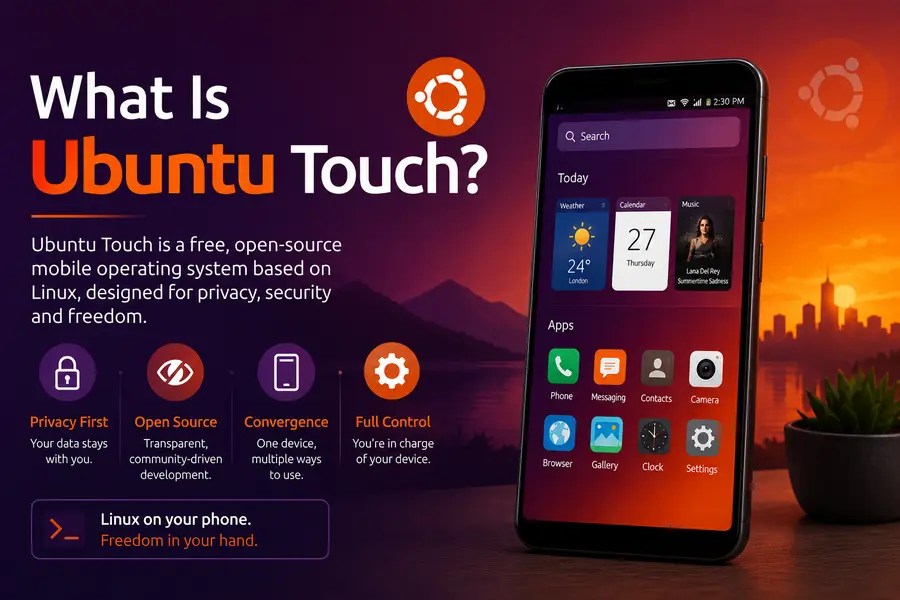
Ubuntu Touch is the privacy-first, freedom-respecting mobile OS built and maintained by UBports, a global non-profit. It runs on a real Ubuntu Linux base, which means you get actual terminal access, proper file management, and zero big-tech surveillance baked into your phone. For people who want out of the Google/Apple duopoly without moving to a half-broken hobby project, Ubuntu Touch has always been the most mature option on the table.
But maturity doesn’t mean perfect. That’s exactly why this Ubuntu Touch 24.04-1.3 review digs into what actually changed, why it matters, and who should be considering it right now — especially as the team teases what’s coming in the much-anticipated Ubuntu Touch 24.04-2.0.
What Is Ubuntu Touch? A Quick Recap for New Users
Before jumping into the changelog, here’s context that helps if you’re new to this space.
Ubuntu Touch is not Android. It doesn’t run on Android’s runtime. It’s a full GNU/Linux system adapted for touchscreen smartphones and tablets, using a display server called Mir and a shell called Lomiri. Apps are packaged as “click” packages or snaps, and there’s a growing library available through the OpenStore.
The operating system is developed and maintained by UBports, a community-driven foundation that picked up the project after Canonical (the company behind Ubuntu) abandoned it in 2017. Since then, UBports has been shipping consistent OTA updates, growing device support, and — slowly but surely — modernizing the stack.
Ubuntu Touch 24.04 is based on Ubuntu 24.04 (Noble Numbat) and represents the latest long-term-support base the team has migrated to. The 24.04-1.x series is the stable, production-ready branch while the team builds out 24.04-2.0 behind the scenes.
Ubuntu Touch 24.04-1.3: What’s Actually New
Desktop App Handling — Finally Fixed Properly
This is the headlining fix in the release, and it’s a significant one for users who’ve been experimenting with desktop Linux apps on their Ubuntu Touch devices.
Three specific improvements landed here:
- X11 apps can now launch outside of Lomiri. You can open an X11 application directly from the OpenStore or via Snapz0r, without needing the Lomiri shell to serve as an intermediary. This removes a major workflow barrier for power users.
- Dangling placeholder windows are gone. Previously, when an X11 app launched, it sometimes left behind ghost windows or orphaned launcher entries. That visual clutter is now cleaned up properly.
- GTK4 apps launch correctly. This is a bigger deal than it sounds. GTK4 is the current toolkit for GNOME applications, and with Ubuntu Touch 24.04-1.3, those apps now launch without breaking. The team enforces an OpenGL renderer for GTK4 through a profile.d entry, which solves compatibility issues that have existed for a while.
If you use your Ubuntu Touch device with a desktop dock or a keyboard-screen combo like NexDock, these fixes make a real practical difference to daily use.
NexDock and External Dock Support Improved
Speaking of NexDock — the release specifically addresses improved handling of docks with input devices. The NexDock trackpad enumeration bug in Mir has been fixed through a udev rule update. There’s also a Snapd patch that ships to enable USB device enumeration for FP5+NexDock combinations.
This matters because the “convergence” use case — using your phone as a desktop when docked — is one of Ubuntu Touch’s most compelling selling points over Android and iOS. Being able to plug your phone into a monitor and keyboard and work like on a PC is genuinely useful, and this release takes another step toward making that seamless.
AMR Voice Message Playback via MMS — Fixed
Here’s a bug that’s been silently annoying a chunk of the user base: voice messages sent via MMS in the AMR audio format simply wouldn’t play back. The fix here was replacing the gstreamer1.0-plugins-ugly package with gstreamer1.0-plugins-good-amr, which correctly handles AMR codec playback.
If you communicate with people who send voice notes over MMS (which is common in several regions), this goes from a silent fail to just working.
Scaling Factor Fix for Qt Apps and Webviews
This one is subtle but impacts everyday use. Certain applications — particularly those using Qt auto-scaling or an embedded webview — were rendering at a slightly wrong scale factor. The result was text or UI elements that looked just a little off, not quite right. The fix in 24.04-1.3 tells Qt not to round the scale factor up or down, keeping rendering crisp and accurate.
If you use apps that embed a web browser (like some PWA-style apps or certain information apps), you’ll notice things looking tighter and more correct after this update.
Shutdown Hang Fixed on Some Devices
A nasty edge case where devices would hang indefinitely during shutdown has been resolved. The unit stop timeout has been reduced to 10 seconds in the systemd configuration, which means if something is stuck, the system will force-close it and continue shutting down cleanly. Previously, some users had to force-power off their phones to end a shutdown cycle. That’s gone now.
Lomiri Keyboard — Segfault Prevention
The Lomiri on-screen keyboard received a fix for a potential segfault in its prediction engine. In practice, this means the keyboard is less likely to crash mid-typing, which was an intermittent but deeply frustrating issue for some users depending on what they were typing and what language packs were loaded.
Security and Under-the-Hood Updates
Several components received upstream version bumps and security patches:
- Bluebinder updated to v1.0.19 — this handles Bluetooth bridging between the Linux stack and Android HAL
- libgbinder updated to v1.1.45 — handles communication with Android’s binder IPC system
- ofono-binder-plugin updated to v1.1.25 — manages cellular telephony
- pulseaudio-modules-droid upgraded to release 14.2.106 — handles audio routing through Android’s audio HAL
- apparmor-easyprof-ubuntu updated with broader hardware video decode support on modern MediaTek SoCs
- lomiri-system-settings now allows coexistence with lomiri-polkit-agent, fixing a conflict in permission handling
These aren’t flashy headline features, but they’re the kind of careful maintenance work that keeps a mobile OS stable and secure over time.
How to Get Ubuntu Touch 24.04-1.3
For Existing Users
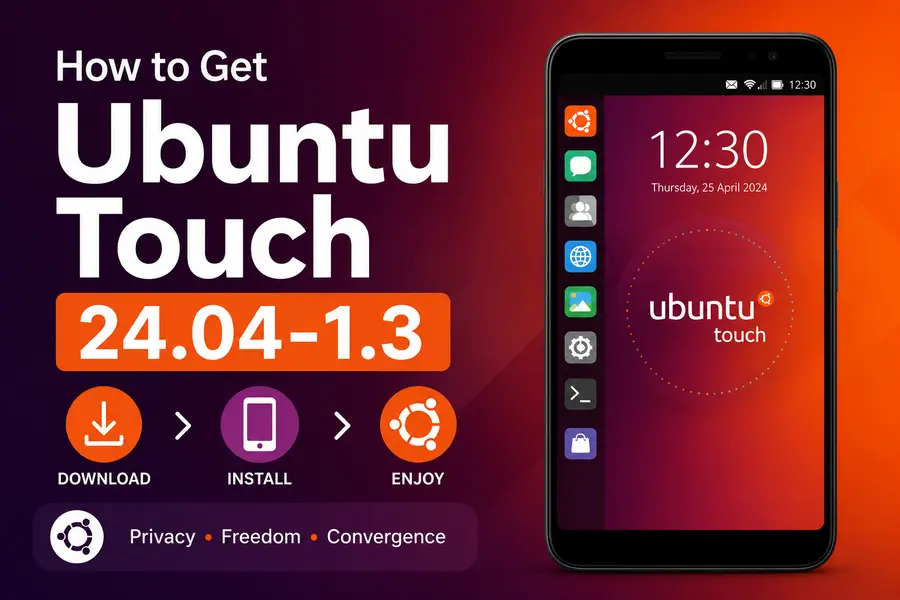
The update arrives through System Settings > Updates on your device. Devices on 24.04-1.2 will see the update directly. If you’re still on Ubuntu Touch 20.04 OTA-11 or earlier, you’ll need to update to 20.04 OTA-12 first, and then upgrade to 24.04-1.3.
UBports rolls updates out gradually — devices are randomly allocated the update over a few days. This is intentional: it gives the team time to catch any critical regressions before they affect everyone. If you want the update right now and don’t want to wait, you can use ADB:
sudo system-image-cli -v -p 0 --progress dots
Run this over adb shell and your device will download and install the update immediately.
For New Users
Head to devices.ubuntu-touch.io to find installation instructions for your specific device. The UBports Installer makes the process relatively straightforward for supported hardware.
What Devices Are Supported?
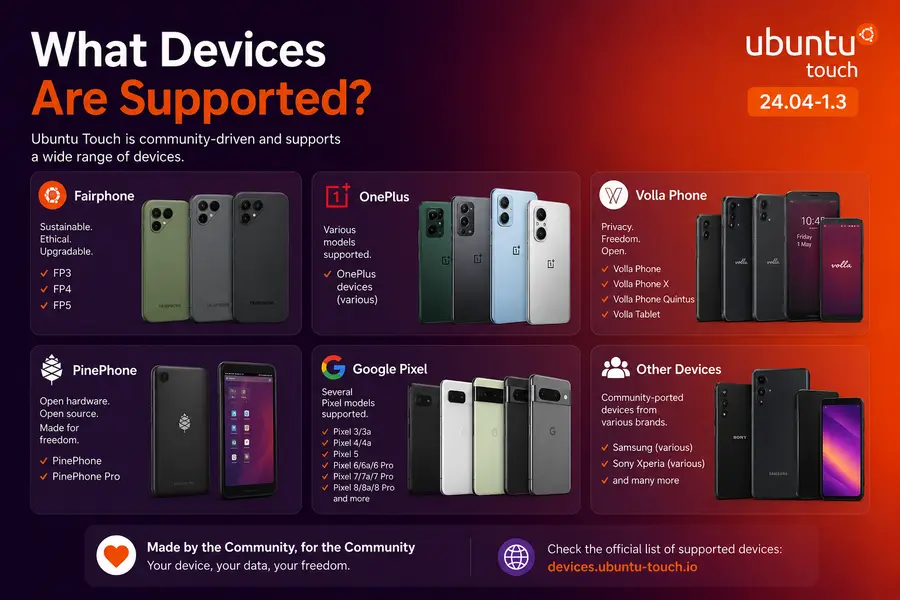
Ubuntu Touch 24.04-1.3 runs on all currently supported Ubuntu Touch devices. The device support list is maintained actively at devices.ubuntu-touch.io, and it spans a wide range of hardware including:
- Fairphone models (FP3, FP4, FP5)
- OnePlus devices (various)
- Volla Phone lineup
- PinePhone / PinePhone Pro
- Several Google Pixel models
- Various Samsung, Sony Xperia, and other community-ported devices
The FP5+NexDock combination gets specific attention in this release with the USB enumeration fix, suggesting these devices are actively tested in the convergence use case.
The Bigger Picture: What’s Coming in Ubuntu Touch 24.04-2.0
One of the most honest and transparent things UBports did alongside this release was publish a detailed update on what’s happening with Ubuntu Touch 24.04-2.0. It’s worth understanding, because it explains both how far this project has come and the real technical challenge they’re currently wrestling with.
The Browser Problem
The primary goal of 24.04-2.0 is delivering a modern web browser. Morph Browser, Ubuntu Touch’s built-in browser, is based on QtWebEngine 5.15.19, which itself is built on Chromium version 87. If you know Chrome releases, you’ll immediately clock the problem — Chromium 87 is many, many major versions behind current. Modern web applications, streaming services, and web platforms have outpaced it.
Qt 5.15 support has also ended upstream, meaning there are no more security backports coming for that branch. This is a genuine security and usability concern.
The Qt6 Migration Challenge
The obvious solution is upgrading to Qt 6’s QtWebEngine (currently at Qt 6.11). But there’s a real problem: Qt 6 is not backward compatible with Qt 5 in all cases. Ubuntu Touch relies on a large stack of components still built on Qt 5, so migrating means either rewriting or dual-shipping both versions.
The UBports team has made progress — they’ve migrated enough of their stack to Qt 6 that Morph Browser now builds against Qt 6 on Debian Testing. But here’s the crunch: some supported devices don’t have enough storage space reserved for the OS to hold both Qt 5 and Qt 6 simultaneously.
This is the core engineering challenge being worked on right now. The team is actively trying to solve the storage constraint while bringing a modern browser to as many devices as possible. Their plan is to release another update when this is resolved and 24.04-2.0 is ready for wider testing.
It’s a hard problem, honestly told. That kind of transparency — “here’s the exact technical blocker we’re working through” — is one of the things that makes UBports a community worth supporting.
Ubuntu Touch vs. Other Alternative Mobile OSes: Where Does It Stand?
It’s fair to ask: in 2026, with GrapheneOS, CalyxOS, /e/OS, and others in the picture, why consider Ubuntu Touch?
Ubuntu Touch’s strengths:
- Full GNU/Linux system — not Android-based at all. Real terminal, real apt packages, real desktop apps.
- Convergence support — use your phone as a desktop with a dock and keyboard.
- Privacy by design — no Google services whatsoever, by architecture.
- Active community and foundation backing.
- OTA updates for a broad device range, including non-Pixel hardware.
Where it still lags:
- The browser situation (being actively addressed in 24.04-2.0).
- App ecosystem is smaller compared to Android-based alternatives.
- Some hardware features (camera quality, certain sensor APIs) depend on device-specific porting work.
GrapheneOS is a better choice if you want maximum Android app compatibility with hardened security. But Ubuntu Touch is unmatched if you want a genuine Linux phone experience — the kind where you can SSH into your own device, apt-install packages, and run a full desktop when docked.
Should You Upgrade to Ubuntu Touch 24.04-1.3?
Yes, if you’re already on Ubuntu Touch, this is a no-brainer update. The fixes are practical — better desktop app support, no more MMS voice message failures, cleaner shutdowns, and more stable keyboard behavior. There’s nothing dramatic here, but that’s exactly what a good maintenance release looks like.
If you’re considering Ubuntu Touch for the first time, 24.04-1.3 is the most polished version of the 24.04-1.x series to date. Check device support first, and go in knowing that the browser situation will improve with 24.04-2.0.
If you’re a convergence user with a NexDock, this release is particularly relevant — the input handling fixes make the docked experience meaningfully better.
Final Verdict
Ubuntu Touch 24.04-1.3 is exactly what it sets out to be: a solid, careful maintenance release that smooths out the rough edges accumulated since 24.04-1.2. The desktop app improvements are the most user-visible change, and they move the needle meaningfully for anyone using X11 apps or GTK4 software. The NexDock fixes, AMR audio fix, and shutdown hang resolution all address real, documented user pain points.
What makes this release feel bigger than its changelog is the surrounding context. UBports is clearly in a transitional moment — maintaining the current stable series while fighting a technically complex migration battle to bring Qt 6 and a modern browser to users. That work is happening in public, with honest communication, on a volunteer-driven open-source budget. That counts for something.
For anyone who believes mobile devices should be user-controlled, privacy-respecting, and fully open — Ubuntu Touch in May 2026 is the most serious expression of that ideal available on real hardware. 24.04-1.3 keeps that foundation solid while the next chapter takes shape.
Disclaimer
This review is written for informational purposes only and is not affiliated with, endorsed by, or sponsored by UBports or the Ubuntu Touch project. All information is based on the official UBports release announcement published on May 7, 2026. Device compatibility, features, and support status may change over time — always refer to the official UBports website at ubports.com and devices.ubuntu-touch.io for the most current information. The author holds no responsibility for any issues arising from installation or use of Ubuntu Touch on any device.


