

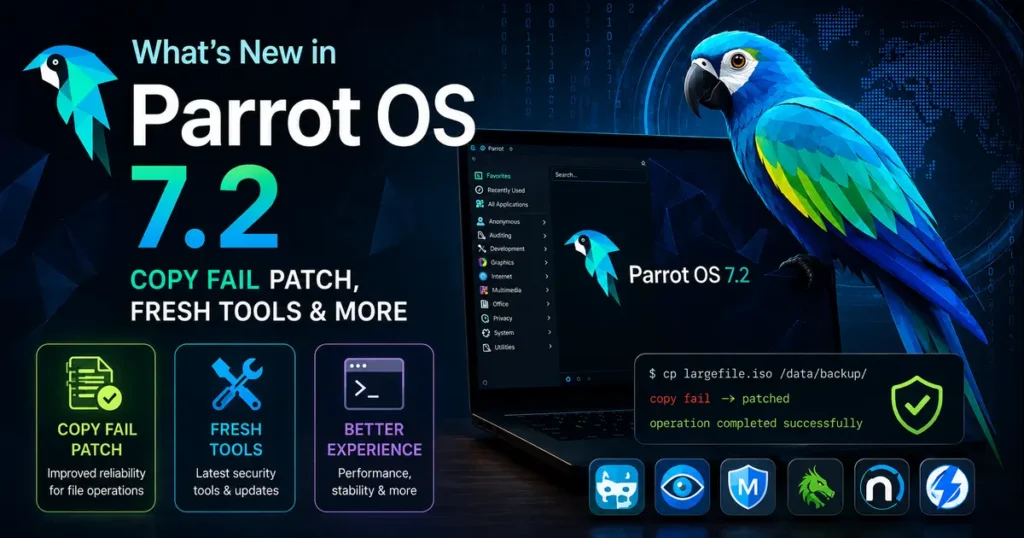
If you’re a penetration tester, ethical hacker, or someone who just takes their Linux security seriously, you’ve probably been watching the Parrot OS 7.2 release with interest. And rightfully so — this isn’t just a routine update bump. What’s new in Parrot OS 7.2 turns out to be a genuinely substantial release, headlined by a critical kernel-level security patch, 15 updated security tools, a polished KDE desktop, and a brand-new edition for Hack The Box users.
Released on May 9, 2026, Parrot OS 7.2 keeps up the momentum the project built with the landmark 7.0 “Echo” release last December and the steady 7.1 update in February. Let’s dig into everything that changed — and more importantly, why it matters for real-world security work.
The Big One: Copy Fail Is Patched
Let’s start with the reason many users will be rushing to update even before reading anything else.
CVE-2026-31431 — What Is “Copy Fail”?
On April 29, 2026, a local privilege escalation vulnerability was publicly disclosed that quickly picked up the nickname Copy Fail. The flaw is tracked as CVE-2026-31431 and lives inside the algif_aead kernel module — part of the Linux kernel’s crypto subsystem.
Here’s what makes it genuinely alarming: an unprivileged local user can exploit this bug to write controlled bytes into the page cache of any readable file on the system. No special permissions. No exotic hardware. The proof-of-concept exploit fits into a 732-byte Python script that requires zero specialized tooling to run reliably across multiple Linux distributions.
That’s a serious exposure window.
Why This Is Especially Critical for Parrot Users
Think about who runs Parrot OS day to day — penetration testers and security researchers who frequently operate in environments with untrusted processes, containerized workloads, shared lab systems, and multi-user test infrastructure. Running unpatched against a privilege escalation vulnerability while actively testing for privilege escalation on client systems is a genuinely uncomfortable position to be in. The irony would not be lost on anyone.
Parrot OS 7.2 ships with Linux kernel 6.19.13, which includes the fix for Copy Fail. This alone is a compelling enough reason to update immediately, even if nothing else in this release interested you.
Kernel Upgrade: Linux 6.19.13
Beyond the CVE patch, moving to Linux 6.19.13 brings the usual upstream improvements you’d expect from a newer kernel series — better hardware support, driver updates, performance improvements, and various stability fixes that accumulate over a kernel’s lifecycle.
For users running newer AMD or Intel hardware, particularly anything released in the last year, the updated kernel often translates to better out-of-the-box hardware compatibility. Wi-Fi adapters, Bluetooth controllers, and GPU drivers that required workarounds on older kernels frequently just work on newer ones.
If you’re running Parrot OS in a virtual machine for lab work, the updated kernel also improves guest agent support and VM I/O performance across QEMU, VirtualBox, and VMware.
15 Updated Security Tools
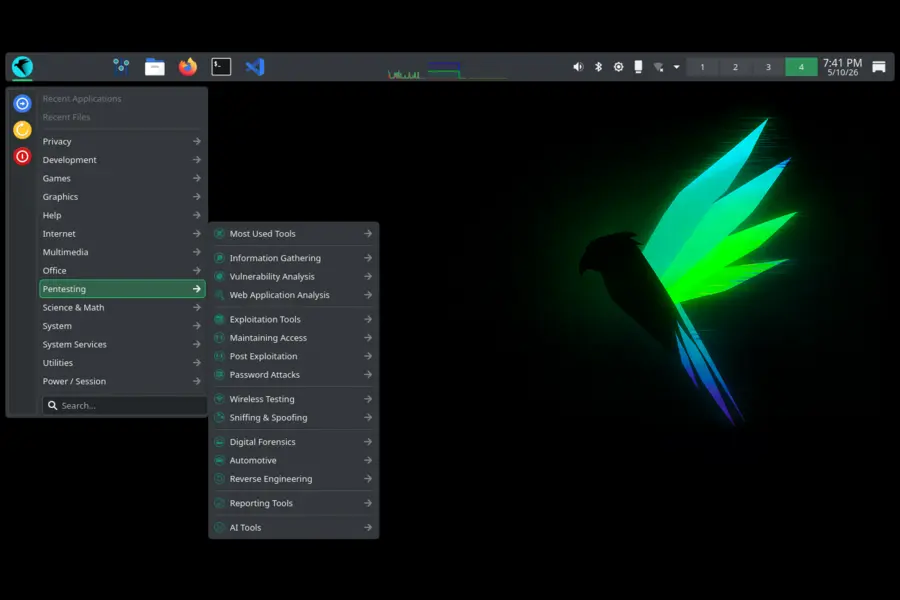
This is where Parrot OS really earns its keep for working professionals. The distribution doesn’t just ship tools — it maintains a curated, current security toolchain that saves you hours of manual updates and dependency management. Parrot OS 7.2 refreshes 15 tools across the full spectrum of security work.
Active Directory & Windows Attack Tools
- NetExec 1.5.1 — The spiritual successor to CrackMapExec, NetExec is an essential tool for Active Directory enumeration and lateral movement. Version 1.5.1 brings protocol improvements and expanded module support.
- BloodHound 9.0 — A major version bump for the AD attack path mapping tool. BloodHound 9.0 continues the project’s evolution toward the Community Edition architecture and brings improved graph analysis.
- Certipy AD 5.0.4 — The go-to tool for Active Directory Certificate Services (AD CS) abuse and enumeration. The 5.x series brought significant architectural improvements, and 5.0.4 brings further stability fixes.
- Evil-WinRM-py 1.6 — The Python-based remote management tool for Windows targets, now at 1.6 with expanded functionality for authenticated remote execution scenarios.
- enum4linux-ng 1.3.5 — Still one of the most reliable tools for SMB and NetBIOS enumeration against Windows and Samba hosts. 1.3.5 addresses a handful of parsing bugs from the previous release.
- pypsrp 0.8.1 — The Python PowerShell Remoting Protocol library, useful for scripting WinRM interactions and building custom tooling on top of Windows remote management.
Web Application Testing
- OWASP ZAP 2.16.1 — The venerable web application security scanner gets a meaningful update. ZAP 2.16.1 builds on the project’s ongoing development post-2.15 with improved scan policies and API improvements.
- sqlmap 1.10.3 — The SQL injection automation tool that needs no introduction. Version 1.10.3 keeps sqlmap current against modern database versions and web frameworks.
- httpx-toolkit 1.7.4 — Fast, multi-purpose HTTP probing tool from Project Discovery. 1.7.4 brings performance improvements for large-scale reconnaissance workflows.
- Evilginx 3.3 — The man-in-the-middle attack framework for credential phishing that bypasses MFA through session token capture. Version 3.3 brings updated phishlet compatibility for modern authentication flows.
- BeEF 0.6 — The Browser Exploitation Framework, updated to 0.6 with compatibility fixes for modern browser targets and improved hook management.
Infrastructure & Post-Exploitation
- Metasploit 6.4.127 — The industry-standard exploitation framework, now at 6.4.127. Each Metasploit update brings new modules, updated payloads, and improvements to auxiliary functionality. The 6.4.x series has focused heavily on SMB improvements and post-exploitation module quality.
- Legion 0.7 — The semi-automated network penetration testing framework, updated to 0.7 with interface improvements and updated tool integrations.
- MCPwn 1.2 — A newer addition to the Parrot toolchain, MCPwn is focused on Model Context Protocol security testing — a nod to the growing attack surface that AI tooling introduces. Version 1.2 brings expanded coverage for MCP-enabled environments.
Debugging & Reverse Engineering
- GDB GEF 2026.01 — GDB Enhanced Features, the pwndbg-like enhancement layer for the GNU debugger widely used in CTF competitions and exploit development. The 2026.01 build brings Python 3.13 compatibility improvements and updated heap visualization.
Desktop Environment: KDE Plasma 6.3.6
Parrot OS made its commitment to KDE clear with the 7.0 release, and 7.2 continues that path with KDE Plasma 6.3.6 as the default desktop environment.
The full desktop stack looks like this:
- KDE Plasma 6.3.6
- KDE Frameworks 6.13
- KDE Gear 25.04.3
- Qt 6.8.2
Plasma 6.3.6 is a mature, stable release in the Plasma 6 series — well past the rough edges that sometimes accompany major version transitions. Wayland support in this generation of Plasma is genuinely solid, HiDPI rendering is much improved over Plasma 5, and performance on modern hardware is noticeably better.
For users who came up on Parrot’s old MATE default and have been skeptical of the KDE switch, Plasma 6.3.x is a reasonable point to give it another look. It’s lighter than it used to be and the Parrot team has done meaningful work to configure it sensibly out of the box rather than shipping it with all the desktop effects cranked up.
Parrot-Specific Component Updates
Parrot Menu Migrates to Go
The Parrot menu system is in the middle of a migration to a new Go-based codebase. This release adds more desktop entries as part of that ongoing transition. The practical upside of this rewrite is the same reason the team rewrote other components in Go and Rust: better performance, more reliable behavior, and easier long-term maintenance compared to the previous implementation. More entries have been added in this release as the migration progresses.
Flatpak Auto-Management in parrot-core
One of the more convenient quality-of-life additions in 7.2: parrot-core now includes a built-in Flatpak package check that automatically handles Flatpak updates in the background. Previously, users who installed Flatpak applications had to manage those updates separately from the main system. This integration means one less thing to remember — Flatpak apps stay current alongside everything else.
Themes and Tools Refresh
Parrot themes and the broader tools package collection have been refreshed and improved throughout the release cycle. Nothing dramatic here, but the cumulative effect of keeping these components current is a more cohesive and professional-feeling system.
Hack The Box Edition: ISO + VM Images
This is a new addition that a specific community will appreciate quite a bit. Parrot OS 7.2 now generates dedicated images for the Hack The Box Edition in both ISO and virtual machine formats.
Hack The Box has become one of the dominant platforms for practical security skill development, CTF-style challenges, and career-oriented certifications like the CPTS and CBBH. Having a purpose-built Parrot image for that environment removes setup friction — you get a pre-configured system aligned with the kind of work HTB challenges involve, without needing to manually tune a generic Parrot install for the platform.
The VM format options follow Parrot’s standard image suite: .qcow2 for QEMU/KVM environments, .vmdk for VMware, .ova for easy VirtualBox import, .vdi for VirtualBox native, and .utm for Apple Silicon Mac users running UTM.
Full Debian Upstream Sync
Parrot OS 7.2 is fully synchronized with the latest Debian upstream package set, covering security fixes, library updates, and stability patches that have landed in Debian since the previous Parrot release. This sync keeps the Parrot package selection aligned with Debian’s current state rather than drifting against it between major releases.
For practical purposes, this means a wide range of base system packages — libraries, compilers, language runtimes, and system utilities — are all at their current Debian versions. You’re not just getting security patches for the kernel and the explicitly listed tools; you’re getting the full benefit of Debian’s security team’s work across the base system.
Which Edition Should You Download?
Parrot OS 7.2 ships in two main desktop editions. Knowing which one fits your use case saves time:
Security Edition is the full package — the parrot-tools-full metapackage is preinstalled, giving you 800+ security tools ready to go. This is the right choice for penetration testers, security researchers, and anyone whose primary use case is offensive security work.
Home Edition delivers a clean, privacy-focused Parrot system without the complete security toolset preinstalled. Development tools, privacy applications, and the full Parrot desktop experience are all there — but the heavy security tool collection isn’t taking up disk space until you want it. Additional tools can always be installed from the repositories.
Hack The Box Edition is new in 7.2 — purpose-built for HTB labs and challenges, available in both ISO and VM formats.
System requirements for 7.2:
- Processor: Quad-core
- RAM: 4 GB minimum, 8 GB recommended
- Storage: 40 GB available space
- Graphics: 1024×768 minimum resolution
The total ISO download size is 7.8 GB for the Security Edition.
How to Update
If you’re already running Parrot OS 7.x, updating to 7.2 is straightforward:
Upgrade Parrot OS Safely
Run the following commands to fully upgrade your Parrot OS system, clean unnecessary packages, and reboot into the latest kernel.
sudo parrot-upgrade
After the upgrade completes, run:
sudo apt autoremove && sudo apt autoclean
Then reboot to load the new kernel:
sudo reboot
After rebooting, verify the kernel version with:
uname -r
You should see the 6.19.13 kernel. Verify your tools, check hardware functionality, and confirm your VPN and DNS leak protections are still configured correctly before getting back to work.
For fresh installs, grab the ISO from parrotsec.org and verify the SHA256 checksum before writing to media.
Final Thoughts
Parrot OS 7.2 lands as a focused, purposeful release. It doesn’t try to reinvent the wheel — it patches a genuine security threat quickly, keeps the toolchain current, improves the desktop stack, and adds a useful new edition for a popular training platform.
The Copy Fail patch alone makes updating urgent for anyone running Parrot in a professional or lab environment. The 15 updated tools are the kind of routine but important maintenance that keeps Parrot competitive as a working distribution rather than a showcase. And the Flatpak auto-management improvement is exactly the kind of small friction reduction that accumulates into a noticeably better day-to-day experience over time.
If you’ve been sitting on an older Parrot 7.x install, now is a good time to update. If you’re evaluating security-focused Linux distributions, 7.2 is a strong point to start your evaluation.
Disclaimer
This blog post is written for informational purposes only. The details about Parrot OS 7.2, including tool versions, CVE information, and system specifications, are based on official release notes and publicly available sources at the time of publication (May 2026). Always verify downloads using official checksums from parrotsec.org before installation. The author is not affiliated with the Parrot Project or Offensive Security. Tool names and trademarks mentioned belong to their respective owners.
Related Linux Articles
Explore more Linux news, kernel updates, and distro releases from Tech Refreshing.
A detailed look at the latest Ubuntu Touch release, features, improvements, and mobile Linux experience. Linux Kernel CVE-2026-31431 Explained
Understand the latest Linux kernel security vulnerability in simple terms and learn how it affects users. Manjaro 26.1 “Bian” May Preview Goes Live
Discover the latest updates, desktop improvements, and package changes in the newest Manjaro preview release.


