

If you’ve been keeping an eye on the lightweight Linux world, you already know SparkyLinux punches well above its weight. The project just dropped its latest quarterly release, and if you’re wondering what’s new in SparkyLinux 8.3, this post covers everything — from the kernel bump and desktop environment upgrades to the browser updates and new ISO availability. Whether you’re a longtime Sparky user or just evaluating it for the first time, there’s plenty to dig into here.
What Is SparkyLinux 8, and Why Does 8.3 Matter?
Before diving into the specifics, a quick refresher. SparkyLinux 8 carries the codename “Seven Sisters” — a nod to the Pleiades star cluster — and it’s built on top of Debian 13 “Trixie.” That means you get the rock-solid stability Debian is known for, with Sparky’s own layer of polish, practical tools, and lighter desktop environments layered on top.
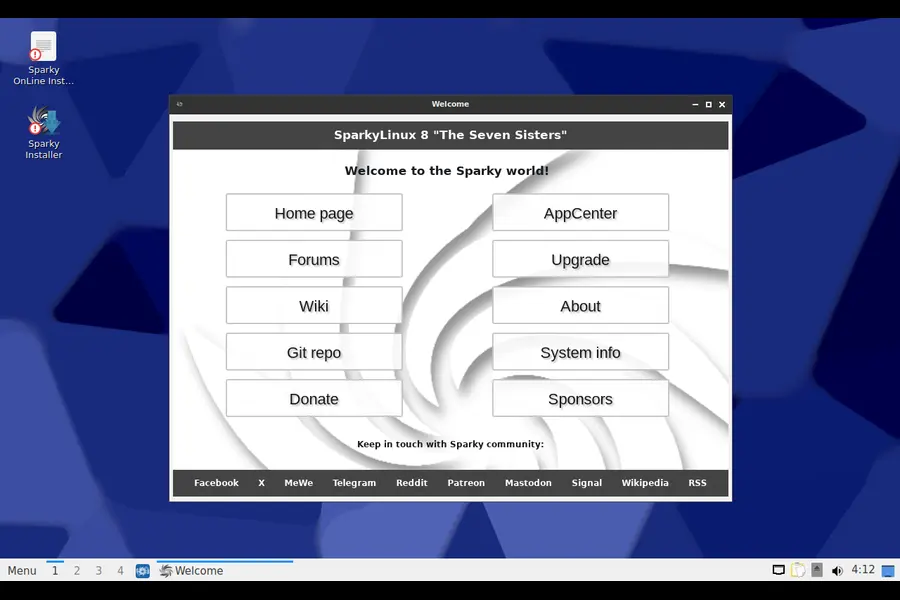
Version 8.3 is the third quarterly update to the Sparky 8 series. It isn’t a massive architectural shift — Sparky doesn’t work that way. Instead, it’s a carefully curated snapshot of the latest package updates from the Debian stable and Sparky repositories, synced as of May 9, 2026. If you already run Sparky 8.x, all of this comes to you through your regular update process. No reinstallation required.
That said, fresh ISO images are available for anyone doing a clean install, and there are meaningful improvements across the board worth talking about in detail.
Linux Kernel: A Notable Bump to 6.12.86-LTS
The headline hardware change in 8.3 is the Linux kernel 6.12.86 LTS shipping as the default. LTS kernels are always the smart pick for a stability-focused distro like Sparky — they get security patches and driver fixes for an extended period without the churn of mainline releases.
For users who need something newer, the Sparky repositories also carry:
- Linux 7.0.6 — for those who want cutting-edge hardware support
- Linux 6.18.29-LTS — a newer LTS branch
- Linux 6.12.87-LTS — a minor revision above the default
This tiered approach is genuinely thoughtful. Most users will be perfectly happy with the default 6.12 LTS, but power users with very new hardware — say, recent AMD GPUs or Intel Arc graphics — can grab a newer kernel without switching distributions. The flexibility here is one of the things that makes Sparky genuinely practical rather than just another Debian respin.
Desktop Environment Updates: Something for Everyone
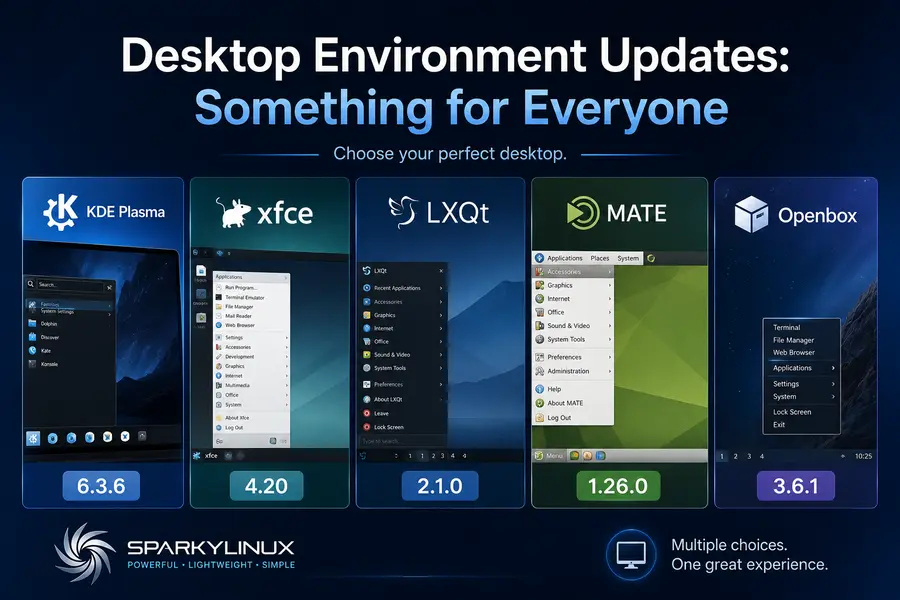
One of Sparky’s biggest strengths is that it doesn’t force a single desktop on you. The 8.3 release ships updated versions of every major DE it supports, and the jump in some of these is more significant than a point release might suggest.
KDE Plasma 6.3.6
KDE Plasma continues its 6.x maturation cycle with version 6.3.6 in this release. The Plasma 6 series has been steadily improving since its initially rocky debut, and by now it’s genuinely polished. If you’re running Sparky with the KDE flavor, expect tighter Wayland integration, better multi-monitor handling, and the usual round of bug fixes that come with a .x.x update.
For users who want a feature-rich, modern desktop that still respects system resources reasonably well, KDE Plasma on Sparky remains one of the more compelling combinations available in the Debian ecosystem.
Xfce 4.20
Xfce continues to be the go-to choice for users who prioritize speed and simplicity, and the Xfce 4.20 release included here is a significant one for the project. This version brought improved GTK4 compatibility in places, better support for modern display configurations, and a variety of under-the-hood improvements to the panel and window manager.
If you’re running Sparky on older hardware — a machine from 2010 to 2015, say — the Xfce edition with this kernel is probably the sweetest spot available in the Linux world right now. It’s fast, it’s stable, and it gets out of your way.
LXQt 2.1.0
LXQt 2.1.0 is another notable update. LXQt has matured considerably over the past few releases, and 2.1.0 brings improved Qt6 compatibility and smoother integration with modern compositors. This is the lightest of the full-featured desktop environments Sparky ships, making it the natural pick for very low-end hardware where even Xfce might feel sluggish.
MATE 1.26.0
MATE 1.26.0 rounds out the desktop lineup. MATE is the choice for users who prefer a traditional, GNOME 2-era workflow — a proper menu bar, familiar window decorations, and predictable behavior. The 1.26 series has been stable for a while, and this update keeps it current without breaking anything.
Openbox 3.6.1
The MinimalGUI edition ships with Openbox 3.6.1, which is exactly what you’d want from a minimal window manager — no surprises, no unnecessary bloat. This edition is particularly useful as a base for rolling your own custom Sparky environment, or for servers and embedded use cases where a graphical shell is occasionally useful but shouldn’t consume resources.
Browser Updates: Firefox and Thunderbird
Firefox 140.10.2 ESR (and Firefox Latest 150.0.2)
The default browser in Sparky 8.3 is Firefox 140.10.2 ESR — the Extended Support Release, which prioritizes stability and security patches over feature additions. For most users, this is the right call. ESR versions are well-tested and receive security updates throughout their lifecycle without the monthly churn of the standard release channel.
If you want the very latest Firefox, the Sparky repositories carry Firefox Latest 150.0.2, which you can install alongside or in place of the ESR build. This kind of optionality is one of the reasons experienced Linux users gravitate toward Sparky — you don’t have to take what you’re given.
Thunderbird 140.10.1 ESR
Email gets the same ESR treatment with Thunderbird 140.10.1. Thunderbird has had a genuine renaissance over the past couple of years, with the 115 “Supernova” redesign and the subsequent improvements making it one of the better desktop email clients again. The ESR build here keeps things stable and secure, which is exactly what you want in your email client.
LibreOffice 25.2.3
The productivity suite has been updated to LibreOffice 25.2.3, which reflects the suite’s switch to calendar-based versioning (year.month format). This is a current, well-maintained build with the full range of office applications — Writer, Calc, Impress, Draw, Base, and Math.
For users who need an even newer build, LibreOffice 26.2.3.2 is available through the Debian backports repository. This is a useful escape hatch if you need to collaborate with colleagues on files created in the latest versions of Microsoft Office and need the most current import/export filters.
Available Editions and Architecture Support
AMD64 Editions (BIOS/UEFI + Secure Boot)
Sparky 8.3 ships six ISO images for standard 64-bit PCs:
- Xfce — the flagship edition, balanced and fast
- LXQt — the lightest full-featured option
- MATE — for fans of traditional desktop workflows
- KDE Plasma — the feature-rich, modern choice
- MinimalGUI (Openbox) — a barebones graphical base
- MinimalCLI — text-mode only, maximum flexibility
All of these support both legacy BIOS and UEFI boot, and importantly, Secure Boot is supported — something that trips up a fair number of Linux distros on modern hardware.
ARM64 Support
Sparky 8.3 continues its ARM64 support with two editions:
- Openbox — for graphical ARM setups
- CLI — text-mode for ARM servers and single-board computers
The default credentials for ARM images are pi:sparky, which is worth noting if you’re setting up a Raspberry Pi or similar device.
Full Debian 13 “Trixie” Compatibility
It bears repeating that Sparky 8 remains fully compatible with Debian 13 “Trixie”. This isn’t just marketing language — it means the entire Debian package ecosystem is available to you. Any software in the Debian repositories installs and runs without compatibility shims or workarounds.
This matters because Debian Trixie has an enormous software catalog. Whatever niche tool, development library, or server application you need, there’s an overwhelming chance it’s already packaged and available. Sparky layers its own tools and configurations on top of this foundation without breaking the underlying compatibility, which is a harder balancing act than it sounds.
Who Should Consider SparkyLinux 8.3?
It’s worth stepping back and asking who this release is actually for. SparkyLinux 8.3 makes the most sense for:
- Users with older hardware who want a current, secure Linux without needing powerful specs. The LXQt and Xfce editions in particular will breathe life into machines that feel sluggish on more bloated distros.
- Debian fans who want fresh packages sooner. Pure Debian stable is famously conservative about updates. Sparky gives you a more current software stack while staying in the Debian orbit.
- People who want choice. Six desktop editions, multiple kernel options, ESR and Latest browser channels — Sparky doesn’t make you conform to a single vision of what a Linux desktop should look like.
- Privacy-minded users who want a well-maintained, community-driven distribution without the telemetry and cloud integration that some larger distros have started bundling.
- Developers and power users who want a stable Debian base with easy access to newer packages through backports and the Sparky repo.
If you’re coming from Ubuntu or Linux Mint and want something a bit lighter and closer to Debian, Sparky 8.3 is an excellent entry point.
Upgrading Existing Installations
If you’re already running any version of Sparky 8, the upgrade path couldn’t be simpler. The Sparky team has always been clear on this:
Keep your system up to date and you’re already on 8.3. There’s no special migration process, no version upgrade tool to run.
Just open your terminal and run your regular update commands:
sudo apt update && sudo apt full-upgrade
Or use whatever graphical update manager you prefer. The quarterly release is essentially a snapshot — once you’re current with the repositories, you’re there.
Downloading Fresh ISO Images
If you’re doing a clean install, fresh ISO images for all editions are available on the official SparkyLinux download page at sparkylinux.org/download/stable/. The images are offered via direct download and torrent, and checksums are provided for verification — always a good habit before flashing a drive.
Live session credentials for PC editions are live:live, which lets you try the system before committing to an install.
Final Thoughts
So, what’s new in SparkyLinux 8.3? The honest answer is: a lot of meaningful, practical updates delivered in Sparky’s characteristically no-drama fashion. You get a current LTS kernel, refreshed desktop environments across the board, updated productivity and communication tools, and continued ARM64 support — all wrapped in the reliability of the Debian Trixie base.
It’s not a revolutionary release, and it doesn’t need to be. SparkyLinux has always been about steady, dependable progress — making a capable, accessible Linux system and keeping it current. Version 8.3 does exactly that.
If you’ve been on the fence about trying SparkyLinux, this release is as good a reason as any to grab an ISO and spend an afternoon with it. And if you’re already a Sparky user, just keep your system updated. You’re already getting everything this release has to offer.
Disclaimer
This blog post is written for informational purposes only. All information is based on the official SparkyLinux 8.3 release notes published on May 11, 2026. We are not affiliated with, endorsed by, or officially connected to the SparkyLinux project or the Debian team. Package versions, repository availability, and system compatibility may vary depending on your setup. Always verify details on the official SparkyLinux website before making any changes to your system.


