SparkyLinux has always been one of those distros that flies a little under the radar while quietly building a loyal following among Debian testers, low-spec hardware owners, and people who just want a rolling release without the drama of Arch. This SparkyLinux 2026.09 Review looks at the newest “Tiamat” build in detail, including the headline feature everyone’s talking about: the brand-new Labwc edition. If you’ve been sitting on the fence about whether this release deserves a spot on your USB drive, here’s everything you need to know before you download it.
I went through the official Sparky 2026.09 release notes, dug into the package list, and compared this build against the last few Sparky releases to see what’s genuinely new versus what’s just a version bump. Spoiler: there’s more here than a routine update.
What Is SparkyLinux, Quickly
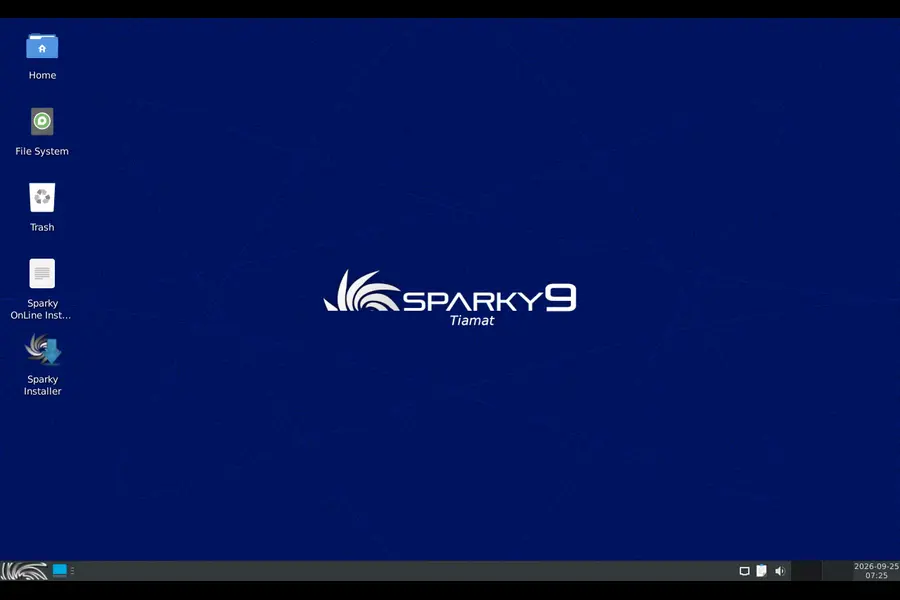
For anyone new to the project, SparkyLinux is a Debian-based distribution that comes in two flavors: a stable line built on Debian Stable, and a semi-rolling line built on Debian Testing. The 2026.09 release we’re covering here belongs to the semi-rolling family, which means it tracks Debian’s “Forky” testing branch and gets fresh packages on a near-monthly cadence.
Sparky has always positioned itself as lightweight, customizable, and friendly to older machines, which is why it’s popular with people running Openbox, LXQt, or MATE on hardware that would choke on a heavier desktop. The project is community-run, led by developer pavroo, and it’s been putting out these semi-rolling snapshots for well over a decade now, tracking Debian’s testing branch release after release.
SparkyLinux 2026.09 “Tiamat”: The Core Details
The 2026.09 build, codenamed Tiamat, is based on Debian’s Forky testing branch, and all packages were pulled from the Debian and Sparky testing repositories as of September 21, 2026. That freshness matters if you’re the kind of user who likes to be close to upstream without running a full unstable branch.
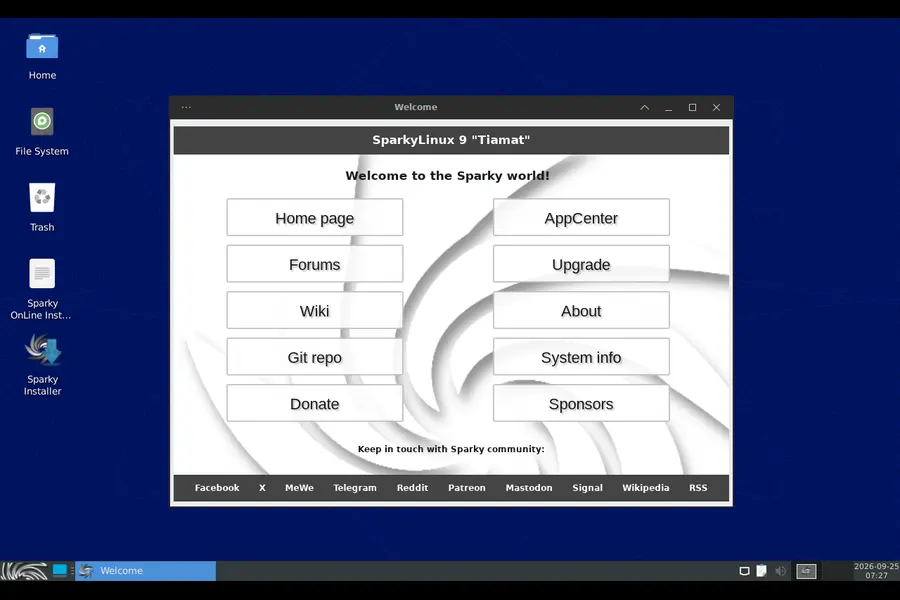
Here’s what’s under the hood in this release:
- Linux kernel 7.2.6 as the default, with 7.2.7, 6.18.53-LTS, and 6.12.111-LTS also sitting in the Sparky repositories for anyone who wants to switch
- Firefox 140.16.0esr, with the newer 156.0.1 build available if you want to pull it from the repos
- Thunderbird 140.14.0esr
- Calamares 3.4.3 as the graphical installer
- Python 3.14
- GCC 16
- LibreOffice 26.8.0
On the desktop environment side, this is where things get interesting, because Sparky ships several DE options rather than forcing you into one:
- LXQt 2.4.0
- KDE Plasma 6.7.4
- MATE 1.26.1
- Xfce 4.20.1
- Openbox 3.6.1
- Labwc 0.20.2 (new)
That kernel choice is worth pausing on. Shipping 7.2.6 as default while keeping two LTS branches in the repos gives Sparky users a practical safety net — bleeding-edge hardware support if you want it, or a more conservative kernel if your machine prefers stability over the newest driver code.
The Big News: Labwc Joins the Family
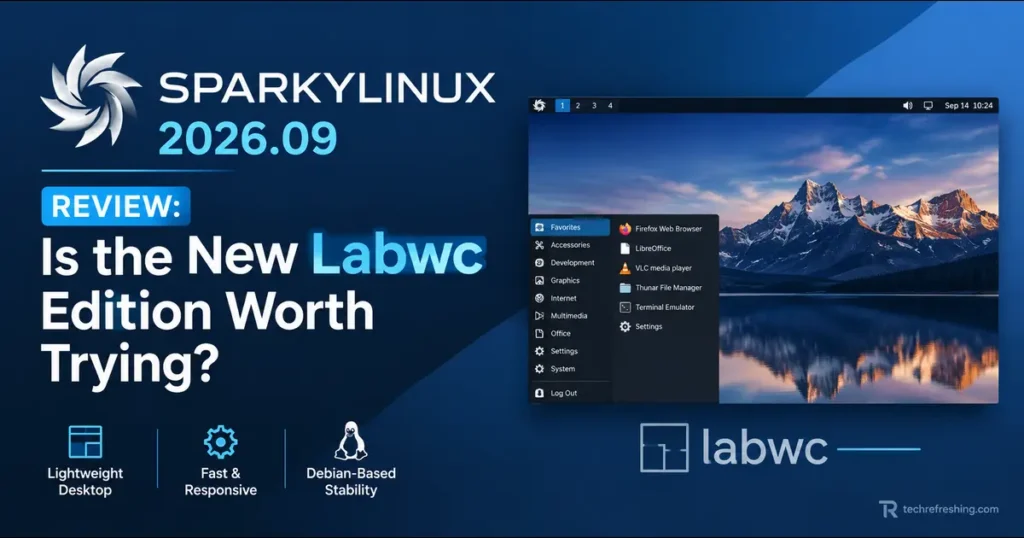
The real story of this release is Labwc. If you’re not familiar with it, Labwc is a minimalist Wayland compositor that’s essentially built to feel like Openbox, just running natively on Wayland instead of X11. Sparky describes it this way, and it’s a genuinely useful way to think about it: if you already like Openbox’s stacking window manager behavior, right-click menus, and general “get out of my way” philosophy, Labwc gives you the same experience but on a modern display protocol.
Worth noting for anyone who’s followed the project closely: Labwc isn’t a complete surprise. Sparky quietly shipped an experimental dev ISO with Labwc back in January 2026, and the 2026.09 release is where it graduates from that dev/testing status into a fully supported edition alongside the rest of the lineup. That’s a sensible rollout pattern — test it with the community for months, then promote it once it’s stable enough to ship as a first-class option.
This matters more than it might sound. A huge chunk of the lightweight Linux crowd has stuck with X11-based Openbox for years partly because Wayland alternatives tended to feel like a different paradigm entirely — tiling-focused, config-file-heavy, or just unfamiliar. Labwc closes that gap. It uses a similar rc.xml-style configuration approach to Openbox, so the learning curve for existing Sparky users is close to zero.
How the Labwc ISO Is Built
The Sparky Labwc image ships as part of the MinimalGUI ISO, alongside Openbox. This isn’t a separate massive download — it’s a lean base image that lets you install additional desktop environments later through the command-line installer if you decide you want something heavier down the line.
A few things stand out about how this edition is put together:
- It does not come with pre-installed apps that need admin rights, so tools like APTus, Synaptic, Gufw, and Calamares are absent out of the box
- Disk installation happens through the CLI installer, run with
sudo sparky-installer - The live session password is
live, and the root password is left empty by default
That last point about skipping privileged applications is a deliberate minimalism choice. It keeps the base install lean and puts the decision about what to add squarely in the user’s hands, which fits Sparky’s long-standing “give people a base, not a finished house” philosophy.
Installation: What’s Changed and What to Watch For
Installing Sparky 2026.09 isn’t drastically different from previous releases, but there are a couple of details worth knowing before you boot the ISO.
If you’re installing on a UEFI-based machine, you’ll need an active internet connection during setup — that’s a hard requirement in this release, not a suggestion. For UEFI systems specifically, the Sparky team recommends going through Calamares rather than the CLI route, since Calamares handles the UEFI partitioning and bootloader steps more smoothly for most people.
If you’re working with older hardware — a 64-bit machine running BIOS, or even an older UEFI system — the CLI installer (sudo sparky-installer) is the documented path, and it’s designed to work without needing an internet connection the way UEFI installs do.
One more practical note: if you’re already running a Sparky rolling edition, you don’t need to reinstall anything for 2026.09. A standard system update pulls in everything new. This is one of the genuine perks of a semi-rolling model — you’re not stuck redoing your setup every few months just to stay current.
If you’re starting fresh, all the 2026.09 ISO images, including Labwc, are available from the official Sparky rolling download page.
Performance and Everyday Use
I want to be upfront here: performance impressions depend heavily on which desktop environment you pick, since Sparky’s whole pitch is choice. But a few patterns hold across the editions.
The Labwc and Openbox MinimalGUI builds are, unsurprisingly, the lightest options in the lineup. If you’re running Sparky on something like a decade-old laptop with 4GB of RAM, this is where you’ll feel the difference most — boot times are quick, memory usage sits low at idle, and the desktop doesn’t fight you for resources before you’ve even opened a browser.
LXQt and Xfce sit in the middle, offering a more traditional desktop metaphor (panels, menus, system tray) without the overhead of a full desktop suite. These are the editions I’d point most everyday users toward if they want something that looks and behaves like a “normal” desktop but still respects modest hardware.
KDE Plasma 6.7.4 is, as always, the heaviest of the group, but it’s also the most visually polished and feature-complete. If your hardware can handle it, Plasma on Sparky gives you a genuinely modern desktop experience with none of the bloatware that some commercial-feeling distros ship by default.
MATE remains the pick for people who want something that feels closer to a classic GNOME 2 layout — familiar, stable, and not chasing trends.
Package Freshness in Daily Practice
Because this is the semi-rolling line, you’re getting packages that are meaningfully newer than what you’d find on Debian Stable, without the instability risk of running full Debian Unstable or Sid. Python 3.14 and GCC 16 being available out of the box is a real plus if you do any development work, since you’re not stuck backporting toolchains the way you sometimes have to on more conservative distros.
Firefox shipping as the 140.x ESR build by default, with the option to grab the newer 156.0.1 release from the repos, is a sensible compromise too — stability by default, currency on demand.
SparkyLinux 2026.09 vs Previous Sparky Releases
If you’ve used Sparky before, here’s how this release stacks up against what came before it.
| Feature | Sparky 2026.09 (Tiamat) | Typical Earlier Semi-Rolling Build |
|---|---|---|
| Base | Debian “Forky” testing | Previous Debian testing branch |
| Default kernel | 7.2.6 | Older kernel series |
| New DE option | Labwc 0.20.2 (Wayland) | Not available |
| Installer | Calamares 3.4.3 / CLI (sparky-installer) | Calamares (older version) / CLI |
| LibreOffice | 26.8.0 | Earlier LibreOffice version |
| Python | 3.14 | Earlier Python version |
| Wayland support | Yes, via Labwc | Limited or none in MinimalGUI |
| UEFI install requirement | Active internet connection required | Similar requirement, varied by build |
The standout difference is obviously Labwc. Sparky has offered Wayland sessions in some desktop environments before, but a dedicated, Openbox-style minimal Wayland edition is new territory for the project, and it signals that the team is thinking seriously about where lightweight Linux needs to go as X11 support gradually fades across the broader ecosystem.
Pros and Cons
Pros
- Labwc gives X11 loyalists a real Wayland path without forcing them to relearn a totally different desktop philosophy
- Six desktop environment choices in one release cycle, covering everything from ultra-minimal to fully modern
- No forced pre-installed privileged apps on the Labwc/Openbox MinimalGUI image, keeping the base install genuinely lean
- Semi-rolling update model means no reinstalling every release if you’re already on the rolling line
- Fresh toolchain versions (Python 3.14, GCC 16) are useful for developers who don’t want to fight outdated packages
- Multiple kernel options in the repos give you flexibility between bleeding-edge and long-term-support stability
Cons
- UEFI installs require internet access, which can be a blocker if you’re setting up a machine in an area with unreliable connectivity
- Labwc edition has no admin GUI tools out of the box, so newcomers need to be comfortable with the terminal early on
- Debian testing base means occasional rough edges, since Forky is still an actively moving target rather than a frozen release
- Documentation for Labwc-specific configuration is still thin compared to the years of accumulated Openbox guides and forum threads
- Not ideal for total Linux beginners who want a fully polished, app-store-ready experience from first boot
Who Should Actually Try This Release
Sparky 2026.09 isn’t really built for someone who’s never touched Linux before and wants a plug-and-play experience like Linux Mint or Zorin. It’s built for people who already know roughly what they want from their desktop and appreciate having the option to strip things down or build them up as they see fit.
If you fall into any of these groups, this release is worth your time:
- You’re already running Sparky’s rolling line and just want the update
- You’ve used Openbox for years and are curious about moving to Wayland without a jarring transition
- You maintain older hardware and want a distro that won’t fight you for RAM
- You like Debian testing’s package freshness but don’t want the volatility of Sid
- You’re a developer who wants current language and compiler versions without manual backporting
If you want something that “just works” with zero terminal interaction and comes packed with apps from the first boot, one of the heavier editions (Plasma or Xfce) will serve you better than the Labwc MinimalGUI image — or honestly, a different distro entirely might suit you more.
Final Verdict: Is Sparky Labwc Worth Trying?
Yes, with the caveat that “worth trying” depends on what you’re actually looking for. As a standalone release, Sparky 2026.09 does what semi-rolling Sparky builds have always done well: it keeps you close to Debian testing without the headaches, gives you a strong spread of desktop environment choices, and doesn’t try to dictate how your system should look or feel.
The Labwc edition specifically is the more interesting story here. It’s not a reinvention — it’s a bridge. Sparky is giving its existing Openbox audience a low-friction way to start experimenting with Wayland before X11 support becomes a genuine liability across the wider Linux ecosystem. That’s a smart, forward-looking move for a project that’s built its reputation on lightweight, no-nonsense computing.
If you’re comfortable with a CLI installer and don’t mind installing your own admin tools after the fact, grabbing the Labwc ISO and giving it a spin on a spare machine or a USB stick is a low-risk way to see where this is headed. For everyone else, the more familiar LXQt, Xfce, or Plasma editions of 2026.09 still deliver a solid, current Debian-testing-based experience without the Wayland learning curve.
Disclaimer: This review is based on the official SparkyLinux 2026.09 release notes published by the SparkyLinux team, along with publicly available project documentation. Package versions, kernel numbers, and installer behavior are accurate as of the September 2026 release and may change in future updates — always check the official SparkyLinux release notes before installing.