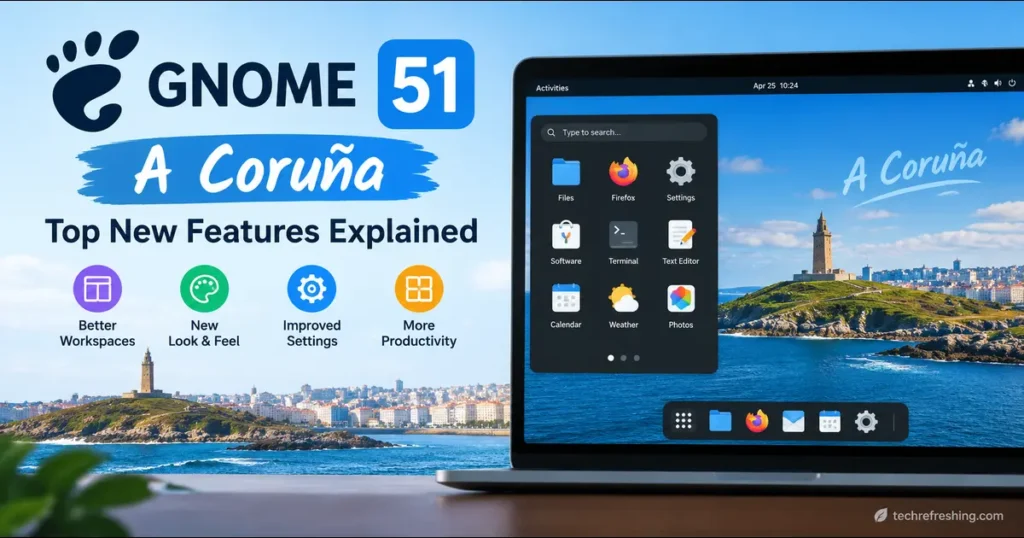
GNOME 51 “A Coruña” landed on September 16, 2026, and it’s one of those releases that doesn’t scream for attention but quietly changes how the desktop feels to use every single day. If you’ve followed GNOME for a while, you know the project has a habit of shipping releases that look modest in a changelog but turn out to matter a lot once you’ve lived with them for a week. GNOME 51 “A Coruña” fits that pattern almost perfectly.
This is the twelfth release since the project moved to its current numbering scheme, and it arrives exactly six months after GNOME 50 “Tokyo,” which stripped out X11 support for good and pushed the desktop into a Wayland-only era. GNOME 51 “A Coruña” doesn’t try to repeat that kind of architectural shake-up. Instead, it goes after something arguably harder to pull off: making the desktop feel smoother, more reliable, and genuinely more useful in the apps people open dozens of times a day — Files, Maps, Calendar, and Settings.
In this post, I’ll walk through everything that’s new, compare it honestly against GNOME 50, explain who benefits most from upgrading, and answer the questions people are actually typing into search boxes right now. No fluff, no recycled press release copy — just what changed and why it matters.
Why the Name “A Coruña”?
GNOME names every release after the city that hosted that cycle’s GUADEC — the GNOME Users and Developers European Conference. This time it’s A Coruña, a coastal city in Galicia, Spain, which hosted GUADEC 2026 from July 16 to 21. It’s a small tradition, but it’s a nice one: the release name is basically a thank-you note to the volunteers and organizers who ran that year’s flagship event. The next release, GNOME 52, is already carrying the working codename “Terengganu,” after the Malaysian state hosting GNOME Asia 2026, and it’s scheduled for March 2027.
Release Timeline: How GNOME 51 Got Here
GNOME sticks to a six-month cadence, a rhythm it has held to with remarkable consistency for years, and this cycle followed the usual pattern:
- Alpha build — dropped in late June 2026, giving developers and distro packagers something to test early
- Beta and RC milestones — refined through July and August, with the bulk of feature freeze happening around GUADEC
- Stable release — September 16, 2026
That’s a predictable, boring-in-a-good-way schedule, and it’s part of why GNOME has earned trust from distributions like Fedora and Ubuntu that build their own release calendars around it.
Performance: The Part You’ll Notice Without Reading a Changelog
The headline technical work in GNOME 51 “A Coruña” sits inside Mutter, GNOME’s window and compositing manager. The team reworked how frames are scheduled and delivered to the screen, which sounds abstract until you actually use it — animations feel steadier under load, and the usual micro-stutters that show up when you’re juggling several apps at once are noticeably reduced. This isn’t a case of GNOME rewriting the compositor from scratch; it’s closer to tuning an engine that was already running fine but had a few rough gear changes. The difference shows up most when you’re dragging windows across a multi-monitor setup or scrubbing through a video while other apps are chewing CPU in the background — exactly the moments where older GNOME releases would visibly drop frames.
Screen recording gets a real boost too. GNOME 51 cuts down on redundant buffer copying, so capturing your screen — whether for a tutorial, a bug report, or a Twitch stream — should chew through less CPU and produce smoother output than it did on GNOME 50. If you’ve ever noticed your screen recordings stutter even though your actual desktop felt fine, that’s the exact class of bug this targets.
A smaller but genuinely handy change: GNOME now remembers your monitor brightness across reboots and HDR toggling. Previously, switching HDR on or off, or restarting your machine, could reset brightness levels and force you to readjust manually — a small annoyance, but one that happened often enough on laptops with auto-brightness sensors to be genuinely irritating. That’s gone now.
On the driver side, GNOME 51 finally drops support for legacy NVIDIA driver interfaces, relying exclusively on the modern standard graphics interfaces going forward. That’s good news for anyone running recent NVIDIA hardware with up-to-date drivers — it means less duct-taped compatibility code for the GNOME team to maintain, which usually translates into fewer weird edge-case bugs down the line. The trade-off is that users clinging to very old proprietary driver versions, or running unusual hardware combinations that depended on those legacy paths, will need to update before upgrading their desktop. It’s a reasonable cut given how long those interfaces had been deprecated, but it’s worth checking your driver version before you hit upgrade if you’re on NVIDIA.
Settings App: More Than a Coat of Paint
The Settings app picked up several additions that feel small individually but add up to a more polished experience:
- Auto Rotate — devices with an accelerometer, think convertible laptops and tablets, can now automatically flip the display between portrait and landscape, with an orientation lock available for when you don’t want that behavior
- Center-aligned monitor snapping — arranging multi-monitor setups is easier because displays now snap to center alignment instead of requiring pixel-perfect manual dragging
- Automatic touchpad disabling — laptop users can set the touchpad to disable itself the moment an external mouse is connected, which sounds minor until you’ve accidentally moved your cursor with your palm one too many times
- DNS domain search settings — a networking addition aimed more at power users and sysadmins managing split-DNS environments
- Redesigned fingerprint enrollment — the Users panel now has a cleaner, more guided flow for registering fingerprints
- Removal of WEP wireless support — GNOME has finally dropped the badly outdated WEP security standard, which hasn’t been considered safe for well over a decade
There’s also a new Accessibility option to disable focus timeout, and the About panel now shows the “GNOME Shell Version” instead of just “GNOME Version,” which is a small but meaningful clarity fix for anyone troubleshooting or filing bug reports.
GNOME Maps: The Best Update in the Release
If there’s one app that steals the show in GNOME 51 “A Coruña,” it’s Maps. The GNOME team itself has called this its most exciting Maps release in years, and after using it, that’s not just marketing talk.
Offline maps are the headline feature. You can now download an entire region to your device and use Maps with zero internet connection — genuinely useful for travel, flights, or anywhere your signal drops out. Downloaded regions are managed right inside the app, so there’s no fiddling with file paths or external tools.
Public transit support has been expanded significantly too:
- Live departure and arrival times where transit agencies provide that data
- Real-time delay information
- Platform and stop details
- Estimated walking times between legs of a journey
This puts GNOME Maps in more direct competition with dedicated transit apps, which is a meaningful step up from where it sat a year ago.
It’s worth being honest about where this leaves GNOME Maps relative to the competition, though. Google Maps still has vastly more detailed business listings, real-time traffic rerouting, and Street View — none of which GNOME Maps attempts to replicate, and probably never will, since it’s built on OpenStreetMap data rather than Google’s proprietary datasets. Compared to other open-source alternatives like OsmAnd or Organic Maps, which have offered offline regions for years, GNOME 51 is arguably catching up rather than leading. But the difference here is integration: offline Maps now lives natively in your desktop environment, ties directly into Calendar for event locations, and doesn’t require installing a separate app or creating another account. For someone who just wants “does my train leave on time” or “can I find this address without Wi-Fi” answered without leaving the GNOME ecosystem, that’s a genuinely good trade-off, even if the underlying map data isn’t as rich as Google’s.
Files (Nautilus): Small Fixes That Add Up
Files has always been one of GNOME’s most-used apps, and this release focuses on responsiveness and everyday usability rather than a visual overhaul:
- A badge now shows how many items you’re dragging when moving multiple files
- Newly copied files are automatically selected, so you can immediately see what just landed in a folder
- Right-clicking empty space no longer clears your current selection — a fix for something that’s annoyed people for years
- Several operations that used to block the interface have been moved off the main thread, so the app stays responsive during heavier tasks
- Folder views, especially large or slow directories, reload noticeably faster
- Notifications from Files are now grouped instead of stacking individually
None of these are headline features on their own, but together they make Files feel less like it’s fighting you during everyday file management.
GNOME Calendar: Under-the-Hood Rebuild
Calendar received substantial internal rework focused purely on performance. Month view scrolling and redraws are smoother, opening large calendars is faster, and background sync now uses less data — a genuine win if you’re on a metered connection or syncing several calendar accounts.
On the feature side, Calendar can now open event locations directly in GNOME Maps, which ties neatly into this release’s Maps improvements. The Week view also got better high-contrast support, and the event editor has a cleaner Notes section along with improved handling of Microsoft Teams meeting links — a practical nod to how many people now live inside hybrid-work calendars.
Sushi (File Previewer) Gets Rebuilt from Scratch
Sushi, GNOME’s quick-look file previewer, has been completely rebuilt using GTK 4 and libadwaita. That brings it visually in line with the rest of the modern GNOME desktop instead of looking like a leftover from an older era. It also finally supports dark mode, can display images at their true size, and now uses the same modern image loading and document rendering libraries as the rest of GNOME’s app ecosystem. If you’ve ever hit spacebar on a file expecting a quick preview and gotten something that felt out of place visually, this fixes that.
Papers, Loupe, and GNOME Web
A few other core apps picked up meaningful, if smaller, updates:
Papers (the document viewer) can now add visual signatures directly to PDFs. You can draw a signature with a mouse or touchscreen, or import a scanned image of a handwritten one — a genuinely useful addition for anyone who’s had to sign and return documents without a dedicated tool.
Loupe, the image viewer, expanded its info panel to show creator and copyright metadata, camera lens details, the software used to create the image, and embedded color profiles — handy for photographers checking EXIF-style data without opening a separate app.
GNOME Web (Epiphany) picked up a Ctrl+Shift+C shortcut for copying the current page URL, secure password generation powered by the pwquality library, improvements to the built-in password manager, and a cleaner address bar suggestion interface.
Accessibility Improvements
Accessibility work continues to be a consistent thread across GNOME releases, and 51 keeps that momentum:
- The Reduced Motion preference now applies across more of the interface, including additional core widgets
- GNOME Shell and the screenshot area selector can now be fully operated from the keyboard
- Screen reader output has been cleaned up in the app dock, search results, and the application grid
- A new setting lets users disable the focus timeout in Accessibility settings
These aren’t the kind of changes that make for exciting screenshots, but they materially improve the desktop for people relying on assistive technology.
Visual and Interface Details
GNOME 51 switches system cursors from bitmap images to scalable SVG graphics, so pointers stay crisp regardless of your display’s resolution or scaling factor — a subtle but overdue fix, especially on high-DPI and mixed-DPI multi-monitor setups.
The login screen (GDM) can now present multiple authentication mechanisms where configured, including web-based login, which matters more for managed or enterprise deployments than for a typical home user. And yes, there’s a new default wallpaper, along with additional background options in the wallpaper chooser, for anyone who likes to freshen up their desktop with each release.
New GNOME Circle Apps
Three new applications joined GNOME Circle, the project’s curated collection of high-quality third-party apps:
- Bobby — an SQLite database browser
- Tally — a simple counter application
- Bazaar — a Flatpak-focused app store built around discovering and installing software from repositories like Flathub, positioned as a potential eventual successor direction to parts of GNOME Software
GNOME Software itself also got attention this cycle: it now warns before installing apps that are no longer maintained, shows more complete Flatpak permission information before you install something, and starts faster thanks to cached application data and improved icon loading.
Bazaar in particular is worth watching. It’s not officially replacing GNOME Software yet, but the way it’s being talked about within the project — Flatpak-first, Flathub-centric, built with a cleaner architecture — makes it look like the early groundwork for whatever GNOME Software eventually becomes in a release or two. If you install Flatpaks regularly, it’s worth trying now rather than waiting.
Rough Edges: What GNOME 51 Doesn’t Fix
No release is flawless, and it’s worth being upfront about where GNOME 51 “A Coruña” falls short, rather than just listing what’s new.
- Extension compatibility lag is still a thing. Every major GNOME release breaks some subset of Shell extensions until their maintainers catch up, and 51 is no exception. If your workflow depends on a specific extension — a dock replacement, a tray icon manager, whatever — check its compatibility before upgrading, not after.
- Offline Maps data quality varies by region. Because it’s built on OpenStreetMap, how good your downloaded region looks depends entirely on how well-mapped your area is in OSM. Dense cities in Europe and North America tend to be excellent; rural regions in less-mapped parts of the world can be noticeably sparser.
- The NVIDIA legacy driver cutoff will annoy some users. It’s the right long-term call, but anyone running older proprietary driver builds — common on machines that haven’t been touched in a couple of years — will hit a wall until they update, and that update path isn’t always painless on every distribution.
- Distribution rollout is still uneven at launch. As with every GNOME release, the actual experience depends heavily on your distro’s packaging speed. Users on Fedora or Arch will feel like this review undersells how fast GNOME 51 arrived; users on Debian stable or older LTS releases will be waiting considerably longer.
None of these are dealbreakers, but they’re the kind of practical friction that a “top new features” list usually glosses over.
GNOME 51 vs GNOME 50: What Actually Changed
| Area | GNOME 50 “Tokyo” (March 2026) | GNOME 51 “A Coruña” (September 2026) |
|---|---|---|
| Display server | X11 fully removed, Wayland-only | Same Wayland-only foundation, no architecture change |
| Headline feature | Parental controls with screen time limits | Offline Maps with live transit data |
| Graphics stack | VRR and fractional scaling enabled by default | Reworked Mutter frame scheduling for smoother animations |
| NVIDIA support | Standard modern driver support | Legacy NVIDIA driver interfaces fully removed |
| Display settings | — | Brightness memory across reboots/HDR toggling |
| Multi-monitor | — | Center-aligned snapping when arranging displays |
| File previewer | Older GTK3-based Sushi | Rebuilt Sushi on GTK4 + libadwaita with dark mode |
| Document viewer | Ink and text annotation tools added | Visual signature support (draw or import) |
| Calendar | Attendee lists, ICS export | Performance rebuild, Maps integration, Teams link handling |
| Cursor rendering | Bitmap cursors | Scalable SVG cursors |
| New Circle apps | Several additions | Bobby, Tally, Bazaar |
The pattern is clear: GNOME 50 was about foundational, structural change — killing X11, rebuilding parental controls. GNOME 51 is about refinement — making the foundation that was just laid actually feel good to use.
Who Should Upgrade Right Now?
Upgrade immediately if:
- You travel often and want offline maps with transit data
- You use Files or Calendar heavily and want the performance gains
- You’re on modern NVIDIA hardware with current drivers
- You rely on screen reader or keyboard-only navigation
Wait a little if:
- You depend on legacy NVIDIA driver interfaces that GNOME 51 has dropped
- You’re on a distribution that hasn’t packaged it yet and don’t want to run GNOME OS Nightly builds or Flatpak-only versions in the meantime
- Your workflow depends on a GNOME Shell extension that hasn’t been updated for 51 yet — always check extension compatibility before a major desktop upgrade
How to Get GNOME 51 “A Coruña”
GNOME 51 doesn’t ship as a standalone installer — you get it through your Linux distribution. Rolling-release distributions like Arch Linux, openSUSE Tumbleweed, and aerynOS are typically first to package it, often within days of the stable release. Fixed-release distributions take longer: Fedora 45 Beta and Ubuntu 26.10 are among the early adopters this cycle, and it’ll continue rolling out through other distributions like Debian testing branches and Fedora Workstation over the following weeks and months.
If you want to try it before your distribution ships it, GNOME OS Nightly builds let you boot a live, up-to-date GNOME environment without touching your main installation — that’s genuinely the safest way to test-drive a new release. Many of the individual apps mentioned above, including updated versions of Maps, Papers, and Loupe, are also already available through Flathub regardless of which desktop version your distro is running.
If you’re unsure whether your favorite distribution has picked it up yet, DistroWatch tracks package versions across most major distros and is usually the fastest way to check without digging through changelogs yourself.
Final Thoughts
GNOME 51 “A Coruña” isn’t a release that reinvents the desktop — and honestly, that’s fine. After GNOME 50’s heavy lifting around dropping X11, this cycle was always going to be about polish, and it delivers on that. The Maps overhaul alone justifies the upgrade for anyone who travels or relies on public transit, and the accumulated performance work in Mutter, Files, and Calendar makes the whole desktop feel more composed under everyday use.
If you’ve been running GNOME 50 “Tokyo” and things have felt solid but a little rough around the edges, GNOME 51 “A Coruña” is worth the update the moment your distribution makes it available. It’s the kind of release that won’t make headlines for months, but that you’ll quietly appreciate every time you open Files, check a bus schedule in Maps, or notice your monitor brightness didn’t reset after a reboot.
For the full technical rundown straight from the source, the official GNOME 51 release notes are worth a read, especially if you’re a developer or packager curious about the module-level changes that didn’t make it into this roundup.
Frequently Asked Questions
When was GNOME 51 “A Coruña” released?
GNOME 51 “A Coruña” was officially released on September 16, 2026, following the project’s regular six-month release cycle.
Why is it called “A Coruña”?
GNOME names each release after the city hosting that cycle’s GUADEC conference. A Coruña, Spain, hosted GUADEC 2026 from July 16 to 21.
What is the biggest new feature in GNOME 51?
Offline maps in GNOME Maps is the standout feature, letting users download regions for use without an internet connection, alongside expanded live public transit data.
Does GNOME 51 still support NVIDIA graphics cards?
Yes, but only through modern standard driver interfaces — GNOME 51 has removed support for legacy NVIDIA driver interfaces, so users need up-to-date drivers.
Is GNOME 51 available for Ubuntu and Fedora?
Fedora 45 Beta and Ubuntu 26.10 are among the earliest distributions shipping GNOME 51, with wider distribution rollout expected over the following weeks.
What was removed in GNOME 51?
GNOME 51 removes support for the outdated WEP wireless security standard and drops legacy NVIDIA driver interface support.