Canonical just pushed out Ubuntu 24.04.5 LTS, and if you’re running any flavor of Noble Numbat, you’ve probably already seen the update notification sitting in your taskbar. So the real question on your mind is simple: Should You Upgrade to Ubuntu 24.04.5 LTS Right Now?
The short answer is that most people running 24.04 should take this one, and there’s little reason to wait. This is the fifth and final planned point release for the 24.04 series, it ships with fresh installation media, a new hardware enablement stack built on the Linux 7.0 kernel, and it closes out a full year of accumulated security patches into a single, cleaner install. But “most people” isn’t “everyone,” and there are a few situations where waiting, or jumping straight to 26.04 LTS instead, makes more sense. Here’s what’s actually in this release, and how to decide.
What is Ubuntu 24.04.5 LTS
Ubuntu 24.04.5 LTS isn’t a new operating system release. It’s a point release, meaning it’s still Noble Numbat under the hood, just repackaged with every update, patch, and bug fix issued since 24.04.4 landed back in February. Canonical does this periodically so that new installs don’t require downloading a year’s worth of updates the moment setup finishes.
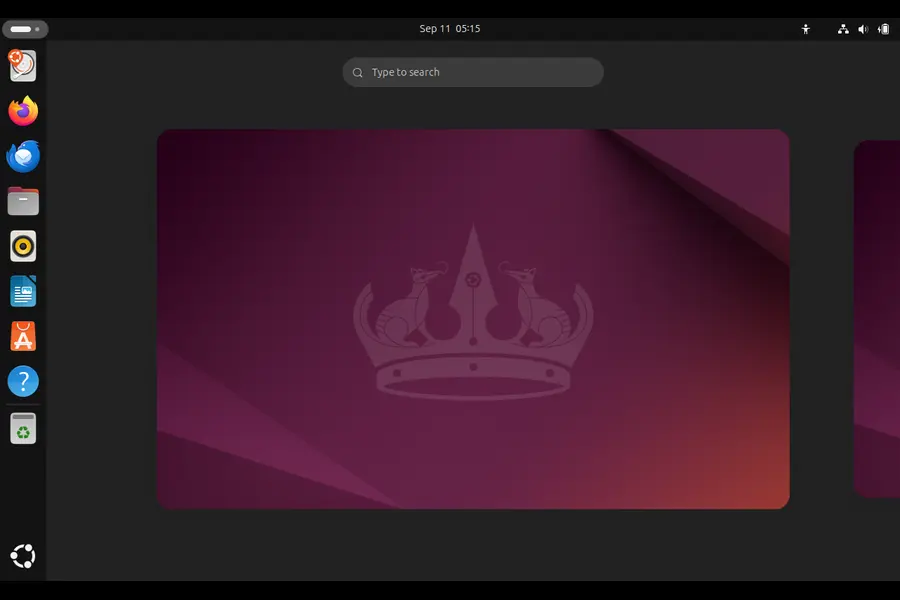
What makes this particular point release notable is that it’s positioned as the final one in the 24.04 line before attention shifts fully toward 26.04. That means the ISO you download today is effectively the last “fresh” snapshot of 24.04 you’ll get, polished and stable, before Canonical’s focus moves on. Canonical confirmed the rollout on the official Ubuntu Discourse announcement, which is worth bookmarking if you want to track future security notices for this release directly from the source.
A few things stand out in this release:
- Linux 7.0 kernel arrives through the new Hardware Enablement (HWE) stack, backported from Ubuntu 26.04 LTS
- Mesa 26.0 graphics drivers, replacing the Mesa 25.2.8 stack that shipped with 24.04.4
- Firmware packaging has changed, with device firmware now split into vendor-specific packages that update independently instead of bundling everything into one blob
- Hardened default security settings, including disabled legacy TLS protocols and tighter restrictions on unprivileged user namespaces
- Refreshed installer media across all ten official Noble Numbat flavors, from GNOME-based Ubuntu Desktop to Kubuntu, Xubuntu, and the rest
If you’re already running 24.04 and keeping up with regular updates, you’ve likely absorbed most of these changes gradually already. The point release mainly benefits new installs and anyone who’s fallen behind on updates.
The Kernel and Driver Situation, Explained Simply
Here’s where people get confused, so let’s clear it up. The base GA (General Availability) kernel for Ubuntu 24.04 is still Linux 6.8, and that hasn’t changed. What has changed is the HWE stack, which is an optional but recommended kernel and driver bundle that Canonical backports from newer Ubuntu releases specifically to support newer hardware on an older LTS base.
With 24.04.5, that HWE stack jumps to Linux 7.0 and Mesa 26.0, pulled straight from Ubuntu 26.04 LTS. Compare that to the 24.04.4 HWE stack, which sat on Linux 6.17 and Mesa 25.2.8. That’s a meaningful jump, and it matters most if you’ve got recent hardware.
Practically speaking:
- If you bought a laptop or built a desktop in the last six to twelve months, this update likely improves Wi-Fi, Bluetooth, and GPU driver support noticeably
- If you’re on hardware from 2022 or earlier, you probably won’t notice much difference day-to-day, since your components were already well-supported
- If you’re running discrete AMD or Intel Arc graphics, the Mesa 26.0 bump generally brings better performance and fewer rendering glitches in games and creative apps
One detail worth flagging: existing users don’t need to reinstall anything to get this. The HWE stack rolls out as a standard software update through your existing system. The refreshed ISO mainly matters for people doing clean installs or setting up new machines.
What Changed in the Toolchain
Beyond the kernel, 24.04.5 brings the toolchain and userland packages up to date in ways that matter more to developers and sysadmins than to casual desktop users.
- GCC 14 as the default compiler, useful if you’re building software from source or maintaining C/C++ projects
- glibc 2.39 and Rust 1.75, keeping the base system aligned with what newer software expects
- Python 3.12 as the default interpreter, which matters if you’ve been juggling virtual environments to get around an older default
- LibreOffice 24.2 and GNOME 46 on the desktop side, with a trimmed-down default Ubuntu font family
- Firefox 124 running natively on Wayland, a small but genuinely nice quality-of-life improvement if you’ve switched away from X11
- Thunderbird 115 shipping as a Snap package by default
- A rebuilt App Center, now running on Flutter instead of the older GTK-based implementation
For server admins, Apache, Kea, and libvirt all received version bumps, and there’s a reintroduced ZFS installer option for anyone building storage-heavy setups who missed that feature in earlier point releases.
None of this is flashy. It’s the kind of unglamorous maintenance work that keeps an LTS release actually usable for production systems years after launch, and that’s exactly the point of an LTS in the first place.
Security: The Part You Shouldn’t Skip
If you take nothing else from this article, take this: 24.04.5 folds in roughly a year’s worth of security patches into a single installable image. If you’re setting up a new server, a new workstation, or provisioning multiple machines for a team, starting from this ISO instead of an older one saves you from applying dozens of individual updates by hand, and it closes the window where an unpatched system sits exposed.
The hardened defaults are also worth taking seriously. Disabling legacy TLS versions by default means fewer footguns for anyone deploying web-facing services without double-checking their TLS configuration. The tighter restrictions on unprivileged user namespaces close off a class of privilege escalation techniques that have been used in real-world container escape exploits over the past couple of years.
Standard security maintenance for the 24.04 series runs through May 2029, as confirmed in the official Ubuntu 24.04 LTS release notes. If you’re on Ubuntu Pro, that extends out to a full decade, which is a serious consideration for businesses that can’t afford to re-certify their entire stack every two years.
Ubuntu 24.04.5 vs Ubuntu 26.04.1: Which Should You Actually Install?
This is genuinely the question most readers should be asking, because Ubuntu 26.04.1 LTS (“Resolute Raccoon”) has been out since late August 2026, and it’s now the current recommended LTS for new installs. Here’s how the two stack up.
| Factor | Ubuntu 24.04.5 LTS (Noble Numbat) | Ubuntu 26.04.1 LTS (Resolute Raccoon) |
|---|---|---|
| Release status | Final planned point release, maintenance mode | Current LTS, actively developed |
| Base kernel | Linux 6.8 (GA), Linux 7.0 via HWE | Native Linux 7.0-era kernel |
| Graphics stack | Mesa 25.2.8 (GA) / Mesa 26.0 (HWE) | Mesa 26.0 as standard |
| Security support ends | May 2029 (standard), 2034 with Pro | Years further out, full 5-year window from 2026 |
| GNOME version | GNOME 46 | Newer GNOME release with 26.04-era features |
| Best suited for | Existing 24.04 systems, X11/Xorg holdouts, specific package dependencies on the noble archive | New installs, anyone starting fresh, longest support runway |
| Upgrade effort from here | None needed if already on 24.04 | Requires a full LTS-to-LTS upgrade path |
| Package ecosystem maturity | Extremely mature, PPAs and third-party repos fully caught up | Still catching up in places, especially niche PPAs |
If you’re setting up a brand-new machine today with no legacy constraints, 26.04.1 is the better long-term bet simply because it buys you more years before your next mandatory upgrade cycle. Canonical themselves are steering new users there.
But if you’re already running 24.04, especially in production, there’s no urgent reason to jump straight to 26.04 just because it exists. A lot of teams deliberately skip every other LTS to avoid churn, and 24.04.5 gives you a fully patched, hardware-refreshed version of the system you already know, without the disruption of a major version jump.
There’s also a smaller but real use case: if you specifically need GNOME Shell running on Xorg/X11 rather than Wayland, or you depend on packages that only exist in the noble archive, 24.04.5 is your easiest entry point, since Wayland is increasingly the default assumption in newer releases.
Who Should Upgrade Right Now
You should install or update to 24.04.5 without much hesitation if:
- You’re already running Ubuntu 24.04 and just want to stay current with security patches and driver support
- You’re provisioning new machines and want them on 24.04 rather than jumping to 26.04 for compatibility reasons
- You bought new hardware recently and your current install has driver or Wi-Fi issues that older kernels didn’t handle well
- You manage servers where a locked-in, well-tested LTS matters more than having the newest features
- You’re on Ubuntu 22.04 and were planning that upgrade anyway, since 22.04.5 lets you take the free jump through Update Manager
Who Might Want to Wait or Choose Differently
On the flip side, hold off or pick a different path if:
- You’re starting completely fresh with no legacy dependencies, in which case 26.04.1 gives you more support runway for the same install effort
- You’re running a highly customized 24.04 setup with third-party kernel modules (like certain proprietary drivers or DKMS modules) that haven’t been tested against the new Linux 7.0 HWE stack yet
- Your hardware is older and already runs perfectly fine, meaning the HWE jump offers you little practical benefit and just adds a new kernel version to a stable system
- You’re in a regulated environment where any OS change requires a formal validation cycle, in which case scheduling this rather than rushing it makes more sense
A Quick, Honest Look at the Trade-offs
Pros of upgrading now:
- Consolidates a year of patches into one clean image, reducing post-install work on new machines
- Meaningfully better hardware support via Linux 7.0 and Mesa 26.0, especially for laptops and GPUs released in the past year
- Hardened TLS and namespace defaults, closing off known privilege-escalation vectors without extra configuration
- Rolls out as a normal software update for existing users, no reinstall required
- Support runway extends to 2029 standard, or a full decade with Ubuntu Pro
Cons or things to watch:
- It’s a maintenance release, not a feature release, so don’t expect visible changes to your desktop experience
- Newer HWE kernels occasionally surface driver regressions on unusual or older hardware combinations, so a quick backup before updating production machines is sensible
- If you were already planning a move to 26.04, doing that now instead of updating 24.04 first could save you a second migration down the line
- Some third-party PPAs and out-of-tree kernel modules take a few weeks to catch up with a new HWE stack
How to Do the Upgrade
If you’ve decided this is the right move, the process is straightforward:
- Back up anything critical, particularly if you’re on a production server or have custom kernel modules installed
- Run a standard system update through
sudo apt update && sudo apt full-upgradeif you’re already on 24.04 and just want the patches - Install the new
linux-generic-hwe-24.04and matching Mesa packages if you specifically want the Linux 7.0 HWE stack, since it isn’t always installed automatically depending on your original install method - Reboot and confirm your kernel version with
uname -rto verify you’re running what you expect - For fresh installs, grab the new ISO directly from the official Ubuntu releases page, which lists every current point release and flavor in one place
Final Verdict
So, should you upgrade to Ubuntu 24.04.5 LTS right now? If you’re already living on Noble Numbat, yes, absolutely, this is a low-risk, genuinely beneficial update that tightens security and improves hardware support without asking you to relearn anything. If you’re setting up something brand new with no ties to 24.04, it’s worth seriously weighing 26.04.1 instead, purely for the extra years of support it buys you.
Either way, don’t just let the update notification sit there unread for another six months. This is the kind of release that quietly makes your system more secure and more capable without demanding anything dramatic from you in return, and that’s exactly what a good LTS point release should do.
Frequently Asked Questions
Is Ubuntu 24.04.5 LTS a major upgrade or just a bug-fix release?
It’s a point release, meaning it bundles a year of security patches, bug fixes, and a new hardware enablement stack into refreshed installation media, not a new version of Ubuntu itself.
Do I need to reinstall Ubuntu to get 24.04.5’s improvements?
No, existing 24.04 users receive all the same updates, including the new HWE kernel and Mesa drivers, through the regular software update process without reinstalling.
Will Ubuntu 24.04.5 break my existing setup?
For most users, no, but if you rely on third-party kernel modules or older proprietary drivers, it’s worth confirming compatibility with Linux 7.0 before updating a production system.
How long will Ubuntu 24.04 LTS receive security support?
Standard security maintenance runs through May 2029, extendable to a decade total with a free or paid Ubuntu Pro subscription.
Should I install 24.04.5 or jump straight to Ubuntu 26.04 LTS?
If you’re already on 24.04 with no urgent reason to change, stick with 24.04.5; if you’re starting fresh with no legacy dependencies, 26.04.1 offers a longer support runway.
What’s the main hardware benefit of this update?
The new Linux 7.0 kernel and Mesa 26.0 drivers, delivered through the HWE stack, primarily improve support for newer laptops, Wi-Fi chipsets, and GPUs released in the past year.
Disclaimer: This article reflects publicly available information on Ubuntu 24.04.5 LTS at the time of writing and is intended for general informational purposes only. Package versions, support timelines, and system behavior can vary by hardware and configuration, so always check the official Ubuntu documentation and test updates in a non-critical environment before applying them to production systems.
Linux Has No Sound? 15 Things to Check Before Reinstalling Anything
Fix common Linux audio problems, including PipeWire, WirePlumber, ALSA, Bluetooth and missing sound devices.
Read the guide →MocaccinoOS 26.09 Review: Is This Immutable Gentoo Derivative Worth It?
Explore MocaccinoOS 26.09, its Gentoo foundation, performance, hardware support and approach to immutable Linux.
Read the review →Asahi Linux Officially Supports Apple M3 Macs: What This Means for You
See what official M3 support means for CPU, Wi-Fi, USB, audio and GPU support on Apple Silicon Macs.
Read the article →