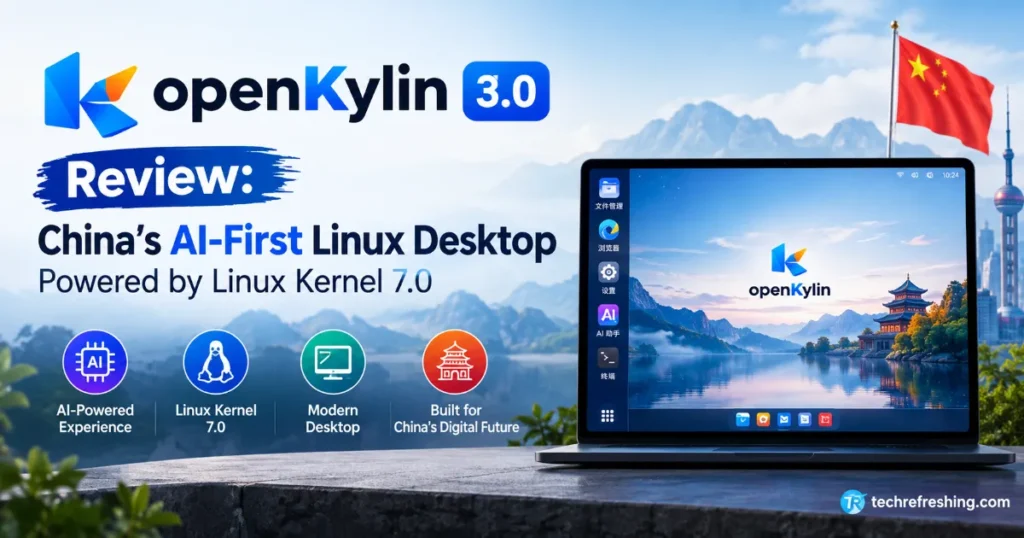
If you’ve been keeping an eye on the Linux world lately, you’ve probably noticed that almost every major distro is scrambling to bolt some kind of AI assistant onto its desktop. This openKylin 3.0 review looks at a distro that’s taken a very different approach — instead of adding AI as an afterthought, openKylin has rebuilt its entire architecture around it. Released on August 31, 2026, at the China International Big Data Industry Expo in Hunan, openKylin 3.0 ships with the new Linux Kernel 7.0, a heavily reworked UKUI desktop, and an AI agent framework that’s baked directly into the operating system rather than running as a separate app.
I’ve spent time going through the official release notes, community documentation, and hands-on coverage from other Linux outlets — including a detailed breakdown from It’s FOSS — to put together this openKylin 3.0 review. Whether you’re a curious Linux enthusiast, a sysadmin evaluating alternatives for regulated environments, or just someone tired of Big Tech’s approach to AI on the desktop, this breakdown covers everything that matters — the kernel upgrade, the AI agent system, the new UKUI 4.24 desktop, and how it stacks up against distros like Ubuntu and openEuler.
What Is openKylin?
openKylin is China’s homegrown, community-driven Linux distribution, developed by a consortium of universities, research institutes, tech companies, and individual open-source contributors. The project is incubated and operated under the OpenAtom Open Source Foundation, which gives it a level of institutional backing that most independent distros simply don’t have.
It’s not a niche hobby project either. According to the project’s own figures published around the 3.0 launch, openKylin has already crossed roughly 24 million deployments, has close to 2.5 million active users, and counts more than 25,000 contributors across its ecosystem. That’s a scale most Western desktop Linux distributions can only dream about, and it puts openKylin closer to a national infrastructure project than a weekend passion build.
openKylin has quietly been expanding beyond China’s borders too. The distro has been deployed at scale in international markets like Azerbaijan, and the project runs community groups in more than 30 countries, with active outreach into Africa and South Asia. Language support has grown to over 100 languages, including English, French, Spanish, Portuguese, and Arabic — a clear signal that openKylin wants to be more than a domestic alternative to Windows.
openKylin 3.0: The Big Picture
The tagline the project is using for this release is basically “kernel leap, intelligence native,” and that sums it up pretty well. Two things define version 3.0:
- A jump to the Linux 7.0 kernel, along with updates to more than 180 core system components
- A system-wide AI agent architecture that lets AI tools directly control desktop functions instead of just chatting with you
Let’s break both of these down properly, because they matter for very different reasons.
Linux Kernel 7.0: What Actually Changed
openKylin 3.0 moves its base up to the Linux 7.0 kernel, which brings the usual benefits you’d expect from a major kernel jump — better hardware enablement, improved scheduler behavior, and stronger support for newer CPU and GPU architectures. But the more interesting part, at least from an engineering standpoint, is what openKylin’s team did around the kernel rather than just inside it.
Expanding Beyond the Desktop
The release notes call out expanded support for RISC-V hardware architectures, which lines up with China’s broader push toward domestic chip independence. This isn’t a token gesture — openKylin’s team is explicitly targeting adaptation for AI-powered smart devices, industrial automation controllers, embodied robotics platforms, and high-performance computing clusters, not just laptops and desktops. In practice, that means the same kernel and AI runtime that powers Xiao K on your desktop is meant to scale down onto edge devices running on RISC-V boards, and scale up into cloud and HPC deployments. That’s a much bigger ambition than “pretty desktop Linux distro,” and the kernel work is clearly the foundation making that range of hardware targets possible.
The Rust Push
There’s also a growing footprint of Rust in the system layer. openKylin 3.0 introduces several Rust-based utilities meant to replace older C-based tools:
kylin-timereplaces the traditionaltimeutilitykylin-wgetreplaces classicwgetkylin-ki18nreplaces KDE’ski18ninternationalization library
This “rustification” effort mirrors what we’ve seen happening across the wider Linux ecosystem, where memory-safety concerns are pushing distro maintainers to slowly swap out decades-old C utilities for Rust equivalents. It’s not flashy, but it’s the kind of unglamorous engineering work that actually improves long-term system security and maintainability.
The AI Layer: KylinBot, Xiao K, and System-Level Agents
This is really the headline feature of the release, and it’s where openKylin diverges hardest from what Ubuntu, Fedora, or openSUSE are doing right now.
Most desktop AI integrations today are basically a chatbot window bolted onto the side of your screen. openKylin 3.0 takes a different route.
KylinBot: The Agent Framework
KylinBot is an AI agent framework that’s woven into the models, memory, tools, system permissions, and desktop capabilities of the OS itself. The project describes agents built on this framework as “native residents” of the system rather than installed applications, meaning they can invoke system functions directly through the Model Context Protocol (MCP) instead of simulating mouse clicks or keystrokes to fake their way through the UI.
Xiao K: The Assistant You Actually See
On top of KylinBot sits Xiao K, the graphical AI assistant most users will actually interact with. Think of it as openKylin’s answer to Windows Copilot, but running natively rather than screen-scraping your desktop. There’s also a “Token Center” client bundled with the OS where users can log in, bind their device, and collect usage tokens for cloud-based AI features — a very China-tech-ecosystem way of gating compute-heavy requests.
Built-In Skills That Control Your Desktop
Xiao K comes with a set of pre-built “skills” that let it control real system functions, including:
- Input device management — full control over keyboard, mouse, and touchpad settings
- Display control — adjusting screen brightness and on-screen display settings
- Network management — deep integration with NetworkManager to configure Wi-Fi, Ethernet, and VPN connections through natural language
- Peripheral management — toggling Bluetooth, discovering nearby devices, and auto-pairing audio hardware
- System controls — power management, taskbar operations, shortcut navigation, and app control
In practice, this means you could tell Xiao K to “turn off Bluetooth and switch to my home Wi-Fi,” and it actually does it — no digging through settings menus required. It sounds like a novelty until you consider voice input. We’ve gotten used to asking Siri or Google Assistant to call a contact hands-free; openKylin is betting that the same convenience belongs on the desktop.
Third-Party Agent Support
openKylin isn’t trying to lock users into just one assistant. The system also supports third-party agents like OpenClaw and WorkBuddy, all running under the same system-level permissions as KylinBot. Developers can build their own agent skills using a unified AI SDK, and — whether an agent comes from the openKylin community or an outside developer — it gets equal access to the underlying desktop capabilities. That’s a genuinely open approach to agent ecosystems, rather than a walled garden controlled entirely by the OS vendor.
Xiao K also isn’t limited to the desktop window. It can be reached through messaging platforms like WeChat, Feishu, and DingTalk, with Telegram and Discord integration reportedly on the roadmap.
One honest caveat worth flagging in this openKylin 3.0 review: a lot of the deeper skill documentation currently lives on the project’s Gitee repository and is written in Chinese. International users hoping to dig into custom skill development will want to lean on translation tools for now, though the interface itself supports a long list of languages.
UKUI 4.24: The Desktop Environment Gets Smarter Too
openKylin’s own desktop environment, UKUI (Ultimate Kylin User Interface), jumps to version 4.24 in this release, and the update is clearly designed to work hand-in-hand with the new AI layer.
Smarter Architecture Under the Hood
The headline architectural change is standardized API encapsulation across UKUI modules, paired with something called KACP (Kylin Agent Control Protocol). In plain terms, this gives KylinBot a consistent, unified way to reach into desktop functions instead of relying on fragile workarounds for each individual app or setting.
New Accessibility and Interaction Features
Beyond the AI plumbing, UKUI 4.24 brings a handful of user-facing improvements:
- Screen reader support for accessibility
- Air gesture controls, letting you control certain desktop functions using hand movements captured via webcam (with support for proximity sensors on Android devices too)
- Dynamic wallpaper support for a bit of extra visual flair
- A new “Three-Island” taskbar layout option
- Enhanced multi-finger touchpad gestures, including 3- and 4-finger swipes for multitask view and volume control
None of these are individually groundbreaking — most desktop environments have some version of gesture support or dynamic wallpapers by now — but together they show a team actively polishing the day-to-day usability of the OS, not just chasing AI headlines.
Download and Installation
openKylin 3.0 is available directly from the official openKylin website, with ISO images for x86-64 and ARM architectures, alongside growing RISC-V support. One thing worth knowing before you download: the ISO is a little over 7GB, noticeably larger than a typical desktop Linux ISO. That size bump comes almost entirely from the pre-installed AI models bundled with the OS, so you’re not downloading bloat — you’re downloading the actual AI stack that powers Xiao K and KylinBot out of the box.
If you just want to kick the tires, a VM is a fine starting point and openKylin runs reasonably well in one. But since most of the interesting features here revolve around system-level AI control, peripheral management, and gesture input, you’ll get a much more realistic sense of the OS on real hardware rather than a virtual machine.
How Does openKylin 3.0 Compare to Other Distros?
To put this openKylin 3.0 review in context, here’s how it stacks up against a few other distros currently experimenting with AI integration or targeting similar use cases.
| Feature | openKylin 3.0 | Ubuntu 26.10 | openEuler | Omarchy 4.0 |
|---|---|---|---|---|
| Kernel base | Linux 7.0 | Linux 6.x (LTS-based) | Custom enterprise kernel | Arch (rolling, latest stable) |
| AI integration | System-level agent framework (KylinBot + Xiao K), MCP-based | Early Copilot-style AI experiments | Focused on server/cloud AI workloads (UnifiedBus) | Community AI tooling, desktop-focused |
| Desktop environment | UKUI 4.24 | GNOME | Minimal/server-oriented | Hyprland-based, highly customized |
| Primary use case | General desktop + edge/robotics/HPC | General desktop | Enterprise servers, cloud, HPC | Power-user desktop |
| RISC-V support | Actively expanding | Limited | Strong (enterprise focus) | Limited |
| Governance | OpenAtom Foundation (China) | Canonical (UK) | OpenAtom Foundation (China) | Independent community |
| Rust adoption in core tools | Growing (kylin-time, kylin-wget, etc.) | Selective (some GNU tool replacements) | Limited | Limited |
What stands out here is that openKylin isn’t just competing with Ubuntu on desktop polish — it’s also positioning itself against openEuler in the server and industrial computing space, while trying to match the AI-enthusiast energy that’s driven interest in distros like Omarchy. That’s an ambitious spread to cover in a single release, and it’s fair to wonder whether spreading resources across desktop, edge, robotics, and HPC use cases dilutes focus on any one of them.
Pros and Cons
What openKylin 3.0 gets right:
- Genuinely system-level AI integration, not just a chatbot window pasted onto the desktop
- Open agent ecosystem — third-party tools like OpenClaw get the same system access as the built-in KylinBot
- Serious institutional backing and a surprisingly large existing user base for a “regional” distro
- Real accessibility improvements, including screen reader support and gesture-based controls
- Active investment in Rust for core utilities, which is good news for long-term security
- Broad hardware ambitions, from desktops to RISC-V devices to robotics platforms
Where it falls short:
- Deep documentation and custom skill development resources are still mostly in Chinese
- The 7GB+ ISO size may be a turn-off for users on slow connections or limited storage
- AI features rely on a “Token Center” system for cloud-based capabilities, which introduces a usage-gating model some users may not love
- Third-party app ecosystem and software repositories are still less mature than what Ubuntu or Fedora offer internationally
- Heavy reliance on AI agents for basic settings changes may feel unnecessary to users who are perfectly comfortable with traditional menus
Who Should Actually Use openKylin 3.0?
If you’re purely after a lightweight, no-frills Linux desktop, openKylin 3.0 probably isn’t the minimalist’s choice — the AI stack alone adds real weight to the install. But if you’re curious about where desktop computing is heading, want to experiment with agent-based system control, or you’re evaluating Linux options for education, healthcare, or industrial deployments where China-based open-source governance matters, this release is worth serious attention.
It’s also a genuinely interesting pick for developers who want to build or test AI agent skills against a real desktop environment rather than a sandboxed demo. The MCP-based approach and unified SDK give you a legitimate framework to build against, not just a proof of concept.
Final Thoughts
Wrapping up this openKylin 3.0 review, it’s clear the project isn’t just chasing an AI trend for marketing points — it’s rethinking how an operating system and an AI agent can share the same runtime environment. The Linux 7.0 kernel upgrade, the UKUI 4.24 refresh, and the KylinBot agent framework together make openKylin 3.0 one of the more architecturally ambitious Linux releases of 2026. It won’t be for everyone — the language gaps and heavier install size are real friction points for international users — but as a preview of where desktop operating systems might be headed, it’s hard to ignore.
If nothing else, openKylin 3.0 proves that the “AI-first OS” conversation isn’t just a Windows and macOS story anymore. Linux, and specifically a distro backed by serious institutional muscle, is very much in the race too.
Disclaimer: This article is based on publicly available information from openKylin’s official release materials and third-party technology coverage as of September 2026. Features, pricing, and availability may change; readers should verify current details on the official openKylin website before downloading or deploying the OS.
More Linux Distribution Reviews
Exploring Linux alternatives? Check out these detailed Linux distro reviews covering lightweight desktops, beginner-friendly distributions, and Gentoo-based systems.
SparkyLinux 2026.09 Review
Explore the new Labwc edition, Wayland support, performance, desktop options, and Debian Testing base.
Read SparkyLinux Review →TechRefreshing Linux Review
See how TR Linux 1.0 combines Debian 13, KDE Plasma 6, preinstalled software, and a beginner-friendly desktop.
Read TR Linux Review →MocaccinoOS 26.09 Review
Discover this Gentoo-derived Linux distro, its layered package system, x86-64-v3 builds, and rollback features.
Read MocaccinoOS Review →