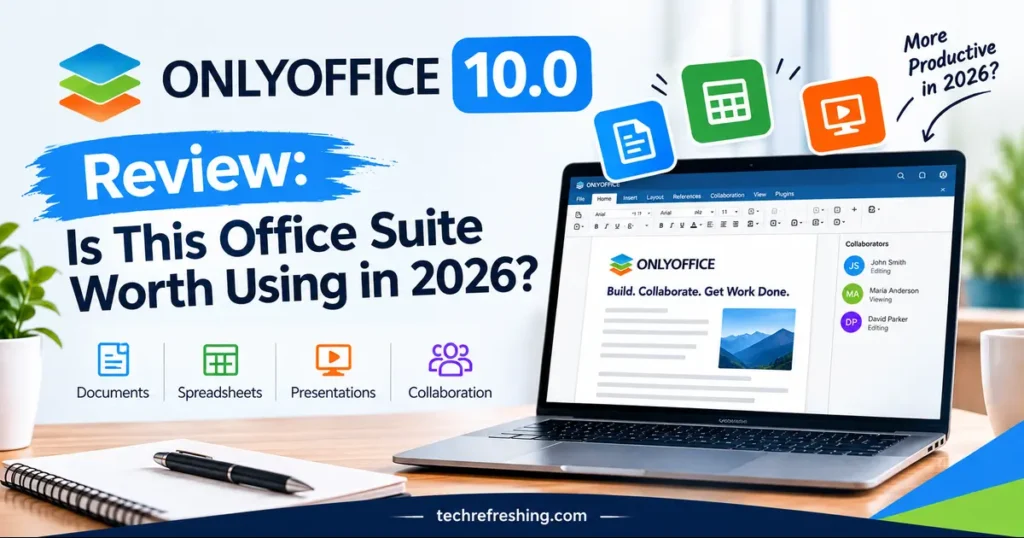
If you’ve been paying for office software out of habit, this ONLYOFFICE 10.0 Review is for you. The update landed on October 10, 2026, and it is the biggest autumn release the suite has had in years. ONLYOFFICE has long been the quiet, open-source alternative to Microsoft Office. Version 10.0 asks a bigger question: can a self-hostable suite compete on AI, collaboration and security, and not just on price?
Below, I go through what’s actually new, what’s useful, what’s missing, and who should switch. Everything is based on the official ONLYOFFICE release announcement, the public changelog and independent coverage, so you get the facts without the marketing gloss.
How this review was built: I drew on ONLYOFFICE’s own release post and changelog, then cross-checked claims against independent outlets such as It’s FOSS and LinuxLinks. Where something is unconfirmed, I say so, and the testing checklist below shows how to verify it on your own files.
ONLYOFFICE 10.0 at a Glance
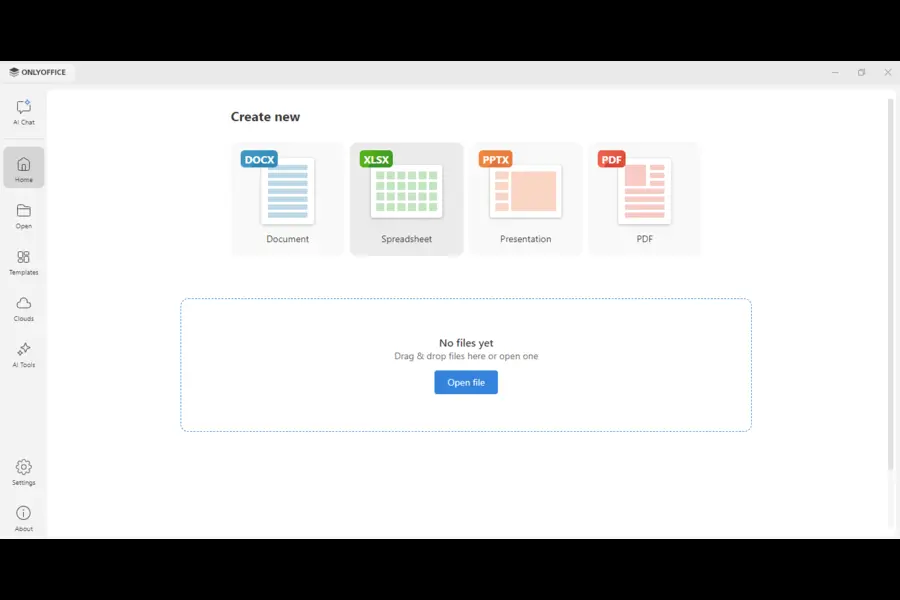
Here are the headline numbers from the official announcement:
- Release date: October 10, 2026
- Scope: about 50 new features, 1,000+ bug fixes and roughly 35 fixed vulnerabilities
- Platforms: online, desktop and mobile editors
- Big themes: context-aware AI in every editor, four modular Apps, stronger PDF tools, faster spreadsheets
- New Apps: AI Agents, Forms, Files and Rooms, all free under AGPL v3
- Availability: the cloud version is live now, and the self-hosted build is promised “a little later”
That last point matters. If you run your own server, you can’t upgrade yet.
What Is ONLYOFFICE?
ONLYOFFICE is an office suite built around four editors: documents, spreadsheets, presentations and PDFs. It comes in a few flavors.
- Docs: the editor engine you self-host or plug into other platforms.
- Desktop Editors: apps for Windows, macOS and Linux.
- DocSpace: the room-based collaboration layer.
- Mobile apps: iOS and Android.
Its main selling point has always been fidelity with Microsoft’s formats. DOCX, XLSX and PPTX are handled natively, which is why people switching from Word often find their files look the same.
The Biggest Change: AI Inside the Editors
The headline feature of 10.0 is AI that works inside your file, not in a separate chatbot window. You open the AI Tools tab and launch the AI chat. Because it understands the document you’re in, its suggestions stay relevant to what’s on screen.
PDF Editor
- Ask questions about a long PDF and get direct answers
- Generate a one-click summary
- Draft an email from the file’s content
- Redact sensitive information
Document Editor
- Summarize, rewrite or simplify paragraphs
- Translate text on the page
- Proofread and highlight key points
- Build a table of contents and suggest a title
- Apply formatting automatically
Spreadsheet Editor
- Generate formulas and explain how they work
- Analyze data and spot trends
- Build forecasts and pivot tables
- Clean inconsistent data, flag outliers and fill missing values
Presentation Editor
- Create outlines and slide titles
- Write bullet points and shape the story flow
- Generate speaker notes and visual ideas
There are three ways to work with it. Quick AI actions handle one-off jobs like changing a paragraph’s tone. AI assistants run continuously and react as you edit. Saved prompts let you reuse your favorite requests. According to the release notes, quick actions and assistants are currently limited to the document editor.
How AI Is Delivered
The setup depends on where you use ONLYOFFICE:
- Cloud: top up your Wallet to enable the ONLYOFFICE AI service. A press release says it runs through OpenRouter.
- Server builds: connect any AI model, including local models for privacy-sensitive work.
- Open-source versions: AI is not built in. After user feedback, ONLYOFFICE removed it, and it’s now installed separately.
I like the opt-in approach. A lot of ONLYOFFICE’s audience chose it precisely because they don’t want unrequested AI features. You can also assign different models to different tasks, so a cheap model can handle grammar while a stronger one handles data analysis.
The mobile apps get an AI assistant too, with new providers including Grok and DeepSeek, plus AI AutoFill for forms and voice input.
The New Modular Apps
Version 10.0 adds a home screen with a Discover Apps section. Four free Apps sit there, and you switch on only what you need.
| App | What it’s for |
|---|---|
| Files | Storing and sharing documents |
| Rooms | Collaboration spaces for teams and external partners |
| Forms | Building and analyzing forms |
| AI Agents | Automating tasks and answering questions, with MCP server support |
The idea is to shape the software around your workflow. A small team that only needs editing and file sharing gets less clutter. A developer embedding the editors into a product gets a lighter package. All four Apps are licensed under AGPL v3.
PDF Editing: Quietly the Most Practical Upgrade
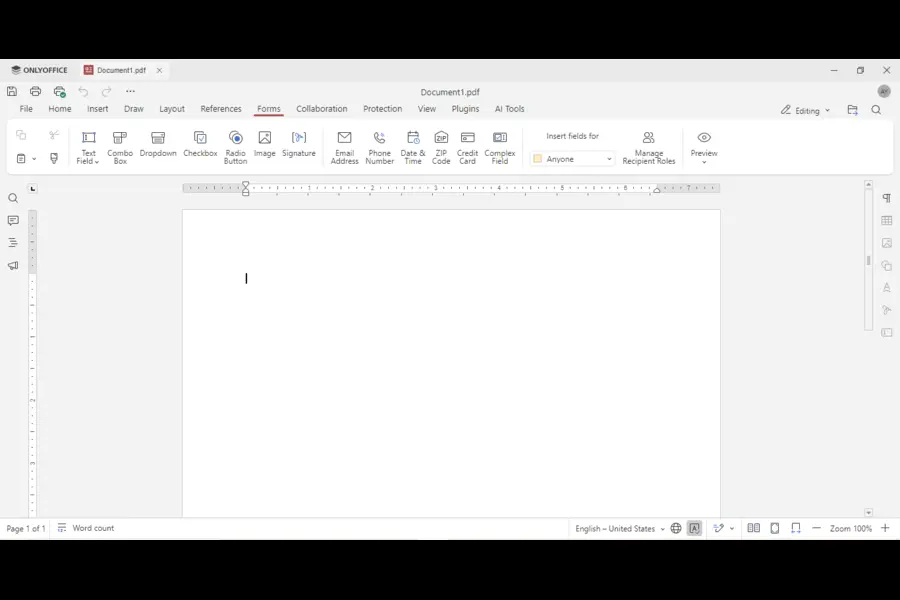
AI gets the attention, but the PDF improvements are what many people will use every week.
- Remove hidden information: a new Redact option strips metadata before you share a file. Leaked metadata is a classic way for confidential details to escape.
- Automatic table recognition: Edit Text detects tables for you, so you don’t rebuild rows and columns by hand.
- Signatures from the Comment tab: sign without hunting through menus.
- Reusable signatures in forms: save one once and apply it from a list.
- Annotation settings: adjust border, background and opacity.
- Spell-check toggle for forms: switch it on or off per field.
If you pay for a standalone PDF tool just to redact and sign, ONLYOFFICE is now a realistic replacement for light to moderate use. Prepress work and advanced OCR are another story.
Document Editor Improvements
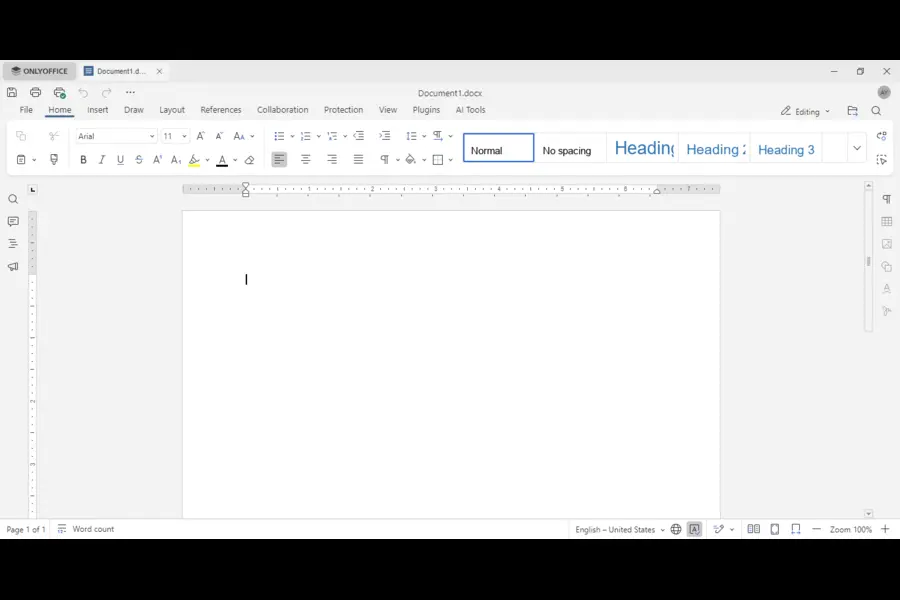
The word processor gets polish rather than reinvention.
- Keep with next: stops a heading from being stranded at the bottom of a page, including in tables and block content controls. Anyone who has formatted a long report knows why this matters.
- Follow/Stop following: during co-editing, jump to a colleague’s cursor and track what they’re doing.
- Row breaking across pages: long tables flow across pages instead of getting cut off.
- Horizontal line settings: a proper dialog for styling lines.
- Line-based cropping: content that exceeds the line height crops cleanly.
- Better right-to-left support: graphical formulas and inline objects behave far more reliably in RTL documents, good news for Arabic and Hebrew users.
None of this makes headlines. Together, though, these changes close the small formatting gaps that make people say, “I’ll just open this in Word.”
Spreadsheet Editor: Faster and Easier to Read
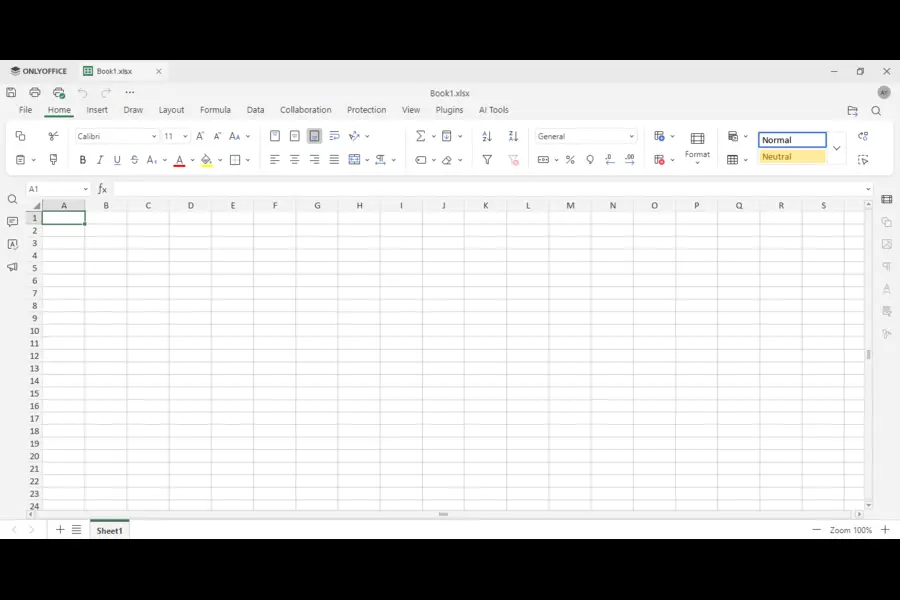
Performance is the story here. ONLYOFFICE separated style and data storage and limited how many cells get traversed per operation. The stated result is less waiting on big workbooks.
The most-used conditional functions were also optimized: SUMIF, AVERAGEIF, COUNTIFS, SUMIFS, AVERAGEIFS, MAXIFS and MINIFS.
Usability additions include:
- Function constant hints while typing
- Highlighted ranges when you edit a formula
- An animated marquee after copy or cut
- Resizing all cells at once with the mouse
- An AutoComplete toggle (File → Advanced Settings)
- Sheet backgrounds that survive opening and saving
- Saving to the classic .xls format
Speed claims are the easiest thing for a vendor to overstate, so benchmark your own largest workbook before you trust them.
Presentation Editor
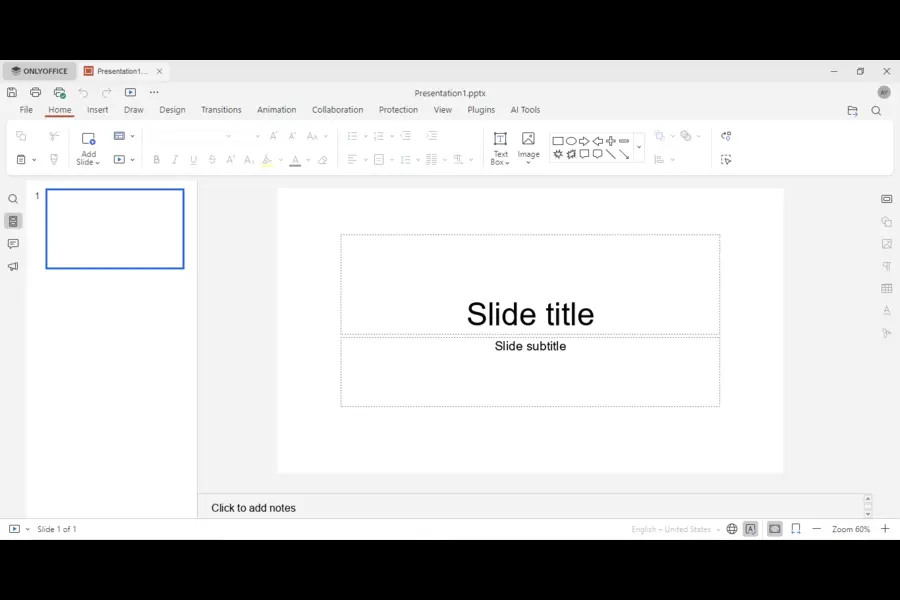
Slides get more ways to view, print and share:
- New views: Outline, Reading, Notes Page, Notes Master and Handout Master
- Extended printing: print notes, handouts and outlines, include hidden slides, comments and slide numbers, and scale to fit the page
- Export as GIF or video: handy for sharing a slide on social media or in email
Presenters who rely on notes and handouts will notice the print upgrades most.
Compatibility, Plugins and Extras
- Formats: open and convert .ofd files, and save spreadsheets as .xls.
- SVG to shape: turn an SVG into an editable shape.
- Chart Data Tables: show a chart’s underlying numbers beside the visual.
- Redesigned Plugin Manager: a cleaner layout with a category panel on the left.
- New plugins: Antidote for grammar and spelling, Curly for reusable templates, Chinese Converter and Formatter, and a Salesforce connector for moving data in and out of spreadsheets.
Security: About 35 Fixed Vulnerabilities
ONLYOFFICE says 10.0 fixes around 35 vulnerabilities and frames the release around the idea that AI is giving attackers new ways to find weaknesses. The company promises a separate post on the key security changes, so I’d wait for it before judging specifics. You can follow individual fixes in the public changelog on GitHub.
Two takeaways. A long fix list shows active maintenance, which is reassuring. But if you self-host, applying updates quickly is your job, and the best feature set doesn’t help on an outdated server.
ONLYOFFICE 10.0 vs the Competition
I kept this table to stable, verifiable traits rather than prices that change monthly.
| Factor | ONLYOFFICE 10.0 | Microsoft 365 | Google Workspace | LibreOffice |
|---|---|---|---|---|
| License model | Open-source (AGPL v3) core, paid enterprise editions | Proprietary subscription | Proprietary subscription | Open-source, free |
| Self-hosting | Yes | No | No | Desktop use only |
| Office formats | DOCX, XLSX, PPTX handled natively | Native | Converts on import | Good, with occasional layout drift |
| Real-time co-editing | Yes, with cursor following | Yes | Yes, excellent | Limited |
| Built-in AI | Context-aware, bring your own model | Built in on eligible plans | Built in on eligible plans | None built in |
| Local or private AI models | Yes, on server builds | No | No | Not applicable |
| PDF editing | Redaction, forms, signing | Basic | Basic | Basic |
| Desktop apps | Windows, macOS, Linux | Windows, macOS | Browser-first | Windows, macOS, Linux |
| Best for | Privacy-minded teams, self-hosters, developers | Microsoft-centric enterprises | Browser-based collaboration | Free offline work |
The standout row is local AI models. Microsoft and Google tie their assistants to their own cloud services, so ONLYOFFICE’s ability to point at your own on-premises model is a real differentiator. ONLYOFFICE also publishes its own head-to-head pages, such as ONLYOFFICE vs Microsoft Office Online, though remember those come from the vendor.
Pros and Cons
Pros
- Excellent fidelity with Microsoft file formats
- Self-hosting keeps documents on infrastructure you control
- AI can run on local models for private workloads
- Free desktop editors and free modular Apps
- A capable PDF editor with redaction and signing
- Open-source roots mean the code is open to inspection
Cons
- The self-hosted 10.0 build isn’t out yet
- Open-source builds need AI installed separately
- Cloud AI is a paid, Wallet-based service
- Quick AI actions and assistants are document-editor only for now
- Fewer built-in integrations than the Microsoft or Google ecosystems
- Heavy macro users may hit limits with complex VBA setups
Who Should Use ONLYOFFICE 10.0?
It’s a strong fit if you are:
- A small business that wants Office compatibility without a big subscription
- An IT admin who must keep documents on your own servers
- A developer embedding an editor into your product
- A legal, healthcare or finance team with strict data-handling rules
- A Linux user tired of format surprises
Look elsewhere if you:
- Depend on advanced Excel macros or Power Query
- Live inside Teams, SharePoint and Outlook all day
- Want zero setup and an AI assistant that works the moment you sign in
How to Test It Before Switching
Don’t take any review’s word for it, including this one. A fair two-week trial looks like this:
- Open your five most complex Word and Excel files and check layout, tables and formulas.
- Run your biggest spreadsheet and see how it feels with the new performance work.
- Co-edit a document with a colleague, including the cursor-follow feature.
- Test redaction on a dummy PDF and confirm the metadata is gone.
- Try AI on non-sensitive content first, then decide which model you’d trust with real files.
The ONLYOFFICE Help Center user guides cover each of these features step by step.
Pricing and Availability
The Desktop Editors are free to download, and a free cloud account lets you try the 10.0 editors right away. The modular Apps are free under AGPL v3, while cloud AI runs on a top-up Wallet. Self-hosted and enterprise licensing depends on deployment and user count, so check the official pricing page for current figures.
Final Verdict: Is ONLYOFFICE 10.0 Worth It in 2026?
For the right person, yes. This ONLYOFFICE 10.0 Review comes down to one idea: the suite is no longer just a cheaper Office clone. Context-aware AI with local-model support, modular Apps and a more serious PDF editor give it an identity of its own.
It isn’t for everyone. If your workflow revolves around Microsoft’s ecosystem, or you want AI that works out of the box, the incumbents are still easier. But if you value control, privacy and format compatibility, version 10.0 is the most compelling ONLYOFFICE yet.
My advice is simple. Start with the free cloud account, test your hardest files, and wait for the self-hosted release before migrating a server. If it passes your trial, you may never need a bloated suite again.
Frequently Asked Questions
When was ONLYOFFICE 10.0 released?
ONLYOFFICE 10.0 was announced on October 10, 2026, with the cloud version available first and the self-hosted build following later.
Is ONLYOFFICE 10.0 free?
The Desktop Editors, a free cloud account and the four modular Apps (under AGPL v3) are free, while cloud AI usage and enterprise editions are paid.
What are the new Apps in ONLYOFFICE 10.0?
The four new Apps are AI Agents, Forms, Files and Rooms, and you enable only the ones you need.
Does ONLYOFFICE 10.0 include AI?
Yes, it adds context-aware AI to the document, spreadsheet, presentation and PDF editors, though open-source builds need a separate AI installation.
Can I use local AI models with ONLYOFFICE?
Yes, server deployments can connect any AI model, including local ones, which helps keep sensitive data in-house.
Is ONLYOFFICE compatible with Microsoft Office files?
Yes, it handles DOCX, XLSX and PPTX natively, so most files open with their layout intact.
How many security issues did ONLYOFFICE 10.0 fix?
The release fixes about 35 vulnerabilities, with a detailed security write-up promised separately.
Is ONLYOFFICE better than LibreOffice?
ONLYOFFICE generally offers stronger Microsoft format fidelity and real-time collaboration, while LibreOffice is a fully free offline suite with its own loyal following.
Disclaimer: This article is for informational purposes only and reflects publicly available information as of October 13, 2026, including ONLYOFFICE’s official release announcement and independent press coverage. Features, availability and pricing may change, and the self-hosted release of 10.0 was still pending at the time of writing. Please verify details on the official ONLYOFFICE website before making purchasing or deployment decisions. This post is independent and not sponsored by ONLYOFFICE.
Linux Troubleshooting
More Linux Fixes You May Need
Having trouble with your Linux system? Explore these step-by-step troubleshooting guides.