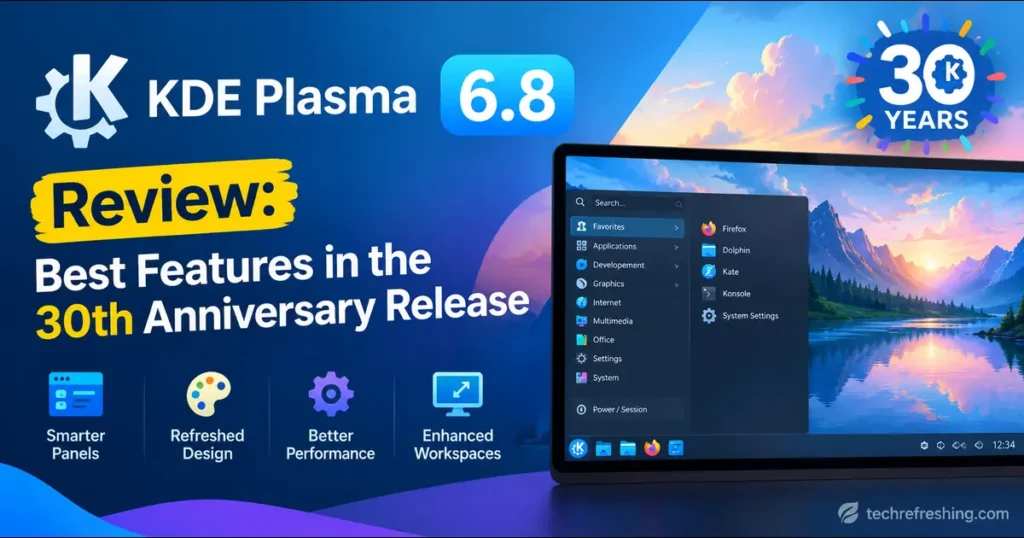
KDE turned 30 on October 14, 2026, and marked the day by releasing Plasma 6.8, the 30th Anniversary Edition. Most anniversary releases are mostly celebration. This one makes real decisions about where the Linux desktop is heading.
This KDE Plasma 6.8 Review walks through what’s new, what it means in daily use, and who should upgrade now versus waiting a few weeks. The facts come from KDE’s official Plasma 6.8 announcement. Where something is my own opinion rather than an announced fact, I’ll say so.
The short version: Plasma 6.8 is two releases in one. There are practical improvements you’ll notice this week, and groundwork that won’t pay off for a year or two.
TL;DR: Key Takeaways
- Released: October 14, 2026
- Biggest change: X11 session support is retired; Wayland is now the path forward
- Biggest long-term feature: Union theming system reaches beta and now styles Qt Widgets apps
- Best accessibility upgrade: Built-in dwell clicker
- Best for creators: Spectacle can record system audio and microphone together
- Best for power users: CPU affinity in System Monitor and the new
kscreenctltool - Biggest risk: Older X11-only workflows
Plasma 6.8 at a Glance
| Detail | Info |
|---|---|
| Release date | October 14, 2026 |
| Edition name | 30th Anniversary Edition |
| Display protocol | Wayland; X11 sessions retired |
| Theming | Union beta (Qt Quick and Qt Widgets) |
| Accessibility | Built-in dwell clicker |
| Bundled extras | Kup backup tool, kscreenctl |
| Ways to try it | Live images, Docker images, distro packages, source |
The Wayland Decision: X11 Sessions Are Retired
This is the change people will argue about, so it comes first.
Plasma 6.8 retires support for starting X11 sessions. The X Window System first appeared in 1984, which means 42 years of service. KDE’s reasoning is full adoption of Wayland, which offers better support for modern screens and graphics cards and is under active development.
What it means for you
It’s less dramatic than it sounds.
- Most apps keep working. The small number of programs that still need X11 run through the XWayland compatibility layer.
- KDE’s own apps keep X11 support. KDE says its applications will support X11 for the foreseeable future.
- Only the session type changes. If you log into a Plasma X11 session out of habit or necessity, that option goes away.
Who should be careful
If you depend on an app that behaves oddly under XWayland, or a remote-access tool built around X11, test before upgrading your main machine. Booting a live image takes about ten minutes and can save you an afternoon.
My opinion: this is the same transition other desktops have made, and KDE took its time. One display protocol means developers can stop maintaining two code paths.
Union Theming: The Quiet Big Deal
Plasma 6.7 shipped an alpha of Union, KDE’s new theming system, which could style Qt Quick applications. Plasma 6.8 moves Union to beta and adds support for Qt Widgets apps, which covers traditional KDE software like Dolphin, Kate, and Konsole.
Why it matters
Union aims to become a single source of truth for styling all of KDE’s products. For now, its Breeze style is meant to look nearly identical to classic Breeze. KDE’s own Dolphin screenshot caption asks, “Can you tell the difference?” That’s the point: the real work is happening underneath.
KDE says Union is not ready to be the default yet.
How to try it
- Make sure the
unionpackage is installed (the name may differ by distribution). - Open System Settings → Colors & Themes → Application Style.
- Apply Breeze (Union).
- Restart your apps or the system.
Found a Union-specific bug? Report it on KDE’s bug tracker. For the project’s direction, read Arjen’s Union summer 2026 update.
Accessibility: The Built-In Dwell Clicker
Plasma 6.8 adds a dwell clicker, which sends a mouse click when the pointer stops moving. It’s designed especially for users with mobility issues.
Previously, this required an external app. Building it into the desktop helps in two ways:
- Simpler setup. Someone who needs this feature shouldn’t have to hunt for third-party tools first.
- Better long-term support. A desktop-level feature is more likely to stay compatible through updates.
Accessibility work rarely gets headlines, but it’s a strong sign of a mature desktop.
Remote Desktop Gets a Serious Upgrade
Plasma’s built-in remote desktop server received a lot of attention in 6.8:
- Better performance and quality. It prioritizes latency and responsiveness, adapting to slow networks and fast-changing screen content.
- Exclusive mode. This optionally locks the server’s screen and gives the client a virtual screen that exactly matches its window size.
- Two-way clipboard sync. Copy on one machine and paste on the other, in either direction.
One caveat: these features only take effect in remote desktop client apps that support them. So your experience depends partly on your client software catching up. KDE says more improvements are coming.
Exclusive mode is the one to watch. Anyone who has connected a laptop to a bigger desktop knows how awkward mismatched screen sizes can be.
Screen Recording and Casting
Spectacle audio
Spectacle can now optionally include both system audio and microphone input in recordings. You can narrate a tutorial while capturing everything else on the machine.
Custom virtual screen resolution
The screen sharing portal can create a virtual screen to share instead of an existing display. It used to be limited to 1920 × 1080. Now you choose the resolution.
That’s handy for sharing a clean, fixed-size workspace in a presentation without exposing your full desktop.
Quality
KDE also says screen recording and screencast quality has improved. It gives no figures, so test this on your own hardware.
System Monitor: CPU Affinity and VRAM
In System Monitor, you can now assign compute-intensive tasks to specific CPUs from within the app. KDE’s screenshot shows this for the plasmashell process.
Practical uses:
- Keeping a heavy render or compile job off the cores your desktop uses
- Pinning a process to certain cores for testing
- Stopping a background task from making the system feel sluggish
VRAM monitoring is also friendlier: load now appears as an easy-to-read percentage.
Window Management and Appearance
New task shortcuts
Meta+Ctrl+Page Up/Page Downcycles between the previous and next tasks.- Adding
Shiftmoves the active task backwards or forwards.
Better-looking third-party windows
New window rules can add desktop shadows, outlines, and rounded corners to client-side-decorated windows that can’t provide them. Plasma 6.8 ships one such rule for Steam, so it blends in better.
Performance, HDR, and Graphics
KDE says backend changes help Plasma load faster and use less memory, and Discover’s update notifier uses less memory too. No benchmark numbers are published, so I won’t invent any.
The graphics changes are more concrete:
- NVIDIA GPUs now use triple buffering by default in KWin.
- HDR with an ICC color profile looks better for all users.
- HLG transfer function support means some media and apps that didn’t previously work in HDR now do.
If NVIDIA on Linux has been bumpy for you, the triple buffering default is the first thing to test.
The Smaller Changes That Add Up
kscreenctl: a new command-line display tool for scripting and automation- Kup: the KDE backup tool, now polished and shipped with Plasma
- EAP-TTLS authentication support for StrongSwan VPNs
- Autostart toggles: enable or disable startup apps without deleting them
- Arrow-key nudging of screens pixel by pixel in Display Configuration
- Printer warning notification when you print to an unavailable printer
- Clearer clipboard messaging about why copied secrets aren’t kept in history
- Resizable emojis in the Emoji Selector
- New language support: Bikram Sambat calendar in the Digital Clock and Amharic in the on-screen keyboard
What Changed in Plasma 6.8: Feature Comparison
This table only includes comparisons KDE itself states.
| Feature | Previous state | In Plasma 6.8 | Best for |
|---|---|---|---|
| Union theming | Alpha, Qt Quick apps only (Plasma 6.7) | Beta, Qt Quick and Qt Widgets | Theme designers, KDE app users |
| Session type | X11 sessions could be started | X11 session start retired; XWayland remains | Wayland users |
| Dwell clicking | Needed an external app | Built into the desktop | Users with mobility needs |
| Virtual screen sharing | Limited to 1920 × 1080 | Custom resolution | Presenters, streamers |
| Screen recording audio | Not part of the 6.8 notes | Optional system audio and microphone | Tutorial creators |
| CPU control | Not part of the 6.8 notes | Assign tasks to chosen CPUs in System Monitor | Power users |
| Remote desktop | Built-in server | Latency handling, exclusive mode, clipboard sync | Remote workers |
| NVIDIA buffering | Not part of the 6.8 notes | Triple buffering by default | NVIDIA users |
Pros and Cons
Pros
- Union beta now covers Qt Widgets apps
- Built-in dwell clicker, no extra software needed
- Remote desktop improvements for latency and screen size mismatches
- Spectacle records system audio and microphone together
- Power-user tools: CPU affinity,
kscreenctl, new window shortcuts - Better HDR handling and NVIDIA triple buffering by default
Cons
- X11 sessions are gone, which may break older workflows
- Union isn’t the default yet, so its payoff is still ahead
- Remote desktop gains depend on client app support
- Packages may not be ready on every distribution at launch
- No published numbers to verify speed or memory claims
My Rating
| Category | Score |
|---|---|
| New features | 9/10 |
| Accessibility | 9/10 |
| Long-term direction | 9/10 |
| Compatibility risk | 7/10 |
| Evidence for performance claims | 7/10 |
| Overall | 8.5/10 |
Quick Test Checklist Before You Upgrade
Boot a live image first, then check:
- Does your hardware work well in a Wayland session?
- Do your essential apps run properly under XWayland?
- Does your remote desktop client support the new features?
- Do NVIDIA, HDR, or multi-monitor setups behave as expected?
- Does Breeze (Union) look right in your daily apps?
Who Should Upgrade Now?
Upgrade soon if you:
- Already use Wayland daily
- Record screencasts or tutorials
- Connect to machines remotely
- Need the dwell clicker for accessibility
- Want to test Union early
Wait a bit if you:
- Depend on an X11-only app or workflow
- Run a production machine you can’t risk
- Use a distribution that hasn’t packaged 6.8 yet
KDE offers live images and Docker images for safe testing.
Frequently Asked Questions
When was Plasma 6.8 released?
Plasma 6.8 was released on October 14, 2026, on KDE’s 30th birthday.
Does Plasma 6.8 still support X11?
Plasma 6.8 retires X11 session support, but X11-only apps can still run through XWayland.
What is Union in Plasma 6.8?
Union is KDE’s new theming system, now in beta, that can style both Qt Quick and Qt Widgets apps.
What is the dwell clicker?
It’s a built-in accessibility feature that clicks automatically when the pointer stops moving.
Can Plasma 6.8 record system audio?
Yes, Spectacle can optionally include system audio and microphone input in screen recordings.
Is Union the default theme?
No, KDE says Union isn’t ready to be the default, but you can enable “Breeze (Union)” in System Settings.
How can I try Plasma 6.8 safely?
Boot a live image from USB or use KDE’s Docker images before installing.
Conclusion
This KDE Plasma 6.8 Review comes down to one question: does a release built partly on future promises deliver enough today? It does. The dwell clicker, remote desktop upgrades, Spectacle audio, and System Monitor additions are useful the moment you install them. The Union beta and the Wayland-only direction are bets on the next several years.
The X11 retirement is the one real decision point, so check your workflow before you jump. For most users, Plasma 6.8 is a confident way for KDE to mark thirty years. Read the full KDE announcement and the Plasma 6.8 wiki overview for every change, then try it on a live image and see how it fits.
Disclaimer: This article is for informational purposes and is based on KDE’s official Plasma 6.8 announcement published October 14, 2026. Features and availability may vary by distribution and hardware. Always back up your data and test new desktop releases before upgrading a primary or production system.