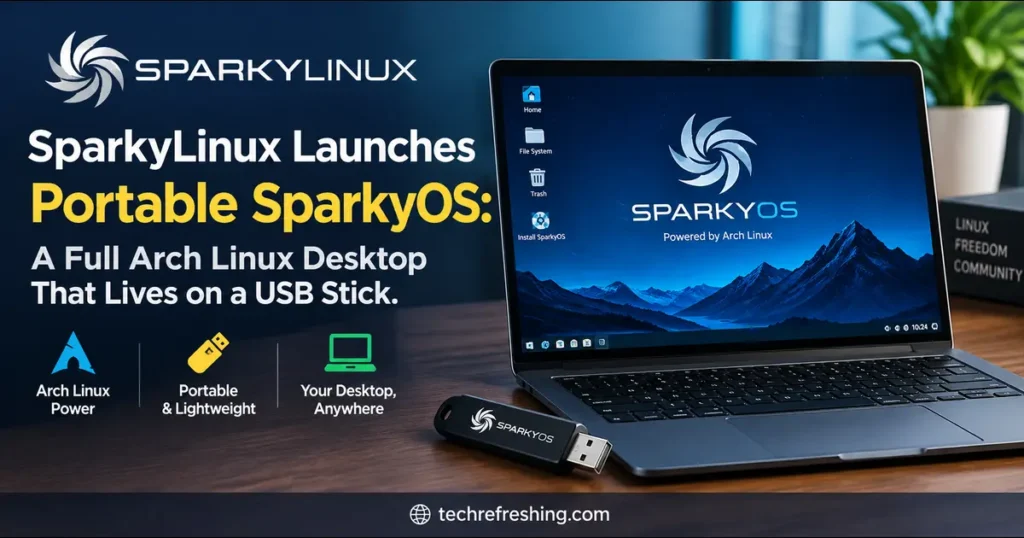
On October 20, 2026, SparkyLinux Launches Portable SparkyOS, a new project from the team behind the Debian-based SparkyLinux distribution. It isn’t a typical live ISO. You write one image to a USB drive, boot from it on any compatible computer, and use it like a normal installed system. You can update it, add software and save your files on the same stick.
The first release, SparkyOS 2026.10, is built on Arch Linux with the Xfce desktop, Yay for the Arch User Repository (AUR) and Linux kernel 7.2.11. Nothing needs partitioning and nothing needs installing on the host machine.
This article covers what was announced, what the specs mean in practice, how SparkyOS compares with other portable systems, and where it still falls short.
What Is SparkyOS?
SparkyOS is a portable, rolling Linux-based operating system. According to the project’s own site, it is “derived from various Linux distributions” and designed for modern 64-bit UEFI computers and laptops.
The idea is simple. Run your operating system from a USB drive the way you would from an internal SSD. Update everything, including the kernel. Install new apps. Keep your data and work on the drive. Then plug it into any x86_64 UEFI computer you can find.
It sits alongside SparkyLinux, a Debian-based distribution that has been around since 2011 and is developed mainly by a developer known as pavroo. The two projects share the same lightweight philosophy and a similar look. The big difference is where they run:
- SparkyLinux installs to a hard drive or SSD, usually through the Calamares installer.
- SparkyOS is built so you never need an installer at all.
SparkyOS 2026.10 at a Glance
Here are the facts from the official project page and the launch coverage.
- Release date: October 20, 2026
- Version: 2026.10 (first public release)
- Base: Arch Linux, rolling release
- Desktop: Xfce, with a dock on the right side of the screen
- Kernel: Linux 7.2.11
- Package manager: Pacman, plus Yay for AUR access
- Format: Pre-configured IMG file
- Download:
sparkyos-2026.10-1-x86_64-efi-arch.img.zip, about 3.08 GB compressed - Default image size: 10 GB
- Minimum USB size: 16 GB or larger
- Firmware: 64-bit UEFI only for now
- Default login: user
sparky, passwordsparky, with root access throughsudo
The Arch edition is described as vanilla Arch Linux with Xfce, the AUR and Yay. The project also lists a Debian edition, which would use SparkyLinux’s testing/semi-rolling base and its own repositories. That one is on the roadmap rather than released.
How SparkyOS Differs From a Normal Live USB
Most people have used a live USB at some point. You boot it, try the system, and everything disappears when you reboot unless you set up persistence. Persistence is often fiddly and sometimes limited.
SparkyOS flips that. The image is a complete, writable system. When you update packages, the changes stay on the stick. When you save a file, it stays there too.
In practice this means:
- Your settings, apps and documents travel with you.
- Kernel updates work, which is not true of many older portable distros.
- You can build your setup over weeks instead of redoing it every session.
- The host computer’s internal drive is left alone.
That last point is useful if you need to work on a borrowed laptop, a library PC or a client’s machine and leave no trace behind.
Why Arch Linux for the First Release?
Choosing Arch as the first base is interesting, because SparkyLinux itself is Debian-based. There are some sensible reasons for the choice.
Rolling updates suit a portable system. A USB drive you carry around should not go stale. With a rolling base you get a fresh kernel and fresh drivers regularly, which matters when you plug the same stick into very different hardware.
The AUR is huge. Through Yay, you can reach a very large pool of community-maintained packages. That is a big draw for people who want their portable system to feel complete.
Newer kernels help with newer hardware. If you boot a recent laptop, a recent kernel often gives better chances of working Wi-Fi, graphics and trackpads.
The trade-off is that Arch expects some comfort with the command line. Rolling releases can occasionally break, and you are the one fixing it. The Debian edition, when it arrives, may feel gentler for people who prefer stability.
What You Get Out of the Box
The desktop is Xfce, which has long been one of the best lightweight options. It runs well on modest hardware and is easy to customize. Auto-login is enabled, so you boot straight to the desktop with no login screen.
Anyone who has used SparkyLinux will recognize the look and the pre-installed apps. As 9to5Linux’s coverage points out, SparkyOS keeps the same look and feel as recent SparkyLinux releases. If you already run SparkyLinux at home, it should feel like the same house in a different city.
The right-side dock gives it a slightly more modern look than a classic Xfce setup, though you can change it like anything else in Xfce.
How to Get SparkyOS Running (Step by Step)
The official How-To section is worth reading before you start. Here is the general flow.
1. Check your hardware
You need a 64-bit computer with UEFI firmware, which covers most machines made in the last decade. A USB drive of 16 GB or larger is required. A fast one makes a big difference, so pick a USB 3.x drive or, better, a portable SSD.
2. Download the image
Grab the Arch image from the official SparkyOS download page. The compressed file is about 3.08 GB.
3. Write the image to the drive
Extract the zip first, then write the resulting IMG file to your USB drive. The project has a dedicated how-to for this. Double-check the target device before you write anything, because choosing the wrong disk will wipe it.
For command-line users, the process usually looks like this:
# Replace /dev/sdX with your USB device. Double-check it first!
sudo dd if=sparkyos-2026.10-1-x86_64-efi-arch.img of=/dev/sdX bs=4M status=progress conv=fsync
If you prefer a graphical tool, any reputable image writer will do the job.
4. Boot from the USB
Restart the computer and open the boot menu, usually with F12, F10, Esc or F2, depending on the manufacturer. Choose the USB drive in UEFI mode.
5. Log in and update
Auto-login should take you straight to Xfce. The default credentials are sparky and sparky, which you will want to change quickly. Then run a full system update.
6. Resize if you want more room
The image is 10 GB by default, so it won’t use all of a larger drive on its own. The project has a how-to on resizing the system partition. It is worth doing if you bought a 64 GB or 128 GB stick.
Want to try it first?
The project also documents running SparkyOS in QEMU, using the qemu and ovmf packages. That lets you test it in a virtual machine before committing a USB drive.
Comparison Table: SparkyOS vs Other Portable Linux Options
Portable Linux is a crowded space. This table compares the approach each option takes, so you can see where SparkyOS fits.
| Feature | SparkyOS 2026.10 | Puppy Linux | Slax | Porteus | SparkyLinux installed to USB |
|---|---|---|---|---|---|
| Base | Arch Linux (Debian edition planned) | Ubuntu/Debian-based builds | Debian | Slackware | Debian testing |
| Main purpose | Full persistent system on USB | Lightweight, runs from RAM | Small portable system | Portable with modules | Regular install on external drive |
| Release model | Rolling | Point releases | Point releases | Point releases | Rolling |
| Needs installation? | No, write one image | No | No | No | Yes, via installer |
| Persistence | Built in, full system writable | Optional save files | Optional | Optional | Built in |
| Kernel updates | Yes, normal updates | Limited | Limited | Limited | Yes |
| Package access | Pacman and AUR via Yay | Puppy package manager | APT | Slackware-style modules | APT |
| Firmware | UEFI only (BIOS planned) | BIOS and UEFI | BIOS and UEFI | BIOS and UEFI | Depends on setup |
| Best for | A “real” system you carry around | Very old hardware | Quick, small tool stick | Modular, minimal setups | People who want Debian |
A few notes on reading it:
- Puppy, Slax and Porteus are built to be tiny and fast, and many are designed around the idea that the system image stays mostly unchanged. That is great for old machines and quick tasks.
- SparkyOS goes the opposite way. It treats the USB stick as the machine, with updates, new packages and your data all living there.
- Installing SparkyLinux onto a USB works too, and reviewers have done it. But it involves a normal installation and is not designed for portability from the start.
If you want the smallest, fastest rescue disk, a classic tiny distro is still hard to beat. If you want your whole desktop in your pocket, SparkyOS is the more interesting concept.
Who Is SparkyOS Actually For?
Travelers and remote workers
If you work on shared or borrowed machines, you get a consistent desktop everywhere. Your browser profile, scripts and files go with you.
Students and lab users
Computers in labs often block installs or wipe settings. A bootable stick avoids both problems, assuming the machine allows booting from USB.
Linux hobbyists
Curious about Arch but nervous about repartitioning your main drive? This is a low-risk way to experiment. If you break it, you re-flash the stick.
Technicians and troubleshooters
A full system with your own tools installed is far more useful than a bare live ISO. You can install whatever you need once and keep it.
Privacy-minded users
Running from a USB leaves the host computer’s drive untouched. But be careful here, because the encryption caveat below matters.
Pros and Cons
Pros
- No installation or partitioning. Write one image and boot.
- True persistence. Updates, apps and files stay on the drive.
- Rolling Arch base. Fresh kernels and software, with AUR access through Yay.
- Familiar Sparky feel. Existing SparkyLinux users will be at home.
- Works across machines. Any compatible x86_64 UEFI computer can run it.
- Easy to test. QEMU instructions let you try it virtually first.
Cons
- UEFI only for now. Older BIOS-only machines are out until a BIOS image appears.
- No built-in encryption yet. Anyone who finds your stick can read your data.
- Default credentials and auto-login. Convenient, but weak if you leave them as they are.
- 16 GB minimum. It is not a tiny rescue-stick distro.
- Early-stage project. Linuxiac’s report and other coverage treat it as a brand-new project, so expect rough edges and refinements.
- Arch maintenance. A rolling release asks more of you than a stable one does.
Honest Limitations You Should Know About
I’d rather be straight with you than oversell it.
Speed depends on your USB drive. A cheap, slow flash drive will make any full desktop feel sluggish, especially during updates. A good USB 3 stick or a portable SSD makes it far more pleasant.
Wear is real. Flash drives have limited write cycles, and a rolling system writes a lot during updates. If you plan to use SparkyOS daily, consider a quality drive and keep backups.
Security needs your attention. The project lists encryption for all images on its to-do list, which tells you it isn’t there yet. Until it is, don’t store sensitive data on the stick without your own encryption layer. Change the default password straight away.
Hardware quirks happen. Every laptop is different. Wi-Fi chips, graphics and Secure Boot settings can all cause surprises. You may need to disable Secure Boot on some machines.
Backups are not optional. A reader on the official announcement made a smart point: you can clone your working USB to a second one with dd and always keep a safety copy. That’s simple, cheap insurance, and I’d follow it.
What’s Coming Next
The project’s own to-do list gives a clear picture of the road ahead:
- A BIOS-compatible Arch-based image
- A BIOS-compatible Debian-based image
- A UEFI-compatible Debian-based image
- Encryption for all of them
If those land, SparkyOS goes from an interesting first release to a much more complete platform. BIOS support would cover older hardware, the Debian images would give a calmer option, and encryption would address the biggest privacy gap.
The timing also fits the broader SparkyLinux story. Just days earlier, the main distribution shipped its 2026.09 release with kernel 7.2 and a new Labwc edition, so the team is clearly active.
Practical Tips for a Smoother Experience
A few small habits will save you trouble.
- Change the password immediately. Don’t leave
sparky:sparkyin place. - Update before you travel. Don’t start a big update on a borrowed machine with a slow connection.
- Use a quality drive. Spend a little more on a reliable USB 3.x stick or portable SSD.
- Keep a cloned backup. One extra drive can save you a lot of grief.
- Resize the partition early. Do it before you fill the system with files.
- Test in QEMU first. It costs nothing and shows you what to expect.
- Read the how-to pages. The project is publishing guides on writing the image, language, time zone and more, and they’re the most reliable source for current steps.
Frequently Asked Questions
What is SparkyOS?
SparkyOS is a portable, rolling Linux system from the SparkyLinux team that runs entirely from a USB drive. The first release, 2026.10, is based on Arch Linux with the Xfce desktop.
When was SparkyOS released?
The first version, SparkyOS 2026.10, was announced on October 20, 2026.
Do I need to install SparkyOS?
No. You write the pre-configured IMG file to a USB drive and boot from it, with no partitioning or traditional installation.
What size USB drive do I need?
The project requires a 16 GB or larger drive. The default image is 10 GB, and you can resize the partition afterward.
Does SparkyOS work on older BIOS computers?
Not yet. The first image targets 64-bit UEFI machines, and BIOS-compatible images are on the project’s to-do list.
What is the default username and password?
Both are sparky, and root tasks are done with sudo. You should change the password after your first boot.
Does SparkyOS save my files and updates?
Yes. Unlike a standard live session, changes, installed apps and data stay on the USB drive.
Can I install apps from the AUR?
Yes. The Arch edition includes Yay, which gives you access to the Arch User Repository alongside the normal Arch packages.
Conclusion
SparkyOS is a smart addition to the SparkyLinux family. It takes the long-standing idea of a portable Linux and treats it properly: a real, updatable, persistent system that happens to live on a stick. The Arch base, Yay and Xfce give it a strong foundation, and the no-installation approach removes a lot of the usual fear around trying something new.
It also has clear gaps. UEFI-only support, missing encryption, default credentials and its early-stage status all mean it isn’t ready to replace a hardened daily setup for everyone. But as a first release with a public roadmap, it’s promising.
When SparkyLinux Launches Portable SparkyOS, the message to Linux users is clear: your desktop doesn’t have to belong to one computer. If you have a spare 16 GB drive and an afternoon, it’s worth a try. Test it in QEMU if you’d like a safer start, and keep an eye on the project’s How-To pages as the first Arch image matures and the Debian editions arrive.
Disclaimer: This article is for general informational purposes and reflects publicly available information about SparkyOS 2026.10 as of October 21, 2026. Specifications, features and download details may change, so please check the official SparkyOS website before downloading. Writing a disk image to a USB drive erases existing data on it, so back up your files first and use these instructions at your own risk.
Explore More Linux News & Reviews
Discover the latest Linux distributions, desktop improvements, and new projects worth exploring.
More Linux news, tutorials, and reviews at TechRefreshing.