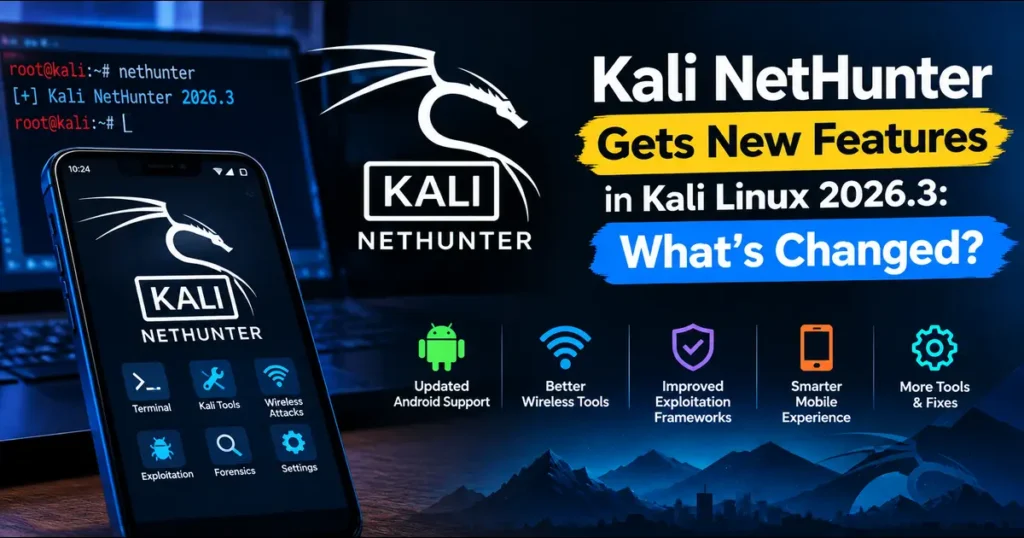
If you run penetration tests from a phone, the October 2026 release is a big one. Kali NetHunter Gets New Features in Kali Linux 2026.3, and this isn’t a routine bug-fix round. The Kali team announced the release on October 26, 2026. It adds wardriving on a smartwatch, phone-to-watch control, NFC access from the Kali chroot, KernelSU support and a long list of new device kernels.
I went through the official release notes line by line. This post covers what each change does, where it helps in real engagements, and where you should be careful.
Quick Overview: What Is Kali Linux 2026.3?
Kali Linux 2026.3 is the third release of the year, following 2026.2 in June. The headline numbers:
- 126 package updates
- Kernel jump from 6.19 to 7.1.5 on the main Kali distribution
- KDE Plasma 6.7 (Xfce remains the default desktop)
- Six new tools: dalfox, katana, qsreplace, rustscan, sdrangel and snaffler-ng
- A refreshed build-scripts system with Docker and Podman support
- A long NetHunter section, which is what this article covers
One point of confusion is worth clearing up. The 7.1.5 kernel belongs to the desktop and server images. NetHunter on your phone runs a kernel built for your specific device and ROM, which is why the team publishes separate NetHunter kernels.
What Is Kali NetHunter, and Why Does This Release Matter?
Kali NetHunter is Kali’s mobile penetration testing platform for Android. It combines a Kali chroot with an app and a set of attack modules, so a phone becomes a portable testing kit.
Earlier releases mostly polished the phone experience. This one pushes NetHunter onto wearables and into hardware-level features such as NFC. That’s a real shift, because the form factor determines where and how an assessment can happen. A watch on your wrist makes very different wireless survey scenarios practical.
Wardriving on Your Wrist: TicWatch Pro 3 Support
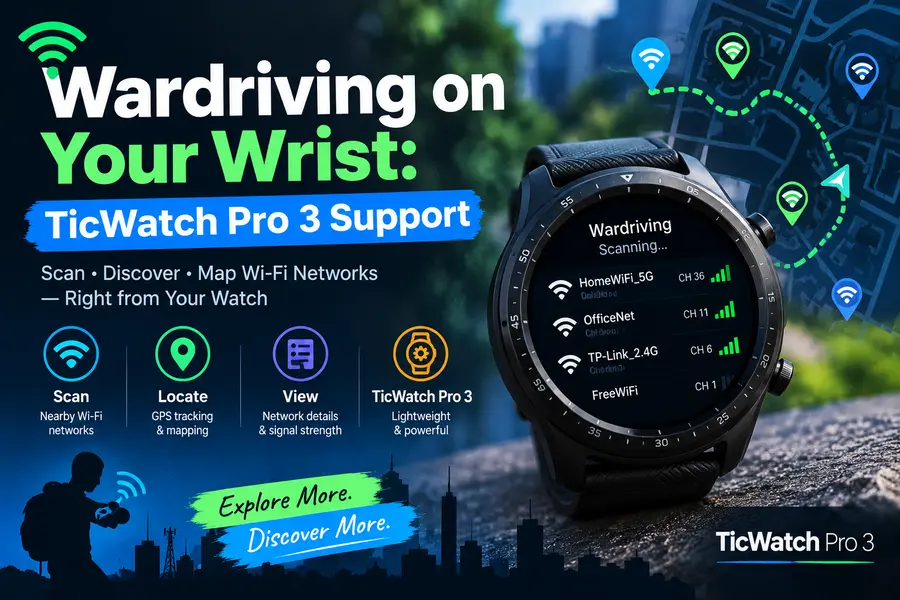
This is the feature people will talk about most. NetHunter now supports wardriving on the TicWatch Pro 3 series.
The work depended on a collaboration with Qazy Anwar, who updated the libnexmonkali library. With that update, you can use the watch’s internal Wi-Fi chip in monitor mode from inside the Kali chroot. Tools like the aircrack-ng suite and Kismet work with it.
Why it matters in practice
Wardriving usually means carrying a laptop or a phone with an external adapter. A watch is unobtrusive. For an authorized wireless survey of a large office campus or warehouse, you can walk the floor and collect access point data without hauling extra gear.
This builds on earlier work. Wikipedia’s Kali entry notes that the previous release, 2026.2, introduced Wi-Fi injection on the TicWatch Pro 3. So 2026.3 extends an existing foundation instead of starting from scratch.
A realistic caveat
Don’t assume a watch matches a laptop with an external antenna for long, heavy capture sessions. Treat it as a lightweight survey tool and test its limits in your own lab first. If you plan to try it, the official TicWatch Pro 3 installation guide was updated in this release and is the right place to start.
WearHunter: Controlling Your Watch From Your Phone
WearHunter is an experimental feature from contributor @V0lk3n. It lets you control a NetHunter-enabled watch from your phone using ADB over Wi-Fi or Bluetooth.
Right now you can run commands and install apps. The team says more features are planned. Typing commands on a tiny watch screen is miserable, and this fixes that. The watch handles the capture work while you drive it from the phone in your pocket.
Kali labels this feature experimental. Test it in a lab first, and don’t make it a dependency for a client engagement until it matures.
NFC Arsenal: Kali Chroot Gets Direct NFC Access
Contributor @IamCOD3X added NFC access to the Kali chroot. You can now read, clone and edit Mifare Classic cards without an external adapter.
Mifare Classic is an older card technology that still guards plenty of office doors, gyms and hotel rooms. Testing whether a badge system is vulnerable to cloning is a standard part of physical security assessments.
Before this change, the usual path involved an external reader. Now the phone’s own NFC hardware does the job, and the data lands right in your Kali environment, where your normal tools can work with it.
A practical tip: Get written permission that explicitly covers badge and access card testing. Cloning a card that opens a door is a different legal category from scanning a network.
KernelSU Support
Contributor @Loukious added KernelSU support. You install the generated installer zip through the KernelSU app on a device with a patched kernel.
Many NetHunter users have relied on Magisk-style root. KernelSU takes a different approach, handling root at the kernel level. An official path means more choice for people whose devices or ROMs work better with it. It does require a patched kernel, so confirm that your phone’s kernel supports it before you plan around this.
Compatibility Fix for Modern systemd and udev
This one is easy to miss but important. The release fixes compatibility problems between modern systemd/udev and older kernels, and it does so without requiring extensive patches.
Many phones ship with old kernels that never get upgraded, while the Kali chroot keeps moving forward with new userland software. That mismatch can cause strange failures that are hard to diagnose. Fixing it without heavy kernel patching keeps more older devices usable and lowers the workload for kernel maintainers.
Smaller Changes That Add Up
The “Misc” section looks minor, but several items will matter to daily users:
- TicWatch Pro 3 reboot issue patched by @yesimxev
- Initial support for devices with no ramdisk, which opens the door to more hardware
- Bluetooth Arsenal airplane mode is back, restored by @MrR0b0X
- EvilTwin and Wardriving are easier to launch, also thanks to @MrR0b0X, with a new NetHunter EvilTwin documentation page
- Custom commands now support Nexmon monitor mode and wifite
- A crash from the NetHunter app’s storage request is fixed, along with other performance and bug fixes
The custom commands change is the sleeper hit. If you script your wireless workflows, triggering Nexmon monitor mode and wifite through custom commands saves time on every engagement.
New NetHunter Kernels in 2026.3
NetHunter lives or dies by device support, and this release adds nine kernels:
| Device | ROM / Android Version | Contributor |
|---|---|---|
| Google Pixel | LineageOS 22.2 / Android 15 | @willuhm-js |
| Huawei P9 | EMUI8 / LineageOS 16.0 | @apk0mix5900 |
| LG K20 Plus | LineageOS 14.1 | @robnew1 |
| Moto G Stylus 5G 2022 | LineageOS 23.2 | @TigerClips1 |
| Nubia Z17 | LineageOS 22.2 | @luckyyyyyy |
| POCO X5 5G / Redmi Note 12 5G | crDroid 12 | @harifhaqim |
| Redmi Note 5 Pro | LineageOS 18.1 | @notatallnic189 |
| Sony Xperia 10 V | LineageOS 23.2 | @Tom60chat |
| Ulefone Armor 34+ | Android 16 | @art0181 |
The list mixes very old software targets (LG K20 Plus on LineageOS 14.1) with current ones (Xperia 10 V on LineageOS 23.2, Ulefone Armor 34+ on Android 16). That gives you options at nearly every budget.
Always match the kernel to your exact device model and ROM version. A kernel built for a different variant can fail or cause boot problems.
Kali NetHunter 2026.3 Feature Comparison Table
Every row below comes from the official 2026.3 NetHunter section.
| Feature | What’s new in 2026.3 | Best for | Status |
|---|---|---|---|
| Smartwatch wardriving | Internal monitor mode on TicWatch Pro 3 with aircrack-ng, Kismet and more | Wireless auditors | New |
| WearHunter | Control a NetHunter watch from a phone over ADB (Wi-Fi or Bluetooth) | Field testers using a watch | Experimental |
| NFC Arsenal | Read, clone and edit Mifare Classic cards from the Kali chroot | Physical security testers | New |
| KernelSU | Installer zip works with the KernelSU app on patched kernels | Users who prefer kernel-level root | New |
| systemd/udev fix | Modern userland works with older kernels, no heavy patching | Owners of older devices | Fixed |
| Custom commands | Nexmon monitor mode and wifite supported | Script-heavy users | Improved |
| Bluetooth Arsenal | Airplane mode restored | Bluetooth testers | Restored |
| No-ramdisk devices | Initial support | Kernel maintainers, new hardware | Early |
| Device kernels | Nine new kernels added | Anyone choosing hardware | New |
Who Should Update, and Who Should Wait?
Update now if you:
- Own a TicWatch Pro 3 or plan to buy one for wireless work
- Run assessments that include badge or NFC testing
- Use one of the nine newly supported phones
- Rely on custom commands for Wi-Fi workflows
Wait or test first if you:
- Run NetHunter on a production-critical device with no backup
- Plan to depend on WearHunter for client work
- Use a device whose kernel isn’t on the supported list
A good habit is to keep a spare phone for testing new releases. Flash it, break it, learn from it, and only then update your main device.
Pros and Cons of the NetHunter 2026.3 Update
Pros
- Wearable wardriving makes wireless surveys more discreet and mobile
- NFC testing no longer needs an external adapter
- KernelSU gives root-method flexibility
- Older phones benefit from the systemd/udev compatibility fix
- Nine new kernels expand where NetHunter can run
- Easier EvilTwin and Wardriving launch saves setup time
Cons
- WearHunter is still experimental and limited in features
- Smartwatch support currently centers on one watch series
- KernelSU needs a patched kernel, which not every device has
- Kernels are device and ROM specific, so a wrong match can cause problems
- Expect a small wearable to be less capable than a laptop rig, so test before you rely on it
- The wider build-script refresh isn’t finished, and the team admits some CI workflows may have broken along the way
Other Kali 2026.3 Changes Worth Knowing
NetHunter isn’t the only story. If you also use Kali on a laptop, these matter:
- Build-script refresh: Every official Kali image comes from public build scripts. They now share the same features and command-line arguments across platforms, and each refreshed script includes
build-in-container.shfor Docker or Podman. The team aims to finish the remaining scripts by Kali 2026.4. - KDE Plasma 6.7: Per-screen virtual desktops help on multi-monitor setups, and network connections can now be duplicated.
- New tools: Dalfox and katana strengthen web testing, rustscan covers port scanning, snaffler-ng hunts for sensitive data in SMB shares, and sdrangel serves software-defined radio fans.
- Four new mirrors in the Netherlands, Portugal and Switzerland.
How to Upgrade to Kali Linux 2026.3
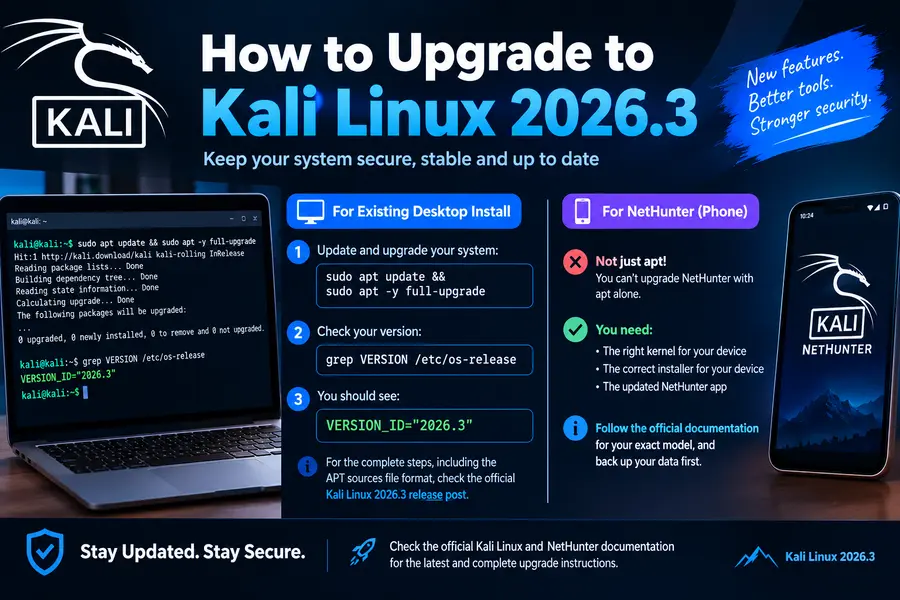
For an existing desktop install, Kali’s documented process is a standard update and full upgrade:
sudo apt update && sudo apt -y full-upgradeThen check your version:
grep VERSION /etc/os-releaseYou should see VERSION_ID="2026.3". The official release post has the full steps, including the APT sources file format.
NetHunter on a phone is different. You don’t upgrade it with apt alone. You need the right kernel and installer for your device, plus the updated NetHunter app. Follow the NetHunter documentation for your exact model, and back up your data first.
Responsible Use: Don’t Skip This
Every feature in this release is a legitimate security testing capability, and every one can be misused. Wardriving without permission, cloning cards you don’t own, and capturing traffic on networks you don’t control can all be illegal.
Before using these tools:
- Get written authorization that names the scope
- Confirm that wireless, NFC and physical testing are explicitly included
- Know your local laws on monitor mode and signal capture
- Keep your own lab for practice
A lab is the best place to learn. A cheap access point, a few test cards and an old phone teach you more than reading ever will.
Final Thoughts
NetHunter has been moving toward more specialized hardware for a while, and this release makes that direction obvious. A watch you can wardrive from, a phone that reads cards through its own NFC chip, and nine additional supported devices all point toward a platform that adapts to the job instead of forcing one setup on everyone.
To sum up, Kali NetHunter Gets New Features in Kali Linux 2026.3 that matter most to wireless auditors, physical security testers and anyone running Kali on a phone or watch. Start with the stable pieces: the compatibility fix, the new kernels and the custom command improvements. Treat WearHunter as a preview of what’s coming. And as always, test in a lab before taking anything to a client site.
Frequently Asked Questions
What is new in Kali NetHunter 2026.3?
It adds TicWatch Pro 3 wardriving, experimental WearHunter watch control, NFC access to the Kali chroot, KernelSU support, and nine new device kernels.
When was Kali Linux 2026.3 released?
Kali announced it on October 26, 2026, as the third release of the year.
Does NetHunter 2026.3 support smartwatches?
Yes, the TicWatch Pro 3 series now supports wardriving with internal monitor mode, and WearHunter lets you control the watch from a phone.
What is WearHunter in Kali NetHunter?
WearHunter is an experimental feature that controls a NetHunter watch from your phone using ADB over Wi-Fi or Bluetooth, currently letting you run commands and install apps.
Can NetHunter clone NFC cards now?
It can read, clone and edit Mifare Classic cards from the Kali chroot using the phone’s own NFC hardware, with no external adapter needed.
Does Kali NetHunter support KernelSU?
Yes, you can install the generated installer zip through the KernelSU app on a device that has a patched kernel.
Which kernel does Kali Linux 2026.3 use?
The main Kali distribution moves from kernel 6.19 to 7.1.5, while NetHunter phones use device-specific kernels.
Is it legal to use NetHunter’s wardriving and NFC tools?
It’s legal only when you have authorization and follow local laws, so always get written permission before testing networks or cards you don’t own.
Disclaimer: This article is for educational and informational purposes only. Features and device support are based on the official Kali Linux 2026.3 release announcement dated October 26, 2026, and may change over time. Use security tools only on systems, networks and devices you own or have explicit written permission to test. The author and publisher are not responsible for misuse, data loss or damage resulting from following this guide.