Short answer: Choose Ubuntu 26.04 LTS if you want the safest, best-documented option with firm support dates. Choose Pop!_OS 26.04 LTS if you want built-in tiling, newer drivers, and a desktop designed around power users and gamers.
Two Linux systems built on the same Ubuntu 26.04 foundation now feel like different products. Ubuntu 26.04 LTS “Resolute Raccoon” shipped on April 23, 2026. Pop!_OS 26.04 LTS landed on November 24, 2026, wrapped in System76’s Rust-based COSMIC desktop.
That timing makes Pop!_OS 26.04 LTS vs Ubuntu 26.04 LTS a more interesting question than it sounds. You’re not comparing two kernels or two package managers. You’re comparing two ideas of what a Linux desktop should be: the dependable default, or the faster-moving alternative with stronger opinions.
This guide is built from official announcements and fresh coverage published this month. It explains where the two differ, where they don’t, and which one fits your situation.
How This Comparison Was Researched
Transparency matters, so here is exactly what this article is and isn’t.
Everything below comes from official release announcements, System76’s download page, Canonical’s published release details, and independent coverage from established Linux outlets in November 2026. Version numbers were cross-checked across more than one source wherever possible.
This article does not include original benchmarks, boot-time measurements, or RAM-usage numbers. Neither System76 nor Canonical has published comparable performance figures for these releases, and inventing numbers would do you a disservice. Where performance is discussed, it’s based on the architecture and the documented differences between the two stacks. If you want hard numbers for your own machine, the testing checklist near the end shows you how to get them in under an hour.
Key Takeaways
- Both are LTS releases on the same Ubuntu 26.04 package base, so core software availability is nearly identical.
- Pop!_OS ships COSMIC Epoch 1.12 and Linux 7.2; Ubuntu ships GNOME 50 and Linux 7.0.
- Pop!_OS 26.04 launched on November 24, 2026. Upgrades from Pop!_OS 24.04 open in December 2026.
- Ubuntu has offered upgrades from 24.04 since point release 26.04.1 (August 27, 2026).
- Ubuntu offers firm, published support dates and paid extensions. Pop!_OS has a smaller team and no commercial equivalent.
- Gamers and NVIDIA users get more out of the box with Pop!_OS. Beginners and organizations usually get more from Ubuntu’s ecosystem.
Pop!_OS 26.04 LTS vs Ubuntu 26.04 LTS: Quick Comparison Table
| Feature | Pop!_OS 26.04 LTS | Ubuntu 26.04 LTS |
|---|---|---|
| Release date | November 24, 2026 | April 23, 2026 |
| Package base | Ubuntu 26.04 (resolute) | Ubuntu 26.04 (resolute) |
| Desktop | COSMIC Epoch 1.12 (Rust) | GNOME 50 |
| Session type | Wayland-only | Wayland-only (XWayland for legacy apps) |
| Linux kernel | 7.2 series (7.2.15 at launch) | 7.0 (GA and HWE) |
| Mesa | 26.2 series (26.2.3 at launch) | Ubuntu-maintained |
| NVIDIA driver | 595 series | Via Ubuntu driver tools |
| Official ISOs | Standard, NVIDIA, ARM64, ARM64 + NVIDIA | Desktop ISO plus official flavors |
| Default app store | COSMIC Store (Flatpak and Debian) | App Center (Snap-focused) |
| Window tiling | Built in | Extensions or basic snapping |
| Core utilities | Ubuntu 26.04 defaults | sudo-rs and Rust coreutils |
| Disk encryption | Installer-driven full-disk encryption | TPM-backed full-disk encryption (stable) |
| 24.04 upgrade path | Opens December 2026 | Available since 26.04.1 |
| Standard support | Reported to run to roughly April 2031* | Five years, to April 2031 |
| Paid extended support | None | Ubuntu Pro, up to 10 years |
*Based on secondary reporting. System76 hasn’t published a support calendar as detailed as Canonical’s, so confirm on System76’s site before planning around it.
Same Base, Different Philosophies
Both systems pull from Ubuntu’s 26.04 archive. That means the same apt workflow, the same core libraries, and a large overlap in installable software.
The split happens above that layer.
Ubuntu is Canonical’s flagship. It aims to be the default Linux for desktops, servers, and the cloud, and every decision leans toward predictability.
Pop!_OS is built by System76, a hardware company in Denver that sells Linux laptops and desktops. It adds its own kernel builds, drivers, and desktop on top of Ubuntu, and it updates them faster than Canonical does for stock Ubuntu.
One honest note on timing. System76 said back in 2025 that Pop!_OS releases starting with 26.04 would follow Ubuntu’s LTS by roughly two weeks. In practice, the public release arrived about seven months after Ubuntu’s. The result looks polished, but if you build plans around Pop!_OS release dates, treat them as targets rather than promises.
COSMIC vs GNOME 50: The Biggest Difference
For most people, this is the deciding factor.
What COSMIC Offers in Pop!_OS 26.04
COSMIC is a desktop environment System76 built from scratch in Rust. It replaced the older GNOME-based setup beginning with Pop!_OS 24.04, which launched in December 2025 as the first stable COSMIC release.
The headline feature of 26.04 is Constellations. Instead of changing wallpaper, accent color, icons, and fonts one by one, you pick a bundle and the whole look switches together.
Other additions in this release:
- Graphics tablet support with pressure and tilt controls
- Remote desktop support
- Scheduled automatic updates, which can be enabled during setup
- New native apps, including COSMIC System Monitor, an image viewer, and a redesigned COSMIC Store
- Accessibility upgrades: shake to find the cursor, scalable cursors, better screen magnification, and adjustable pointer size
- Configurable workspace wrapping
Built-in tiling is the other big draw. You get automatic window arrangement without installing anything.
A fair caveat: COSMIC is a rolling-release desktop, so most of these features already reached Pop!_OS 24.04 users through regular updates this year. If you run a fully updated 24.04 system, the jump to 26.04 is smaller than the version number suggests. What 26.04 really does is bundle the work into one clean, stable install.
What GNOME 50 Offers in Ubuntu 26.04
Ubuntu users jump from GNOME 46 to GNOME 50, so anyone upgrading from 24.04 absorbs four releases of changes at once. GNOME 50 is Wayland-only, and the X11 GNOME session no longer appears at login. XWayland still handles older X11 applications.
GNOME’s strengths remain:
- A clean, distraction-light workflow
- Strong touch and gesture support
- Per-monitor scaling and HDR-related color work
- A deep extension ecosystem
- More guides, forum answers, and videos than any other Linux desktop
Ubuntu 26.04 also swaps several default apps. GNOME Terminal gives way to Ptyxis, and GNOME System Monitor is replaced by Resources, so some familiar tools will look different after an upgrade.
How to Think About It
GNOME asks you to adapt to its workflow. COSMIC gives you more window-management tools and lets you shape the workflow yourself. If you’ve always installed extensions to make GNOME behave, COSMIC may feel like a relief. If you like GNOME’s minimalism, Ubuntu is the best place to enjoy it.
Kernel, Drivers, and Hardware Support
Pop!_OS: Newer by Design
Pop!_OS 26.04 LTS launched with Linux 7.2.15, Mesa 26.2.3, and NVIDIA 595 drivers. System76 ships kernel, COSMIC, and NVIDIA driver updates to both its 24.04 and 26.04 releases from the same build pipeline, so newer hardware tends to work sooner.
Hybrid graphics also received attention. Improved automatic GPU selection helps laptops that pair integrated and discrete graphics, a setup that has frustrated Linux users for years.
Ubuntu: Predictable by Design
Ubuntu 26.04 ships Linux 7.0, and the hardware enablement track follows the same line. Canonical prefers a stable, thoroughly tested base over cutting-edge enablement.
For established hardware and managed fleets, that’s a benefit. For a laptop released this autumn, you may wait longer for full support.
Which Is Better?
If your hardware is a year or more old, either system should run well. If you buy brand-new hardware or rely on NVIDIA graphics in a hybrid laptop, Pop!_OS has a clear advantage. If you want one fixed baseline across many machines, Ubuntu’s slower cadence is easier to manage.
Gaming: Where Pop!_OS Pulls Ahead
Distro choice matters less for Linux gaming than it once did, but meaningful differences remain.
Pop!_OS 26.04 LTS lists several gaming-relevant improvements in its release notes:
- Variable refresh rate (VRR) support
- Wayland pointer constraints for proper in-game mouse handling
- Fullscreen behavior improvements
- Steam Big Picture improvements
- Better automatic GPU selection on hybrid systems
- Steam and Discord available directly in the redesigned COSMIC Store
A word of caution: System76 hasn’t published a benchmark uplift for this release, so don’t expect higher frame rates just because the installer is new. The advantage is in setup and polish, not guaranteed speed.
The ISO lineup also helps. The standard image covers Intel, AMD, and NVIDIA GTX 10-series cards and older. A separate NVIDIA image covers GTX 16-series and newer, including current RTX cards. Picking the right one up front avoids driver trouble later.
Ubuntu 26.04 LTS runs Steam, Proton, and Lutris perfectly well. Its NVIDIA Wayland performance has improved, and the platform is stable. You’ll simply do a little more manual setup, and you’ll likely run an older graphics stack than Pop!_OS offers.
For a gaming-first install, Pop!_OS feels more purpose-built. For a general-purpose machine that also games, Ubuntu is plenty.
Software: Flatpak vs Snap
This difference affects daily use more than people expect.
Ubuntu defaults to Snap through its App Center. Snaps are sandboxed and update automatically, but they draw criticism for slower first launches and for Canonical’s control of the store. Ubuntu 26.04 does improve transparency by enabling permission prompts for snaps by default, so you see what an app asks to access.
Pop!_OS goes the other way. The redesigned COSMIC Store centers on Flatpak and also handles Debian packages, which suits anyone who prefers Flathub and wants to avoid Snap entirely.
You can add Flatpak to Ubuntu or Snap to Pop!_OS, but most people stick with defaults, so the defaults effectively decide your experience.
Security and Encryption
Ubuntu 26.04 made some of its biggest platform changes in years:
- sudo-rs and Rust-based coreutils (uutils) replace the traditional versions, aiming to reduce memory-safety bugs
- TPM-backed full-disk encryption graduated from experimental to stable
- systemd 259 with mandatory cgroup v2
- Dracut as the default initramfs generator
- Snap permission prompting on by default
Pop!_OS 26.04 inherits the Ubuntu-level platform work because it shares the same archive. System76 also highlights installer-driven full-disk encryption on its new hardware. COSMIC adds a Rust-based, Wayland-native desktop layer, which is a sound design choice, though a design advantage isn’t a security guarantee.
Where Ubuntu clearly leads is formal security services. Ubuntu Pro extends security maintenance to 10 years, which matters if you run business machines. Pop!_OS has no equivalent subscription.
Installing and Upgrading
Pop!_OS 26.04 LTS
System76 recommends a fresh install for the full 26.04 experience, and ISOs are available at system76.com/pop. Upgrades from Pop!_OS 24.04 LTS are scheduled to open in December 2026, so until then, moving an existing machine means reinstalling.
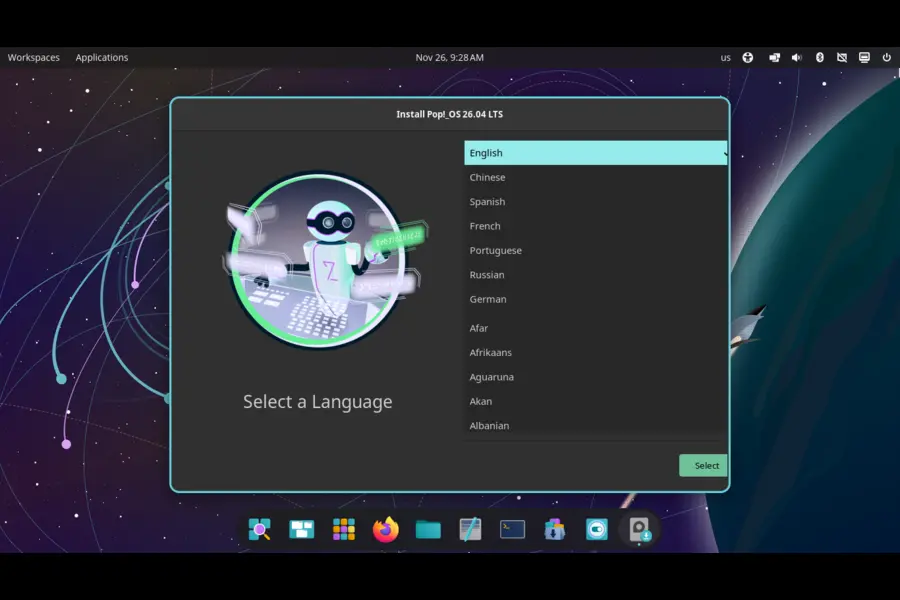
If you’re on a fully updated 24.04 system, you already have most of the COSMIC features, so waiting for the in-place upgrade is reasonable.
Ubuntu 26.04 LTS
Ubuntu has offered upgrades from 24.04 through do-release-upgrade since 26.04.1 arrived on August 27, 2026. Months of real-world use stand behind that path, which is reassuring for working machines.
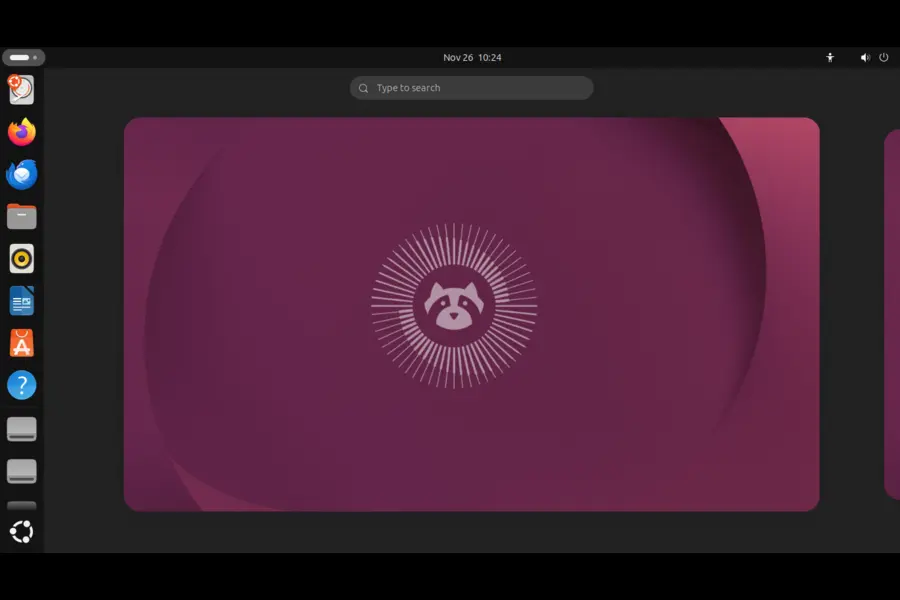
Because the jump involves a new kernel, GNOME 50, and a Wayland-only session, test your workflow first if you depend on X11-specific tools.
What About Ubuntu 26.10?
Ubuntu 26.10 “Stonking Stingray” arrived on October 15, 2026, with support running only until July 2027. It’s a short-lived interim release, so most readers comparing these two systems should stay on the 26.04 LTS line.
Support Lifecycle
“LTS” gets used loosely, so here’s the practical picture.
- Ubuntu 26.04 LTS: five years of standard support to April 2031, with Ubuntu Pro extending security coverage to 10 years.
- Pop!_OS 26.04 LTS: positioned as a long-term release and reported to run until roughly April 2031. COSMIC also keeps improving through frequent updates during that window.
The real difference is certainty. Canonical publishes firm dates and sells extensions. System76 is a smaller company with a strong track record, but without a matching commercial guarantee. For a home workstation, that rarely matters. For a company fleet, it can be decisive.
Pros and Cons
Pop!_OS 26.04 LTS
Pros
- Built-in, polished tiling and window management
- Constellations makes theming effortless
- Newer kernel, Mesa, and NVIDIA drivers
- Gaming-focused fixes such as VRR and pointer constraints
- Flatpak-first store with no Snap
- Graphics tablet and remote desktop support
- Separate ISOs matched to your GPU
Cons
- COSMIC is younger and has a smaller extension ecosystem than GNOME
- Fewer tutorials and community answers
- No commercial extended-support program
- In-place upgrade from 24.04 not available until December
- The public release arrived months later than originally targeted
Ubuntu 26.04 LTS
Pros
- Largest community and documentation base
- Firm support dates, extendable with Ubuntu Pro
- Mature, polished GNOME 50 desktop
- TPM-backed encryption and Rust-based core utilities
- Upgrade path proven since August
- Same OS across desktop, server, and cloud
Cons
- Snap-first approach divides opinion
- Tiling and advanced window control need extra setup
- Older kernel line on the standard track
- GNOME’s workflow is less flexible without extensions
- The X11 GNOME session is gone, which affects some legacy workflows
Which One Should You Pick?
Choose Pop!_OS 26.04 LTS if you:
- Are a developer who juggles terminals, editors, and browsers all day
- Game on Linux, especially with NVIDIA or hybrid graphics
- Use a drawing tablet
- Prefer Flatpak over Snap
- Enjoy a desktop that is still evolving quickly
- Own or plan to buy System76 hardware
Choose Ubuntu 26.04 LTS if you:
- Want the widest compatibility and the most online help
- Manage several machines and need predictable support
- Work in a business or school that values Ubuntu Pro
- Need the same system on desktop, server, and cloud
- Are upgrading from 24.04 and want a tested path
- Like GNOME’s simple, focused style
Quick Scenarios
- Student with a gaming laptop: Pop!_OS, ideally with the NVIDIA ISO if the card is 16-series or newer.
- IT admin deploying ten office PCs: Ubuntu, for predictable updates and extended support options.
- Web developer who lives in the terminal: Pop!_OS, because tiling removes window clutter without setup.
- First-time Linux user: Ubuntu, since almost every beginner guide assumes it.
- Home server plus desktop: Ubuntu, for one familiar system across both.
How to Test Both in 30 Minutes
Since this article can’t hand you benchmark numbers, here’s how to produce your own.
- Download both ISOs and write them to USB drives (or use a virtual machine).
- Boot each live session and check that Wi-Fi, audio, brightness keys, and your display scaling work.
- Open your usual apps and arrange windows the way you normally work. Note which desktop slows you down.
- Run
free -hin a terminal after five minutes of idle time to compare memory use. - If you game, install Steam in each and launch one title you know well.
- Check battery and fan behavior if you’re on a laptop.
Thirty minutes of this will tell you more than any spec sheet.
Frequently Asked Questions
Is Pop!_OS 26.04 LTS based on Ubuntu 26.04 LTS?
Yes. It uses the Ubuntu 26.04 “resolute” package base and adds System76’s kernel builds, drivers, and the COSMIC desktop.
Which has the newer Linux kernel?
Pop!_OS 26.04 LTS launched with Linux 7.2.15, while Ubuntu 26.04 LTS uses Linux 7.0.
Is Pop!_OS better than Ubuntu for gaming?
Pop!_OS is more gaming-oriented thanks to newer drivers, VRR support, and GPU-matched ISOs. Ubuntu also runs Steam and Proton well with slightly more manual setup.
Does Pop!_OS 26.04 use GNOME?
No. It uses COSMIC Epoch 1.12, a Rust-based desktop built by System76, while Ubuntu 26.04 uses GNOME 50.
How long is Ubuntu 26.04 LTS supported?
Standard support runs five years, until April 2031, and Ubuntu Pro extends security coverage to 10 years.
Can I upgrade from Pop!_OS 24.04 to 26.04 right now?
Not yet. System76 says in-place upgrades open in December 2026, though a fresh install is available today.
Is Ubuntu 26.04 Wayland-only?
Yes. The GNOME session is Wayland-only, and XWayland still runs legacy X11 applications.
Which is better for beginners?
Ubuntu, mainly because it has more tutorials and community help. Pop!_OS is also friendly, especially for theming and window management.
Final Verdict
There’s no universal winner, and any article claiming one is oversimplifying.
Ubuntu 26.04 LTS is the safer, broader choice. It has firm support dates, a vast community, and a mature desktop, and it’s the sensible default for most organizations and many individuals.
Pop!_OS 26.04 LTS is the more exciting one. COSMIC is fast-moving and thoughtfully designed, and System76’s attention to tiling, gaming, and NVIDIA setup gives it real personality. It suits people who value a modern workflow and newer hardware support over institutional guarantees.
So in the end, Pop!_OS 26.04 LTS vs Ubuntu 26.04 LTS comes down to what you value. Pick Ubuntu for stability and reach. Pick Pop!_OS for flexibility and a sharper desktop. If you’re still undecided, both are free, so boot each from a USB drive and spend an hour with them.
Disclaimer: This article is for general informational purposes only. Version numbers, release timelines, and support details reflect publicly available information as of November 25, 2026 and may change. Always check the official System76 and Canonical websites before installing or upgrading, and back up your data first.