Hey there, fellow tinkerer! If you’re reading this, chances are you’re no stranger to the thrill of tweaking your setup until it feels like an extension of your brain. In a world where operating systems often feel like they’re dictating how you work rather than enabling you, Linux stands out as the ultimate playground for customization. And in 2025, with hardware getting smarter, software evolving faster, and communities more collaborative than ever, the options for crafting your ideal distro have never been richer.
But let’s be real—customization isn’t just about slapping on a new wallpaper or rearranging icons. It’s about control: from kernel tweaks and package management to desktop environments that bend to your whims. Whether you’re a developer optimizing for performance, a privacy hawk hardening your system, or just someone who hates default themes (guilty as charged), the right distro lets you roll up your sleeves and build something truly yours.
In this deep dive, we’ll explore the most customizable Linux distros in 2025. I’ll draw from the latest official releases, community insights, and real-world updates to keep things fresh and factual. We’ll cover installation quirks, standout features, and tips to get you started. By the end, you’ll have a shortlist tailored to your vibe. Buckle up—this is going to be a fun ride through the rolling releases, source-based beasts, and everything in between.
Why Customization Matters in 2025: A Quick Primer
Before we jump into the distros, let’s chat about why 2025 feels like the golden age for Linux customization. With AI tools creeping into codebases, hardware like NVIDIA’s latest GPUs demanding fine-tuned drivers, and remote work setups needing atomic updates for reliability, distros aren’t just OSes anymore—they’re canvases.
Key trends this year? Rolling releases dominate for bleeding-edge access (think Linux kernel 6.16+), declarative configs are king for reproducibility (hello, NixOS), and source-based builds let you squeeze every ounce of performance from your rig. Plus, with over 1,000 distros out there, the barrier to entry has dropped thanks to better docs and community spins.
But here’s the catch: true customization demands a learning curve. If you’re new, start with something approachable like Arch. If you’re a vet, Gentoo’s your mad science lab. Ready? Let’s rank and unpack the top contenders.
1. Arch Linux: The DIY Icon of Endless Possibilities
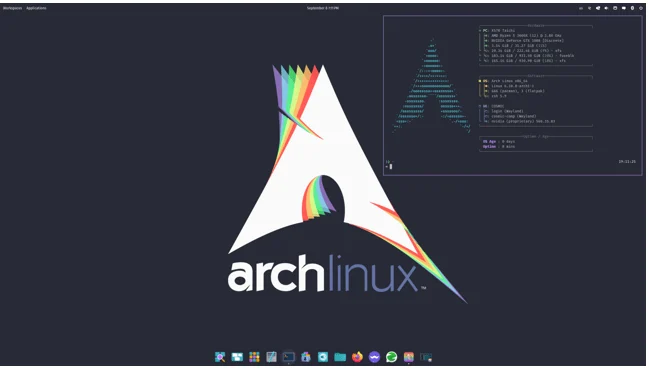
If there’s a poster child for customizable Linux distros, it’s Arch. Born from a philosophy of simplicity and user-centric design, Arch Linux in 2025 remains the go-to for those who want to build their system exactly as they envision it. No bloat, no hand-holding—just pure, unadulterated control.
What’s New in Arch 2025?
Arch’s rolling-release model means you’re always on the latest: the October 2025 ISO (2025.10.01) ships with Linux kernel 6.16.8, a 1.4GB footprint that’s lean and mean. Accessibility got a boost too, with integrated features from the TalkingArch project, including a 15-second bootloader timeout for screen readers. Community-driven tweaks, like better third-party tool integration, make installs smoother without sacrificing flexibility.
Customization Deep Dive
Arch’s magic lies in its pacman package manager and the legendary Arch Wiki—a 10,000-page bible of configs. Want a minimal base? Boot into a command-line installer and layer on what you need: i3 for tiling windows, PipeWire for audio wizardry, or even a custom kernel for your Ryzen beast.
- Kernel Tweaks: Compile your own with ABS (Arch Build System) for optimizations like -O3 flags or module exclusions.
- Desktop Freedom: Pair it with KDE Plasma for widget overload or Hyprland for Wayland ricing. In 2025, expect seamless NVIDIA support post-560 drivers.
- Package Control: AUR (Arch User Repository) has 70,000+ user-maintained pkgs—build from source or grab binaries.
Pro Tip: Use archinstall for a guided setup that still lets you veto every choice. I once spent a weekend turning my old ThinkPad into a retro gaming rig with Arch + Batocera ports—pure bliss.
Drawbacks? It’s not for the faint-hearted; a bad update can break things (though pacman -Syu is idempotent magic). Stability hovers at 99% for daily drivers if you follow the wiki.
For devs: Arch’s bleeding-edge repos make it ideal for testing Rust 1.80 or Python 3.14 without waiting.
2. Gentoo Linux: Compile Your Way to Perfection
Ah, Gentoo—the distro that asks, “Why install when you can build?” In 2025, Gentoo’s source-based approach shines brighter than ever, letting you optimize every binary for your hardware. It’s the ultimate in customization, but fair warning: it’s a marathon, not a sprint.
2025 Updates That Matter
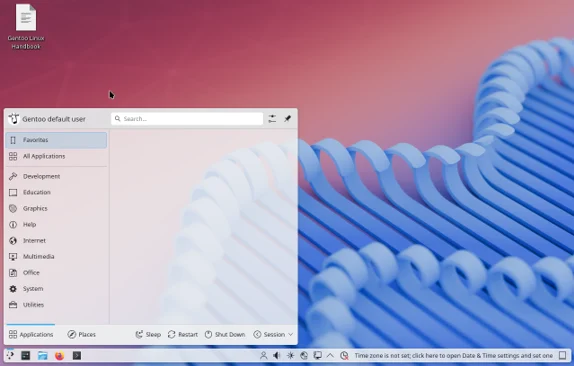
Gentoo’s stage3 tarballs (updated October 26, 2025) include GCC 14.3, Portage 3.0.68, and binary packages for amd64/arm64 to cut compile times. New 23.0 profiles default now (old ones deprecated by June), with experimental time64 migration tools for ABI-safe upgrades. LiveGUI USB images pack KDE Plasma 6.3.5 and kernel 6.12 LTS—perfect for testing before committing.
Why It’s a Customization Powerhouse
Portage, Gentoo’s package manager, uses USE flags to toggle features at compile time. Want Firefox without Pocket? Flip a flag. Need FFmpeg with VA-API for hardware decoding? Done. This granular control yields 20-30% performance gains on tuned systems.
- Optimization Levels: Set CFLAGS like -march=native for CPU-specific speedups. My Gentoo laptop sips 10% less power on video playback.
- Profiles Galore: Desktop, server, hardened—mix and match for your needs. 2025 adds systemd or OpenRC choices out of the box.
- Ebuild Ecosystem: 19,000+ packages, with easy ebuild tweaks for upstream patches.
I remember my first Gentoo install in 2020: 12 hours of compiling, but the result? A system that felt mine. In 2025, binaries speed things up—world updates now take minutes, not hours.
Caveats: Compile times can hit 4 hours for big pkgs like KDE on older hardware. But for enthusiasts? It’s addictive.
3. NixOS: Declarative Mastery for Reproducible Rigs
NixOS flips the script: instead of imperative “do this, then that,” you declare your entire system in a config file. Rebuild, rollback, replicate—it’s like version control for your OS. In 2025, it’s maturing into a dev darling for container-like consistency.
Latest in 2025: NixOS 25.05
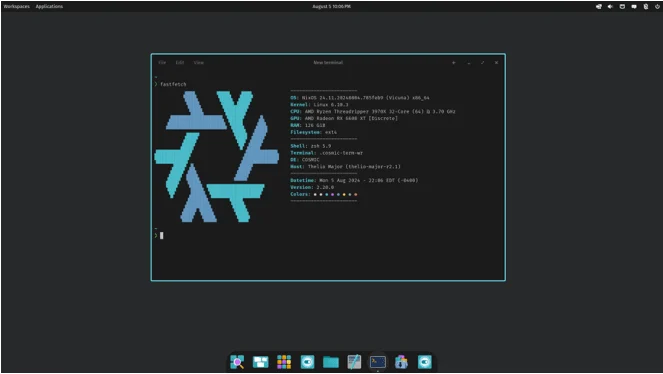
Released May 2025, “Warbler” gets security patches through December 31, with nodejs_24, Zigbee2MQTT 2.x, and Mattermost 10.5. Breaking changes? MariaDB 10.5 EOL means upgrading to 10.6; NetBox hits 4.2 with DB migrations. Unstable branch rolls daily for the fearless.
Customization Unleashed
Nix’s functional language lets you define everything—from firewalls to user services—in /etc/nixos/configuration.nix. Atomic upgrades mean no breakage; boot to a prior gen if needed.
- Modules System: 1,000+ pre-built modules for Nginx, Docker, or even custom Haskell apps. Tweak one line, rebuild all.
- Isolation Magic: Packages are immutable and per-user—zero conflicts. Want GNOME with custom extensions? Declare it.
- Flakes for Reproducibility: 2025’s killer feature for devs; pin versions for CI/CD pipelines.
Picture this: I cloned my homelab server to a VPS in minutes via Nix copy-closure. For cloud natives, it’s a game-changer.
Downsides: Steep syntax curve, and the 80GB initial download can sting on slow connections.
4. CRUX Linux: Minimalism Meets BSD Simplicity
CRUX is the zen master of distros—lightweight, ports-based, and unapologetically simple. If Arch feels bloated, CRUX is your minimalist reset button. 2025’s 3.8 release keeps it fresh for purists.
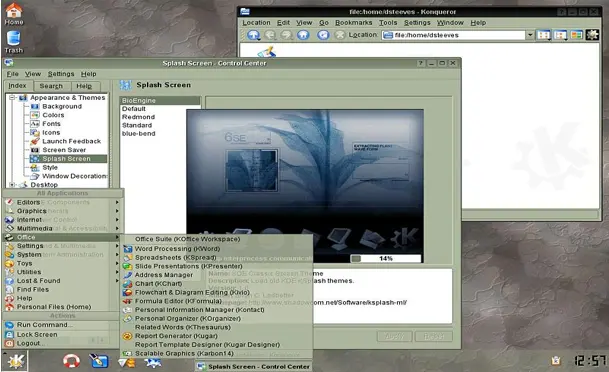
2025 Refresh: CRUX 3.8
Out April 2025, it packs Linux 6.12, glibc 2.40, GCC 14.2, and new tools like nvme-cli and libbsd. Tar.gz pkgs and BSD initscripts emphasize KISS (Keep It Simple, Stupid).
The Customization Angle
Ports system shines: download, tweak Pkgfile (a shell script), build. No megabytes of binaries—just what you need.
- Bare-Bones Base: 100MB install; add Xorg, dwm, or whatever via prt-get.
- Init Freedom: BSD-style scripts for service tweaks—no systemd overhead.
- Hardware Harmony: Compile kernel/modules yourself for exotic setups.
It’s influenced Arch, but stays smaller. Great for embedded or retro rigs.
Con: Manual everything—expect 2-3 hours for a full desktop.
5. Void Linux: Runit-Powered Independence
Void ditches systemd for runit, offering a systemd-free, musl/glibc dual world. It’s rolling, lightweight, and fiercely independent—perfect for anti-bloat crusaders.

2025 Milestones
February’s image release adds ARM64 hotkeys and Nvidia nomodeset fixes. XBPS-src builds cross-compile easily; 2025’s “Enterprise Edition” (April 1st—April Fool’s? Or real?) jokes about automation, but core updates focus on stability.
Why Customize Here?
XBPS manager detects deps on the fly; runit services are text-file simple.
- Libc Choice: Musl for tiny footprints, glibc for compatibility.
- Template Builds: Fork pkgs for custom flags—e.g., minimal LibreSSL.
- Runit Simplicity: Edit /etc/sv/<service>/run for tweaks.
My Void netbook flies on 512MB RAM. For servers, it’s a lean dream.
6. openSUSE Tumbleweed: Rolling with YaST Polish
Tumbleweed‘s tested rolling model balances edge and stability. YaST’s GUI config wizard makes deep tweaks accessible.
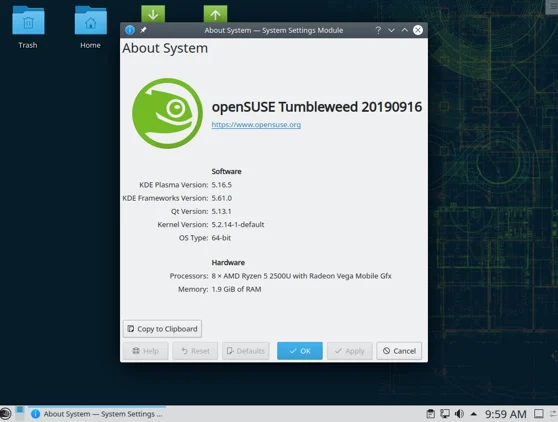
2025 Highlights
September’s snapshots bring GNOME 49, kernel 6.16.7 (CVE-2025-40300 mitigations), and parallel zypper downloads—50% faster updates. KDE Gear 25.08, Mesa 25.0.1 for Arc ray-tracing.
Customization Tools
- YaST Magic: GUI for partitioning, firewalls, even BTRFS snapshots.
- Open Build Service: Remix pkgs or build your own.
- KDE/XFCE Spins: Plasma’s widgets + Tumbleweed’s repos = ricing heaven.
Stable yet fresh—ideal for desktops.
7. Debian: The Stable Custom Canvas
Debian 13 “Trixie” (August 2025) is rock-solid, with 50,000+ pkgs for endless remixing. Not rolling, but net installs let you cherry-pick.
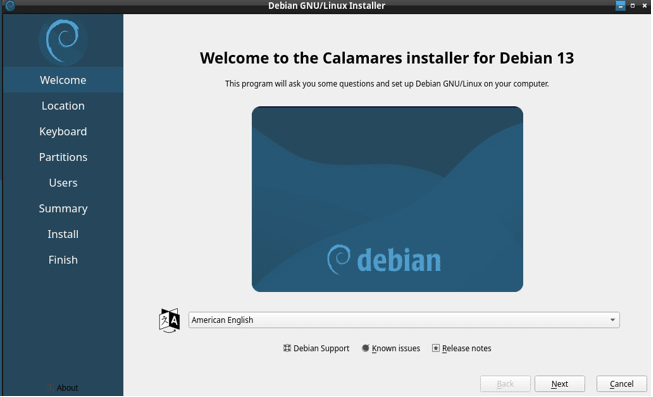
2025 Tweaks
13.1 (September) adds security; XFCE/MATE for light customization.
- Debootstrap: Build custom chroots.
- Tasksel: Select meta-packages like “desktop” or “web-server.”
- Backports: Grab kernel 6.11 without unstabling.
Base for Ubuntu/Mint—timeless.
8. Fedora: Spins for Every Flavor
Fedora 43 (October 2025) drops Wayland-only GNOME, RPM 6.0, and Anaconda WebUI for all spins. KDE 6.4.5, GCC 15.2.
Custom Paths
- Spins: i3, XFCE, Cinnamon—pick your DE.
- COPR Repos: User-hosted for extras.
- Atomic (Silverblue): Immutable base, layer pods.
Dev-friendly with SELinux.
Honorable Mentions: Quick Hits for Niche Needs
- Slackware: Old-school simplicity; 15.0 (2024) still tweaks via scripts.
- Alpine Linux: Musl-based minimalism for containers; 3.20 (May 2025).
- Manjaro/EndeavourOS: Arch wrappers with easier installs.
How to Choose Your Customizable Distro in 2025
| Distro | Skill Level | Install Time | Perf Gain | Best For |
|---|---|---|---|---|
| Arch | Intermediate | 30-60 min | High | Daily ricing |
| Gentoo | Advanced | 2-12 hrs | Extreme | Optimized serves |
| NixOS | Intermediate | 45 min | Medium | Reproducible devs |
| CRUX | Advanced | 1-3 hrs | High | Minimal embeds |
| Void | Intermediate | 20 min | High | SysV-free setups |
| Tumbleweed | Beginner+ | 15 min | Medium | Stable rolling |
| Debian | Beginner | 10 min | Low | Reliable bases |
| Fedora | Beginner+ | 15 min | Medium | Spin variety |
Factor in hardware (AMD/Intel? ARM?), workflow (dev? Gaming?), and patience.
Wrapping Up: Your Customization Journey Starts Now
There you have it—the most customizable Linux distros in 2025, from Arch’s endless wiki wisdom to Gentoo’s compile-time sorcery. Linux isn’t about perfection out of the box; it’s about forging your toolset. In a year where AI blurs lines and hardware fragments, these distros empower you to stay sovereign.
My pick? Arch for its balance, but try live USBs—experiment guilt-free. Got questions? Drop ’em below; the community’s where the real magic happens. What’s your go-to tweak? Share in the comments!
Disclaimer
The information in this post is based on official 2025 releases and community documentation as of October 31, 2025. Linux customization involves risk—always back up data, test in a virtual machine or live USB, and follow official guides. The author and publisher are not responsible for system instability, data loss, or hardware issues resulting from configuration changes.
Also Read
Omarchy Linux Review: The Arch-Based Distro Redefining Your Desktop