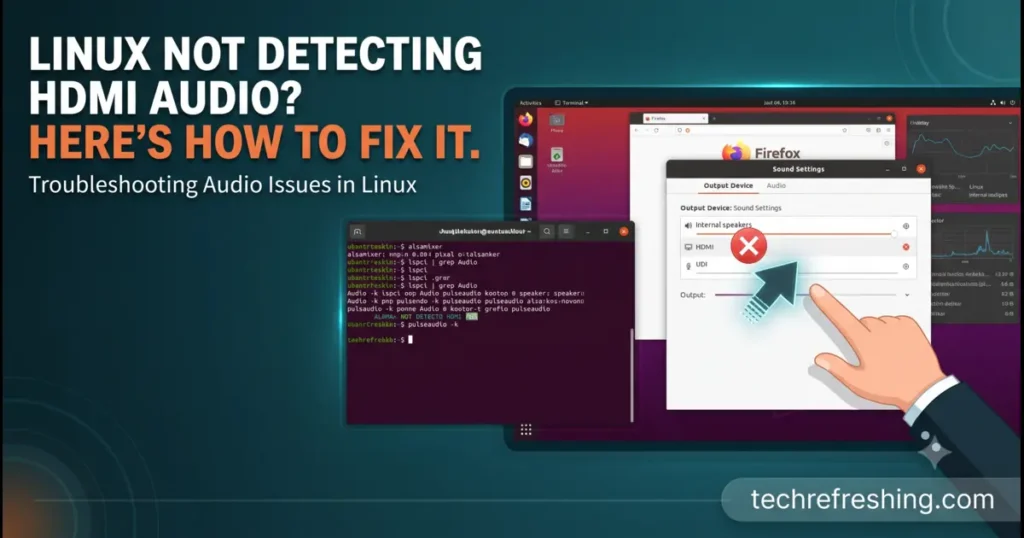
You plug in the HDMI cable and the picture appears instantly, but the sound keeps coming from your laptop speakers. Or from nowhere at all. If you’re dealing with Linux Not Detecting HDMI Audio, the good news is that the cause is almost always one of a handful of things, and most are fixable in minutes.
The confusing part is that video and audio share one cable but travel through different layers. Your graphics driver handles the picture. The kernel’s ALSA driver and a sound server (PipeWire on nearly every current desktop distro) handle the sound. A break anywhere in that chain gives you the same symptom: silence.
This guide follows the chain in order, from a two-minute diagnosis to distro-specific repairs for Ubuntu, Debian, Fedora, Arch and openSUSE, then hardware quirks on Nvidia, AMD and Intel. Release details were checked against official project sources in October 2026.
Why HDMI Audio Goes Missing
Knowing the usual suspects saves time:
- No HDMI profile selected. The device exists, but the sound server never switched to it.
- Wrong default output. Audio plays, just somewhere else.
- The display doesn’t advertise audio. Some monitors, cheap adapters and DVI-to-HDMI cables don’t.
- A sleeping or hidden GPU audio function. Common on hybrid-graphics laptops.
- Missing firmware. Many newer Intel laptops route HDMI audio through Sound Open Firmware (SOF).
- Stale saved settings. WirePlumber remembers old choices, even bad ones.
- A kernel or driver regression. Less common, but it follows major updates.
Step 1: Diagnose Before You Change Anything
Run these four commands and let the output guide you:
lspci | grep -i -E "audio|vga"
aplay -l
wpctl status
cat /proc/asound/card*/eld#* | grep -E "monitor_present|eld_valid"
How to read the results:
lspcilists graphics and audio controllers. If your discrete GPU shows up but its “HD Audio Controller” doesn’t, the GPU’s audio function is off (see the hybrid graphics section).aplay -lshows ALSA playback devices. Look for entries like “HDMI 0”. If none appear, the driver or firmware is the problem.wpctl statusshows what PipeWire sees. HDMI outputs should be listed under Sinks.- The ELD check is the most useful and most overlooked. ELD is how a display tells your system what audio it supports.
monitor_present 1andeld_valid 1mean the display is announcing audio correctly. Two zeros with the cable plugged in point to the cable, port or display rather than your software.
Step 2: Quick Fixes That Solve Most Cases
Select the HDMI profile manually
A card stuck on “Off” or an analog profile is the single most common cause. In your sound settings, choose the HDMI output and set the profile to Digital Stereo (HDMI).
If the GUI hides it, use the terminal:
pactl list cards short
pactl set-card-profile <card-name> output:hdmi-stereo
Replace <card-name> with the name from the first command. Cards with several HDMI ports may expose output:hdmi-stereo-extra1 or -extra2, which matters on laptops with docks.
Restart the audio stack
Hot-plugging can leave the sound server confused:
systemctl --user restart wireplumber pipewire pipewire-pulseThen unplug and replug the cable.
Check for ALSA mutes
Run alsamixer, press F6, select the HDMI card, and look for channels marked MM. Press M to unmute, including any “IEC958” entry (the digital output).
Use a mixer that shows everything
Desktop sound panels often hide outputs. Install pavucontrol (it works fine with PipeWire). Set the card to a digital stereo profile on the Configuration tab, then choose it as the fallback on the Output Devices tab.
Step 3: Reset WirePlumber’s Saved State
WirePlumber stores which devices you previously picked. If you once set HDMI to “Off”, it may keep reapplying that.
systemctl --user stop wireplumber
rm -rf ~/.local/state/wireplumber
systemctl --user start wireplumber
This deletes only saved preferences, which rebuild automatically. It’s harmless, so try it before reinstalling anything.
Step 4: Distro-Specific Fixes
Here’s where the major distros stand as of October 2026:
| Distro | Release (Oct 2026) | Sound stack | Package tool | Typical HDMI fix |
|---|---|---|---|---|
| Ubuntu / Mint / Pop!_OS | Ubuntu 26.04 LTS, kernel 7.0, PipeWire 1.6.x | PipeWire + WirePlumber | apt | Reinstall alsa-ucm-conf, update firmware |
| Debian | 13 “Trixie”, kernel 6.12 LTS | PipeWire + WirePlumber | apt | Add firmware-sof-signed, try backports |
| Fedora | 44 (kernel 6.19 at launch); 45 due late October | PipeWire + WirePlumber | dnf | Install alsa-sof-firmware |
| Arch / Manjaro / EndeavourOS | Rolling | PipeWire (manual on plain Arch) | pacman | Install sof-firmware, alsa-ucm-conf |
| openSUSE | Leap 16.0 / Tumbleweed | PipeWire | zypper | zypper dup, then sof-firmware |
Ubuntu, Linux Mint and Pop!_OS
Ubuntu 26.04 LTS shipped in April 2026 with Linux 7.0, and PipeWire installs as a regular .deb package, not a Snap.
sudo apt update && sudo apt full-upgrade
sudo apt install --reinstall pipewire pipewire-pulse wireplumber alsa-ucm-conf linux-firmware
sudo apt install pavucontrol
Reboot afterward. If HDMI broke right after an upgrade, pick the previous kernel under Advanced options in GRUB. Mint and Pop!_OS releases built on Ubuntu follow the same steps.
Debian 13 “Trixie”
According to Debian’s release announcement, Trixie ships the 6.12 LTS kernel. Its PipeWire (1.4.x) is older than upstream, and newer builds arrive through trixie-backports.
sudo apt install pipewire-audio wireplumber firmware-sof-signed alsa-ucm-confMake sure non-free-firmware is enabled in your APT sources, since SOF firmware lives there. If problems persist, enable backports and run sudo apt install -t trixie-backports pipewire wireplumber. Firmware loads at boot, so reboot rather than just restarting services.
Fedora 44 and 45
Fedora tracks upstream closely, so fixes arrive quickly, and so do occasional regressions.
sudo dnf upgrade --refresh
sudo dnf install alsa-sof-firmware alsa-ucm wireplumber pipewire-pulseaudio
Fedora 44 launched on April 28, 2026 with kernel 6.19, with 7.x kernels arriving through updates. Fedora 45 is on the official schedule for late October. If HDMI vanished after a kernel update, boot the previous kernel from GRUB or run sudo dnf downgrade kernel.
Arch Linux, Manjaro and EndeavourOS
Plain Arch doesn’t install a sound server for you.
sudo pacman -Syu pipewire pipewire-pulse pipewire-alsa wireplumber sof-firmware alsa-ucm-conf linux-firmware
systemctl --user enable --now pipewire pipewire-pulse wireplumber
journalctl -b | grep -i -E "snd|hdmi|sof"
Lines about missing firmware or failed codec binding usually name the fix. The Arch Wiki’s HDMI page remains the deepest reference, and much of it applies to any distro. Manjaro users should run a full update first, since its packages lag behind Arch.
openSUSE Leap and Tumbleweed
The Leap 16.0 release notes confirm PipeWire replaced PulseAudio as the default. Leap 15.6 still defaults to PulseAudio, so install pipewire-pulseaudio there.
sudo zypper refresh
sudo zypper dup      # Tumbleweed
sudo zypper up       # Leap
sudo zypper install sof-firmware alsa-ucm-conf pipewire-pulseaudio
On Tumbleweed, use dup, not up. A partial upgrade can leave the audio stack mismatched.
Step 5: Hardware-Specific Problems
Nvidia hybrid laptops
On many laptops the HDMI port is wired to the discrete Nvidia GPU. If that GPU is powered down, its audio controller disappears. Check:
lspci | grep -i nvidiaYou should see both a VGA/3D entry and an audio entry. If the audio device is missing, try:
echo 1 | sudo tee /sys/bus/pci/rescanIf that revives it, power management is the cause. Switch to a performance or discrete GPU mode with your distro’s tooling and test again. Also avoid mixing a distro-packaged Nvidia driver with a manually installed one, which is a reliable way to break HDMI audio.
AMD Radeon
AMD’s HDMI audio also uses snd_hda_intel. If aplay -l shows no HDMI devices, update linux-firmware first. On long-term-support distros, a newer kernel (Ubuntu’s HWE or Debian backports) often helps with recent cards.
Intel laptops using SOF
On recent Intel laptops, HDMI audio passes through a DSP running SOF. Missing or mismatched firmware can kill HDMI while the speakers still work. Install the SOF package from the table and reboot. If that fails, test the older HDA path:
echo "options snd-intel-dspcfg dsp_driver=1" | sudo tee /etc/modprobe.d/hdmi-audio.conf| Forcing the legacy HDA driver: pros | Forcing the legacy HDA driver: cons |
|---|---|
| Often restores HDMI audio immediately | May disable digital microphones |
| Needs no extra firmware | Skips newer SOF power-saving features |
| Undone by deleting one file | Hides the real firmware issue |
Treat it as a diagnostic. If it works, you’ve proven SOF is the culprit.
Step 6: Rule Out the Physical Side
Before spending an afternoon in the terminal, check the basics:
- Try a different HDMI port on the TV, since some only carry audio on one input.
- Swap the cable. Damaged cables can pass video but fail audio negotiation.
- Avoid DVI or VGA adapters, because DVI carries no audio.
- Be careful with DisplayPort-to-HDMI adapters. Active ones usually pass audio, while unbranded passive ones may not.
- If an AV receiver sits in the chain, check its input and enable ARC/eARC on the TV.
- Look in the display’s menu for an HDMI audio toggle.
If the ELD check showed monitor_present 0, one of these is almost certainly your answer.
Step 7: Hunting a Regression
If everything looks right but there’s still no sound, boot a current live USB of another distro on the same hardware and cable. If HDMI audio works there, your installed system’s configuration or kernel is at fault. If it fails there too, search for your hardware model on the relevant bug tracker.
| Booting an older kernel: pros | Booting an older kernel: cons |
|---|---|
| Fast, reversible test in about two minutes | Older kernels may lack newer hardware support |
| Confirms or rules out a regression | Can miss security patches if left as default |
| Gives you a precise bug report detail | Doesn’t fix the underlying cause |
The PipeWire documentation links to its issue tracker. When you report a problem, include your aplay -l output, the ELD results and the relevant journalctl lines. Reports with that detail get answers, and vague ones don’t.
Quick Checklist
- Replug the cable and try another display port.
- Run
aplay -land confirm HDMI devices exist. - Check ELD for
monitor_presentandeld_valid. - Set the HDMI profile and default output in
pavucontrol. - Restart PipeWire and WirePlumber.
- Clear
~/.local/state/wireplumber. - Update the system and install firmware and UCM packages.
- Test an older kernel.
- On Intel, try the legacy HDA driver option.
Final Thoughts
Linux Not Detecting HDMI Audio feels mysterious, but it usually comes down to an unselected profile, missing firmware, a sleeping GPU, or a cable that can’t carry audio. Diagnose first, apply the fix for your distro, and don’t skip the physical checks.
Once sound returns, note what fixed it. HDMI audio problems can come back after kernel updates, and a saved fix turns the next round into a thirty-second job.
Frequently Asked Question
Why does Linux detect HDMI video but not audio?
Video and audio use separate drivers, so the picture can work while the audio profile, firmware or monitor handshake fails. Check aplay -l and the ELD files to see which layer is missing.
How do I enable HDMI audio in Linux?
Open your sound settings or pavucontrol, set the card profile to Digital Stereo (HDMI), and choose it as the output. From a terminal, run pactl set-card-profile <card> output:hdmi-stereo.
Does PipeWire support HDMI audio?
Yes. PipeWire with WirePlumber is the default on current Ubuntu, Fedora, Debian and openSUSE Leap 16 and handles HDMI outputs once the kernel exposes the device.
Why did HDMI audio stop working after an update?
A kernel or firmware change can break codec binding or reset your saved profile. Boot the previous kernel and clear ~/.local/state/wireplumber to find out which.
Can an adapter cause missing HDMI audio?
Yes. DVI adapters carry no audio, and some cheap DisplayPort-to-HDMI adapters strip it. Test with a direct HDMI cable.
How do I fix HDMI audio on an Nvidia laptop?
Confirm the GPU’s audio controller appears in lspci, and switch to a performance GPU mode if it doesn’t. Use only one properly installed Nvidia driver.
Disclaimer
This article is for general informational purposes. Commands, package names and release details vary by distro version and hardware, and they change over time, so check your distribution’s official documentation before changing your system. Back up important data first. The author accepts no responsibility for issues that result from following these steps.
Related Linux Troubleshooting Guides
Having more Linux hardware or display problems? These guides may help you diagnose and fix them.
How to Fix a Black Screen After Login on Linux
Linux goes black after login? Troubleshoot GPU drivers, display managers, Wayland, Xorg and common configuration problems.
Read the troubleshooting guide → HARDWARE FIXLinux Bluetooth Adapter Not Detected? Causes & Fixes
Bluetooth missing in Linux? Check rfkill, firmware, kernel drivers, BlueZ and other common causes.
Fix Linux Bluetooth → GPU GUIDEHow to Check Vulkan Support on Linux
Find out whether your Linux GPU supports Vulkan and verify your Vulkan drivers, version and configuration.
Check Vulkan support →