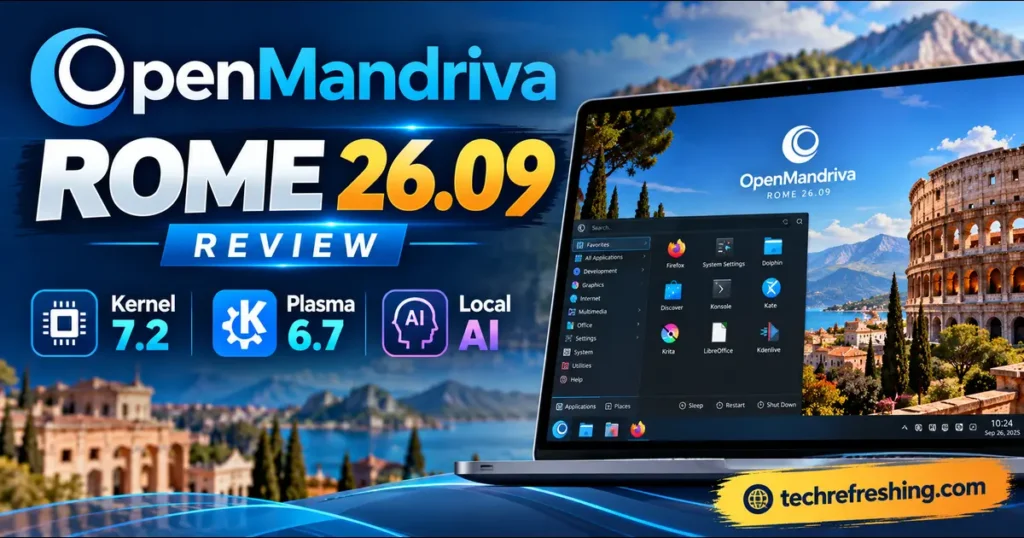
If you’ve written off OpenMandriva as a quiet corner of the Linux world, this release is a good reason to look again. This OpenMandriva ROME 26.09 Review covers what actually changed, who it suits, and where it still asks for patience.
ROME 26.09 arrived on October 1, 2026, and it’s a big one. You get Linux kernel 7.2, KDE Plasma 6.7.5, the new LLVM/Clang 23 toolchain, Snap support, and a much larger set of local AI tools in the repositories.
A note on how this was put together: everything here is based on the official OpenMandriva release announcement, cross-checked with coverage from Linuxiac and Phoronix. I haven’t run lab benchmarks, so when I talk about performance, I’ll explain what the build choices should mean instead of inventing numbers.
What Is OpenMandriva ROME?
OpenMandriva Lx is an independent distribution and a direct descendant of Mandriva Linux. It isn’t a respin of Ubuntu, Fedora, or Arch, which is rarer than it sounds.
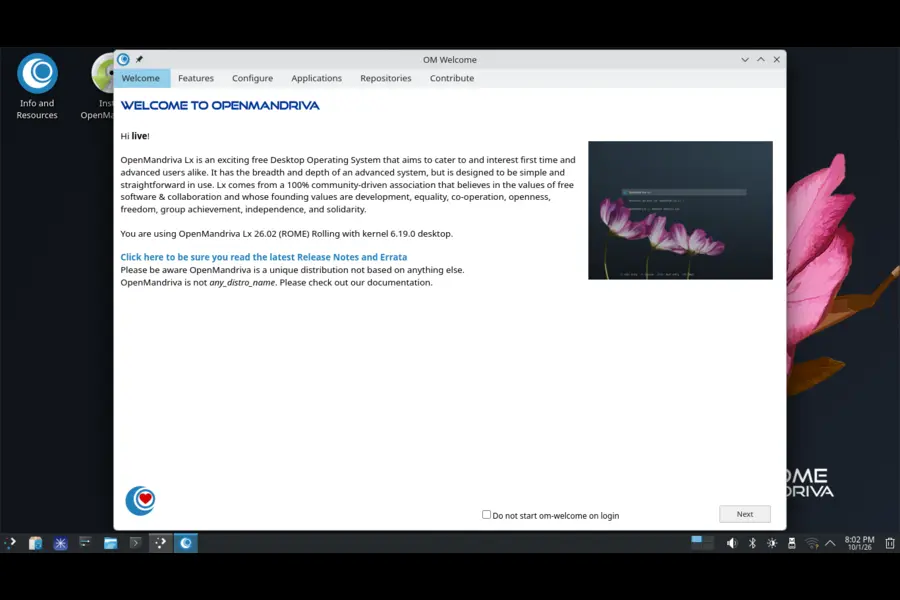
ROME is the rolling-release edition. New software lands in a development branch called Cooker, and once it’s considered safe enough, it flows into ROME. The pitch is simple: fresh software without the “might break tomorrow” feeling of raw development.
There’s also Rock, the fixed-release edition. It focuses on stability between point releases, while ROME is for people who want newer software on a daily desktop.
Why This Release Took So Long
Let’s be upfront about it: this was a long wait. The project says the delay came from a lack of time, an attempted sabotage aimed at damaging the distribution, and numerous technical problems.
The team apologized to users and promised a more regular release cycle going forward. Rolling users have been getting updates all along, but the refreshed installation images only arrived after extensive testing.
I appreciate the honesty. Plenty of projects would have quietly skipped that explanation.
OpenMandriva ROME 26.09 at a Glance
Here are the main versions, straight from the official announcement:
- Kernel: 7.2.7 by default, with 7.3.0-rc4 available as kernel-rc
- Desktop: KDE Plasma 6.7.5, KDE Gear 26.08.1, KDE Frameworks 6.29.0
- Other desktops: GNOME 50.3, LXQt 2.4.0, Xfce 4.20, MATE 1.28
- Compilers: LLVM/Clang 23.1.2 (default), GCC 16.2.0
- Core libraries: glibc 2.44, Qt 6.11.2, GTK 4.22.5
- Package manager: RPM 6.1.0 with a new
%pgospec section - Graphics: Mesa 26.2.3, ROCm 10.0.0, NVIDIA proprietary driver 610.57.04
- Media: PipeWire 1.6.9, FFmpeg 9.0.2, GStreamer 1.28.6
Let’s go through the parts that matter most.
Linux Kernel 7.2: Fresh, With a Safety Net
ROME 26.09 ships kernel 7.2.7 as its default. If you like testing early, kernel 7.3.0-rc4 is also in the repositories, so you can try the next series without leaving the distro’s own packaging.
Every kernel comes in two flavors: the default build compiled with Clang, and a separate kernel-desktop-gcc build compiled with GCC. Most distributions choose one compiler and move on. Having both gives you a fallback if a driver or module misbehaves with one of them.
Smaller Server Installs Are Coming
The team is also working on splitting kernel modules, so that installations like servers don’t pull in every module by default. Modules would be installed based on the hardware connected to the machine.
That work is still in progress and isn’t part of this release, but it’s a promising direction.
NVIDIA: Better Sync, With One Catch
This change is very practical. The open NVIDIA kernel module now lives directly inside the kernel package. That means it shouldn’t fall out of sync with kernel updates anymore, and you won’t need to keep old kernels around just to keep your NVIDIA driver working.
The proprietary driver is also current at 610.57.04.
There’s a catch, though. The open module doesn’t support older NVIDIA generations. The announcement names Volta and Turing, though it also mentions “10-series,” which usually refers to Pascal, so older-card owners should check the official notes before installing.
The nvidia package in the non-free repository still offers the closed-source kernel module and the driver GUI, so older cards have a path forward.
KDE Plasma 6.7.5: The Main Event
For most people, Plasma will be the face of ROME. Version 6.7.5 is a later point release in the 6.7 series, which usually means the early rough edges are already smoothed out. KDE Gear 26.08.1 and Frameworks 6.29.0 round out the stack.
Plasma comes in both X11 and Wayland images. X11 is the conservative choice. Wayland is the better pick if you want to see where KDE is heading.
Other Desktop Choices
Plasma isn’t the only way in:
- GNOME 50.3 is available as a Wayland edition
- LXQt 2.4.0, Xfce 4.20, and MATE 1.28 come as community-maintained spins
- MATE also gets an experimental Wayland session
- Window managers like Hyprland 0.56.2, Niri 26.04, Sway 1.12, i3 4.25.1, and Qtile 0.36.0 are in the repositories
The GNOME edition now includes UPDragora, a GUI module for system updates, selective updates, and package installation. It’s part of the Tears of Mandrake project, a set of GTK tools for system management. That project also got a new System Resources module and a rewritten sound module with a PipeWire-powered equalizer.
COSMIC: No ISO This Time
A COSMIC installation image wasn’t released because of a login manager problem. Existing COSMIC users can keep updating. New users can install it with sudo dnf install task-cosmic, and if login problems appear, switching from cosmic-greeter to GDM or SDDM is the recommended fix.
A New Default Browser
Plasma and LXQt images now use Helium 0.17.2 as the default browser, replacing ungoogled-chromium. Helium builds on ungoogled-chromium and restores some functionality removed during the “de-Googling” process, without bringing back tracking.
The team also ported the Chromium Embedded Framework to use Helium as its engine. The practical payoff: OBS Studio now supports a CEF plugin built on it. If you stream, that’s a detail most reviews will skip.
Firefox 156 and Thunderbird 155 are still available if you’d rather stay with Mozilla.
The Compiler Story: Clang 23, LTO and PGO
This is where OpenMandriva has always stood apart. LLVM/Clang is the default compiler, and 26.09 moves to Clang 23.1.2 with improved code generation. GCC 16.2.0 is available as well.
The release also fixes a clash between compiler-rt and libgcc_s that could cause unexpected crashes in some applications, plus an issue that made some AppImage apps crash on launch.
Two optimization techniques deserve attention:
- Link-Time Optimization (LTO): enabled for almost all packages, so the compiler can optimize across whole programs
- Profile-Guided Optimization (PGO): applied to selected packages, using real usage patterns to guide the compiler
The New %pgo RPM Section
OpenMandriva extended RPM 6.1.0 with an optional %pgo section in spec files. In plain terms, packagers now have a simpler way to build with PGO, and a number of packages already use it.
I think this is the most underrated change in the release. A feature that’s awkward to use tends to get skipped. Building it into the spec format makes wider adoption far more likely.
What About glibc?
glibc 2.44 now supports interchangeable malloc implementations, which the announcement says can improve performance by up to 20% with the right choice.
Here’s the important bit: this release only ships the infrastructure. Optimal configurations for key applications are planned for future releases, so don’t expect that gain today.
Setting Realistic Expectations
LTO and PGO typically produce modest, workload-dependent gains. You may notice them in browsers and heavy desktop apps, but they won’t transform a slow laptop. Treat them as a sign of careful build engineering, not a promise of dramatic speed.
Local AI: The Feature Getting the Attention
The “AI” in the title is easy to misread, so let’s be clear. OpenMandriva isn’t bundling a chatbot or sending your data anywhere. It’s expanding the set of local AI tools you can install from the repositories.
The official list includes:
- llama-cpp 0.4.1 and ollama 0.34.3 for running language models
- whisper-cpp 1.9.4 for speech-to-text
- stable-diffusion.cpp 0.841 and comfyui 0.37.1 for image generation
- koboldcpp 1.119 for text generation
- bark-cpp 1.0.0 for speech synthesis
- aider 0.86.2, opencode 1.18.22, goose 1.50.0 and hermes-agent 2026.9.21 for AI-assisted coding and agent work
Many of these use the system-wide GGML 0.24.0 directly, built with GPU support through ROCm, Vulkan, or OpenCL.
Why a Shared GGML Library Is Smart
Normally, each AI tool bundles its own copy of the underlying library. That means duplicated files, slower security fixes, and inconsistent GPU support.
A shared system library means one update can benefit several tools at once. It also matches the distro’s habit of integrating software properly instead of dumping binaries on disk.
Krita Gets AI Plugins Too
Krita 6.0.4 now runs on Qt 6 and is built with support for the krita-ai-diffusion and krita-vision-tools plugins. Both are in the repositories, which is handy if you want AI-assisted image work inside a proper painting app.
Who Benefits Most?
- AMD GPU owners: ROCm was fixed and updated to 10.0.0, with new patches meant to let it run on older Radeon cards
- Privacy-minded users: local models keep prompts and files on your machine
- Developers: the coding tools make quick experiments easy
- Creators: transcription, image generation, and Krita plugins work without a cloud subscription
A practical tip: with Vulkan acceleration on offer, you can experiment on modest hardware using smaller models. Speed will still depend heavily on your memory and model size.
Gaming on ROME 26.09
OpenMandriva has quietly built a solid gaming stack:
- Wine 11.18 with WoW64 support
- Proton 11.0+20260808, plus proton-experimental and bleeding-edge versions
- DXVK 3.0.2, vkd3d 2.0, and vkd3d-proton
- Steam installer 1.0.0.86 from the non-free repository
Combined with Mesa 26.2.3 and the newer NVIDIA driver, that’s a sensible base for Windows games through Steam. Rolling releases suit gaming well, because compatibility layers improve quickly and a game that won’t launch on an older Proton may work on a newer one.
Snap Support: A Surprising Addition
ROME 26.09 now supports Snap alongside Flatpak (with Flathub enabled) and AppImage. You install it with sudo dnf install snapd, then enable the service with sudo systemctl enable --now snapd. A reboot is recommended, though not strictly necessary.
The project is clear that native packages remain the first choice. They reduce duplication, share code, and integrate better. Fix a bug in libpng once, and every app using it benefits.
My take: Snap is a convenience, not a reason to pick the distro. Use RPM first, Flatpak second, and Snap as a last resort.
Creative and Productivity Software
The application lineup is current across the board:
- LibreOffice 26.8.0.3 for documents
- GIMP 3.2.4 and Inkscape 1.4.4 for graphics
- Blender 5.2.2 for 3D
- Audacity 4.0.0, OBS 32.2.2, and VLC 3.0.24 for audio and video
- Rust 1.98.1 for developers
If you do creative work on Linux, that’s a strong set to start with.
Hardware and Architecture Support
Here’s what you can actually download:
- x86_64 images for Plasma X11, Plasma Wayland, and LXQt
- znver builds of those editions, optimized for AMD Ryzen processors
- A GNOME Wayland edition
- Community spins for LXQt, MATE, and Xfce
- An AArch64 server image (the team is asking whether people want a desktop version)
RISC-V and LoongArch64 deserve a clarification. The team finished its bootstrapping tool and created patches for both, but these ports remain in the Cooker development branch for now. There are no installation images for them yet.
Known Issues Worth Knowing
Before you install, the project lists a few bugs:
- OM-Welcome may crash under Plasma X11 on some NVIDIA setups, especially with the open driver
- The Wayland LiveISO may show a black screen in VirtualBox, and setting the graphics controller to VMSVGA fixes it
- LiveISOs are expected to boot fine on real hardware and QEMU/KVM
Nothing here is a dealbreaker, but it’s good to know before you waste an evening troubleshooting.
How ROME 26.09 Compares
Here’s a simple comparison with a few well-known alternatives. I’ve stuck to traits that are structural to each distribution, so it won’t go stale quickly.
| Feature | OpenMandriva ROME 26.09 | Arch Linux | openSUSE Tumbleweed | Fedora Workstation |
|---|---|---|---|---|
| Release model | Rolling (periodic ISOs) | Rolling | Rolling | Fixed (about every 6 months) |
| Default compiler | LLVM/Clang 23 | GCC | GCC | GCC |
| Package format | RPM 6.1.0, plus Flatpak, Snap, AppImage | pacman | RPM | RPM, plus Flatpak |
| Plasma availability | Official Plasma 6.7.5 images | Manual install | Available | Via KDE spin |
| Installer | Graphical | Manual or script-based | Graphical | Graphical |
| Local AI in repos | Broad set with system-wide GGML | Available, mostly community | Available | Available, varies |
| Independence | Independent | Independent | Independent | Backed by Red Hat |
| Best for | Tinkerers wanting Clang builds and fresh KDE | Experts wanting full control | Users wanting tested rolling updates | People wanting stability with modern software |
The takeaway is that ROME’s identity comes from its toolchain and integration choices. Plenty of distros can give you new versions. Very few give you Clang-built, LTO-optimized packages with a friendly installer.
Pros and Cons
Pros
- Kernel 7.2.7, with a 7.3.0-rc4 option for early testing
- Clang and GCC kernel builds available side by side
- Open NVIDIA module built into the kernel, reducing driver mismatches
- Plasma 6.7.5 is a later point release, not a first drop
- Broad local AI toolkit built around a shared GGML library
- ROCm 10.0.0 with patches aimed at older Radeon GPUs
- Znver builds for Ryzen systems
- Honest, transparent explanation of the delay
Cons
- A long gap between installation images
- No COSMIC ISO this time
- Open NVIDIA module doesn’t cover older GPU generations
- A few known bugs, including OM-Welcome crashes and the VirtualBox black screen
- RISC-V and LoongArch64 ports still exist only in Cooker
- Smaller community and fewer tutorials than the big-name distros
- The glibc
mallocgains are infrastructure only for now
Who Should Install It?
Good Fit
- Plasma fans who want a recent desktop without building it themselves
- AMD GPU owners curious about local AI on older Radeon hardware
- Developers interested in a Clang-first distribution
- Experimenters who enjoy testing new kernels
Probably Not a Fit
- Absolute beginners who need a huge support community
- Anyone needing rock-solid stability, where Rock or a long-term support distro makes more sense
- Owners of older NVIDIA cards who expect the open module to work out of the box
Practical Tips Before You Install
- Pick the image carefully. Plasma X11 is safer, Wayland is more forward-looking.
- Try the live environment first. Check Wi-Fi, graphics, and suspend before touching your disk.
- Back up your data. That goes for any rolling release.
- Use RPM first. The project itself recommends native packages.
- Check your GPU path for AI. ROCm, Vulkan, and OpenCL behave differently depending on the card.
- Download from official sources. The ISOs are on SourceForge, linked from the official announcement, so verify the file before installing.
Final Verdict
This OpenMandriva ROME 26.09 Review comes down to one idea: it’s a confident, technically interesting release for people who like understanding what’s under the hood.
Kernel 7.2.7, Plasma 6.7.5, and a Clang 23 toolchain make a strong base. The in-kernel NVIDIA module, the %pgo RPM section, and the shared-GGML local AI stack show real engineering thought, not just version bumps.
It isn’t flawless. The long delay, the missing COSMIC image, and a smaller community mean it won’t be everyone’s first choice. But if you want a fresh KDE desktop with a distinctive build philosophy, and you’re curious about running AI tools on your own hardware, ROME 26.09 is well worth a weekend test drive.
Disclaimer: This article is for informational purposes only and is based on publicly available release information as of October 2026. Software versions, features, and availability may change, so always check the official OpenMandriva website before downloading or installing. Back up your data before trying any new operating system.
More Linux news, distro updates and open-source coverage from TechRefreshing.